HyperChat
- By
Modern messenger for whispers and Battle.net messages with tabs, emojis, stickers, reactions and persistent history
Description
HyperChat
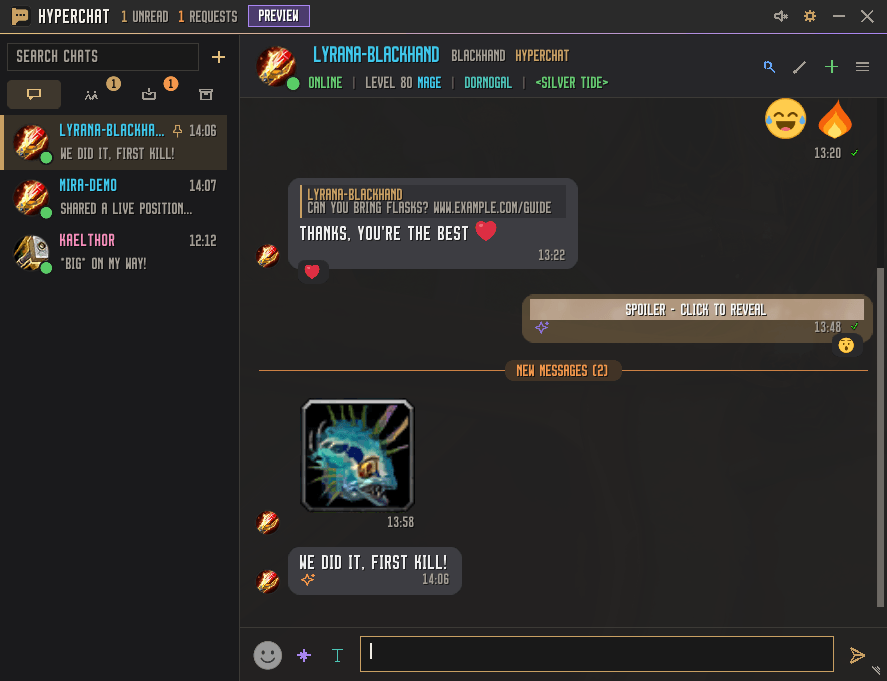
HyperChat is a messenger-style addon for World of Warcraft. It brings character whispers, Battle.net conversations, and HyperChat group chats into one window with searchable history, chat requests, and customizable notifications. You can also follow selected WoW channels from the same window.
Conversations and history
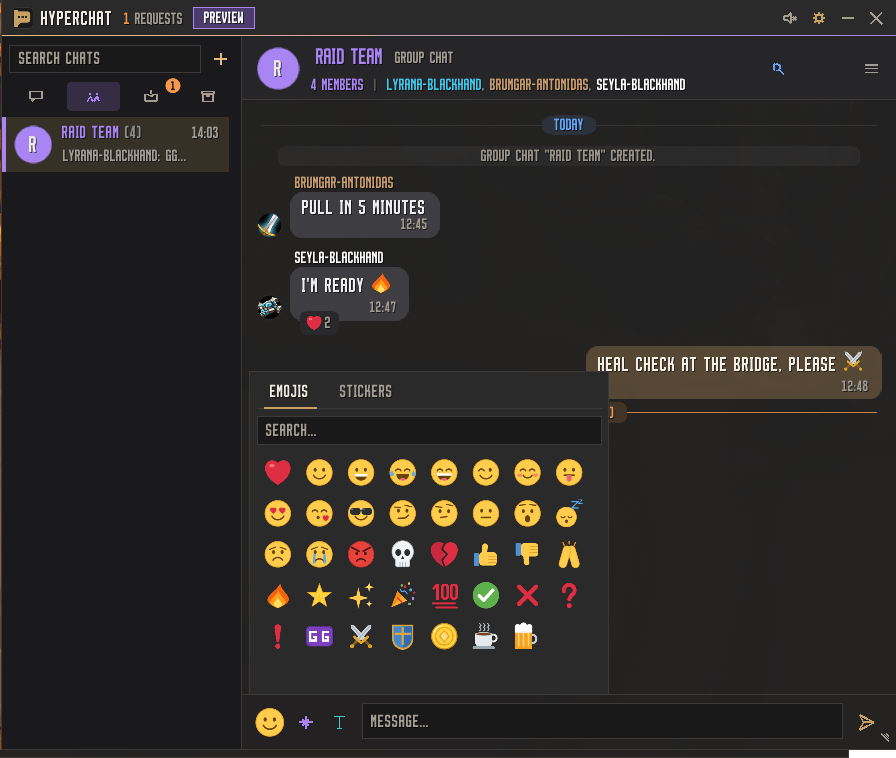
- Organize your inbox. Use the Chats, Group Chats, Requests, Channels, and Archive tabs. Pin important conversations, mute noisy ones, and add nicknames or private notes to contacts.
- Find and keep messages. Search chats and message history, quote earlier messages, copy selected messages, or export an entire conversation as plain text. The history scrollbar supports page clicks and dragging.
- Turn a whisper into a group chat. Right-click a direct conversation and choose Convert to group chat. HyperChat archives your original conversation and invites your contact to a new group with an empty history.
- Follow WoW channels. Enable the Channels tab to read and send messages in selected channels such as guild, party, raid, trade, and general.
Polls, location sharing, and message effects
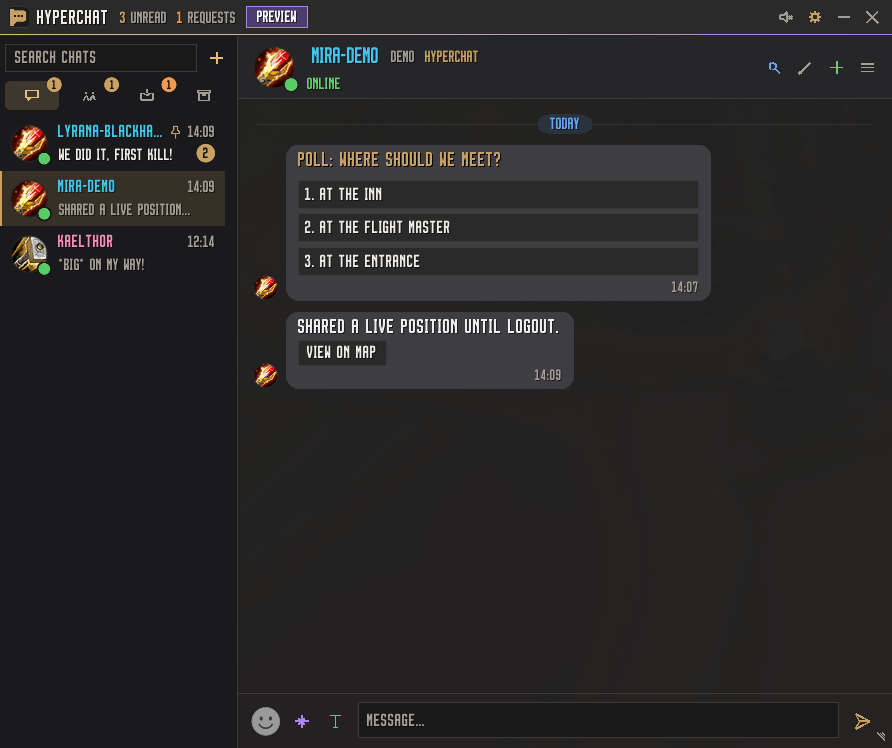
- Polls. Open Chat actions → Create poll in a direct or group chat. Start with two options and use + to add up to five total. Click an option to vote, click another to change your vote, or click your selected option again to withdraw it. The creator closes the poll to lock votes and publish the results.
- Location sharing. Choose Share position to send a snapshot, share live for up to two hours, or share live until logout. Received positions appear as class-colored dots on the world map and, when in range, on the minimap. Use View on map in the chat to open the shared location. Dismiss the sharing banner to hide it or choose Stop to end the share.
- Reactions, emoji, and stickers. React to messages, use the emoji and sticker picker, or add custom stickers from game icons or TGA files. Custom stickers require the matching sticker on the recipient’s installation.
- Message effects. Use tags such as
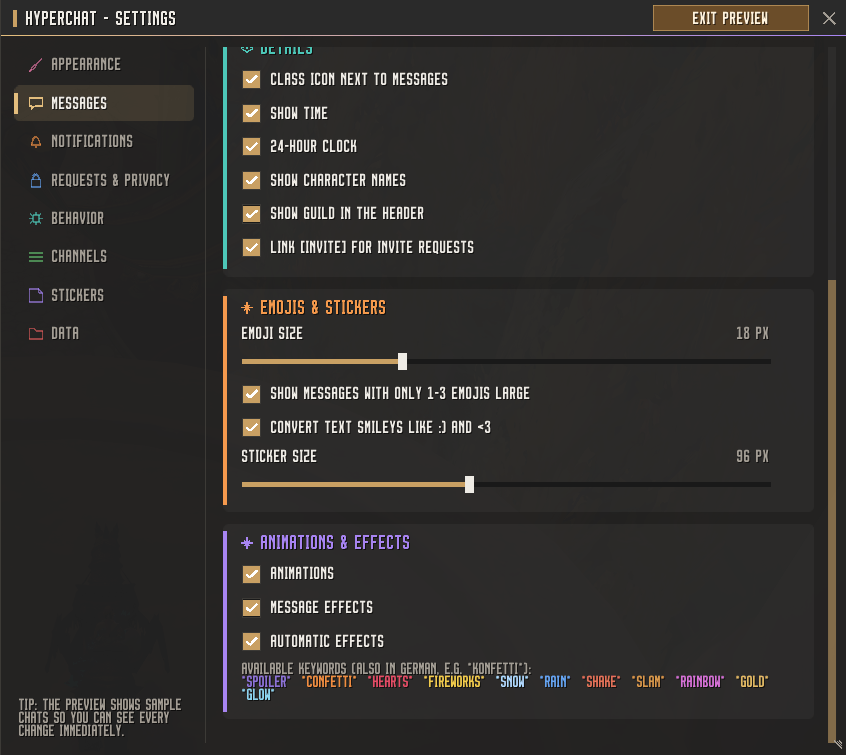
*spoiler*,*confetti*, and*glow*. An effect icon in the conversation identifies messages with effects. Hover over it to see which effects are applied.
Appearance, notifications, and privacy
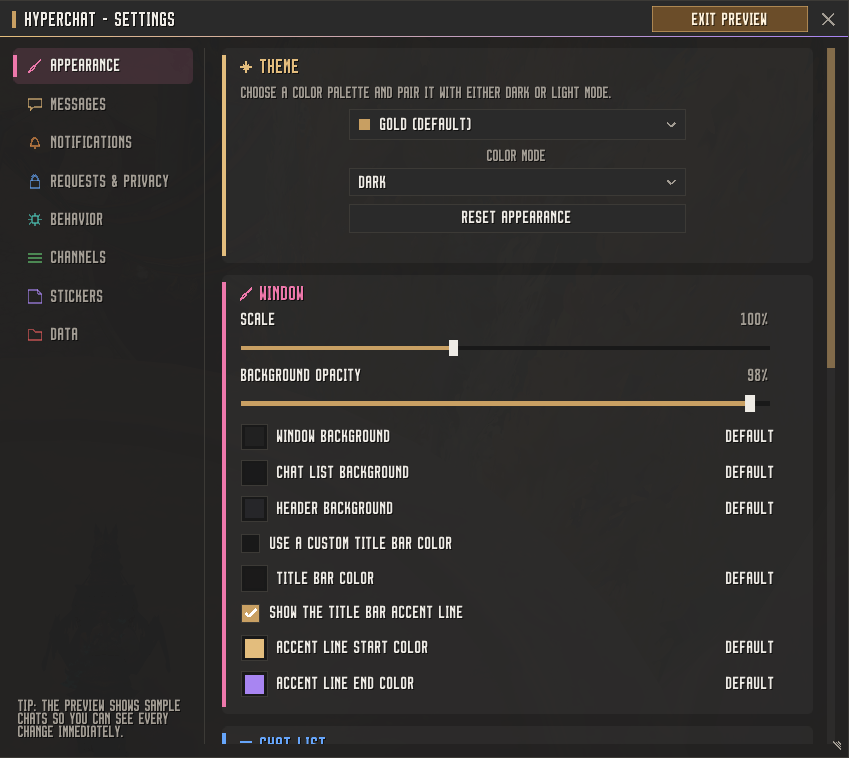
- Pair Dark or Light mode with a color theme such as Emerald or Amethyst. Adjust the title bar color independently, customize or hide the accent line, and choose bubble shapes, font colors, sizes, and flags such as Outline.
- Resize or minimize the window, use a compact sidebar, or fade the window while moving or in combat. Open Settings and choose Start preview to try polls, effects, and a sample location share.
- Choose notification sounds and sound channels, preview the selected sound, and configure toast notifications, minimap flashing, and Do Not Disturb.
- Screen whispers with chat requests, block contacts, and control whether HyperChat sends typing indicators or read receipts. Save quick replies or configure an automatic reply.
Getting started
- Install HyperChat for your WoW client. For manual installation, place the
HyperChatfolder containingHyperChat.tocin that client’sInterface/AddOnsfolder. - Enable HyperChat in the AddOns list, then type
/hcor left-click the HyperChat minimap button to open the chat window. - Right-click the minimap button or type
/hc configto open Settings. Changing Dark or Light mode takes effect after an interface reload.
Slash commands
| Command | What it does |
|---|---|
/hc |
Opens or closes HyperChat. |
/hc w Name-Realm |
Opens a character whisper. |
/hc w Name#1234 |
Opens a conversation with a Battle.net contact. |
/hc config |
Opens Settings. |
/hc dnd |
Toggles Do Not Disturb. |
/hc minimap |
Shows or hides the HyperChat minimap button. |
/hc reset |
Resets the chat window position and size. |
/hyperchat is an alias for /hc.
Compatibility and good to know
- Built for WoW Retail and WoW Forever, with English and German text. No additional addon is required. Fonts from LibSharedMedia are available when another installed addon provides the library.
- Standard whispers and Battle.net messages work with contacts who use the default WoW chat. HyperChat group chats, polls, location sharing, reactions, and read receipts require HyperChat on the participating clients.
- Chat history is stored locally in WoW’s account-wide SavedVariables. You can set a per-chat history limit or enable automatic deletion of older messages.
- Location sharing depends on the coordinates WoW makes available in your current area. Shares end when you log out or reload the interface.
HyperChat Team

Owner