Hey Cousin! Surname & Family Finder
- By
Surname finder for WoW Forever: one click finds every player online who shares your surname, your last name or second name. Family chat, group finder, map and nameplate crests, guild recruiting
found.png
map.png
hey.png
groups.png
nameplates.png
Description
WoW Forever gave everyone a surname. Find out who else has yours.
Hey Cousin! is the surname finder and family finder for World of Warcraft Forever. Your surname is your last name or second name, the one after your first name. One click shows every player online with your surname, your cousins. Then talk to them, group up, recruit them to your guild, and see them on your map.
At a glance:
- One-click surname finder: everyone online with your exact surname (last name), with level, zone and guild
- Family chat:
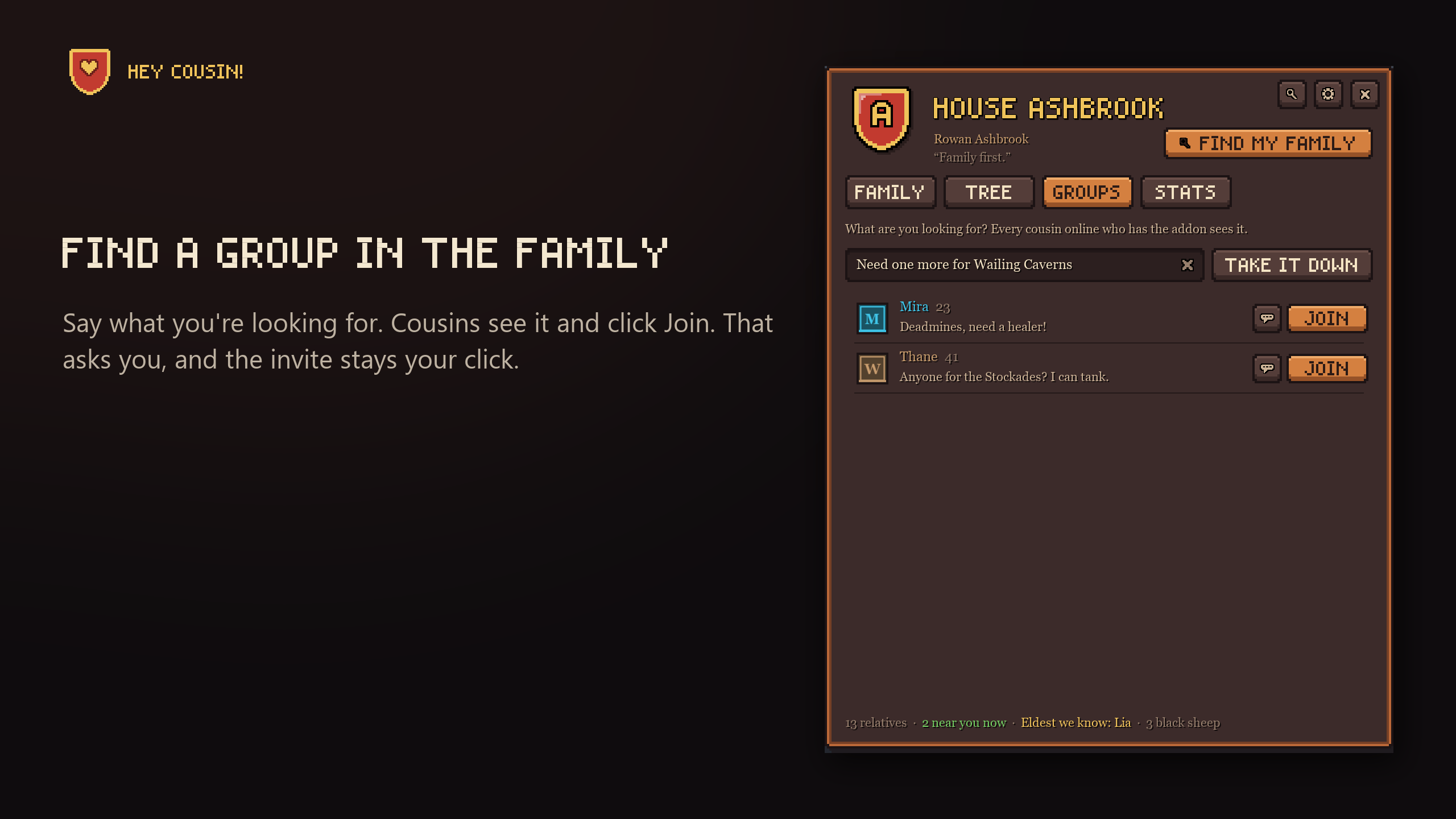
/famtalks to your cousins, in any guild - Group finder: post "Deadmines, need a healer" and cousins can ask to join
- Family map: cousins who share show on the world map and minimap
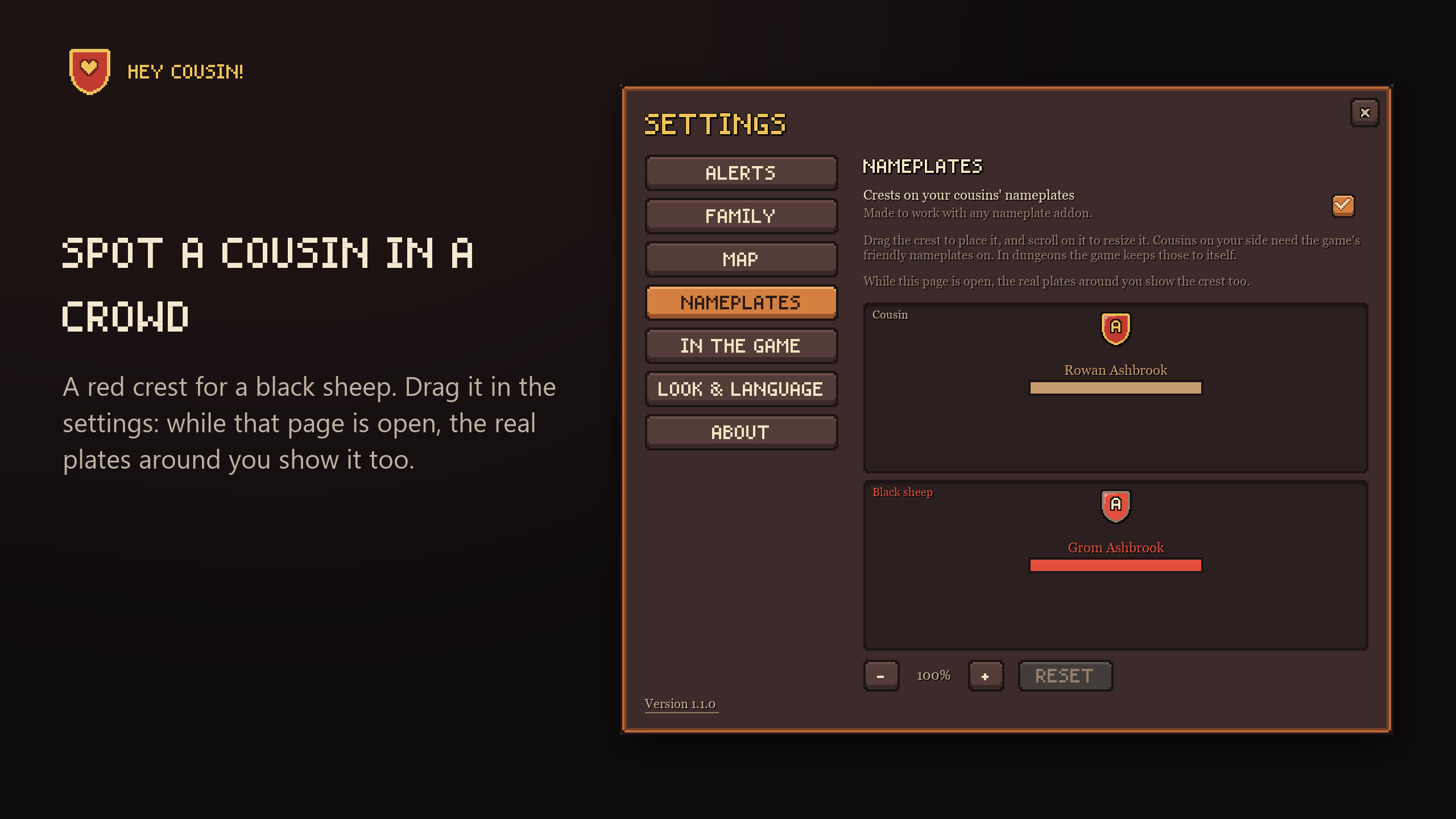
- Crests on nameplates: spot a cousin in a crowd
- Guild recruiting: invite the cousins who have no guild yet
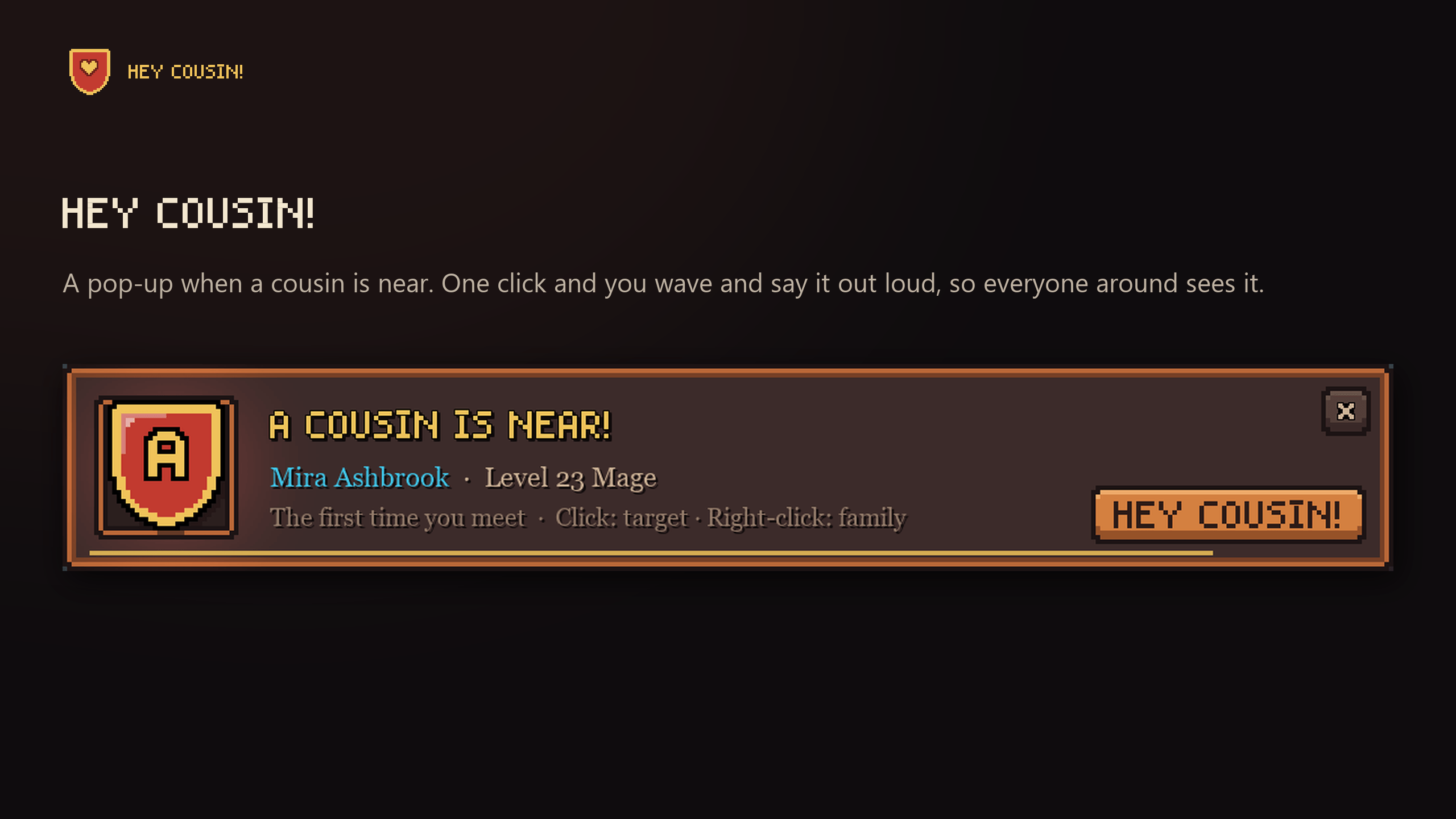
- "A cousin is near!" A pop-up when you meet, and one click to wave hello
- Family reunions: a banner when cousins are in your group
- Family achievements, quiet ones: no pop-ups, no sounds
- Backup: your whole family as one line of text, safe from a deleted WTF folder
- Your own family crest, three looks, 12 languages, and no other addons needed
It's useful from your first minute, even if nobody else in your family has it yet: the finder, pop-ups, crests, guild recruiting and your family's history all work alone.
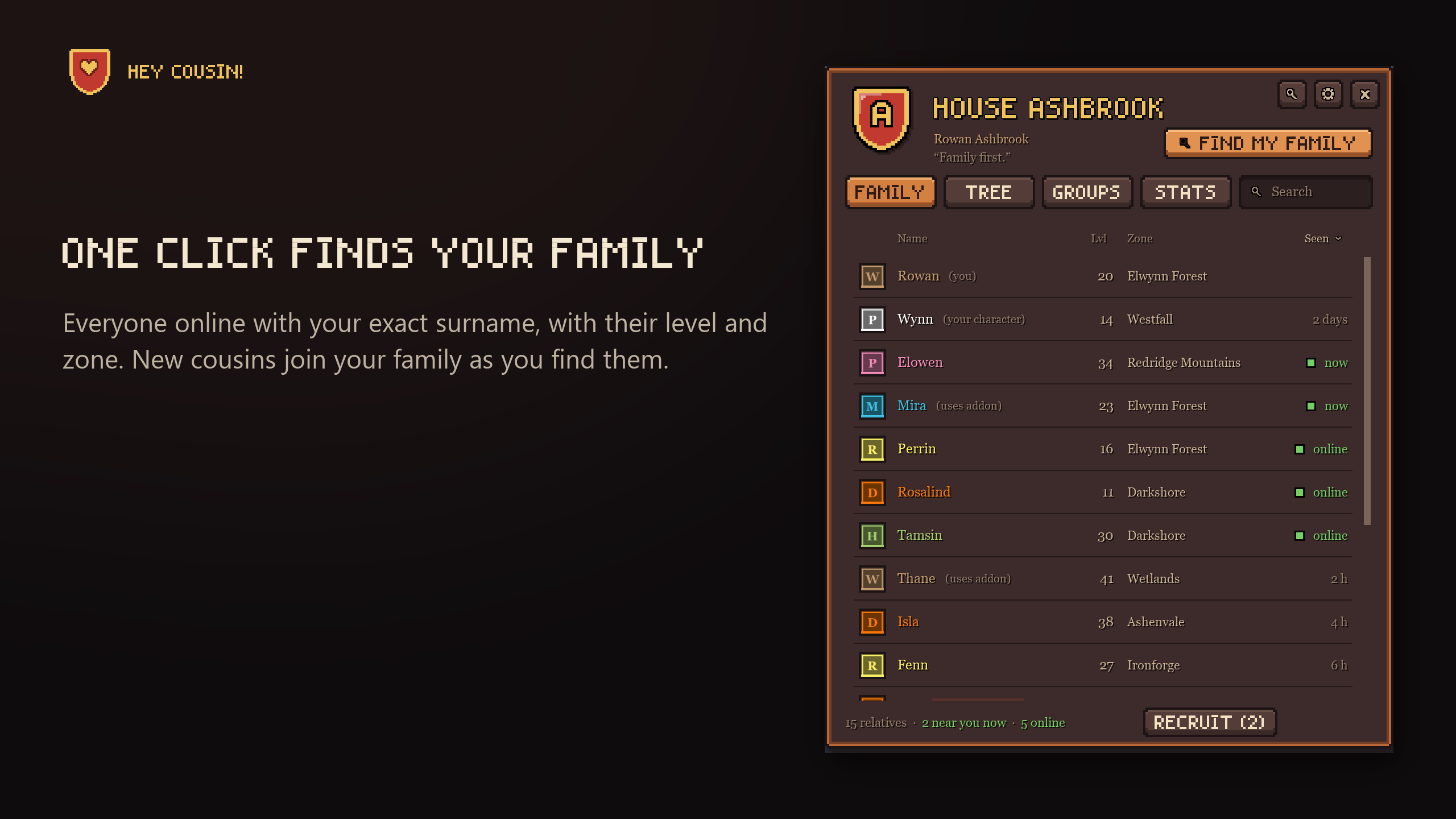
One click finds your family
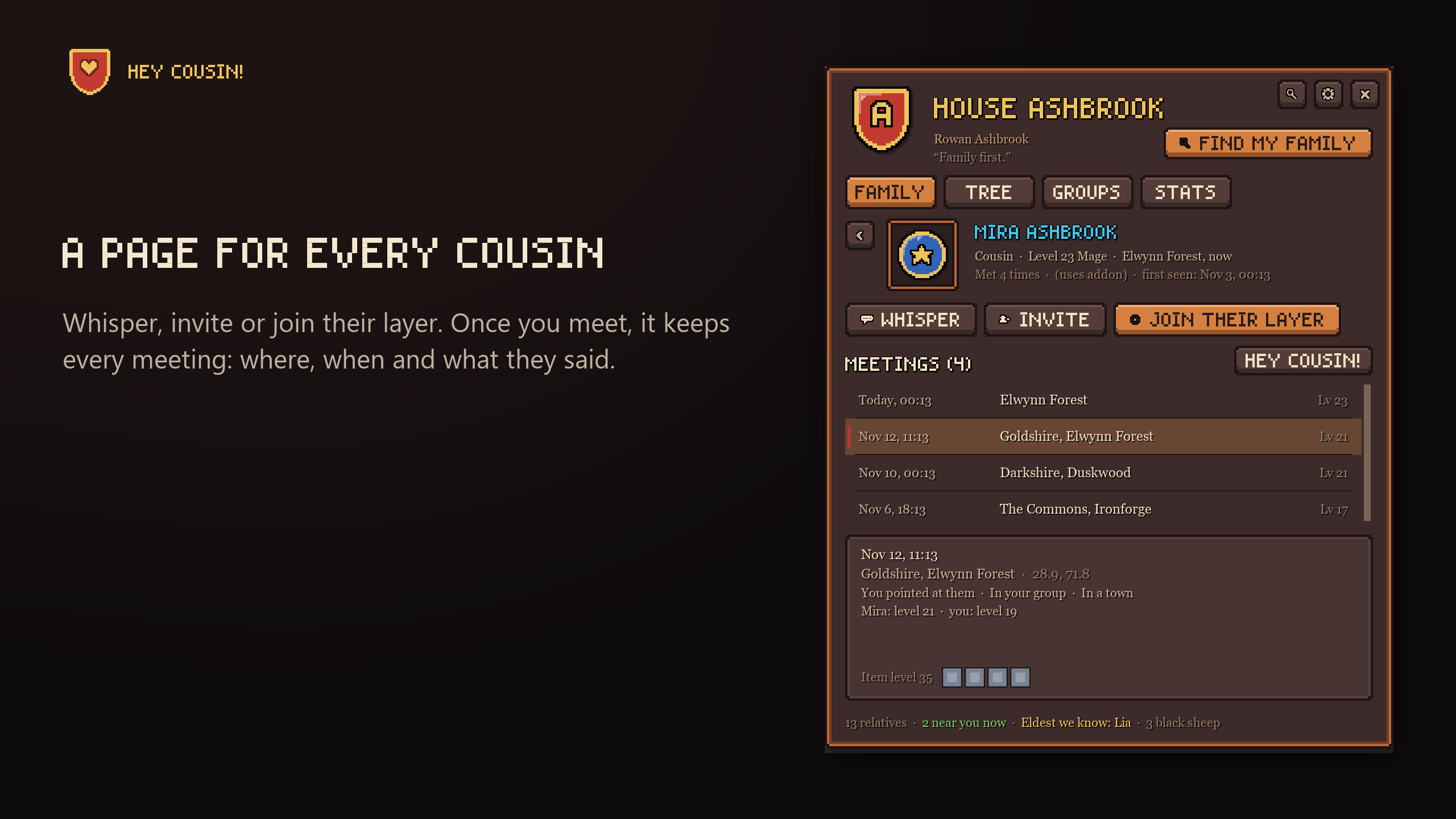
One click searches the game's /who for your surname and lists everyone online with exactly that surname, on your faction, with their level, zone and guild. Open a cousin's page to whisper them, invite them to your group, or join their layer.
Your family grows by itself too: the addon also spots cousins around you, in chat and in your guild, and remembers every time you met: where, when, what they said and their gear.
Want to see another family? Look up any surname with /cousin find Surname.
"A cousin is near!"
A pop-up with their face and a sound the first time you meet, or every time if you want. Click it to target them. Click Hey cousin! and you wave and say "Hey cousin Mira!" out loud, so everyone around sees it.
A cousin on the other side of the war is the family's black sheep, with a pop-up of their own. Meet a cousin again after two weeks apart, and it says "Long time no see!", with when and where you met last.
Spot a cousin in a crowd
Your family's crests on nameplates, and a red one on a black sheep's enemy nameplate, so you know who you're fighting. Drag and resize the crest in the settings: while that page is open, the real nameplates around you show it too, so you see exactly where it goes. Tried on EllesmereUI's nameplates, and made to work with any other, such as Plater, ElvUI or Kui.
The family map
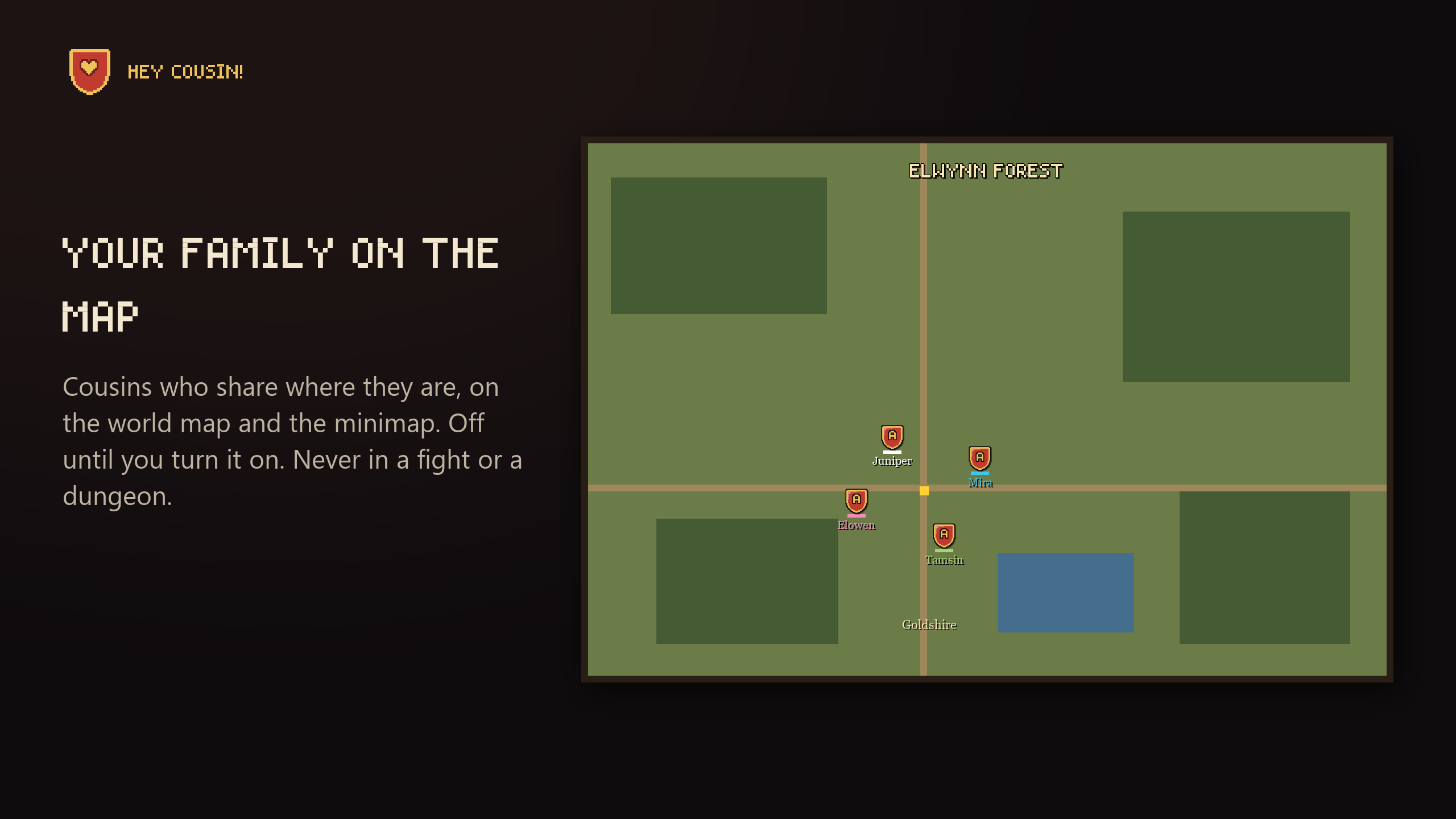
Cousins who share where they are show as crests on the world map and the minimap, with their names. Click one to open their page. It works beside map addons like Questie, TomTom and HandyNotes, and on OpenMap's stitched map.
Sharing is off until you turn it on. Then your guild and anyone with your surname who runs Hey Cousin! can see where you are, on your faction only. Never in a fight or a dungeon. Turn it off, and your crest leaves their maps at once.
Play together
When your cousins have the addon too, they're marked (uses addon), you see their own crests, and you can:
- Talk:
/famreaches every cousin online who has it, on your faction, in any guild. Only people with your surname see it: like a guild chat for your family. - Find a group: say what you're looking for on the Groups tab. Cousins click Join, you get one Invite button.
- Hear the news: a line in chat when a cousin comes online or reaches a round level.
- See their motto: cousins with the addon see your motto on your page and your tooltip, and you see theirs.
Family reunions
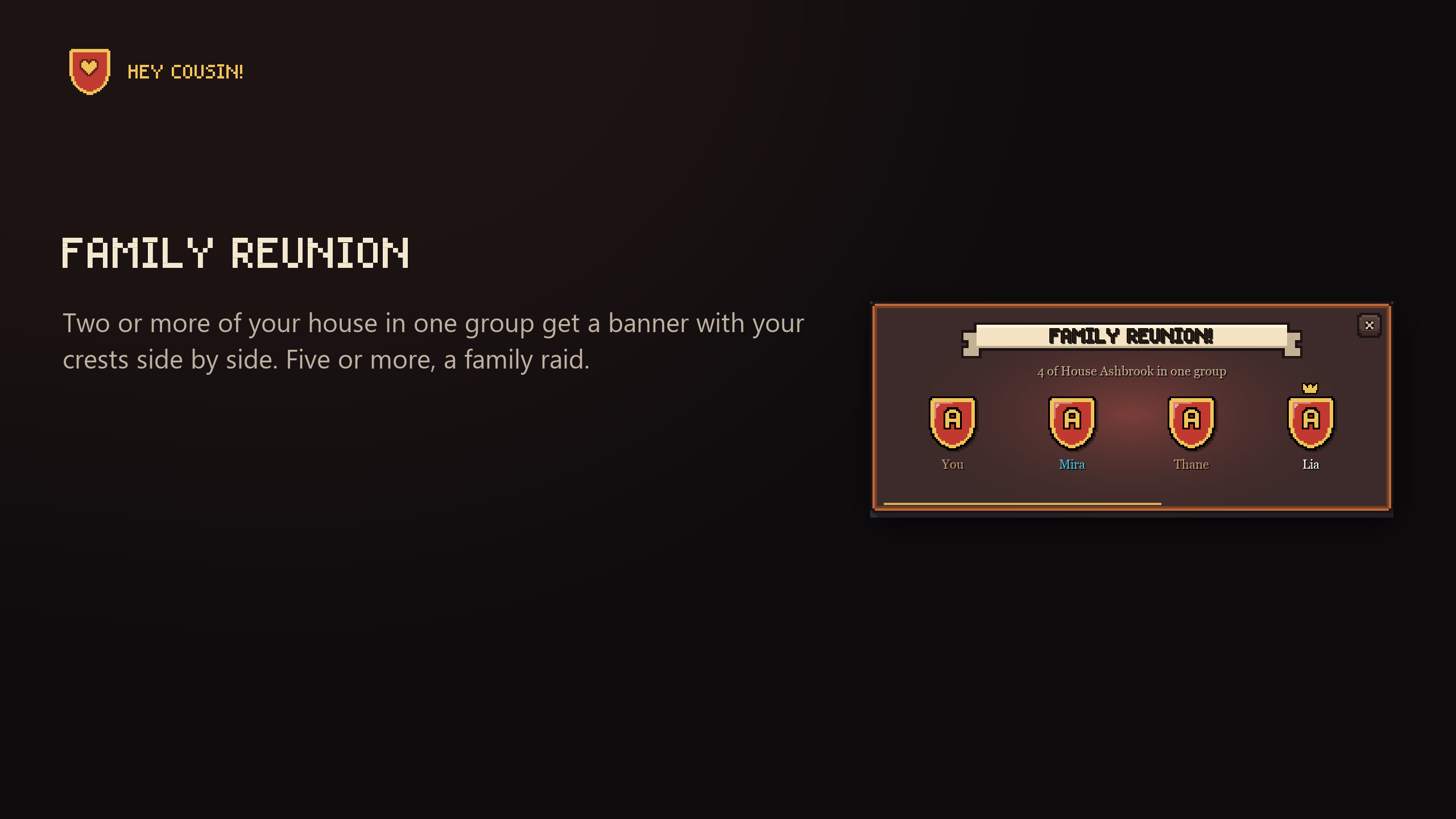
When two or more of your house are in one group, everyone in it who has the addon gets a banner with your crests side by side, and a crown on the eldest. Five or more, and it's a family raid. Once a group, again when another cousin joins, never in a fight. Try it with /cousin test reunion.
The family race and portrait
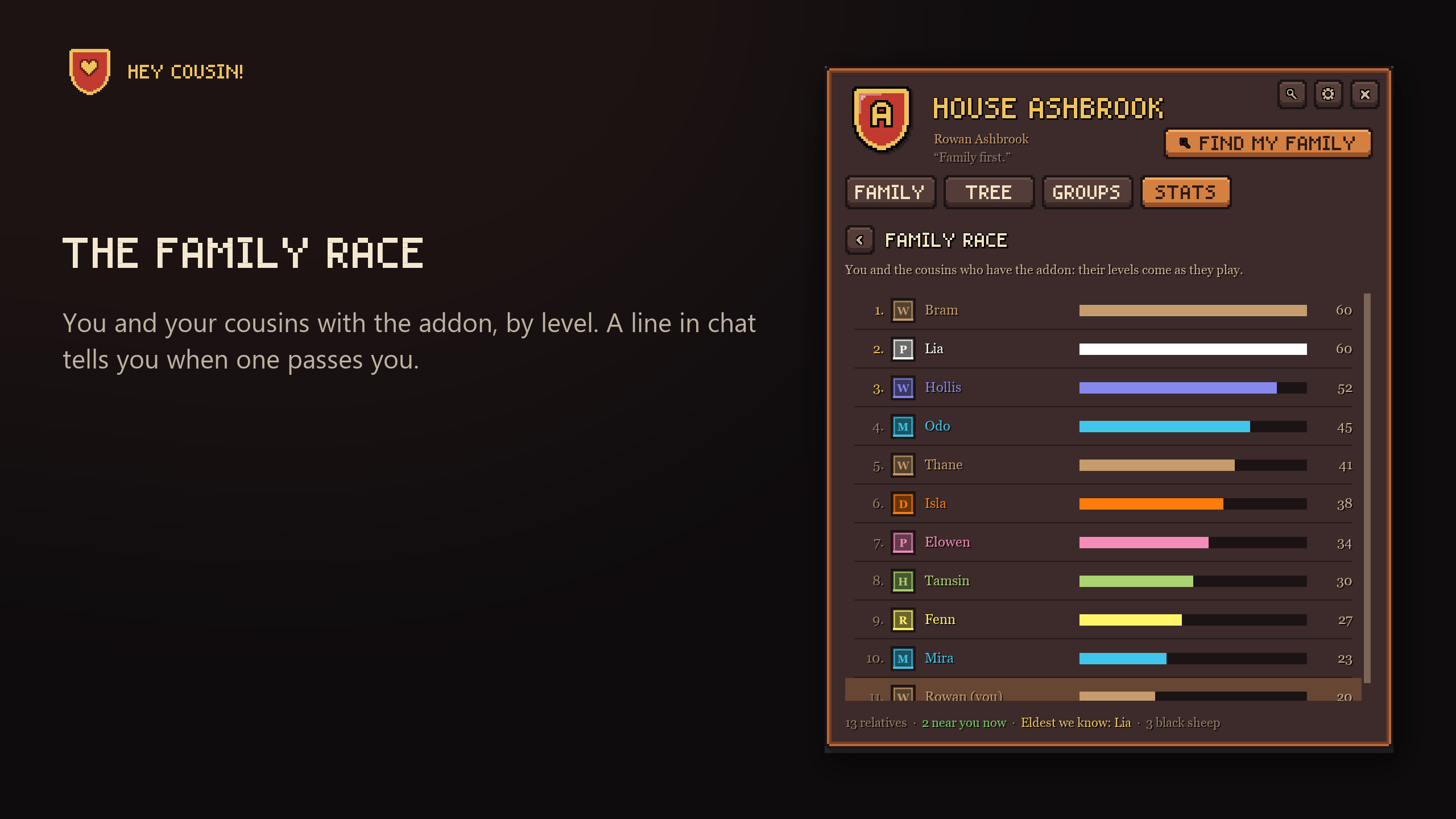
Who's the highest level in your family? The family race ranks you and your cousins with the addon, and tells you when one passes you.
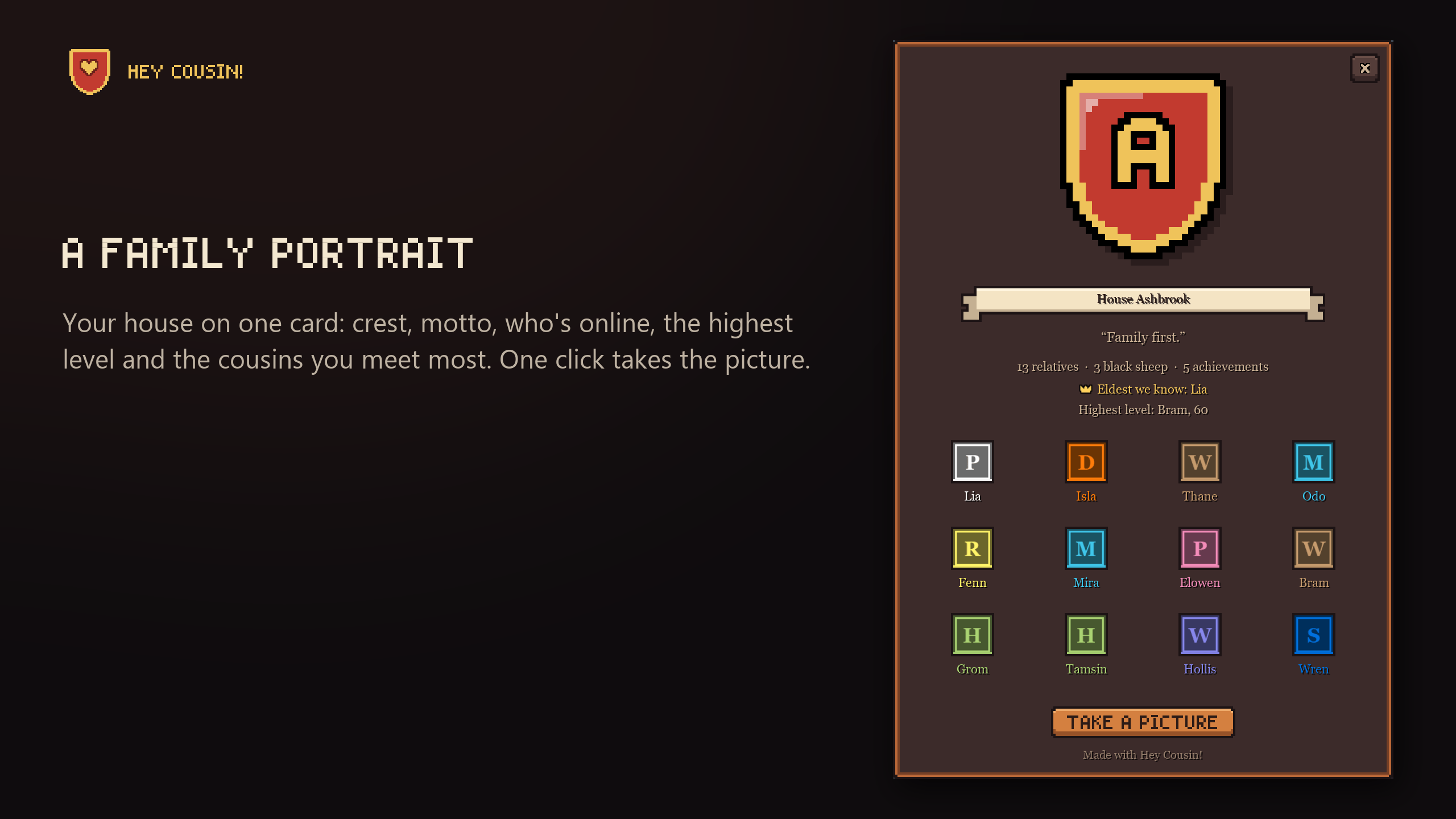
The family portrait puts your house on one card: crest, motto, who's online, the eldest, the highest level and the cousins you meet most. Take a picture saves it as a screenshot without the card's buttons, to share with your family or Discord.
Family achievements
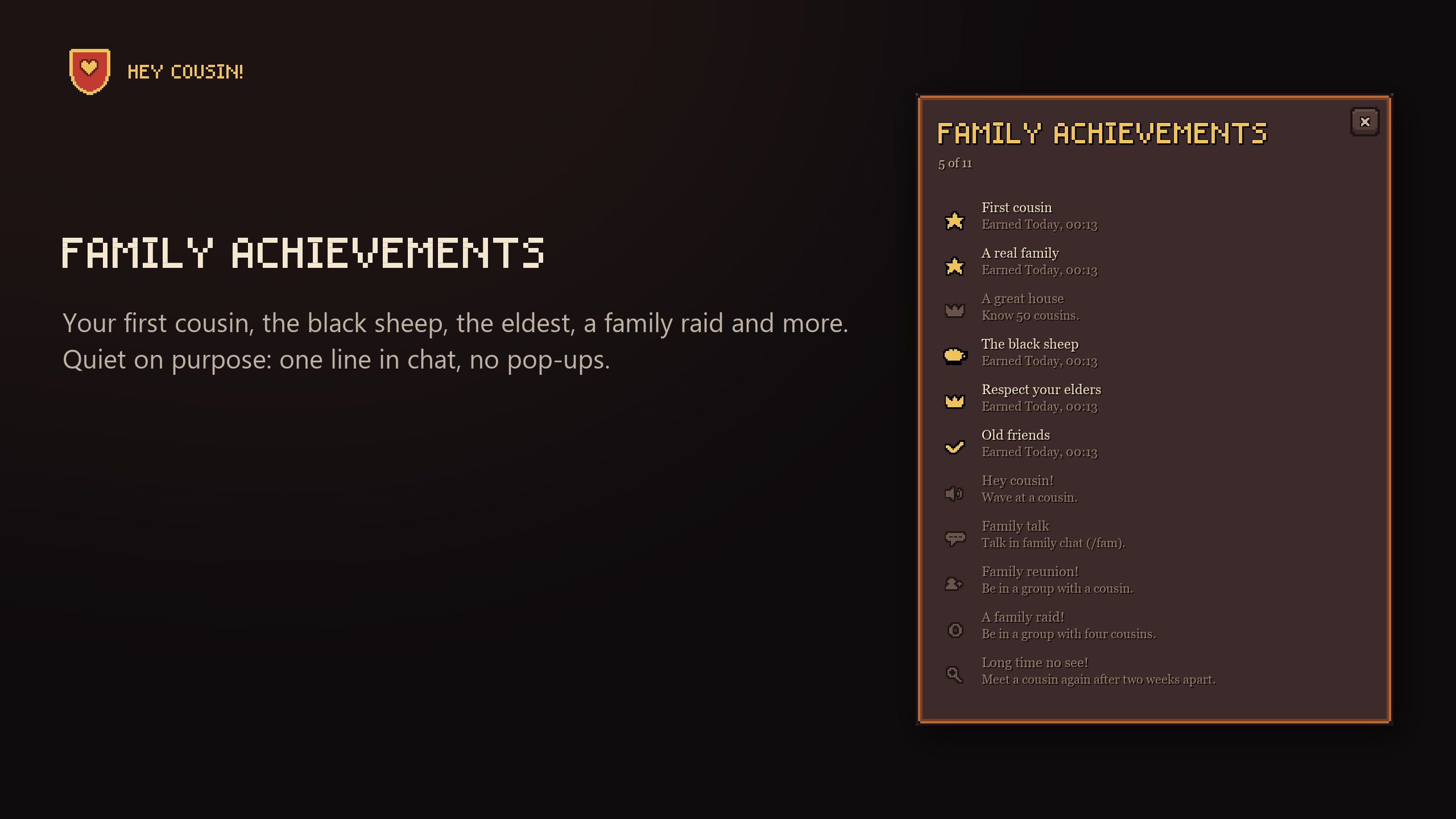
Eleven small things a family does: your first cousin, ten cousins, the black sheep, the eldest, an old friend met ten times, a reunion, a family raid and more. Quiet on purpose: no pop-up and no sound, one line in chat when you earn one (one line for several), and a switch turns even that off. They're behind the star on the Stats tab.
Build your house
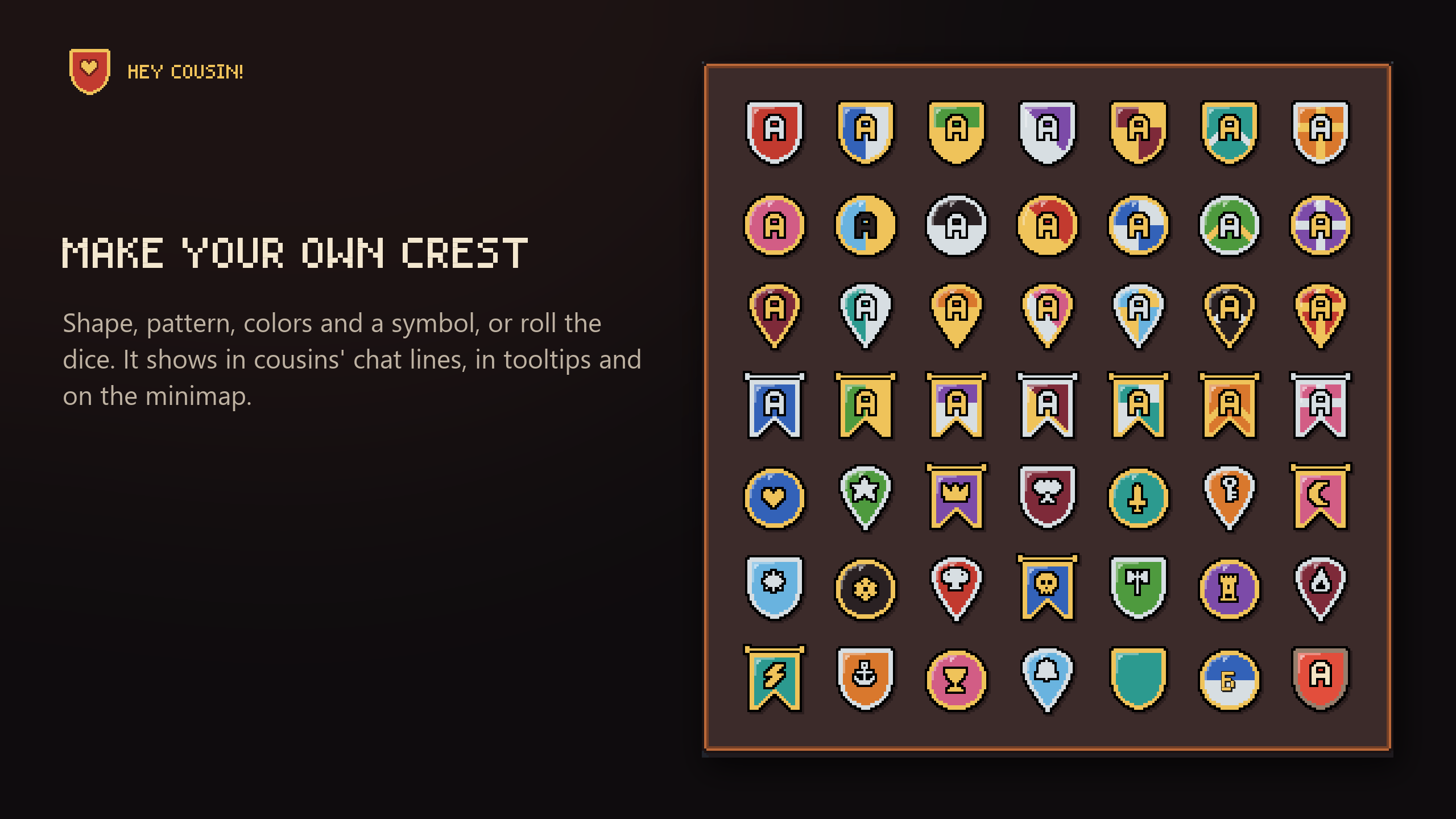
- Your crest: shape, pattern, colors, a symbol and a motto, or roll the dice. It shows at the start of cousins' chat lines, in tooltips and on the minimap.
- Your other characters show in your family, and a crown marks the eldest cousin we know, by a good guess.
- Stats: how many relatives you have, who you meet most, and the surnames you see most.
- Other houses: a player of another house shows how many of it you've met in their tooltip ("House Stone: met 3").
Great for roleplay families, too.
For guilds: recruit and make it a family
- Recruit: the cousins with no guild, each with an Invite button and a welcome you write.
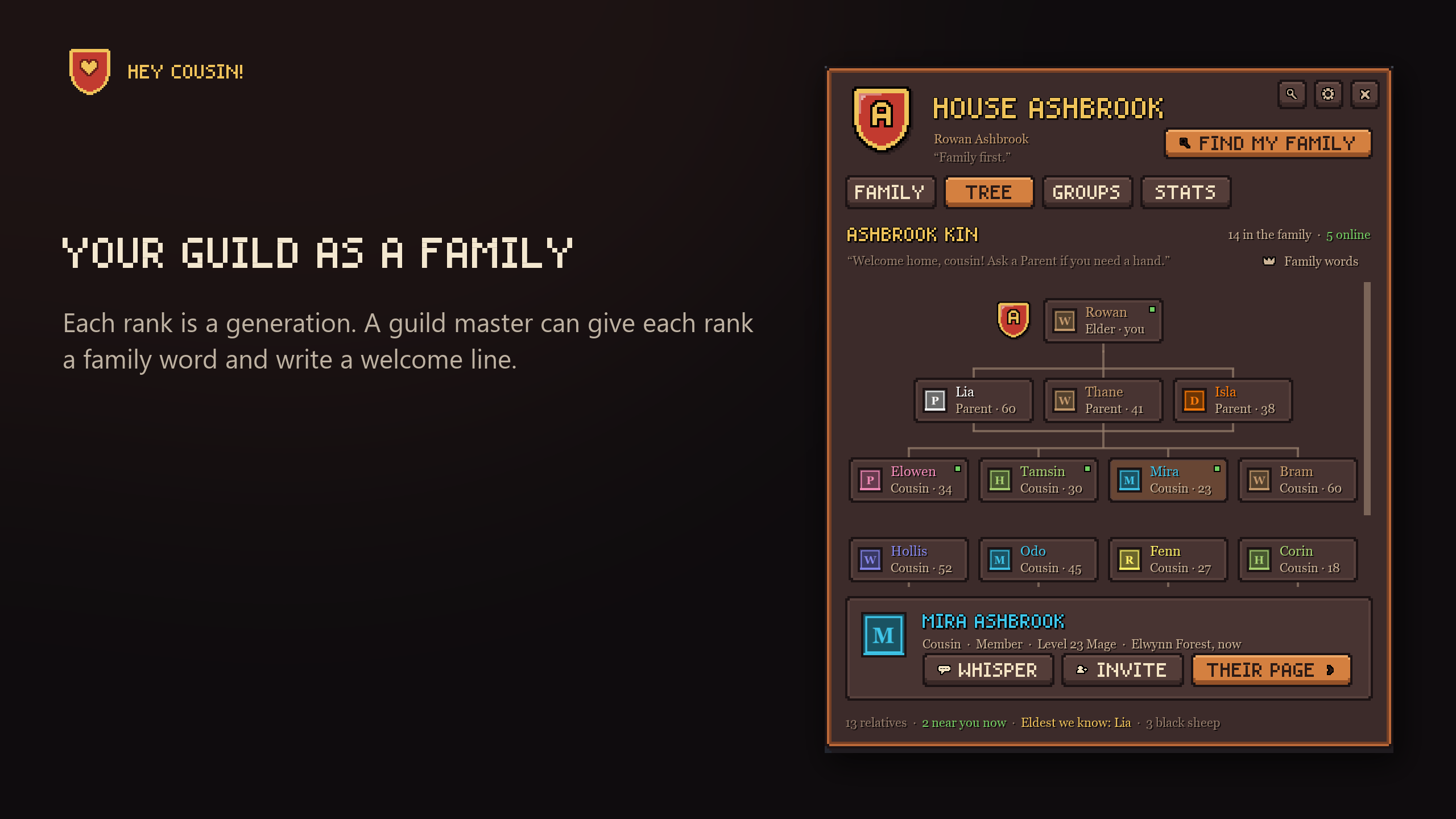
- The family tree: your guild as a family, each rank a generation. A guild master can give each rank a family word and write a welcome line, and every member with the addon gets them.
Three looks
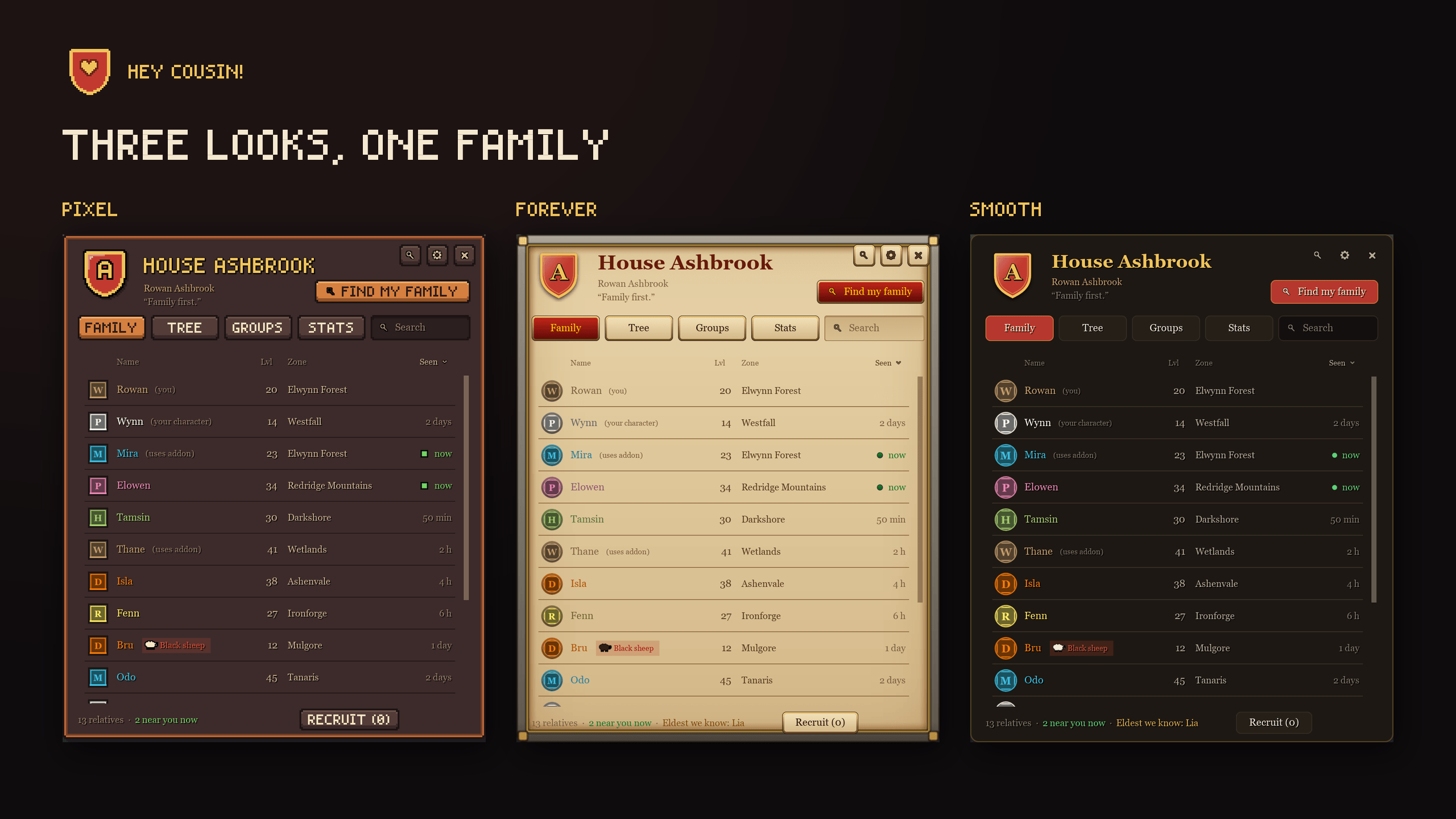
Pixel, Forever (the classic game's parchment) and Smooth. Switch any time.
You stay in control
- Your words are yours: no chat line, whisper you can read, invite or "Hey cousin!" goes out without your click.
- Quiet: every alert has a switch, and one switch turns off all family messages. The game's ignore list counts too.
- Open about what it shares: your addon quietly tells cousins' addons your class, level and crest, and that you run it: nothing
/whodoesn't already show, but that. Where you are stays private until you turn sharing on. - Light: windows are built only when you open them, and nothing runs in the background unless it has to.
- Easy to start: a two-step setup, or skip it: everything has a good default, and everything is in the settings.
- Keep it safe: Backup turns everything the addon keeps into one line of text. Keep it in a note or on Discord, and paste it back after a new computer or a deleted WTF folder. It's read as data, never run as code.
Commands
/cousin: your family/fam: talk to your cousins/cousin groups: cousins looking for a group/cousin find Surname: who's online with any surname/cousin recruit: invite the cousins who have no guild/cousin tree: your guild as a family tree/cousin race: the family race/cousin portrait: your family portrait/cousin achievements: your family achievements/cousin backup: keep your family safe, or bring it back/cousin settings: every choice, by what it's for/cousin setup: your crest and the main choices, step by step/cousin test,/cousin test mapand/cousin test reunion: try the pop-up, the map crests and a reunion
12 languages: English, German, French, Italian, Spanish (Spain and Latin America), Brazilian Portuguese, Russian, Ukrainian, Korean, and Chinese (simplified and traditional).
Still young
The game is new, and so is this. Family chat, the map, the minimap and nameplate crests, achievements and backup are tested in the live game. The guild features, groups and reunions have had the least testing there. If something looks wrong, or you try it with your nameplate addon (open the settings' Nameplates page to see), please tell me in the comments or on GitHub.
The source code is there too, so you can read exactly what the addon sends. All rights reserved.
Hey Cousin! Surname & Family Finder Team