OnAir
- By
Streamer mode for streaming and recording: every player name becomes an alias. One key keeps a record of each highlight for your edit. Stream snipers stay out.
01-go-live.png

00-how-it-works.gif
02-aliases.png
shot-frames.png
shot-meters.png
Description
The broadcast studio inside World of Warcraft.
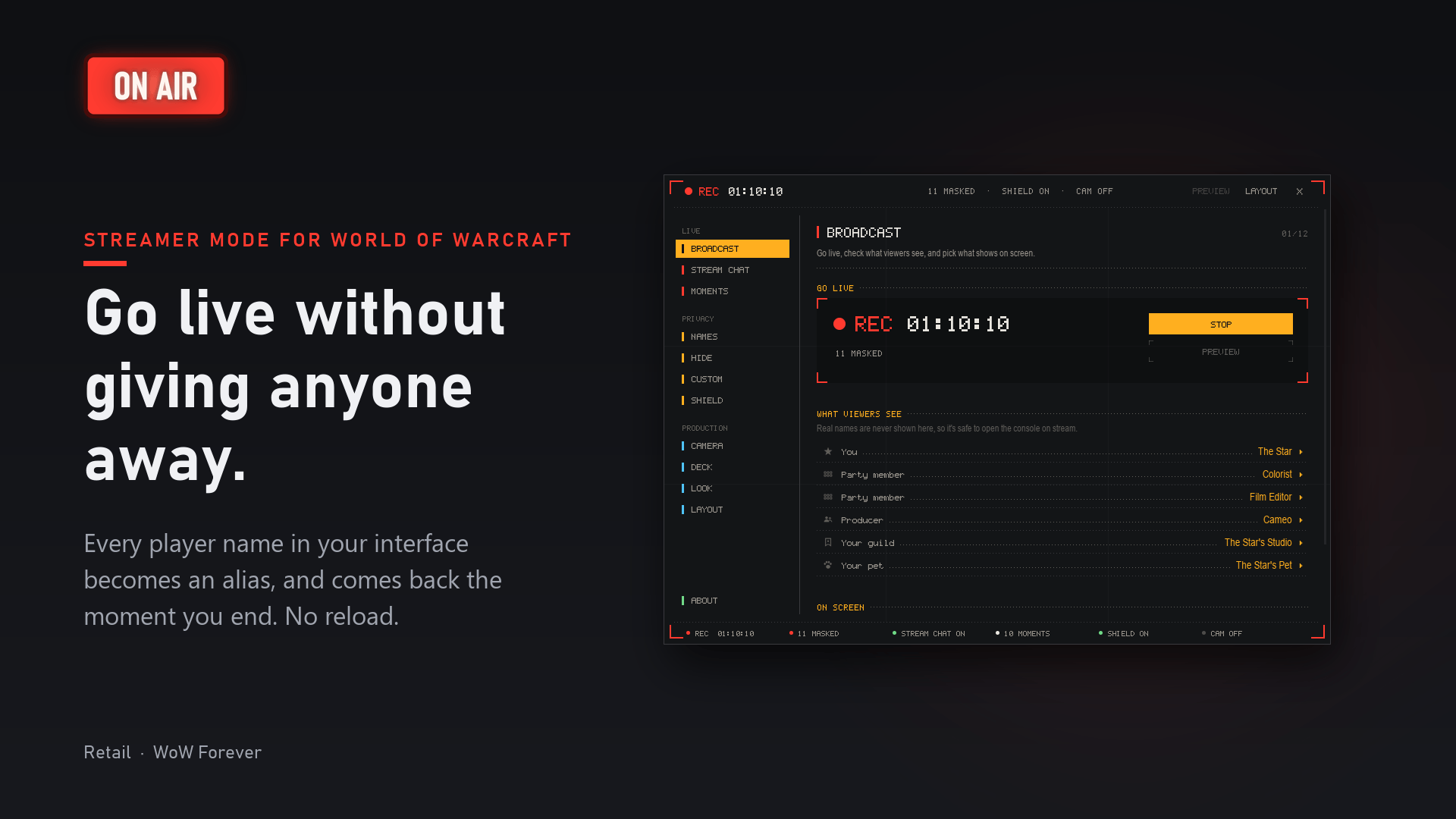
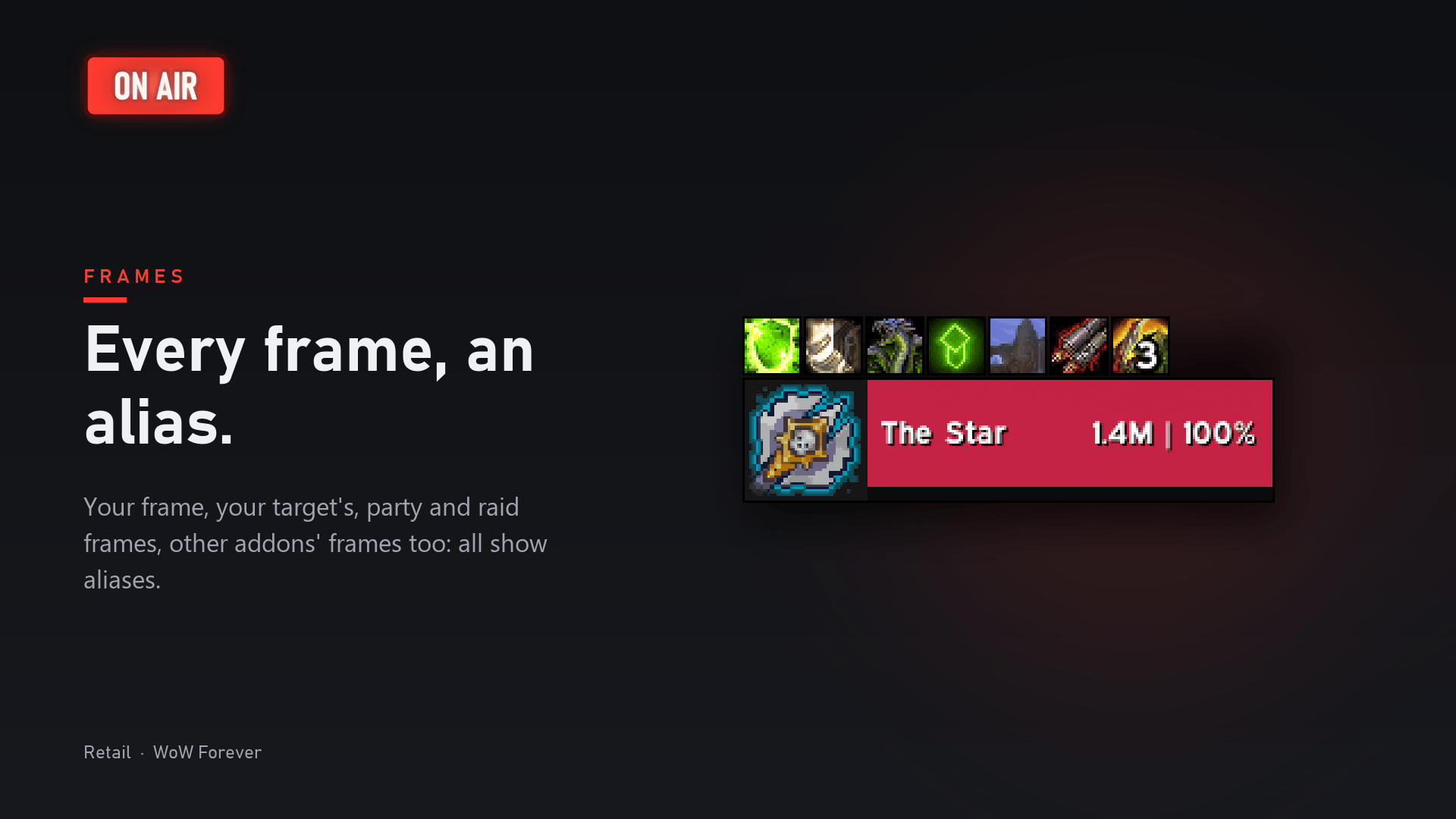
Go live without giving anyone away. OnAir is a streamer mode for streaming and recording World of Warcraft. One click, and every player name on your screen becomes a name that fits your show: in chat, on nameplates, frames, tooltips and meters, even inside other addons. One more click, and it's all back. No reload.
Made for streamers and video makers: a cast your viewers can follow, a highlight key for your edit, a shield against stream snipers, cinematic camera tools and a clean chat for your audience. One addon, for Retail and WoW Forever.
OnAir doesn't record video. Keep OBS, Streamlabs or your graphics card's recorder: OnAir gets the game ready for the camera.
Why streamers pick OnAir
- Names, not blanks. Hiding names shouldn't kill the story. Everyone gets a name your viewers can follow, and keeps it every session.
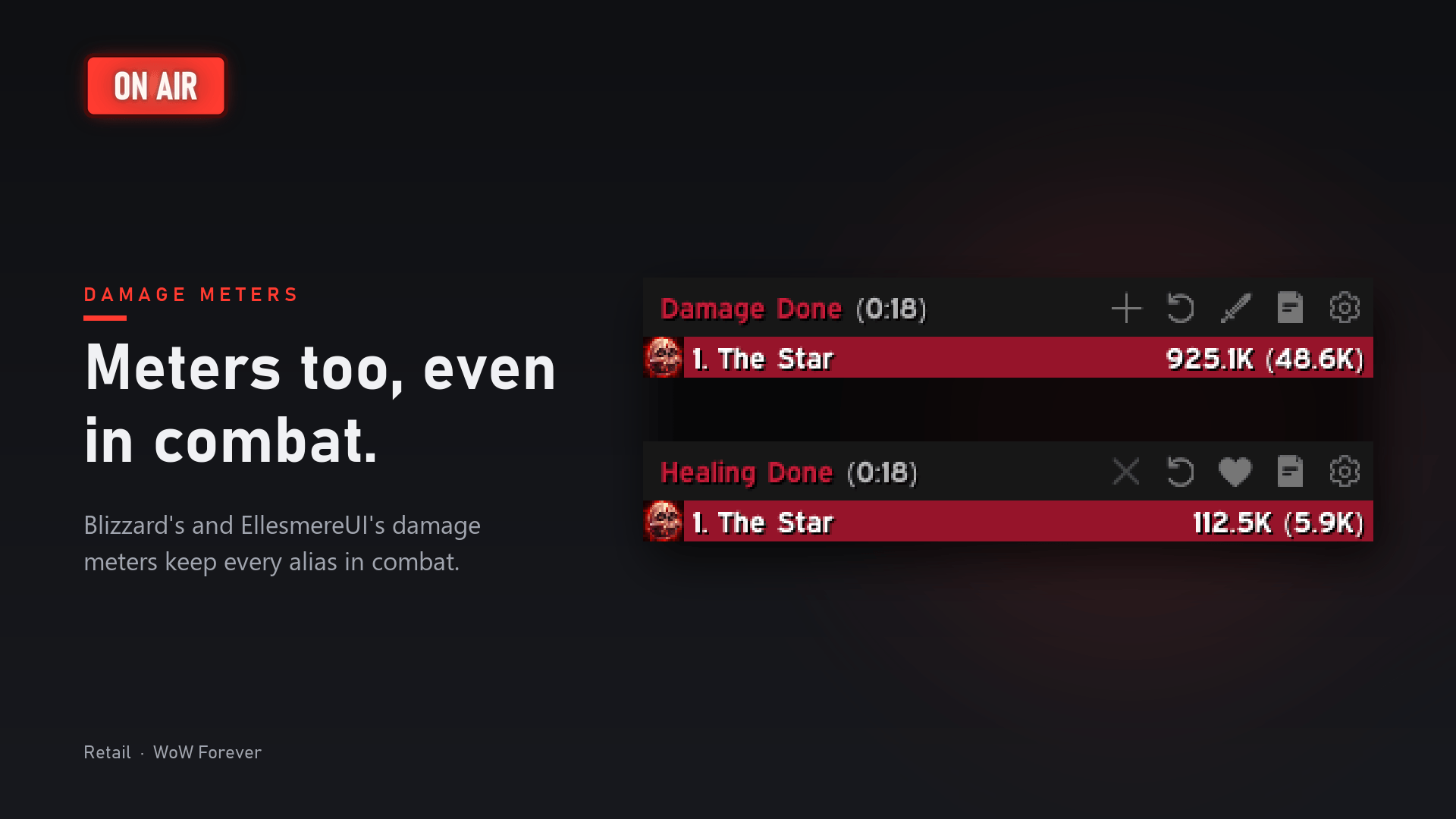
- Nothing slips through. Chat, nameplates, unit and raid frames, tooltips, damage meters, friends, guild, group finder and mail. Other addons' text too.
- Even in combat. Where the game hides names from addons, OnAir covers the text instead.
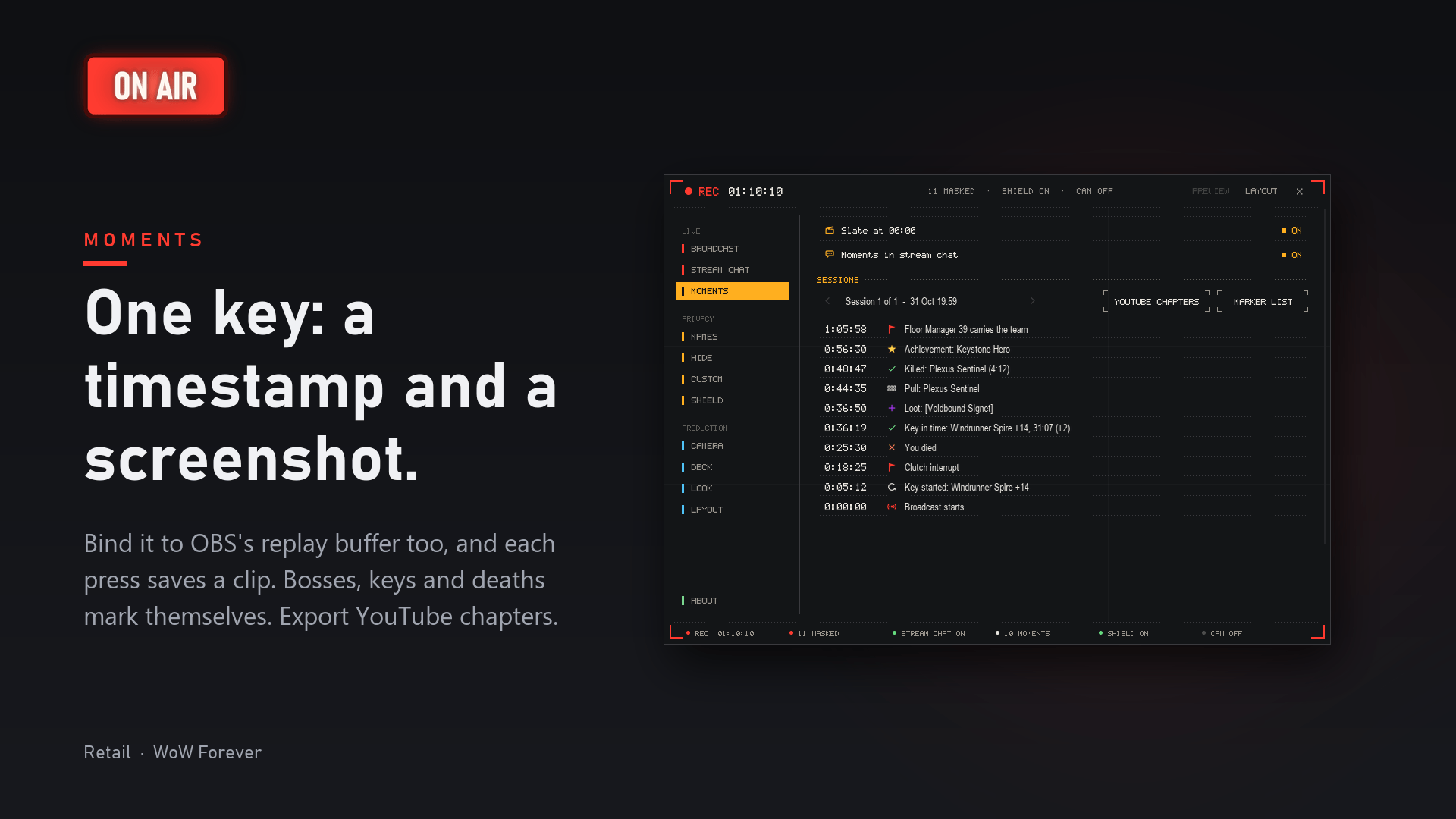
- One key, every highlight. Timestamps, screenshots and YouTube chapters, ready when the stream ends.
- Cinematic tools, built in. Smooth zoom, the game's hidden action camera, orbit and presets. No console commands, no extra addons.
- Change it mid-recording. Rest the mouse on the Deck for a second and its quick options open, even with the UI hidden.
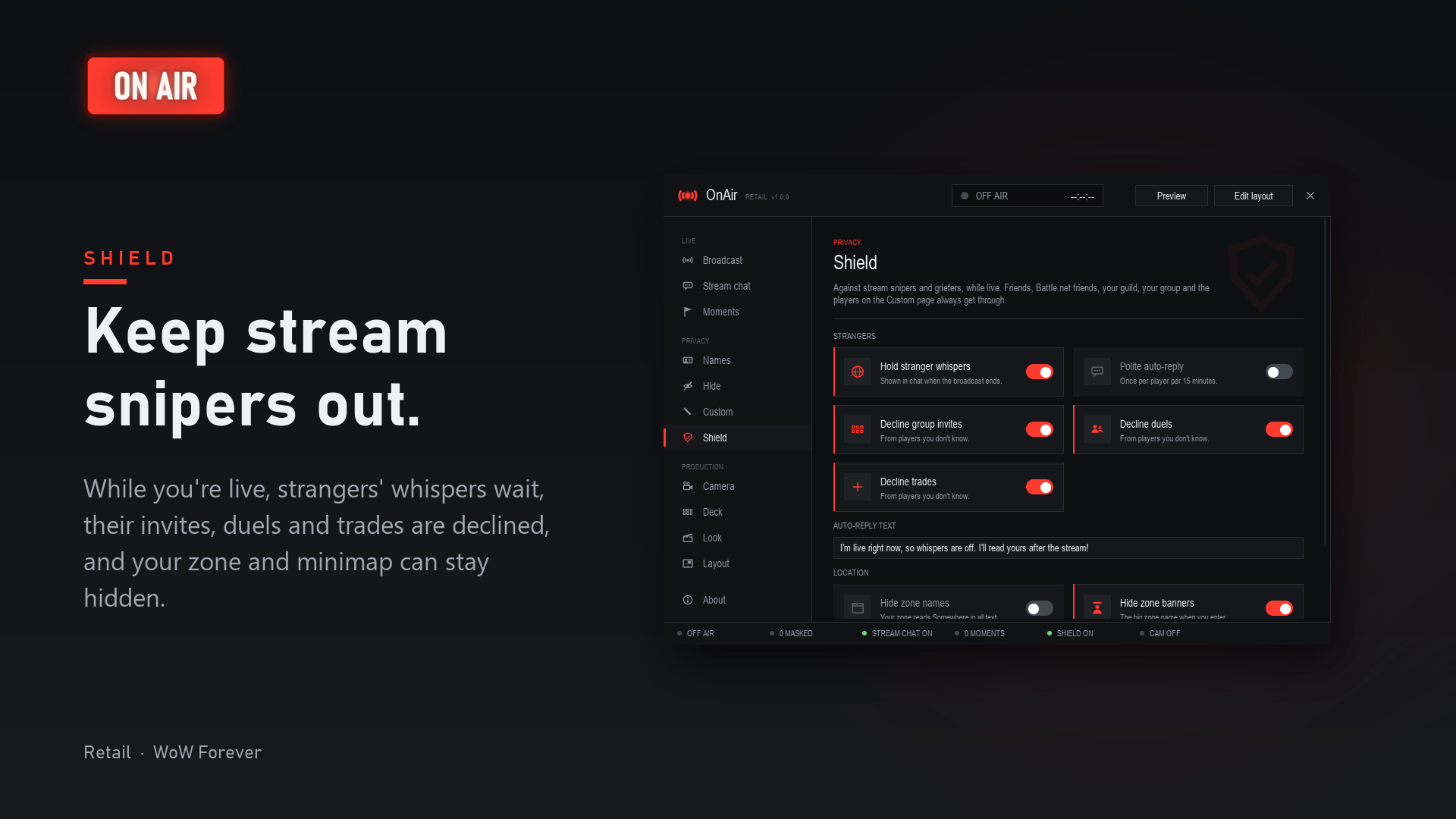
- Stream snipers stay out. Strangers' whispers wait, and their invites, duels and trades bounce while you're live.
- Back in one click. End the broadcast and real names return at once. Every game setting OnAir changed comes back as you had it.
- It checks itself.
/onair checkhunts for any real name left on your screen. - Light. No libraries and nothing to set up. Heavy work is spread out, so your frame rate won't feel it.
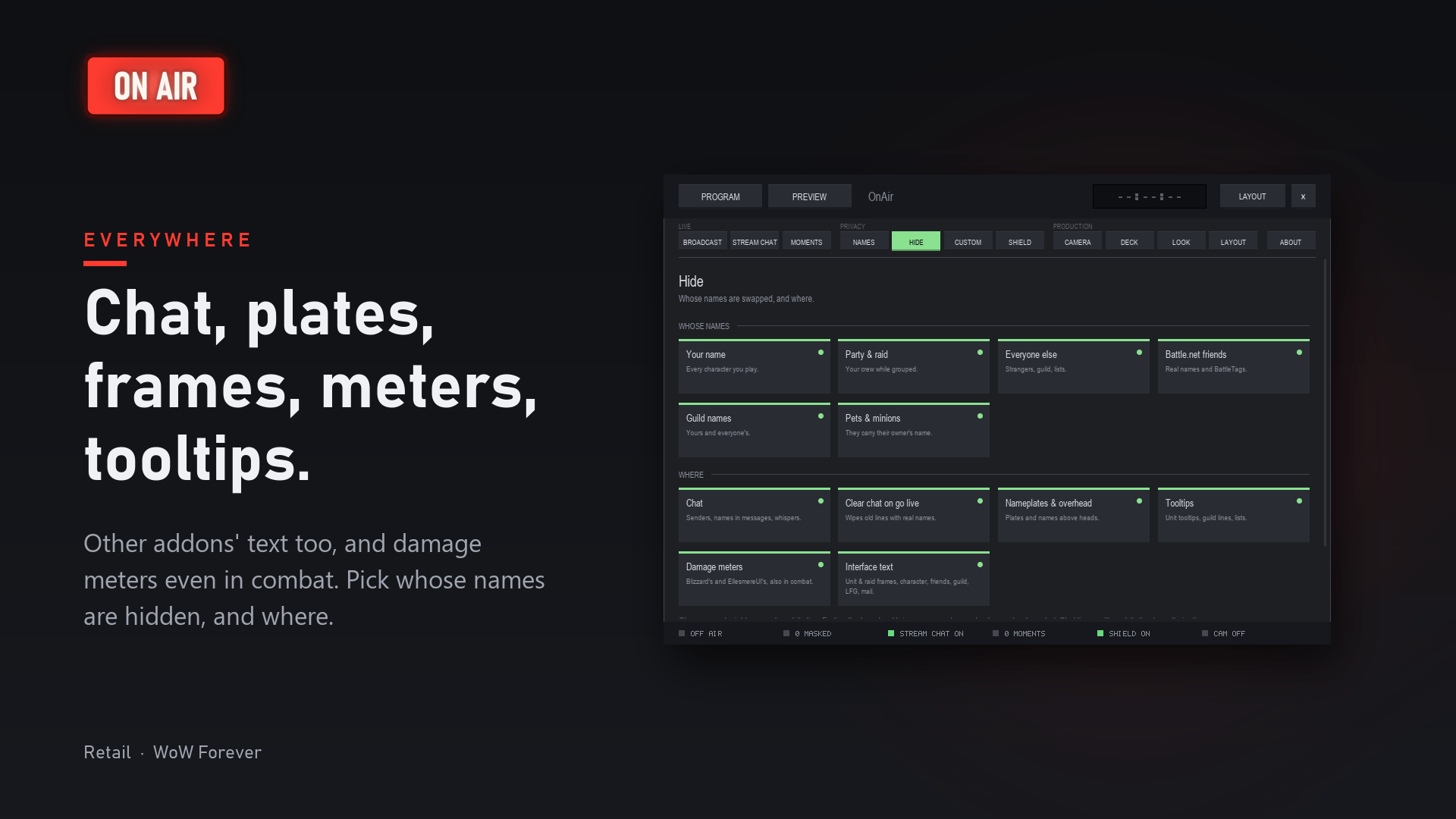
Cast your show
Don't just hide names. Cast them.
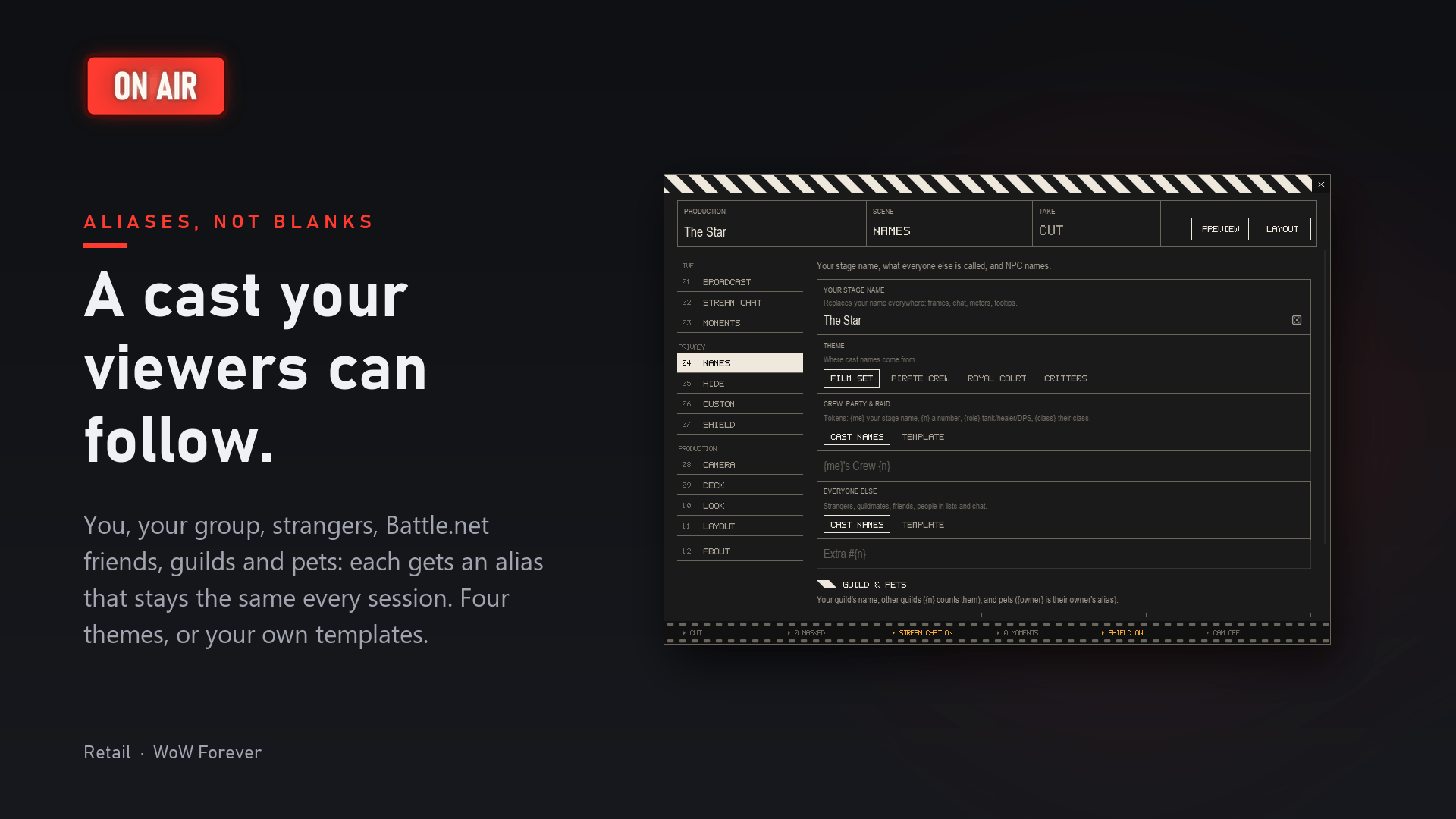
- Pick a theme. Your party becomes a Film set crew (Gaffer, Steadicam, Plot Twist, Director's Cut), a Pirate crew (First Mate, Powder Monkey, Kraken Bait), a Royal court (Court Jester, Herald, Duke of Nothing) or a pack of Critters (Sleepy Otter, Spicy Capybara, Wobbly Penguin). Match your channel, your series or tonight's run.
- Play the lead. Your stage name shows on every character you play: The Director, The Captain, Their Majesty, Top Dog, or your own. Roll the dice for ideas.
- Write your own names. A pattern like
{me}'s Crew {n}makes The Star's Crew 1, 2, 3… Add{role}or{class}and viewers see who tanks, who heals and who plays the mage. - Recurring characters. Everyone keeps their name from stream to stream, so your audience meets the same Gaffer next week. Give your duo partner or raid leader a name of their own on the Custom page.
- The whole world, renamed. Strangers, Battle.net friends (real names and BattleTags), guilds ("The Star's Studio", "Studio 2"), pets ("Gaffer's Pet") and, if you like, NPCs.
- Rehearse first. Preview masks your screen just like live, so you can check it before you go. Want a fresh cast? Reshuffle.
One key. Every highlight.
Your edit starts while you play: OnAir keeps a record of every highlight while you stream or record.
- Going live starts a clock at 00:00, and an ON AIR slate marks the same moment in your video. Your timecodes line up.
- Boss pulls, kills and wipes, Mythic+ keys, deaths, levels, achievements, epic loot and PvP mark themselves.
- Press your Mark key for anything else. Turn on Screenshot each moment for a picture of each one.
- Pro tip: bind the same key to Save Replay in OBS. One press: a clip and its timecode.
- Afterwards, export YouTube chapters, ready to paste under your video, or a marker list for your editor. Names are already aliases, so everything is safe to show.
Stream snipers? Not today.
While you're live, whispers from strangers wait until you end, with an auto-reply if you like. Their invites, duels and trades are declined. Your zone, zone banners and minimap can disappear too. Friends, your guild, your group and the players on your Custom page always get through.
A chat made for viewers
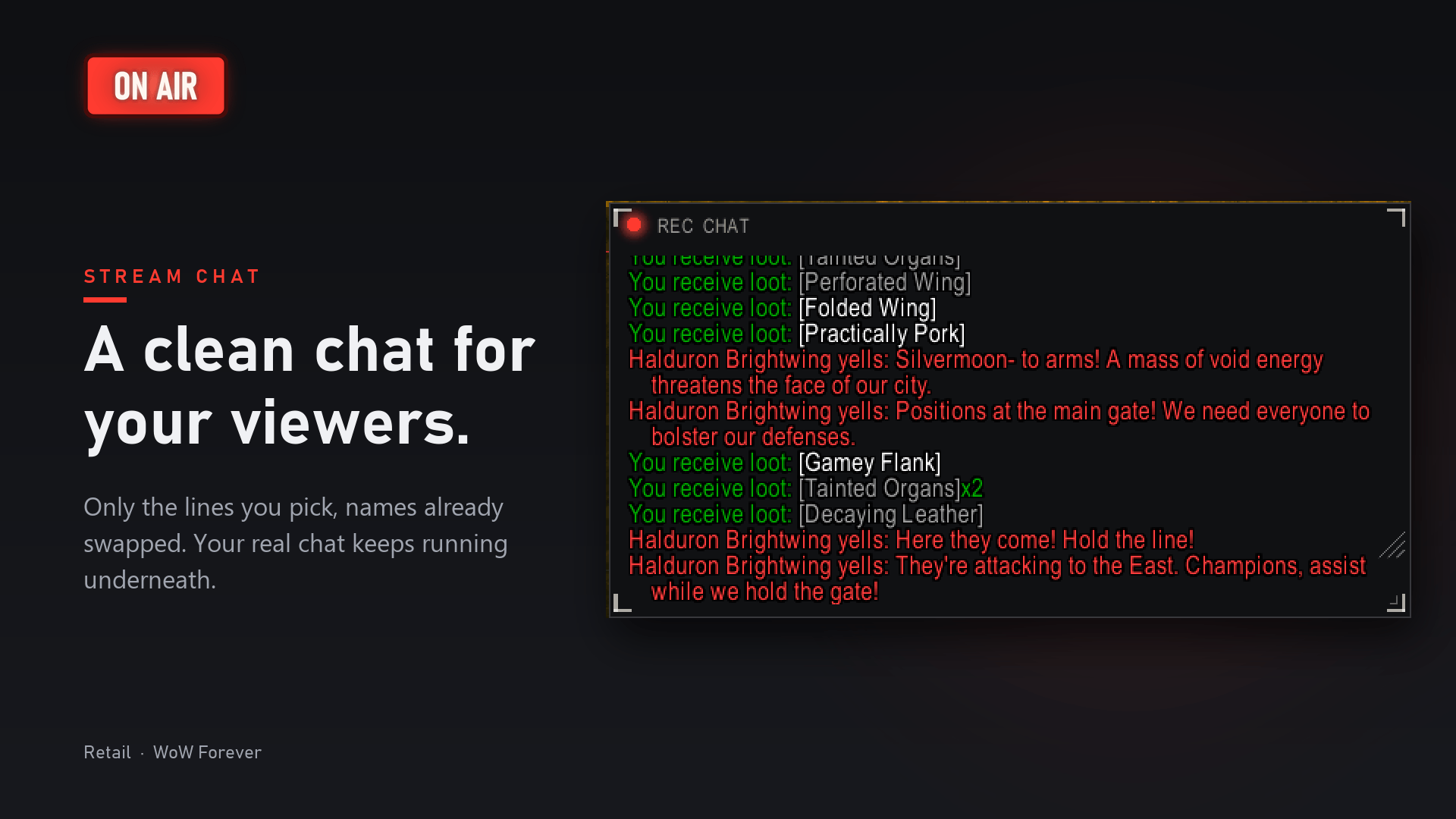
A clean chat window sits on top of yours while live. It shows only what you pick (NPC talk, boss emotes and loot by default), every name already swapped. Viewers get the story, not your whispers. Going live also wipes old chat lines with real names, and your real chat keeps working underneath.
Cinematic tools, built in
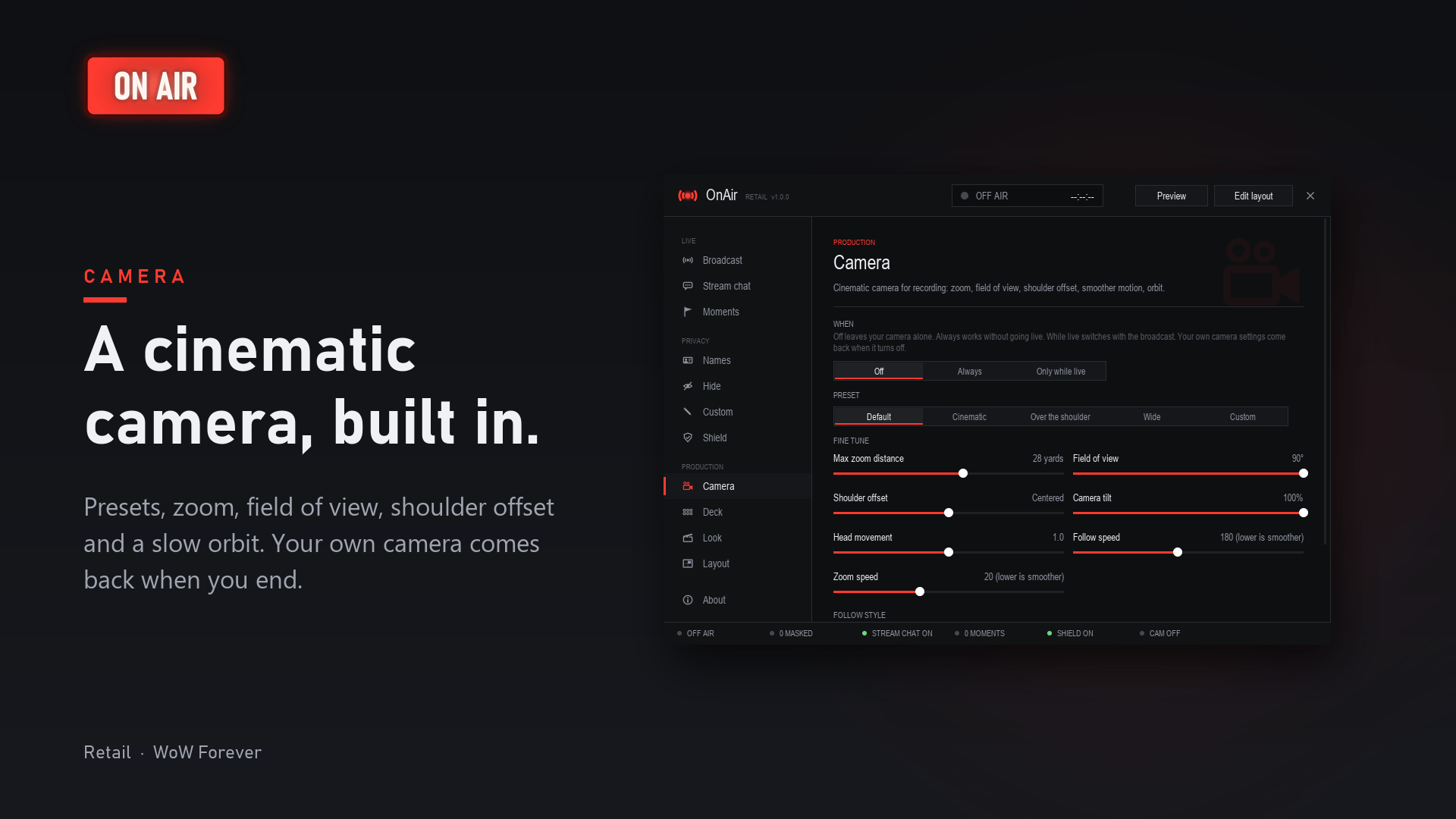
Intros, outros, AFK screens, transmog shots, slow orbits around your character: get the shot without another tool.
- One-click presets: Cinematic, Over the shoulder and Wide.
- Smooth camera: a slower, smoother zoom on the mouse wheel and a smoother follow, so the picture glides instead of jumping.
- The game's hidden action camera (WoW calls it experimental): shoulder offset, tilt and head movement, with no console commands to type.
- Wider shots: zoom out further than the game's default, and set the field of view.
- Orbit: the camera circles your character, left or right, at the speed you pick. It can stop when you move or grab the camera.
- Your camera is safe: use the tools always or only while live. Your own settings are saved first and come back after, even after a crash.
Run the show with the UI hidden
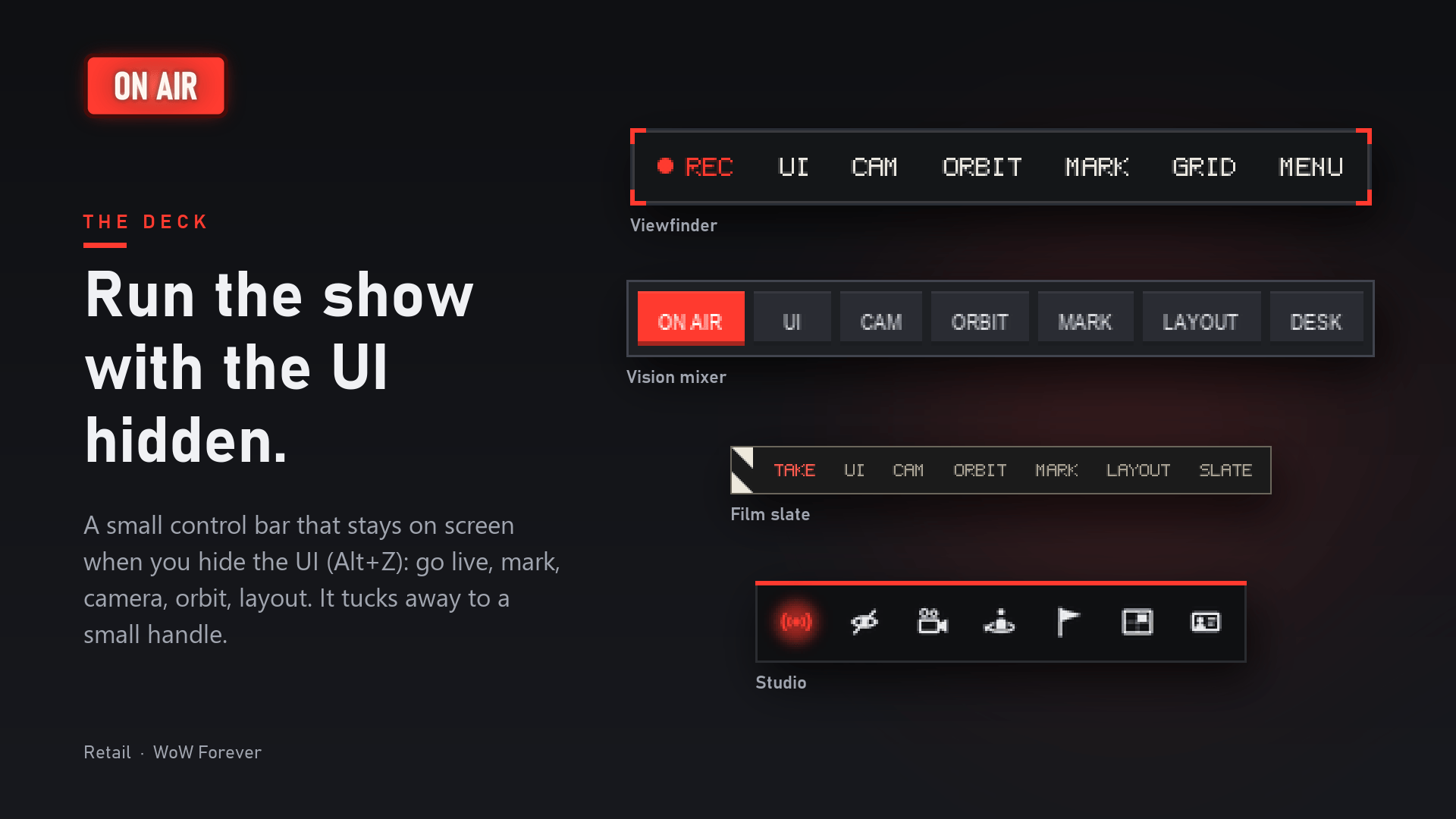
Press Alt+Z for a clean picture, and the Deck stays: go live, hide the UI, camera, orbit, mark and layout, one click each.
Quick options on hover. Rest the mouse on a Deck button for a second and its options open right beside it, no console needed: the camera mode, preset and sliders; orbit direction, speed and when it stops; mark now and screenshots; the broadcast clock and preview; snapping and how the Deck hides. Change things mid-recording, with the UI still hidden. Not needed? The Deck fades, or tucks away into a small handle that still shows if you're on air.
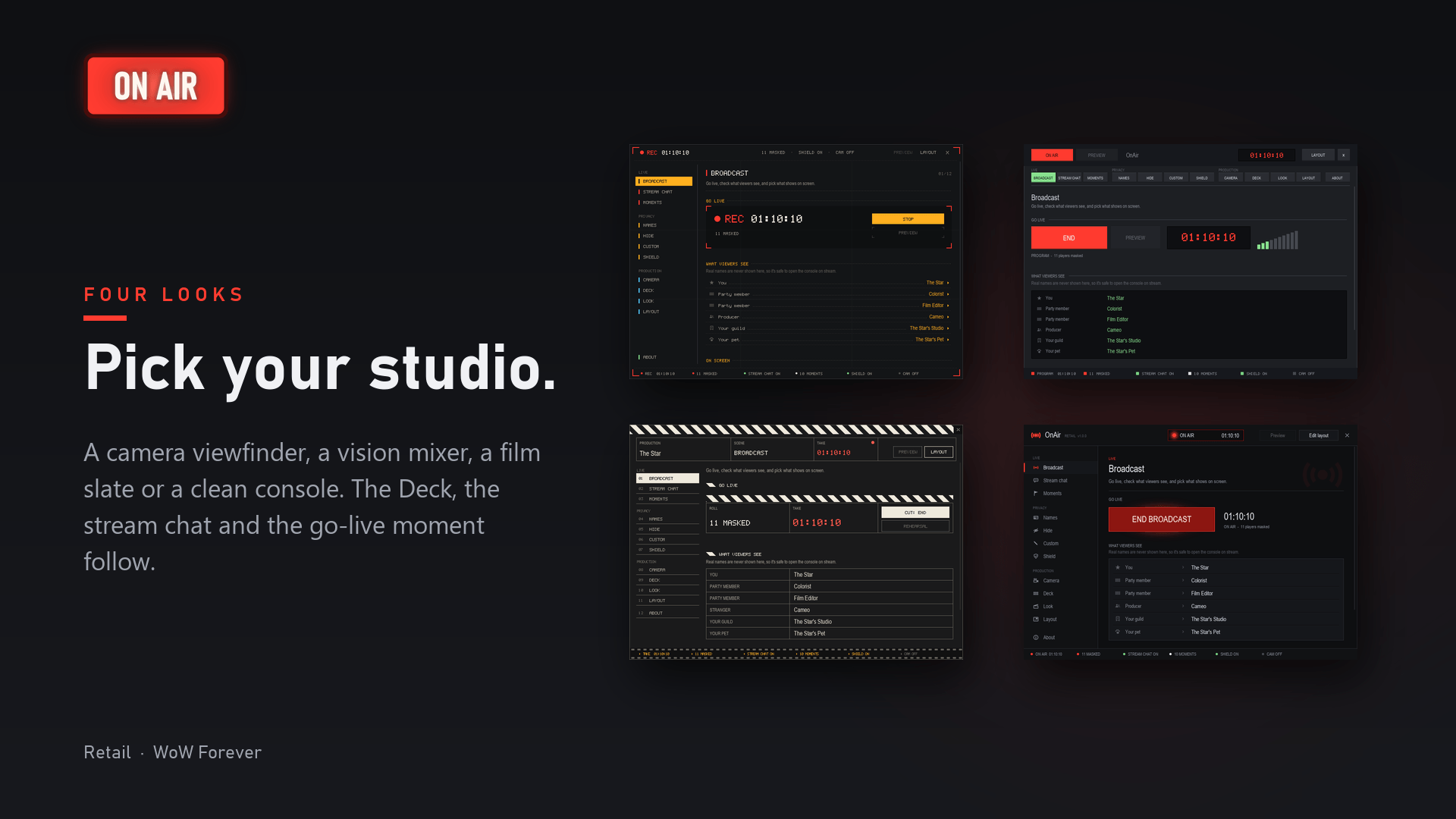
Four looks. Dress OnAir as a camera viewfinder, a vision mixer, a film slate or a clean studio console. The console, the Deck, the stream chat and the go-live moment all match.
Names above heads, covered
The game draws names above heads itself, so no addon can rename them. While you're live, OnAir turns friendly players into name-only nameplates that show their aliases. Want total cover? Turn on Blank name font: no name above any head, players or NPCs. It needs a logout to switch on or off, and friendly NPC nameplates bring NPC names back.
Plays well with your addons
No list of supported addons needed: OnAir swaps names in the text itself, wherever it shows. Built and tested alongside the addons streamers use, and checked against their code:
- EllesmereUI: unit frames, nameplates, damage meters (in combat too), friends and chat.
- Deadly Boss Mods: warnings and "sent by" lines.
- Raider.IO and Premade Groups Filter: group finder lists and searches.
- Leatrix Plus, Narcissus, Syndicator, WhisperMessenger, AlterEgo: the names they show or remember.
Names that only other addons remember (your alts, past key groups, whisper contacts) are covered from your first second live. Spot one that slipped through? /onair check shows you where.
Good to know
- In combat and dungeons the game hides some names from every addon. OnAir covers that text instead.
- Blizzard's own friendly nameplates inside dungeons and raids can't be changed by any addon.
- The combat log tab stays as it is.
- Everything OnAir learns stays on your computer, in your saved variables.
Commands
| Command | What it does |
|---|---|
/onair |
Open the console |
/onair live, /onair off |
Go live, end the broadcast |
/onair preview |
Preview on or off |
/onair mark [note] |
Mark a moment |
/onair check |
Look for real names still on screen |
/onair reshuffle |
Everyone draws a new alias |
Key bindings: Options > Keybindings > OnAir. Minimap button: left-click goes live or ends, right-click opens the console.
OnAir Team