HandyNotes_RecipeVendors
- By
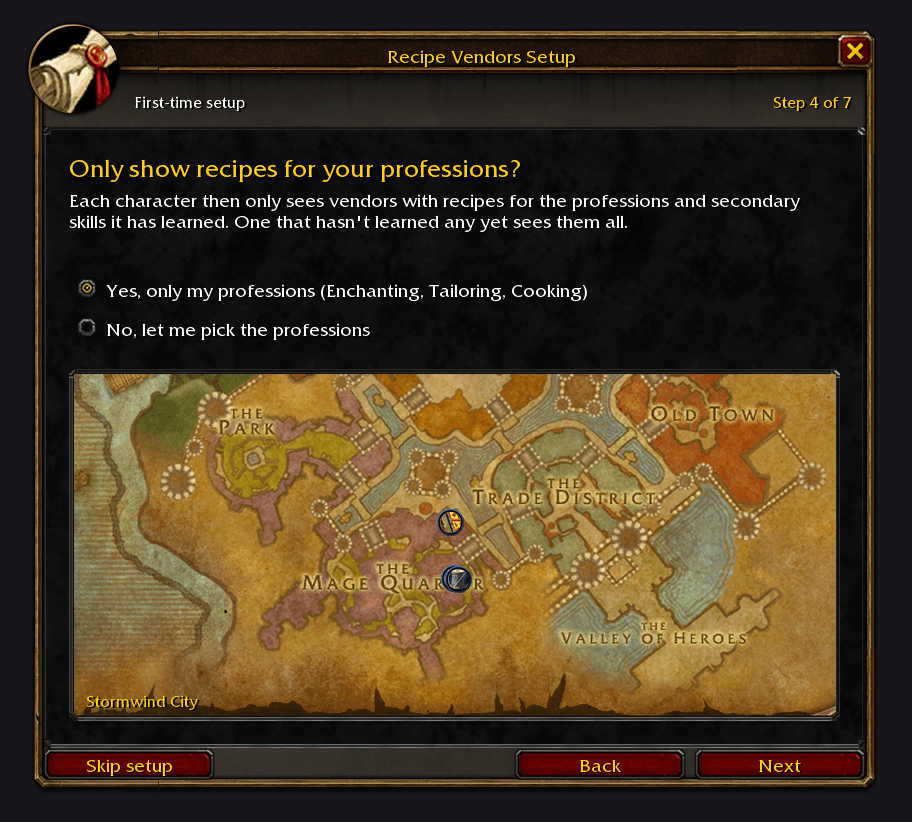
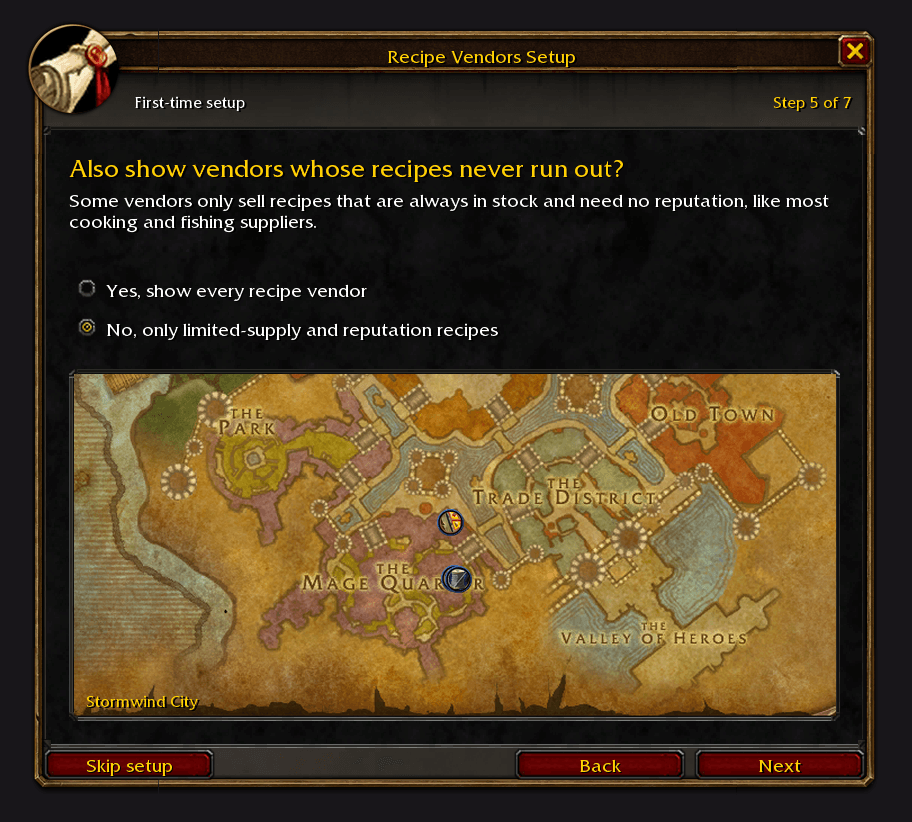
Shows the vendors in WoW Forever who sell recipes, patterns and plans in limited supply or for reputation.
4-setup-only-my-professions.png
5-setup-limited-supply.png
1-eastern-plaguelands-argent-dawn.png
2-stranglethorn.png
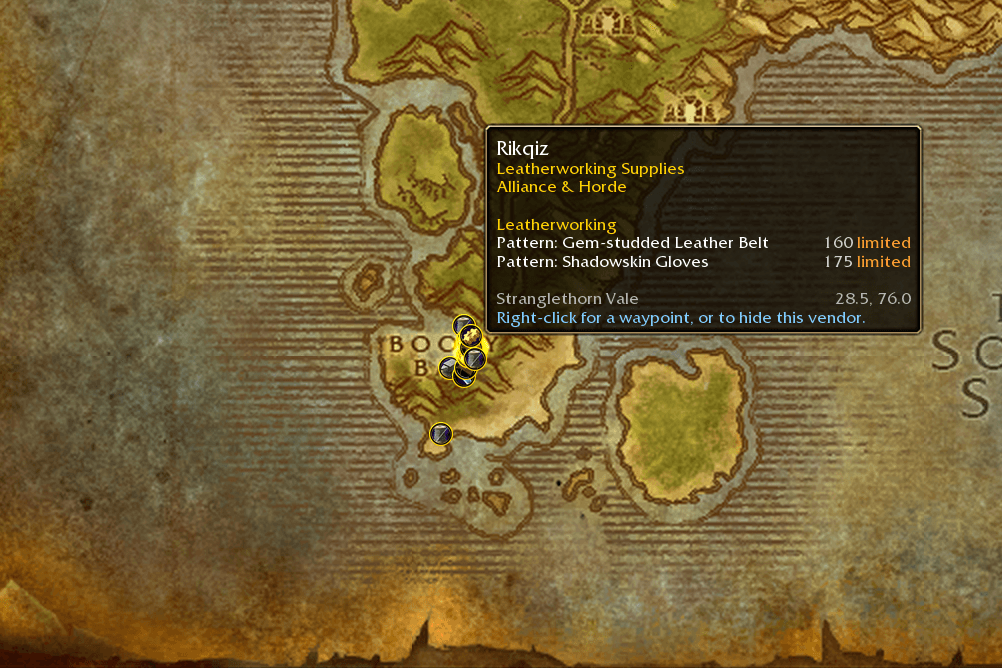
3-booty-bay.png
Description

HandyNotes: Recipe Vendors
🚨 Reminder: This addon is a plugin for HandyNotes. You must have HandyNotes installed for this to work.
🧭 Introduction
HandyNotes: Recipe Vendors shows the vendors in World of Warcraft: Forever who sell recipes, patterns, plans, formulas, schematics and manuals in limited supply or for reputation, and what each one sells.
✨ Features
- 🗺️ 201 recipe vendors on your map, and 62 more who only sell recipes that never run out (switch them on if you like)
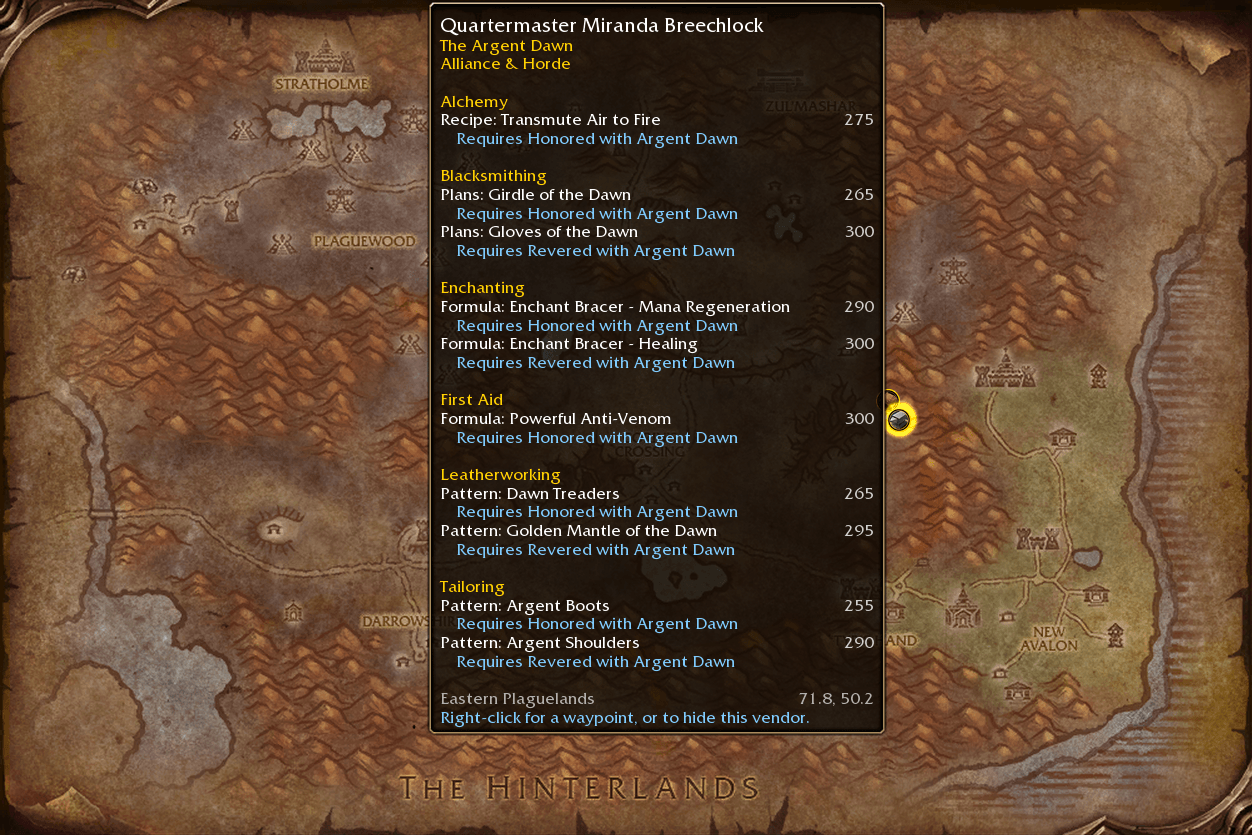
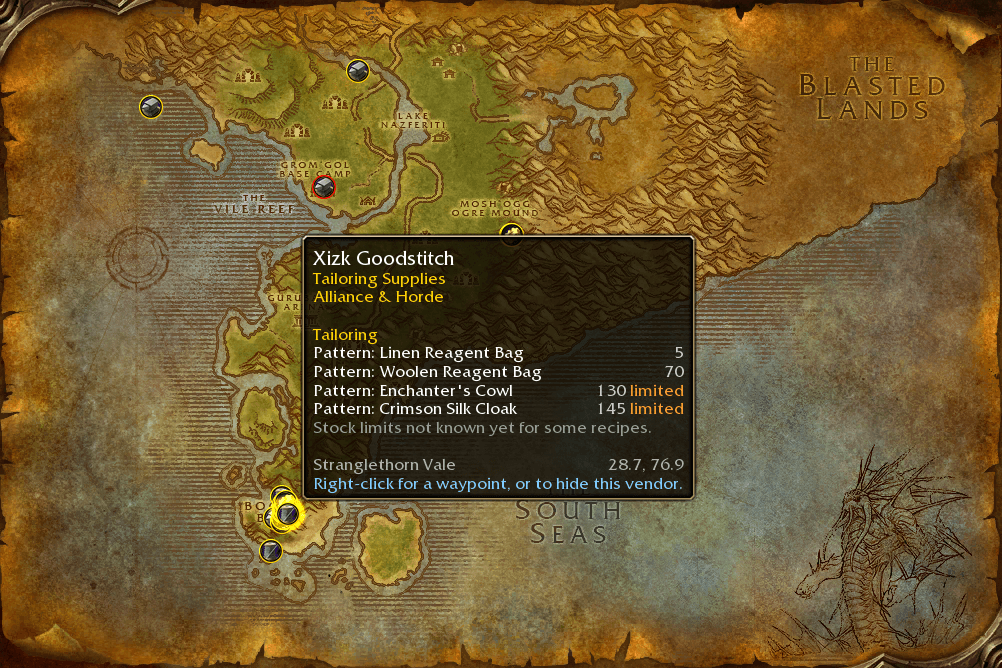
- 📜 Hover a vendor to see every recipe they sell, by profession, with the skill you need and which ones are in limited supply
- 🤝 Recipes that need reputation say so: Requires Honored with Cenarion Circle
- 🎯 Turn each profession on or off; the icon shows the vendor's main profession
- 🛡️ Round icons in your faction's colours: blue for the Alliance, red for the Horde, gold for both
- 🏰 Vendors inside a dungeon, like Lokhtos Darkbargainer in Blackrock Depths, sit on the dungeon's entrance
- 📍 Right-click a vendor for a waypoint (TomTom if you have it, otherwise the game's own map pin), or to hide it
🚀 How to Use
- Install HandyNotes (it supports WoW Forever).
- Download this addon. If you're not using an addon manager, place the
HandyNotes_RecipeVendorsfolder inWorld of Warcraft/_forever_/Interface/AddOns. - Log in to World of Warcraft: Forever.
- You're good to go!
⚙️ Options
Type /recipevendors (or /hnrecipes) to open the options, or open /handynotes and go to Plugins → Recipe Vendors.
| Option | What it does |
|---|---|
| Icon scale / Icon opacity | Size and transparency of the icons |
| Show on the world map / minimap | Where the icons show up |
| Show on continent maps | Vendors on the Kalimdor and Eastern Kingdoms maps |
| Show the other faction's vendors | Also show vendors who only sell to the other faction |
| Show vendors who sell to both factions | Vendors for Alliance and Horde alike |
| Also show vendors whose recipes never run out | Vendors whose recipes are all unlimited and need no reputation |
| Professions | Turn each profession on or off |
| Show hidden vendors again | Brings back the icons you hid with right-click |
Thanks for checking out the addon.
HandyNotes_RecipeVendors Team

Owner