Gulli MyBiSList
- By
The best gear for your class, spec and level, slot by slot, against what you wear, with where to get it and your own lists.
изобÑажение_2026-11-21_202620852.png
изобÑажение_2026-11-21_202630513.png
изобÑажение_2026-11-21_202637642.png
изобÑажение_2026-11-21_202643216.png
Description
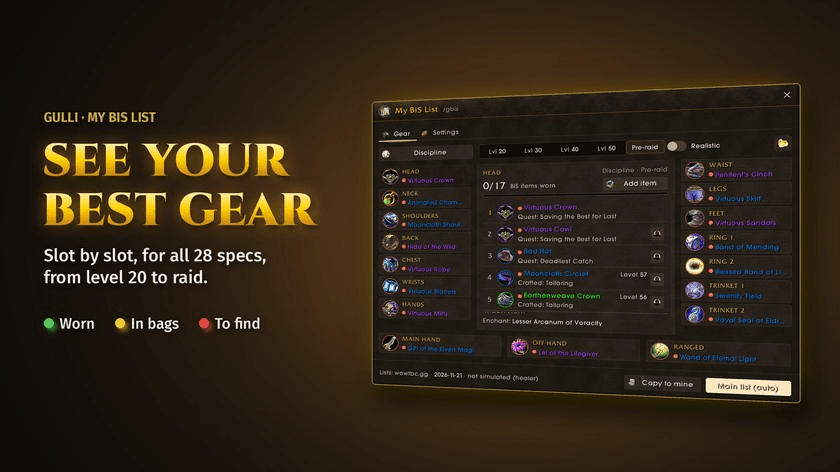
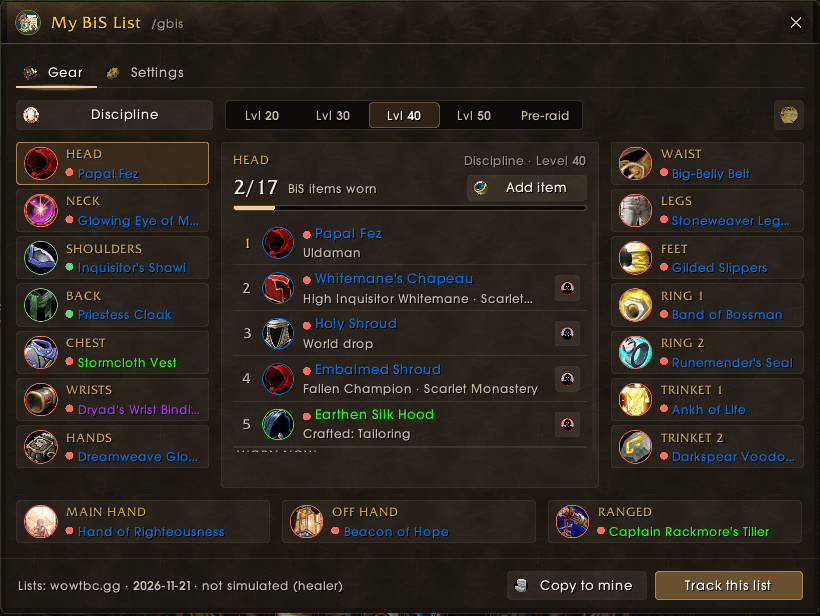
Which helmet should you hunt for at level 40? My BiS List shows the best items for every slot of your character, from level 20 up to the raids, and what you already have of them.
How to open: type /gbis, or click its minimap button. With Gulli Toolkit installed, it is also in the /gulli window.
Features
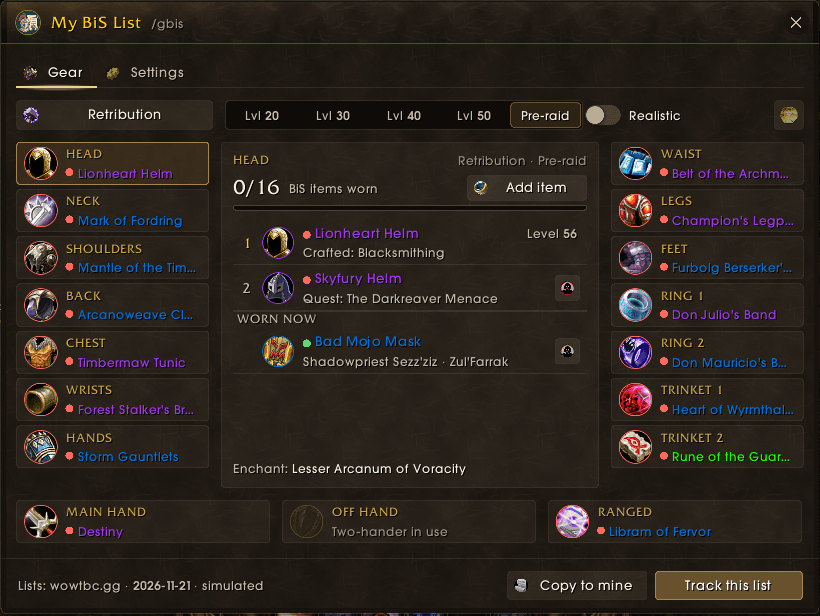
- Every class and spec. 28 specs, tanks, healers and damage, with lists for levels 20, 30, 40 and 50 and before the raids. Your spec and level are picked for you; one click shows any other spec.
- Five items for each slot, the best first. Items of the other faction leave the list.
- Against what you wear. Each slot shows the best item with a dot: green when you wear it, yellow when it is in your bags or bank, red when you do not have it yet. A bar shows how many best items you wear.
- Where to get it. Each item says where it comes from: a boss and its dungeon, a quest, a reputation, a craft or a world drop.
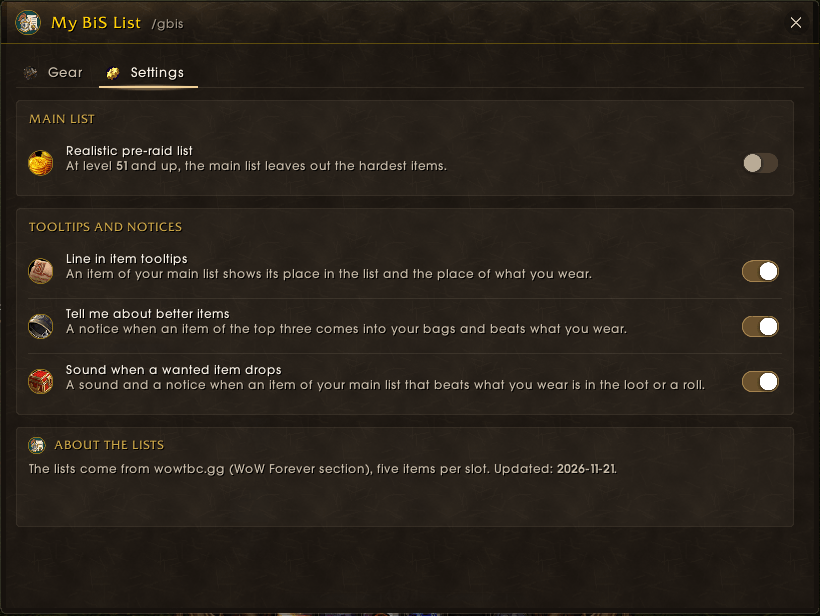
- Realistic before the raids. One switch shows the list without the hardest items to get.
- My target. Make any item the first of its slot. On a site list, the first click makes your own copy.
- Your own lists. Copy any list and change it: remove items, add others from a search over what your class can use, or any item by id or Shift-click. When the site later changes the top item of a slot, your copy tells you. Your lists are for every character of your account.
- Favourites and a main list. Star the lists you use for alts or a second spec; Track this list picks the one the tooltips and notices follow.
- In the tooltip. An item on your list shows its place in its slot, and the place of what you wear there.
- A sound when it drops. When an item of your list that beats what you wear is in the loot window, master loot or a need or greed roll, you hear it and get a notice.
- A note for a better item that comes into your bags, once.
Languages
English, Deutsch, Español, Français, Polski, Português, Русский, 中文.
Works alone
My BiS List needs no other addon. With Gulli Toolkit it also shows in the toolkit's hub, and its minimap button can be turned off there.
The lists are the work of wowtbc.gg (its WoW Forever section), read again every week; the addon only shows them in the game. Thanks to the wowtbc.gg team.
Source and bug reports: https://github.com/Gulliby-development/gulli-toolkit
Gulli MyBiSList Team