Gulli WorthIt
- By
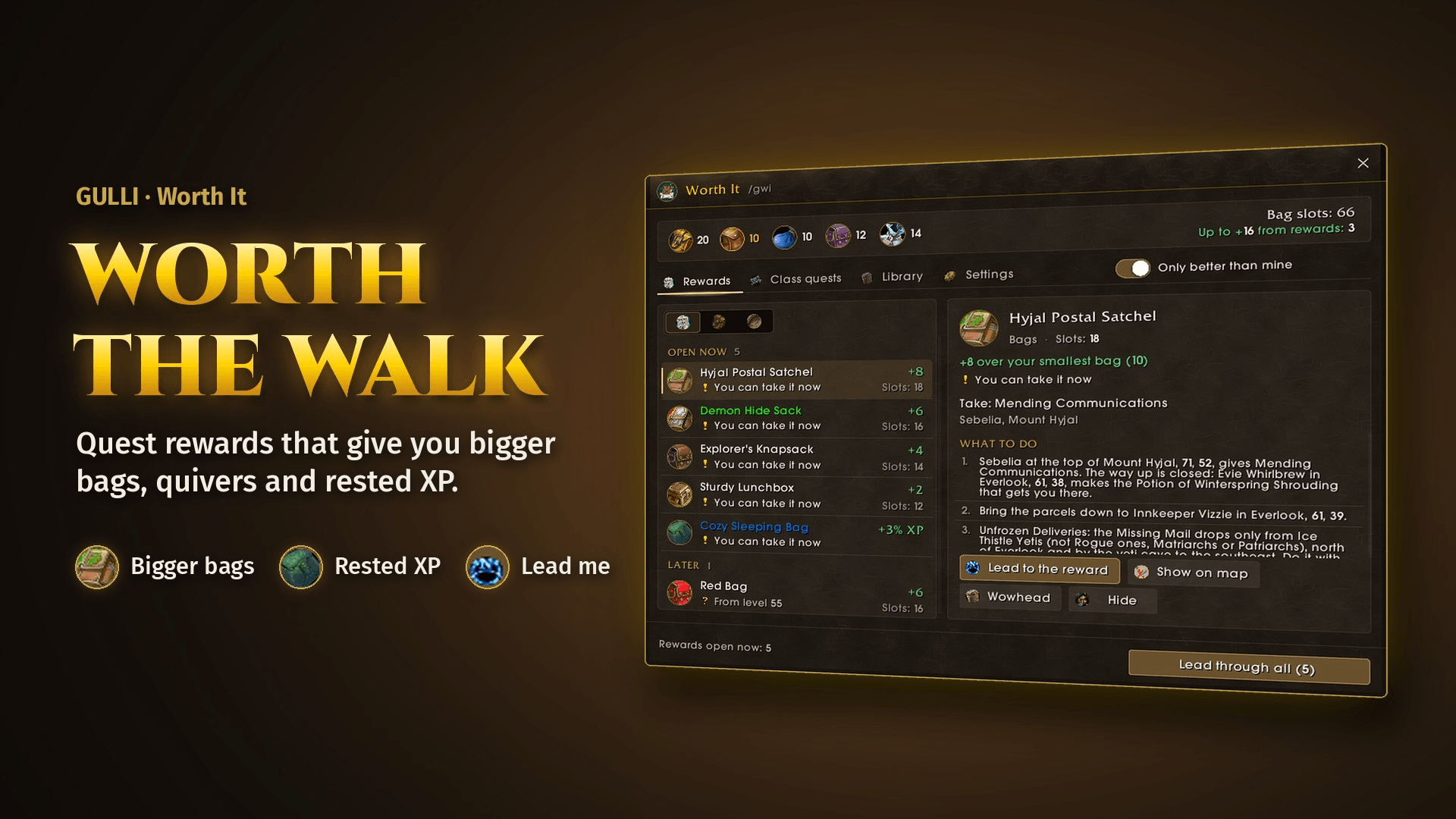
The quests whose reward is worth the walk: bags, quivers, class items and library books, with a guide that leads you to each one.
изобÑажение_2026-11-21_202407502.png
изобÑажение_2026-11-21_202422658.png
изобÑажение_2026-11-21_202432973.png
изобÑажение_2026-11-21_202442532.png
изобÑажение_2026-11-21_202452313.png
Description
Some quests give a bag. Most players find out too late, or never. Worth It lists the quests whose reward lasts, shows how many slots each one adds to the bags you wear, and leads you there step by step.
How to open: type /gwi, or click its minimap button. With Gulli Toolkit installed, it is also in the /gulli window.
Features
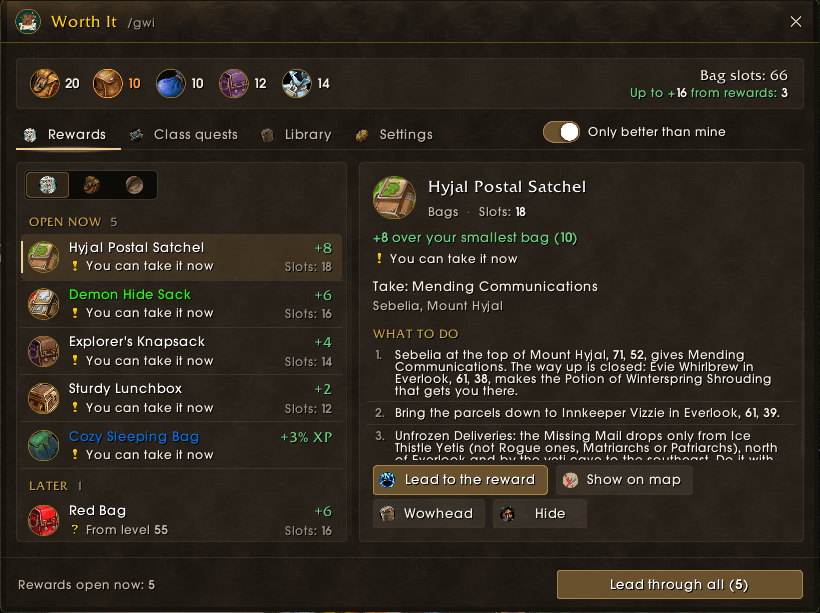
- Every reward that lasts. Bags for everyone, quivers and ammo pouches, soul bags, profession bags, and the ones WoW Forever added, such as the 18-slot Hyjal Postal Satchel. Also the Cozy Sleeping Bag: sleep in it for up to +3% XP. Only quests your faction, race and class can do.
- Compared with your bags. It shows the bags you wear and what each reward adds:
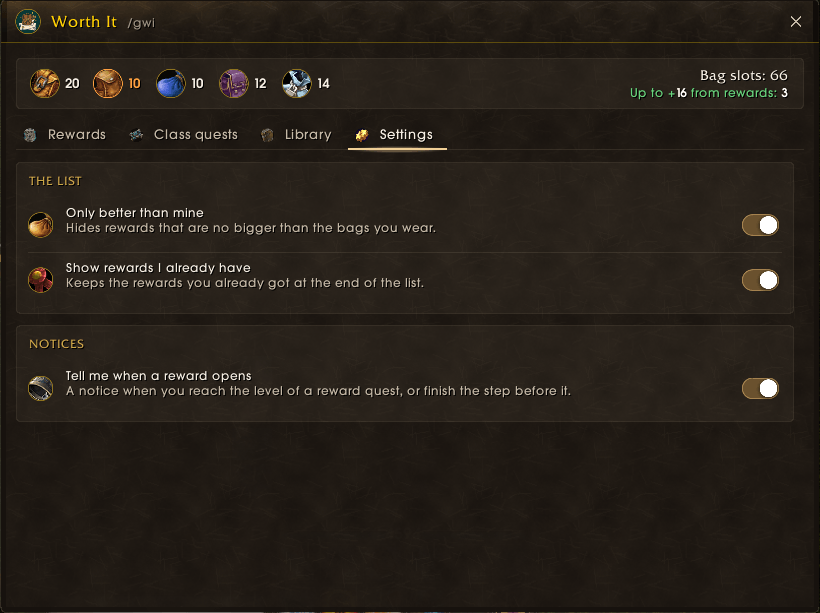
+4 over your smallest bag. Only better than mine hides the rest. - Now, later, got. Rewards you can go for now come first, then the ones that wait for a level, then the ones you have.
- What to do, step by step. Two to four short steps for each reward: where the items are, which way to go, what to watch out for. Written from players' tips, in your language.
- Lead to the reward. A map pin on who gives the quest, then on the place of its work, then on who takes it back. Lead through all does every open reward, the nearest first. A TomTom arrow too, when you have TomTom.
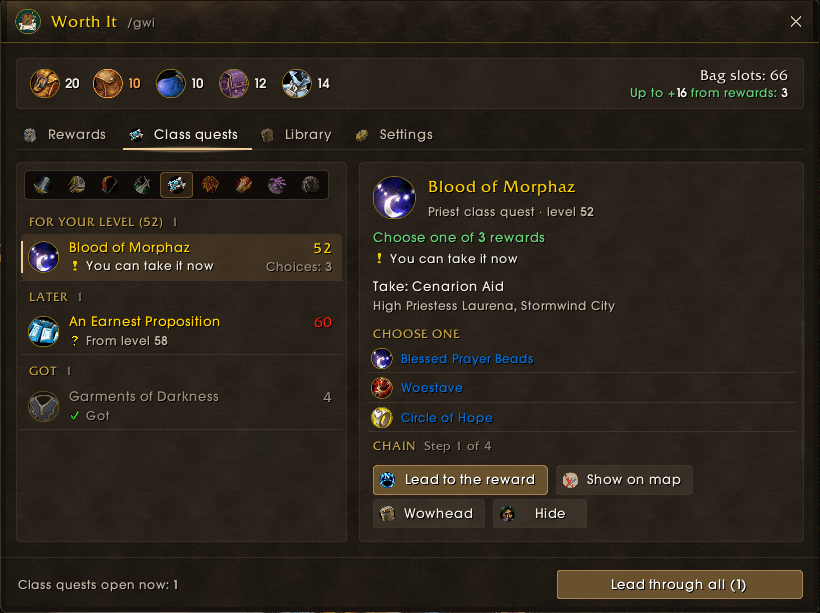
- Class quests. Every class quest that gives an item: weapons, armour, totems, robes, with the whole chain. Quests for your level come first. Look at any other class too, to plan an alt.
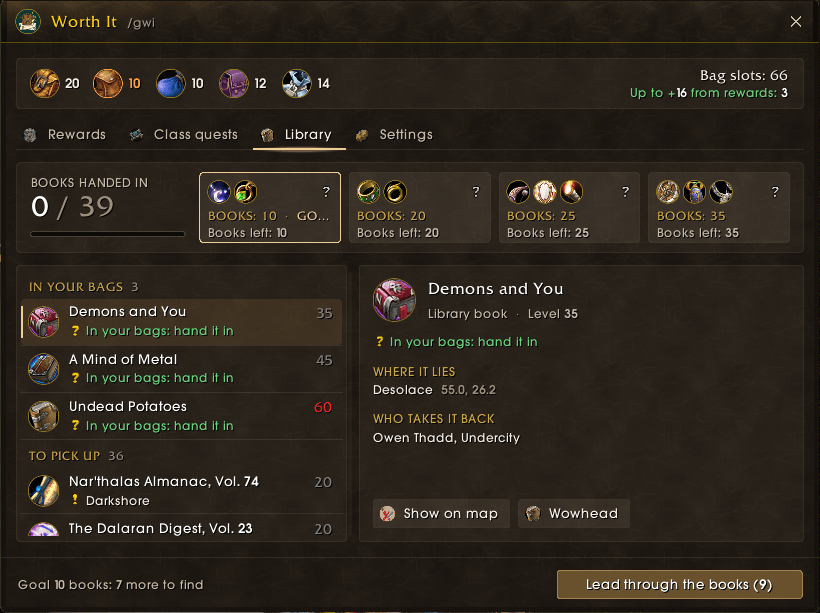
- The library. Every library book of WoW Forever: the ones in your bags or bank, the ones to pick up and where they lie, and the four library rewards. Click a reward to make it your goal, and Lead through the books leads only to the books you still need, the ones at your level first.
- A tracker on the screen shows what to do now and where while the guide leads.
- A notice when a reward opens, once.
Languages
English, Deutsch, Español, Français, Polski, Português, Русский, 中文.
Works alone
Worth It needs no other addon. With Gulli Toolkit it also shows in the toolkit's hub, and its minimap button can be turned off there.
Thanks to QuestieDB for the quest data (GPLv3) and to the players whose tips on Wowhead the steps are written from.
Source and bug reports: https://github.com/Gulliby-development/gulli-toolkit
Gulli WorthIt Team