Gulli Toolkit
- By
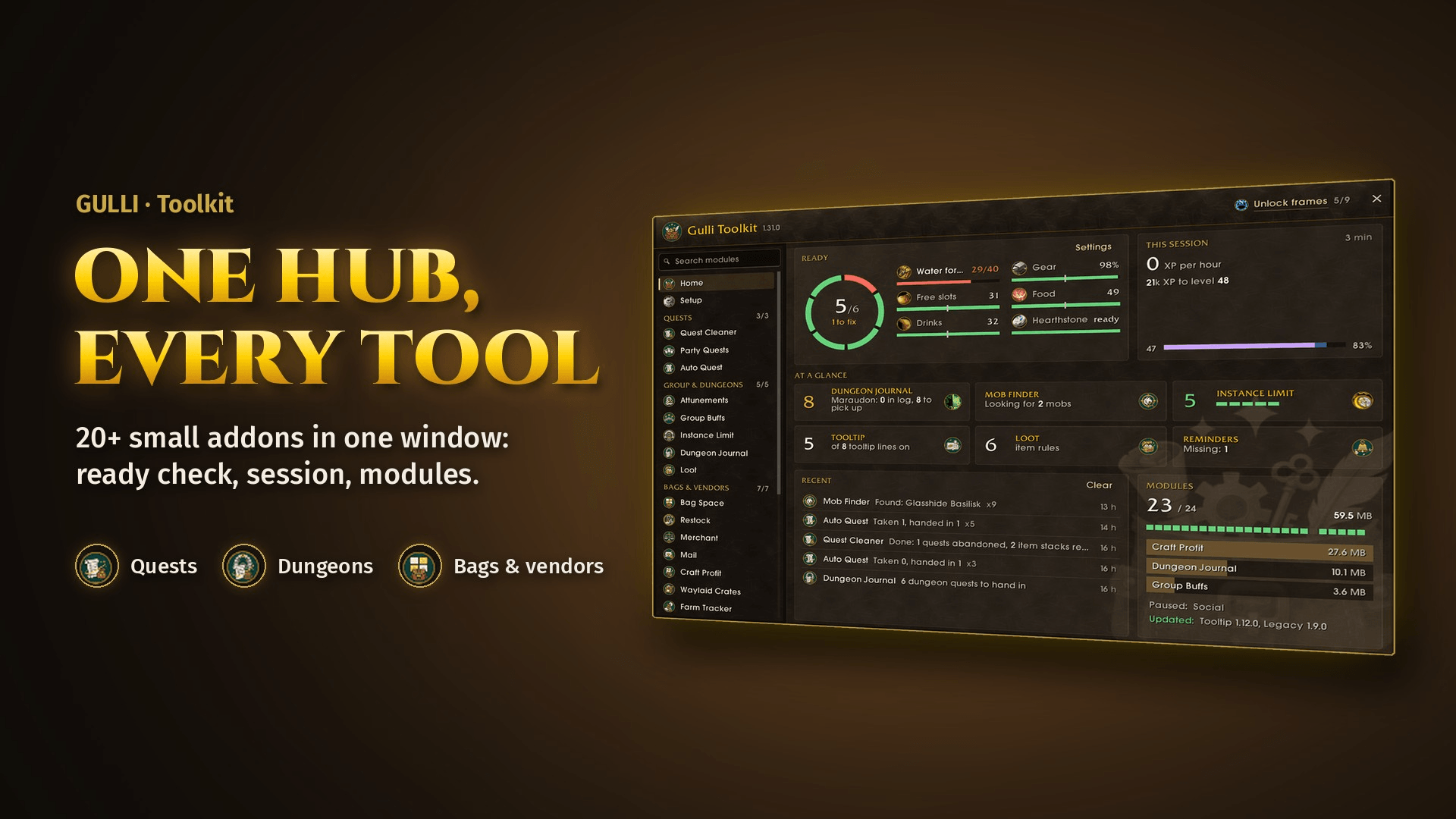
A growing set of small helpers in one window: quests, bags, vendor, mail, chat, Legacy, rares and more, each one on or off with one switch.
изобÑажение_2026-11-18_163928652.png
изобÑажение_2026-11-18_163936703.png
изобÑажение_2026-11-18_163943285.png
изобÑажение_2026-11-18_163950547.png
изобÑажение_2026-11-18_163955860.png
Description
How to open: type /gulli or click the Gulli button at the minimap. Every module also opens with its own command (see the table below).
Minimap buttons: the Gulli button is at the minimap from the start. Hide it or bring it back on the Setup page of /gulli (or type /gulli minimap). Any module can get a minimap button of its own: open it in /gulli and turn on the Minimap switch at the top of its page, or click its icon on the Minimap buttons card of the Setup page. A module you use without the toolkit always has its own button.
Small, handy addons in one set. On the left of the window are your modules, in the middle the one you picked. Switch off what you do not need; most modules stop at once, with no reload.
What is inside (more modules come with updates; each new one joins the set by itself)
| Module | Open with | What it does |
|---|---|---|
| Attunements | /gat |
Raid attunements and dungeon keys for all your characters, with the next step. |
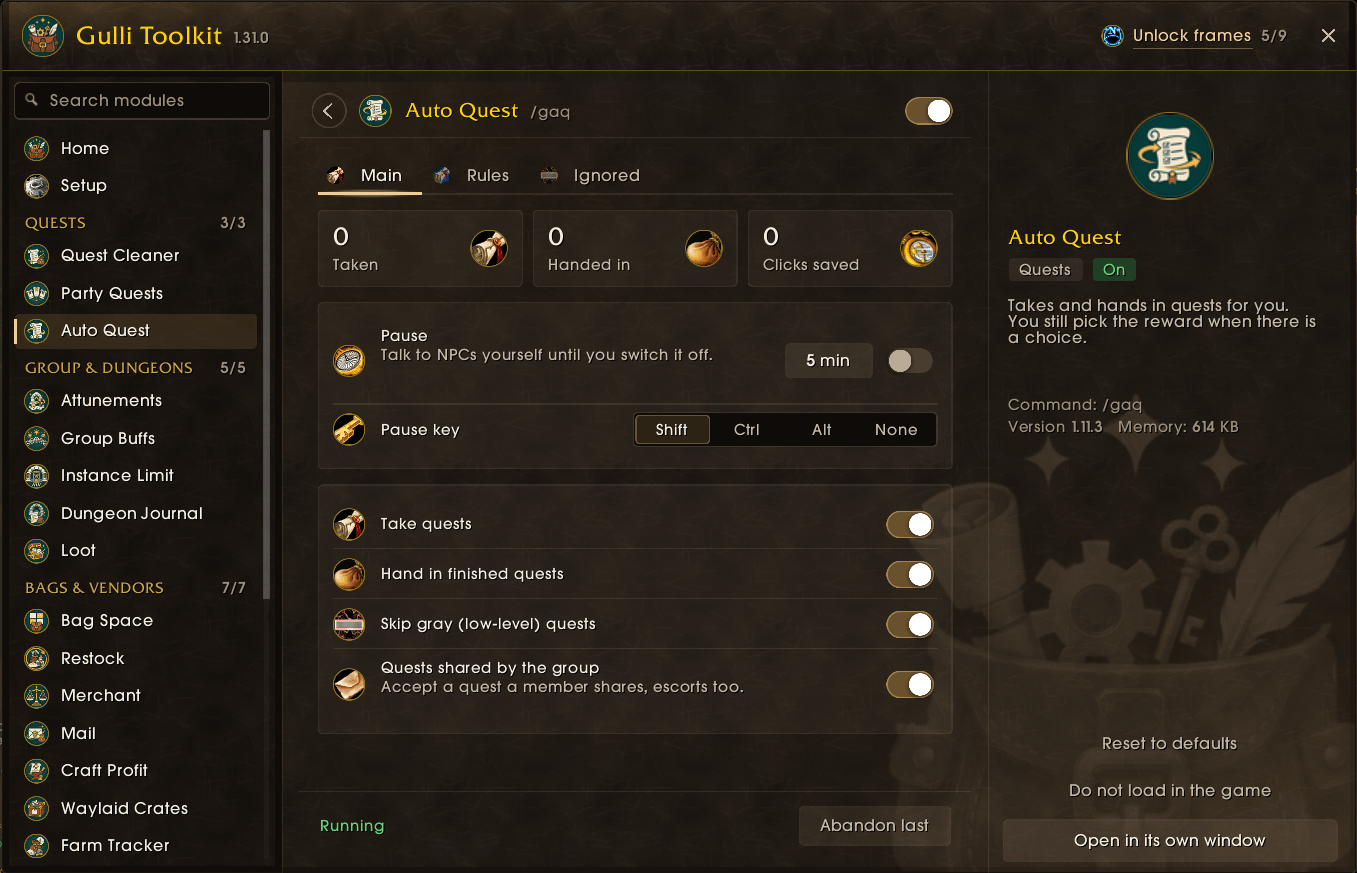
| Auto Quest | /gaq |
Takes and hands in quests for you, with rules for elite, dungeon and group quests. One key or a screen button targets the living mobs your quests still need, with a small list of them. |
| Bag Space | /gbs |
Frees bag slots: stacks, junk, and when the bags are full a button that frees as many slots as the loot needs. Disenchant a bag item with one key. |
| Bulletin Board | /gbul |
Trade and group chat sorted into a board, with alerts on your words. |
| Chores | /gch |
What each character still has to do: mail, repairs, cooldowns, rested XP. |
| Farm Tracker | /gft |
Counts what you farm this session, per hour and to your goal. |
| Fishing | /gfi |
Double right-click on the water to cast, a loud bobber splash, the catch looted at once and a note when your lure is gone. |
| Instance Limit | /gil |
Counts your dungeon entries this hour and says when the next one is free. |
| Legacy | /glg |
The fastest next steps to your Legacy points and the next reward of the Progress Track. |
| Loot | /glt |
Need, greed or pass by rules you set. |
/gml |
Takes all letters (or only herbs, cloth, ore…), quick attach, warns about mail that runs out. | |
| Merchant | /gmc |
Sells gray items and repairs at a vendor. |
| Mob Finder | /gmf |
Finds the mobs and rares you look for, with a sound and a Target button. |
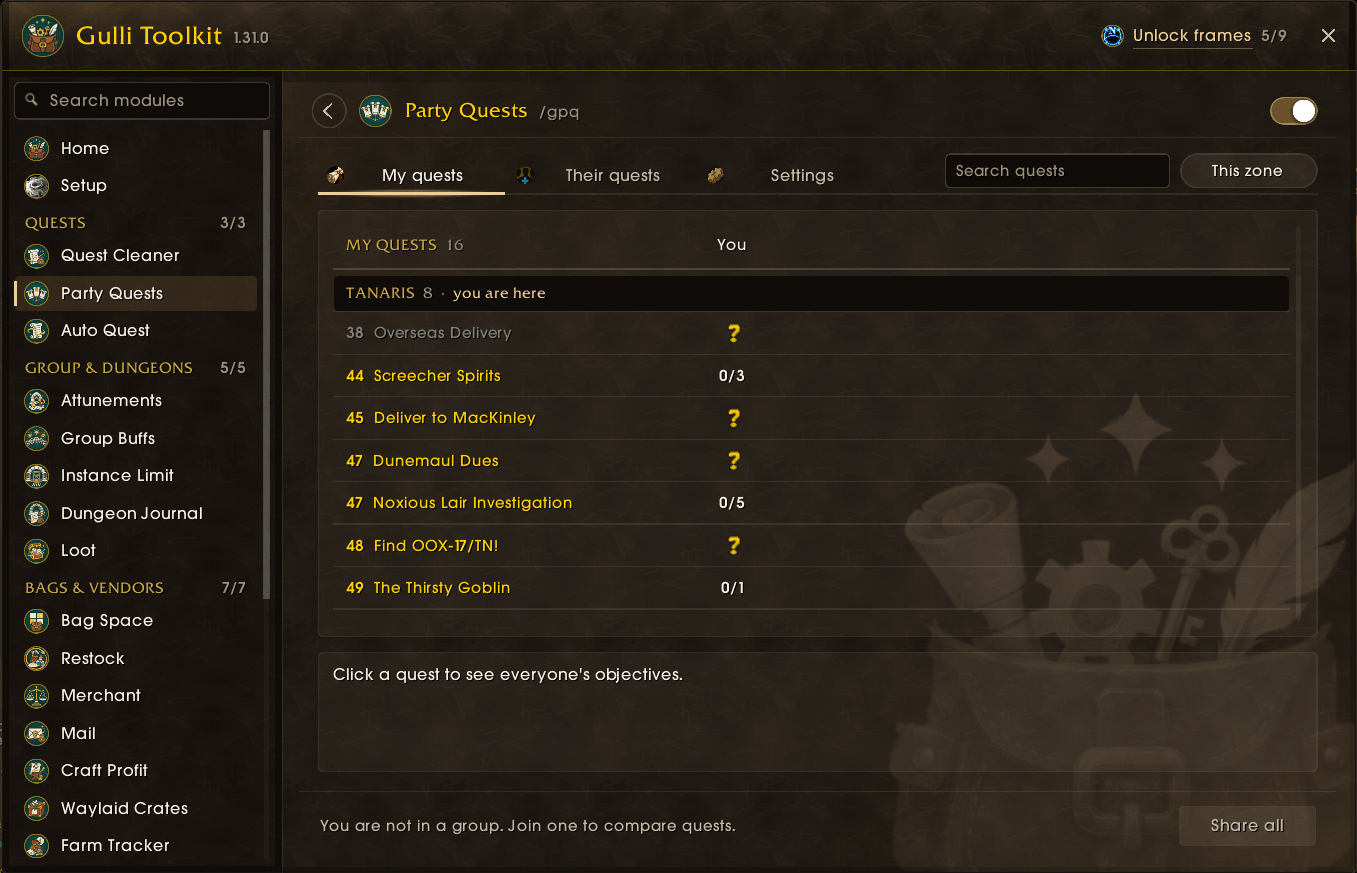
| Party Quests | /gpq |
Which quests your group shares and who still needs one. Before an escort, it checks that everyone is ready. |
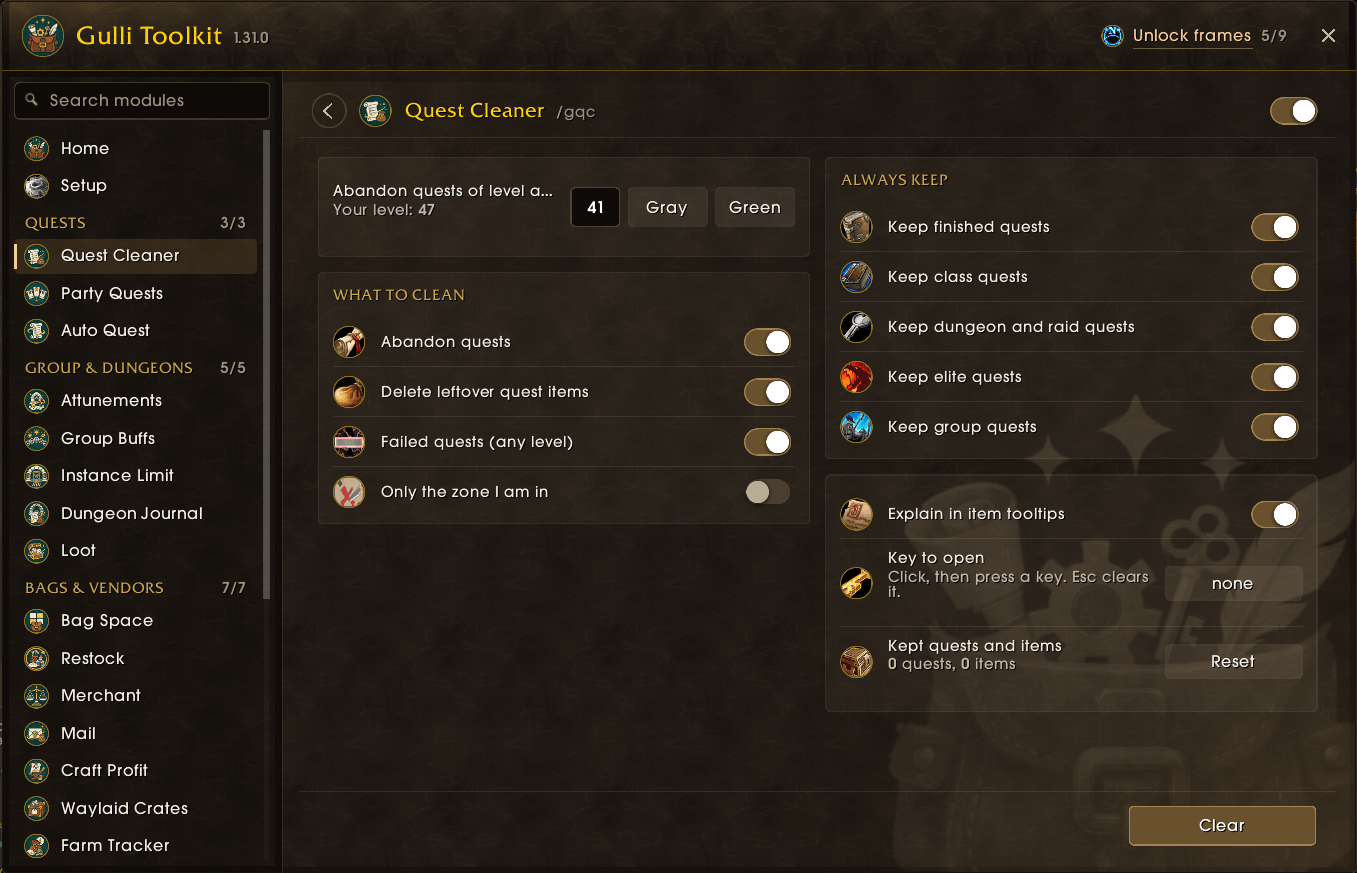
| Quest Cleaner | /gqc |
Abandons low quests and deletes leftover quest items, after you see the list. |
| Quick Chat | /gqk |
Ready phrases on big buttons and a chat wheel, with item links in them. Edit a phrase without losing its place. |
| Reminders | /grm |
Icons for missing buffs, poisons, pet, ammo and shards. |
| Restock | /grs |
Buys your reagents, food and ammo at a vendor. |
| Social | /gso |
Turns away duels, guild invites and strangers you do not want. |
| Tooltip | /gtt |
Prices (from Auctionator, auxForever, Naowh Forever, TSM or Hammerprice), quest use, your other characters' counts in the item tooltip. |
| XP | /gxp |
An XP bar with your pace and the time to the next level. |
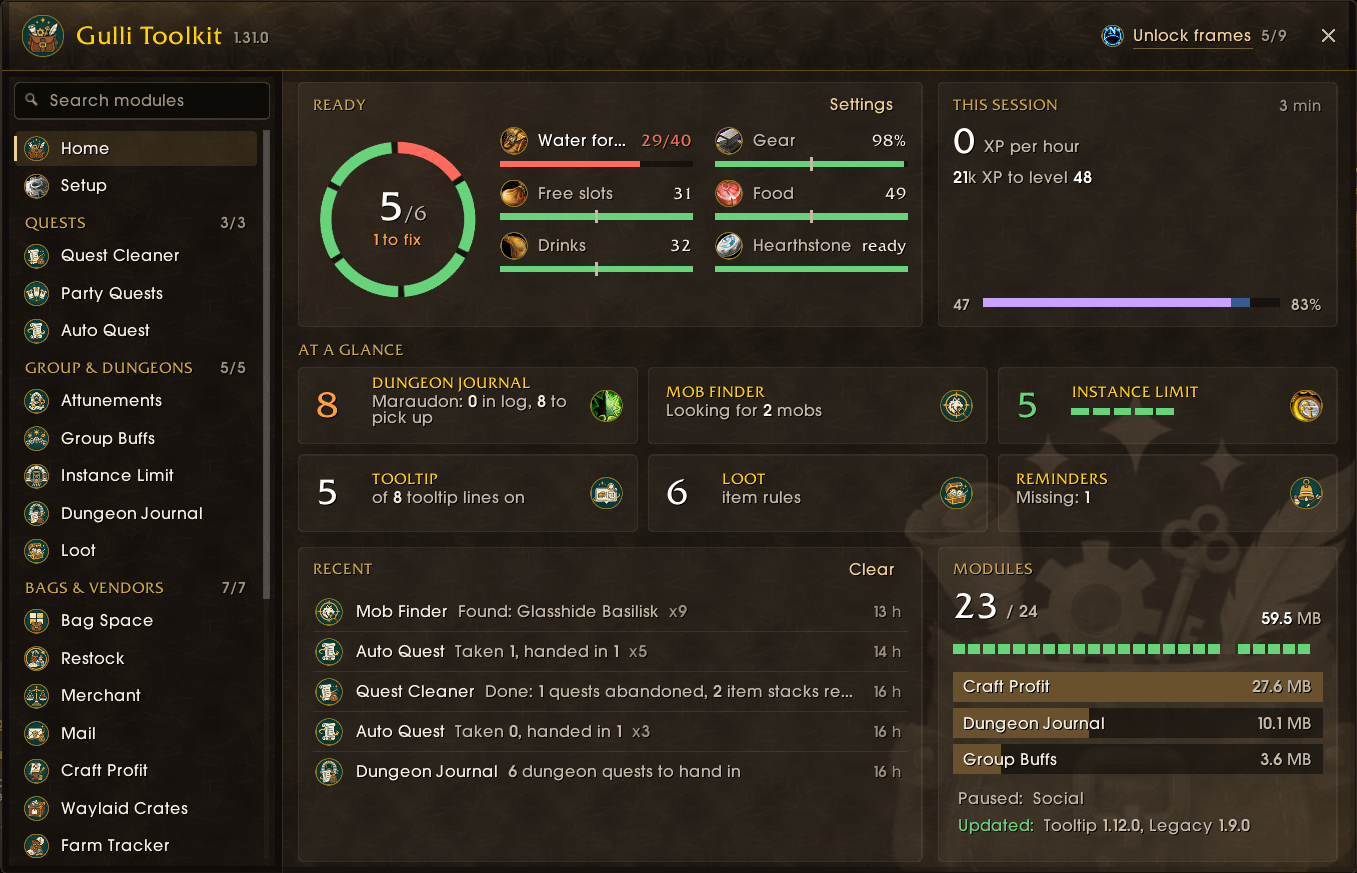
The hub. One window for everything:
- Home page. Your session at a glance (gold, honor, XP pace, kills), a tile from each running module (entries left, mail that runs out), a Recent feed of what you may have missed, and the Modules card with memory use and modules that wait for a reload.
- Ready for the road. A card that shows what you miss before a trip: repairs, bag space, food, drink, the hearthstone, ammo and reagents.
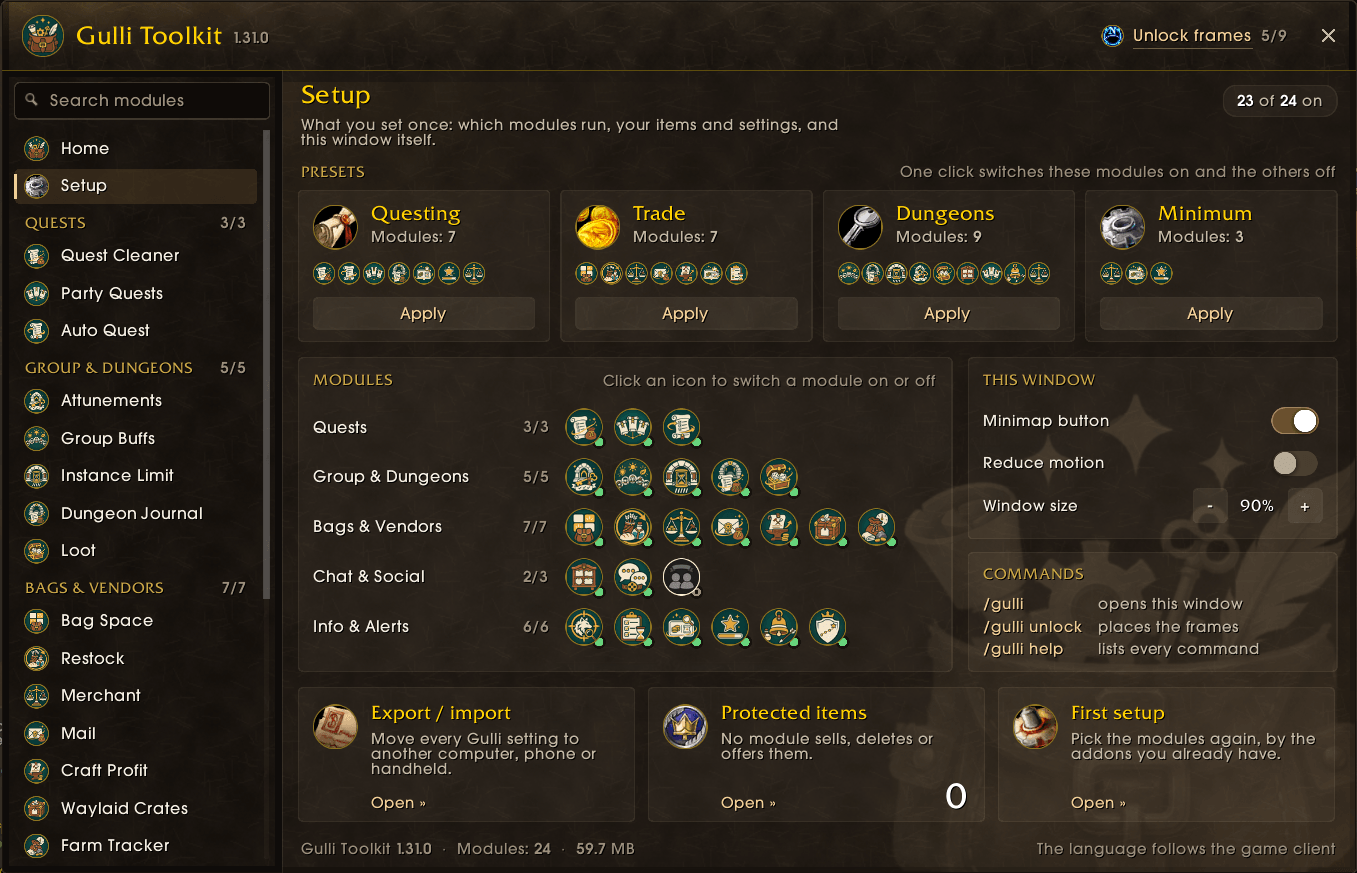
- First setup. On the first start a small window asks which modules to turn on, and turns off the ones you already have another addon for.
- Frames on screen. One Unlock mode places every bar, panel and notice of every module on a grid. All of them start hidden.
- Protected items. Items you protect are never sold, deleted or offered by any module.
- Export / import. Move all your Gulli settings to another computer as one line of text.
- Search. Find a module by its name or by one of its settings.
- Errors.
/gulli errorskeeps the errors of the Gulli addons, ready to paste into a bug report. Made for every screen. Big buttons and switches, so it works with a mouse and with touch. The window grows or shrinks to fit your screen.
Your language. English, Deutsch, Español, Français, Polski, Português, Русский, 中文. It follows the language of your game.
Each module works alone. They share nothing at run time; the toolkit only puts them in one place. Our bigger addons have their own pages and show up in the toolkit when installed: Gulli Craft Profit, Gulli Dungeon Journal, Gulli Group Buffs and Gulli Waylaid Crates.
Thanks to QuestieDB for the quest data used by Quest Cleaner, Mob Finder and Attunements (GPLv3).
Source: https://github.com/Gulliby-development/gulli-toolkit
Gulli Toolkit Team