Group Sorting
- By
Sort Premade Groups applicants by name, role, item level, or rating with clickable column headers and reversible sorting.
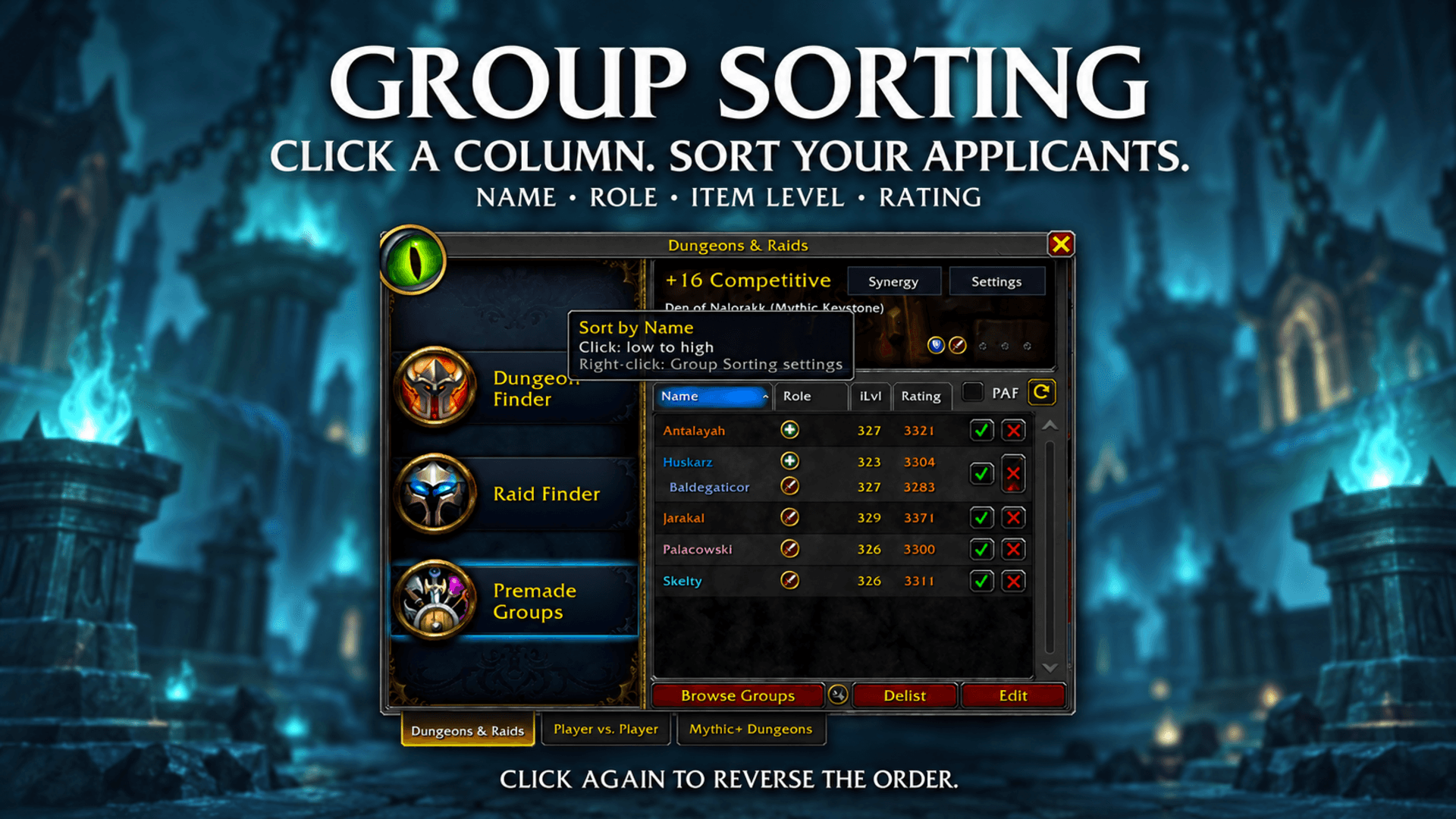
Sort the applicant list by name, role, item level, or rating. Click the same column again to reverse the order.
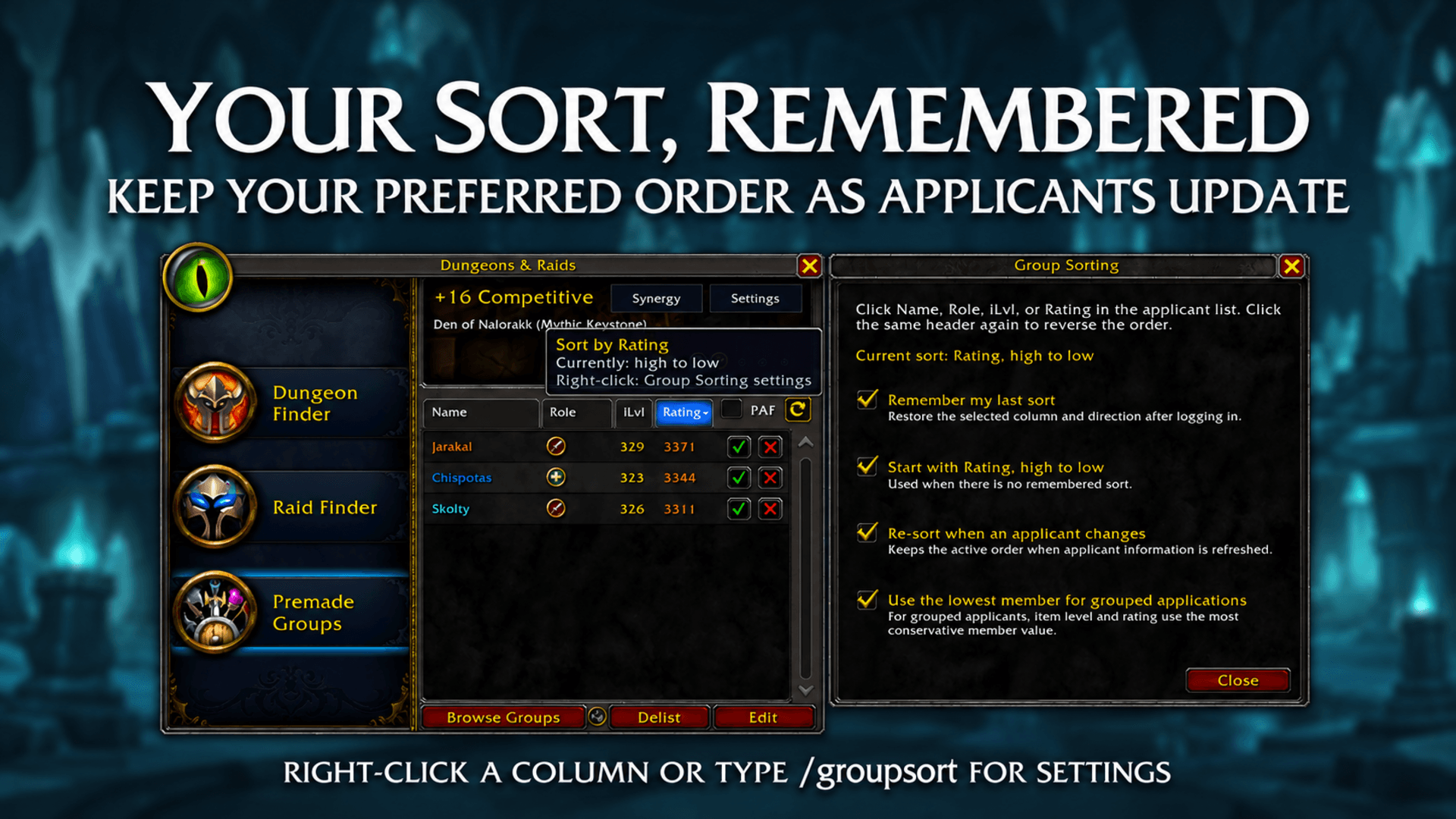
Remember your preferred sorting order, re-sort when applicants update, and choose how grouped applications are compared.
Description
GroupSorting
Simple applicant sorting for Premade Groups.
GroupSorting makes the Name, Role, iLvl, and Rating columns clickable when managing your own Premade Groups listing.
Click a column to sort your applicants. Click it again to reverse the order. Bring the highest ratings or item levels to the top, browse alphabetically, or organize applicants by role—all within the existing Group Finder interface.
⮕ Core Features
- Clickable Columns: Sort applicants by name, role, item level, or rating.
- Reversible Sorting: Switch between highest and lowest values, A–Z and Z–A, or Tank, Healer, and Damage in either direction.
- Grouped Applications: Players who apply together stay together.
- Sort Indicator: A small arrow shows the active sorting column and direction.
- Native Integration: Uses the existing applicant list and column headers.
⮕ Sorting Preferences
- Remember Your Last Sort: Restore your selected column and direction between logins.
- Start with Highest Rating: Default to rating from highest to lowest when there is no remembered sort.
- Automatic Re-sorting: Keep your chosen order when applicant information changes.
- Lowest Member Value: Optionally use the lowest member's item level or rating when comparing grouped applications.
⮕ Quick Start
- Create a listing in Premade Groups and open the applicant list.
- Click Name, Role, iLvl, or Rating to sort.
- Click the same column again to reverse the order.
- Right-click a sortable column or type /groupsort to open settings. /gsort also works.
For WoW Retail. GroupSorting sorts applicants to your own listing; it does not sort the search results of groups you can join.
⮕ Feedback
Have suggestions, bug reports, or feature requests?
Leave a comment and help shape future updates.
Group Sorting Team

Owner