Greygreed Master Looter Forever
- By
GreyGreed Master Looter streamlines group loot with smart loot requests, automated whispers, usable-item checks, and customizable loot controls.
Screenshot 2026-11-06 135827.png
Screenshot 2026-11-06 135948.png
Screenshot 2026-11-06 145457.png
Screenshot 2026-11-06 145716.png
Screenshot 2026-11-06 145739.png
Description
GreyGreed Master Looter Forever + Core
Smarter looting. Better organization. More time enjoying Azeroth!
Welcome to GreyGreed Master Looter Forever, a customizable looting and quality-of-life toolkit designed for World of Warcraft Forever (Camelot).
Tired of collecting items you don't need? Want more control over what gets looted, what gets sold, and which valuable drops deserve your attention?
GreyGreed Master Looter puts you in control!
From configurable loot rules and item lists to intelligent loot requests, item alerts, merchant management, and gold tracking, Master Looter helps make everyday adventuring a little easier.
And because this edition includes GreyGreed Core, you also get a customizable square minimap, quest tracker, buff bars, profiles, and several convenient everyday tools.
Everything is configurable. Choose the features that fit your playstyle and leave the rest turned off.
💰 GreyGreed Master Looter — Smart Loot Management
Smart Loot Rules — You Decide What Gets Looted!
Not every adventurer wants to pick up everything.
GreyGreed Master Looter provides configurable looting rules that help determine which items should be collected and which should be left behind.
Customize looting behavior for:
-
Gold, silver, and copper
-
Alternate currencies
-
Quest items
-
Profession and crafting materials
-
Different item-quality levels
-
Items meeting your chosen vendor-value threshold
-
Items on your personal Whitelist or Blacklist
-
Other items covered by your fallback looting preferences
Want to collect crafting materials but avoid unnecessary clutter? Prefer to loot most items while excluding a few specific ones?
Configure the rules to suit your needs.
Your rules. Your loot. Your adventure.
Blacklist & Whitelist — Keep What Matters
Some items are worth collecting every time. Others aren't worth the inventory space.
Master Looter makes it easy to manage both.
Whitelist: Identify items you specifically want to collect.
Blacklist: Identify items you want your looting rules to exclude.
Blacklisted items take priority over general loot rules, giving you greater control over what enters your bags.
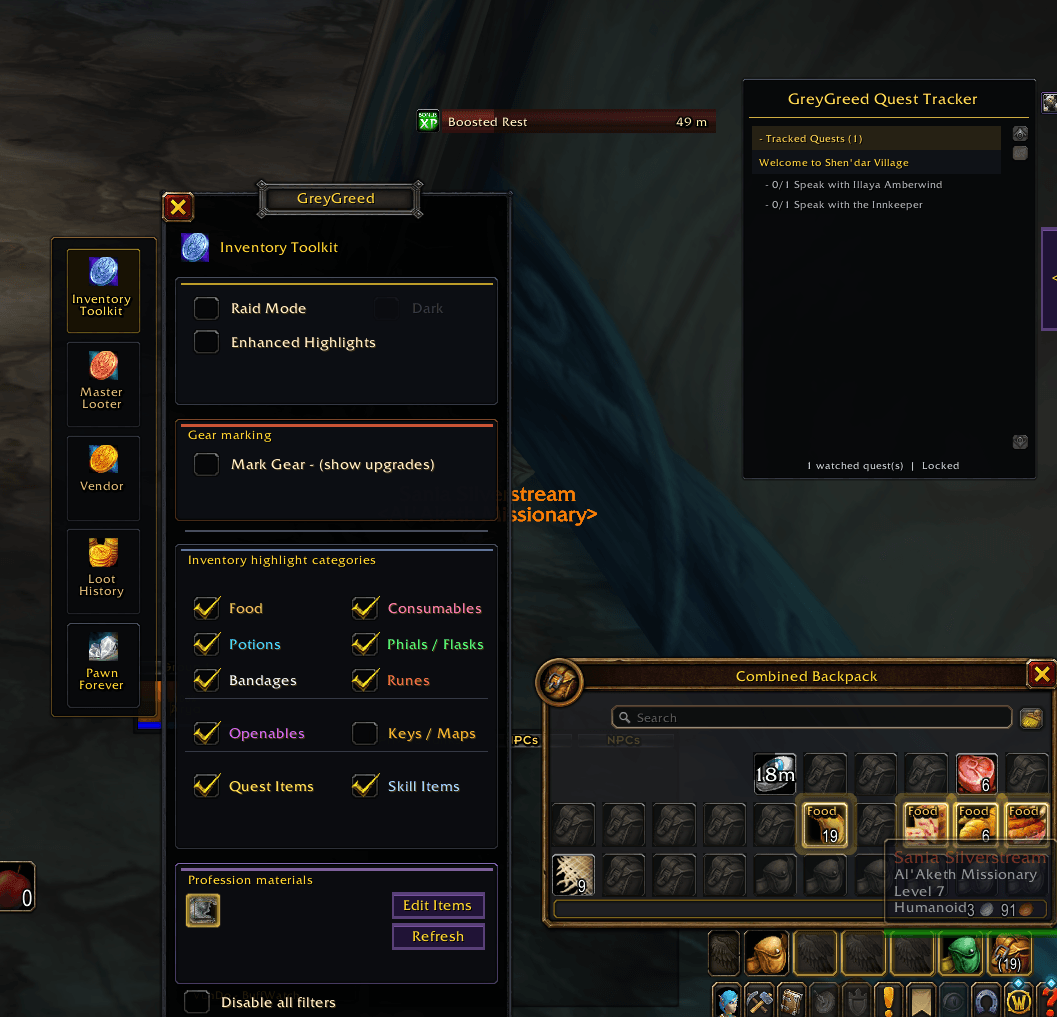
You can add or remove items using convenient item-list controls, including selecting items directly from your inventory.
No need to remember complicated item IDs just to organize your preferences.
Item Quality & Value Filtering
Don't want to collect every gray or white item?
Master Looter lets you choose which item qualities are eligible for general automatic looting.
Supported quality categories include:
-
Poor (Gray)
-
Common (White)
-
Uncommon (Green)
-
Rare (Blue)
-
Epic (Purple)
-
Legendary (Orange)
-
Artifact and Heirloom classifications, where supported
You can also configure a minimum vendor-value threshold to help decide which ordinary items are worth picking up.
These rules work together with your item lists and other looting preferences.
Group Safety — Adventure With Confidence
Looting by yourself and looting with a group aren't always the same experience.
Master Looter includes dedicated group-safety controls to help avoid unwanted automatic looting behavior.
Choose to pause live automatic looting while:
-
In a party
-
In a raid
-
In an instance group
These safety options are enabled by default for new installations.
Master Looter also provides controls for coordinating with Blizzard's own Auto Loot setting and restoring previous settings when management is disabled.
🎁 Loot Requests — Find Potential Upgrades!
Have you ever watched another player receive an item that would have been a great upgrade for your character?
Master Looter's Loot Request feature helps you identify potential upgrade opportunities during group content.
How It Works
While participating in supported dungeon or raid groups, Master Looter can monitor reported loot and evaluate whether equipment may be useful to your character.
Loot Request features include:
-
Track recent group-loot drops
-
Display possible upgrade opportunities
-
Show optional on-screen loot-request popups
-
Filter opportunities by minimum item quality
-
Highlight items identified as potential upgrades
-
Customize your loot-request whisper message
-
Use a convenient Ask button to contact another player
-
Avoid duplicate requests and excessive messaging
Requests are subject to suitability checks, group membership, and other safety restrictions.
For example, if another player receives equipment that appears useful to your character, Master Looter may present the item as a potential upgrade.
You can then decide whether to politely ask the player if they need it.
You're always in control of your requests.
A potential upgrade does not guarantee that an item can be traded. Final trading decisions remain between players and are subject to the game's rules.
Equipment recommendations depend on the item information available to the Forever client. Optional Pawn integration can improve certain upgrade assessments.
🔔 Loot Alerts — Never Miss an Important Find!
Sometimes a valuable item arrives while you're busy fighting, looting, or managing your inventory.
Master Looter includes customizable loot alerts to help bring those discoveries to your attention.
Custom Item Alerts
Create alerts for specific items you want to watch for.
When a matching item is confirmed as collected, GreyGreed can play a notification sound.
You can also configure alerts for supported item-quality categories, such as:
-
Uncommon (Green)
-
Rare (Blue)
-
Epic (Purple)
-
Legendary (Orange)
Choose from available notification sounds, manage individual alert items, and configure optional visual notifications.
These alerts help you notice important additions to your inventory without constantly watching your bags.
🛒 AutoVend — Take the Work Out of Selling
Your bags fill up quickly during a long adventure.
Master Looter's AutoVend system helps you manage items you want to sell when visiting merchants.
Permanent Grey List
Have items you routinely want to sell?
Add them to your Permanent Grey List so AutoVend can identify them during future merchant visits.
One-Time Grey List
Have an item you want to sell just once?
Add it to the One-Time Grey List.
After a successful sale, the entry is cleared so it doesn't remain part of your ongoing selling preferences.
Automatic Gray Junk Selling
AutoVend also supports automatically selling eligible gray-quality vendor junk.
Additional merchant features include:
-
Optional merchant-side review panels
-
Confirmation controls for Grey List selling
-
A preview of eligible sale items
-
Sale summaries
-
Blacklist selling controls
-
Protection checks for certain saved or restricted items
-
Recorded merchant income
AutoVend checks eligible items when a merchant is available and provides controls for reviewing and managing sales.
Optional Bag Cleanup
Need to free space without visiting a merchant?
Master Looter also includes a manual gray-item cleanup tool.
The tool identifies an eligible gray-quality stack and allows you to delete it with a deliberate click.
One stack at a time. It does not automatically delete your inventory.
Protected item lists are considered during cleanup.
📜 Loot History & Gold Tracking
Ever wonder what you've been collecting or how much value your adventures have generated?
Master Looter includes history tools to help you review recent activity.
Loot History
Review recorded loot activity and item information.
This helps you keep track of what has been collected during recent adventures.
Gold History
Track recorded income and value information across supported activities.
Gold History includes categories for different item qualities and provides session and lifetime summaries where information is available.
These tools make it easier to understand your recent looting and merchant activity without keeping separate notes.
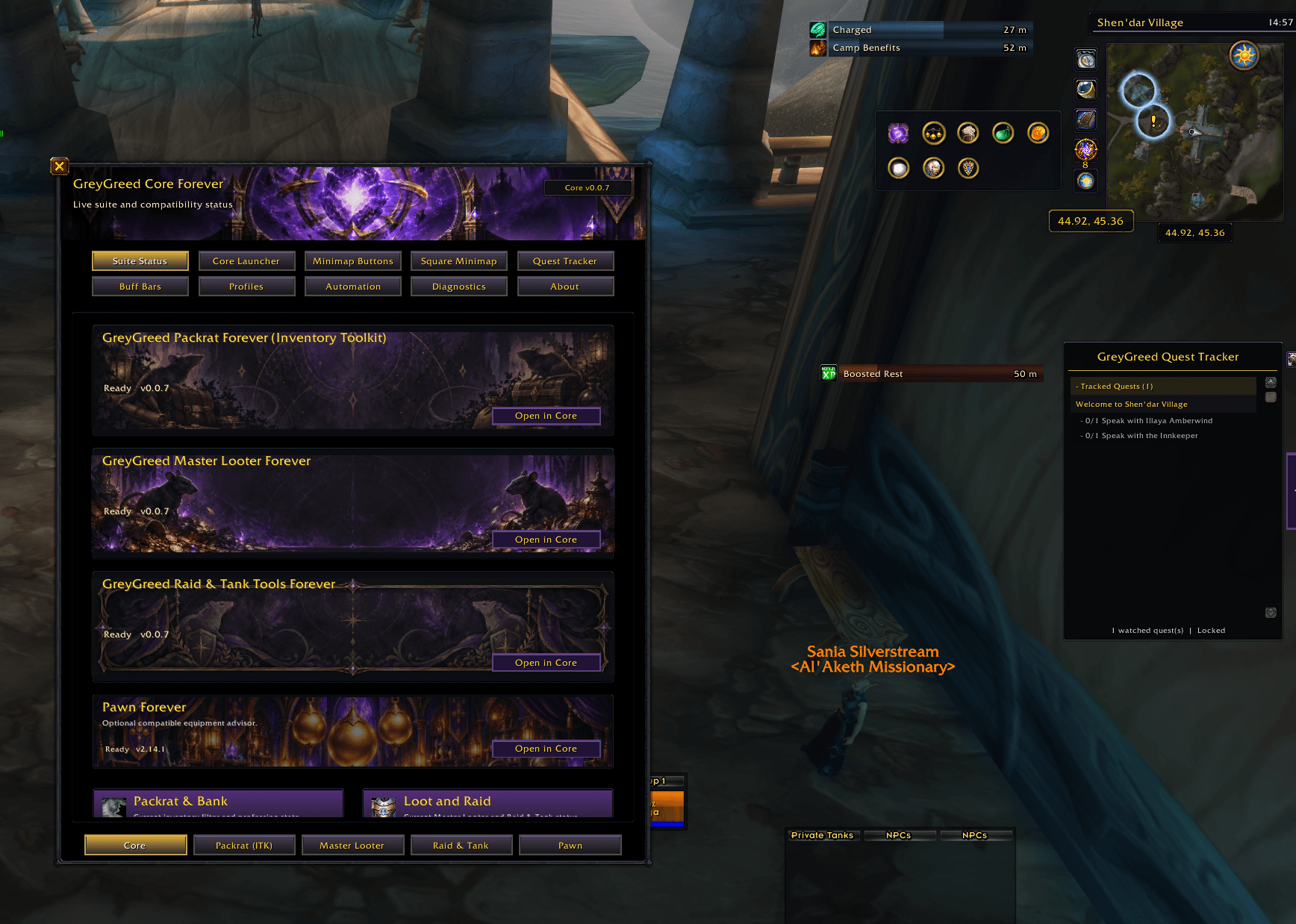
⚙️ GreyGreed Core — Included With Your Download!
Every GreyGreed companion edition includes the shared Core foundation.
Core is already included with Master Looter Forever. You don't need to download it separately!
Core provides an organized suite settings interface and several additional quality-of-life features.
Centralized GreyGreed Settings
Manage GreyGreed's installed components from one convenient location.
-
Navigate between installed GreyGreed modules
-
Enable or disable supported features
-
Review component status
-
Manage profiles and preferences
-
Adjust shared interface settings
-
Access optional add-on integrations
Core helps keep the entire GreyGreed experience organized.
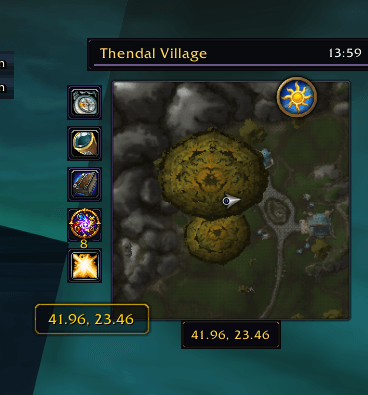
Customizable Square Minimap
Give your minimap a fresh appearance while retaining familiar game functionality.
Square Minimap features include:
-
Optional square minimap appearance
-
Adjustable size and positioning
-
Multiple decorative frame choices
-
A configurable utility-button rail
-
Convenient calendar, tracking, mail, and queue controls
-
Day/night indicator integration
-
Position-locking options
-
Customizable clock display
Configure the minimap to match your preferred interface.
Minimap Button Collector
Tired of add-on buttons cluttering your minimap?
Core includes an optional Minimap Button Collector that organizes compatible add-on buttons into an expandable tray.
Customize the tray's position, direction, layout, and closing behavior.
Enjoy a cleaner minimap without giving up convenient access to your favorite add-ons.
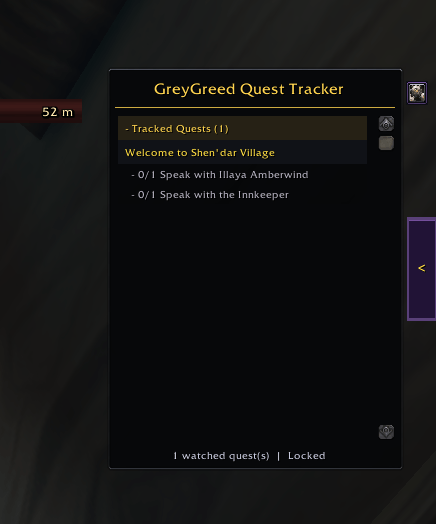
Optional GreyGreed Quest Tracker
Core includes a customizable quest-tracking interface for players who want more control over how quests are displayed.
Features include:
-
Movable and resizable quest tracking
-
Quest difficulty coloring
-
Optional quest-level display
-
Sorting and current-zone filtering
-
Expandable quest sections
-
Adjustable backgrounds and transparency
-
An optional collapsible, edge-docking launcher
Use GreyGreed's tracker or keep Blizzard's standard tracker.
Custom Buff & Debuff Bars
Make important character effects easier to see.
Core includes configurable buff and debuff bars with adjustable positioning, appearance, and duration displays.
Arrange them to fit your preferred interface.
Helpful Automation & Everyday Tools
Core also includes several optional conveniences.
Automatic Equipment Repair: Automatically repair damaged equipment when visiting a repair vendor, with optional guild repair-fund support when permitted.
Simplified Item Deletion: Skip typing DELETE into supported confirmation windows while keeping manual deletion confirmation.
Shared Profiles: Save and manage configurations for different characters or playstyles.
Optional Pawn Integration: Access compatible Pawn tools through the GreyGreed interface when Pawn is installed.
🎮 Built Around Your Playstyle
Some players want to collect everything.
Others prefer to avoid clutter and focus on valuable items.
Some enjoy detailed loot notifications, while others want their interface as clean and quiet as possible.
GreyGreed is designed to give you those choices.
Use Master Looter's rules to manage everyday looting, configure your merchant preferences, and turn on alerts for the items you care about.
Then customize your minimap, quest tracker, and Core utilities to complete the experience.
You don't have to use every feature to enjoy the add-on.
📦 What's Included?
This download contains two complete, integrated add-ons.
GreyGreed Master Looter Forever
Includes:
-
Configurable automatic looting
-
Blacklist and Whitelist rules
-
Item-quality and vendor-value filtering
-
Group-looting safety controls
-
Loot Requests
-
Custom item and rarity alerts
-
AutoVend merchant tools
-
Optional manual bag cleanup
-
Loot and gold history
GreyGreed Core Forever
Includes:
-
Centralized GreyGreed settings
-
Shared profiles and configuration management
-
Customizable Square Minimap
-
Minimap Button Collector
-
Optional GreyGreed Quest Tracker
-
Custom buff and debuff bars
-
Automatic repair
-
Simplified item-deletion confirmation
-
Optional Pawn integration
Both components are included in this edition.
GreyGreed Packrat Forever and GreyGreed Raid & Tank Tools Forever are separate companion products and are not included in this download.
🚀 Getting Started
-
Install GreyGreed Master Looter Forever + Core.
-
Enable both GreyGreed Core Forever and GreyGreed Master Looter Forever in your AddOns list.
-
Enter the game.
-
Type
/ggcoreto open the shared settings interface. -
Select Master Looter to configure your looting preferences.
You can also type /ggml to open the Master Looter interface directly.
Recommended first steps:
Start with your Loot Rules and Group Safety settings, then explore the Blacklist, Whitelist, AutoVend, and Loot Request features.
Optional Pawn Integration
Master Looter supports optional Pawn-assisted equipment recommendations.
Pawn is not required for general looting, item lists, merchant tools, history, or Core functionality.
Some equipment recommendations and Loot Request suitability checks benefit from compatible Pawn data.
Compatibility
Game: World of Warcraft Forever (Camelot)
Supported interface: 16001
Version: 1.0.0
This edition is designed for the Forever client rather than the separate modern World of Warcraft Retail client.
Expansion-based Legacy Looting filters are not available in this edition.
Important: Master Looter manages your personal looting preferences and helps you request potential upgrades. It does not replace Blizzard's group-loot distribution system or automatically award other players' loot.
❤️ Enjoy Your Adventures!
GreyGreed Master Looter Forever was created to give players greater control over everyday looting while keeping the familiar World of Warcraft experience intact.
Whether you're questing, farming materials, running dungeons, collecting treasures, or simply trying to keep your bags under control, GreyGreed provides tools to make those everyday tasks a little easier.
Spend less time managing loot and more time enjoying Azeroth!
Thank you for choosing GreyGreed Master Looter Forever!
Created by Sashaielle — Steamweedle Cartel
Part of the GreyGreed Forever Suite
Greygreed Master Looter Forever Team