Greygreed Core
- By
Enhance your WoW Retail UI with a square minimap, Rat Radar cursor finder, customizable Buff Bars, and advanced quest tracking.
Screenshot 2026-11-06 135827.png
Screenshot 2026-11-06 135948.png
Screenshot 2026-11-06 145457.png
Screenshot 2026-11-06 145716.png
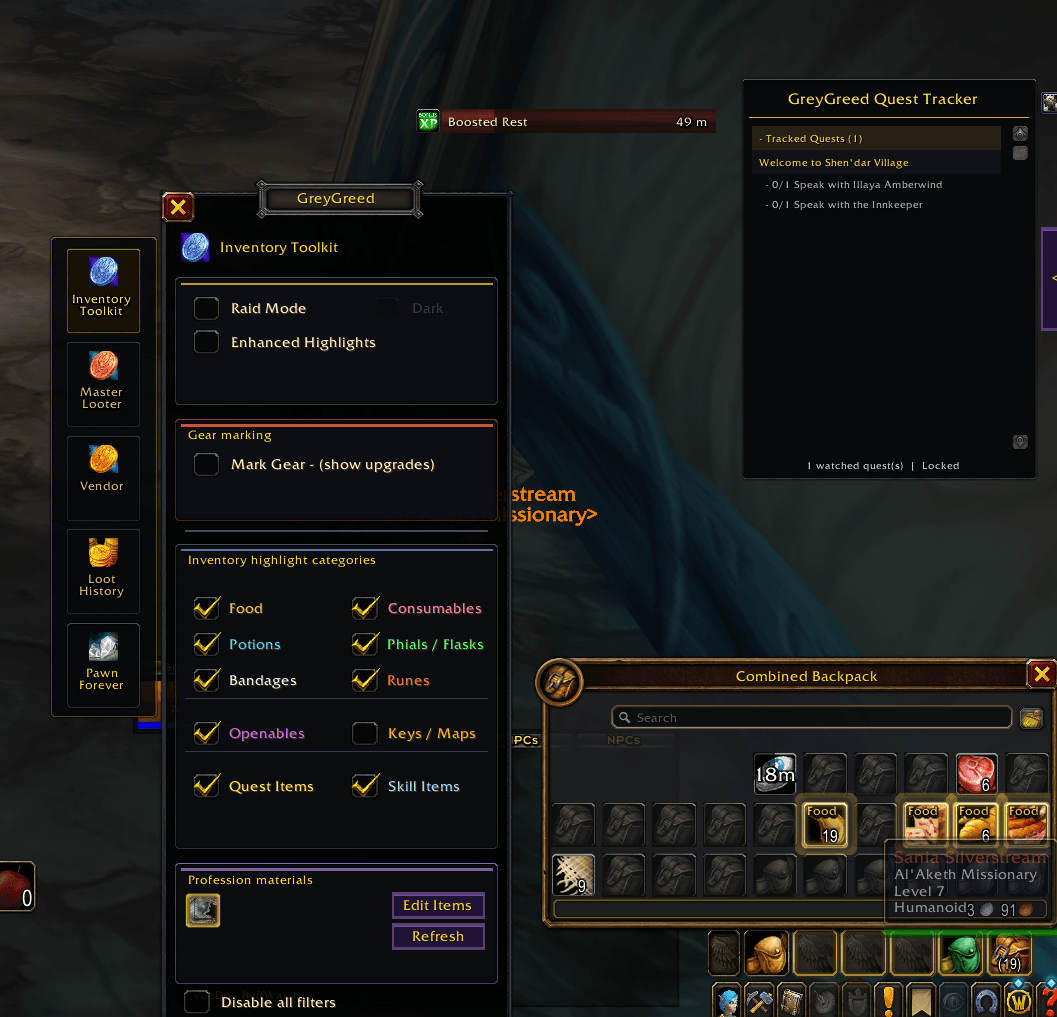
Screenshot 2026-11-06 145739.png
Description
GreyGreed Core
Customize Your Interface. Simplify Your Gameplay.
A cleaner minimap. Better buff tracking. Powerful cursor tools. Less clutter. More control.
GreyGreed Core is the central interface and customization hub for the GreyGreed Suite, a collection of quality-of-life addons designed for World of Warcraft Retail.
Whether you're running Mythic+ dungeons, tackling raids, exploring Azeroth, or simply organizing your interface, GreyGreed Core gives you practical tools to make everyday gameplay more comfortable.
From a customizable square minimap to advanced Buff Bars, Rat Radar, and minimap button management, GreyGreed helps you spend less time fighting your interface and more time enjoying the game.
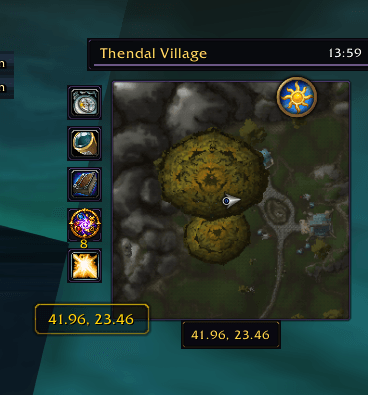
🗺️ Square Minimap
A cleaner look with more usable map space.
Transform Blizzard's traditional circular minimap into a sleek square layout without replacing its familiar functionality.
Features include:
-
Optional Square Minimap – Switch between Blizzard's traditional circular minimap and GreyGreed's square design.
-
Clean, Minimalist Appearance – Enjoy a modern minimap that fits neatly into your interface.
-
Preserved Blizzard Controls – Continue using normal minimap zoom, tracking, and other built-in functions.
-
Addon Button Compatibility – Compatible supported addon buttons can adjust to the square minimap shape.
-
Easy On/Off Switching – Restore the original circular minimap whenever you prefer.
No need for a complete minimap replacement. GreyGreed provides a simple, lightweight way to enjoy a square minimap while preserving the functionality you're accustomed to.
✨ Custom Buff Bars
Keep important buffs and debuffs visible and easy to understand.
GreyGreed's Buff Bars provide an alternative to traditional buff icons, presenting active effects in a readable bar format.
Perfect for players who want better visibility of temporary effects without constantly hovering over icons.
Features include:
-
Buff & Debuff Tracking – Display beneficial and harmful effects affecting your character.
-
Visual Duration Bars – See how much time remains on active effects.
-
Readable Spell Names – Identify buffs and debuffs at a glance.
-
Countdown Timers – Monitor remaining durations.
-
Stack Counters – See stack information when available.
-
Permanent Buff Support – Display effects that don't have expiration timers.
-
Combined or Separate Displays – Organize buffs and debuffs according to your preferences.
-
Combat-Aware Display – Uses Blizzard-supported aura functionality for effects during combat.
-
Optional Feature – Enable or disable Buff Bars to suit your interface.
Whether you're a tank monitoring defensive buffs, a healer watching temporary effects, or a DPS player keeping track of important abilities, Buff Bars make information easier to see.
🐀 Rat Radar – Find Your Mouse Cursor!
Never lose your cursor in the middle of a chaotic raid again!
Ever lost your mouse pointer during a boss encounter, especially when the screen is filled with spell effects?
Rat Radar is GreyGreed's customizable mouse cursor locator, designed to help you quickly find your pointer when you need it most.
Features include:
-
Cursor Highlighting – Make your mouse pointer easier to locate.
-
Animated Cursor Pulse – Display a visual pulse around your pointer.
-
Customizable Pulse Colors – Choose from several available highlight colors.
-
Adjustable Pulse Size – Control the size of the locator effect.
-
Adjustable Transparency – Fine-tune the visibility of the pulse.
-
Cursor Trail – Enable a visual trail that follows your mouse movements.
-
Mouse-Shake Activation – Quickly locate your cursor by shaking your mouse.
-
Custom Keybinding – Assign a convenient key to activate Rat Radar.
-
Optional Feature – Enable or disable Rat Radar whenever you like.
Rat Radar is especially useful for healers using mouseover targeting, raiders dealing with heavy visual effects, and anyone who has ever wondered where their mouse cursor disappeared!
🧩 Minimap Button Collector
All your addon buttons. One organized location.
Every addon seems to add another minimap button. Before long, your minimap can become surrounded by a collection of icons.
GreyGreed's Minimap Button Collector helps keep things tidy by gathering compatible addon launchers into a convenient expandable menu.
Features include:
-
Automatic Button Collection – Gather compatible minimap addon buttons into one organized location.
-
Expandable Flyout Menu – Open your collected buttons when you need them.
-
Four Expansion Directions – Choose whether your button collection expands left, right, upward, or downward.
-
Movable Collector Button – Position your collector wherever it's most convenient.
-
Button Exclusions – Keep selected addon buttons outside the collector.
-
Refresh Button Discovery – Search again for supported addon launchers.
-
Find Launcher – Recover the collector launcher if you've misplaced it.
-
Original Button Functionality – Collected buttons retain their normal click actions and tooltips.
-
Fully Reversible – Disable the collector to return supported buttons to their original positions.
Enjoy a cleaner minimap while keeping your favorite addons just a click away.
Some protected or specially implemented addon buttons may not be compatible. GreyGreed avoids competing with MinimapButtonButton (MBB) when it is installed.
⚙️ Centralized GreyGreed Settings
One interface to manage your GreyGreed experience.
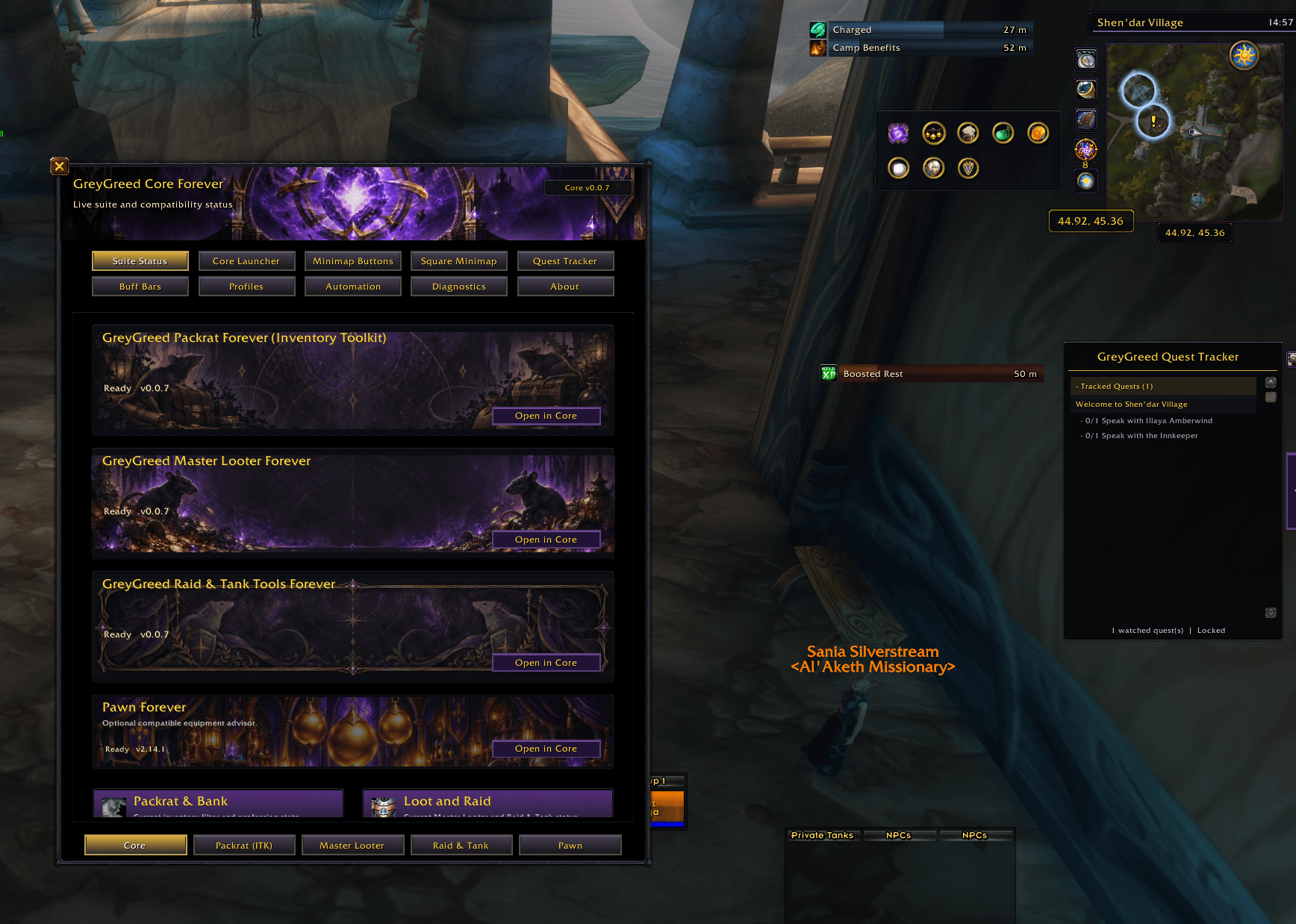
GreyGreed Core serves as the central control panel for the GreyGreed Suite, bringing supported addon settings together in a consistent, organized interface.
Features include:
-
Unified Settings Window – Access supported GreyGreed configuration options from one location.
-
Organized Feature Categories – Quickly find the settings you want.
-
Convenient Addon Navigation – Switch between compatible GreyGreed components.
-
Suite Status Overview – See information about your installed GreyGreed components.
-
Optional Pawn Integration – Access supported Pawn functionality when Pawn is installed.
-
Saved Preferences – Your configured settings persist between gaming sessions.
-
Feature-Level Customization – Enable or disable supported features according to your needs.
No unnecessary complexity. Just convenient controls for the tools you use.
🔗 Expand Your Experience with GreyGreed Suite
GreyGreed Core is also the foundation for a larger collection of optional gameplay enhancements.
📦 GreyGreed Packrat
Advanced inventory and bank organization designed to help you manage your items more efficiently.
-
Inventory and bank filtering
-
Item identification and customizable labels
-
Profession material organization
-
Consumable and gear highlighting
-
Convenient inventory management utilities
💰 GreyGreed Master Looter
Additional tools for managing loot and coordinating loot requests.
-
Loot request management
-
Configurable loot preferences
-
Loot history and tracking tools
-
Group loot coordination features
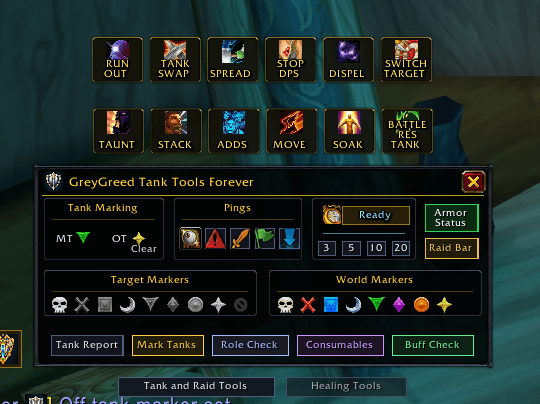
🛡️ GreyGreed Raid & Tank Tools
Helpful utilities for dungeon and raid groups, including tools for tanks, healers, and raid leaders.
-
Tank and healer management
-
Raid markers and pings
-
Group readiness and buff checks
-
Armor status information
-
Customizable raid and tank dashboards
Companion features require their corresponding GreyGreed addon. GreyGreed Core provides the shared interface and foundation but does not include every companion feature in the Core-only installation.
⭐ Why GreyGreed Core?
GreyGreed Core is designed around one simple idea:
Your interface should help you play, not get in your way.
✔ Customize your minimap with an optional square design.
✔ Organize scattered minimap buttons into one convenient collector.
✔ Track buffs and debuffs with readable duration bars.
✔ Find your mouse cursor with Rat Radar.
✔ Manage compatible GreyGreed addons through one interface.
✔ Customize your experience without completely replacing Blizzard's UI.
📦 Installation
Designed for World of Warcraft Retail.
-
Install GreyGreed Core into your World of Warcraft Retail AddOns directory or through a supported addon manager.
-
Enable GreyGreed Core from the in-game AddOns list.
-
Open Core using its minimap launcher or the
/ggcorecommand. -
Configure the features you want and enjoy your customized interface.
GreyGreed companion addons require a compatible version of GreyGreed Core.
Make Your Interface Work for You.
Less clutter. Better visibility. More control.
Discover a cleaner, more customizable World of Warcraft experience with GreyGreed Core.
Greygreed Core Team