Greygreed Character Tools Forever
- By
GreyGreed Character Tools brings character equipment, Warband inventory, currencies, reputation, faction planning, and quest progress into one powerful dashboard. Organize your characters, track achievements, and manage your adventures with ease.
Screenshot 2026-11-22 121245.png
Screenshot 2026-11-22 121212.png
Screenshot 2026-11-22 121147.png
Screenshot 2026-11-22 121132.png
Screenshot 2026-11-22 121119.png
Description
GreyGreed Character Tools Forever
Your characters. Your inventory. Your adventures. All in one place.
Tired of logging between characters just to remember where you stored an item, how much currency you have, or which character completed an adventure?
GreyGreed Character Tools brings your character information together in one convenient, easy-to-use dashboard for World of Warcraft Retail.
From managing your Warband inventory to tracking faction reputation, equipment condition, adventure records, and valuable items, Character Tools helps you spend less time searching and more time playing.
⚔️ Character Overview
Keep track of your entire roster.
-
View your recorded characters in one organized dashboard.
-
See character names, classes, levels, and last login information.
-
Quickly review information saved from your other characters.
-
Refresh your current character's information whenever needed.
-
Easily navigate between characters and their saved records.
🎒 Inventory Ledger & Item Tracking
Never wonder which character has that item again!
The Inventory Ledger makes finding items across your characters and shared storage easier than ever.
-
Search saved inventory by item name or item ID.
-
Find items across character bags, equipped gear, banks, and Warband storage.
-
See which character owns an item and where it was last recorded.
-
Enjoy class-colored character names for easy identification.
-
Create item tracking lists and set quantity goals.
-
View saved item counts and storage locations.
-
Select individual items to explore their recorded locations.
Whether you're gathering crafting materials, organizing equipment, or searching for something you stored weeks ago, the Inventory Ledger helps you find it.
🏦 Banks & Mail
Keep your storage organized without endless character switching.
-
Browse saved bag, bank, mail, and auction listings.
-
View recorded Warband Bank contents.
-
Review accessible Guild Bank tabs that you've visited.
-
See item names, quantities, and quality colors.
-
Search saved storage locations for specific items.
-
View when storage information was last recorded.
-
Quickly switch between characters and storage locations.
Character Tools remembers your storage information so you can review it even when those characters are offline.
🛡️ Equipment & Durability
Keep your gear in fighting condition.
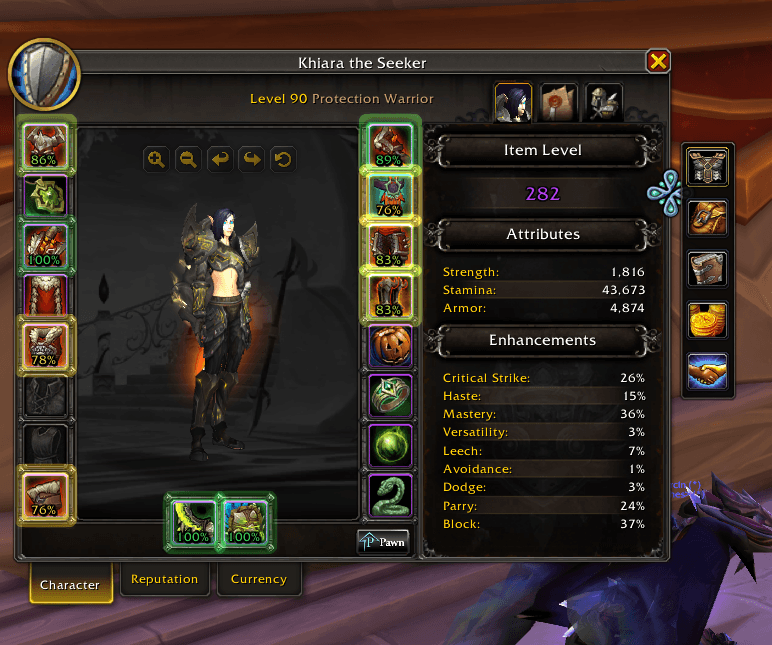
Character Tools enhances your existing character window with useful equipment information.
-
Display equipment durability using color-coded highlights.
-
Show durability percentages directly on equipped items.
-
Choose highlights, percentages, both, or neither.
-
Quickly identify damaged equipment before heading into battle.
-
Use a convenient five-button character tools shortcut bar.
-
Reposition the shortcut bar or your character window to suit your preferred layout.
All of this works alongside Blizzard's familiar character interface rather than replacing it.
🪙 Currency Tracking
Know what you've earned and where it is.
-
Review recorded currency balances.
-
View available currency caps.
-
Identify Warband-shared and character-specific currencies.
-
Compare saved currency information across characters.
-
Keep track of currencies without repeatedly switching characters.
🏰 Faction Planner & Reputation
Plan your reputation progress more efficiently.
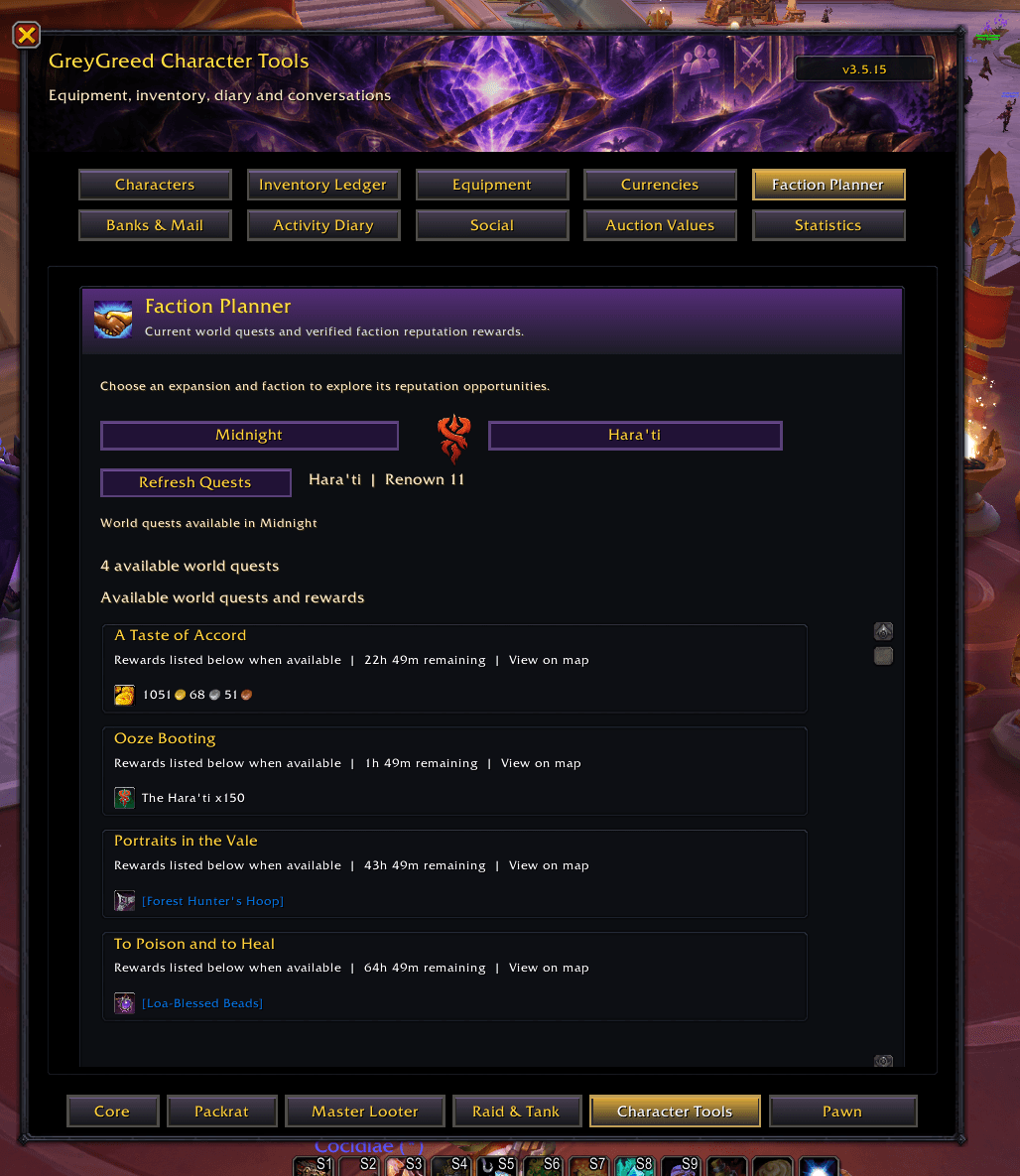
Trying to reach the next reputation or Renown level? The Faction Planner helps you explore available opportunities.
-
Select factions you've discovered on your character.
-
Browse factions by expansion.
-
Review recorded reputation standings and Renown levels.
-
Find available World Quests associated with your selected faction.
-
View known reputation rewards and other available quest rewards.
-
Open quest locations directly on the World Map.
-
Create waypoints when supported, including optional TomTom integration.
-
Refresh available quests when you're ready to check again.
Quest availability and reward information depend on the information available from World of Warcraft. Not every quest or reputation reward will always be displayed.
📖 Activity Diary
Remember the adventures that made your character memorable.
Your Activity Diary creates a personal chronicle of your character's accomplishments.
-
Record character level milestones.
-
Remember completed quests and earned achievements.
-
Save successful encounters and other adventure milestones.
-
Browse recorded activities from your characters.
-
Look back at your adventures whenever you like.
🏆 Statistics & Adventure Records
See how far you've come.
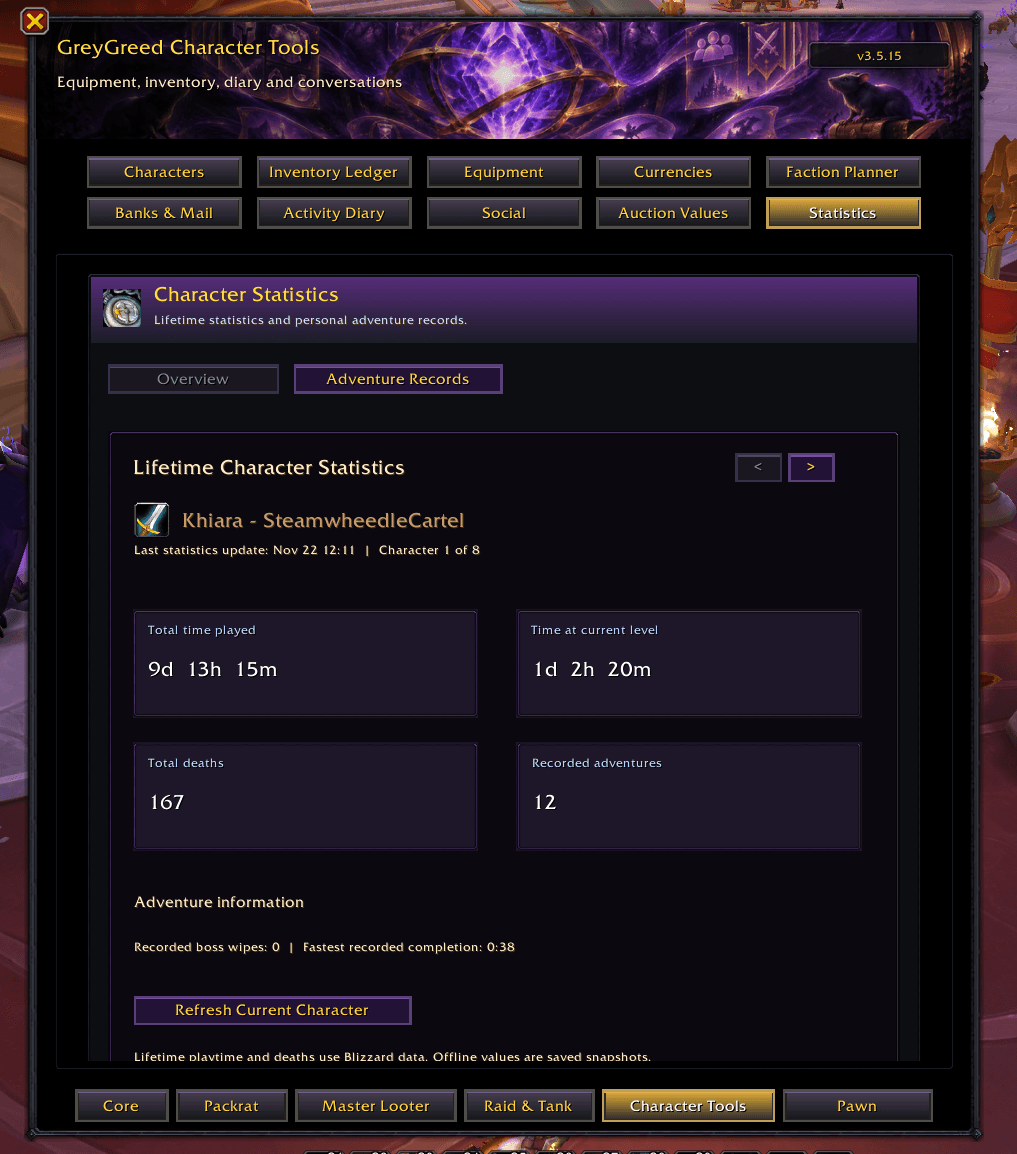
Character Tools offers both lifetime character statistics and detailed adventure records.
Character Statistics
-
Total time played.
-
Time played at your current level.
-
Lifetime death statistics.
-
Recorded adventure totals.
-
Saved statistics for your other characters.
Adventure Records
-
Track dungeon, raid, delve, and boss completion times.
-
Review recorded best times and previous performances.
-
See available average completion times and wipe counts.
-
Use an optional, movable on-screen adventure timer.
-
Browse records across characters or focus on your current character.
✉️ Contacts & Whispers
Keep your favorite adventuring companions close.
Character Tools includes a convenient address book and optional conversation history.
-
Save character contacts and BattleTags.
-
Add personal notes to remembered contacts.
-
Browse recent interactions and saved contacts.
-
Optionally record character whispers and Battle.net conversations locally.
-
Review saved conversations in a readable message display.
-
Reply through the game's chat interface.
-
Delete individual saved conversations when they're no longer needed.
Whisper recording can be enabled or disabled independently for character and Battle.net messages.
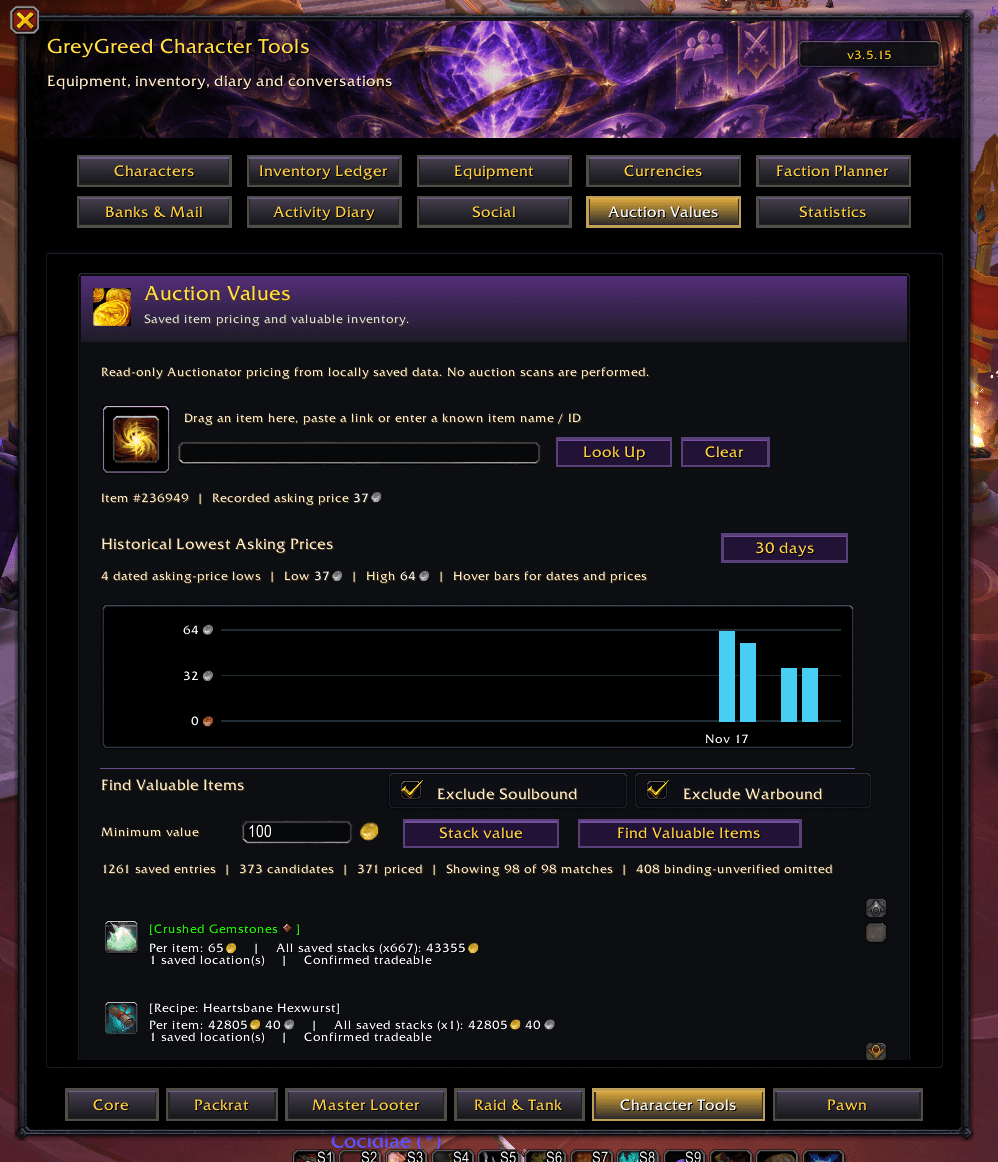
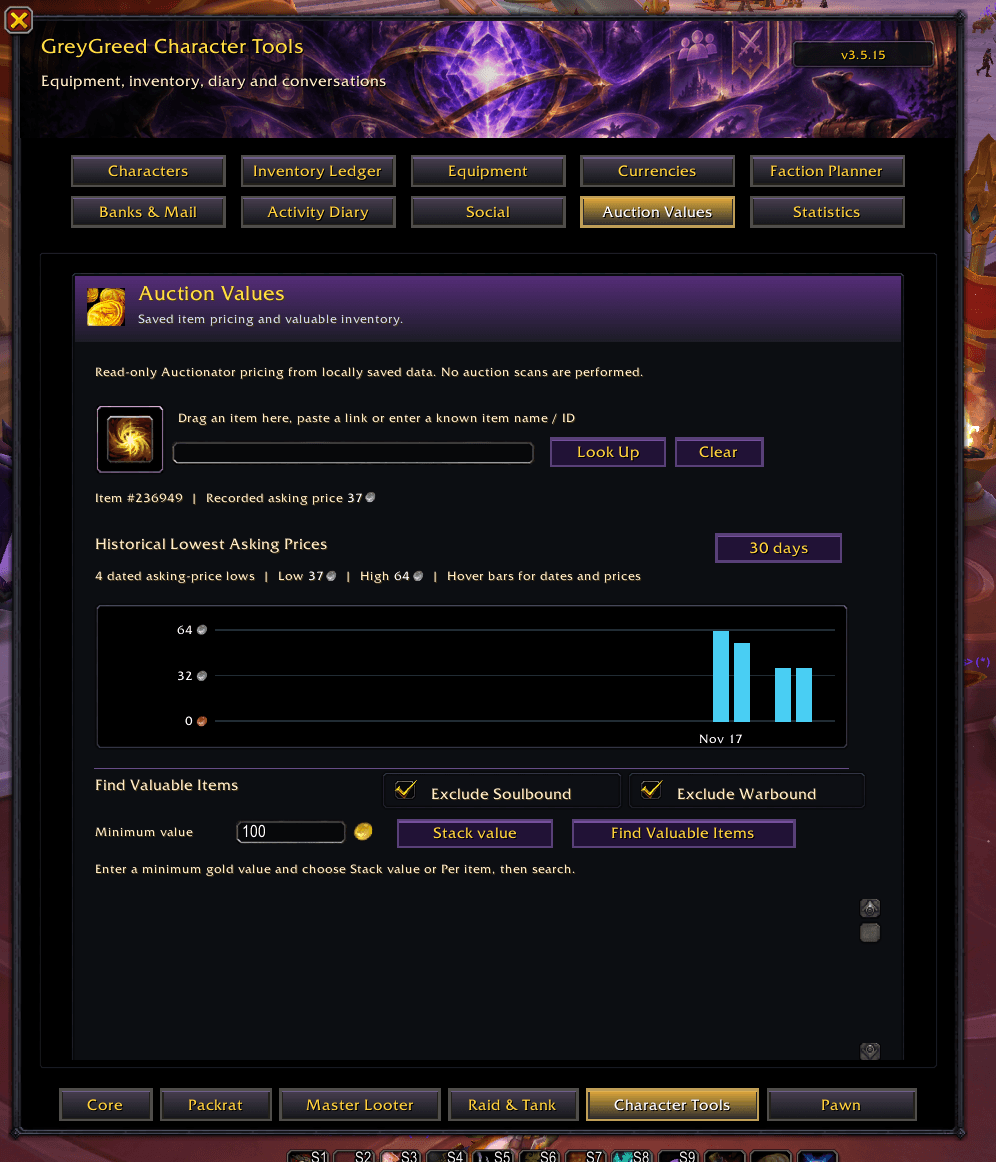
💰 Auction Values
Discover valuable items you may already own!
With optional Auctionator integration, Character Tools can help you evaluate items using saved auction pricing information.
-
Look up prices by item name, ID, link, or drag-and-drop.
-
Review available saved Auctionator asking prices.
-
Search your recorded inventory for potentially valuable items.
-
Set a minimum gold value to help identify worthwhile finds.
-
Compare prices per item or per stack.
-
Exclude Soulbound or Warbound items from valuable-item searches.
-
View historical asking-price information when available.
Auction Values is a reference tool, not an automated auction seller. Prices are estimates based on available asking-price data and do not guarantee a sale.
✨ Designed for Everyday Play
GreyGreed Character Tools brings powerful features together without making everyday tasks complicated.
What makes it useful?
-
One organized dashboard with ten dedicated sections.
-
Convenient navigation between your characters and their information.
-
Easy-to-read panels, item links, tooltips, and character colors.
-
Helpful shortcuts directly from your character window.
-
Customizable display options.
-
Saved information that remains available when other characters are offline.
-
A familiar fantasy-styled interface designed to complement World of Warcraft.
Getting Started
Character Tools records information as you play. Log in to your characters to update their saved information, and visit banks, mailboxes, and other storage locations to record their contents.
Please note: Information from offline characters represents the last saved snapshot. Inventory, currencies, and storage contents may have changed since that character was last visited.
Requirements & Optional Integrations
-
GreyGreed Core — Required for Character Tools.
-
Auctionator — Optional, for Auction Values and saved market pricing.
-
TomTom — Optional, for additional Faction Planner waypoint support.
GreyGreed Character Tools — Spend less time searching, more time adventuring.
Part of the GreyGreed Addon Suite for World of Warcraft Retail.
Greygreed Character Tools Forever Team