Gorloc CraftScan
- By
Turn your professions into Auctionator shopping lists: scan your recipes and sync every reagent and crafted item in one click.
characters-tab.png
auctionator-lists.png
Description
Gorloc CraftScan
Turn your professions into Auctionator shopping lists. Gorloc CraftScan reads the recipes your character knows, collects every reagent and crafted item, and adds them to an Auctionator shopping list. Search that list at the Auction House and Auctionator, and every crafting addon that reads its prices, is up to date for everything you craft.
Part of the Gorloc suite.
Installation
Install with the CurseForge. Requires World of Warcraft Retail (Midnight) and Auctionator.
Usage
- Type
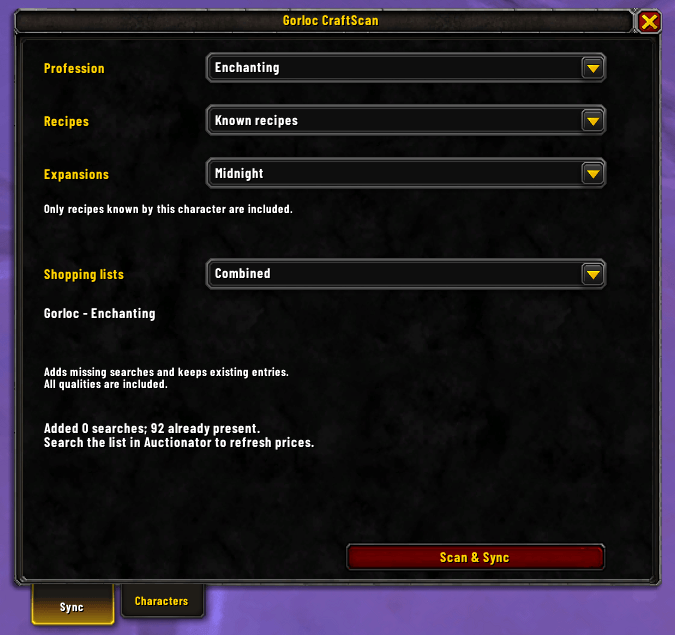
/gcs, or click CraftScan below an open profession window. - Pick a profession. All your crafting professions and Cooking are detected.
- Choose your options:
- Recipes: known recipes only, or all recipes the game exposes, including ones you have not learned.
- Expansions: the current expansion by default; pick others or all of them.
- Shopping lists: one combined list, or separate lists for materials and crafted items.
- Click Scan & Sync. CraftScan opens the profession, scans it, closes it again if it opened it, and adds the searches to Auctionator.
- At the Auction House, open Auctionator's Shopping tab and search the list. Creating the list alone does not refresh prices.
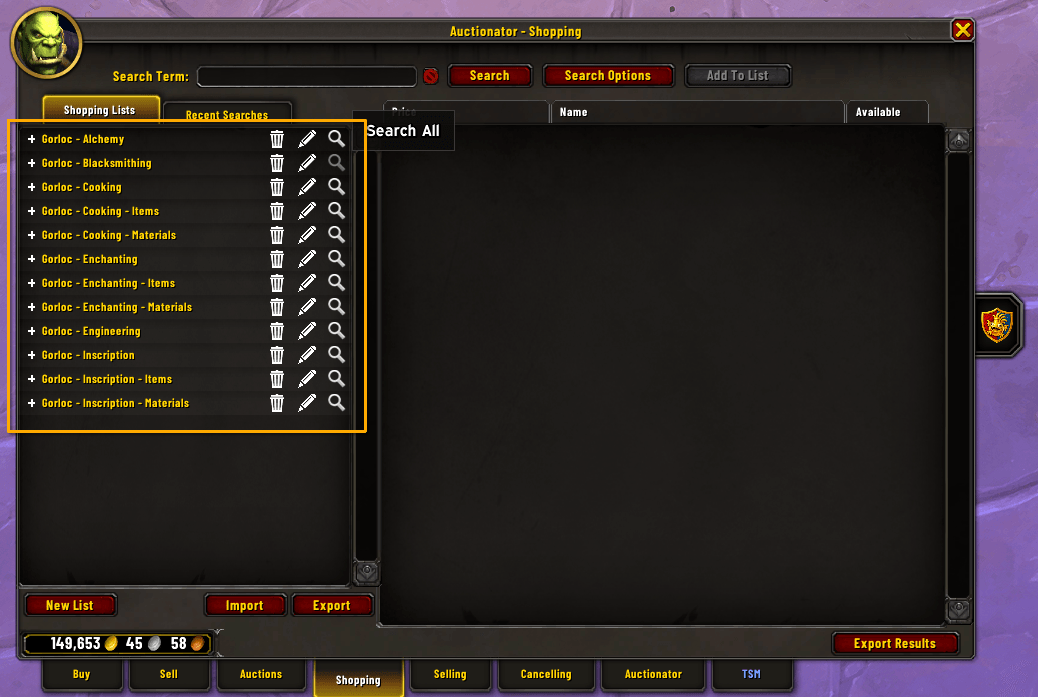
Lists are named per profession: Gorloc - Alchemy, or Gorloc - Alchemy - Materials and Gorloc - Alchemy - Items in separate mode.
Several characters, one list
Each character adds its own recipes to the same profession list. Syncing only adds missing searches; it never removes entries, so other characters' searches and your own manual searches are kept. Searches cover all qualities of an item.
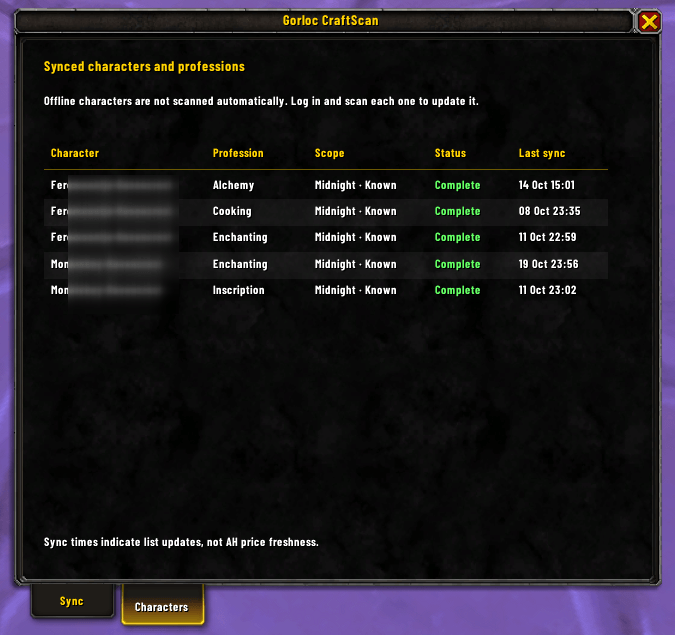
The Characters tab (or /gcs history) shows which characters and professions have been synced, with their scope, status and last sync time. Characters update only when you log into them and scan again.
If a scan is incomplete
When the game does not return all recipe data, nothing is synced automatically. Retry Scan & Sync, or click Sync available items to add what was found. Details shows what was missing.
Screenshots
| Characters tab | Resulting Auctionator lists |
|---|---|
|
|
Good to know
- Sync never deletes searches. Remove searches you no longer need in Auctionator.
- CraftScan does not scan the Auction House itself, calculate profit, or buy anything.
- Reagents for optional slots, recrafting, gathering and salvage are not included, nor are currencies and items that cannot be traded.
- The interface is English only.
Commands
| Command | Opens |
|---|---|
/gcs or /gorloccraftscan |
The CraftScan window |
/gcs history |
The Characters tab |
/gcs debug |
Diagnostics to copy when reporting a problem |
Reporting problems
Run /gcs debug, copy the text, and include it with a description of what happened.
Gorloc CraftScan Team

Owner