New: Consumables. The recommended flasks, potions, food, weapon buffs, enchants and gems for each specialization, and an Auction House panel to buy them (with the free Gorloc Consumables AddOn).
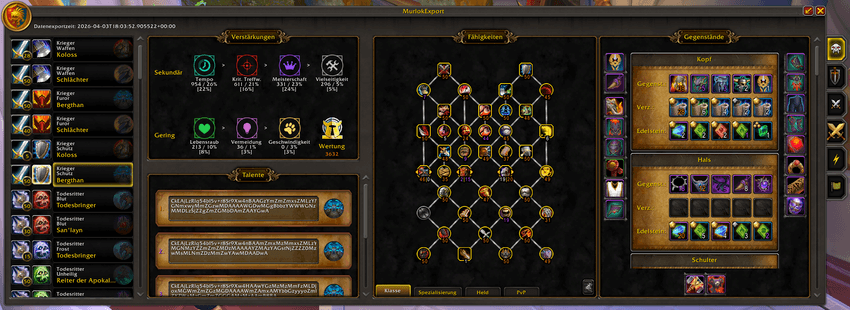
Maximized view (click the arrow in the upper right corner to maximize):
Compact view (click the arrow in the upper right corner to minimize):
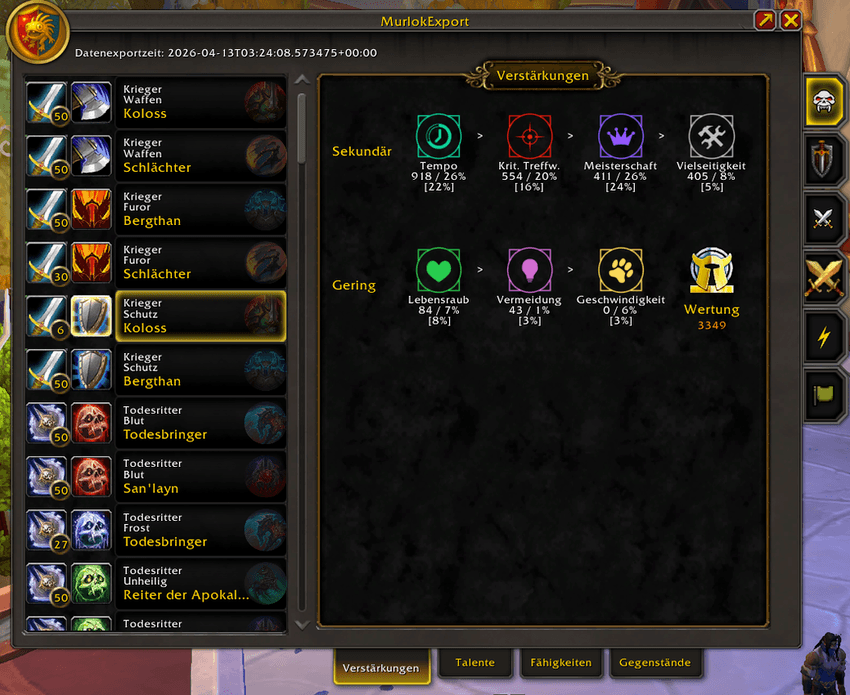
This AddOn shows data from Murlok.io: what the top 50 rated players of every class/specialization/hero talent use in Mythic+ and PvP. The data is updated every day, so keep the AddOn up to date (for example with the CurseForge app) to get the latest ratings.
It shows an in-game summary for each class/specialization/hero combination in the following categories:
Summaries for Mythic+, Solo Shuffle, 2v2, 3v3, Blitz and Rated Battlegrounds, each on its own tab. Your character's class and specialization are preselected and appear at the top of the list. All other sections of this AddOn follow as soon as you select another class/specialization/hero combination.
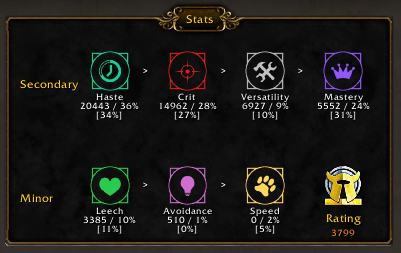
Secondary and minor stats ordered by importance: values and percentages are the average of the top 50 players. Percentages within the brackets are your own stat values.
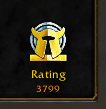
The rating of the best player is shown in the corner.
Talent strings of the top 5 players (the first one is from the best player): click the hero icon to import a string into a new talent loadout.
The new loadout gets a default name like "ME_<m+/solo/2v2…>_<date>".
You can delete any saved loadout with the hidden "cancel" button (be careful: there is no confirmation and deletion can't be undone).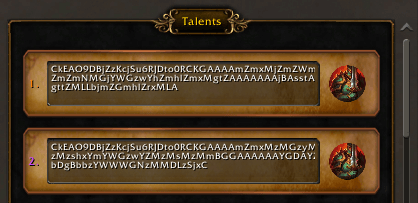
Preview before you import: compare your current traits with the ones from the selected loadout text.
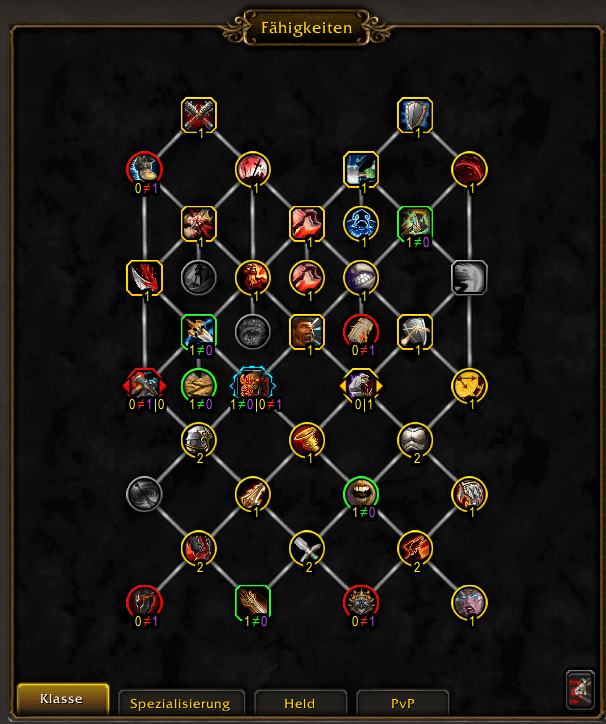
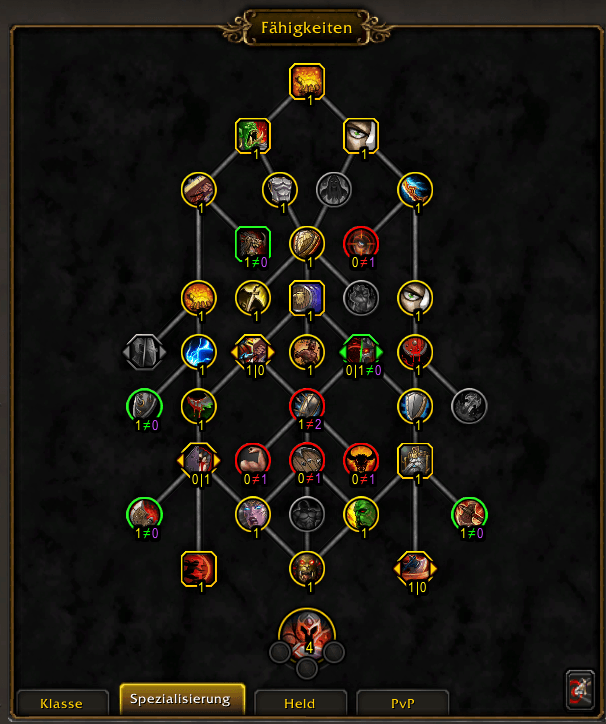
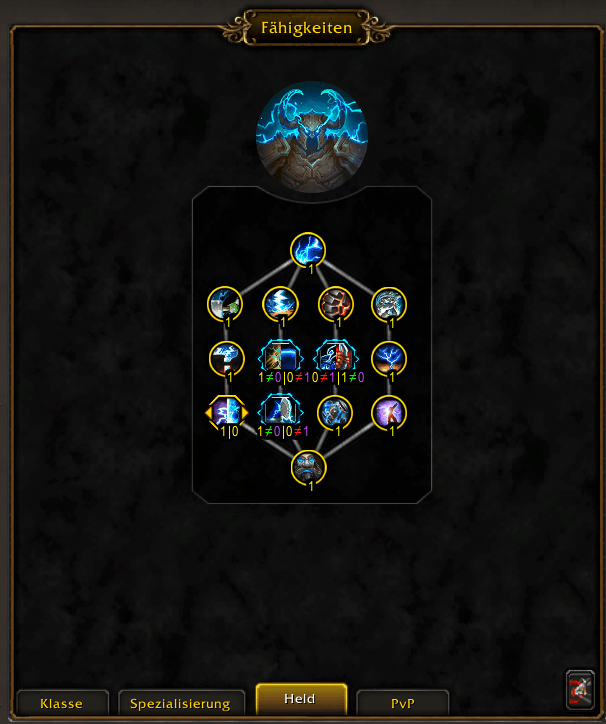
Yellow outlined traits are the same in both.
Green outlined traits are spent in your active loadout but missing in the compared loadout. The numbers below them, e.g. 1≠0, mean that you have spent 1 point in this talent and the compared loadout 0.
Red outlined traits are missing in your loadout. E.g. 0≠1 means you have spent 0 points and the compared loadout 1.
Blue outlined choice nodes mean that you need to pick the other option.If your current specialization is not the one you are comparing with, the AddOn switches your specialization for you. After that, compare again.
You can also paste your own loadout text into the text field to compare your traits against it.The talent import button in the bottom right corner puts the selected loadout text into the import dialog, with a default name for the new loadout that you can change.
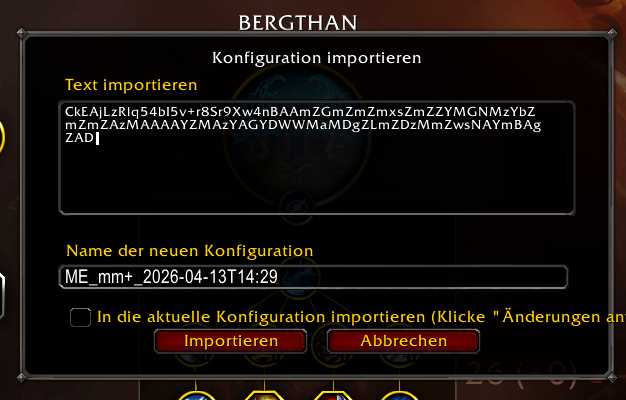
Clicking the import button changes your current talents to the imported loadout.
Traits for class/specialization/hero and PvP. The colour of the numbers shows the traits of the best player or the next 4 best players. Choice nodes show 2 numbers (left number for the left choice, right number for the right choice).
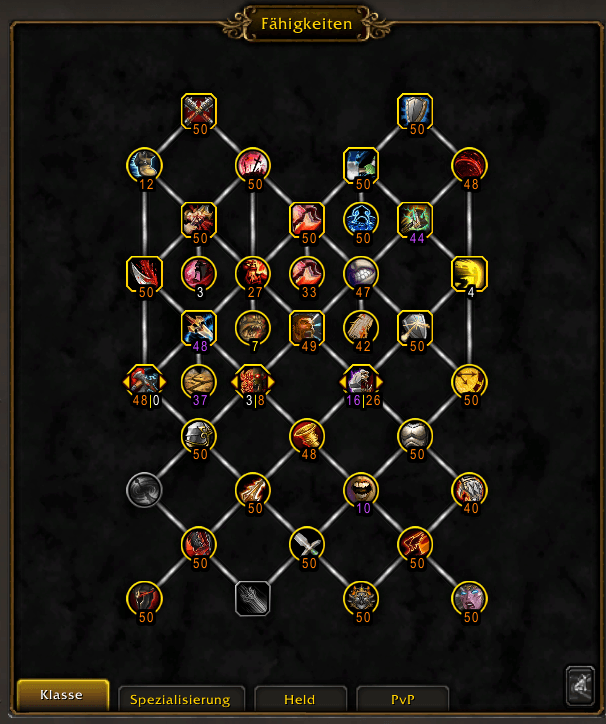
Numbers like 48⎮0 show how often the left (48 times) or right (0 times) option was chosen.
Your current equipment (on the left, right and bottom border) and the top 5 BiS items per slot,
with the gems and enchantments used. The colour of the numbers shows the equipment of the best player or the next 4 best players.
Click any slot of your equipment and the list scrolls to that slot's BiS items.
SHIFT + left click a gem, enchantment or item to link it in chat or to search for it at the Auction House.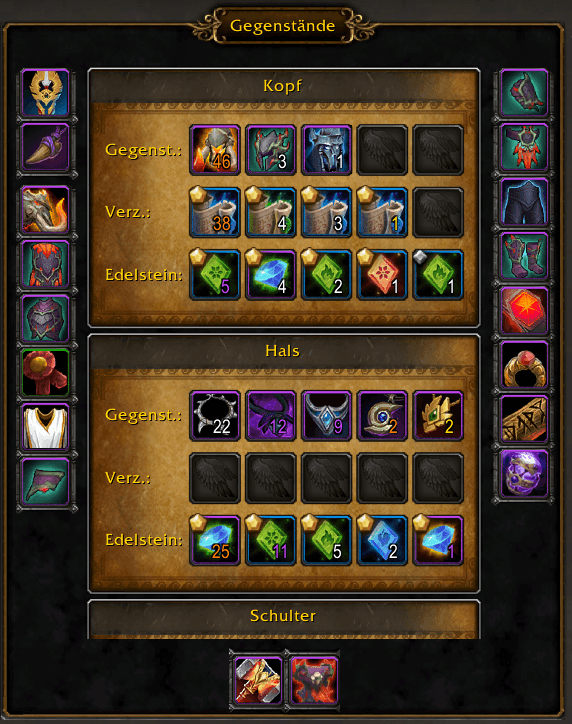
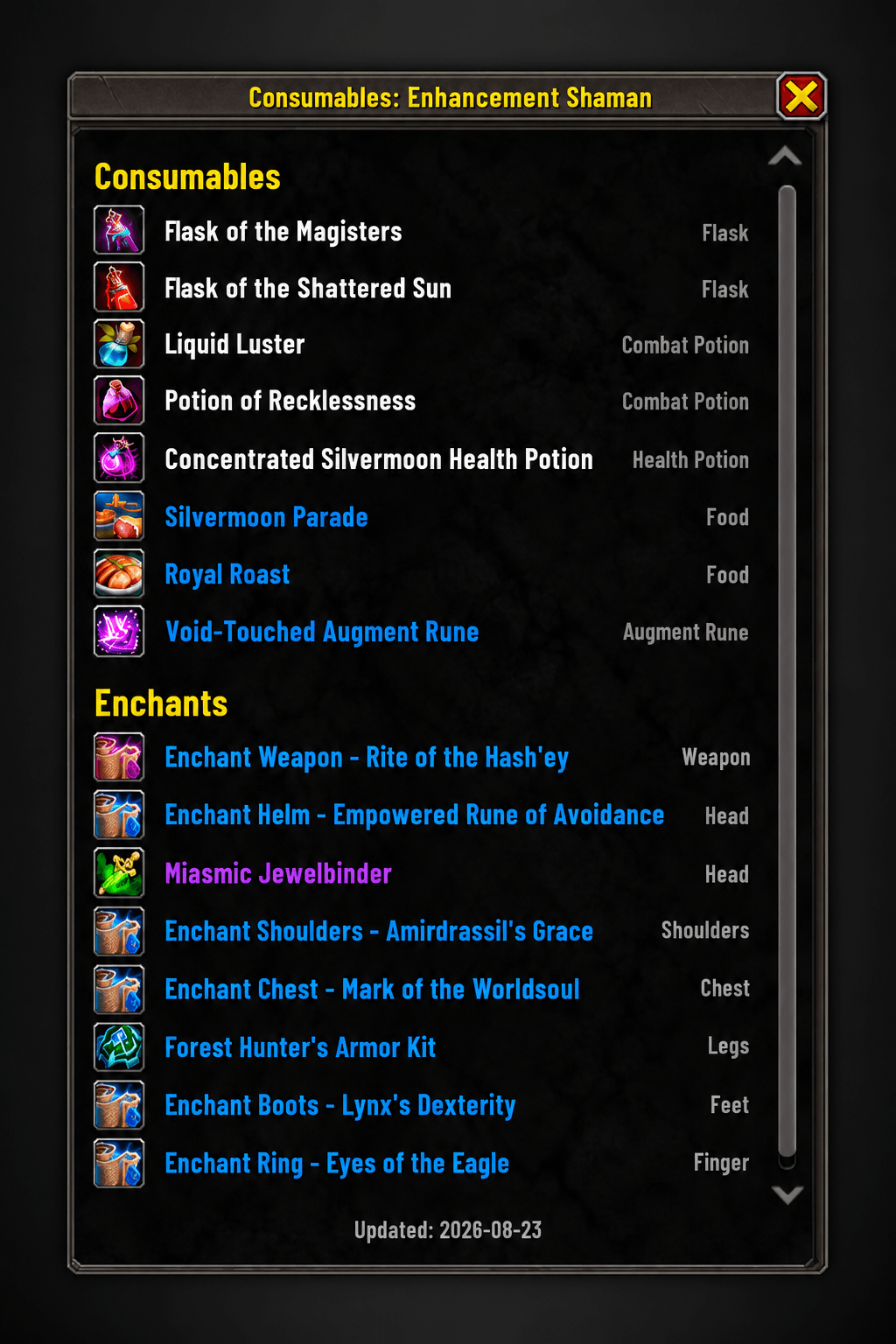
New: Consumables. The recommended flasks, potions, food, weapon buffs, enchants and gems for each specialization, from the Wowhead class guides. They need the free AddOn Gorloc Consumables, which holds the recommendations; install both.
These are PvE recommendations, so they show with the Mythic+ list:- Maximized view: the Consumables button in the top right of the Equipment panel switches between Equipment and Consumables.
- Compact view: the Consumables tab next to Equipment.
Where a guide says when to use something, it is shown below the name, e.g. "Raid" or "Mythic+". Alternatives are shown dimmed below the recommended item. SHIFT + left click links an item in chat.
The date at the bottom is when the Wowhead guide last changed its recommendations; Gorloc Consumables checks the guides weekly.New: Auction House panel. When you open the Auction House, a panel next to it lists what your current specialization should buy, with on each icon how many you already have. Click an item to search for it at the Auction House. Close the panel with its X; the MurlokExport tab on the right edge of the Auction House brings it back.
Open the AddOn with /me or /MurlokExport, or click the MurlokExport icon at your minimap.
In Options → AddOns → MurlokExport you can choose the compact view, show only your own class, or hide the minimap icon.
A big thanks goes to Murlok.io for providing the rated data, and to Alexandrix for creating MurlokExport. Maintained by Tevoll.
MurlokExport Team

Owner