Geardon: Item Level (iLvl)
- By
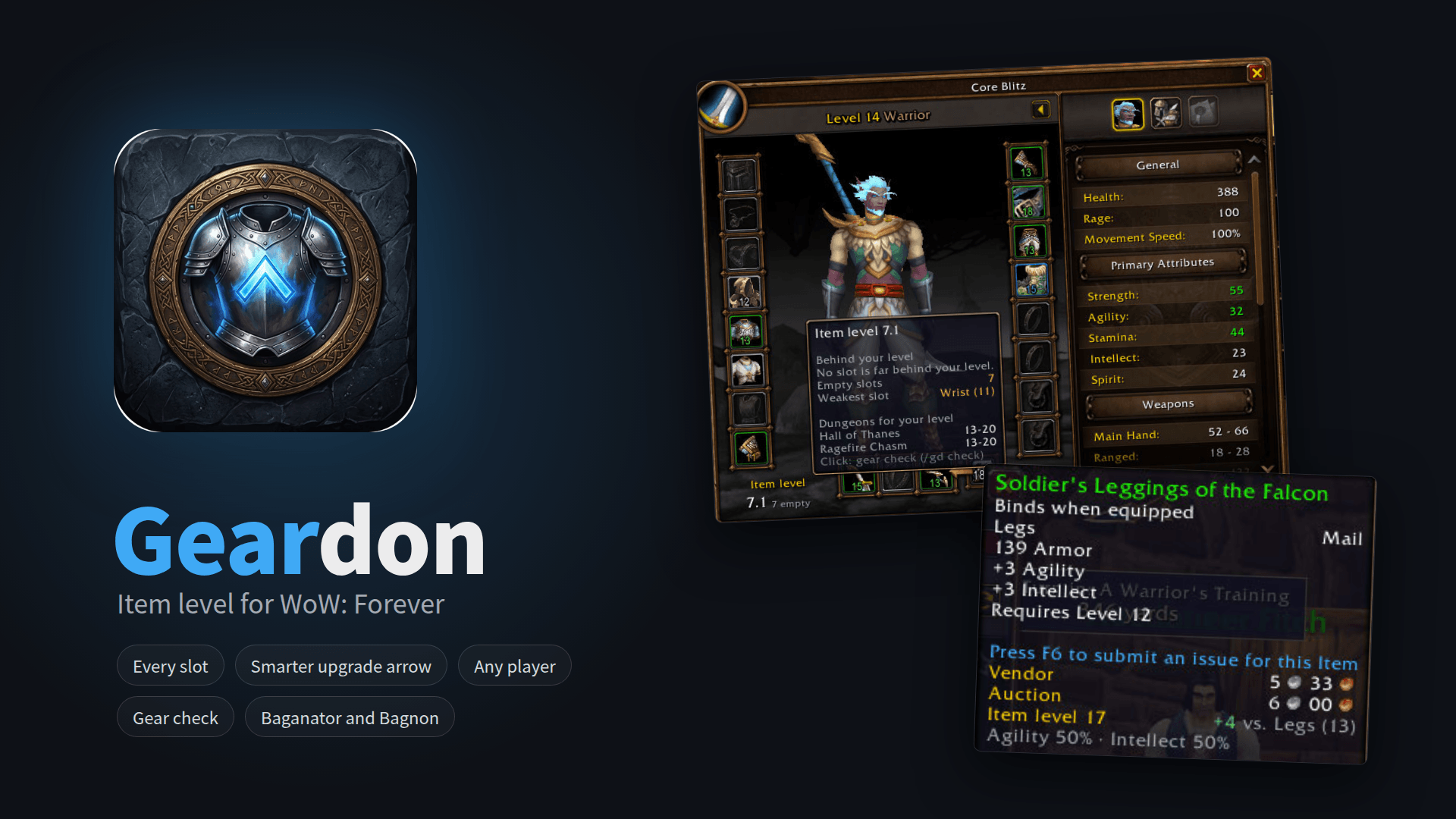
Item level for WoW Forever on every slot, in bags (also Baganator and Bagnon), loot, rewards and at merchants, with a smarter upgrade arrow, tooltip comparison and the item level of any player you point at.
Description
Geardon shows item level everywhere in World of Warcraft: Forever. In Forever an item stores only its item level, quality and stat split, and the game computes the stats from them: item level is the item's strength. Blizzard's Forever character frame shows none of it.
Quick start
Install, log in and restart the game once after updates with new files. Open your character frame or your bags: the numbers are there. /gd opens the options.
Key features
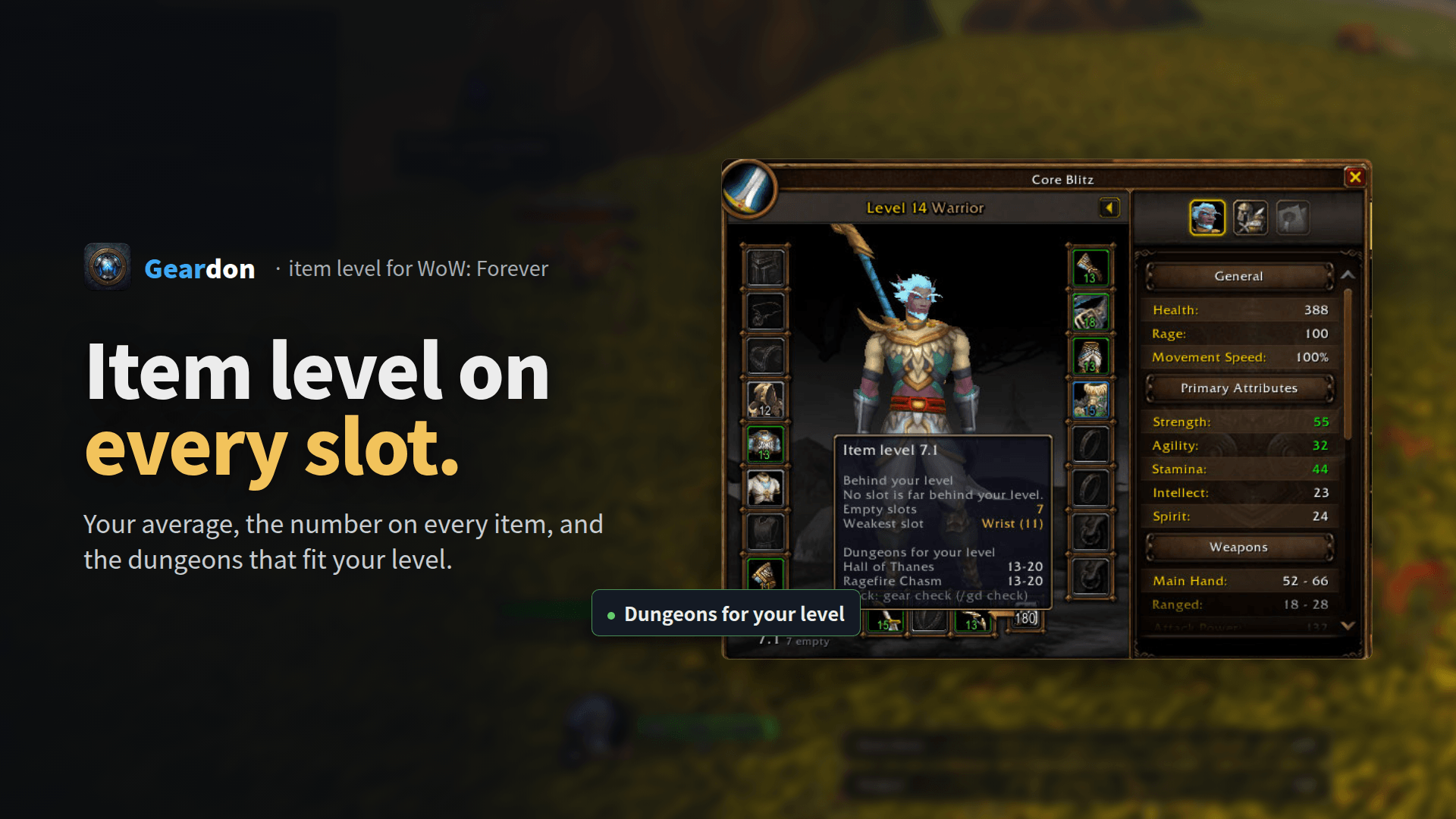
- Character frame: item level on every slot, your weakest slot in orange, slots far behind your level in red, and your average. Its tooltip names the dungeons for your level; a click opens the gear check.
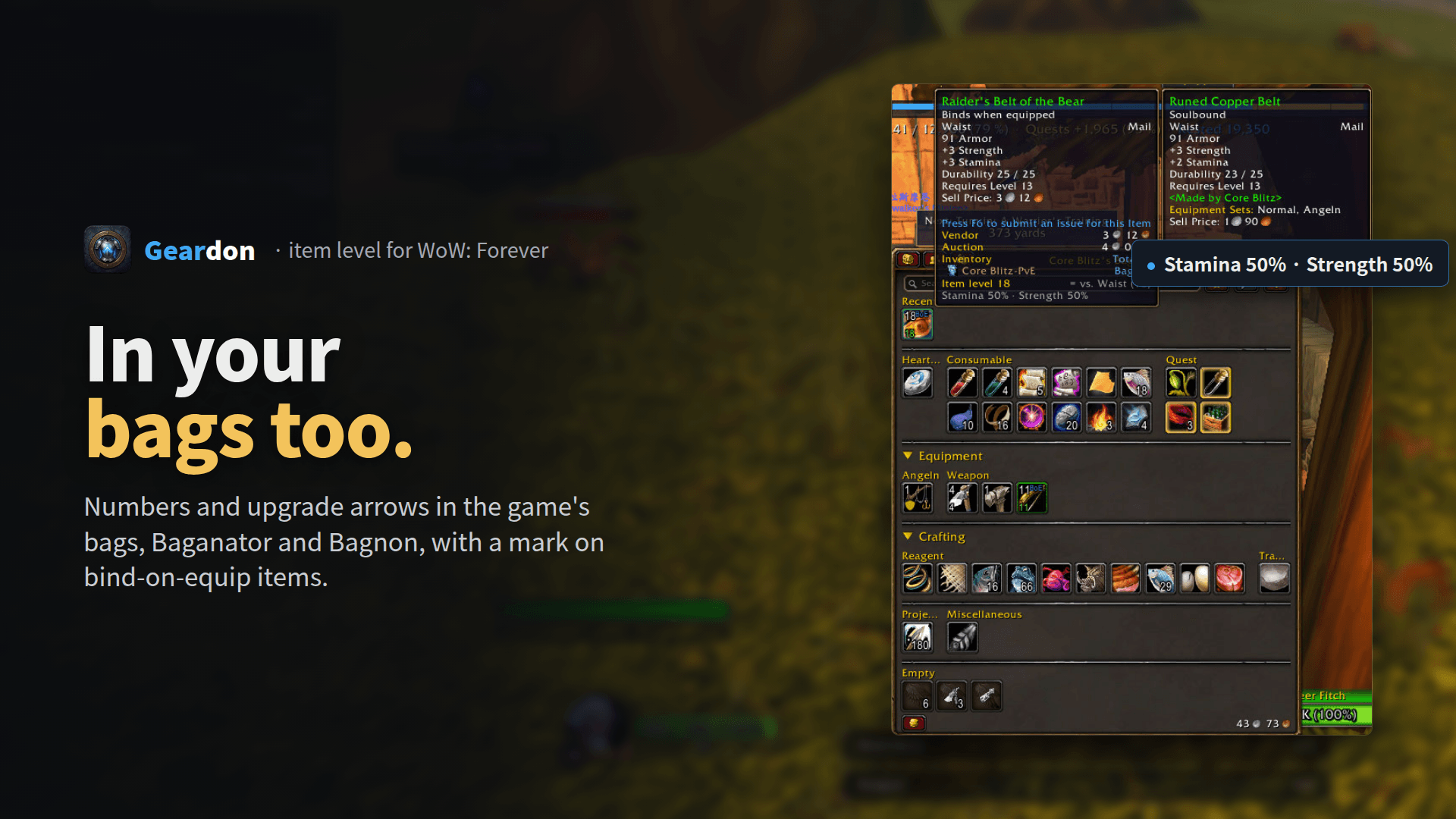
- Bags, bank, loot, quest rewards, merchants: item level on weapons and armor and an upgrade arrow, also in Baganator and Bagnon. Bind-on-equip items that are not bound yet get a mark.
- Smarter upgrade arrow: only on weapon types you use, not on items without one of your class's main stats, and optionally only on your best armor type. Forever computes stats from item level and quality, so a higher item level of a lower quality gets a yellow arrow: compare the stats. A yellow arrow also warns when an upgrade would break a set bonus.
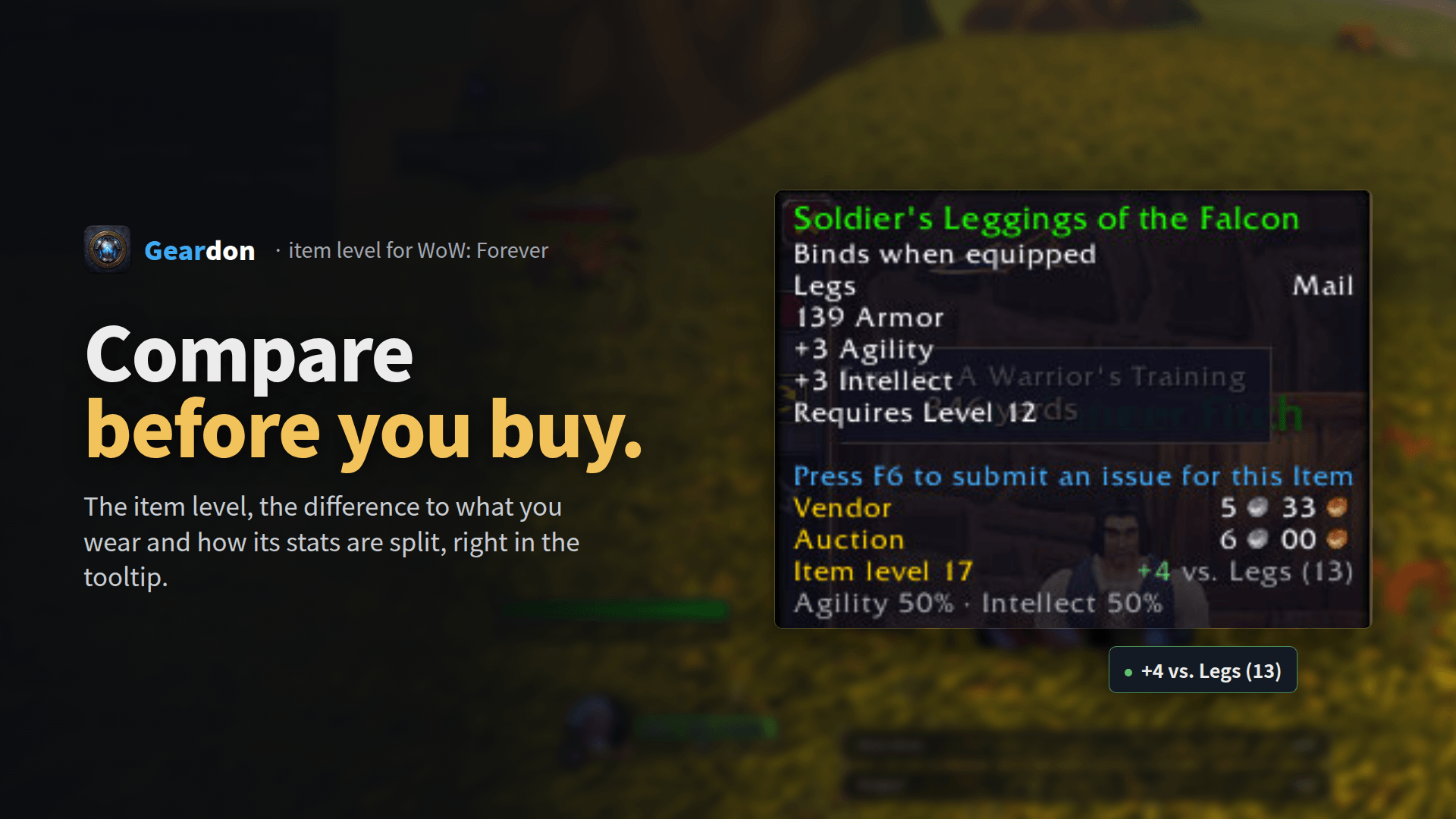
- Tooltips: the item level, the difference to your item ("+4 vs. Legs (13)") and the stat split ("Agility 50% · Intellect 50%").
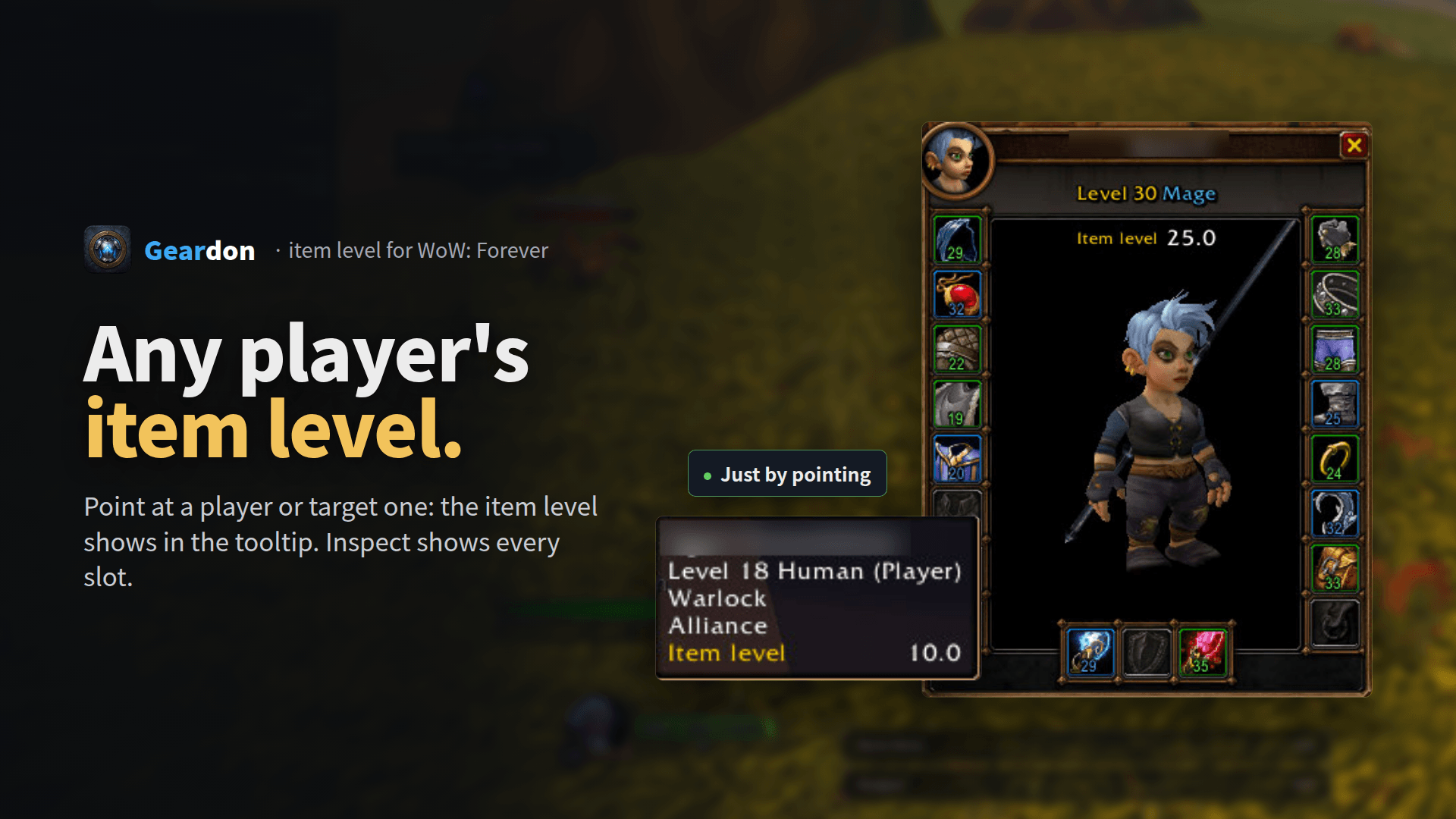
- Any player's item level: point at a player or target one, and the item level appears in the tooltip. Only out of combat; in combat the last known value.
- Inspect frame: item level per slot and the average of the player you inspect.
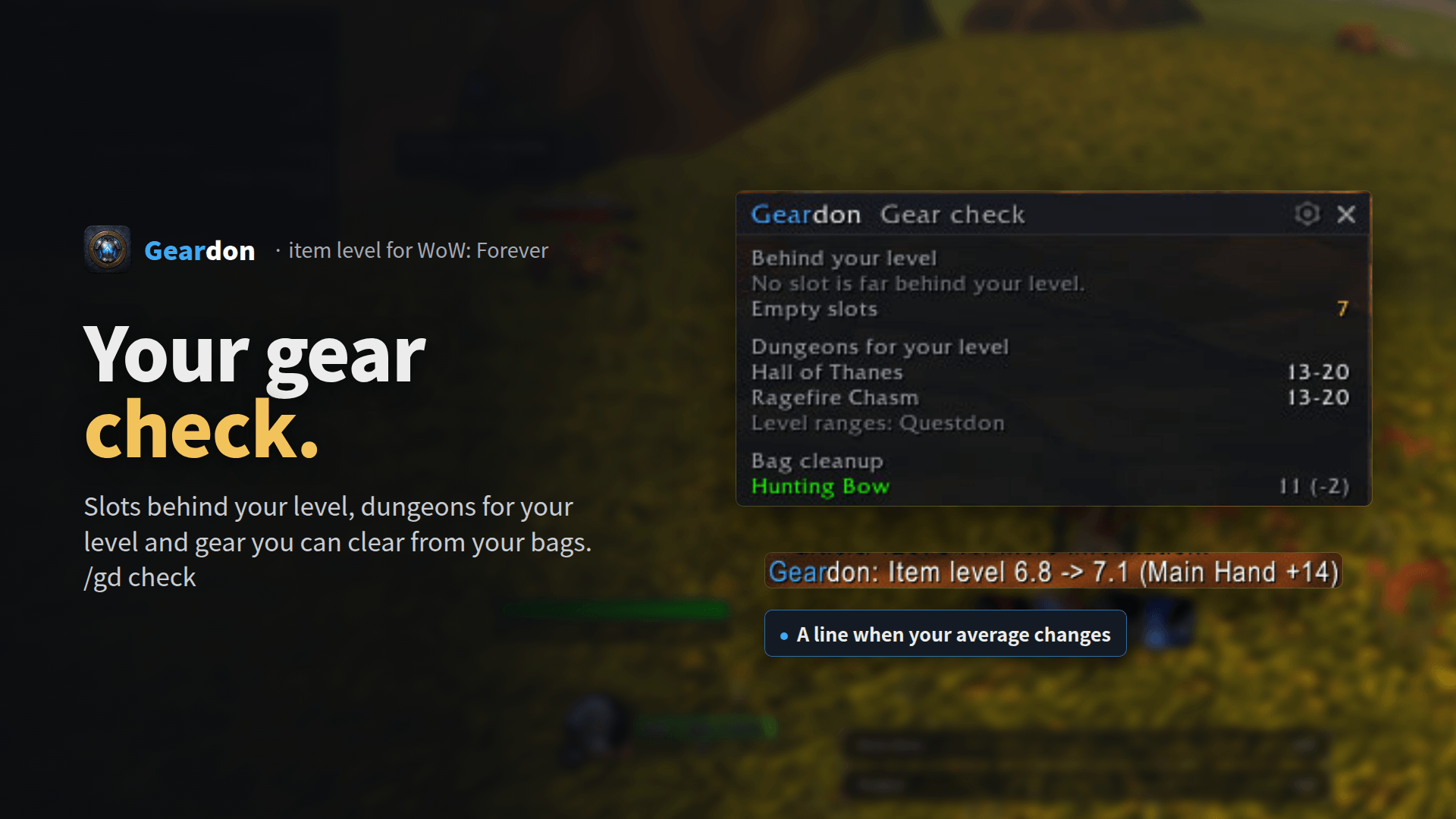
- Gear check (
/gd check): slots behind your level, dungeons for your level and a cleanup list of gear worse than yours. Only a list, nothing is sold or deleted. - Chat line when your average changes, e.g. "Item level 6.8 -> 7.1 (Main Hand +14)".
- Group window (
/gd group) with every member's item level and weakest slot. - Light: only its own frames, no hooks on Blizzard functions, closed windows cost nothing.
- Nine languages: English, German, French, Spanish (Spain and Latin America), Brazilian Portuguese, Russian, Korean and Traditional Chinese.
Commands
/gdoptions/gd checkgear check/gd groupgroup window/gd scaninspect the group again/gd diagreport for bug reports,/gd diag chatin the chat/gd helpall commands
FAQ
Why does item level matter so much? Forever gear gets its stats from item level, quality and stat split, so a higher item level means a stronger item even when the tooltip shows few stats.
A higher item level but no arrow? The arrow only shows on items you can wear now (class, armor type, level) and use well (your weapon types and main stats). A yellow arrow means: lower quality or a set bonus at stake, compare first.
How do I get the numbers in Baganator? Pick Geardon in Baganator's icon corners and as its upgrade plugin.
The group window no longer opens by itself. That is on purpose. Open it with /gd group or the button in the options.
Something is wrong? Post /gd diag in the comments or open an issue on GitHub.
Also by DonCoohd
- Questdon: quest helper built for WoW Forever
- Luredon: fishing helper for WoW Forever
- Vitaldon: health and power text on Blizzard's unit frames
Deutsch: Gegenstandsstufe für WoW Forever an jedem Platz, in Taschen (auch Baganator und Bagnon), Beute, Belohnungen und beim Händler, mit klügerem Verbesserungspfeil, Vergleich und Werteverteilung im Tooltip, der Stufe jedes Spielers unter der Maus und dem Ausrüstungscheck /gd check. Alle Befehle: /gd help.
Português (Brasil): Nível de item para WoW Forever em cada espaço, nas bolsas (também Baganator e Bagnon), saques, recompensas e vendedores, com seta de melhoria mais inteligente, comparação e distribuição de atributos na dica, o nível de item de qualquer jogador sob o cursor e a verificação de equipamento /gd check. Todos os comandos: /gd help.
Español: Nivel de objeto para WoW Forever en cada ranura, en las bolsas (también Baganator y Bagnon), botín, recompensas y vendedores, con una flecha de mejora más inteligente, comparación y reparto de atributos en la descripción, el nivel de objeto de cualquier jugador bajo el cursor y la revisión de equipo /gd check. Todos los comandos: /gd help.
Français : Niveau d'objet pour WoW Forever sur chaque emplacement, dans les sacs (aussi Baganator et Bagnon), le butin, les récompenses et chez les marchands, avec une flèche d'amélioration plus intelligente, la comparaison et la répartition des caractéristiques dans l'infobulle, le niveau d'objet de tout joueur sous le curseur et la vérification d'équipement /gd check. Toutes les commandes : /gd help.
Русский: Уровень предметов для WoW Forever в каждой ячейке, в сумках (также Baganator и Bagnon), добыче, наградах и у торговцев, с умной стрелкой улучшения, сравнением и распределением характеристик в подсказке, уровнем предметов любого игрока под курсором и проверкой снаряжения /gd check. Все команды: /gd help.
한국어: WoW Forever용 아이템 레벨 애드온입니다. 모든 장비 칸, 가방(Baganator와 Bagnon 포함), 전리품, 보상, 상인 창에 아이템 레벨을 표시하고, 더 똑똑한 업그레이드 화살표, 툴팁 비교와 능력치 비율, 마우스를 올린 플레이어의 아이템 레벨, 장비 점검 /gd check를 제공합니다. 모든 명령어: /gd help.
繁體中文: WoW Forever 物品等級顯示:每個裝備欄位、背包(也支援 Baganator 和 Bagnon)、戰利品、任務獎勵與商人處皆顯示物品等級,附更聰明的升級箭頭、滑鼠提示中的比較與屬性比例、滑鼠指向任何玩家時的物品等級,以及裝備檢查 /gd check。所有指令:/gd help。
Geardon: Item Level (iLvl) Team