ForeverMapNotes-BySiberiano12
- By
Map notes for WoW Forever showing ore and herb spawn points, undiscovered flight paths, treasure chests and rare mobs with drops filtered for your class, all toggleable from a tracking-style filter menu.
Forever Mapnotes (6).jpeg
Forever Mapnotes (7).jpeg
Forever Mapnotes (8).jpeg
Forever Mapnotes (9).jpeg
Forever Mapnotes (1).jpeg
Description
ForeverMapNotes
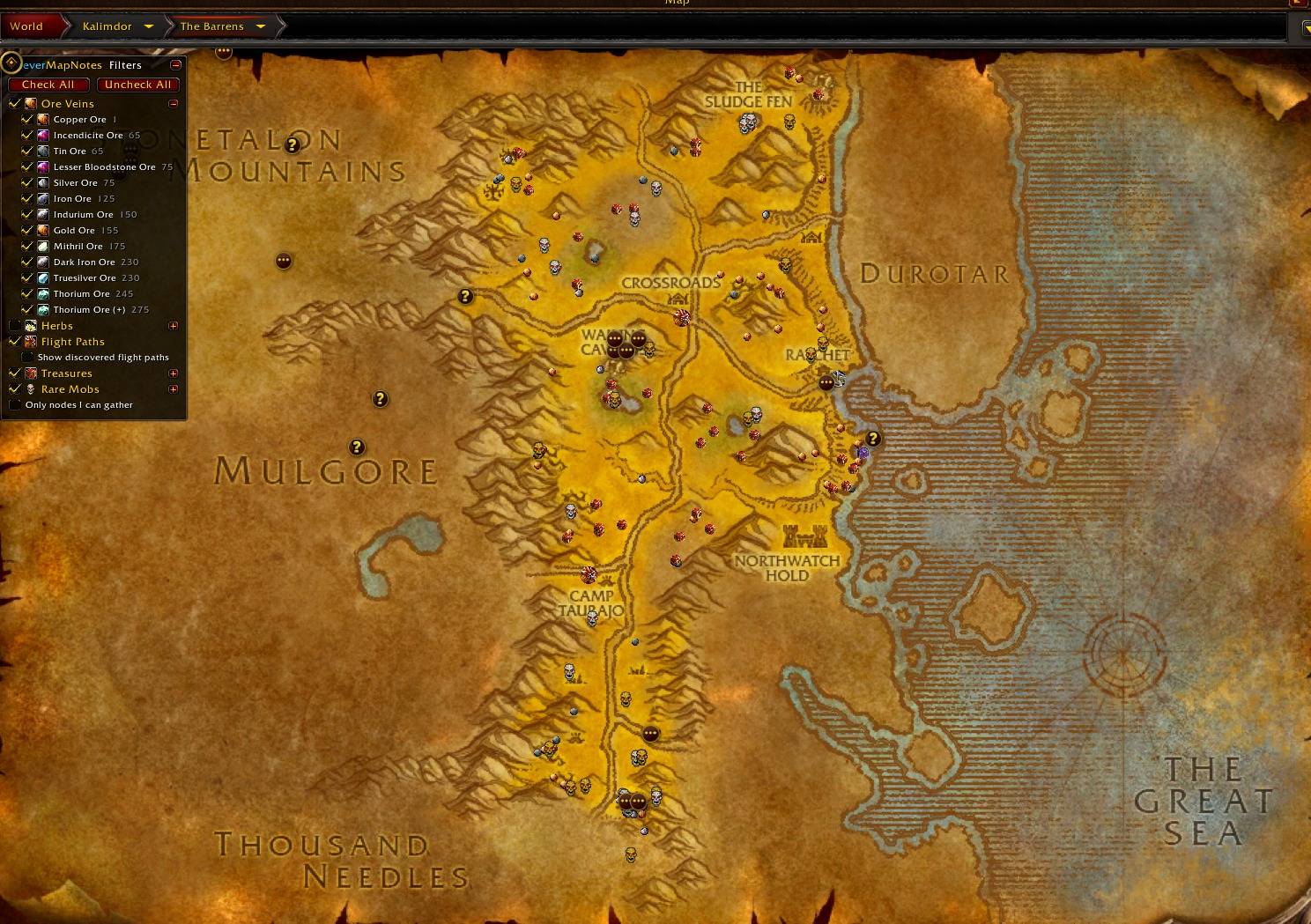
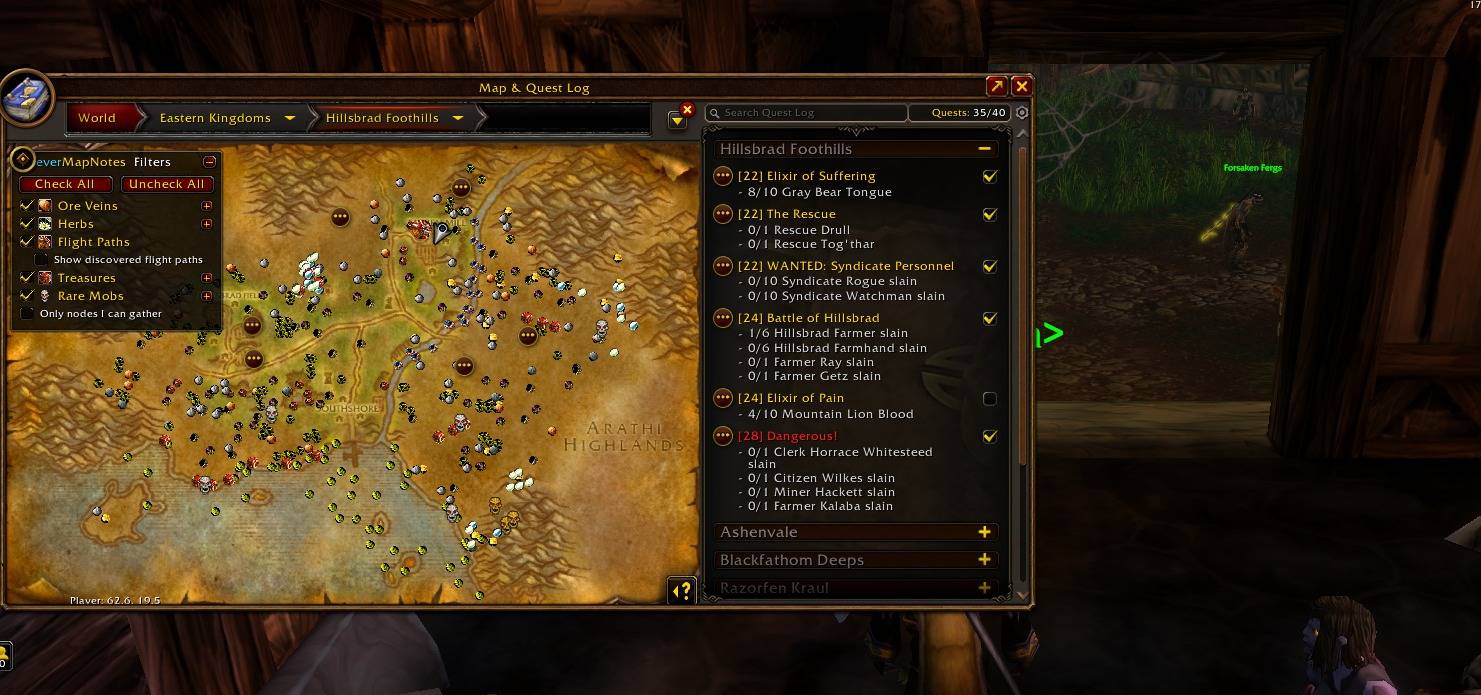
Map notes for World of Warcraft: Forever. Shows ore veins, herbs, undiscovered flight paths, treasure chests and rare mobs on the world map and minimap. Every category can be switched on or off from a filter panel on the world map or a filter menu like the minimap tracking menu.
✨ Features
⛏️ Ore Veins
- Over 25,000 points where ore veins and herbs can spawn, across every Kalimdor and Eastern Kingdoms zone
- Every vanilla vein type: Copper, Tin, Silver, Iron, Gold, Mithril, Truesilver, Thorium, Rich Thorium, Dark Iron, Incendicite, Lesser Bloodstone and Indurium
- Turn each ore type on or off
- Tooltip shows the required Mining skill and your current skill
🌿 Herbs
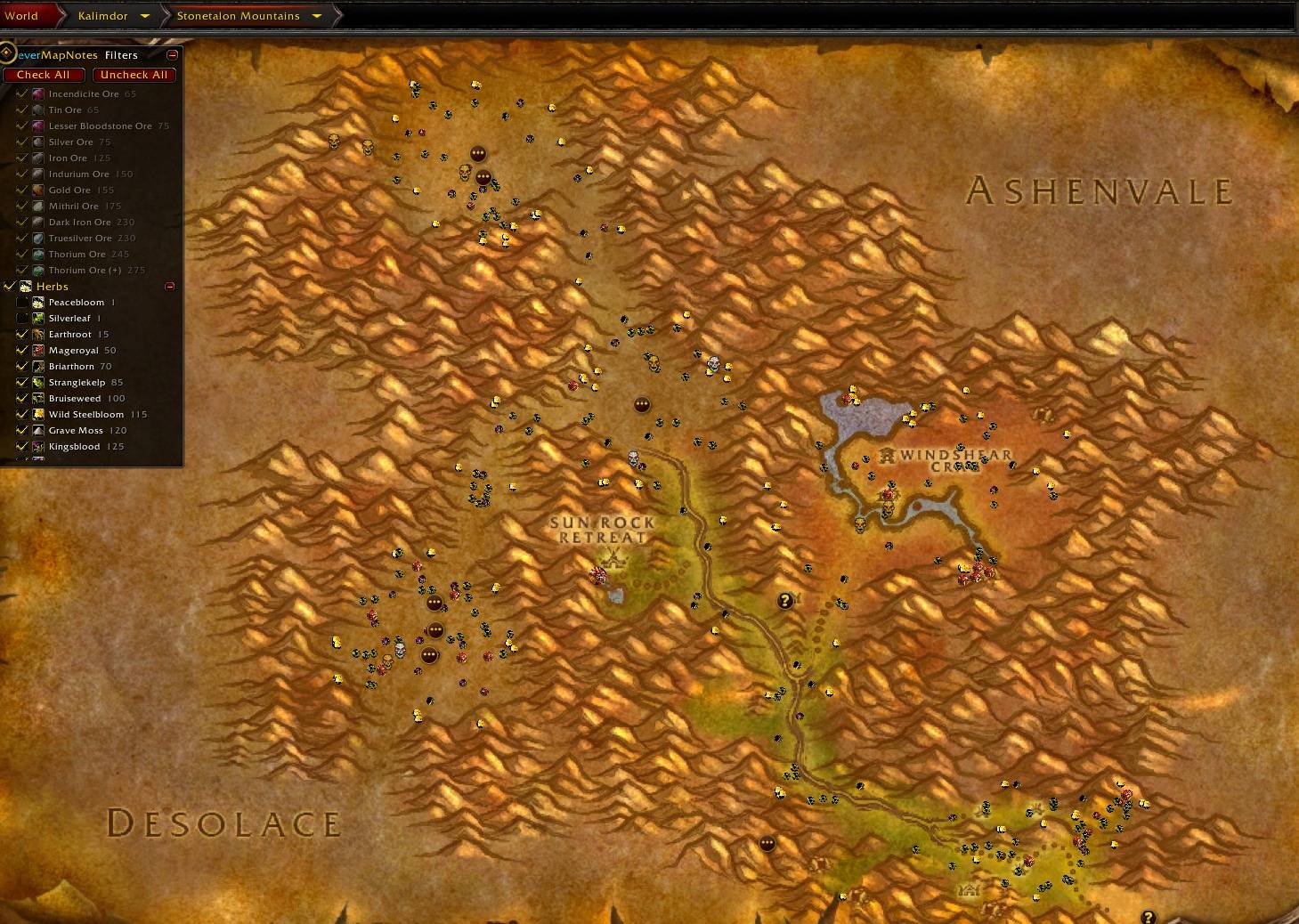
- All 28 vanilla herbs, from Peacebloom to Black Lotus
- Turn each herb type on or off
- Tooltip shows the required Herbalism skill and your current skill
🎯 "Only nodes I can gather"
One option hides every vein and herb your current skill can't gather yet.
🦅 Flight Paths
- Shows the flight masters you haven't discovered yet
- Discovered flight paths disappear on their own when you learn them or open the flight map
- Shows your own faction by default, with options to show both factions or keep discovered ones visible
💰 Treasures
- Spawn points for the random world chests (Battered, Solid, Large Iron Bound, Mithril Bound, Buccaneer's Strongbox and others)
💀 Rare Mobs
- 327 rare and rare elite mobs marked with a skull (gold for rare elites)
- Hover a skull to see its level and how many spawn points it has
- Drops filtered for YOUR class: the tooltip shows only the items your class can use (armor type, weapon type and class restrictions), with the drop chance of each one
- Hold Shift to see every drop
- Hide single rares you don't care about
🟢 Live Status on the Minimap
A pulsing neon ring appears around minimap icons as you get close:
- Green: the ore vein, herb or chest is spawned right next to you, or the rare mob is alive nearby
- Red: you just gathered it, nothing is at the spot, or the rare is dead or not there
- No ring when the addon can't know. The icon tooltip shows the status too.
Rares are detected through nameplates (enemy nameplates must be on), target and mouseover. WoW doesn't let addons see world objects from far away, so for ore, herbs and chests the addon uses the game's soft interact target and the green ring shows when you are next to the node. Turn it on in Options > Detect nodes when close (soft target).
🧠 Learns While You Play
WoW Forever adds content that no database has yet, so the addon records it as you play:
- New ore veins, herbs and chests when you loot them
- New rare spawn locations when you target or see a rare
- New rare drops when you loot a rare
You can turn learning and its chat messages off in the options.
🎛️ Filters
Filter panel on the world map
A collapsible panel in the top-left corner of the world map:
- Check All / Uncheck All
- One checkbox per category: Ore Veins, Herbs, Flight Paths, Treasures and Rare Mobs
- Click + to pick single items: each ore, each herb (with the required skill), each chest type and each rare of the zone you are viewing
- Quick options: Show discovered flight paths and Only nodes I can gather
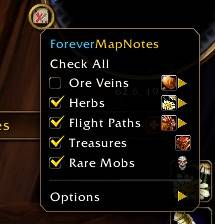
Filter menu
Modeled on the minimap tracking menu, and always in sync with the panel. Open it from:
- The minimap tracking menu (the ForeverMapNotes section at the bottom)
- The minimap button (left-click opens the menu, right-click opens the world map, drag to move)
- The Addon Compartment
- The
/fmncommand
Options
- Show on World Map / Show on Minimap
- Icon size (Small, Normal, Large, Huge)
- Live status on minimap (green/red)
- Detect nodes when close (soft target)
- Language
- Hide the minimap button
🌍 Languages
- 🇺🇸 English
- 🇧🇷 Português (pt-BR)
- 🇪🇸 Español (esES / esMX)
The addon uses your game client's language by default. You can change it in Options > Language or with /fmn lang. Rare mob names are translated too.
⌨️ Commands
| Command | Description |
|---|---|
/fmn |
Open the filter menu |
/fmn lang auto|en|pt|es |
Choose the addon language |
/fmn button |
Show/hide the minimap button |
/fmn pos |
Show your map ID and coordinates |
/fmn reset learned |
Erase everything learned while playing |
📌 Notes
- Built for WoW Forever (interface 16001).
- Spawn data covers the original zones. The new Forever zones (Mount Hyjal, Riverglades, Zephras Isle, Darkspear Islands, Shen'dralas) fill in as you play, through the learning feature.
- A learned rare's location is recorded from your position when you see it, so it is approximate.
- If your filters reset after relogging, the client probably didn't load SavedVariables. The beta had this bug.
🙏 Credits
- Spawn coordinates: QuestieDB Forever data (github.com/Questie/QuestieDB). Thanks to the Questie team!
- Rare loot tables and item data: CMaNGOS classic-db (github.com/cmangos/classic-db), GPL-3.0. Thanks to the CMaNGOS team!
ForeverMapNotes is released under the GPL-3.0 license.
❤️ Support
ForeverMapNotes is and will always be free. Every feature is available to everyone, and nothing is locked behind a donation.
If you enjoy it and want to support the creation and maintenance of my addons, feel free to donate via PayPal to Siberiano122@gmail.com. Any amount helps and is truly appreciated. Thank you!
Made by Siberiano12. Bug reports and suggestions are welcome in the comments!
ForeverMapNotes-BySiberiano12 Team