Trytracker
- By
Rarity-style attempt tracker built for Midnight. Counts your kills for mounts, pets and toys, supports custom items and celebrates every drop.
Drop 4.jpg
Drop 3.jpg
Drop 2.jpg
Drop 1.jpg
Description
TryTracker
By Siberiano12
How many kills has it been? TryTracker counts every attempt at rare mounts, battle pets and toys, and celebrates the moment it finally drops.
It comes with 540+ drops built in, and you can add any item you want to track: any drop, from any mob, with your own drop chance and the attempt you're already on.
Built from scratch for World of Warcraft: Midnight, inspired by the classic Rarity.
Features
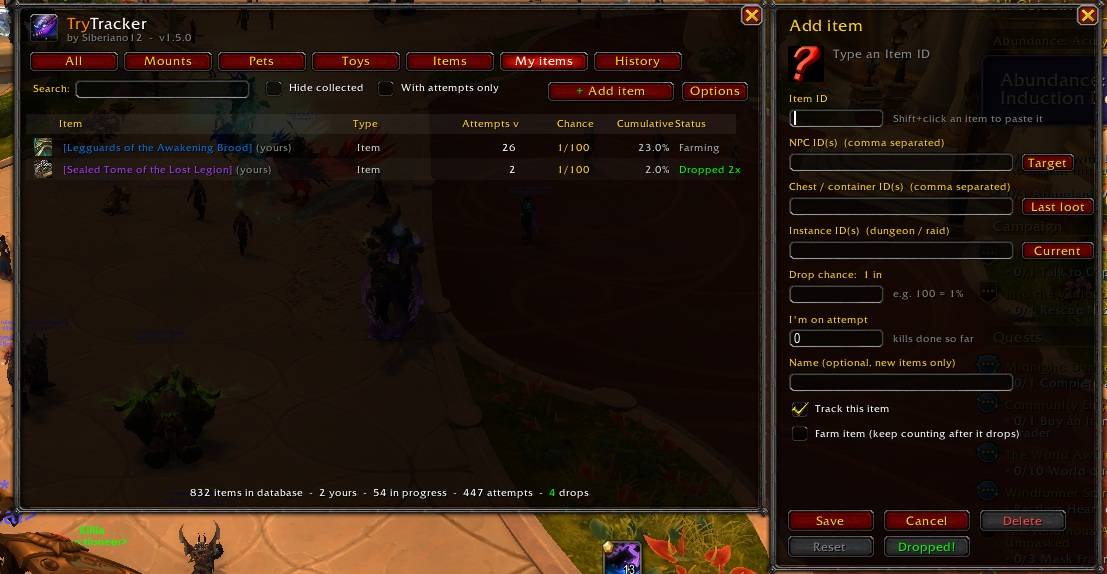
- Track any item you want: open
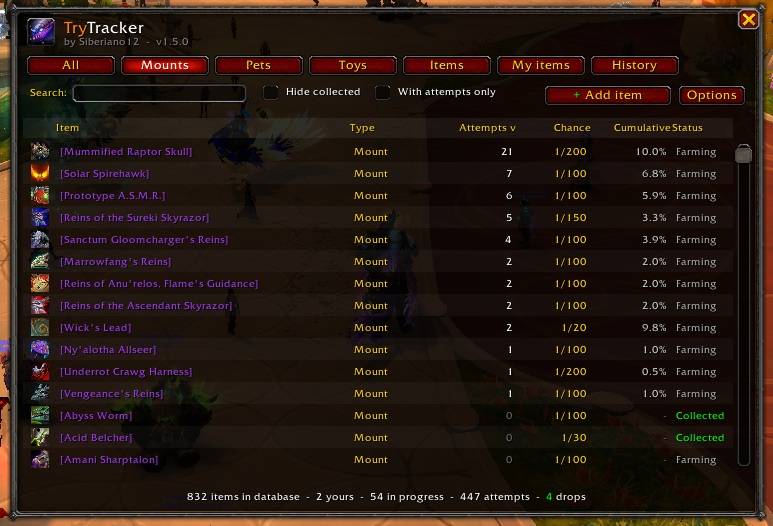
/try, click + Add item and enter the Item ID, the NPC ID(s) that drop it, the drop chance (1 in X) and the attempt you're on. Missing a new rare from the latest patch? Add it yourself in seconds. - 540+ drops out of the box: 145 mounts, 259 pets, 117 toys and 21 collectible items from rares, world mobs and bosses, from Classic to Midnight.
- Edit anything: change the attempt count, the drop chance or the NPC list of any item, built in or your own.
- Quick helpers: the Target button grabs your target's NPC ID, and shift-clicking an item pastes its ID.
- Mouseover tooltip: hover a mob and see what it can drop as [Item Name] in its quality color, with your attempts, the drop chance (1/X) and your cumulative luck.
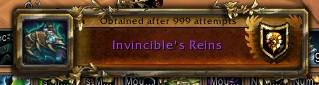
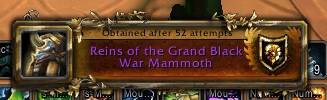
- Achievement-style popup: when the item drops you get the classic toast, "Obtained after 237 attempts", with sound and an automatic screenshot.
- Farm mode: mark any item as farm and it keeps counting after it drops, even if you already own it. The counter restarts from zero for the next one. Great for items you farm to sell or trade.
- Account-wide counting: attempts are shared across all your characters.
- Boss statistics: bosses with a kill statistic (like Baron Rivendare) are counted from the game's own statistics, and your old kills are imported the first time.
- Collection aware: mounts, pets and toys you already own stop counting and can be hidden from the list.
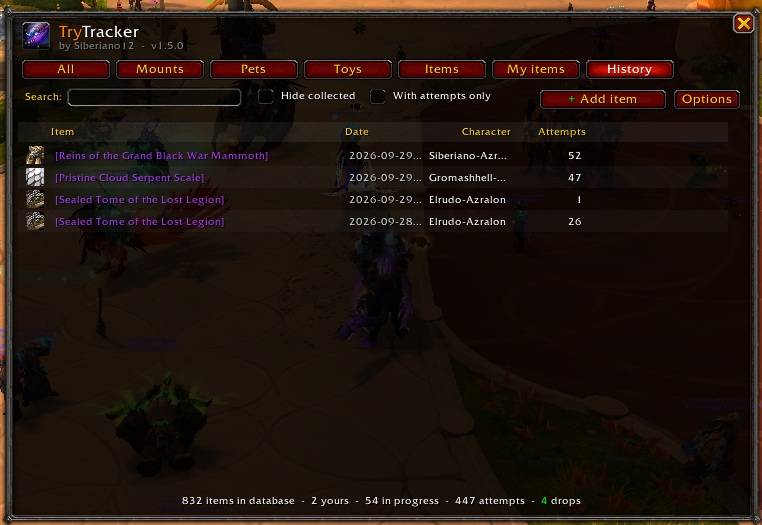
- Drop history: every drop is logged with date, character and number of attempts.
- Minimap button and Addon Compartment support.
Adding your own item
- Type
/try(or click the minimap button) and click + Add item. Right-clicking the minimap button also works. - Enter the Item ID, or shift-click the item to paste it.
- Enter the NPC ID(s) that drop it, separated by commas, or target the mob and click Target.
- Enter the drop chance (for 1% type 100) and the attempt you're on.
- Click Save. From now on every kill of those NPCs counts as an attempt.
Prefer chat? /try add <itemID> <npcID[,npcID]> <chance> [attempts]
Commands
| Command | What it does |
|---|---|
/try or /trytracker |
Open or close the window |
/try add <itemID> <npcID[,npcID]> <chance> [attempts] |
Add any item, e.g. /try add 13335 45412 100 37 |
/try set <itemID> <attempts> |
Set which attempt you're on |
/try npc |
Show your target's NPC ID |
/try found <itemID> |
Log a drop manually |
/try test |
Preview the achievement popup |
/try minimap |
Show or hide the minimap button |
How attempts are counted
- Looting a corpse = +1 attempt. Each corpse counts only once, and AoE loot counts every corpse.
- Bosses with kill statistics are counted through the game's statistics.
- Encounter bosses are counted when the encounter is won, if the game exposes the boss.
- Drops are detected from the loot window, your own "You receive loot" message or the personal loot toast.
Midnight limitations
Since patch 12.0, Blizzard removed combat log access for addons and hides some data in combat ("secret values"). Because of that:
- A mob that dies but is not looted is not counted.
- In combat the tooltip may not show the drop lines; they come back when combat ends.
Languages
English, and Portuguese (pt-BR) automatically on pt-BR clients. Spanish is planned.
Credits
- The built-in drop database is derived from Rarity (WowRarity/Rarity, GPL-2.0). Huge thanks to the Rarity authors and contributors, this addon wouldn't exist without their work.
- TryTracker is released under GPL-2.0.
By Siberiano12
The Trytracker Team