ForeverCallToWar
- By
See where world PvP is breaking out: live hotspot pins on your map, reported by players on the ground.
01-hot-pin-tooltip.png
03-calls-list.png
Description
Forever Call to War
Marks outdoor PvP fights on the world map, based on what players running the addon see around them — and lets you call your side for help when you are the one getting ganked.
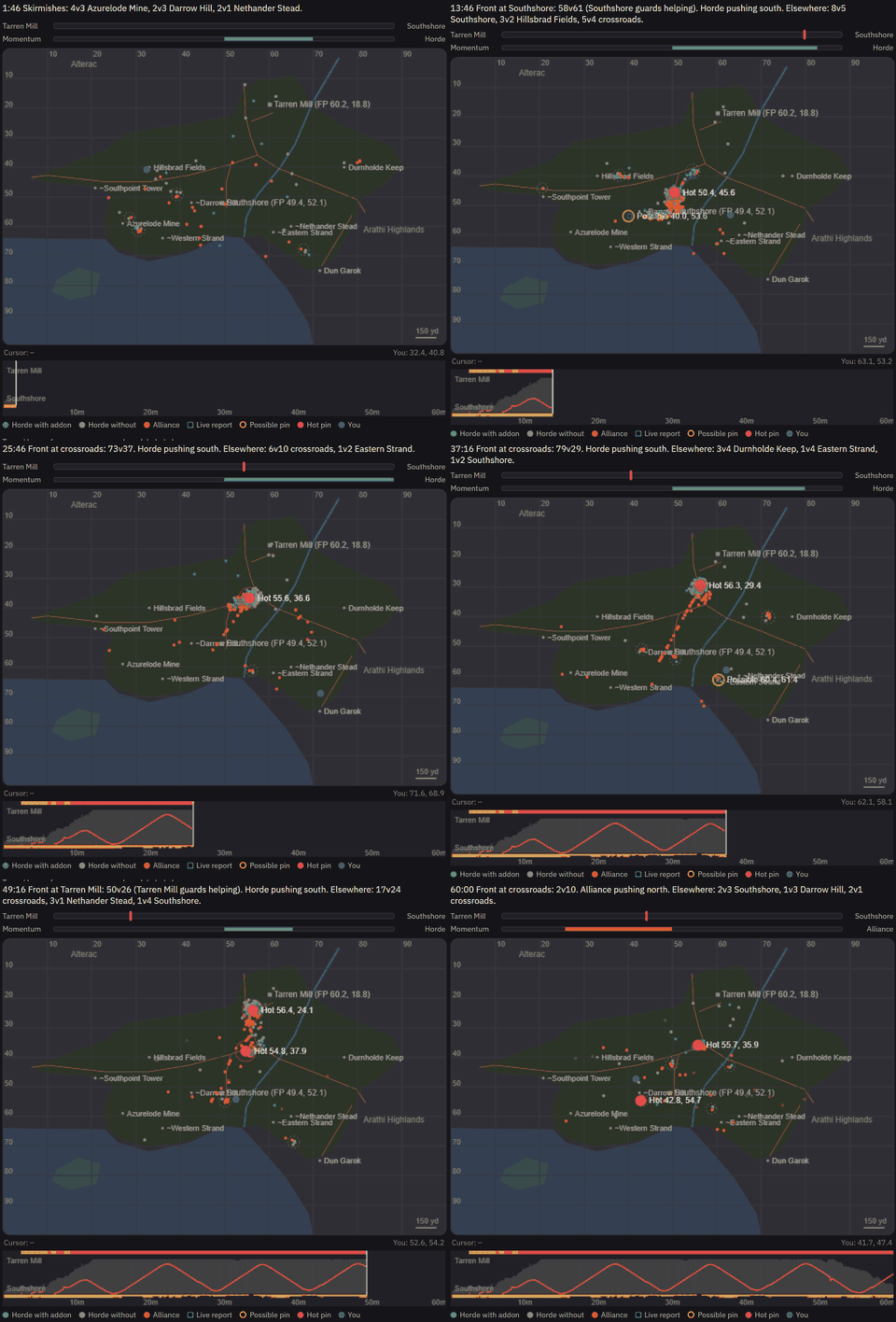
A simulated hour of world PvP in Hillsbrad Foothills
A simulated hour of world PvP in Hillsbrad Foothills, shown in 20 seconds. The front swings between Tarren Mill and Southshore; amber pins are one report, red pins are two or more agreeing.
How it works
- Each client counts the enemy-faction players on its nameplates.
- When a player has 3 or more enemies nearby for a few seconds, their client sends a short report — zone, position, enemy count — over a hidden addon channel. Nothing is typed and nothing appears in chat.
- Every client groups the reports it receives into fights and draws one pin per fight.
Pins
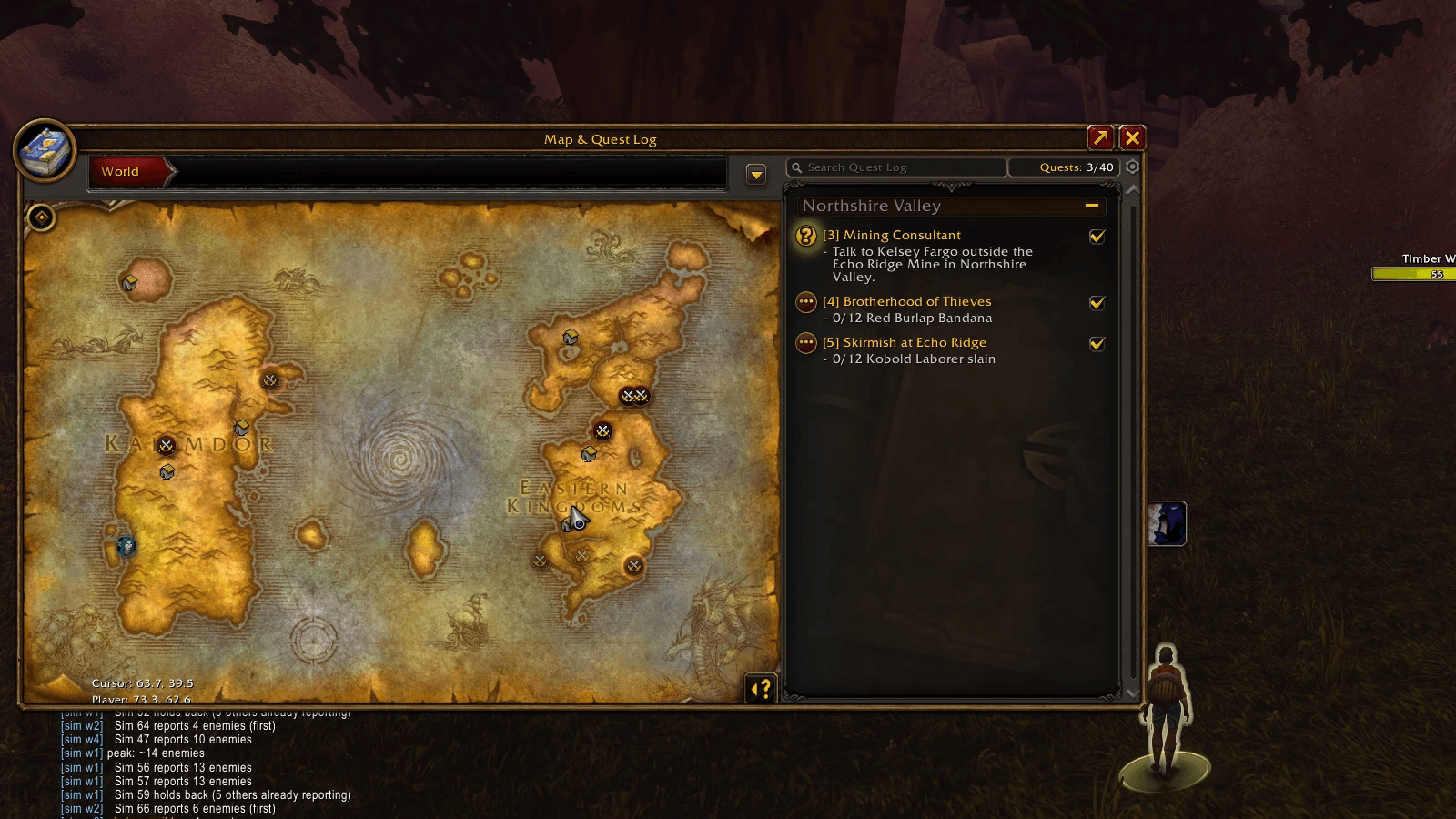
- Amber — one player reported it.
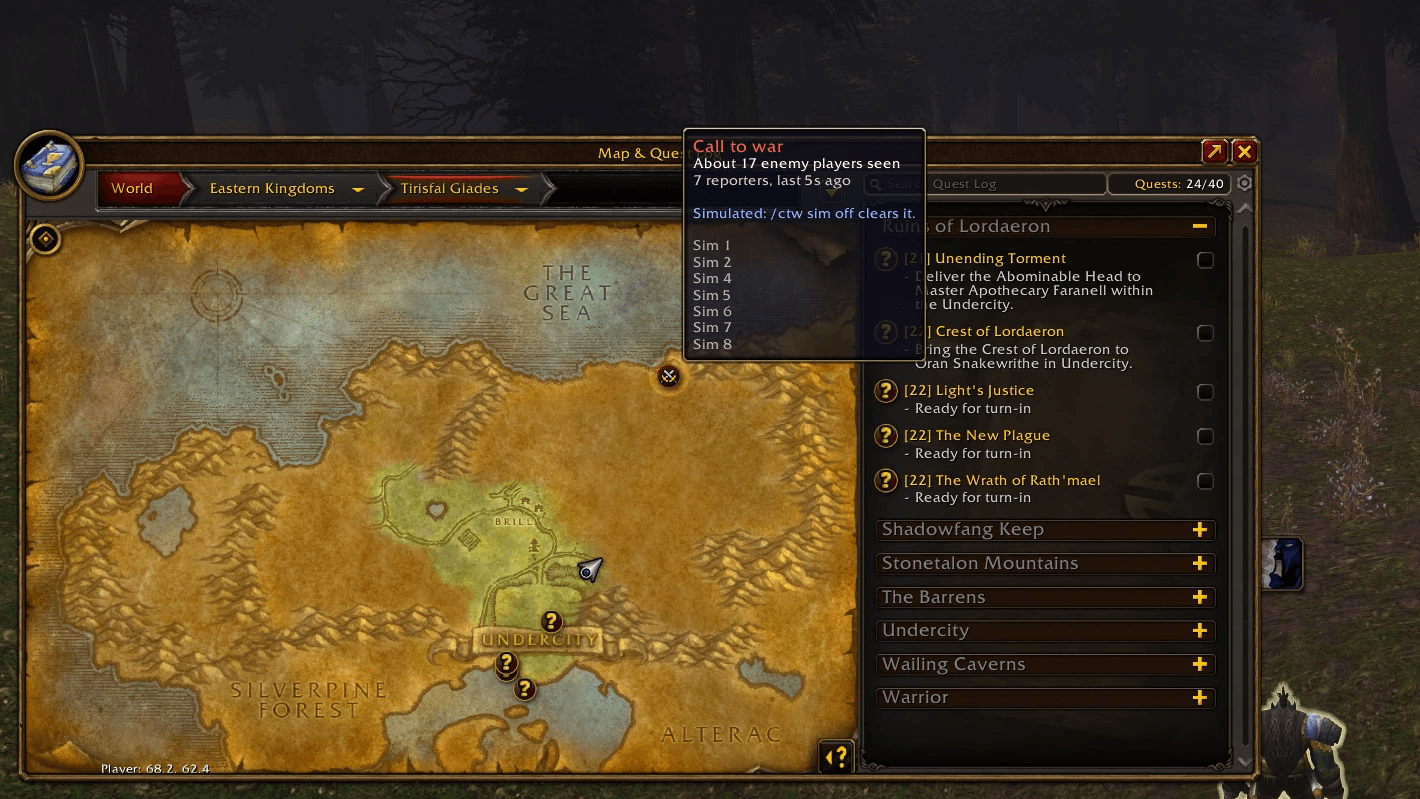
- Red, pulsing — two or more players reported the same fight.
- Blue, pulsing — a call for help: someone on your side was killed there and asked for help.
Pins move with the fight and fade out about a minute after the last report. Hover a pin for the enemy count, the number of reporters and how recent the report is.
Call for help
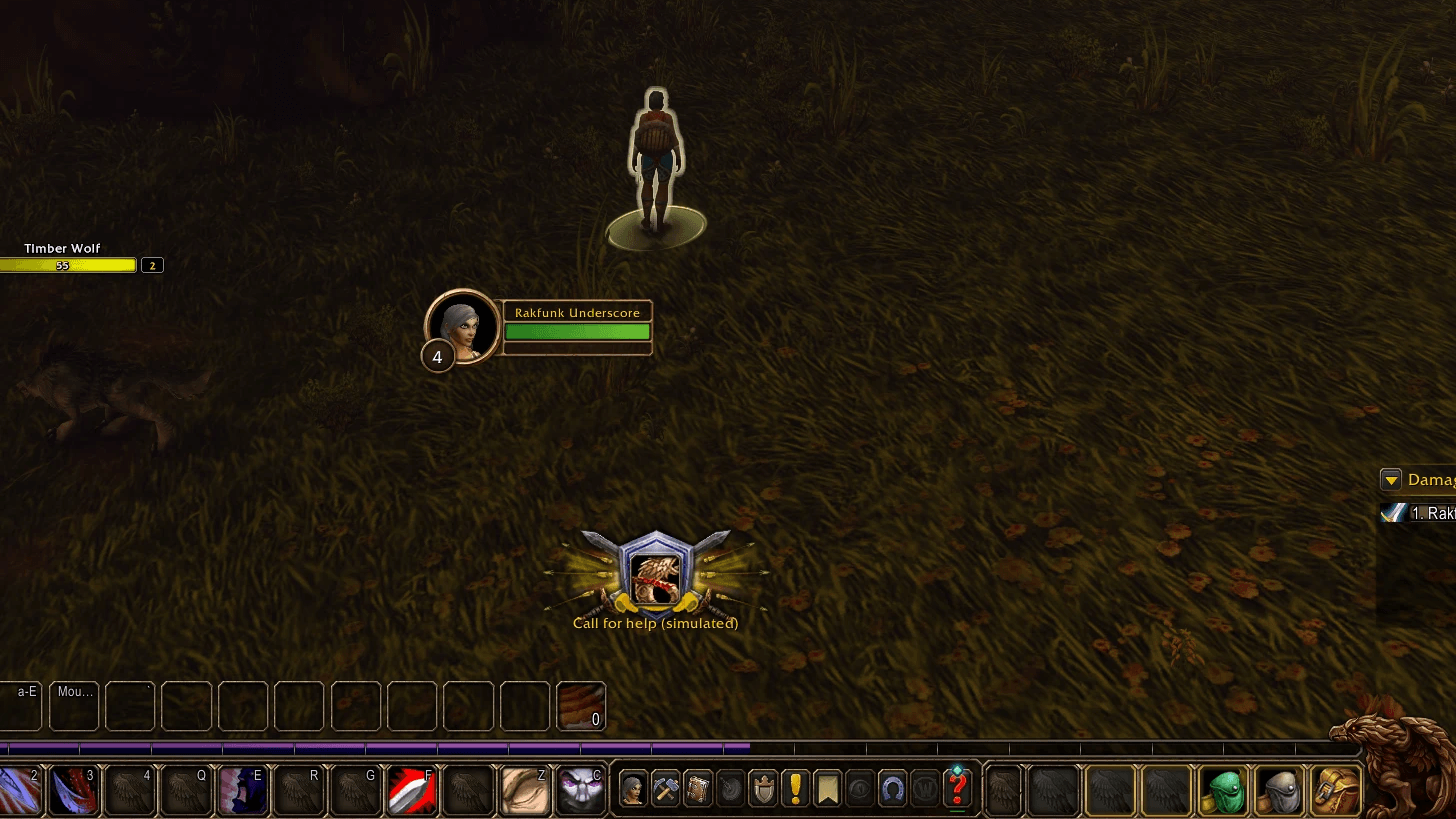
Killed with enemy players around? A button comes up while you are dead. Press it and your faction's maps show a blue pin where you died, with how many enemies were there and how many times you have died on that spot. Only your own faction sees it.
- Help arrives. When players come and start fighting there, the blue pin turns into that fight's red pin, and its tooltip says it began as your call.
- Reinforcements. Killed inside a fight already on the map, the button reads Call reinforcements. No extra pin: the fight's tooltip says who asked, and players in the zone hear it once.
- Your choice, always. The button never sends by itself. Right-click it for "not now", or turn it off for good with
/ctw button off. - After a press the button rests for a minute, the time the pin stays up, shown as a debuff beside your own.
/ctw face on shows the caller's race and sex on help pins instead of your faction's banner.
The calls horn
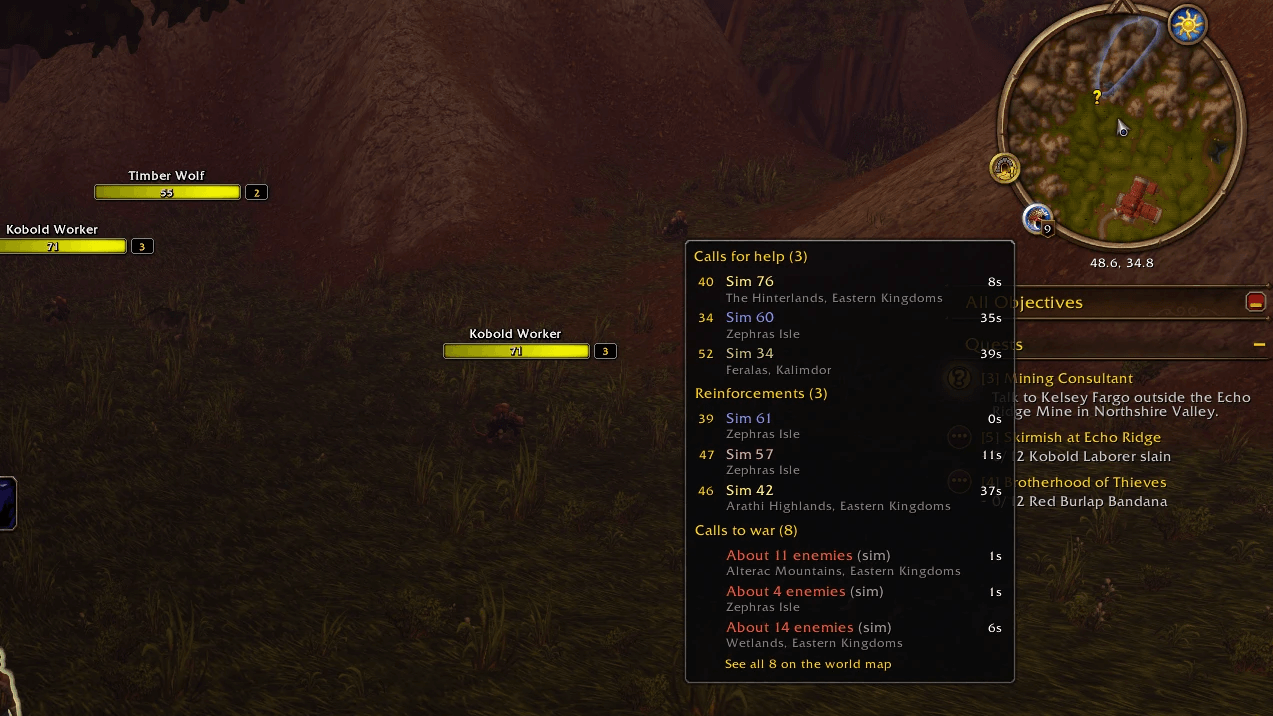
Calls for help from your side gather on a horn at the edge of your minimap, not in chat, so a busy evening is not a wall of text. It appears while someone is calling, counts what is listed on a badge, and flashes when a new call comes in.
Click it for the list, in three sections with the three newest of each: calls for help, reinforcements and calls to war (the hot fights). Each call shows the caller's level, name in class colour, how long ago and where. Click a row to open the map on that zone, or See all for the world map with every pin. Drag the horn round the minimap to move it.
Alerts
When a red pin appears in your zone and you are not in that fight, you get a line in chat with the enemy count, distance, direction and map coordinates. Each fight is called once. Requests for reinforcements in your zone get a line too, and so do calls for help when the horn is off. Turn it all off with /ctw alerts off.
Map filter
Toggle the pins from the world map's Show menu ("Call to War Hotspots"). Hiding the pins does not stop your client reporting.
Requirements
- Enemy nameplates on (V). The addon counts nameplates; with them off it sees nobody.
- Other players running it. A fight only appears if someone in it has the addon. Two reporters are needed for a red pin, and a call for help only reaches players running it.
Status: testing
This is an early release. The core pieces have been checked on the Forever beta client, and the hidden channel has been confirmed delivering between players. The thresholds were tuned in simulation, though, and the system can only be proven with many players running it at once.
What needs real-world testing:
- Whether reports reach players on other realms sharing the zone.
- Whether 3 enemies is the right threshold for a fight.
- Whether nearby fights merge into one pin when they should, and stay apart when they should not.
- Whether calls for help turn into fights, and reinforcements join the right one, when real players answer them.
- Performance and chat-channel behaviour in large fights.
/ctw dev on then /ctw peers shows how many other players your client has heard from, by realm. That number is the most useful thing you can report.
Commands
/ctw alerts on | off | test— enable, disable or preview the alert/ctw button on | off— offer the call-for-help button after a death, or never/ctw button unlock | lock | reset— move the button, keep it there, or put it back/ctw face on | off— callers' faces on help pins instead of the banner/ctw calls on | off— gather calls for help on the minimap horn, or go back to a chat line for each/ctw calls chat on | off— with the horn on, say calls for help in chat too/ctw calls reset— put the horn back in its place
Diagnostics are off by default and the addon stays out of chat. /ctw dev on turns them on (/ctw dev off again):
/ctw status— channel, detector, reports held, pins/ctw peers— whether the channel works, and other players heard on it, by realm/ctw peers ping— send a ping now and check its echo comes back/ctw sim— simulated fights and calls for help around the world, to see it all alone./ctw sim ctwand/ctw sim helpdo the same in your zone;/ctw sim gankpretends you are killed, again and again, so you can try the button. Nothing simulated is ever sent./ctw sim offclears it.- a chat line for every message heard from another player, and for joins and leaves on the channel
What's new in 0.4.0
- The calls horn. Calls for help gather on a minimap button instead of in chat: calls for help, reinforcements and calls to war, three of each, with level, class colour, how long ago and where. Click one for its map, or See all for the world map.
- Calls for help now carry the caller's level and class. Callers on 0.3.0 still show up, without them.
What's new in 0.3.0
- Call for help. A button after a ganking puts a blue pin where you died on your faction's maps. It turns into a fight's pin when help arrives.
- Reinforcements. Killed inside a fight already on the map, the same button asks for more. The fight's tooltip says who asked, and the zone hears it once.
- Right-click the button for "not now";
/ctw button offhides it for good. /ctw face onshows callers' faces on help pins.- The simulator now plays calls for help too: answered, unanswered and asking for reinforcements.
Feedback
Please comment with the zone, roughly where, and what happened — a pin with no fight, a fight with no pin, or a pin in the wrong place. Include the output of /ctw status and /ctw peers (after /ctw dev on) if you can.
A note on AI
I used AI to assist the development of this addon, in the same capacity I use it in my day job as a software developer.
ForeverCallToWar Team