Forever Profession Master
- By
A dark profession dashboard with leveling routes, shopping lists, live recipes, crafting controls, and recipe-source tooltips for WoW Forever.
3.PNG
4.PNG
5.PNG
1.PNG
2.PNG
Description
Forever Profession Master
A clean, professional, TSM-inspired profession dashboard created specifically for World of Warcraft Classic Forever.
Level your professions, browse recipes, build crafting queues, generate shopping lists, purchase vendor materials, search the Auction House, and craft recipes—all from one organized interface.
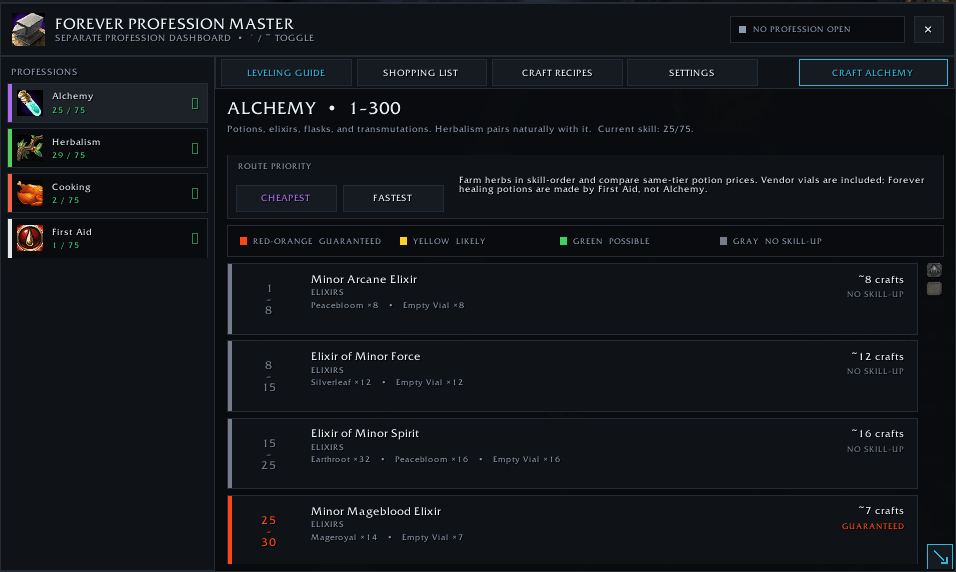
Profession Leveling Guides
-
Cheapest and Fastest leveling routes for every supported profession.
-
Estimated crafting quantities with additional materials included for random skill-up failures.
-
Automatically displays only the professions learned by your character.
-
Supports crafting and gathering professions, including:
-
Alchemy
-
Blacksmithing
-
Enchanting
-
Engineering
-
Leatherworking
-
Tailoring
-
Mining
-
Herbalism
-
Skinning
-
Cooking
-
First Aid
-
Fishing
-
-
The current recommended guide step uses a class-colored indicator.
-
Skill-up difficulty remains clearly color-coded:
-
Red-orange: Guaranteed or best skill-up chance
-
Yellow: Likely skill-up
-
Green: Possible skill-up
-
Gray: No expected skill-up
-
-
Includes the updated Forever Alchemy route using Minor Arcane Elixir and Elixir of Minor Force as the starting recipes.
Craft Recipes
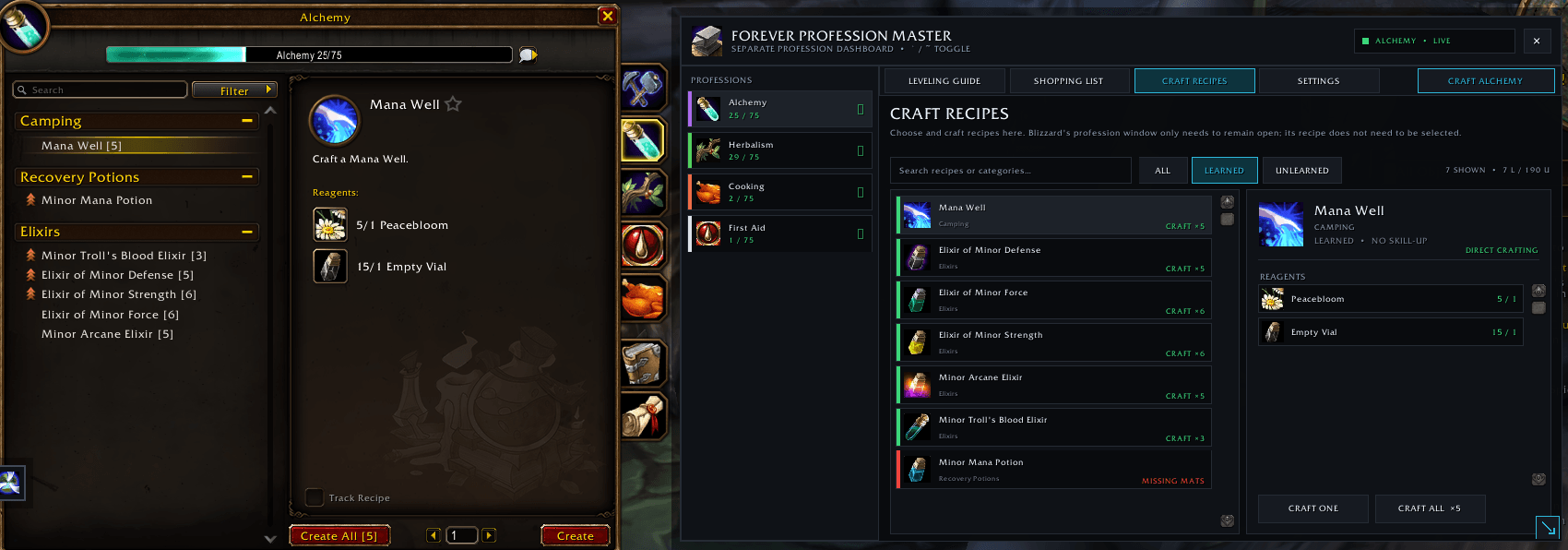
Browse and craft recipes from Profession Master’s separate recipe interface.
-
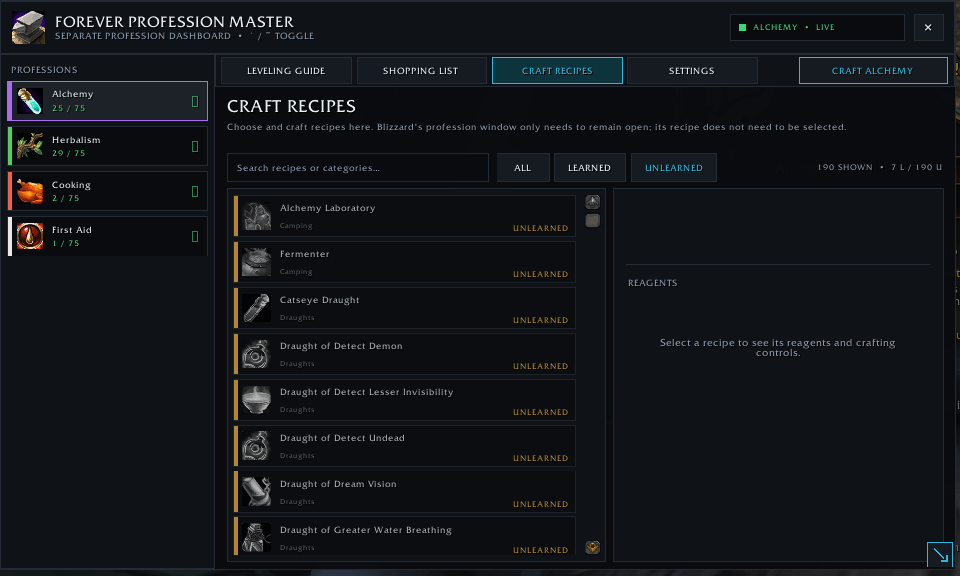
View learned and unlearned recipes.
-
Search recipes by name.
-
Filter between All, Learned, and Unlearned.
-
View recipe icons, categories, reagents, sources, and craftable quantities.
-
Craft using Craft One or Craft All.
-
Recipes selected inside Profession Master automatically target the matching Blizzard recipe.
-
The matching recipe does not need to be manually selected in Blizzard’s profession window.
-
Blue Recommended Now highlighting identifies the best recipe for your current profession skill.
Recipe Status Colors
-
Green: You have the required materials.
-
Red: Materials are missing.
-
Amber: The recipe is unavailable or unlearned.
-
Blue: Recommended recipe for your current skill level.
Where to Learn Recipes
Hover over an unlearned recipe to view available learning information.
The addon can display:
-
Profession trainers
-
Vendors
-
Quest rewards
-
Reputation requirements
-
Creature or world drops
-
Auction House search recommendations
Recipe information depends on what WoW Forever currently exposes through its profession data.
Crafting Queue
Plan multiple crafting projects before purchasing materials.
-
Add recipes to a persistent crafting queue.
-
Choose how many of each recipe you want to craft.
-
Combine reagent requirements from multiple queued recipes.
-
Compare required, owned, and missing quantities.
-
Switch between your profession-leveling shopping list and crafting-queue shopping list.
-
Clear or adjust the queue whenever needed.
Shopping List
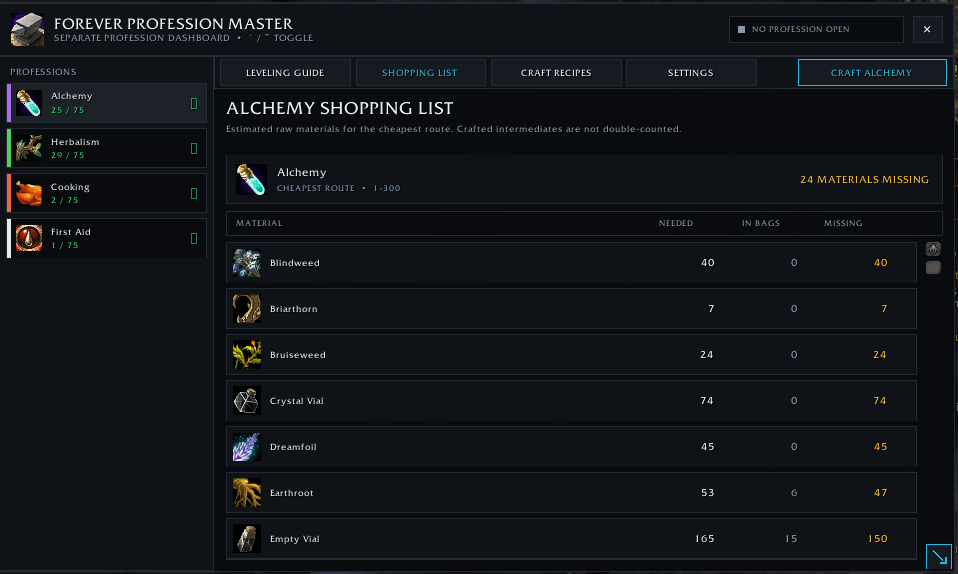
Profession Master automatically generates a combined material list for your selected leveling route or crafting queue.
-
Displays total materials required.
-
Tracks materials currently owned.
-
Calculates remaining materials needed.
-
Combines duplicate materials from multiple recipes.
-
Updates bag counts automatically.
-
Separates vendor, Auction House, and unavailable materials.
Vendor Purchasing
Purchase available shopping-list materials from an open merchant.
-
Detects materials sold by the current vendor.
-
Purchases only the amount still needed.
-
Respects vendor bundle sizes.
-
Checks available character funds.
-
Skips special-currency items.
-
Keeps vendor purchasing separate from Auction House purchasing.
Auction House Tools
Search for missing materials without manually typing every item name.
-
Automatically searches missing materials using exact item IDs.
-
Supports full-list and single-material searches.
-
Finds the lowest-priced available quantities.
-
Calculates the estimated total in gold, silver, and copper.
-
Displays available quantities and estimated costs before purchasing.
-
Requires confirmation before purchases begin.
-
Requires one player-controlled purchase action for each material type.
-
Pauses for confirmation if a live commodity price increases.
-
Purchased materials are delivered through the in-game mailbox.
Interface and Accessibility
-
Dark, clean, TSM-inspired design.
-
Completely separate from Blizzard’s original profession window.
-
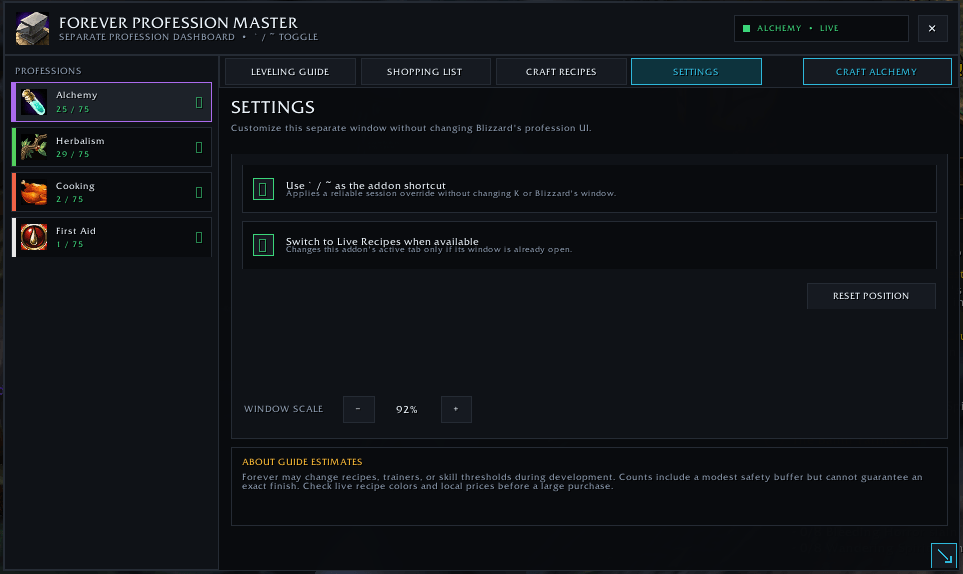
Movable, resizable, and scalable.
-
Saves window position, size, and scale.
-
Protected minimum dimensions prevent interface elements from overlapping.
-
Scrollable recipe and reagent panels.
-
Profession cards include unique colors, icons, and current skill levels.
-
Secure combat handling postpones protected changes until combat ends.
Launcher Support
Open Profession Master using:
-
The ` / ~ key
-
/fpm -
/professionmaster -
The standalone minimap button
-
Blizzard’s Addon Compartment
-
HidingBar and compatible minimap-button organizers
-
LibDataBroker-compatible display bars
LibDataBroker Support
Profession Master supports:
-
Titan Panel
-
Bazooka
-
ChocolateBar
-
DockingStation
-
Other LibDataBroker 1.1 displays
Left-click the launcher to open or close Profession Master.
Right-click the launcher to open Settings.
The standalone minimap button can be hidden when using a broker bar or Blizzard’s Addon Compartment.
Slash Commands
-
/fpm— Open or close Profession Master -
/fpm guide— Open the Leveling Guide -
/fpm shopping— Open the Shopping List -
/fpm queue— Open the Crafting Queue list -
/fpm recipes— Open Craft Recipes -
/fpm bind tilde— Reapply the ` / ~ shortcut -
/fpm hotkey on— Enable the shortcut -
/fpm hotkey off— Disable the shortcut -
/fpm scale 0.75-1.35— Change the interface scale -
/fpm reset— Reset the window position and scale -
/fpm help— Display command help
Important Information
Leveling routes and material totals are estimates. Random skill-ups, trainer availability, faction restrictions, server economy, and future WoW Forever balance changes may affect the exact materials required.
Forever Profession Master supports WoW Forever interface versions 16000 and 16001.
The Forever Profession Master Team