Fast Macros - Mouseover & Focus Macro Builder
- By
Stop writing macro syntax. Pick a spell, tick mouseover, focus, rank or modifiers, and drag a working Forever macro onto your bar.
Description
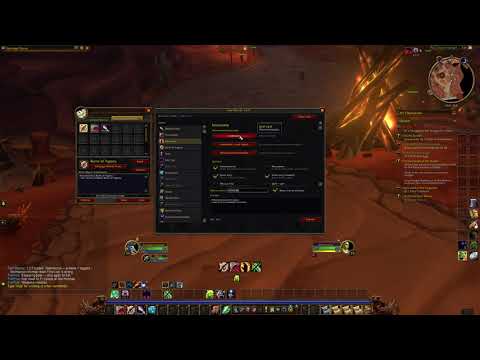
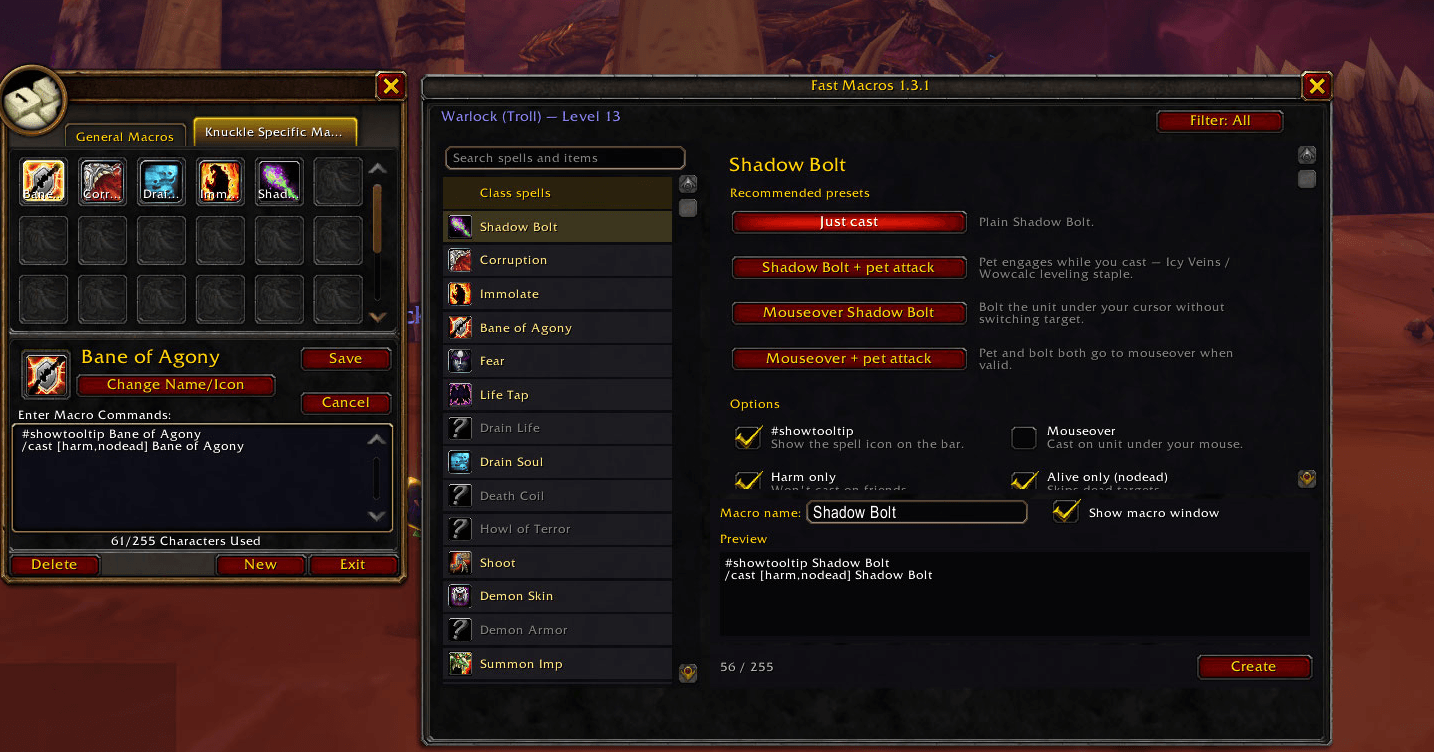
Stop writing /cast [@mouseover,harm,nodead] by hand. Fast Macros builds working macros for WoW: Forever: pick a spell, tick the options you want, and drag the result onto your bar.
Why players use it
- Your spells and items, with real icons and a live preview, in a few clicks.
- Mouseover,
@focus, ranks, modifiers, trinkets and potions, without learning syntax. - 200+ ready-made presets, such as Mouseover Sunder or Stopcasting Pummel.
- Never overwrites a macro it didn't make. Your own macros are left alone.
30-second start
- Type
/fastmacros(or click the minimap book). - Pick a spell or item, or type in the search box.
- Choose a preset, or tick the options you want.
- Click Create. The game's macro window opens beside Fast Macros on your character-specific macros. Drag the new macro onto your bar.
Features
- Your spells, ready to go: lists the spells you've learned, with real icons and tooltips, for all 9 classes plus racials.
- 200+ ready-made presets: one-click macros such as Mouseover Sunder, Stopcasting Pummel or Rend + startattack.
- Mix your own options: Mouseover,
@focusfirst, Harm only, Help only, Alive only, Self-cast fallback, Shift = self, Alt = focus, /petattack,@pettarget, /startattack, /stopcasting first, Don't clip channel, /cancelaura toggle, Announce in party. - Right-click target: left-click casts as normal; right-click casts on your Focus, on Myself, or on Focus, else myself. It's great for Lay on Hands or a quick heal on your tank.
- Live preview: see the exact macro text as you click, with a 255-character counter.
- Forever spell names: uses the current names, such as Bane of Agony, and still recognizes the old ones.
- Search: type in the search box to find any spell or item in a second.
- Every spell you know: besides the class list, Fast Macros adds every other spell in your spellbook (professions, racials, new spells), so nothing is missing.
- Ranks your way: for spells with ranks, choose Highest (always the top rank, the default), Lock one rank (for example a cheap Rank 1 heal), or Make all ranks (one macro per rank in one click).
- Items too:
/usemacros for your trinkets (slot 13, slot 14, or both), potions, healthstones, bandages and food. There's a ready-made Healthstone + potion button (Shift = potion). - Second spell on a condition: one button, two spells. Hold Shift, Ctrl or Alt, or be in combat, out of combat, stealthed or in a stance/form, and the button casts the second spell instead.
- Pretty settings window: options live in the shared Ironhide Addons window (gold title, tabs, tooltips), with its own minimap gear and an entry in the game's AddOns options.
Safe by design
- Never overwrites a macro it didn't make. If the name is taken, you choose Save as new, Overwrite, or cancel.
- Macros are saved as character-specific macros, so your account-wide macros are left alone.
- Nothing is created or changed during combat.
- Make all ranks skips any name already used by one of your own macros and tells you which ones it skipped.
Commands
/fastmacros: open or close the window (/mmand/macromakeralso work)/fastmacros search heal: open Fast Macros already searching for "heal"/fastmacros settings: open the Fast Macros tab in the Ironhide Addons window (/ironhideopens it too)/fastmacros refresh: rebuild the spell and item list after you learn something new/fastmacros macrowin on/off: turn the game's macro window opening beside Fast Macros on or off/fastmacros minimap reset: move the minimap icon back to its default spot/fastmacros hide: hide the window/fastmacros help: list the commands in chat
FAQ
A new spell isn't in the list.
Type /fastmacros refresh. If you turned off "Add my other spellbook spells" in /fastmacros settings, turn it back on.
My potion or trinket isn't in the list. Items show up while they're in your bags (or worn, for trinkets). Bags changed? The list updates by itself.
Does the rank I lock stay locked? Yes, Fast Macros remembers your rank choice for each spell.
What is Ironhide Addons? The family of addons Fast Macros belongs to. If you have more than one, they share one settings window and one minimap button. Updates come from CurseForge: search "Ironhide Addons".
It says my character macro slots are full.
Delete a character-specific macro you no longer use in the game's macro window (/macro), then try again.
I can't see the minimap icon.
Type /fastmacros minimap reset. If you hid it, turn "Fast Macros minimap button" back on in /fastmacros settings.
The macro says TOO LONG. WoW macros are limited to 255 characters. Untick an option or two until the counter fits.
Why isn't there a /fm command?
Other Forever addons already use /fm, so Fast Macros leaves it alone to avoid clashes.
Formerly MacroMaker.
Support
Found a bug or have an idea? Join the Ironhide Addons Discord: https://discord.gg/a2x9SjtWxD (post in #bug-reports or #feature-requests).
Built for WoW: Forever (1.60.1). Ironhide Addons is a fan-made addon collection and is not affiliated with or endorsed by Blizzard Entertainment.
Fast Macros - Mouseover & Focus Macro Builder Team