FarmMap V2
- By
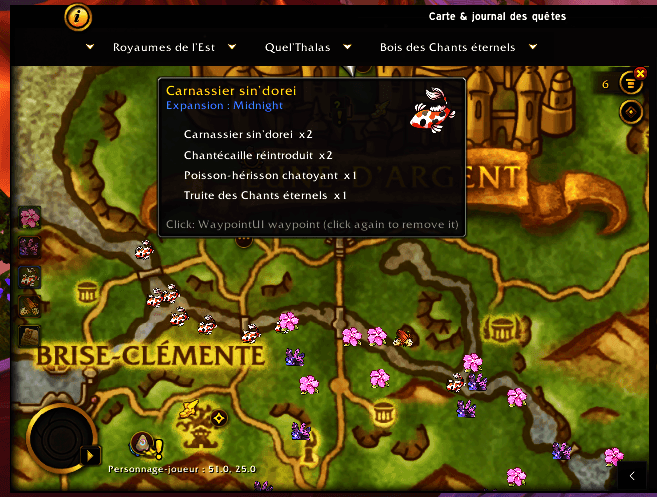
FarmMap is a gathering addon that automatically records herb, ore, fish, and wood node locations on your minimap and world map as you harvest them.
Description
English
FarmMap is a lightweight gathering addon that automatically records the location of every herb, ore, fish, and wood node you harvest — no manual input needed. As you gather, pins appear on your minimap and world map so you can build your own personal farming routes over time.
Version 2.0 runs on every client from a single download: Retail, WoW: Forever, MoP Classic and Classic (Era, Season of Discovery and Hardcore). It also loads on TBC Anniversary, with its interface, but not every feature has been tested there yet — please report anything odd.
New in 2.0
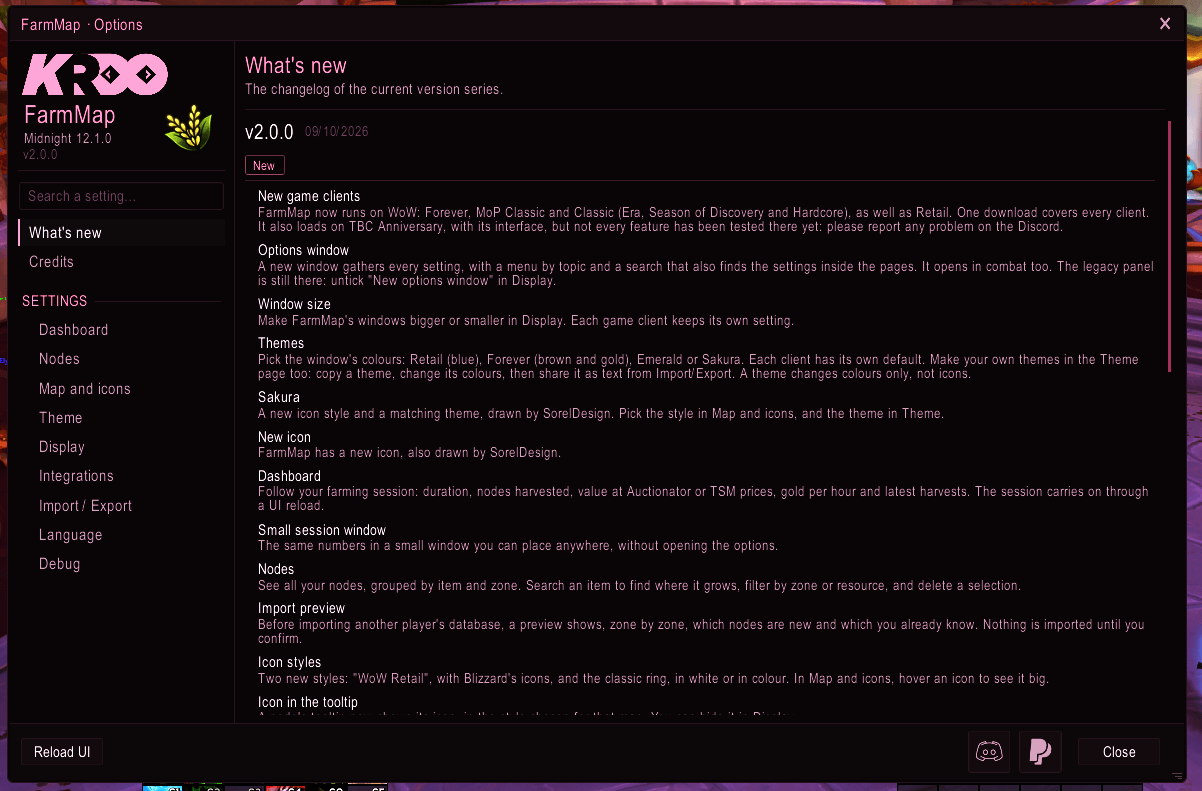
- A new options window, drawn by FarmMap itself so it looks the same on every client. A menu by topic, a search that also finds the settings inside the pages, and it opens in combat. The legacy Blizzard panel is still there if you prefer it.
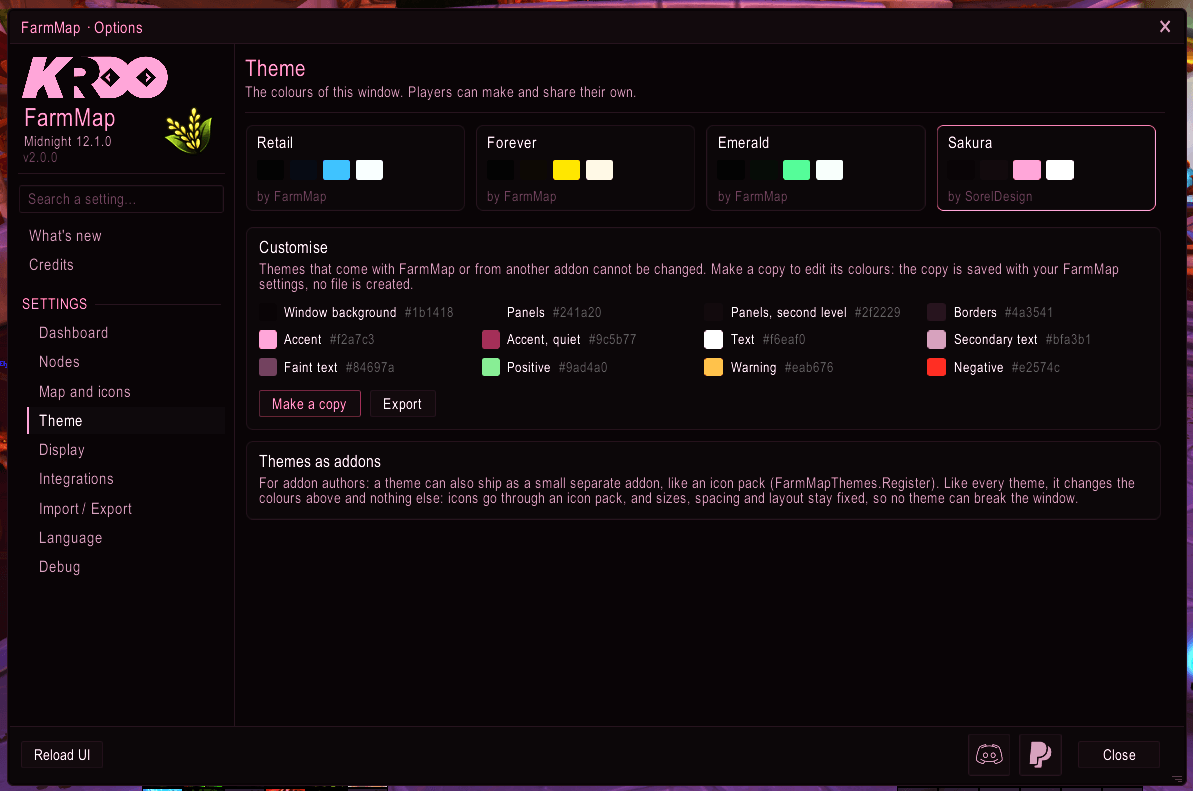
- Themes. Pick the window's colours — Retail, Forever, Emerald or Sakura — or make your own in the Theme page: copy a theme, change its colours, and share it as a line of text. A theme changes colours only, never the layout.
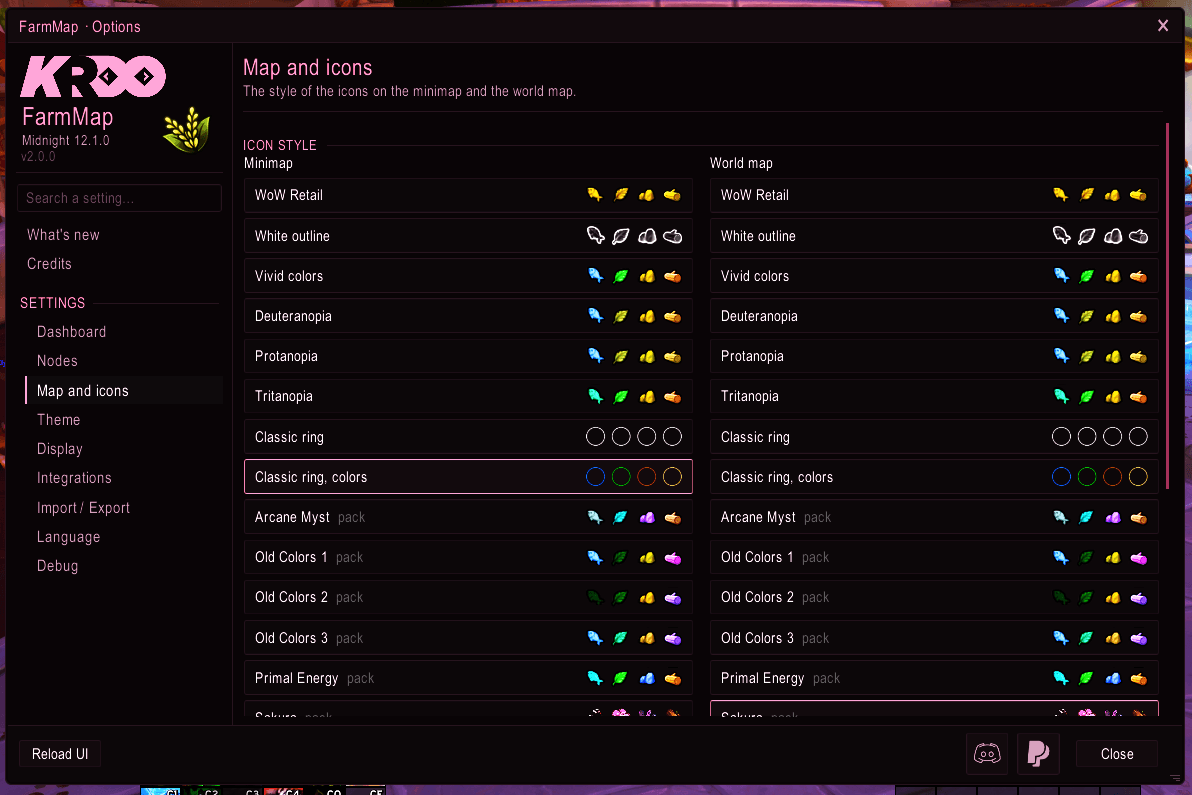
- The Sakura pack is built in. A new icon style and its matching theme, drawn by hand by SorelDesign, who also drew FarmMap's new icon. No separate download.
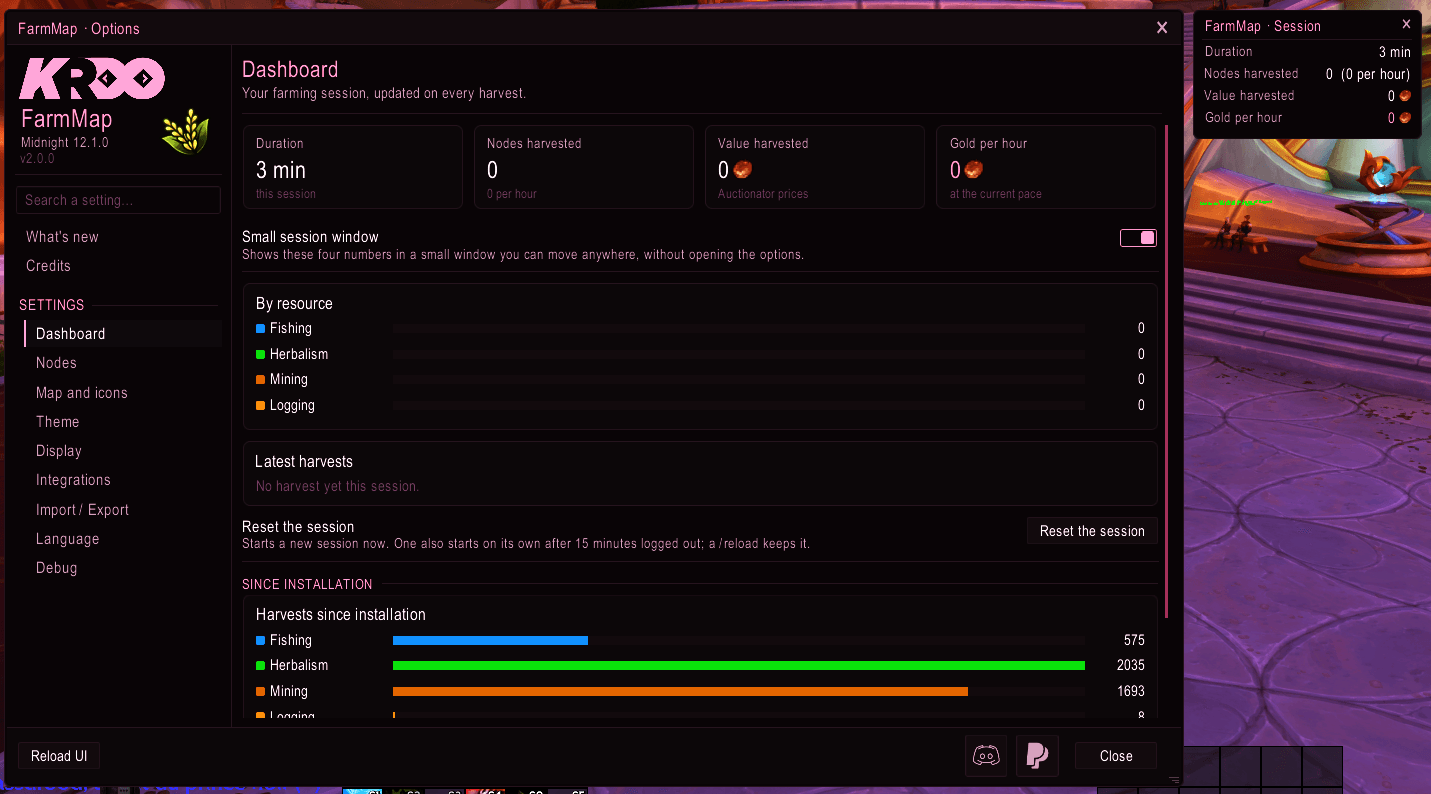
- A farming dashboard: session duration, nodes harvested, the value of what you gathered, gold per hour and your latest harvests — plus a small session window you can keep on screen.
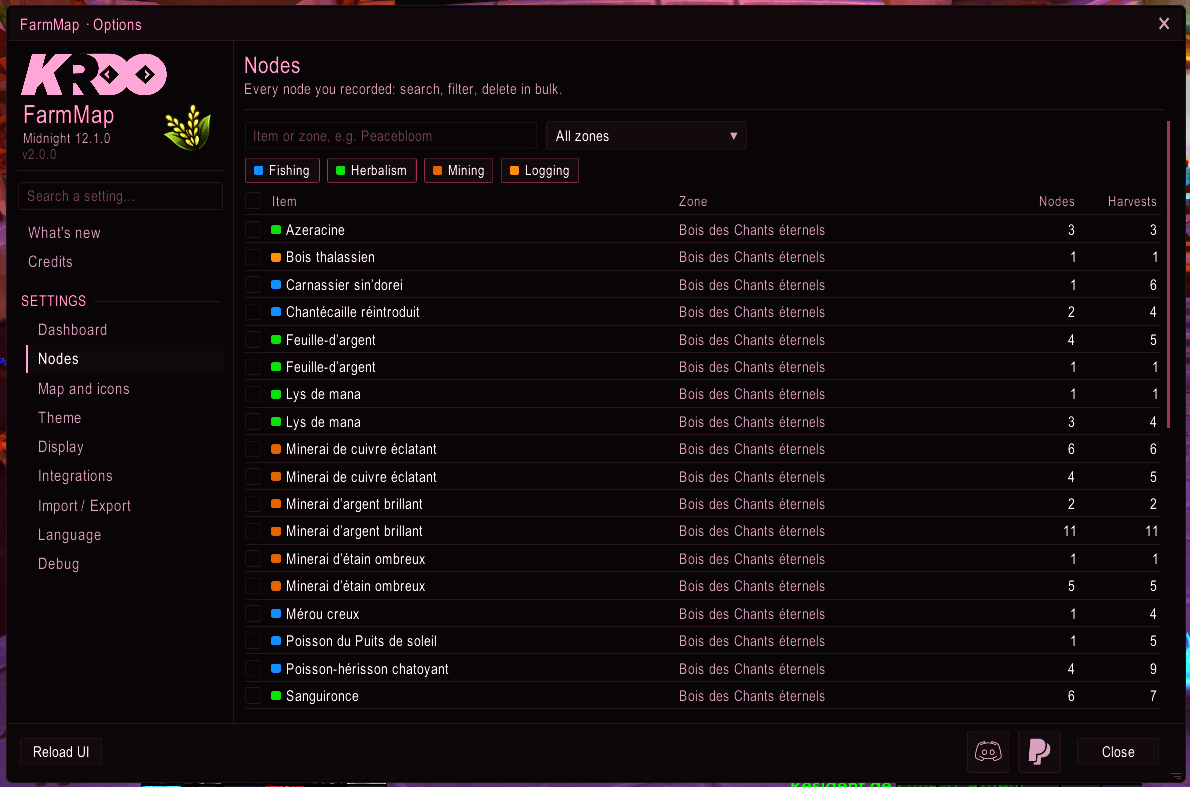
- A node manager: every node you know, grouped by item and zone. Search an item to see where it grows, filter, and delete a selection.
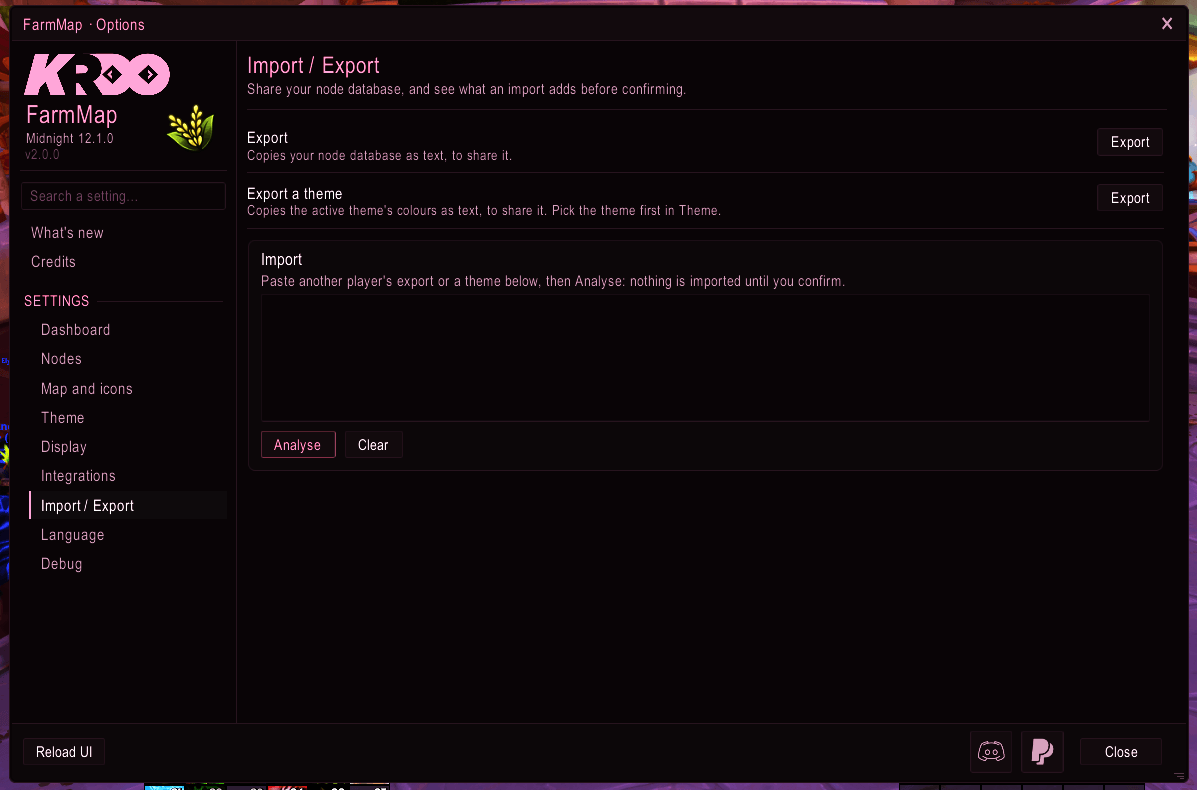
- Safer imports: a preview shows, zone by zone, what is new and what you already know before anything is written. An imported text can now only describe nodes.
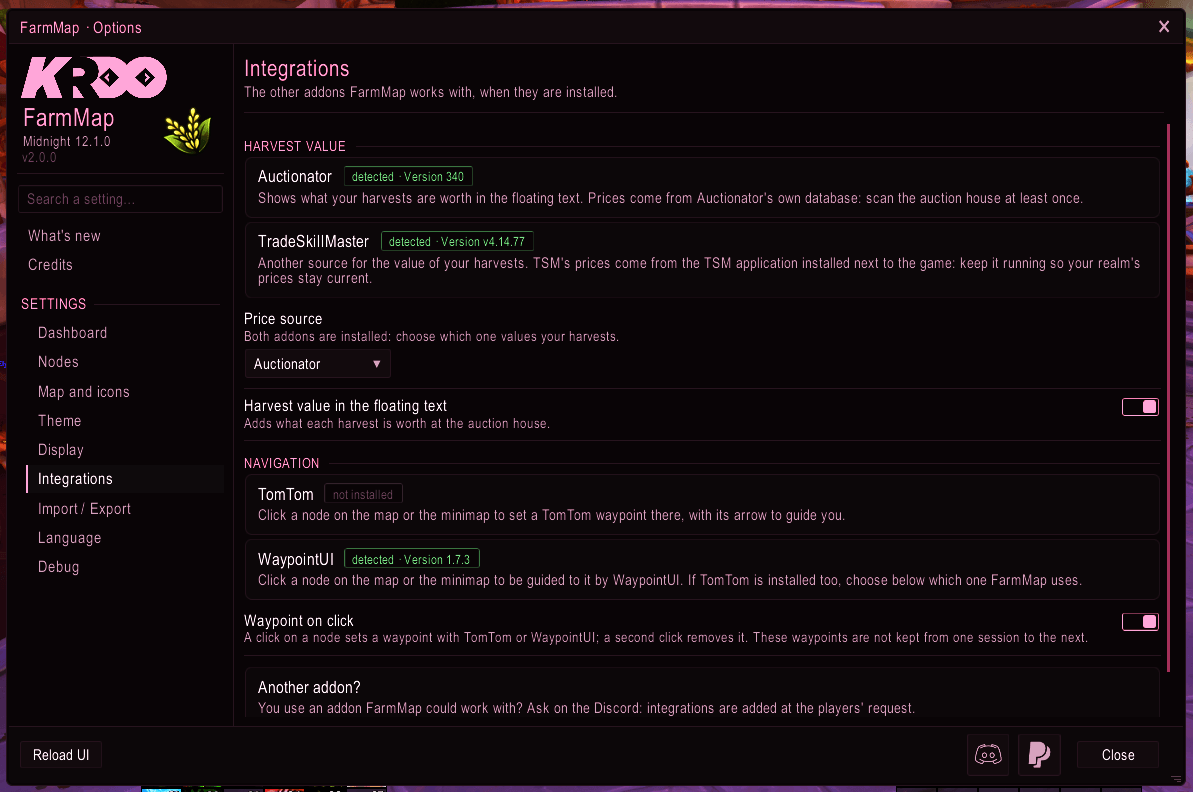
- New integrations: TradeSkillMaster as a second price source next to Auctionator, and waypoints with TomTom or WaypointUI — see the list below.
- A "What's new" window that opens once per version, so you never miss a change.
Integrations
FarmMap works with these addons when they are installed. None of them is required: without them, the matching options are simply hidden or greyed out. Set them up in the Integrations page of the options window.
Harvest value — the worth of what you gather, in the floating text and the farming dashboard:
- Auctionator — prices from its own database. Scan the auction house at least once. All clients.
- TradeSkillMaster — prices from the TSM application, with your choice of price (market value, minimum buyout or region average). Tested on Retail and Classic Era. If both are installed, you choose which one FarmMap uses.
Waypoints — click a node on the world map or the minimap to be guided to it, click it again to remove the waypoint:
- TomTom — a waypoint and its arrow. All clients.
- WaypointUI — Retail and WoW: Forever. If TomTom is installed too, you choose which one FarmMap uses.
Use another addon FarmMap could work with? Ask on the Discord: integrations are added at the players' request.
Planned features
Coming in 2.1 — plans, not promises, and your feedback can still shape them:
- An optimal farming route. FarmMap links the nodes you know in a zone into one loop, drawn on the world map, following your filters (herbs, ores, or both). Optionally, the next node of the route can be handed to TomTom or WaypointUI as you go — and with WaypointUI's pathfinding, guided around the terrain rather than in a straight line.
- Gradients in themes. Window surfaces will be able to blend two colours, in the theme editor and in shared themes.
In the meantime, the Korean, Chinese and Russian translations of the new texts will arrive in small 2.0.x updates as their translators finish them.
Known limitations
- Fishing records every catch, pool or open water. The game reports the same loot source for both — the fishing bobber, not the pool — so no addon can tell whether a fish came from a school. On Retail you nearly always fish in pools, so it rarely shows; on Classic, expect fishing pins wherever you cast. Catches at the same spot merge into one pin, and the fish button on the filter bar hides them all.
- Blizzard's own minimap tracking dots cannot be restyled. FarmMap draws its own pins instead, with every icon style. Retail lost the only way to do it in patch 12.0.7 (
Minimap:SetBlipTexturewas removed, and 12.1.0 did not bring it back) and WoW: Forever never had it. The Classic clients still have it, but it only swaps one whole image whose layout is fixed by the game engine, so FarmMap does not offer it there either.
Reskins list
- Sakura — built into FarmMap 2.0, icons and theme by SorelDesign
- Old Colors
- The Artisan's Anthology
Translations
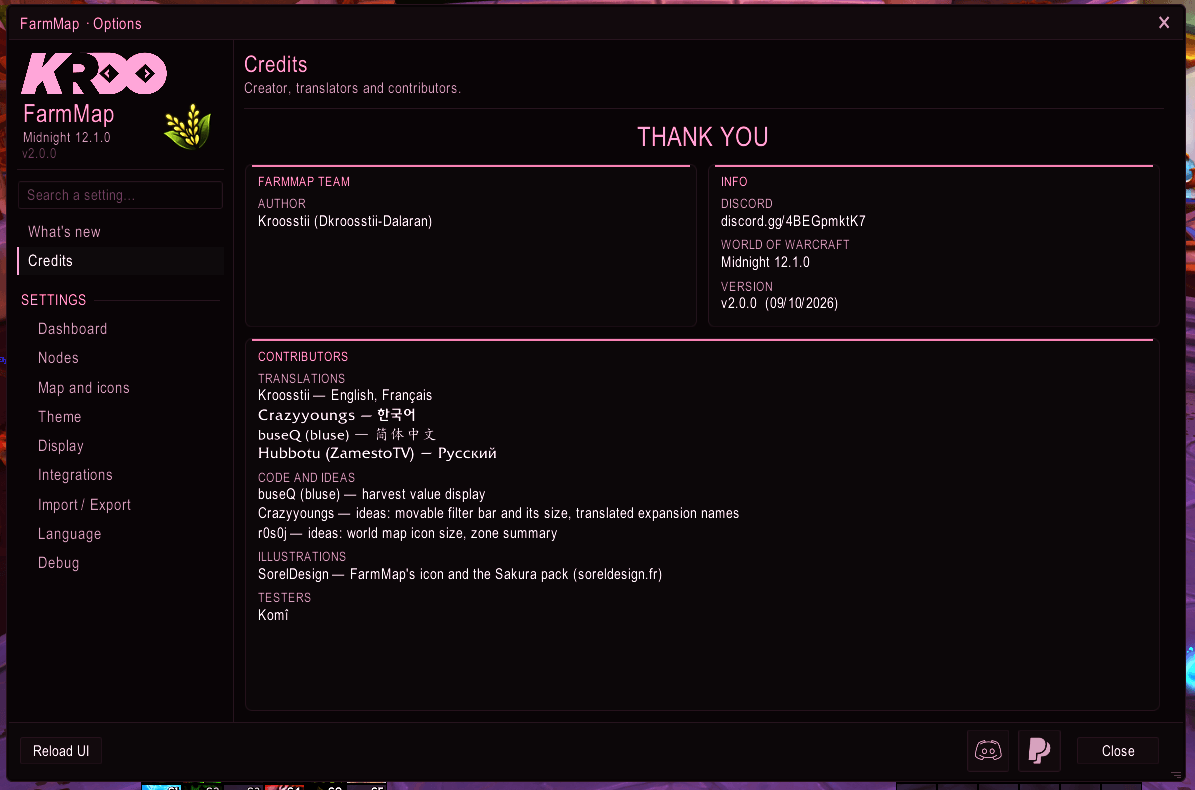
FarmMap is translated by its community. Huge thanks to everyone who contributed:
- English — by Kroosstii
- Français — by Kroosstii
- 한국어 (Korean) — by Crazyyoungs
- 简体中文 (Simplified Chinese) — by buseQ (bluse)
- Русский (Russian) — by Hubbotu (ZamestoTV)
The texts new in 2.0 show in English on Korean, Chinese and Russian clients until their translators catch up; each language arrives in a small update of its own.
Want to add your language? Any key a translation leaves out falls back to English automatically, key by key — so a partial translation never breaks anything. Send what you have and finish later. Contributors are credited in-game and here.
It takes one file and no programming knowledge. Copy lang/enUS.lua, translate the text between the quotes, and your language appears in the addon's options on its own. A full step-by-step guide is included in lang/README.md inside the addon folder. Send me the file on Discord, or open a pull request on the GitHub repository if you are comfortable with git — that is how the Russian translation arrived.
If a translation shows as empty boxes on your client, your game client does not ship the fonts for that script — a font add-on such as UnicodeFont fixes it. Non-latin languages are listed with their latin name next to them (for example 한국어 (Korean)) so you can always tell which entry is which.
Community contributions
FarmMap is not only translated by its community — some of what it does was built or shaped by it.
- The harvest value display is the work of buseQ, who wrote it and sent it as a pull request. It reads its prices from Auctionator or, since 2.0, TradeSkillMaster — both optional: without them, the option is simply greyed out. Auctionator needs at least one scan of the auction house; TSM takes its prices from its own application.
- The movable filter bar and its size were ideas from Crazyyoungs, who also maintains the Korean translation.
- The world map icon size and the zone summary were ideas from r0s0j.
- Sakura and FarmMap's new icon were drawn by SorelDesign.
- Komî has tested FarmMap in game since the very first version.
Have an idea, or something that annoys you? Say so — most of these started as a message.
Features
- Automatic node recording on harvest — herbs, ores, fish, and wood
- Pins displayed on both the minimap and the world map, with the node's icon in its tooltip
- Primordial/abundant node support with distinct visual style
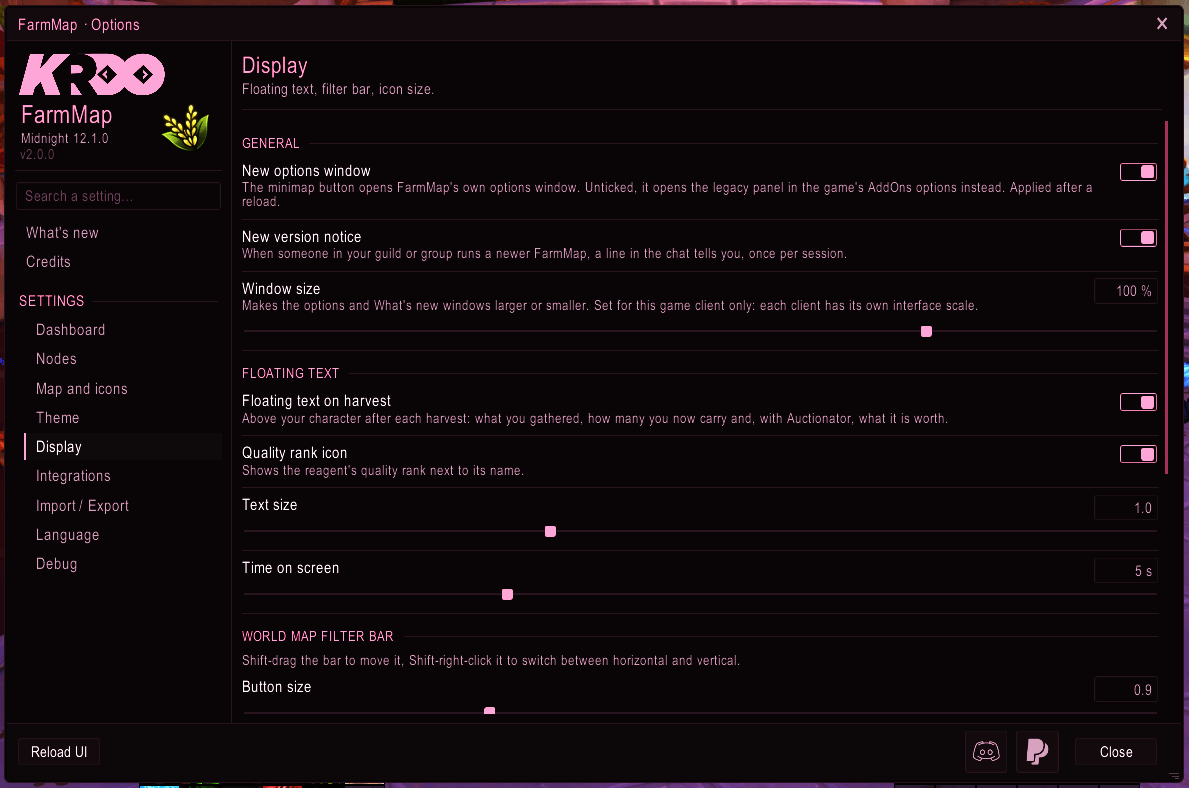
- Floating text on harvest showing quantity, tier, total bag count, and the value of what you gathered (optional, value requires Auctionator or TradeSkillMaster)
- Farming dashboard and a small session window: duration, nodes, value, gold per hour, latest harvests
- Node manager: search by item, filter by zone or resource, bulk delete
- Ability to delete specific nodes directly from the map
- Click a node to set a waypoint with TomTom or WaypointUI
- Filter buttons on the world map to show/hide each resource type — Shift-drag to move the bar anywhere, Shift-right-click to flip it horizontal or vertical, a slider to fade it out when the cursor is elsewhere, and the icons of your world map style
- Multiple icon styles including colorblind-friendly presets (Deuteranopia, Protanopia, Tritanopia), WoW Retail icons, classic rings and the built-in Sakura pack
- Window themes, your own themes, and theme sharing as text
- Option to show or hide FarmMap's pins on the minimap (the world map always keeps them)
- Minimap button — left click for the options, right click for the debug window, draggable, and hideable from the settings
- Optimized map performance with staged icon loading (prevents freezes with 300+ nodes)
- Export and import with a preview, to share your node database with other players
- Harvest statistics tracked per resource type
- Full English and French localization, plus Korean, Simplified Chinese and Russian by the community — automatically detected from your game client, with manual override in the options
Slash Commands
/fm help— show all available commands/fm ui— open the options window/fm news— show the "What's new" window again/fm debug— show/hide the debug window/fm export— open the database export window/fm import— open the database import window/fm clear— wipe the node database (settings are preserved)/fm stats— display harvest statistics in chat/fm migrate— manually run database migrations/fm atlas— open the icon atlas calibrator (for icon pack creators)/fm default— switch back to your game client's language/fm version— display the current addon version
/fm taken by another addon? It is a short prefix and others want it — FocusMarker registers it too, and addons load alphabetically, so whichever sorts last wins. FarmMap notices this at login, tells you which addon took it, and switches every command it prints to /farmmap, which always works and is never claimed by anyone else. Nothing to configure, and nothing changes if you have no conflict.
This addon uses HereBeDragons-2.0 by Nevcairiel, plus LibDataBroker-1.1 and LibDBIcon-1.0 for the minimap button. All are bundled directly — no separate installation required.
Support
Having an issue or a suggestion? Feel free to leave a comment below — we read everything. You can also join the Discord server for faster help and to follow updates, or open an issue on the GitHub repository, where the full source is available under GPLv3. The Discord and donation links are in the addon too, at the bottom of the options window.
This is my first addon and my first experience with coding. Any feedback is welcome and I'll do my best to improve it over time.
Development. FarmMap's Lua code is written with AI assistance (Claude, by Anthropic). Every change is reviewed and tested in game by the author before it is released.
Artwork. The Sakura icons and FarmMap's icon were drawn by hand by SorelDesign. The KROO logo belongs to the author and may not be used elsewhere without his permission. The other icon textures are modified versions of Blizzard's in-game atlas, into which the author's own hand-made artwork has been added. No AI-generated assets — every visual in FarmMap was made by hand. World of Warcraft and Blizzard Entertainment are trademarks of Blizzard Entertainment, Inc.
FarmMap V2 Team