EzWoW - Frame Mover
- By
Move and resize Blizzard windows, remember their positions and use a scrollable replacement quest tracker.
EzWoW - Frame Mover
For WoW Forever (Interface: 16001).
English
Drag Blizzard windows anywhere and save their positions. Ctrl + mouse wheel scales a window from 50% to 150%. Includes a scrollable quest tracker that can replace the default objective tracker.
Preview
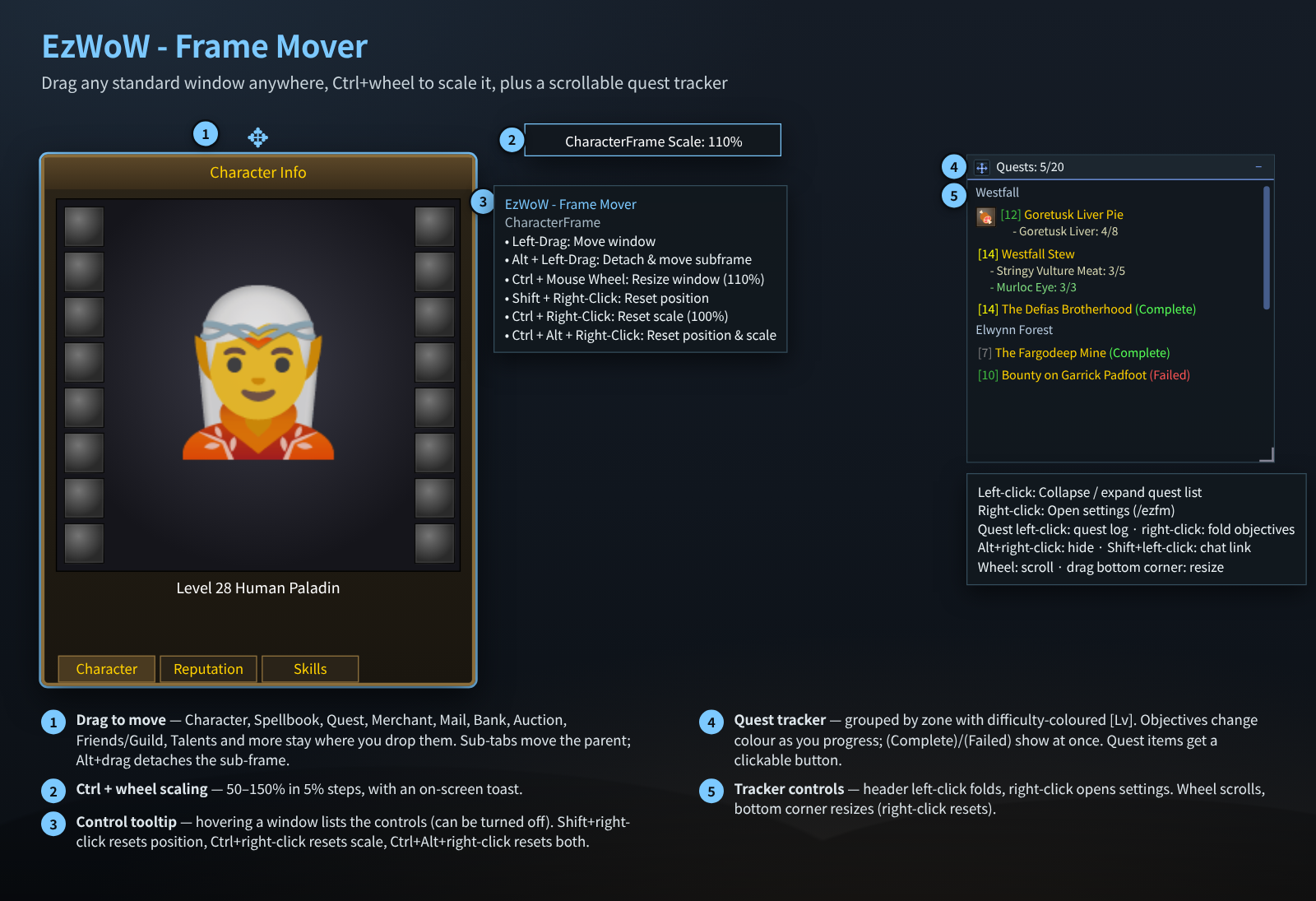
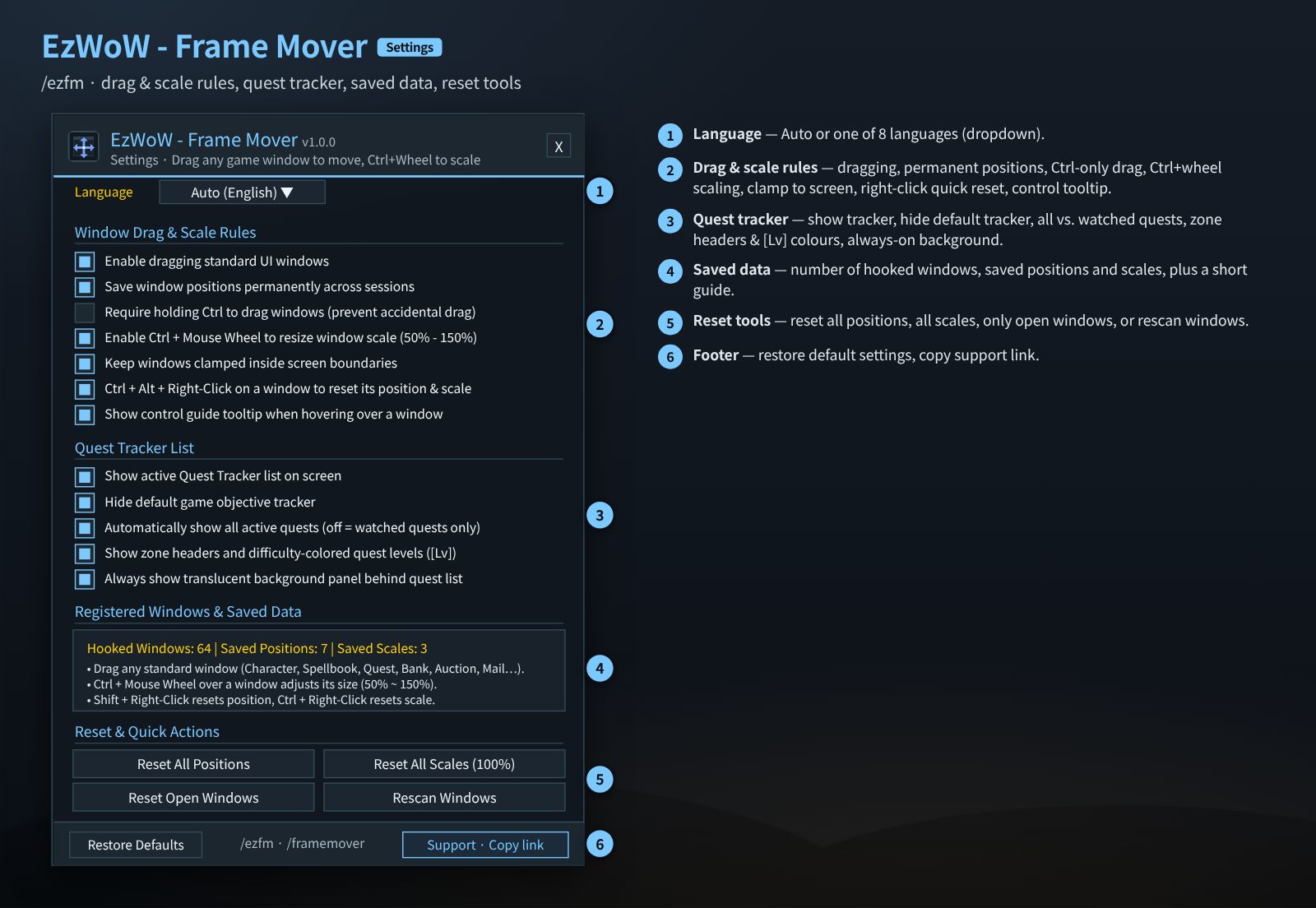
These previews are mock-ups recreated from the addon code. See the repository README for image details.
Installation and usage
Install the EzWoW-FrameMover folder in Interface/AddOns/ and enable the addon at character selection. Open the addon with /ezfm.
Full instructions and commands on GitHub
한국어
블리자드 기본 창을 끌어 옮기고 위치를 저장합니다. 창 위에서 Ctrl+마우스 휠로 50~150% 크기를 조절하며, 기본 추적창을 대체할 수 있는 스크롤형 퀘스트 추적기를 제공합니다.
화면 미리보기
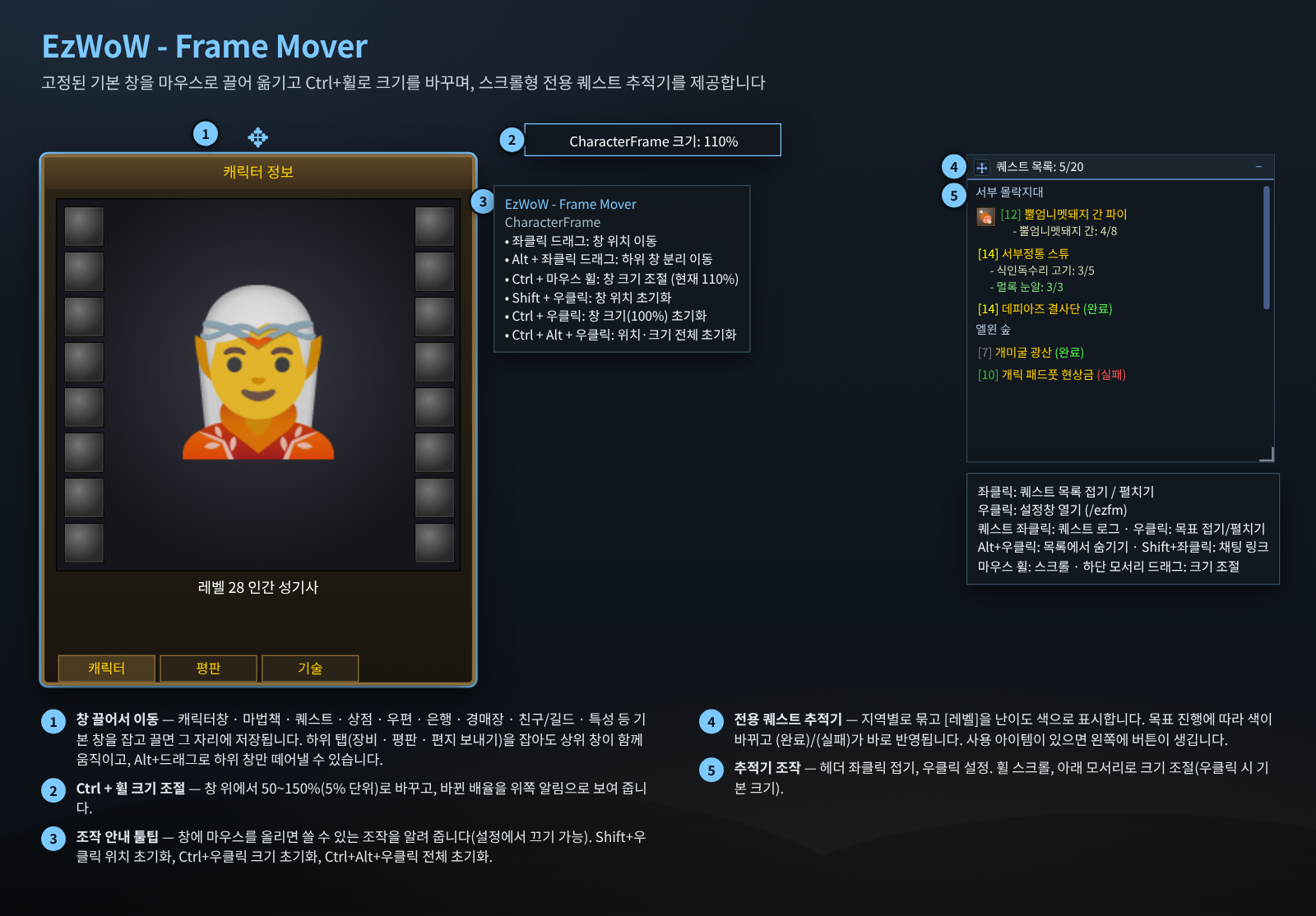
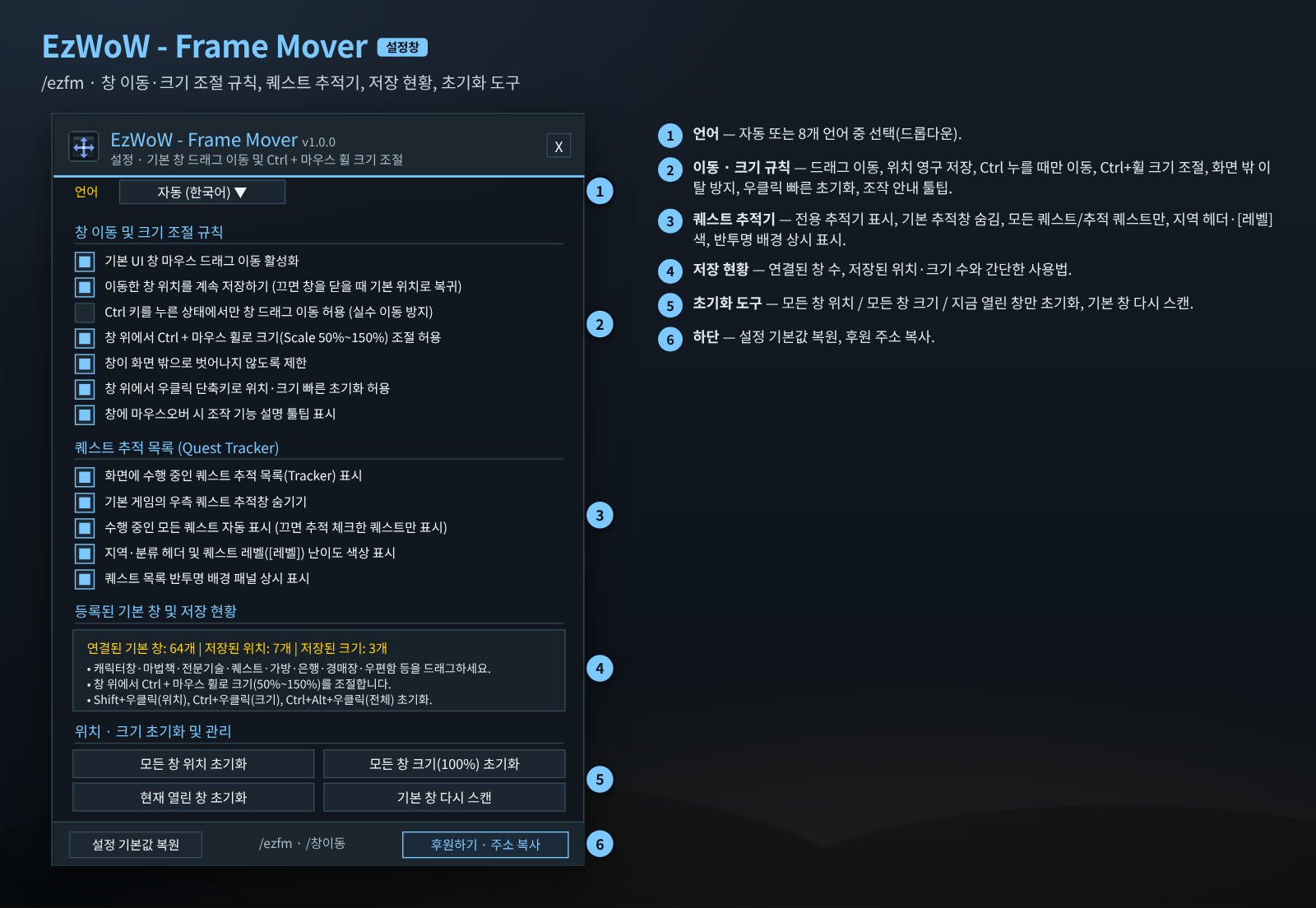
이미지는 애드온 코드를 기반으로 재현한 예시 화면입니다. 자세한 이미지 설명은 GitHub README를 참고하세요.
설치 및 사용
EzWoW-FrameMover 폴더를 Interface/AddOns/ 안에 넣고 캐릭터 선택 화면에서 활성화하세요. /ezfm 명령으로 엽니다.
EzWoW - Frame Mover Team