Eyes Up | Gathering Node HUD
- By
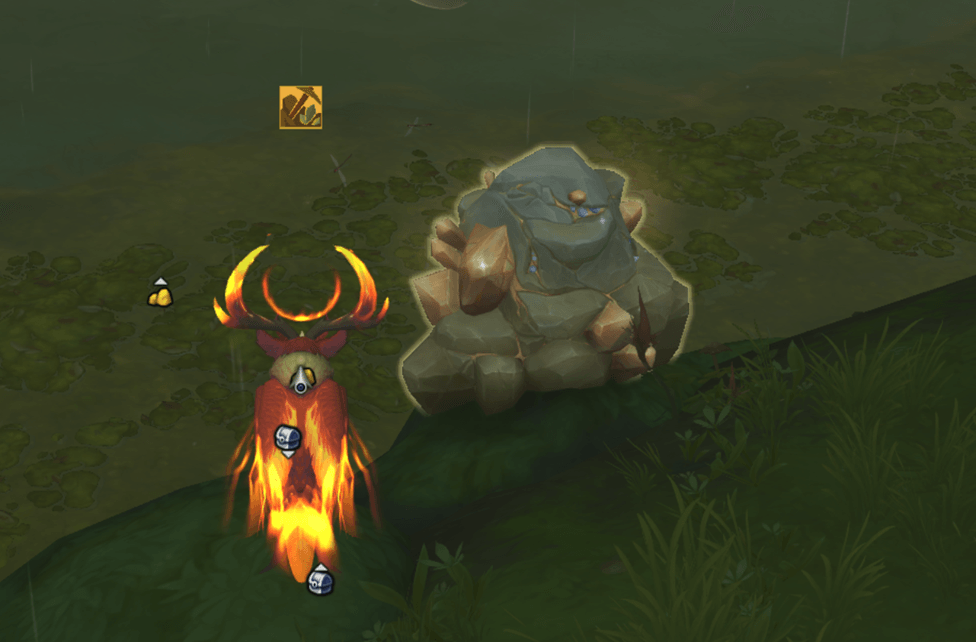
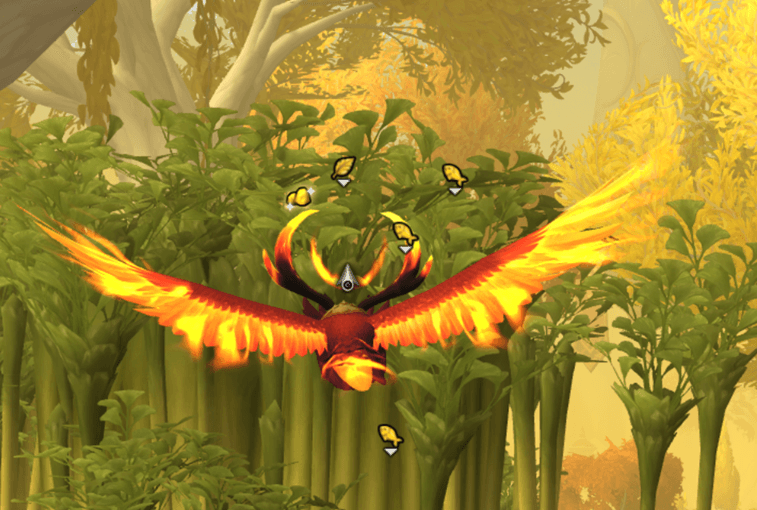
Keep your eyes on Azeroth, not your minimap. Eyes Up brings gathering nodes (herbs, ore, fishing, lumber, and treasure) into your field of view with an immersive HUD.
eyesupui2.png
euoptions.png
eyesupadmin2.png
eyesupui3.png
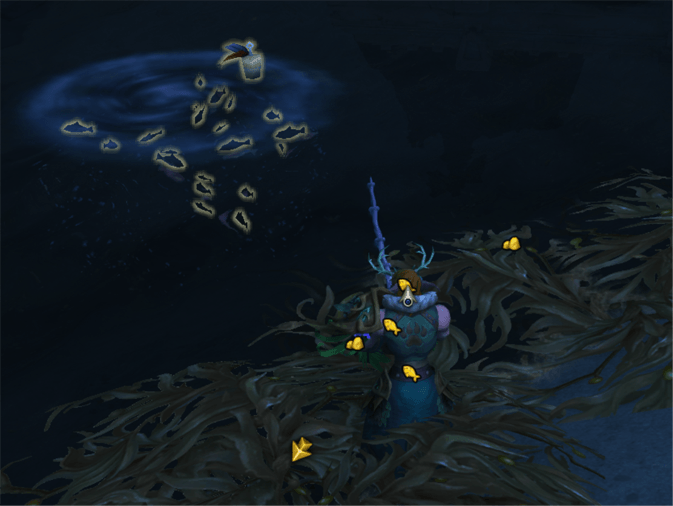
fishing.png
Description
Tired of staring at the minimap while you farm? 👁️ Eyes Up takes your minimap's own tracking blips (herbs, ore, fishing pools, lumber, and treasure) and puts them in the middle of your screen, so you can watch the world instead of a tiny corner of it.
✨ Features
- 🧭 Immersive HUD mode: floating node markers that rotate with your character, so there's no mental compass math — just look and go.
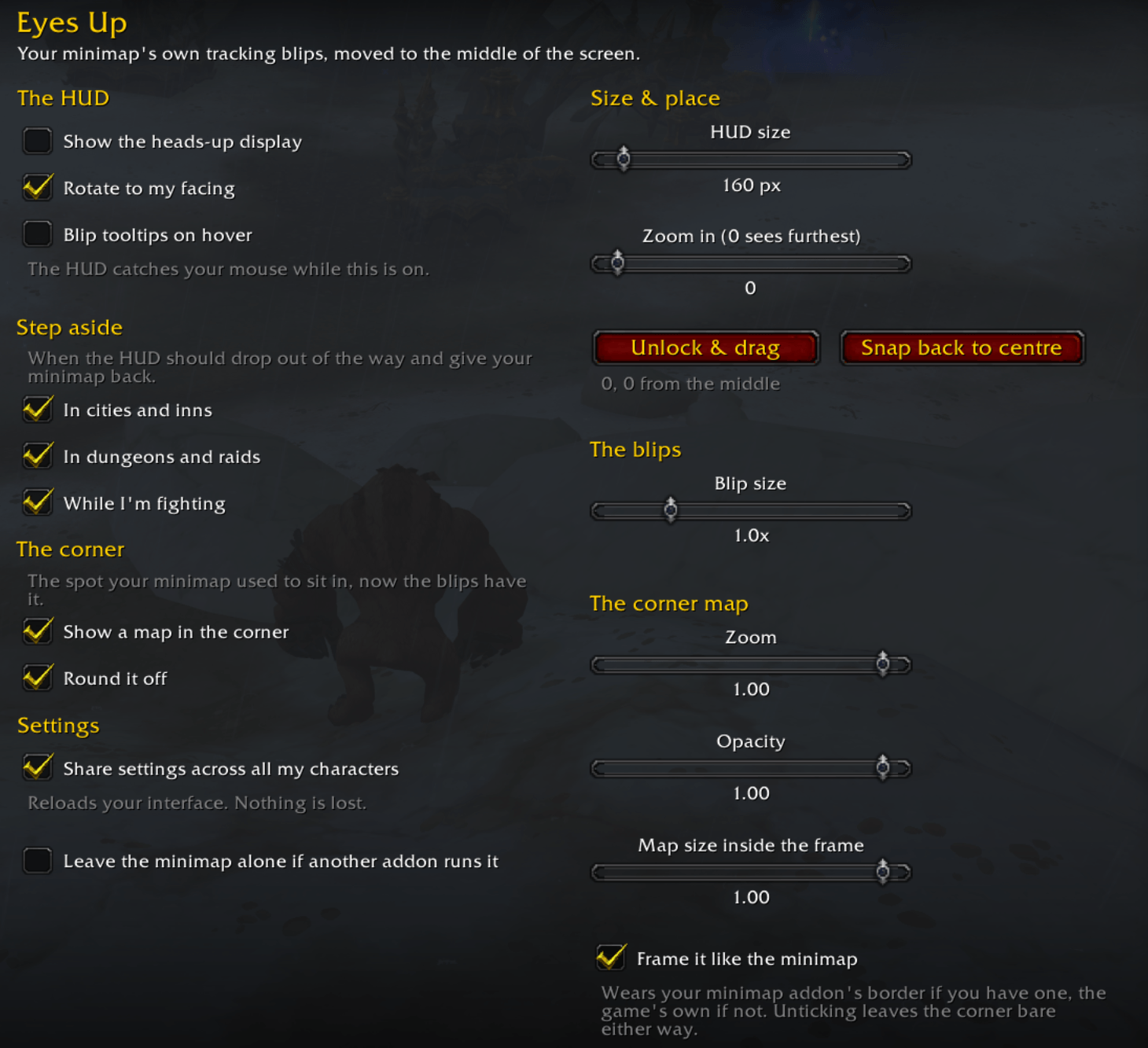
- 🖐️ Move it anywhere: unlock the HUD, drag it wherever suits you, lock it again. One button snaps it back to the middle.
- 🔍 Blip size slider: make the markers as big as you need — the circle and its hundred yards stay exactly the same, only the dots change.
- 🗺️ A real map in the corner: the HUD borrows your minimap, so a live map — roads, your position, quests, party — fills the spot it left, framed to match the rest of your UI.
- 🎨 Wears your skin: running SexyMap or another minimap addon? The corner map wears its border, not a generic one, so your UI still looks like your UI.
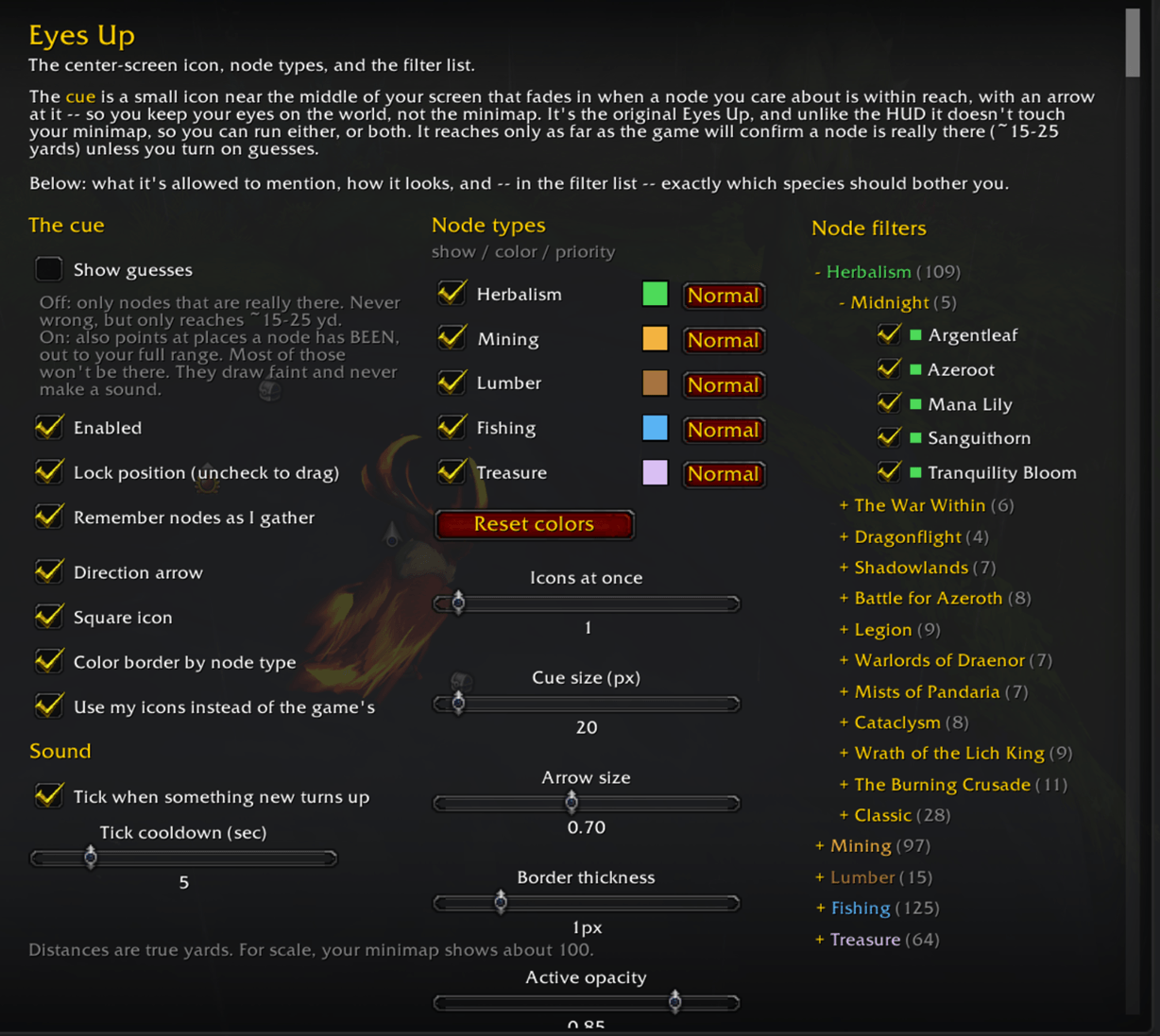
- 🎯 Lightweight Cue system: prefer something minimal? A small icon with a directional arrow near screen center points you to nearby nodes without a full HUD.
- 🌿⛏️🎣 Tracks every gathering type: herbs, ore, fishing, lumber, and treasure — filter by profession, expansion, or specific item types.
- 🏙️ Smart auto-hide: automatically turns off in cities, dungeons, raids, and PvP — and, if you want, the moment a fight starts. Stays active in Delves so it's there only when you're gathering.
- 👥 Warband or per-character settings: share your setup across your whole warband or tune it per character, with keybind toggles for the HUD.
Compatibility
- World of Warcraft Retail (patch 12.1+)
- No dependencies or requirements, this is lightweight and standalone.
- Compatible with minimap addons like SexyMap
- If you have a complicated UI-manager that is already running your minimap, Eyes Up asks before taking control
- Optional integration with GatherMate2_Data for richer node spawn cues
Also known as "Eyes Up." A gathering node HUD, herb and ore tracker, mining and herbalism finder, and node-farming overlay for World of Warcraft.
Eyes Up | Gathering Node HUD Team