CueTip - Cooldown Manager Styles, Loadout Editor & More
- By
Style the Cooldown Manager, see your next cast as an icon in 19 shapes, plus talent loadout, stat priority and consumable tools.
shapes.png
floatingicon.png
2_shape.png
Description
🎯 CueTip
A rotation helper that looks like part of your UI. CueTip shows the Single-Button Assistant's next recommended cast as its own icon, restyles Blizzard's Cooldown Manager to match it, and lets you shape both however you want.
✅ Built for Blizzard's own systems. Built and tested on 12.1, and kept current: when Blizzard changes the Cooldown Manager or the assisted combat API, this gets updated.
Blizzard already ships a rotation helper. The Single-Button Assistant knows what you should cast next, but it's slow and it's easy to lose in the noise of your bars.
CueTip puts that recommendation on screen as a real icon, at the size, shape and color you want, with the key that casts it. Then it styles your cooldown rows to match, right down to the shape of the icon itself.
✨ What you get
Cooldown Manager Styling
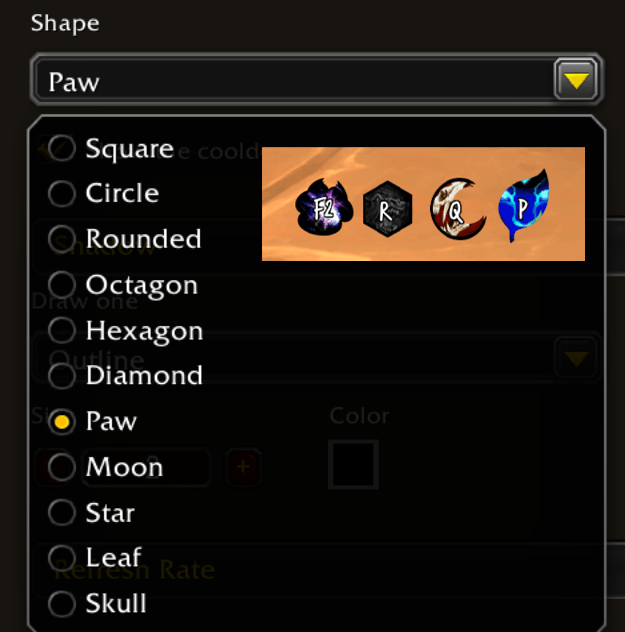
- ⭕ 19 icon shapes: square, circle, hexagon, diamond, star, paw, flame, shield, T-Rex and more.
- 🎨 Restyle the Cooldown Manager: essential, utility and tracked buffs. Borders, icon size, countdown text, dim what you can't cast.
- ⌨️ Keybinds on cooldown icons, read from your action bars, so paging and stances just work.
- 🖌️ Custom colors and fonts for keybinds, countdowns and the cooldown sweep. LibSharedMedia supported.
- ✨ Highlights your way: keep, hide or tint the cooldown flash, proc glow and assistant glow.
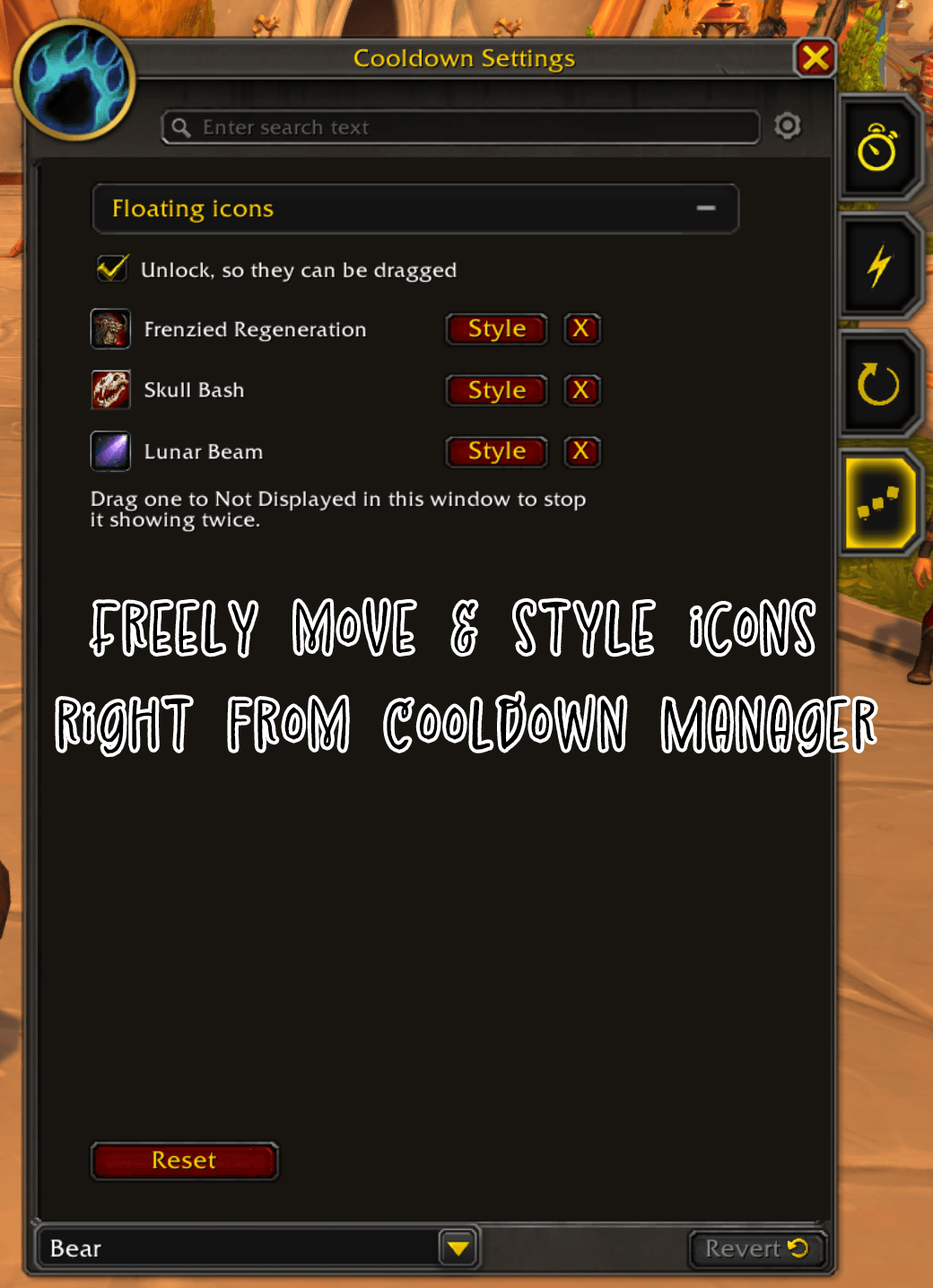
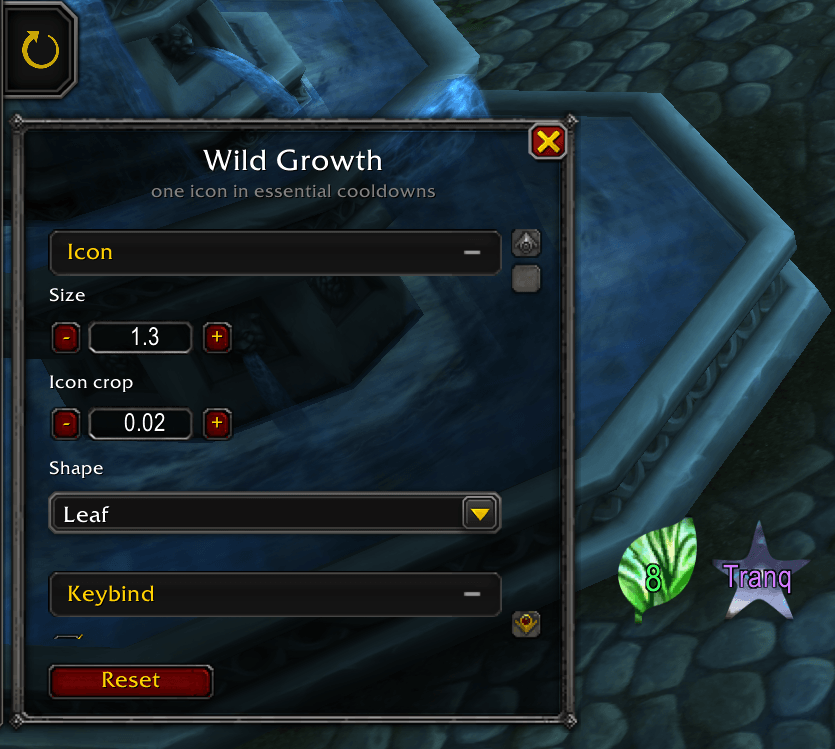
- 🖱️ Edit in place: right-click any icon in Blizzard's Cooldown Settings, or hit Style on a row.
- 🔧 Per-icon overrides: size, shape and keybind.
- 📌 Float any cooldown out of its row and place it anywhere.
Rotation Helper
- 🔮 Next cast as an icon, with its keybind and cooldown sweep. Movable, resizable, adjustable refresh rate.
Talent Loadouts
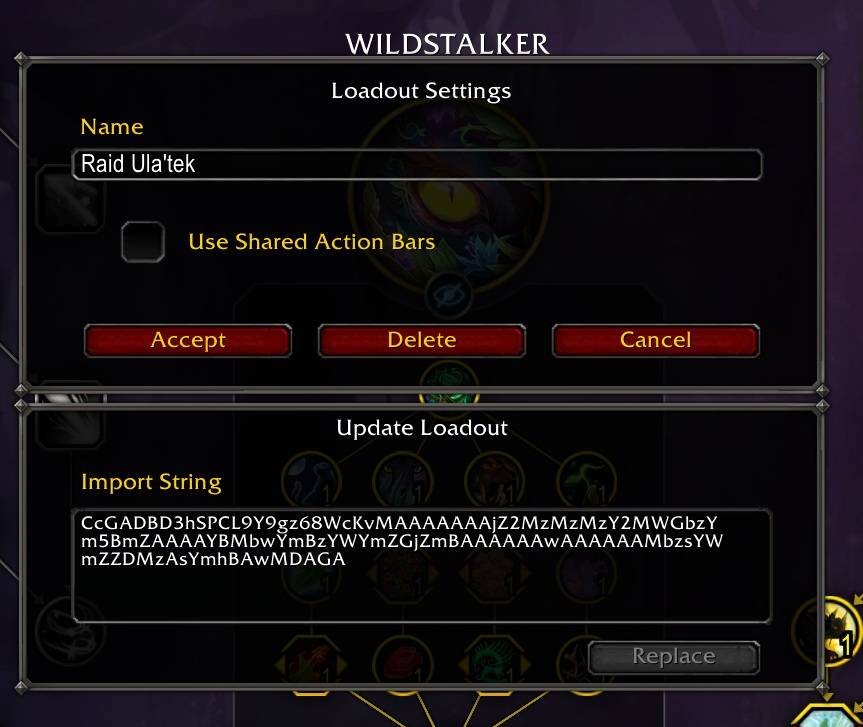
- 🔁 Replace a loadout from an import string, keeping its name and action bars.
- 🟠 Out-of-date loadouts highlighted after a patch.
- ❌ Delete from the dropdown, with optional quick delete and Delete all.
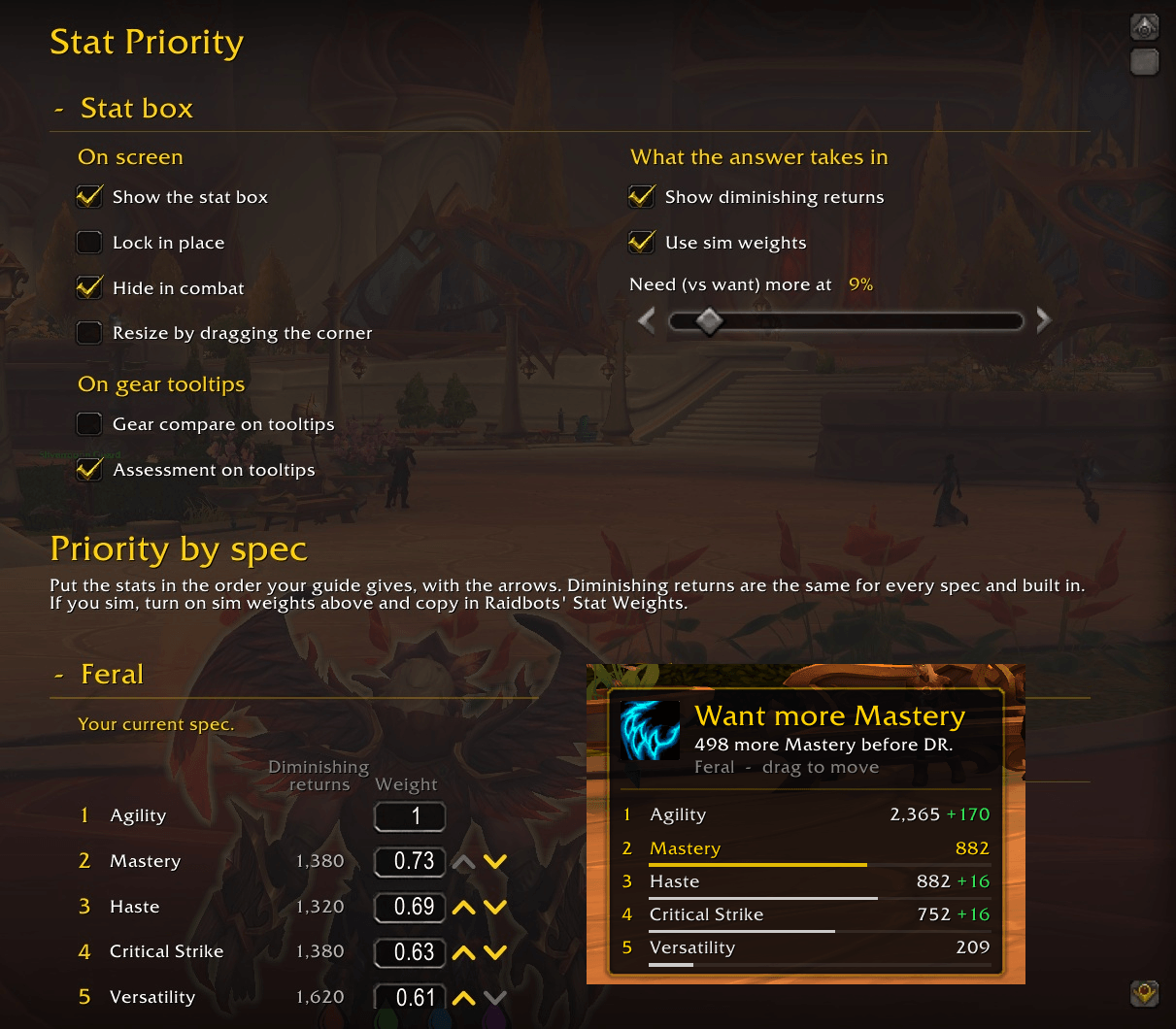
Stat Priority
- 📊 Which stat to chase next, per spec, with diminishing returns built in.
- 🧲 Drag to reorder, or paste a guide's order or a Raidbots Pawn string.
- 🏷️ Gear tooltips show upgrade or downgrade, or a % with sim weights.
Consumables
- 🍲 Food, flask and weapon oil tracker: time left, running low, missing.
- 🖱️ Click to use, with separate "running low" times for world, dungeons and raids.
Settings
/cuetip (or /cue) opens the options, and there's an entry in the Cooldown Settings gear menu. Settings are per character, with named profiles you can share between characters or copy from.
/cuetip debug prints what every surface is actually doing, if something looks wrong. /cuetip loadouts, /cuetip stats and /cuetip consum cover the other features.
Compatibility
- Retail only. Needs the Cooldown Manager and the Single-Button Assistant. Built and tested on 12.1 (Midnight), and still loads on 12.0.7.
- Keybind auto-detection uses Blizzard's action bars. On ElvUI, Bartender4 or Dominos, type the keybind in yourself instead. Everything else works the same on any bars.
- Masque supported. Skin the cooldown icons and the next-cast icon with the rest of your UI, or leave Masque off and use CueTip's own borders.
- Edit Mode still owns where your rows sit. CueTip only paints them.
License
All Rights Reserved. Free to download and use, but not open source. See the LICENSE file in the download.
Rotation Helper
The rotation recommendation comes from Blizzard's "OneButtonRotation" API. CueTip presents it and adds nothing to it beyond styling.
Also known as
CueTip · a rotation helper display, rotation addon, next spell icon, assisted combat display, single button assistant display, Cooldown Manager skin, and keybind text on cooldown icons for World of Warcraft Retail.
Useful if you've searched for: Hekili replacement · Hekili alternative Midnight · Hekili not working · rotation addon Midnight · rotation helper addon · rotation helper WoW · what to press next · next spell addon · single button assistant addon · SBA display · assisted combat next spell · assisted highlight display · assisted rotation icon · one button rotation helper · next cast icon · C_AssistedCombat display · cooldown manager addon · cooldown manager skin · customize cooldown manager · masque cooldown manager · round cooldown icons · hexagon cooldown icons · circle icon mask · custom icon shapes · icon masking addon · cooldown sweep color · shaped action bar icons · Blizzard cooldown manager borders · keybinds on cooldown icons · hotkey text cooldown manager · cooldown icon crop · pixel border cooldowns · talent loadout import string · update talent loadout · delete talent loadouts · stat priority addon · consumables tracker · flask food reminder · weapon oil reminder · Midnight compatible addon · 12.1 addon · addons that still work in Midnight.
CueTip - Cooldown Manager Styles, Loadout Editor & More Team