Epoch QuestBag Marker
- By
WoW Forever quest item bag markers: active quests, future quest materials, green/gold icons, vendor safeguards and QuestieDB support.
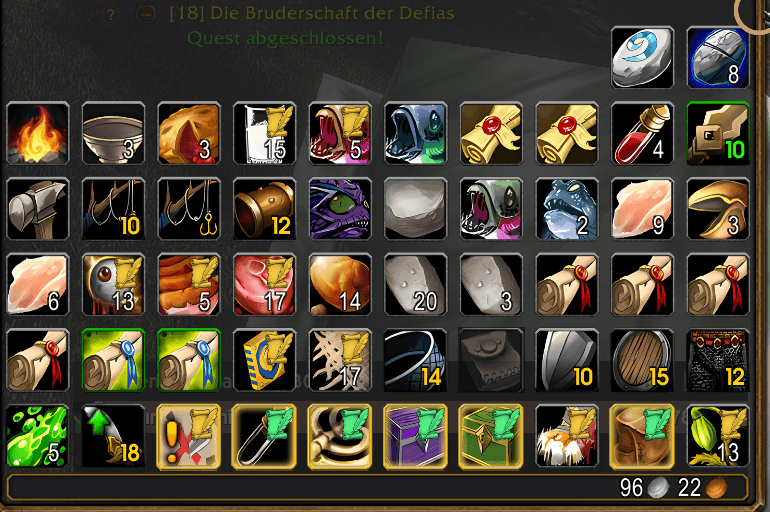
01-in-game-original.png
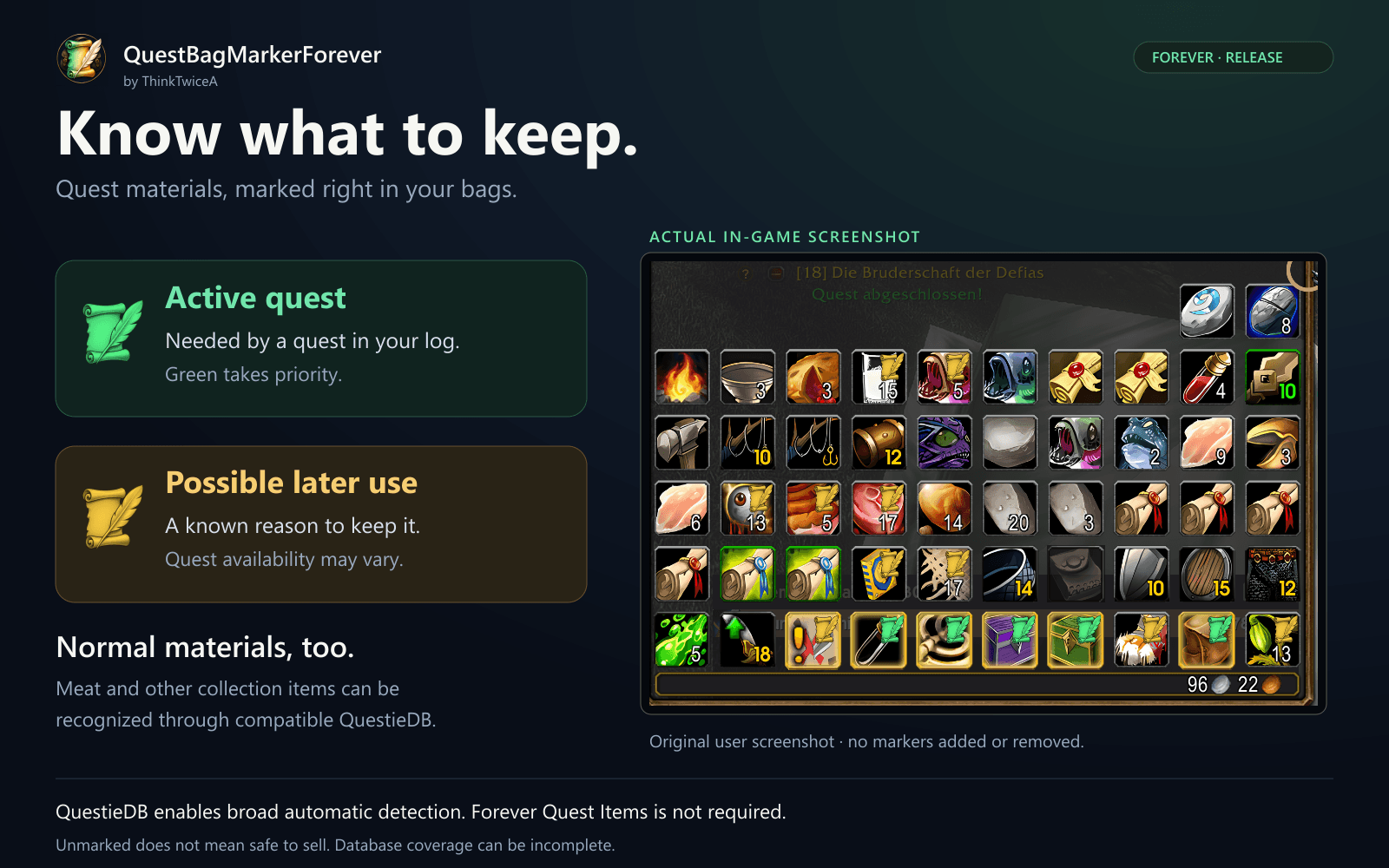
02-bag-overview.png
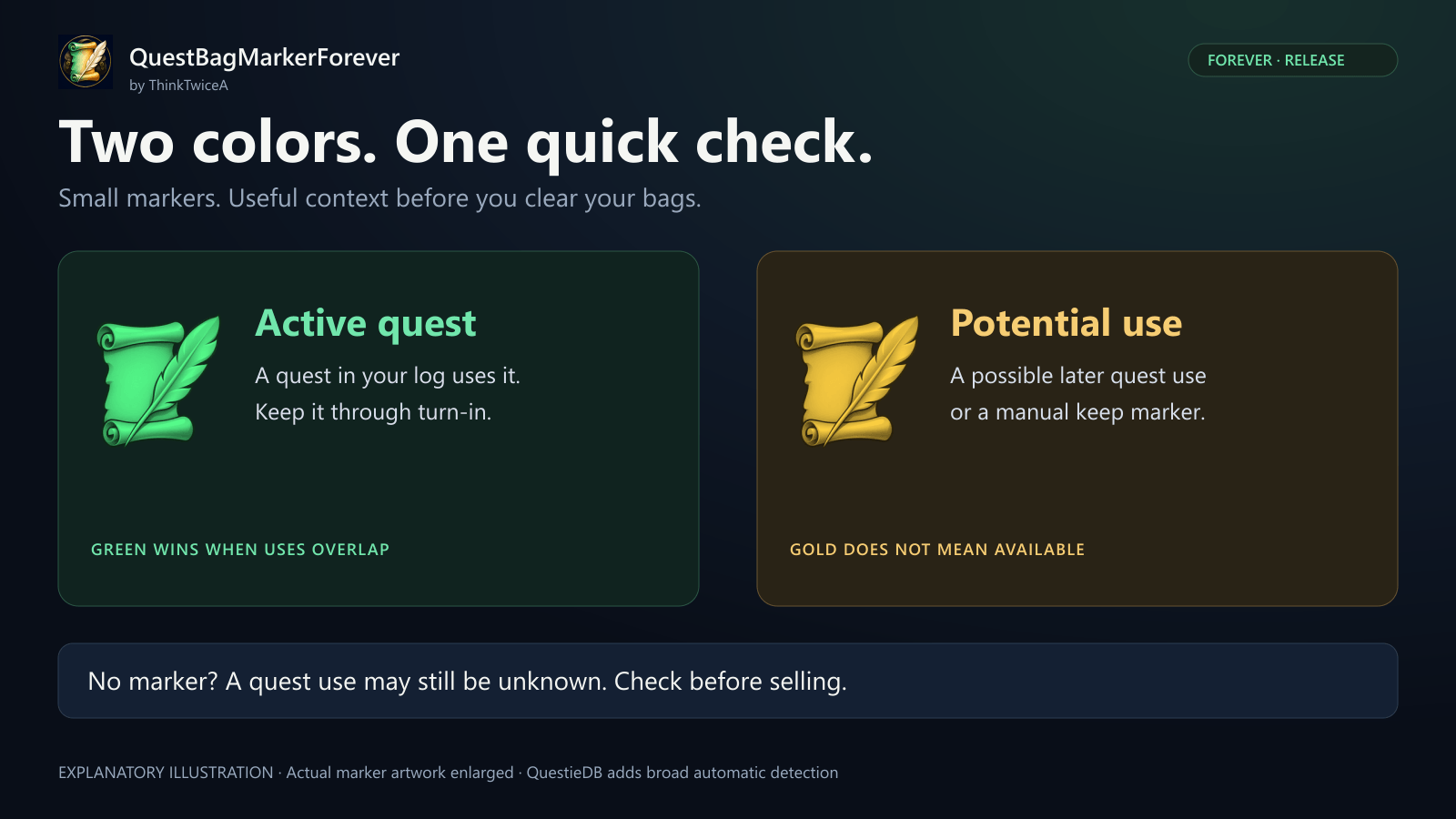
03-marker-guide.png
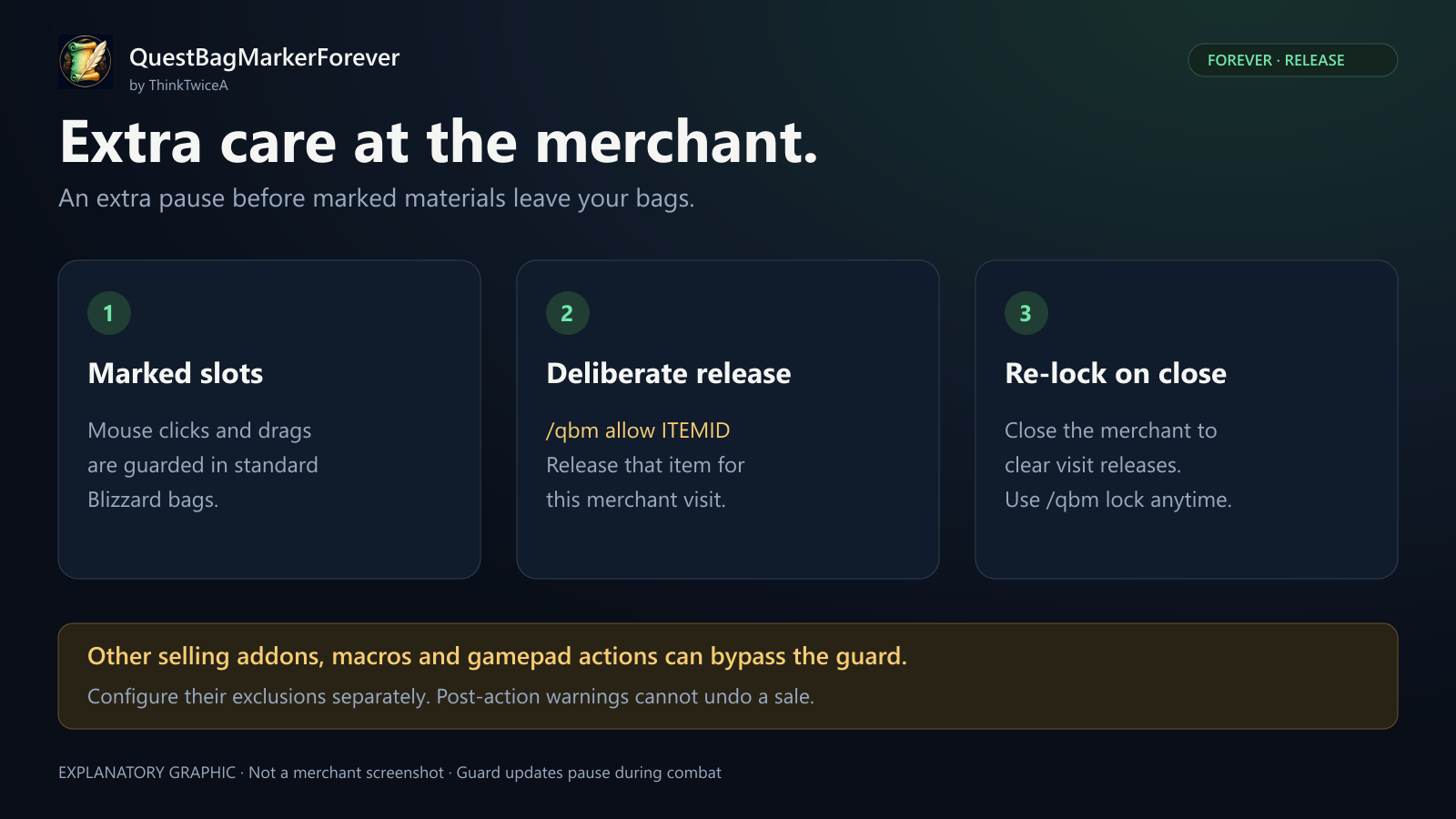
04-merchant-guide.png
05-fantasy-banner.png
Description
Keep quest materials in sight.
By ThinkTwiceA · Release 1.60.1.1 · WoW Forever 1.60.1
That stack of meat might be a quest turn-in. QuestBagMarkerForever adds small scroll-and-quill markers to your bags so you can spot materials used by active quests and items with known potential future uses.
Green means an active quest. Gold means a possible later use. Extra merchant safeguards help you avoid accidental sales through the standard Blizzard bag interface.
For broad automatic detection of ordinary materials and future quest uses, install and enable a Forever-compatible QuestieDB. Forever Quest Items is not required.
See the difference at a glance
| Marker | What it means |
|---|---|
| Green scroll | At least one associated quest is currently active. Completed collection objectives stay marked until the quest leaves your log. |
| Gold scroll | A possible future quest use is known, or the item has a manual/native fallback marker. It does not guarantee that the quest is available. |
| No marker | No use was detected. This is not a guarantee that the item is safe to sell. |
If an item has both active and potential future uses, green takes priority.
More than items labeled “Quest Item”
With QuestieDB enabled, the addon also checks known uses for ordinary farmable materials, including meat and other collection items. It can recognize quest objectives, source items, quest starters and needed tools recorded in the database.
Keep a material that is missing from the database with a manual marker, or link an item to a quest yourself. Your manual settings are saved per character.
Extra care at the merchant
- Marked items in standard Blizzard bags receive a mouse-click and drag guard while a merchant is open.
- Green and gold items use the same protection rules.
- The standard mouse button for selling all junk is covered while protection is enabled.
- Deliberately release a specific item ID for the current merchant visit with
/qbm allow ITEMID. Closing the merchant clears that release. - Warnings can flag bypassed item-use calls and possible losses of marked materials.
This is not a universal sale lock. Other selling addons, direct API calls, macros, gamepad actions and other interfaces may bypass the mouse guard. Disable automatic selling in other addons or configure their own exclusion lists. Some warnings occur after the action and cannot undo a sale. Guard updates pause during combat.
What do I need?
| Component | Requirement |
|---|---|
| QuestBagMarkerForever | The addon itself. Basic mode works on its own. |
| QuestieDB | Optional dependency; needed for broad automatic database detection, especially normal materials and future quest uses. Not bundled. |
| Forever Quest Items | Not required. |
| Questie map/tracker addon | Not required if a compatible QuestieDB is installed and enabled separately. |
Without QuestieDB, basic mode uses native quest flags, manual associations and a limited exact-name fallback for active collection objectives. It cannot supply a comprehensive automatic list of future material uses.
Installation
- Extract the
QuestBagMarkerForeverfolder into your Forever client'sInterface/AddOnsdirectory. - Include the entire folder, especially its
Mediasubfolder. - Restart the game for a first installation, then enable the addon.
- Install and enable compatible QuestieDB for database detection.
- Run
/qbm statusand let the database index finish building.
The final path should be Interface/AddOns/QuestBagMarkerForever/QuestBagMarkerForever.toc.
Useful commands
| Command | Action |
|---|---|
/qbm status |
Show addon, client, database and protection status. |
/qbm refresh |
Refresh the quest log and rebuild the database index. |
/qbm keep ITEMID |
Manually mark an item to keep. |
/qbm unkeep ITEMID |
Remove its manual keep marker. Other detected uses may still mark it. |
/qbm allow ITEMID |
Release all stacks of that item ID for the current merchant visit. |
/qbm lock |
Revoke all merchant-visit releases. |
/qbm protect on / /qbm protect off |
Enable or disable the merchant mouse guard. |
/qbm link ITEMID QUESTID |
Add a manual item-to-quest association. |
/qbm unlink ITEMID QUESTID |
Remove that manual association. |
/qbmf is an alternative to /qbm.
Compatibility and release notes
Target: WoW Forever 1.60.1, Interface 16001. Current version: 1.60.1.1.
- Intended for the standard Blizzard bag interface. Third-party bag integrations and gamepad sale prevention are not guaranteed.
- In-game command feedback and tooltip messages are currently in German.
- QuestieDB coverage can be incomplete or outdated for new or changed Forever content.
- Gold is a possible use, not a quest-availability check. Prerequisites, reputation, professions and exclusive quest branches may still prevent a quest.
- Whole item IDs are protected across carried stacks; spare quantities are not automatically released.
- The addon does not protect against destruction, auction listings, mail, trades or bank transfers.
The gallery includes a user-provided in-game screenshot. Promotional artwork and explanatory layouts are labeled separately. Automated Lua 5.1 and QuestieDB source integration checks have passed; broader in-game testing and reports remain welcome.
Found something missing?
Please include the item ID, quest ID, /qbm status output, character faction/race/class, bag addon and exact interaction in your report. This helps distinguish a database gap from a display or protection issue.
QuestBagMarkerForever is an unofficial community addon. It is not affiliated with Blizzard Entertainment, Questie or the author of Forever Quest Items.
Epoch QuestBag Marker Team