Shield Maid Next
- By
Track Ignore Pain and Shield Block with buff timers, absorption, charges and a customizable Protection Warrior display.
01-Active-Tracker.png
02-General-Settings.png
03-Values-and-Position.png
04-Anchor-Points.png
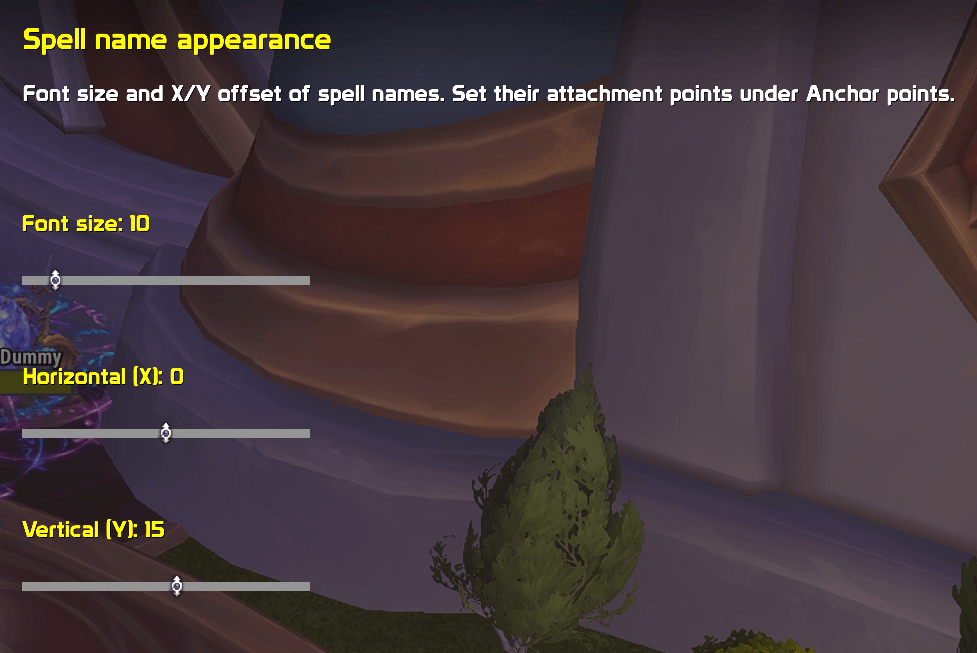
05-Spell-Name-Appearance.png
Description
Shield Maid Next
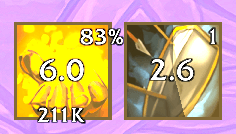
Keep Ignore Pain and Shield Block in view with buff timers, absorption, charges and a customizable display for Protection Warriors.
Shield Maid Next brings your defensive ability information together in two compact icons. Adjust their size, labels and position to fit your interface, and choose whether the tracker stays visible or appears only in combat.
Built for World of Warcraft Retail / Midnight, targeting WoW 12.1.0, Interface 120100.
Features
- Ignore Pain: available buff time remaining, absorption and an optional Blizzard-provided percentage of its maximum.
- Shield Block: available buff time remaining and current charges.
- Optional radial indicator: displays accessible buff timing, or available cooldown/recharge timing when buff timing is unavailable.
- Optional rage bar: displays current rage below the tracker.
- MAX indicator: a green border and MAX label when a readable Ignore Pain percentage reaches 100%.
- Full-rage sound alert: an optional sound when rage reaches its current maximum.
- Animated preview: configure your display without active buffs.
Customize Your Display
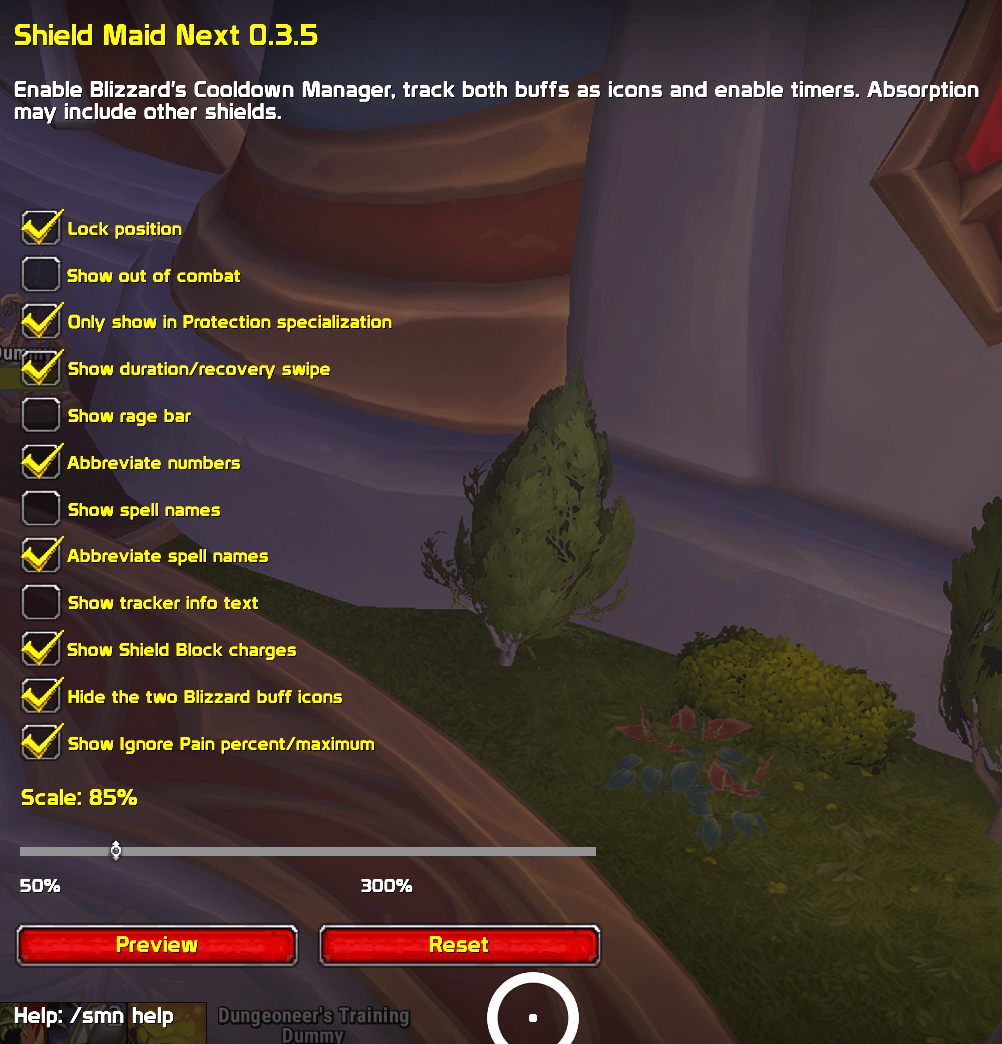
- Scale the tracker from 50% to 300% in the in-game settings.
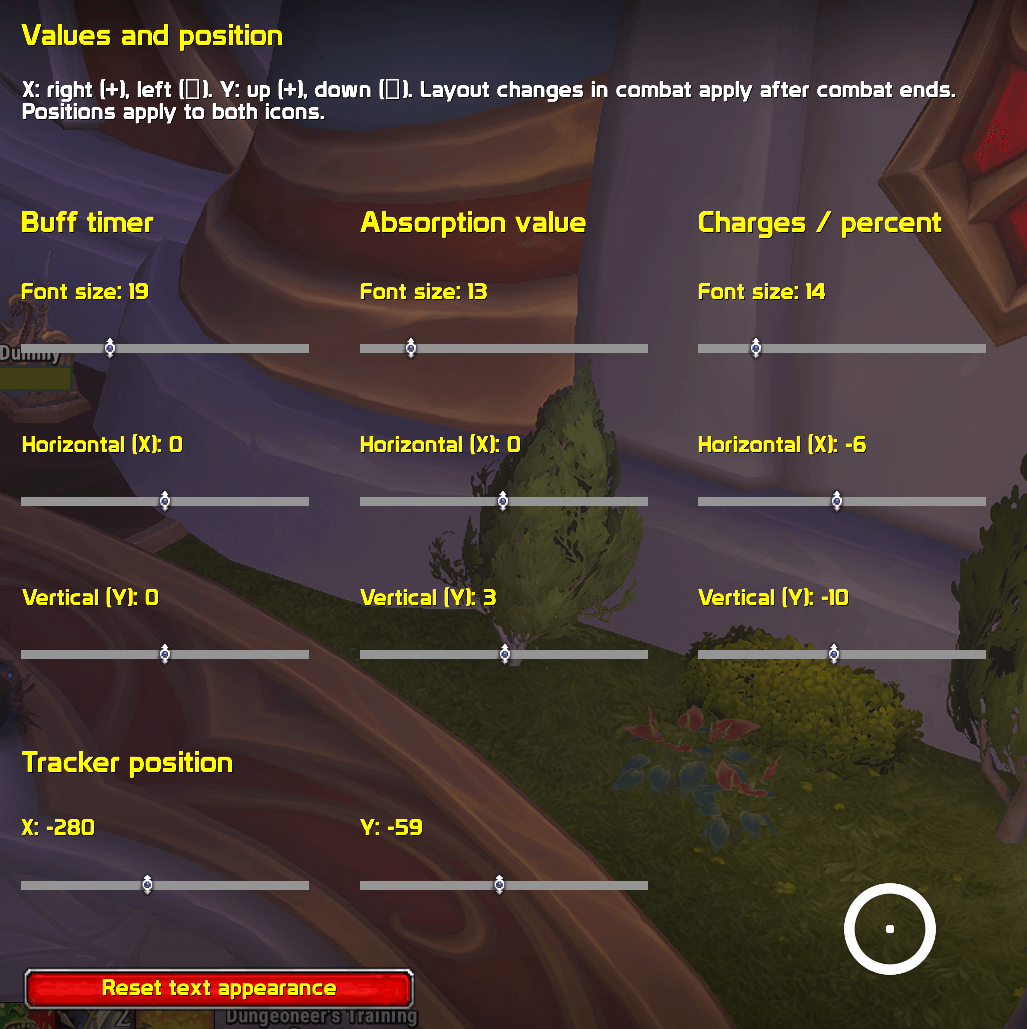
- Drag the tracker or set its position with X/Y controls.
- Adjust font sizes and offsets separately for spell names, buff timers, absorption and charges/percentage.
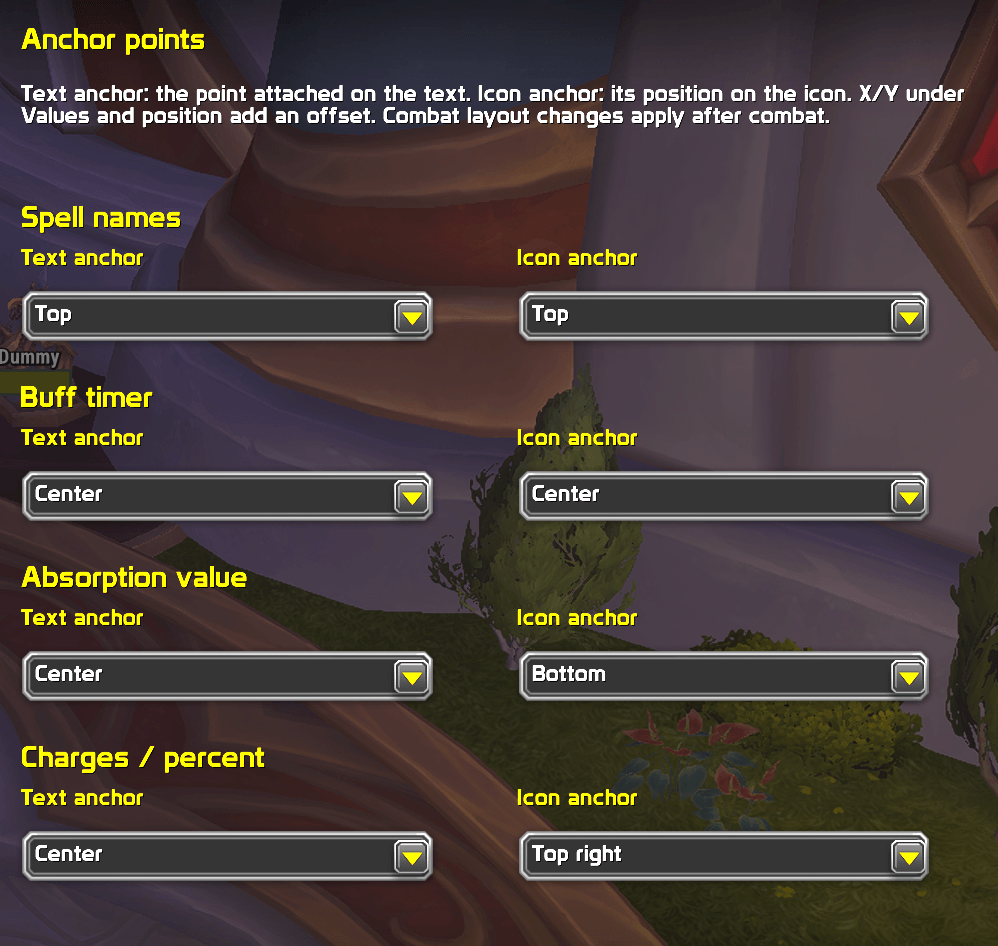
- Choose from nine text and icon anchor points, including all corners, edges and the center.
- Show, shorten or hide spell names.
- Independently toggle information text, the rage bar, radial indicators, charges and the Ignore Pain percentage display.
- Optionally abbreviate large numbers.
- Visually hide matching Blizzard buff icons and buff bars while they continue to provide timer data.
Settings are saved between sessions. Text settings apply to both ability icons. Size and position changes made during combat are applied after combat ends.
Position Labels with Anchor Points
The Text anchor selects the point on the text that is attached. The Icon anchor selects its attachment point on the ability icon. X/Y offsets move the text relative to that point.
For a spell name above its icon, choose:
- Text anchor: Bottom
- Icon anchor: Top
- X: 0
- Y: 4
Full-Rage Sound Alert
Open Rage sound alert in the addon settings to enable an acoustic notification when rage reaches its current maximum.
The sound plays once. Spending rage allows it to trigger again the next time rage becomes full.
- Enable or disable the alert. It is off by default.
- Choose Ping, Raid warning, Ready check or Alarm.
- Select the Master, SFX or Dialog audio channel.
- Optionally restrict alerts to combat. Sound only in combat is on by default.
- Use Test sound or
/smn soundtestto hear your selected tone.
Volume follows the corresponding WoW sound settings. The rage bar does not need to be visible, and animated preview does not trigger automatic alerts.
The alert respects class and specialization settings. If full rage was already detected outside combat, entering combat does not trigger a delayed alert. Spend rage and reach the maximum again to trigger the next notification.
Automatic alerts are unavailable when WoW protects the rage values. A readable value below the maximum is required to re-arm the alert afterward. /smn status reports its state under Rage sound.
Automatic Localization
Spell names are taken directly from your WoW client, without manual language selection.
Menus support:
- English
- German
- French
- Spanish
- Italian
- Portuguese
- Russian
- Korean
- Simplified Chinese
- Traditional Chinese
Some additional help text falls back to English.
Setup
- Install Shield Maid Next and reload your interface with
/reload. - Enable Blizzard’s Cooldown Manager in the game settings.
- Add Ignore Pain and Shield Block as tracked buff icons or buff bars.
- Set the corresponding Blizzard buff viewer to Always and enable its timers.
- Open
/smnto customize the tracker.
Ability cooldown entries alone are not a source for these buff timers.
Use /smn status to check that both abilities report Blizzard Buff source OK. You can then enable the addon’s option to hide the matching Blizzard displays visually. Other Blizzard entries remain visible.
No additional third-party addons are required. The integrated Blizzard buff viewer provides the timer source.
Visibility Outside Combat
With Show outside combat enabled, the tracker remains visible and shows the available current values.
With the option disabled, the locked tracker appears only in combat. Class and specialization settings still apply.
Animated preview and unlocked positioning remain visible outside combat so you can configure the display.
Timers and Decimal Places
Readable times and accessible buff-duration objects show whole seconds at one second or above, then tenths below one second:
2 → 1 → 0.9 → 0.8 → … → 0.1
Protected Blizzard buff-bar values show one decimal place throughout the countdown. This preserves fractional timing when WoW does not allow conditional formatting at the one-second threshold.
The display uses the available timer source rather than an estimated buff duration. If no unrounded source is available, the addon falls back to the existing Blizzard timer text.
Understanding the Absorption Value
When the separate Ignore Pain absorption amount is accessible, the tracker displays that value.
Otherwise, it displays total current player absorption, which can include additional shields from you or other players.
The sum symbol is never displayed. Its absence does not mean that the displayed amount always belongs exclusively to Ignore Pain.
The MAX marker requires a readable Ignore Pain percentage of 100%. Protected percentages and total absorption are not used to calculate a MAX state.
Commands
| Command | Action |
|---|---|
/smn |
Open settings |
/smn test |
Start or stop animated preview |
/smn unlock |
Unlock the tracker for dragging |
/smn lock |
Lock the tracker position |
/smn setup |
Show setup instructions |
/smn status |
Show versions, timer sources and diagnostics |
/smn soundtest |
Play the selected rage-alert sound |
/smn help |
Show available commands |
/smn reset |
Reset all settings |
Frequently Asked Questions
Why does the timer show a question mark?
There is no accessible buff-timer source. Check the Blizzard buff viewer setup and run /smn status while the buff is active.
Charges and rage may still be available independently.
Why is the radial indicator empty or showing recharge time?
It uses accessible buff timing when available, otherwise cooldown or Shield Block recharge timing.
It does not always represent the same duration as the buff timer. Without a suitable timing source, it remains empty.
Why is MAX missing when a large absorption value is shown?
The marker requires a readable Ignore Pain percentage. A large absorption value alone does not establish that Ignore Pain has reached its maximum.
Why can I not hear the rage alert?
Enable it under Rage sound alert, check Sound only in combat, and try Test sound.
Also check WoW’s sound settings for the selected audio channel. Protected rage values cannot trigger an automatic alert; /smn status reports the alert state.
Does this addon support Classic?
This version is developed for Retail / Midnight. Classic is not supported.
Compatibility and Testing
The core tracker features, text anchors, Blizzard display hiding and decimal countdowns in version 0.3.4 have been confirmed working in-game on WoW 12.1.0.
The new sound-alert feature in 0.3.5 has been tested with simulated APIs and awaits in-game confirmation.
Feedback and Bug Reports
Please use the comments on this project page.
Include:
- Your addon version.
- Your WoW version.
- A short description of the issue.
- The output of
/smn statuswhile the affected buff is active. - The first complete Lua error message, if one appears.
Inspiration and Acknowledgements
The idea for Shield Maid Next was inspired by the original Shield Maid, which brought Ignore Pain and Shield Block together in a compact display.
Credit for the original idea and display concept goes to Shield Maid and its creators. Thank you for the inspiration!
Shield Maid Next is an independent implementation for Retail / Midnight and has no official connection to the original project. The original addon’s combat-log prediction features are not included.
Shield Maid Next Team