EasyFind: GPS Navigation Extension
- By
EasyFind real-time GPS navigation in WoW: zones, NPCs, quests (if you have the EasyFind: Questie Extension), and more.
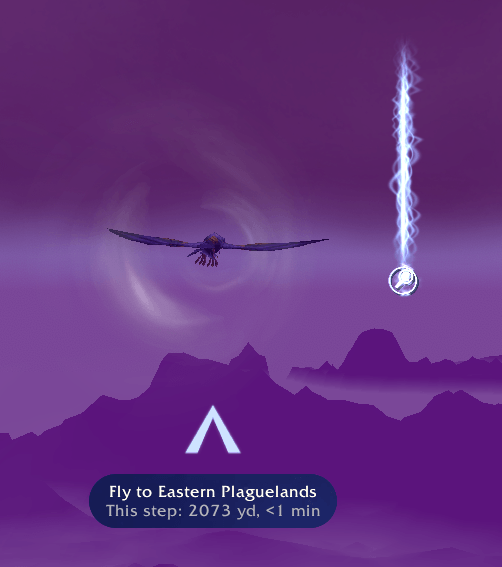
Example of the destination beacon and guiding arrow on a flight in retail.
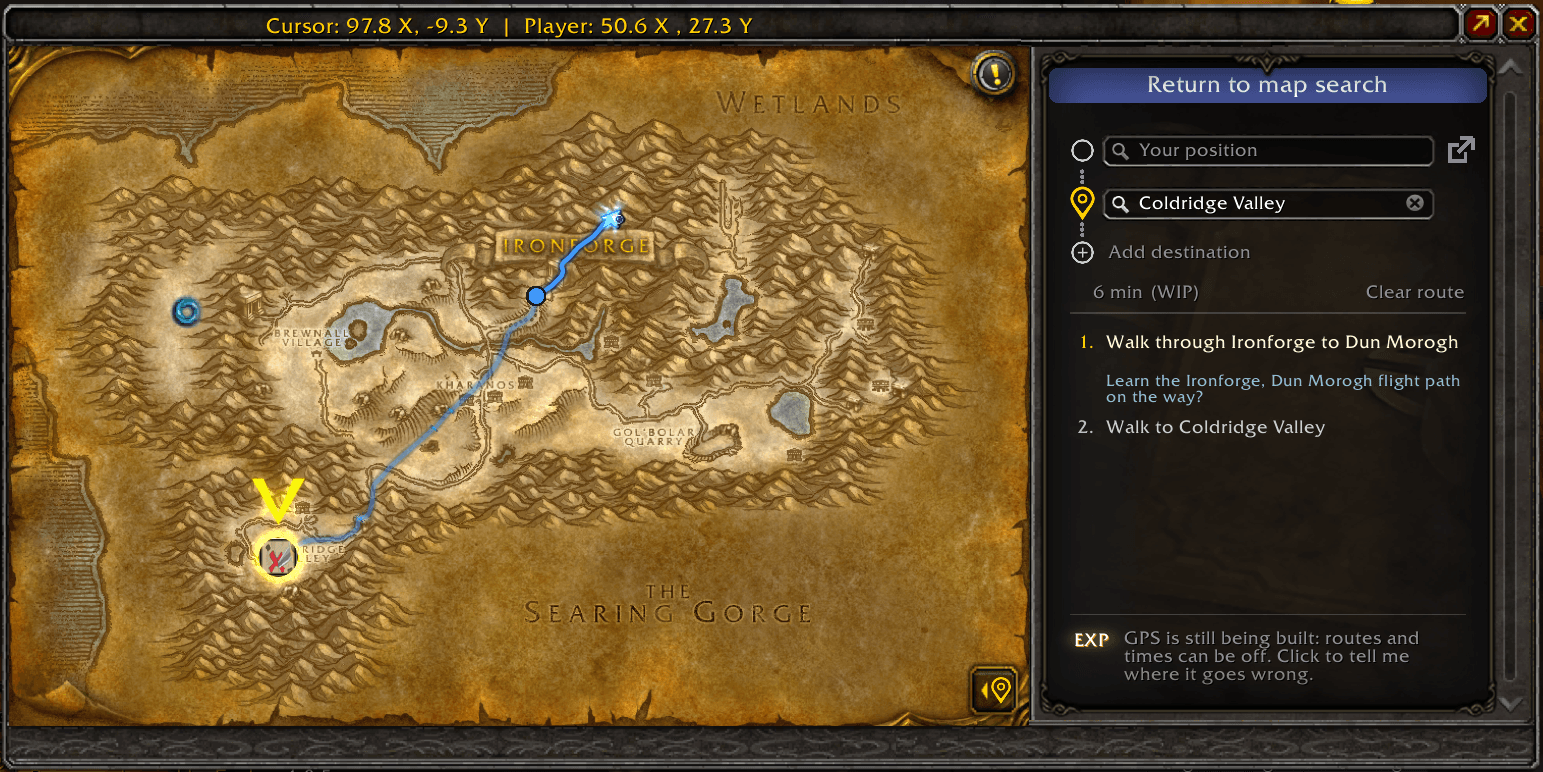
Example path in map search tab
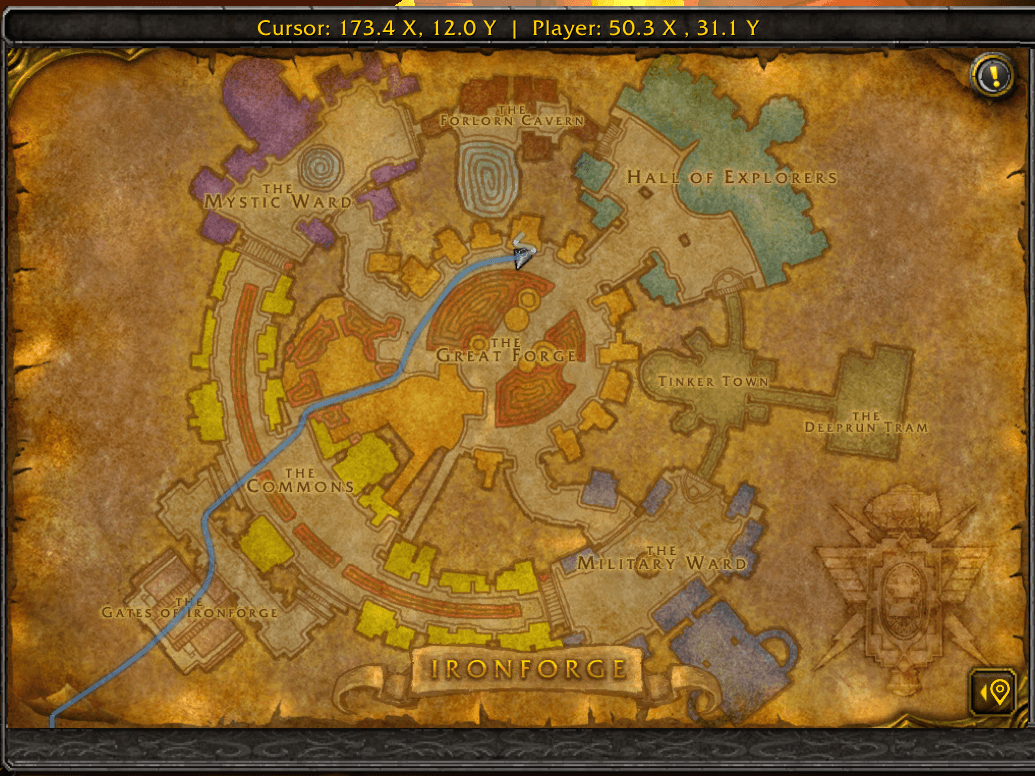
Example walking path leading out of IF.
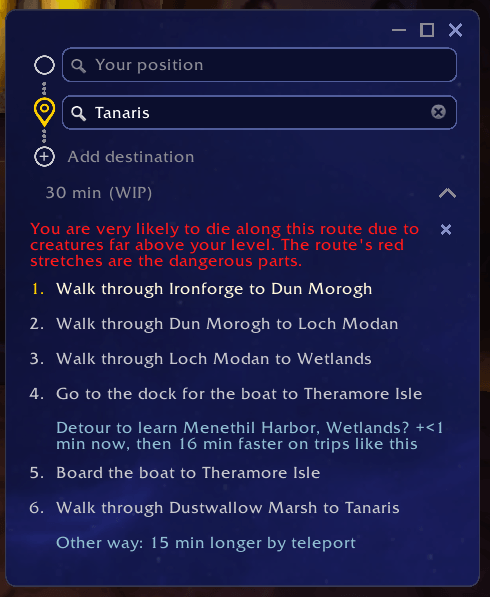
Can pop out the instructions for easy viewing with map closed. Window follows EasyFind theme.
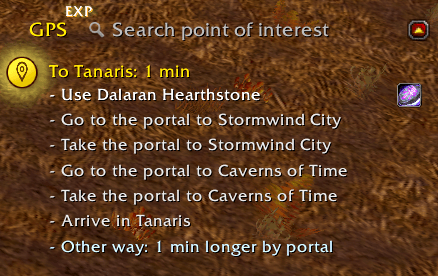
You can also drag the pop-out GPS steps window into the objective tracker which auto swaps the style.
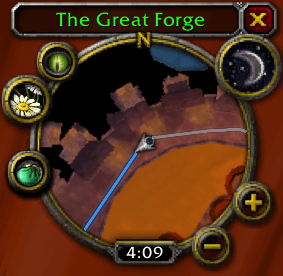
Example of the GPS path being shown in the minimap.
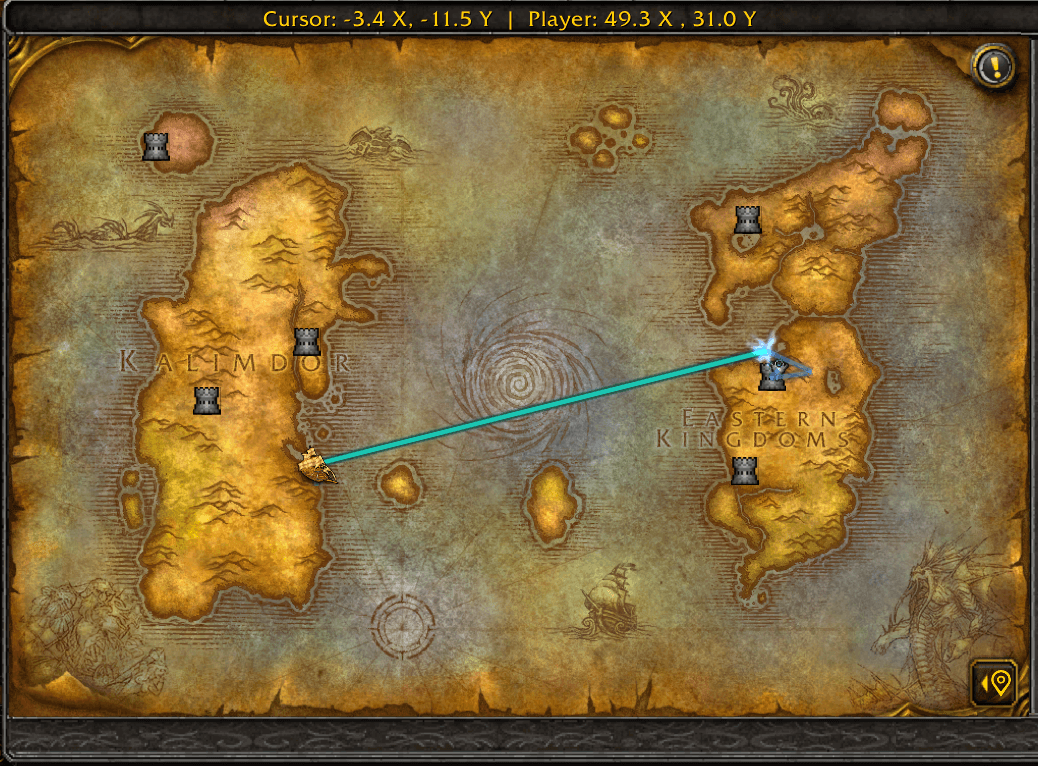
Route preview revealing walking and ship path.
Description
EasyFind: GPS Navigation Extension


Type where you want to go, click GPS, and go. A waypoint points a straight line at a spot and leaves you to it. GPS plans the trip: the flight, boat, zeppelin, tram, portal or hearthstone that gets you there fastest, then the walk, with an arrow at your feet and the route on your map, re-planned as you move, like the GPS in a car.
Requires EasyFind. It is listed as a required dependency, so the CurseForge app installs it alongside. If GPS came with your EasyFind before 4.0.2, your settings are kept.
Directions to anywhere
- A trainer, a vendor, a dungeon entrance, a flight master, a quest objective, a spot you click on the map: if EasyFind can find it, GPS takes you there.
- The whole trip is worked out from where you stand: which flight to take, where the boat leaves, which portal is nearest, when your hearthstone beats them all. One route, every leg in order, with an estimated time.
- Each step in plain words: use your hearthstone, take the flight, walk the last stretch. Other ways are offered beside the route, each with how much longer or shorter it is; click one to take it instead.
Live, all the way there
- It follows you. Step off the path, miss a turn or take the wrong portal, and it plans again from where you stand. No backtracking to a line on a map.
- Steps complete themselves as you reach them, the next one moves up, the time left counts down, and the route tells you when you have arrived.
- A flight path you have not learned yet? When learning it on the way pays off, the route takes you to that flight master first.
- Die on the way and the route leads your ghost to your corpse first, then carries on.
- A route survives logging out; a Resume button picks it up where you left it.
On Classic, the walk is the trip
- On WoW Forever, Classic Era, TBC Anniversary and Mists Classic, GPS plans the walk on real ground: around cliffs, lakes and mountains, through the passes, down the ledges you can drop safely (and which item to use first when you cannot). The arrow follows the path, never a straight line into a canyon.
- A red warning when a route crosses creatures far above your level or enemy guards, the risky stretch drawn in red, and a way around when you ask for one.
- Where you can fly there (Outland on TBC Anniversary, with a licence on Mists Classic), GPS flies you; everywhere else, the path.
On retail, fly straight there
- Once your character can fly, the last leg is a straight flight: the arrow points at the spot, with a portal, flight or hearthstone first when that beats flying across.
- Before you can fly, or on a trip inside a city that forbids it, the arrow leads the walk in a straight line to the spot. Retail has no ground paths.
On the map and the minimap
- The route is drawn on the world map and the minimap, the part behind you faded, and a beacon marks where the current step ends, so you never hunt for the flight master or the dock.
- The directions sit in the objective tracker beside your quests, on the map's own GPS page, or in a pop-out window you can keep anywhere on screen.
Plan ahead
- Trips with several stops, in the order you want.
- Plan from any starting point, not only where you stand.
- Search along the route: an inn or a repair vendor on the way, added as a stop with the minutes it costs you.
Works on retail, WoW Forever, Classic Era, TBC Anniversary and Mists Classic.
How to use it
- Search a place in EasyFind and click the GPS button on its row.
- Right-click a result or a map pin to start a route there, or to make it the start of a trip. Directions are on the quest tracker's and quest log's right-click menus too.
- Open GPS from EasyFind's extensions menu to plan a trip with stops.
Pairs well with
- EasyFind: Questie Extension: on Classic Era, TBC Anniversary and WoW Forever, Questie's quests in EasyFind's search, each with a GPS button that leads to the quest giver, the next objective or the turn-in.
Other EasyFind extensions
Each is an addon of its own that plugs into EasyFind; install the ones you want, with more on the way.
- EasyFind: Questie Extension: Questie's quests in EasyFind's search, with your progress, their objectives on hover and directions to the next step. Classic Era, TBC Anniversary, Mists Classic and WoW Forever.
- EasyFind: Auctionator Extension: your Auctionator shopping lists in EasyFind's search: add items from any result, open a list as a checklist, run its search at the auction house. Retail and WoW Forever.
Feedback
Bug reports and ideas are always welcome.
- Discord: https://discord.gg/3pdfmD493B
- GitHub issues: https://github.com/fallenguards/EasyFind_GPS/issues
Links
EasyFind: GPS Navigation Extension Team
Owner