
Dystinct Earthen Skyriding
- By
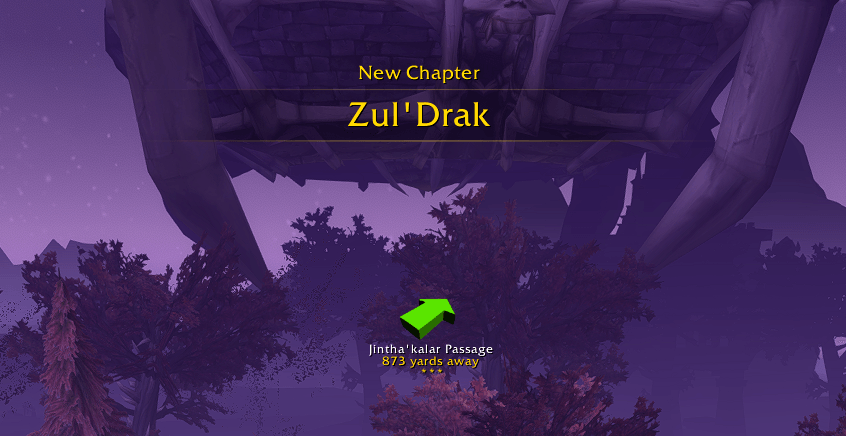
As simple as following an arrow.
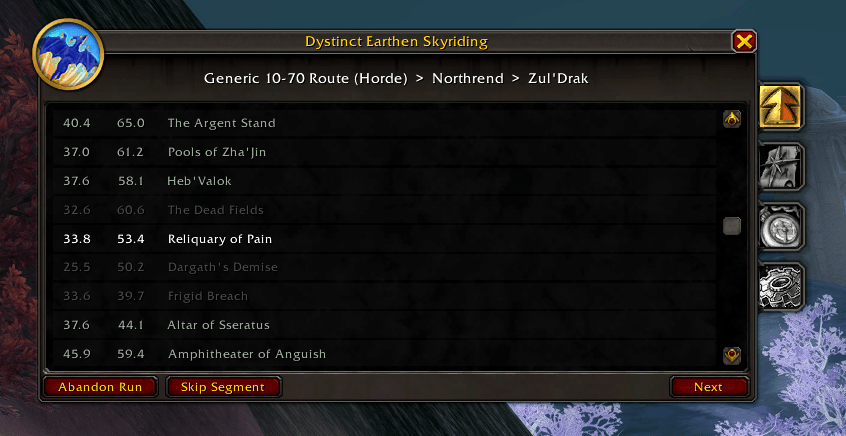
See the current path at a glance, even ones that might have been collected early.
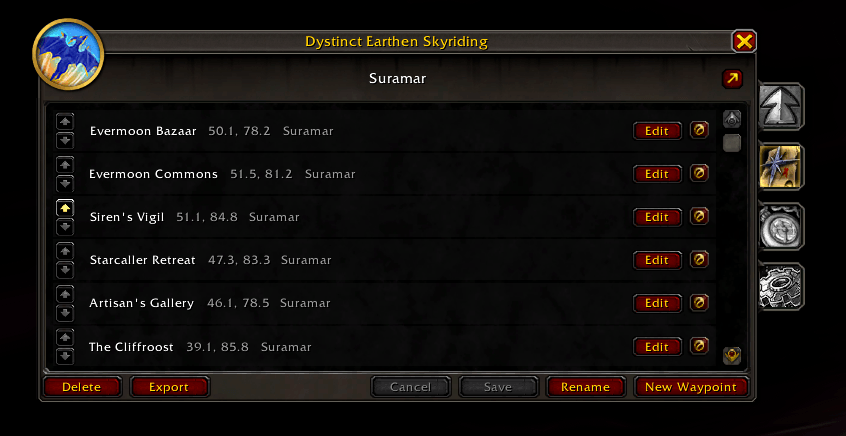
Want to improve on the route? Easily create and edit your own routes within the addon. You can even share them with your friends.
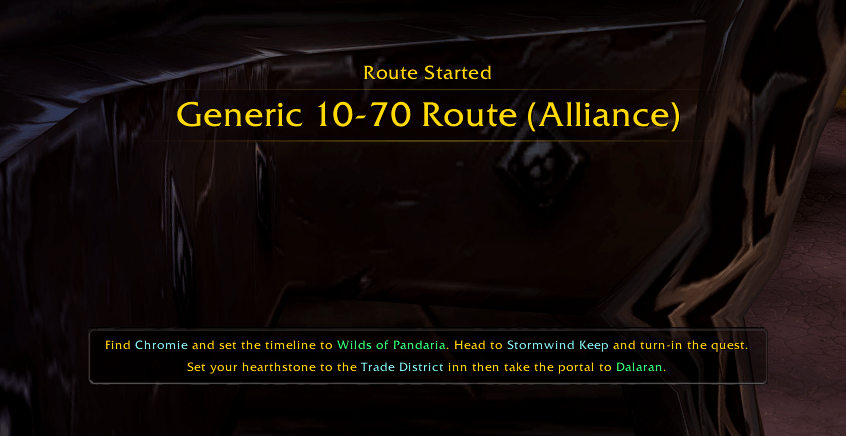
See announcements when you start a new chapter of the route, and notes for context!
Description
Very Important - Please Read
Unfortunately due to changes to the Earthen racial in patch 12.1, this route is no longer viable and unlikely that it will be viable at all as an exclusive leveling method.
I do plan to investigate further when time allows to see just how far we can still take it or how it can best integrate with other strategies but I do not recommend downloading the addon at this time.
Thank you everyone for the feedback and support in this project while it lasted!
Sincerely,
Dyst
Dystinct Earthen Skyriding - Legacy Description
Taking advantage of the unique 3x exploration experience bonus that Earthen Dwarves receive, you can level quickly by exclusively flying around the world. This addon provides an optimized flying route that allows players to do this, offering a fresh and extremely efficient method of leveling.
Important Technique
A critical technique to be able to run these routes efficiently is that by pressing a movement key such as W on your keyboard when you enter a new subzone, the game will force assessment of whether you should discover the zone. This dramatically cuts down on the time required to be in a zone and for zones that seem like you have to go inside a building or only pass through briefly. Shout out to Remery for this incredible technique discovery.
Key Features
Exploration-Only Leveling: Capitalize on the 3x exploration XP bonus to level up without traditional questing or grinding.
Optimized Flying Route: Follow a carefully crafted path designed for maximum efficiency and XP gain.
Route Editor: Want to modify a route, make your own, or add notes to make your speedruns easier? No problem. Create, add, remove, reorder, rename, and annotate to your hearts content.
Save & Resume: Your run progress is saved automatically per character. If you log out mid-route, the addon will pick up exactly where you left off when you log back in.
Minimap Button: Click the minimap button to toggle the window, or right-click for quick access to segment navigation, abandoning a run, or resetting the window position. Drag the button to reposition it around the minimap.
Segment Navigation: Jump between segments within a route using Previous/Next Segment buttons, or use the Select dropdown to jump directly to any segment. Also accessible from the minimap button's right-click context menu.
Route Browser: Browse into route structures before starting a run. Drill down through segments to explore their children, then start a run from any level directly from the browser, the route editor, or the route viewer.
Map Overlay: When a run is active, the world map, zone map, and minimap all display the route's waypoints as connected dots with lines connecting their path. The entire route is projected onto continent views across zone boundaries, with the current waypoint highlighted in green and the most recently cleared waypoint shown faded. Dots scale smoothly with zoom, and hovering any dot shows its name and note. The minimap overlay updates in real time as you move, with lines to guide your path. Toggle on or off from Settings.
Waypoint Display Settings: Full control over TomTom and Blizzard pin waypoints. Each can be set to Auto, Enabled, or Disabled from the Settings panel. Auto mode intelligently detects installed addons and enables the appropriate display.
Automatic Discovery Tracking: The addon will automatically detect when you discover a zone and move to the next waypoint. Every discovery will be recorded and timestamped.
Keybinding Support: All navigation actions can be bound to hotkeys through the standard Key Bindings menu under "Dystinct Earthen Skyriding". Available bindings include Mark Node Discovered, Restore Previous Node, Next Segment, and Previous Segment.
Import/Export: Easily export and import routes as more leveling paths emerge. Your run logs can be exported too in CSV format.
Commands
/dyses— Toggle the main window/dyses show— Show the main window/dyses hide— Hide the main window/dyses reset— Reset the main window position to screen center/dyses minimap— Toggle the minimap button visibility/dyses help— Show available commands
Optional Dependencies
TomTom
If TomTom is installed, the addon can use it to provide a directional arrow to each waypoint. TomTom behavior can be configured in the Settings panel (Auto, Enabled, or Disabled).
WaypointUI (Recommended)
WaypointUI enhances the default Blizzard waypoint pin with improved visuals and tracking. The addon fully integrates with WaypointUI — when installed, pins are managed through its API for a seamless experience. WaypointUI works great alongside TomTom, and in Auto mode both will be active simultaneously.
FarmHUD
If FarmHUD is installed, the minimap overlay will automatically appear on the FarmHUD when it is active, giving you a full-screen heads-up view of nearby route waypoints while flying.
Localization
If your client language is not English, you can still enjoy full functionality by installing LibBabble-SubZones-3.0 and Ace3 (for loading the library). While the localization is limited to zone names, automatic detection of experience gained is functional and will use the appropriate translations wherever possible.
Limitations
The Battle for Azeroth segment for Alliance uses the same routing as the Horde, beginning at the docks in Zuldazar. How to get there is not yet described.
Acknowledgements
The Skyward Ascent Community has been collaborating to optimize the Earthen skyriding leveling strategy and this addon is a result of these efforts. Special thanks to Linaaa and the other absolute legends whose hard work has been instrumental to this project.
Contribute
If you have ideas for route pathing or feature requests, issues, or other feedback, please don't hesitate to share!
Dystinct Earthen Skyriding Team

