DungeonQuests
- By
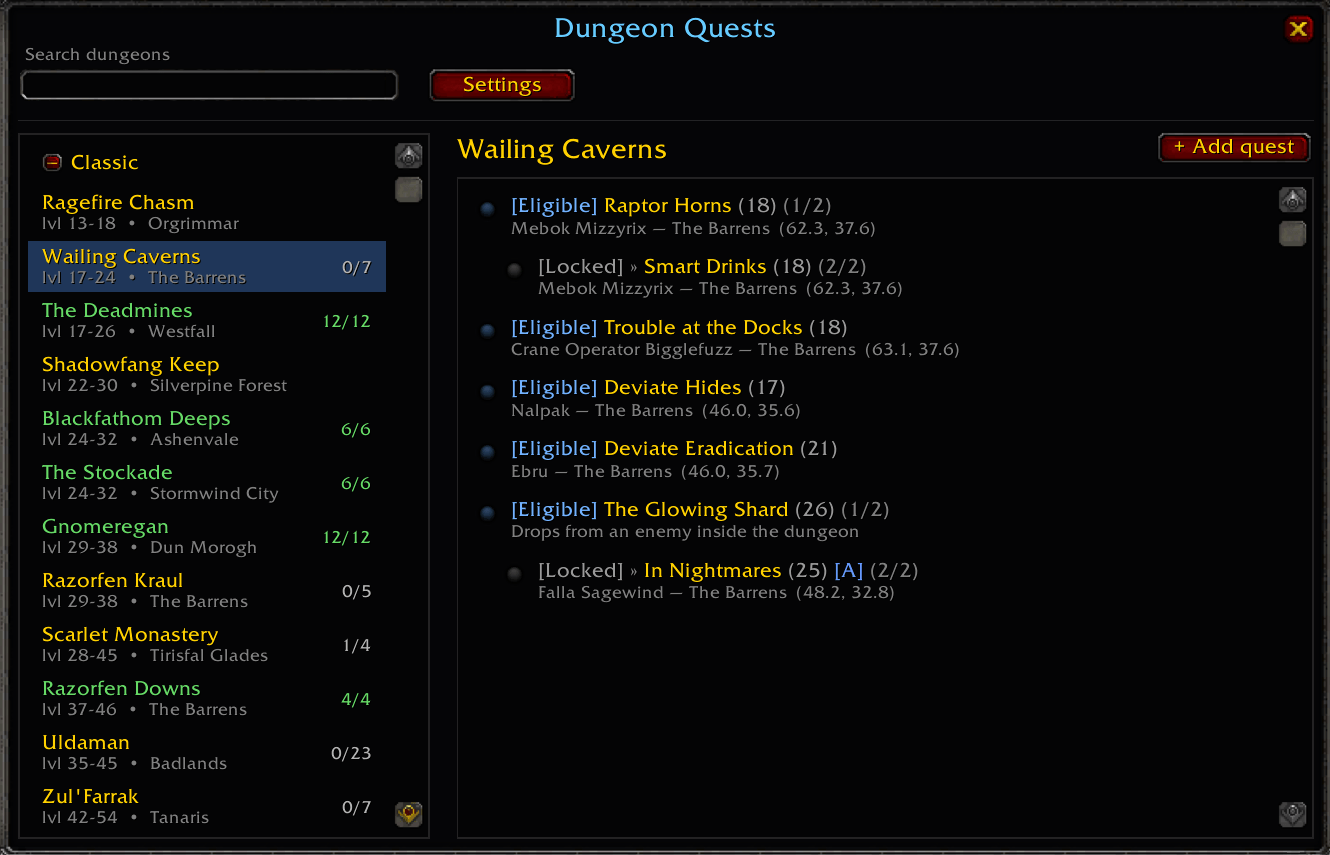
An in-game browser for every Classic & TBC 5-man dungeon and the quests tied to it. For each quest it shows your live status and where to pick it up.
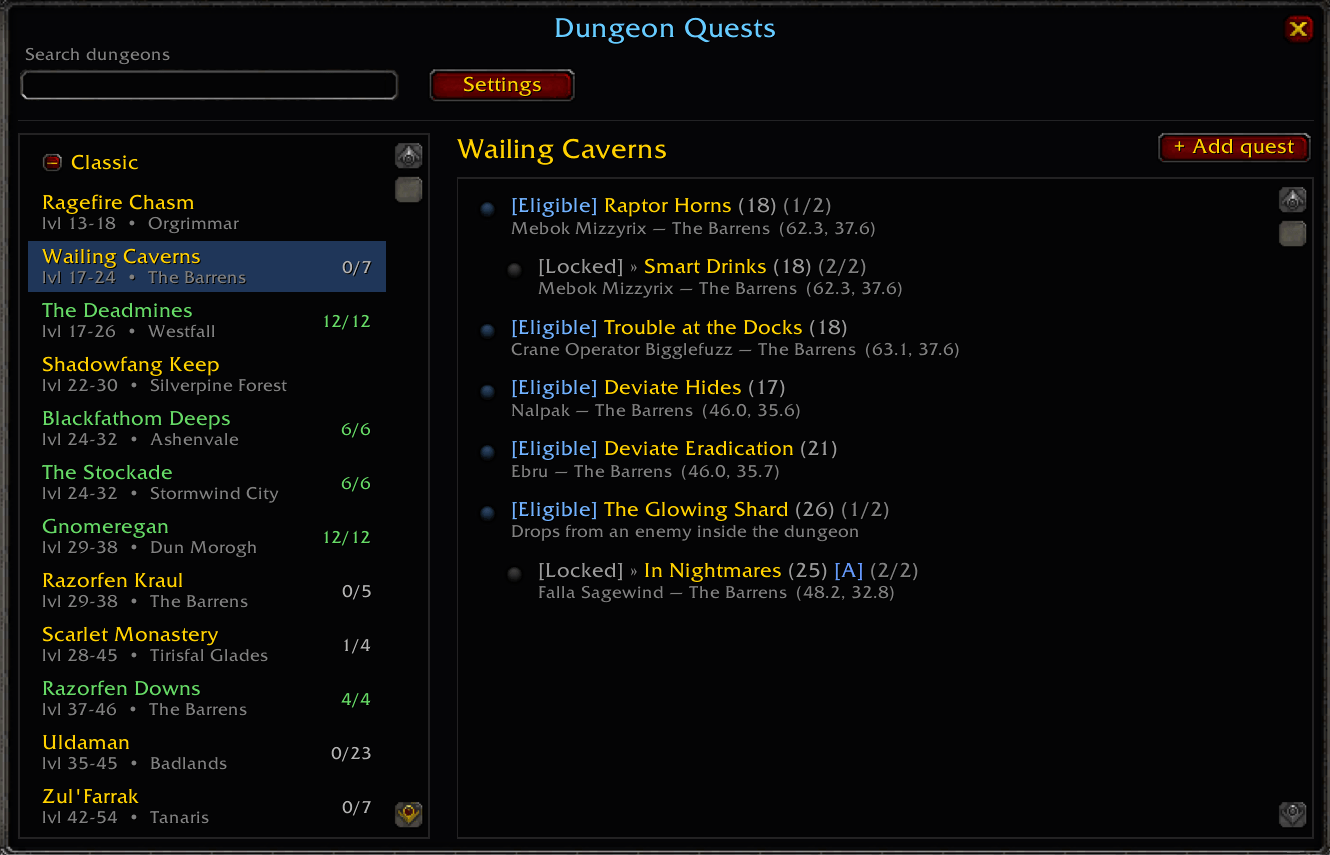
dungeon quests ui.png
dungeon quests settings.png
dungoen quests with breadcrumbs.png
Description
Pick a dungeon and see every quest tied to it, each tagged with your character's live status (eligible, in progress, done, locked, unavailable) and where to pick it up — quest-giver, zone and coordinates. All 20 Classic and 16 TBC 5-man dungeons ship pre-populated (~360 quests), and you can add your own in-game or contribute them upstream.
Requires Questie. Quest names, levels, factions, quest-givers, pickup coordinates and prerequisites are read live from Questie's database at runtime. If Questie isn't enabled, the window says so instead of erroring.
Features
🗺️ Every 5-man, every quest — all 20 Classic and 16 TBC dungeons pre-populated (~360 quests). Pick a dungeon on the left; its quests appear on the right.
🎯 Live per-character status — each quest is tagged from your own quest log and history:
| Tag                  |Meaning                                                                                |
| -------------------- |-------------------------------------------------------------------------------------- |
| <strong>Eligible</strong> (blue) |You can pick it up right now                                                           |
| <strong>In Progress</strong> (yellow) |Currently in your quest log                                                            |
| <strong>Locked</strong> (grey) |Right faction/class, but a prerequisite or level gate isn't met (hover for the reason) |
| <strong>Done</strong> (green) |Already completed                                                                      |
| <strong>Unavailable</strong> (red) |Wrong faction / class / race for this character                                        |
📍 Pickup location — each row's second line shows quest-giver — zone (x, y); hover for the full giver list, level, prerequisites and quest ID.
🔗 Wowhead links — left-click a quest to pop up its Wowhead link, auto-selected for a quick Ctrl+C.
✅ "Seen" marks — right-click a quest to strike it through (saved account-wide); right-click again to clear.
➕ Add your own — paste a Wowhead quest link or enter an ID; it's validated against Questie and saved locally (tagged (custom)). Fills the gaps in dungeons that don't ship with quests yet.
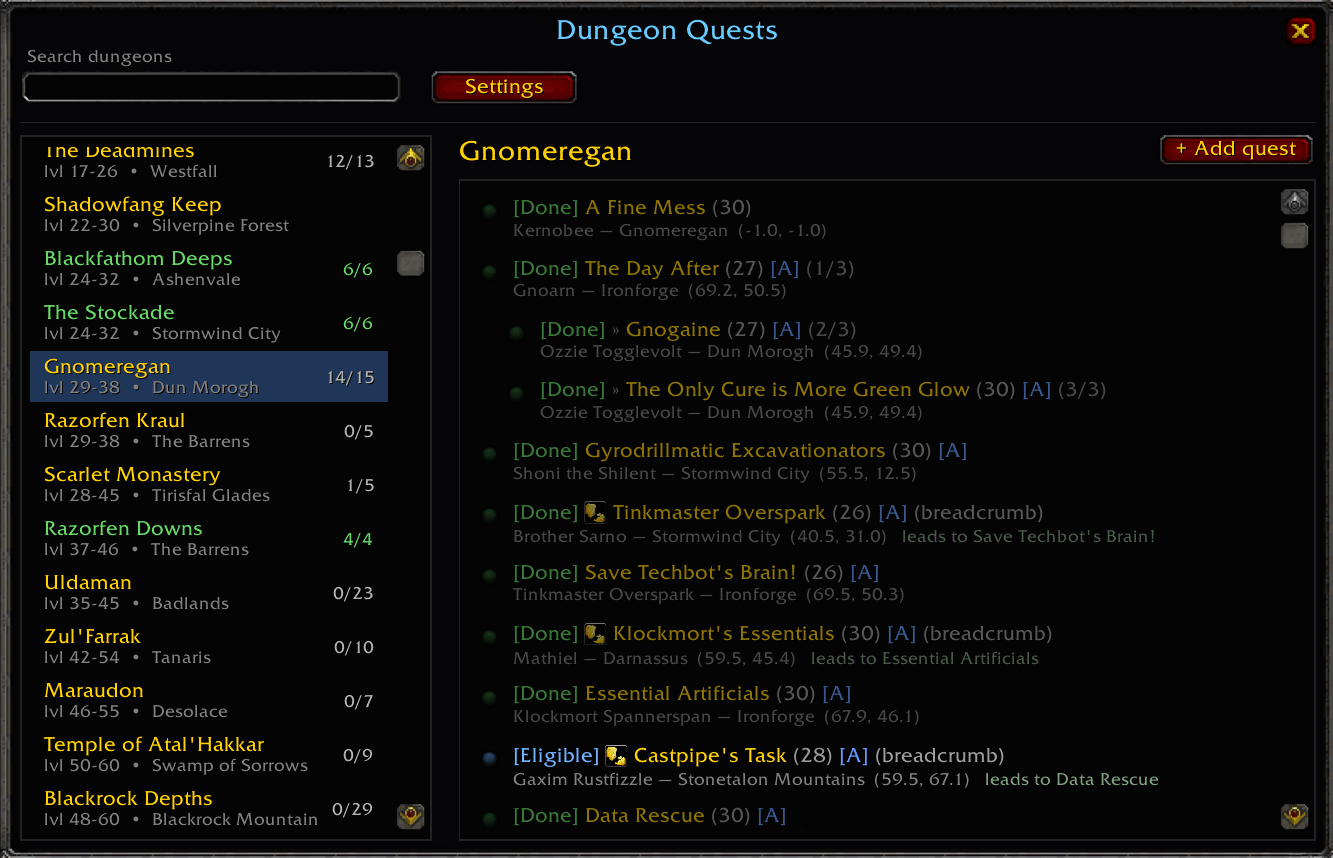
🍞 Breadcrumbs, counts & more — optional breadcrumb-quest listing, per-dungeon done/total completion counts, collapsible Classic/TBC headers, name search, and a window-opacity slider.
Usage
| Command | What it does |
|---|---|
/dq (or /dungeonquests) |
Open / close the window. |
/dq config |
Open settings & options. |
/dq validate |
Sanity-check every catalogued quest ID against Questie (prints wrong/missing IDs). |
/dq reset |
Restore default settings. |
DungeonQuests Team