Dark Modal UI
- By
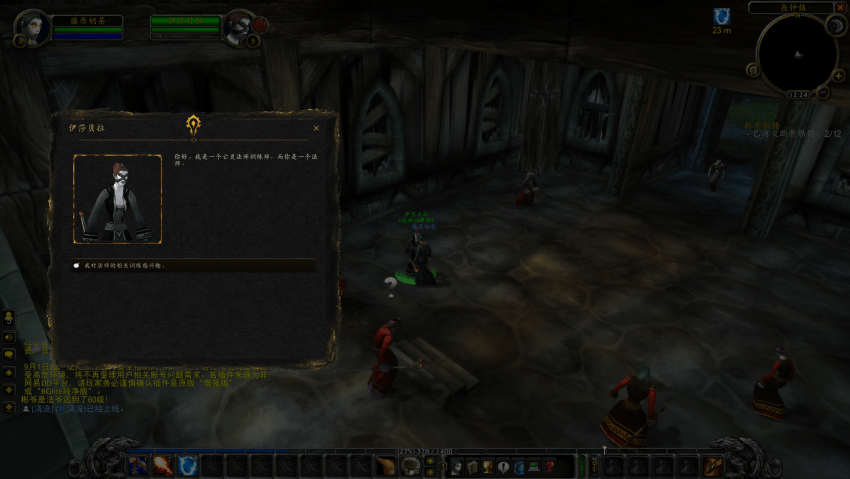
Dark Modal UI makes questing dark and immersive: elegant quest dialogs with NPC portraits, faction emblems and typewriter text, a custom quest log with difficulty colors, and quest intel with map waypoints (Questie). Bilingual UI (EN/CN). Options: /dmu
09.png
01.png
02.png
03.png
04.png
Description
Copyright Notice(声明)
本插件仅在 CurseForge 平台独家发布,未授权任何其他平台(包括但不限于网易DD、新手盒子等)进行转载或分发。任何未经本人许可擅自搬运本插件的行为,均构成侵权,本人将保留依法追究其法律责任的权利。
This addon is exclusively published on CurseForge and is not authorized for redistribution on any other platforms, including but not limited to NetEase DD and Xinshou Box. Any unauthorized reposting of this addon constitutes infringement, and I reserve the right to pursue legal action.
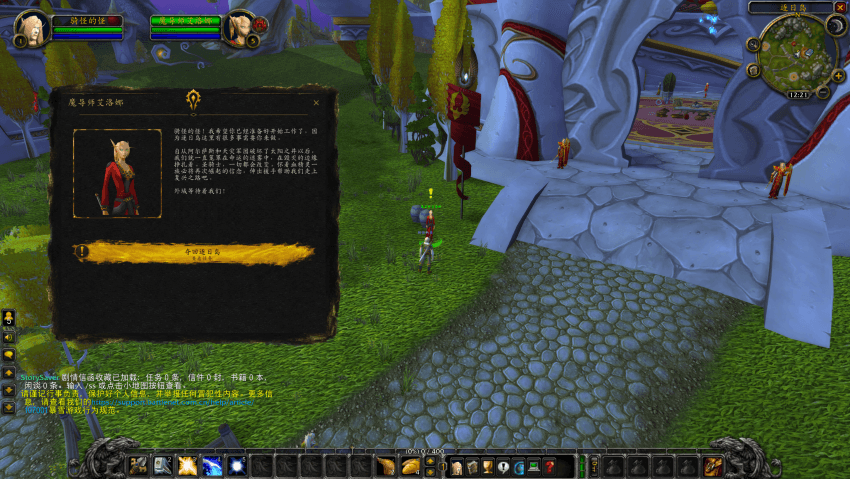
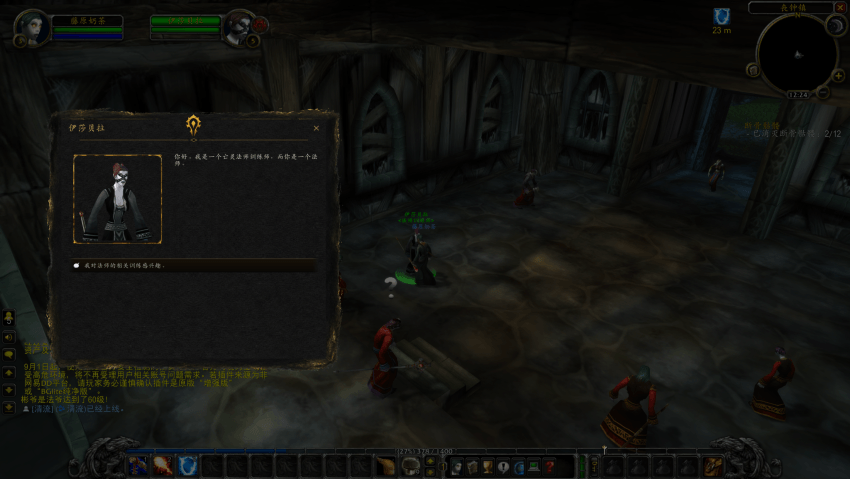
Dark Modal UI
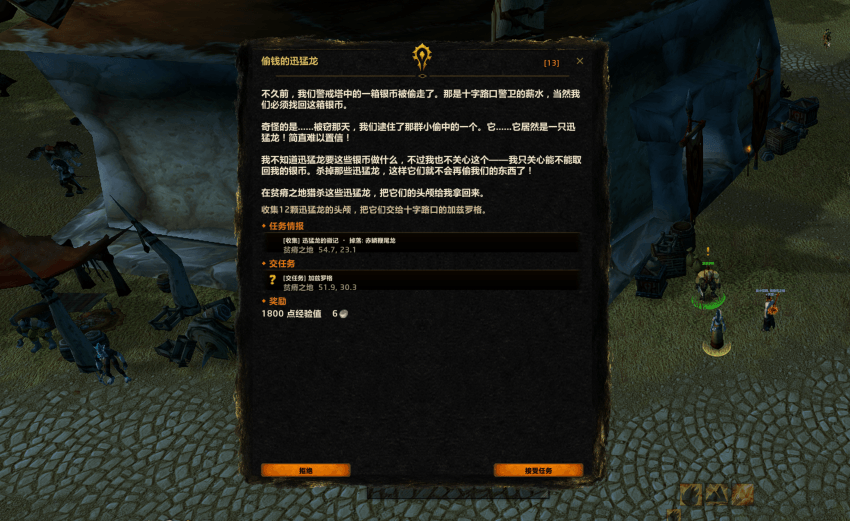
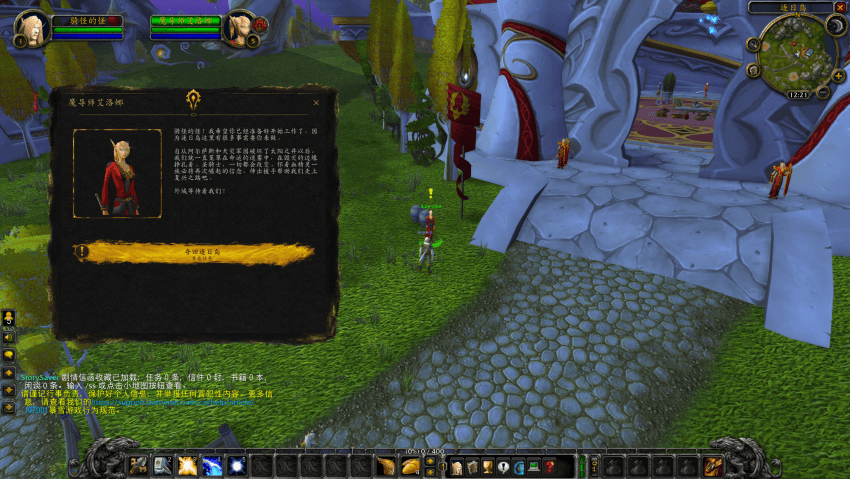
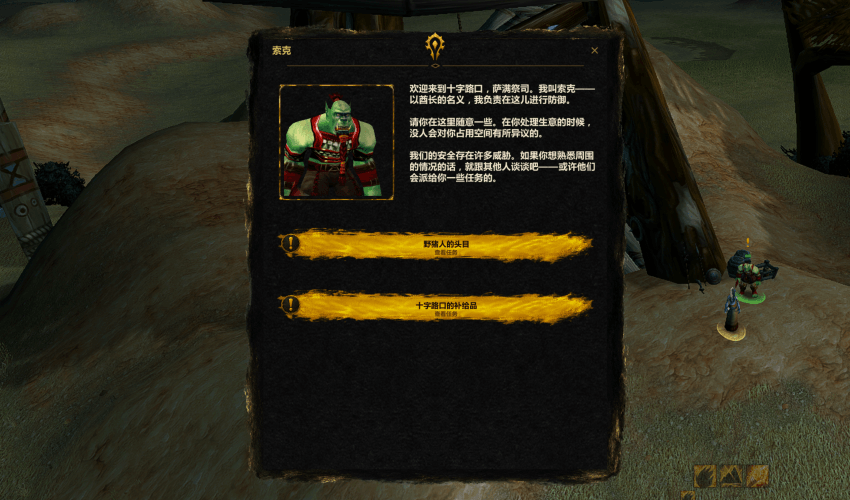
Dark Modal UI transforms questing into a dark, cinematic experience. It replaces the default quest and gossip windows with an elegant, book-like interface — NPC portraits, faction emblems, typewriter text — and adds a fully custom quest log with built-in quest intel.
Features
Immersive Quest Dialogs
-
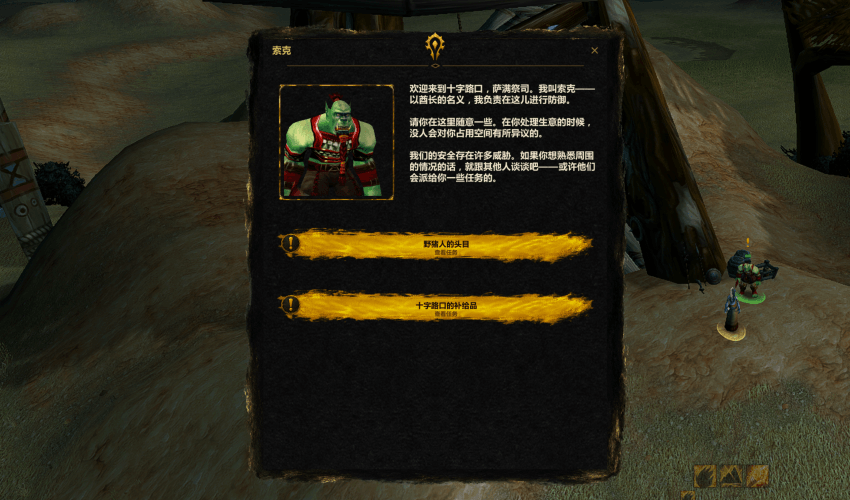
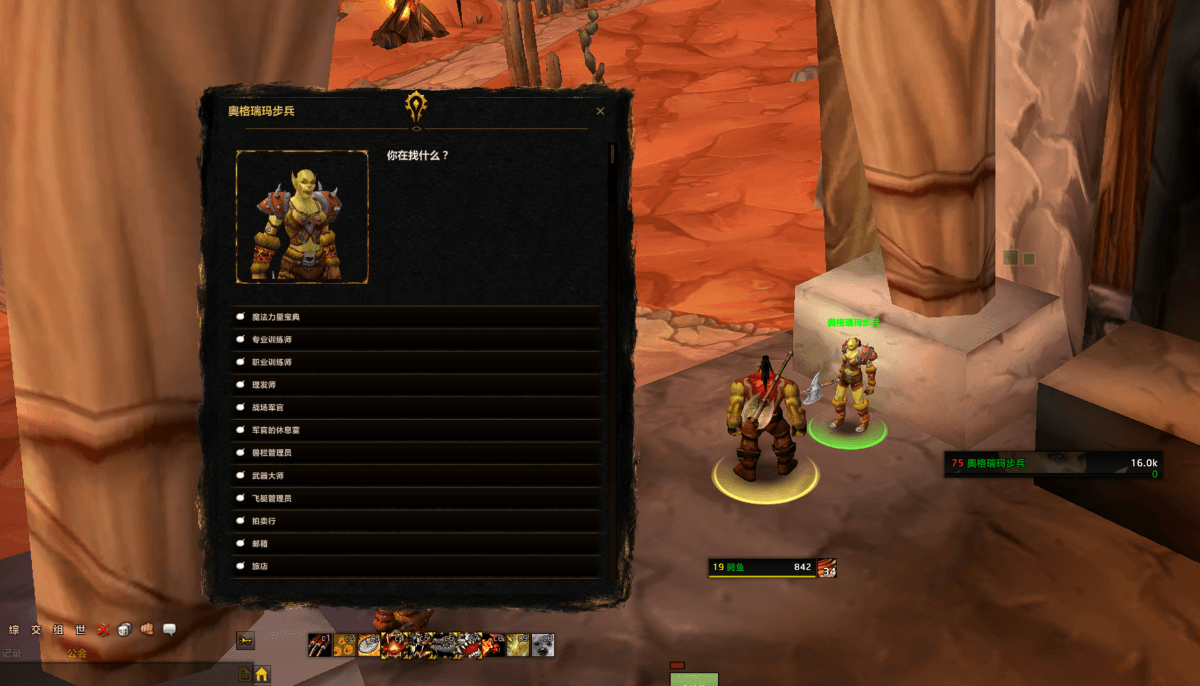
Dark, hand-crafted dialog window with NPC 3D portrait and faction emblem
-
Typewriter text reveal — quest text unfolds character by character (click the panel to skip; can be disabled)
-
Golden quest entry cards for available quests; active quests show golden/gray icons matching their true completion state
-
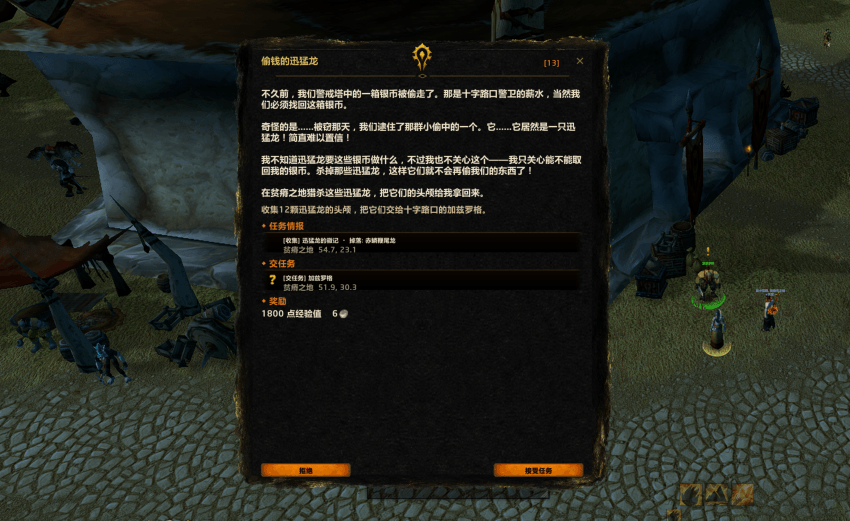
Quest rewards displayed as 48px icons with quality glow, colored names, and item tooltips
-
Optional backdrop dimming behind the dialog (off by default; opacity adjustable)
-
Blizzard UI sounds for panel open/close and interactions (can be disabled)
Custom Quest Log
-
A fully custom quest log panel (press L) that works identically on every game client, independent of other UI addons
-
Two-column layout: zone-grouped quest list on the left (collapsible groups, difficulty-colored titles: gray/green/yellow/orange/red), full quest details on the right
-
Tags for [Daily], [Group], [Turn In], and tracked quests
-
Shift+Click a quest to link it to chat, Alt+Click to track/untrack
-
Track / Share / Abandon / Show Map buttons — Share is automatically grayed out when you're not in a party
-
Movable window with remembered position
Quest Intel (via Questie)
-
Per-quest intel block: which mobs to kill, items to collect, objects to interact with, and where to turn in — with zone names and exact coordinates
-
3D model previews for objective mobs and the turn-in NPC
-
Click any intel entry to open the world map and flash Questie's own accurate map icons
-
Without Questie, on clients with native quest POIs (Retail, MoP Classic), a "Track this quest on the map" entry appears instead
Polished Details
-
Flight masters, bankers and other service NPCs are never interrupted — pure service dialogs pass straight through
-
ESC-safe: closing and reopening dialogs behaves exactly like the default UI
-
Movable, resizable text, adjustable UI scale
Bilingual UI
-
Full English / 中文 interface. Defaults to your game client's language; switch anytime with the language button at the top of the options panel
Options
Type
/dmu (or open Options → AddOns → DARK MODAL UI):-
Language switch (English / 中文)
-
Quest text size (10–20)
-
Backdrop dimming on/off + opacity
-
Typewriter text on/off
-
UI sounds on/off
Other commands:
/dmu on|off (enable/disable), /dmu ql (quest log), /dmu help (all commands).Supported Clients
-
Retail (12.0.x)
-
Mists of Pandaria Classic
-
Wrath of the Lich King Classic
-
Burning Crusade Classic
-
Classic Era
Quest intel requires Questie (optional — the addon works fine without it).
Links
-
☕ Ko-fi: https://ko-fi.com/woowookoo
-
More projects: https://www.curseforge.com/members/woowookoo/projects
Author: 良小花(CN)
Dark Modal UI Team