FUI-WOW Forever
- By
A clean, customizable UI for WOW FOREVER with action bars, unit frames, bags, and chat.
Copyright Notice(声明)
本插件仅在 CurseForge 平台独家发布,未授权任何其他平台(包括但不限于网易DD、新手盒子等)进行转载或分发。任何未经本人许可擅自搬运本插件的行为,均构成侵权,本人将保留依法追究其法律责任的权利。
This addon is exclusively published on CurseForge and is not authorized for redistribution on any other platforms, including but not limited to NetEase DD and Xinshou Box. Any unauthorized reposting of this addon constitutes infringement, and I reserve the right to pursue legal action.
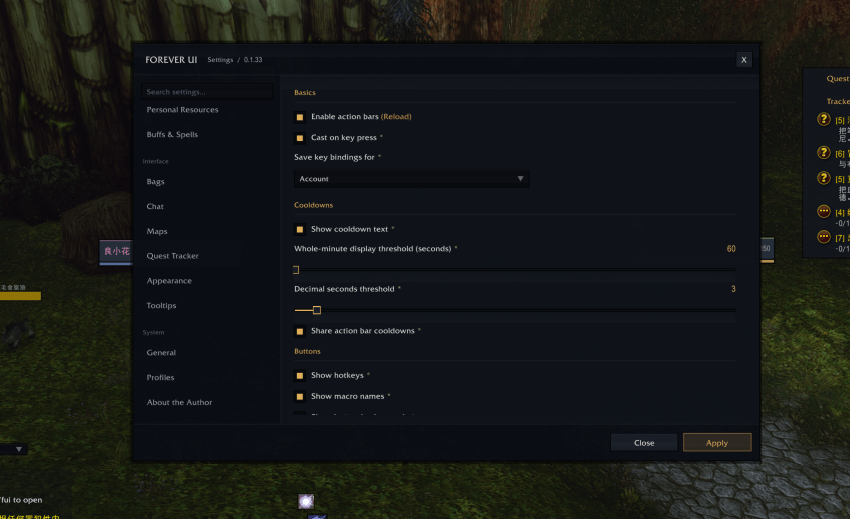
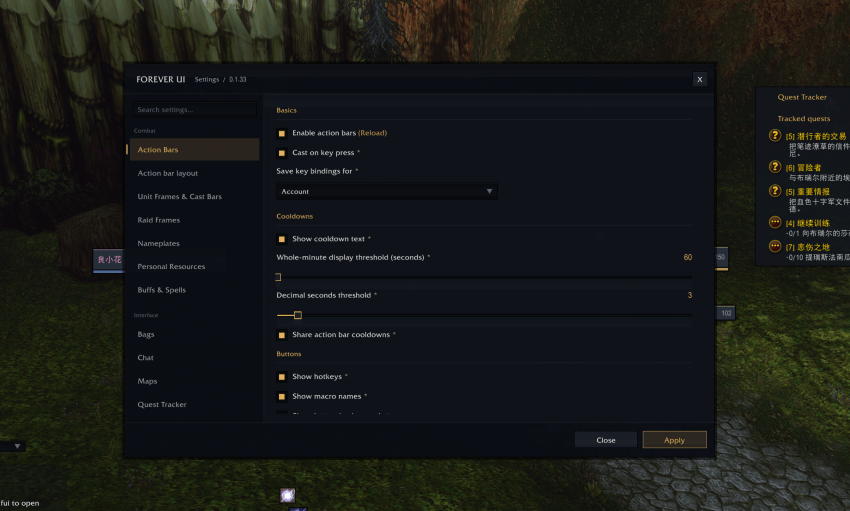
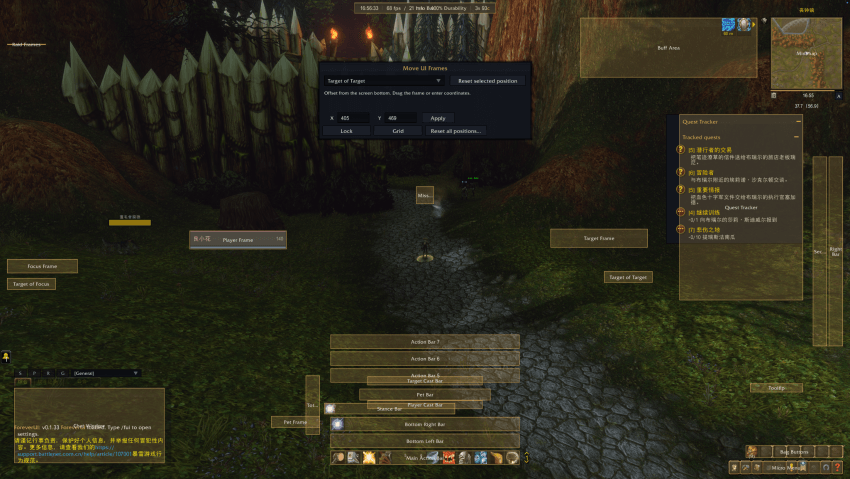
/fui— Open the settings panel./fuim— Unlock supported frames and drag them into position./fuib— Enter keybinding mode. Hover over an action button, press a key, then click Apply to save./frl— Reload the interface./fgrid— Toggle the alignment grid.
Move frames and configure keybindings while out of combat.
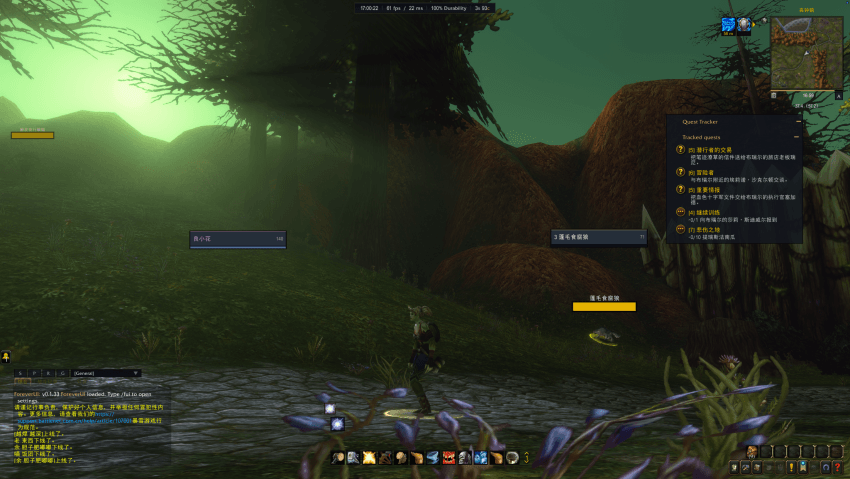
FOREVER UI is a customizable interface addon designed specifically for WOW FOREVER. It brings a consistent dark theme with gold accents to your combat interface and everyday gameplay.
- Customizable Action Bars — Adjust button size, spacing, rows, and columns. Arrange bars horizontally or vertically, with visible keybindings and cooldown text.
- Unit and Group Frames — Styled player, target, pet, focus, target-of-target, and focus-target frames, alongside party and raid frames.
- Threat-Aware Nameplates — Customize health-bar colors for different threat states, with class colors and debuff tracking.
- Unified Bags and Bank — Browse your inventory in consolidated windows, organize items, and view your gold directly in the bag window.
- Chat Enhancements — Access joined channels, copy URLs, display timestamps, and return to your selected chat channel during the current session.
- Customizable Quest Tracker — Adjust its position, width, height, text sizes, and background opacity to fit your layout.
- Maps and Tooltips — Coordinate displays, map enhancements, and configurable tooltip scale, placement, and mouse-follow behavior.
- Personalized Layout and Settings — Move supported interface elements, adjust overall UI scale, and import or export your configuration.
English is enabled by default. To switch to Simplified Chinese, open General Settings → Language / 语言 → 简体中文, then reload the interface.
FUI-WOW Forever Team