Screenshot 2026-10-18 145715.png
Screenshot 2026-10-18 145934.png
Description
Damage Meter Tab
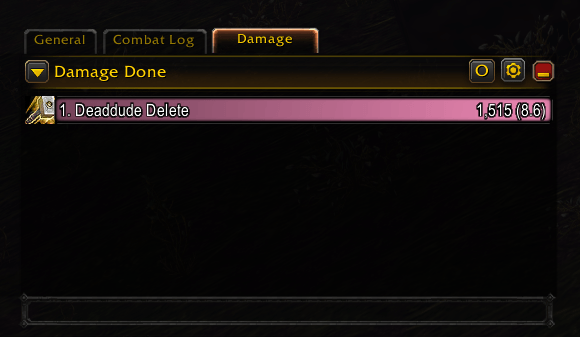
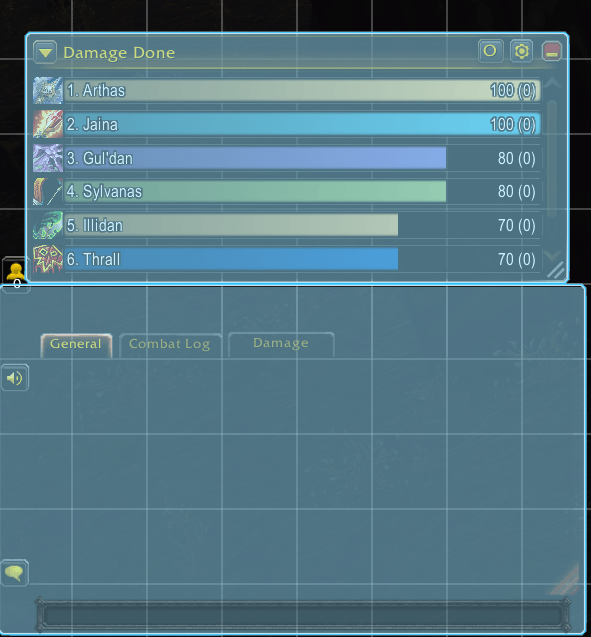
A simple addon that puts the damage meter inside the chat as its own tab.
Click the Damage tab to see your meter, click any other tab to get your chat back. It's the game's own built-in damage meter, so it looks and works the same as before. It just lives in the chat now instead of taking up space on your screen.
How it works
- On first login it adds a Damage tab to your chat and asks for one reload.
- The meter fills the chat window and follows it when you move or resize the chat.
- Rename or drag the tab like any other chat tab. If you close it, the meter goes back to its old spot.
/dmtab createbrings the tab back.
Settings
Bar height, spacing, text size and style are the meter's own settings in Edit Mode. While Edit Mode is open, the meter pops out above the chat so you can click it. Close Edit Mode and it goes back into the tab.
Commands
| Command | What it does |
|---|---|
/dmtab |
Status and help |
/dmtab create |
Add the tab again after closing it |
/dmtab offset <left> <right> <top> <bottom> |
Nudge the meter's edges inside the chat (pixels) |
/dmtab offset reset |
Default edges |
Compatibility
Made and tested on WoW Forever
Damage Meter Tab Team