Crafting Compass
- By
Level your professions: keeps the materials you still need and follows the Icy Veins leveling guides step by step.
guide-panel.png
guide-tooltip.png
trainer.png
material-tooltip.png
first-run.png
Description
Crafting Compass helps you level your professions in World of Warcraft: Forever: it follows the Icy Veins leveling guides step by step, keeps the materials you still need and plans the cheapest route. Formerly Keep Your Mats.

Free and always will be. If it helps you, you can buy me a coffee.
Icy Veins leveling guides
The Icy Veins leveling guides for Alchemy, Blacksmithing, Cooking, Enchanting, Engineering, Leatherworking and Tailoring, inside the game:
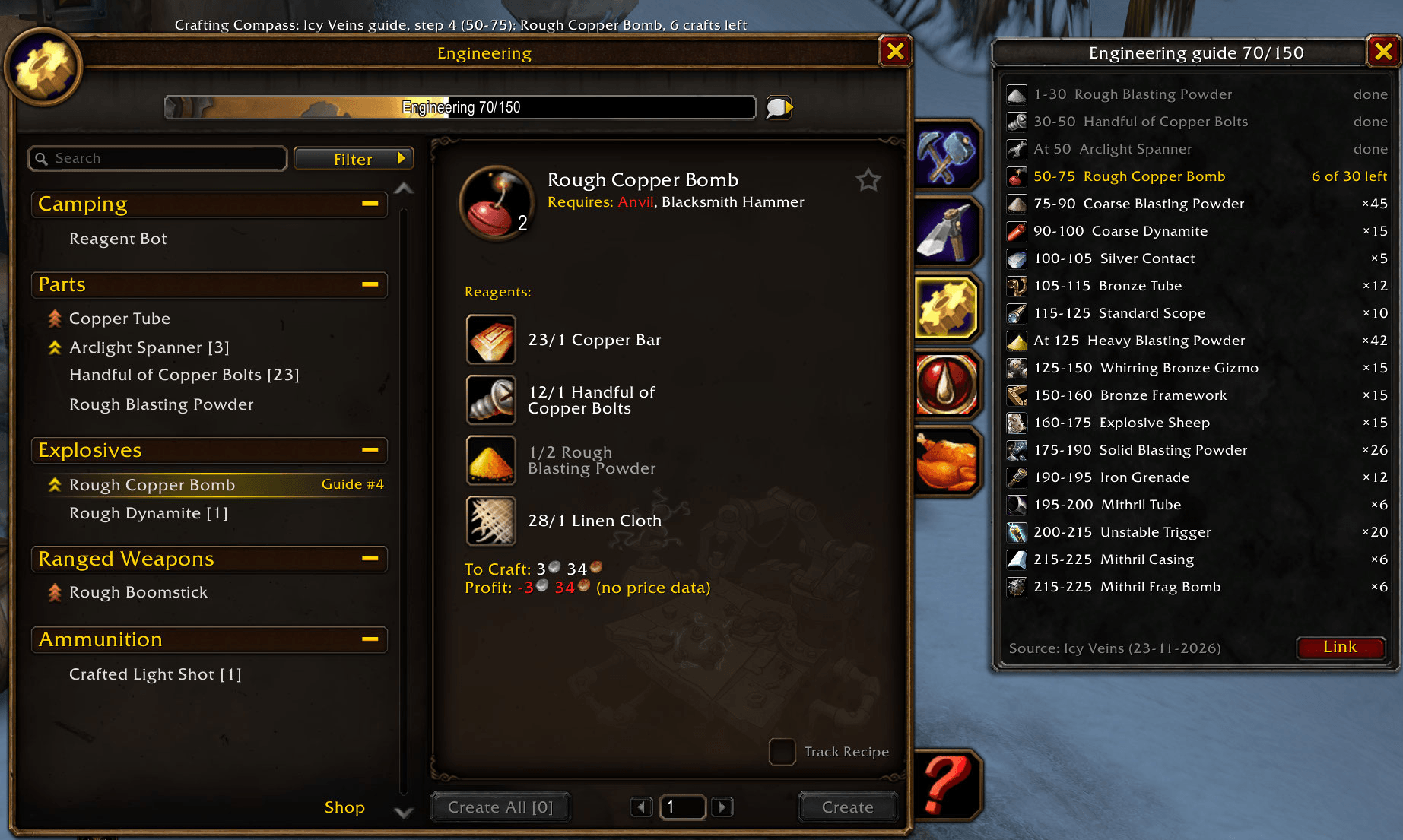
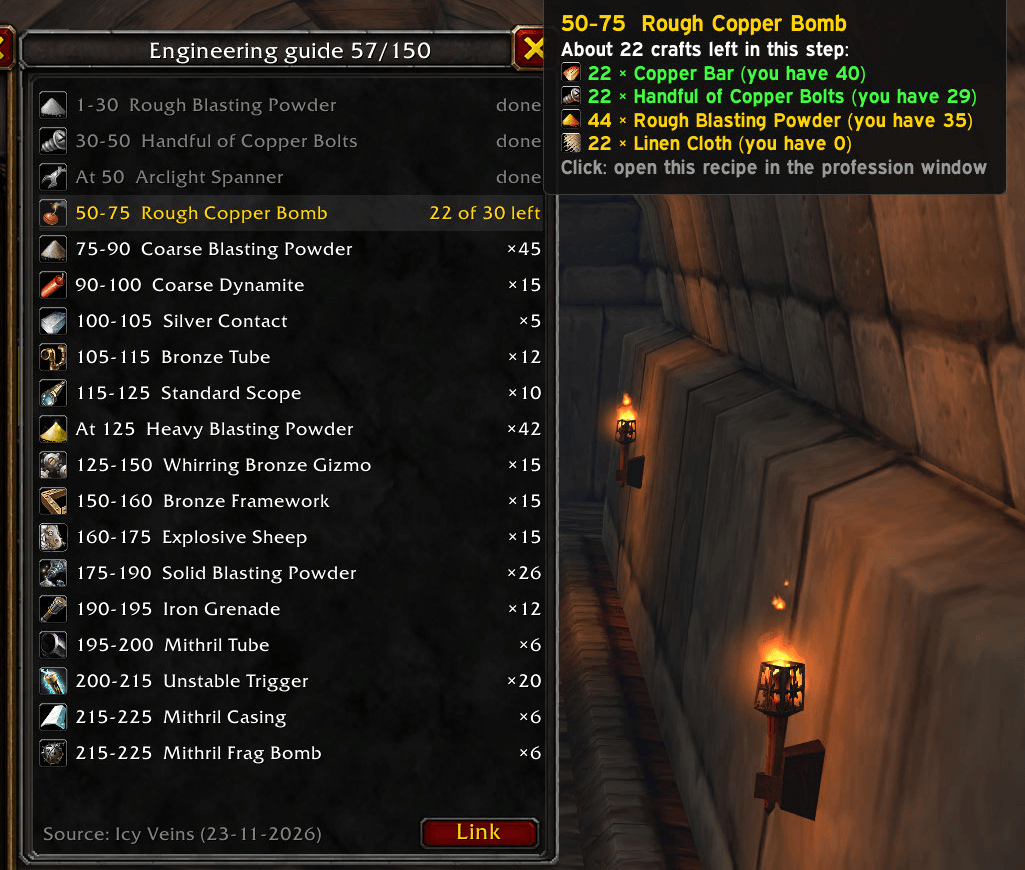
- Guide panel next to the profession window: every step in order, how many crafts are left of each one at your current skill, the step you are on and what is already done. Hover a step to see its materials and how many you have; click it to open the recipe.
/ccompass guideopens it anywhere. - Next rank: when your cap would stop the guide, which rank to train, at what skill and level, and the trainers of your faction. Click one to put a pin on your map.
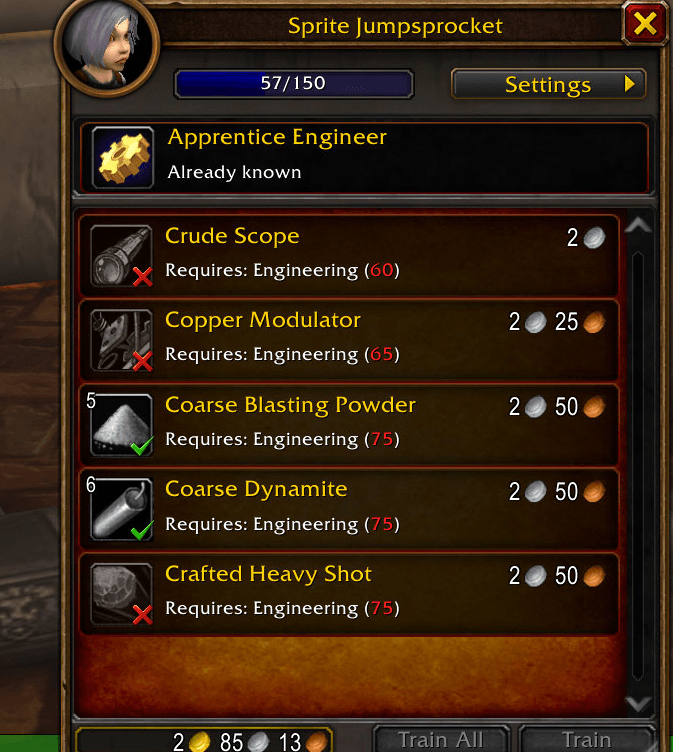
- Recipe list and trainer: the guide's recipes show their step number; at the trainer, the ones the guide does not use get an X.
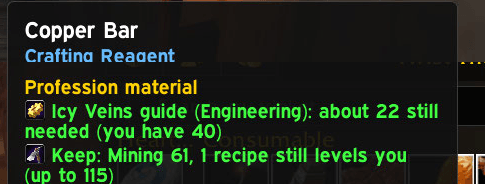
- Bags, bank and tooltip: the materials the guide still needs are marked, tools and vendor items included, and the tooltip tells you how many you still need and how many you have.
Guide data © Icy Veins, credited in the panel with a link to each guide.
You choose what gets marked
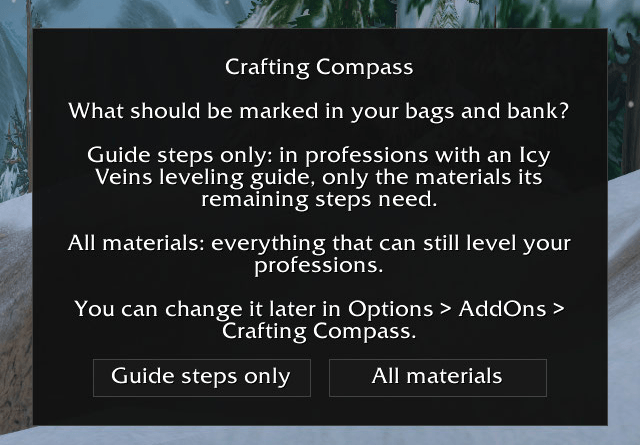
On first login, Crafting Compass asks what to mark in your bags and bank:
- Guide steps only: in professions with a guide, only the materials its remaining steps need.
- All materials: everything that can still give you a skill point.
Change it any time in the options.
Keep your materials
- Bag and bank marks: the profession icon on every material you still need.
- Tooltip: for each profession, how many recipes still level you with that material and up to which skill.
- Auction House warning: put up a material you still need and you get a red text, a chat message and a sound. It never blocks anything.
- Professions counted: yours (Mining smelting, rogue Poisons and camp recipes included), Cooking, First Aid and Fishing even if not learned, the ones you plan to learn, and optionally your alts' (same realm rules).
- Intermediates count: linen cloth is kept while the bolt it makes still levels you.
Plan and shopping
- Leveling plan (
/ccompass plan): which recipe to craft and how many times to reach your cap or the end, by the cheapest path, with the materials you have, can craft or must buy (Auctionator prices if installed). - Fewest materials: the profession window highlights the known recipe that levels you using the fewest mats.
- "Have some materials" filter in the profession window's filter menu.
- Shopping list: mark recipes and how many times; at the Auction House, Auctionator searches what you are missing.
- Goal: Engineering goggles (
/ccompass goal): gather everything before learning the profession, then level it in one go. - Trainer marks (professions without a guide): which recipes the leveling route uses and which you can skip, with the money saved.
Everything only informs: it never crafts, buys or posts for you.
Coming from Keep Your Mats?
Install Crafting Compass and log in once with both addons enabled: it imports your Keep Your Mats settings, and Keep Your Mats offers to disable itself.
Settings and commands
- Click the backpack portrait → Crafting Compass, or Esc → Options → AddOns → Crafting Compass.
/ccompassopens the settings. Also:guide [profession],plan [profession],goal,shop,item <link>anddebug.
Data
Recipe data comes from the Forever client's own tables (DB2 via wago.tools, product wowf) and the guides from Icy Veins; both are refreshed after patches.
Bugs and ideas
Please leave a comment with the output of /ccompass debug and, if there is an error, the BugSack export.
Español. Sube tus profesiones en WoW: Forever: sigue paso a paso las guías de subida de Icy Veins (cuántas fabricaciones quedan de cada paso, qué rango entrenar y dónde), guarda los materiales que aún te sirven y planifica la ruta más barata. La primera vez eliges si marcar solo los materiales de las guías o todos. Antes se llamaba Keep Your Mats: si lo tienes, importa tus ajustes. Comando: /ccompass.
Crafting Compass Team