Quest Item Cleanup
- By
Finds the quest items in your bags that no quest in your log needs and deletes them one by one, with your confirmation. For WoW: Forever.
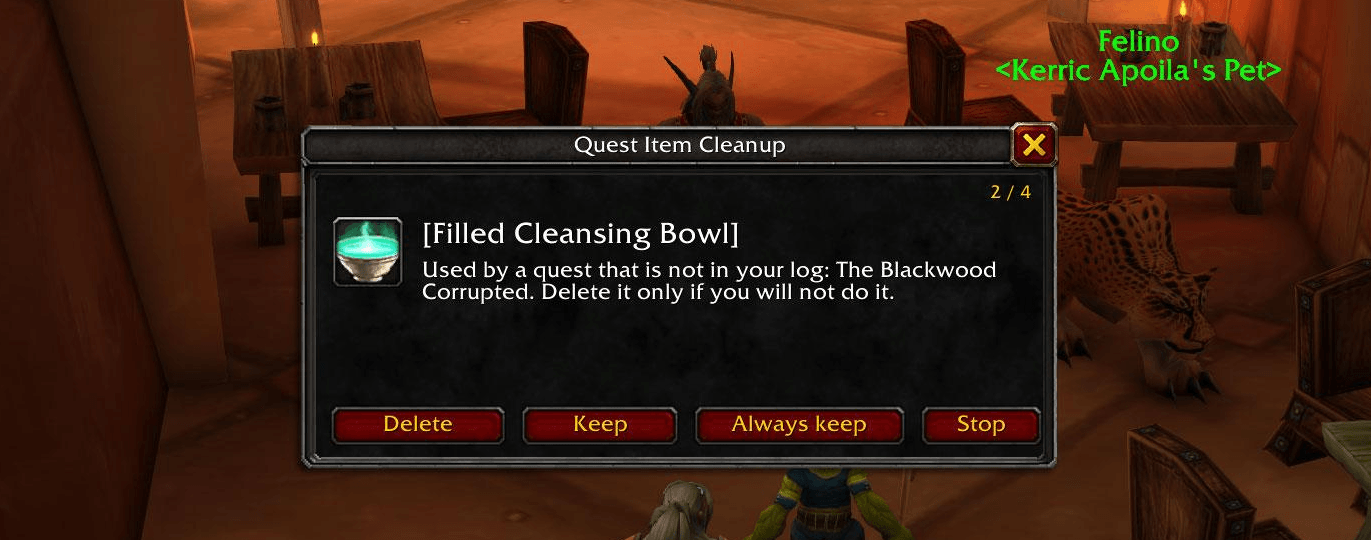
window.png
Description
Quest Item Cleanup clears out the quest items you no longer need. One pass over your bags finds every quest item that no quest in your log asks for, and offers them to you one at a time: you decide on each one.
Made for World of Warcraft: Forever. Works on its own; uses Questie's database (QuestieDB) if you have it.

Free and always will be. If it helps you, you can buy me a coffee.
Features
- One pass, one item at a time: type
/qicand a small window shows each leftover quest item with its icon, count and the reason it is offered. Hover the icon for the item tooltip. - You confirm every deletion: Delete removes that item with that click, Keep skips it, Always keep never offers it again, Stop ends the pass. At the end you get a summary of what was deleted and kept.
- Safe by default: when in doubt, it keeps the item. An item is kept if its name appears in an objective of a quest in your log, if it is the usable item of a quest you have, if QuestieDB says one of your quests needs it, if the game flags it as part of an active quest, or if it starts a quest you have or have not done yet.
- New Forever quest items are protected: items that QuestieDB does not know yet (usually from new Forever quests) are kept by default. An option offers them too, with a warning to check them first.
- Tells you why: "No quest in your log needs it", "Used by a quest you already completed: …", or "Used by a quest that is not in your log: … Delete it only if you will not do it".
- Items that start a quest you already completed are always offered. An option also offers the ones that start quests you have not done.
- List only:
/qic listprints the leftover items and their reasons in chat without deleting anything. - Checks that the item is still in the same slot before deleting it, does nothing in combat, and refuses to suggest anything if your quest log could not be read completely (a collapsed zone header).
- Options: include quest starters, include items QuestieDB does not know, use QuestieDB, window scale. English and Spanish.
Commands
/qic starts a pass. /qic list, /qic config, /qic unignore (empty the always-keep list), /qic debug,
/qic reset confirm. Also in the addon compartment next to the minimap: left click starts a pass, right click opens
the options.
Good to know
Blizzard requires one click per deleted item, so there is no "delete all" button. QuestieDB does not know the new Forever quests yet, so their items are kept unless you turn on the option. Without QuestieDB only the item names in your quest objectives count. Either way, look at each item before deleting it: deleted items are gone. If the game asks for confirmation, confirm in its own dialog.
Bugs
Please report with the output of /qic debug and, if there is an error, the BugSack export.
Español. Busca en tus bolsas los objetos de misión que no pide ninguna misión de tu registro y te los propone uno a
uno, con el motivo, para Eliminar, Conservar o Conservar siempre. Usa QuestieDB si la tienes. Comando: /qic.
Quest Item Cleanup Team