Addon Config Unifier
- By
One window to configure, enable and move all your addons: grouped by nameplates, frames, bars, bags, chat, combat and more, with their settings inside. For WoW: Forever.
native-settings.png
aceconfig-embedded.png
addon-panel-embedded.png
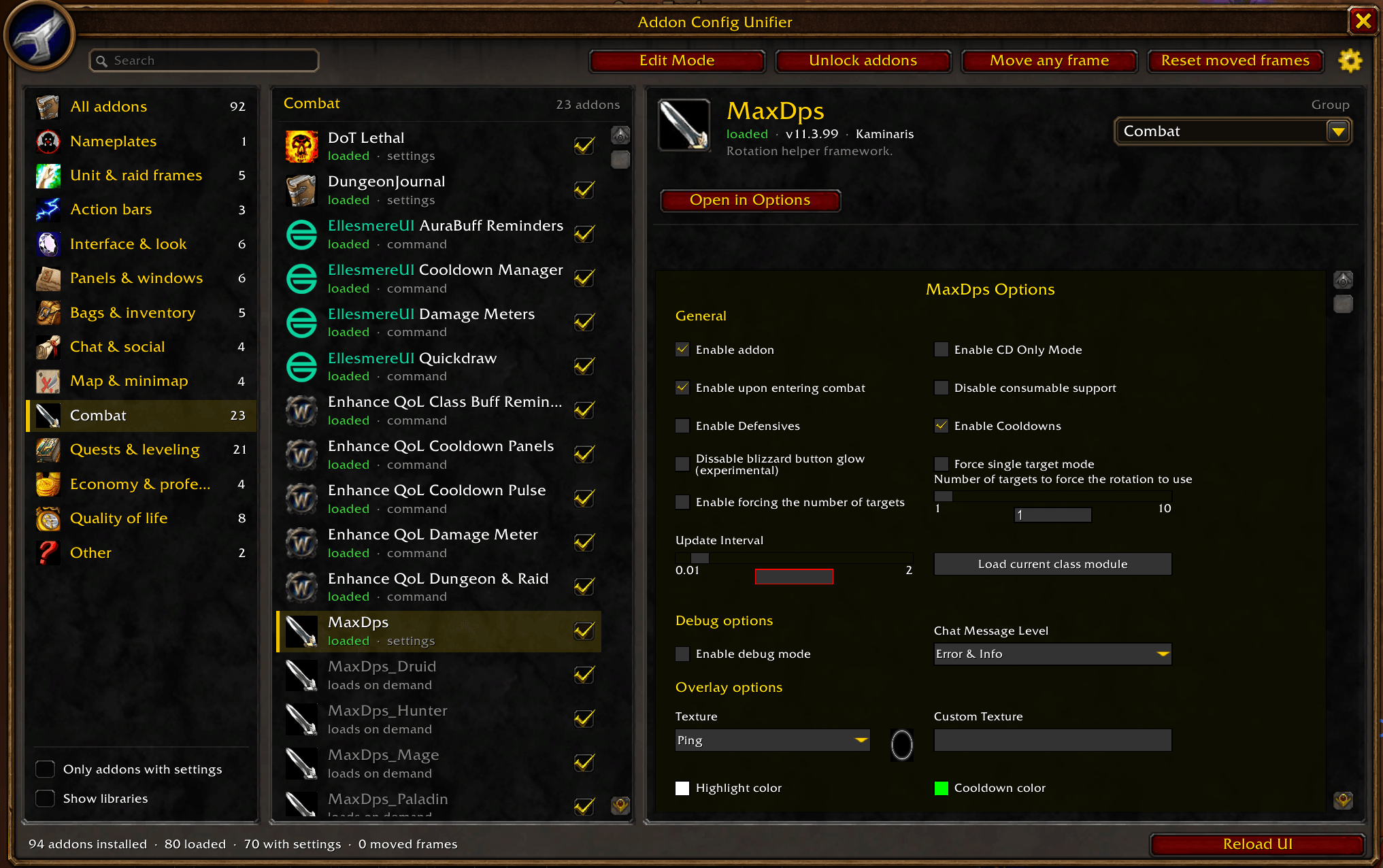
combat-group.png
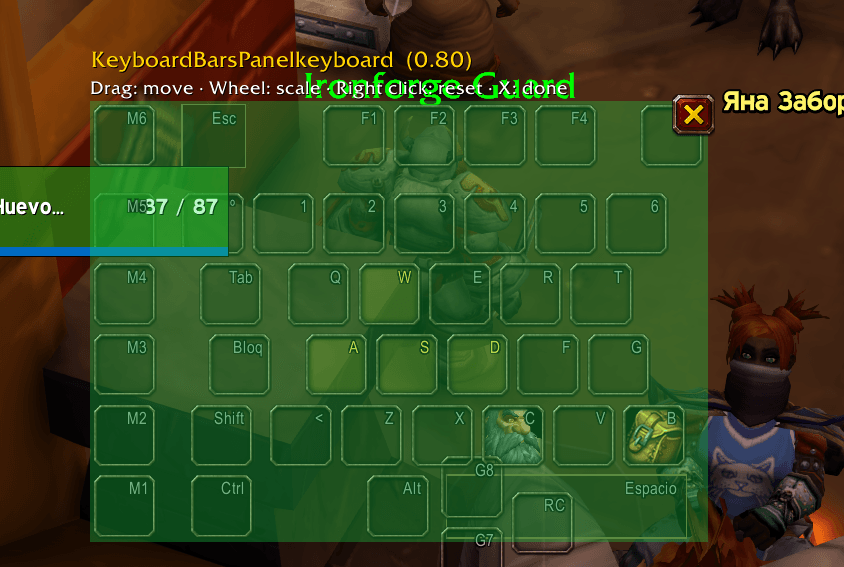
move-any-frame.png
Description
Addon Config Unifier gathers every addon you have installed in one window, grouped by what they do, and lets you change their settings, turn them on or off and move their frames from there. No more hunting through ten options panels and twenty slash commands.
Made for World of Warcraft: Forever. No dependencies.

Free and always will be. If it helps you, you can buy me a coffee.
Features
- Every addon, grouped: nameplates, unit & raid frames, action bars, interface & look, panels & windows, bags & inventory, chat & social, map & minimap, combat, quests & leveling, economy & professions, quality of life and other. Groups come from a built-in catalog of popular addons (EllesmereUI, Enhance QoL, Baganator, Questie, Auctionator, Chattynator, RXPGuides…), from the addon's TOC category or from its name and notes, and you can move any addon to another group by hand.
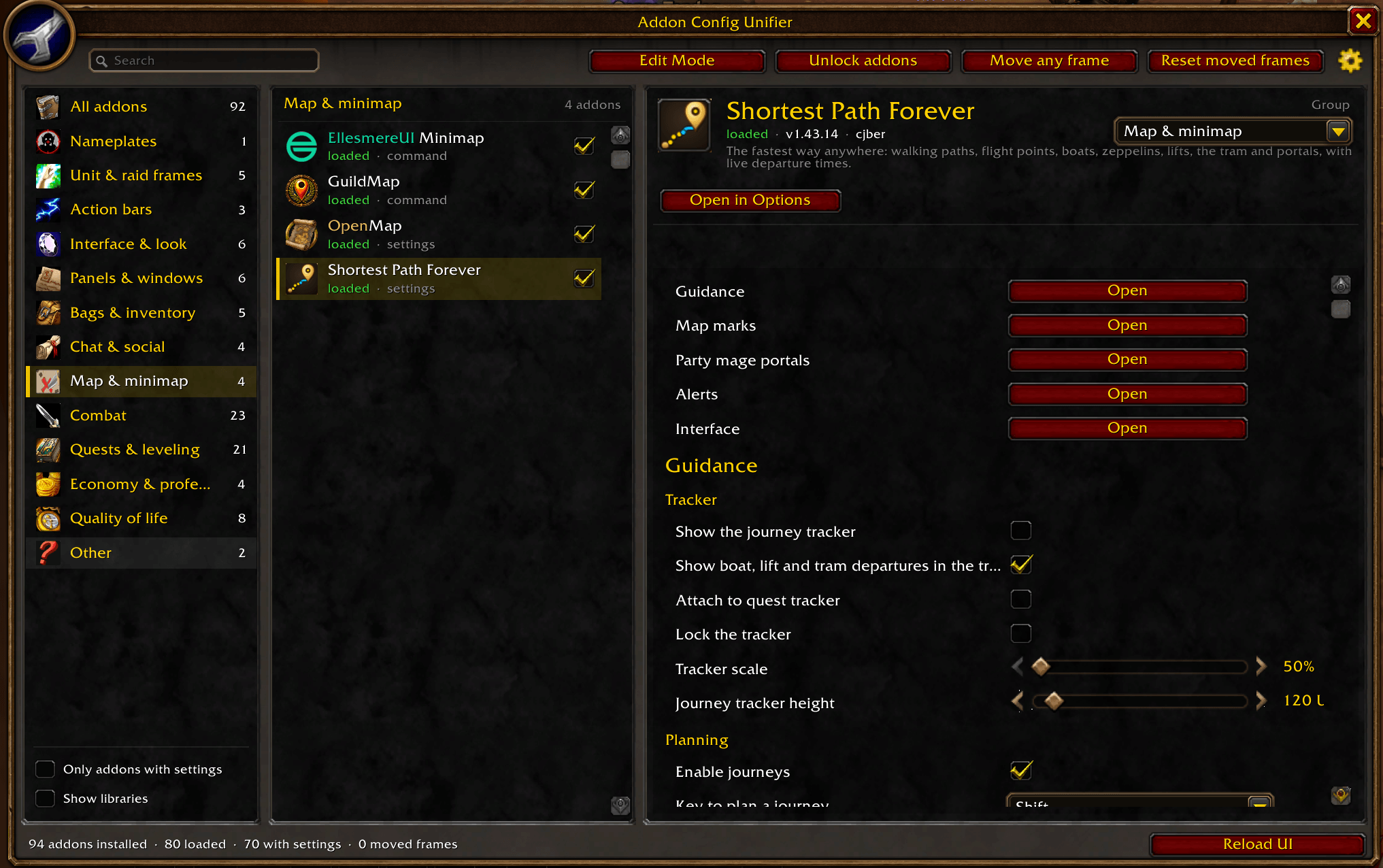
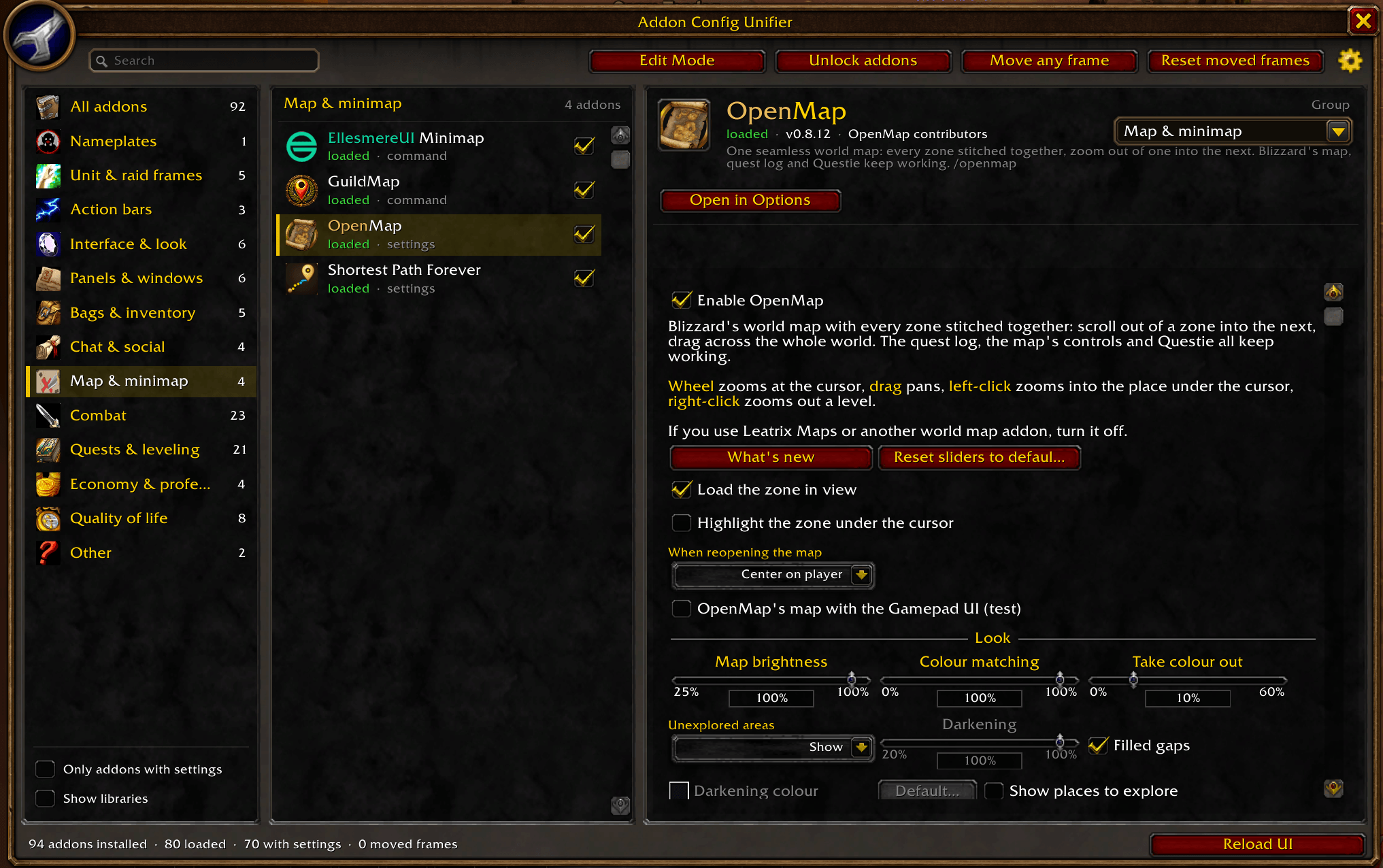
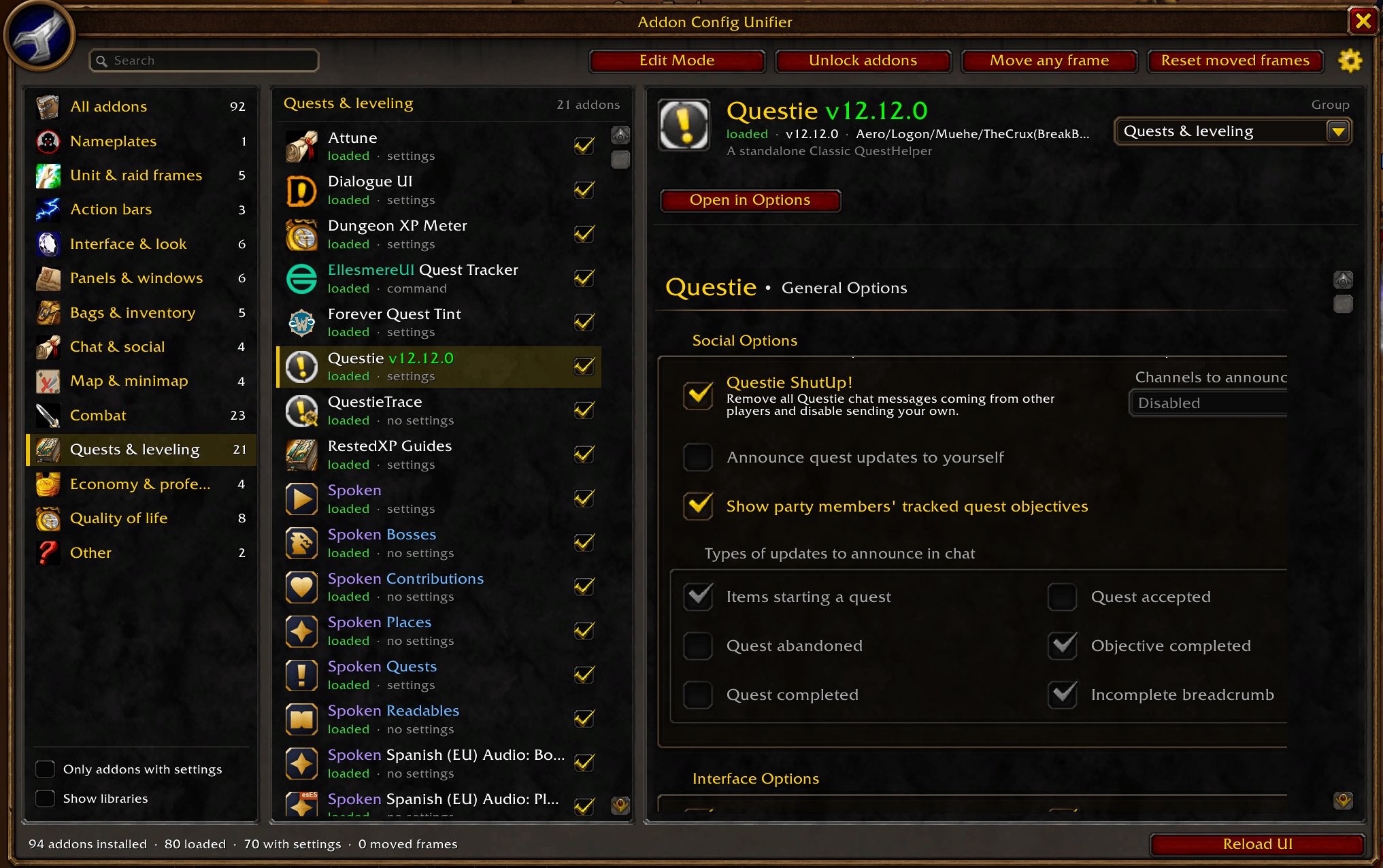
- Their settings inside the window, whatever way the addon registers them:
- native Blizzard options are drawn right there as checkboxes, sliders, dropdowns and buttons (changing them is exactly the same as using the addon's own panel);
- an addon's custom options panel is embedded as is;
- AceConfig dialogs are embedded;
- addons with their own window get a button that opens it.
- Enable or disable addons with a checkbox, for this character or for all of them, with a pending-changes counter and a reload button.
- Move everything from the toolbar:
- Edit Mode opens Blizzard's Edit Mode, where Blizzard frames and the addons that integrate with it are moved;
- Unlock addons runs the unlock command of every addon that has one;
- Move any frame: hover any named frame on screen, click it, drag it, scale it with the mouse wheel and reset it with a right click. Positions are saved and reapplied on login and whenever the frame appears.
- Minimap icon (left click: the window, right click: move a frame; drag it around the minimap). It uses LibDBIcon when another addon loads it, so minimap button collectors pick it up. Also in the addon compartment.
- Search and filters (only addons with settings, show libraries), a status bar and
/acu listfor a summary by group in chat. - Safe: everything is locked in combat, Edit Mode frames are left to Edit Mode, and a setting rejected by its addon never breaks the window.
- Options (
/acu configor the gear button): window scale, show or hide the minimap icon, enable/disable addons for all characters, reapply moved frames. - English and Spanish.
Commands
/acu opens the window. /acu <addon name> opens it on that addon. /acu move, /acu edit, /acu unlock,
/acu apply, /acu positions <frame>|all, /acu list, /acu config, /acu debug, /acu reset confirm.
Limits
Settings drawn with an addon's own custom widgets can't be read one by one: you get its whole panel embedded or a
button to its window. An addon that repositions its frame on every update will undo what you moved (/acu apply
puts it back).
Bugs
Please report with the output of /acu debug and, if there is an error, the BugSack export.
Español. Una sola ventana para configurar, activar y mover todos tus addons, agrupados por placas, marcos,
barras, bolsas, chat, combate y más, con sus ajustes dentro. Icono en el minimapa. Solo para WoW: Forever.
Comando: /acu.
Addon Config Unifier Team