Craft Compass
- By
What every reagent is for: recipes, quests, what a craft takes and where to get it. Shift or Alt over an item.
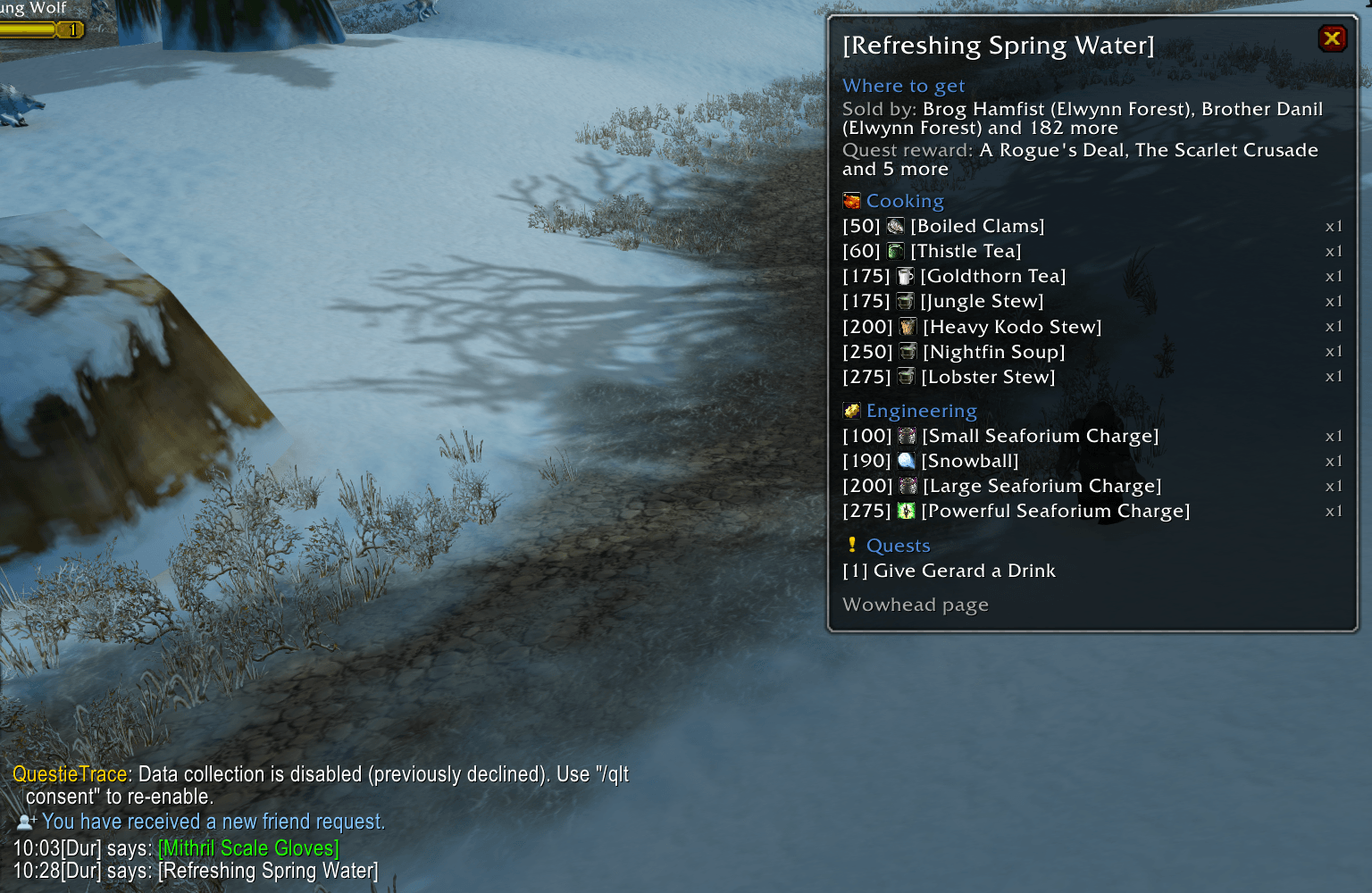
chat-alt-click.png
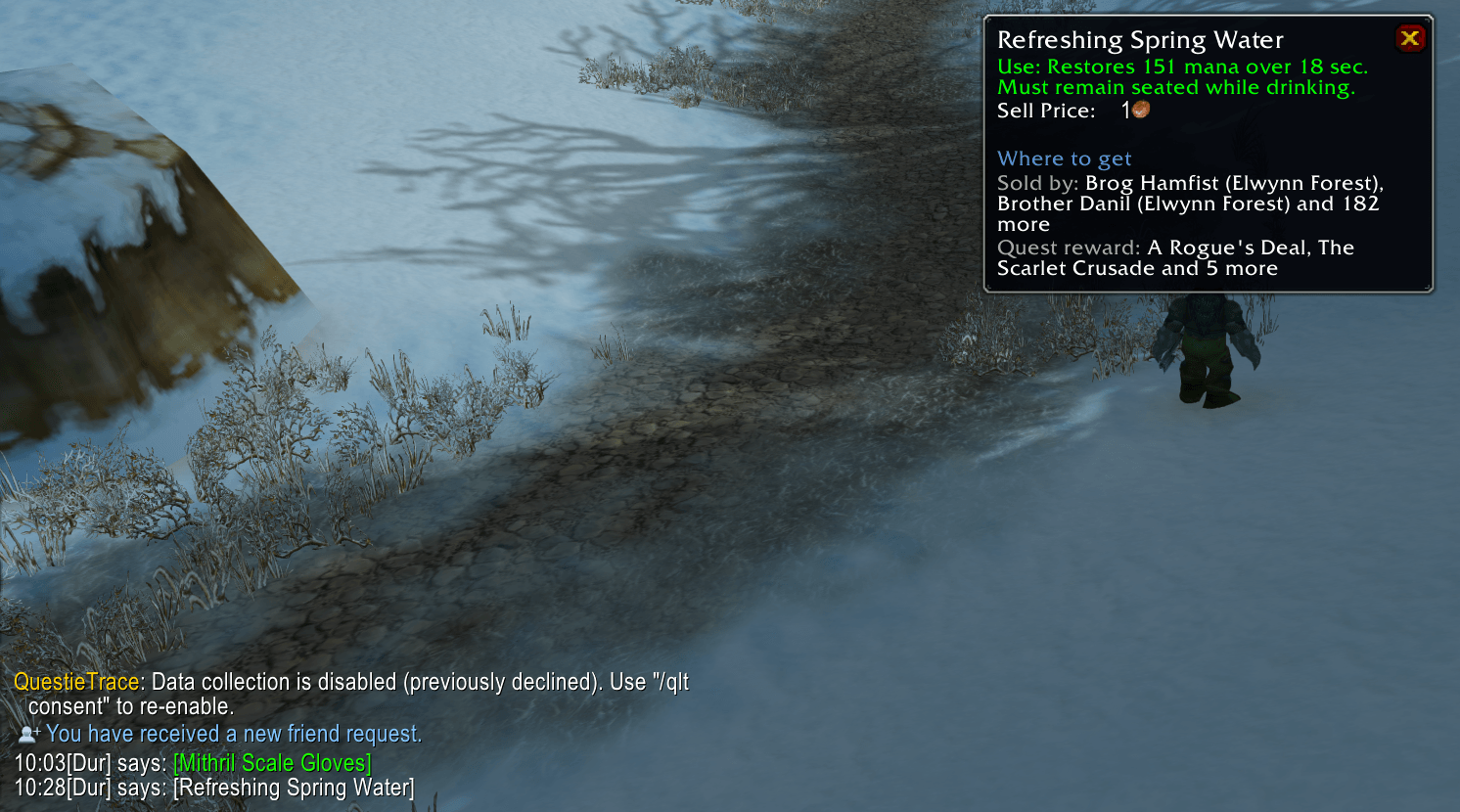
chat-click.png
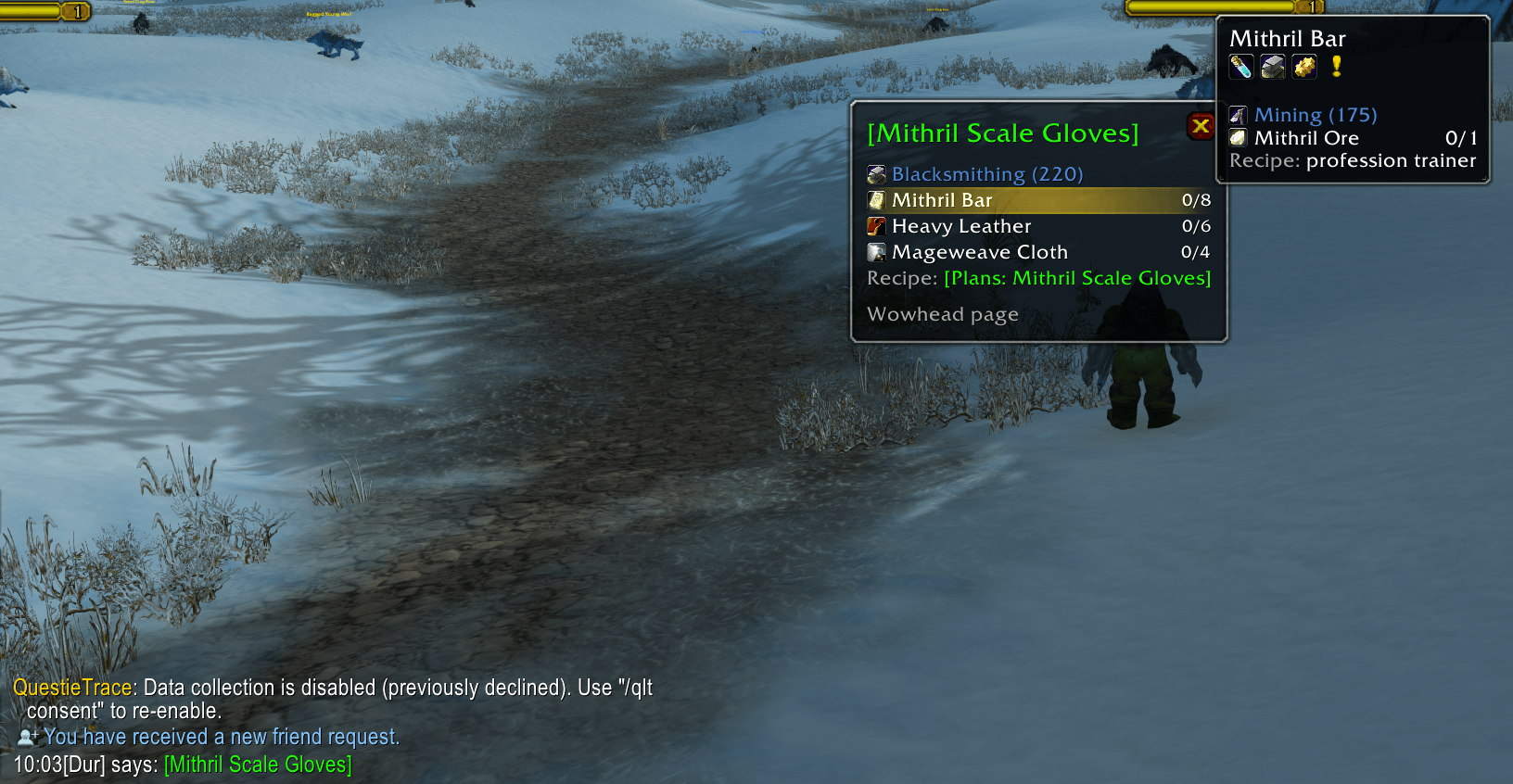
chat-crafted-item.png
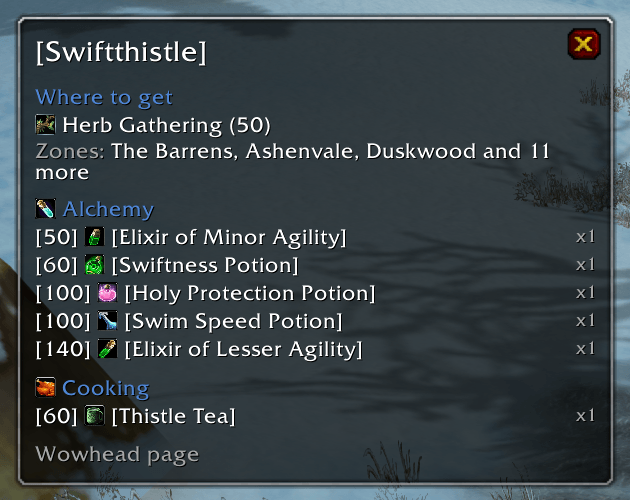
detached-window.png
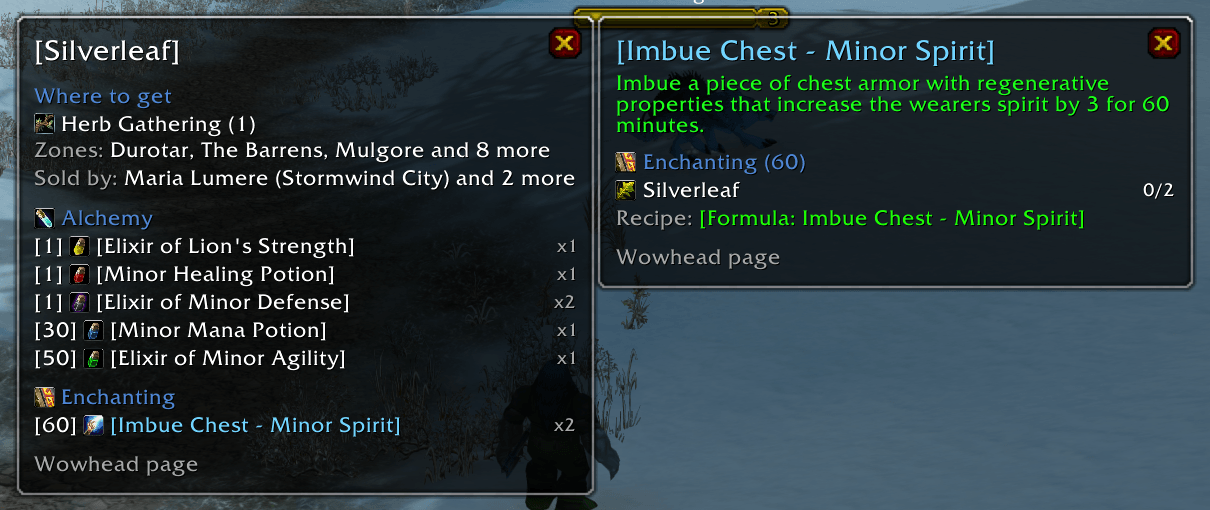
enchant-window.png
Description
Craft Compass
What is this item for, and what does it take to make that? Hover any item and see what it is for: every recipe and quest that uses it, and where to get it. Pin it into a window, follow a potion into what it is used for, and see for any crafted item which profession makes it, what it takes, how many of the reagents you already carry and where its recipe comes from — so you know what to gather before you ask a crafter. And for a world drop no recipe or quest needs, the window still has its Wowhead page.
Features
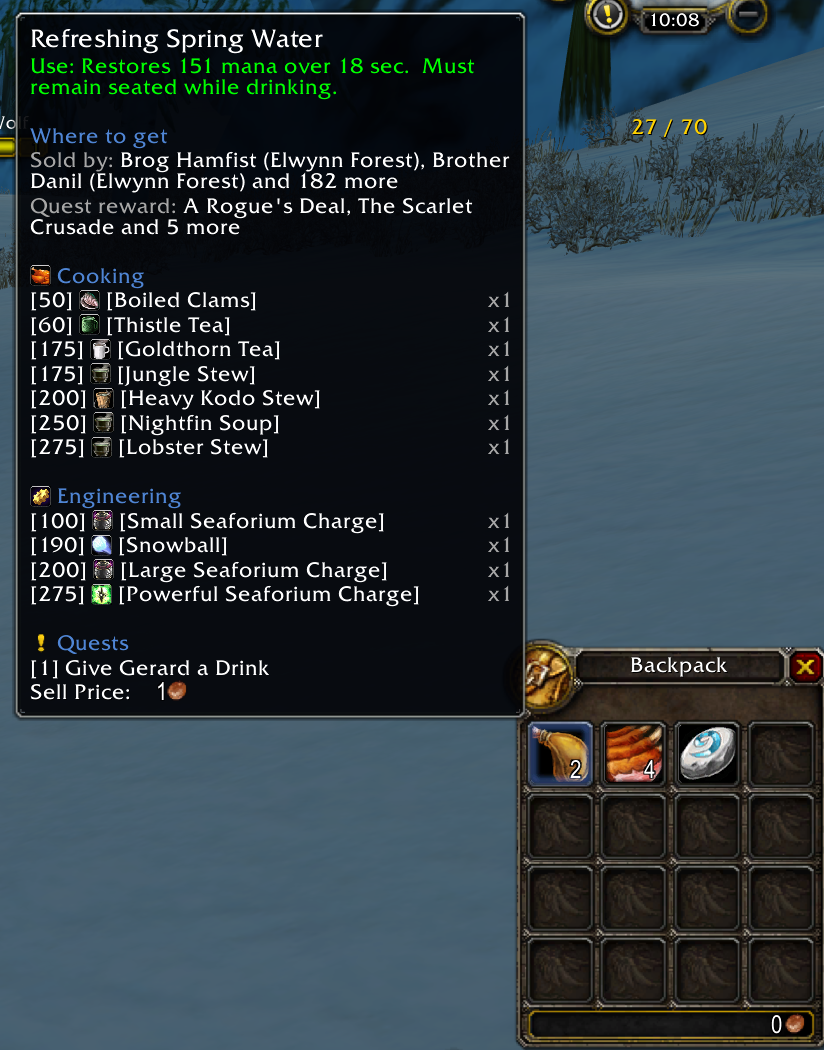
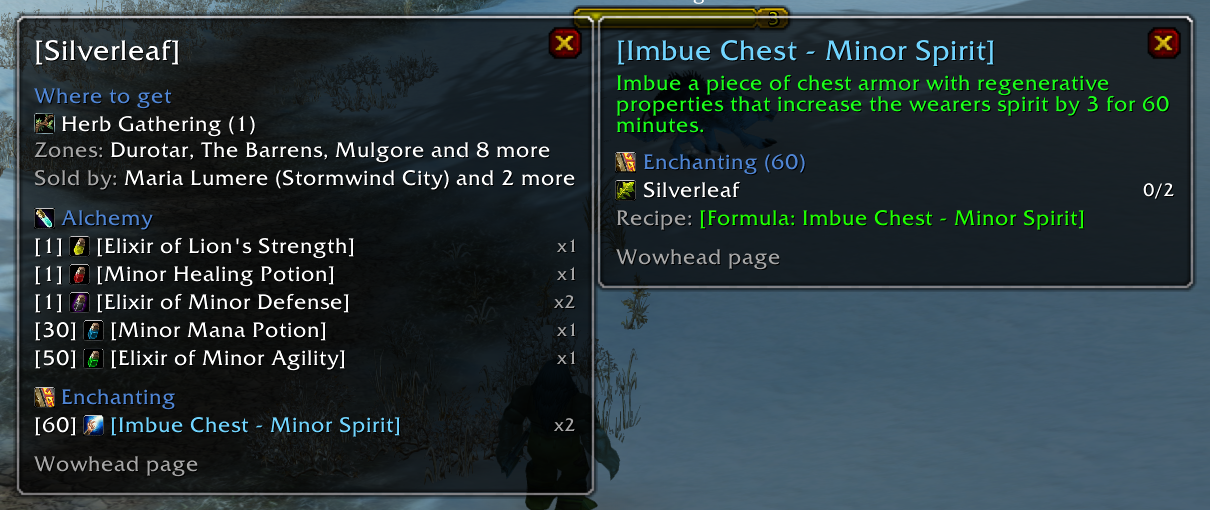
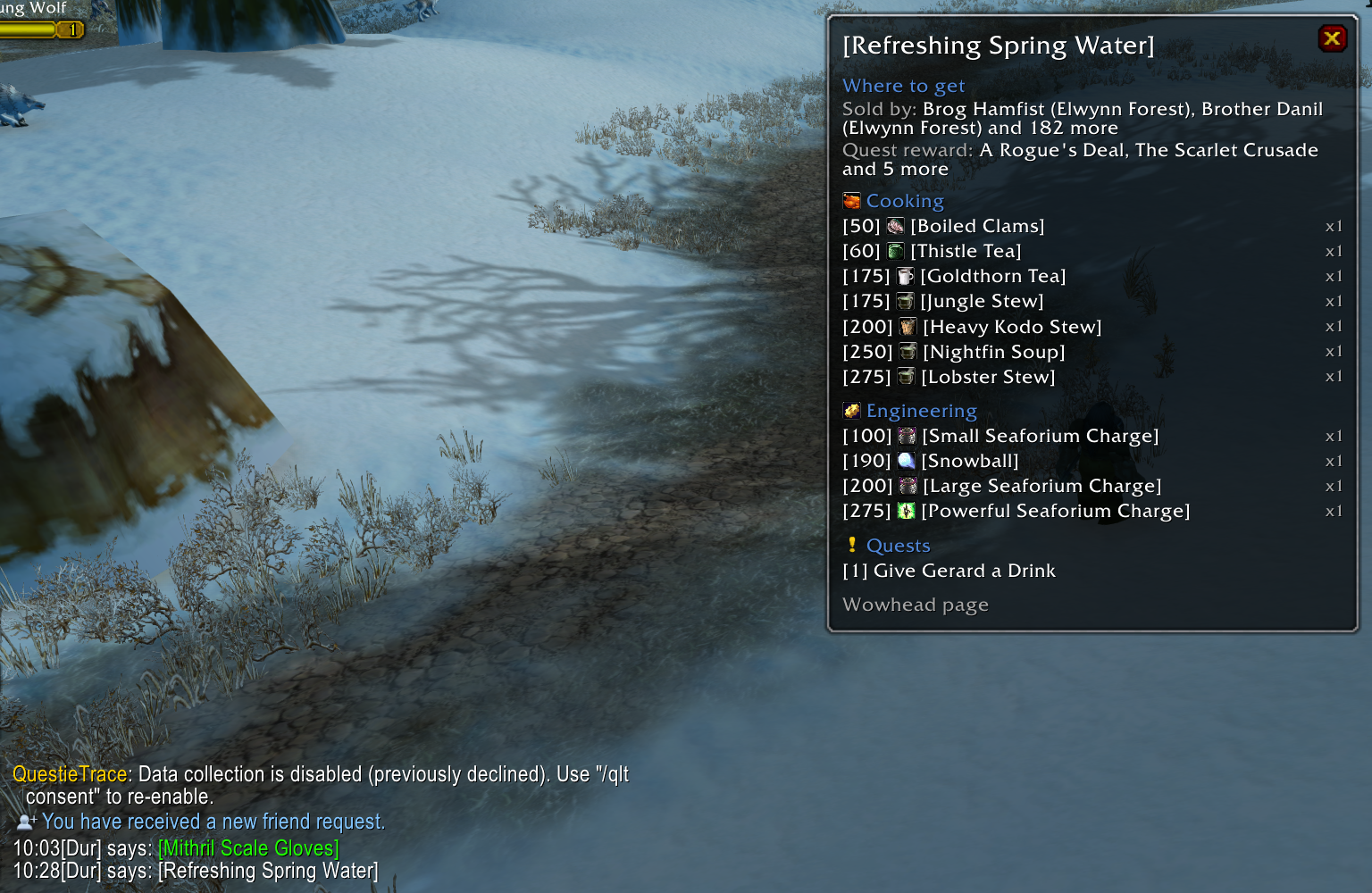
What an item is used for. Hold Shift over any item: the recipes it goes into, by profession and skill, with how many each takes, and the quests that ask for it (the completed ones marked).
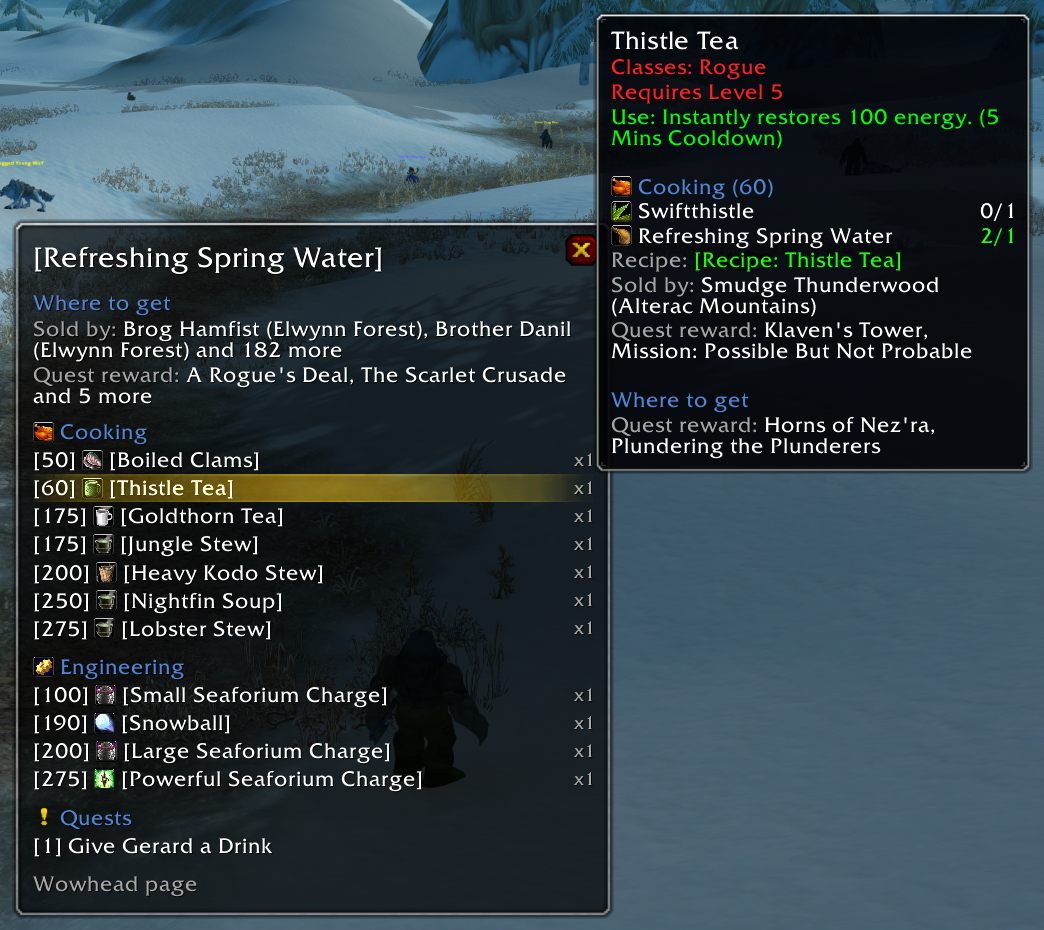
Pinned windows. Hold Alt over an item to keep that list on screen. Alt over a row opens a nested window beside it — from a herb to the elixir made of it to the belt made of that, as deep as you like. Drag a nested window away and it stays on its own.
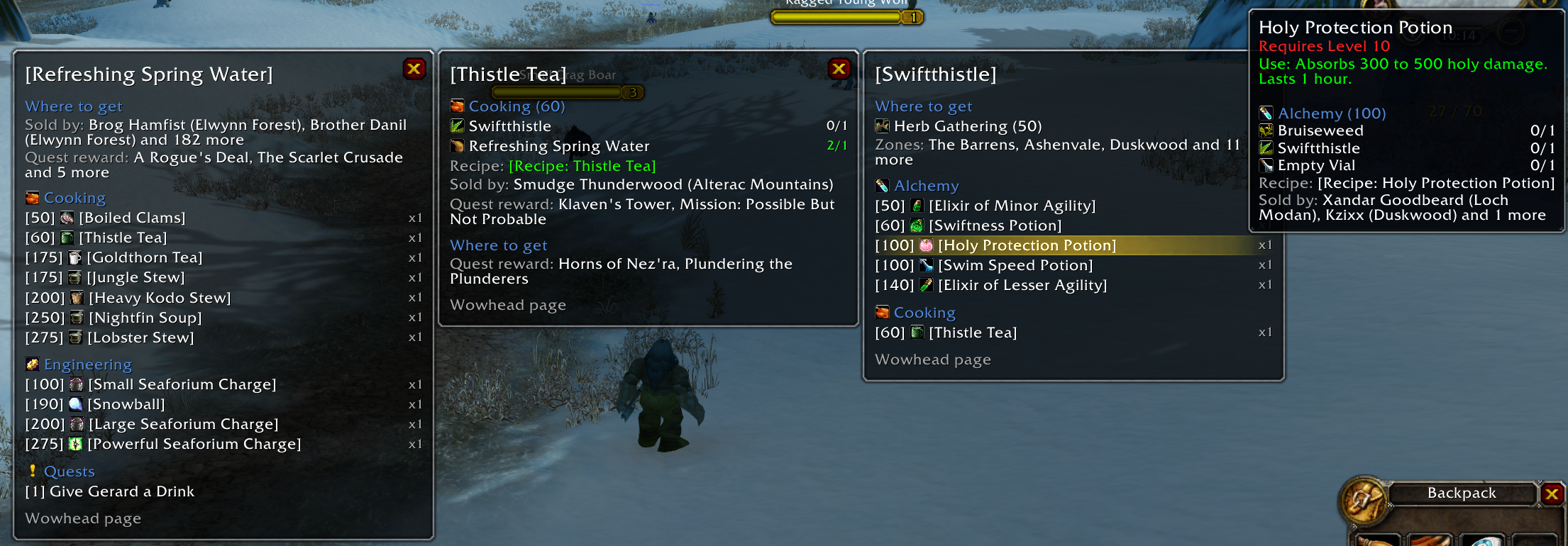
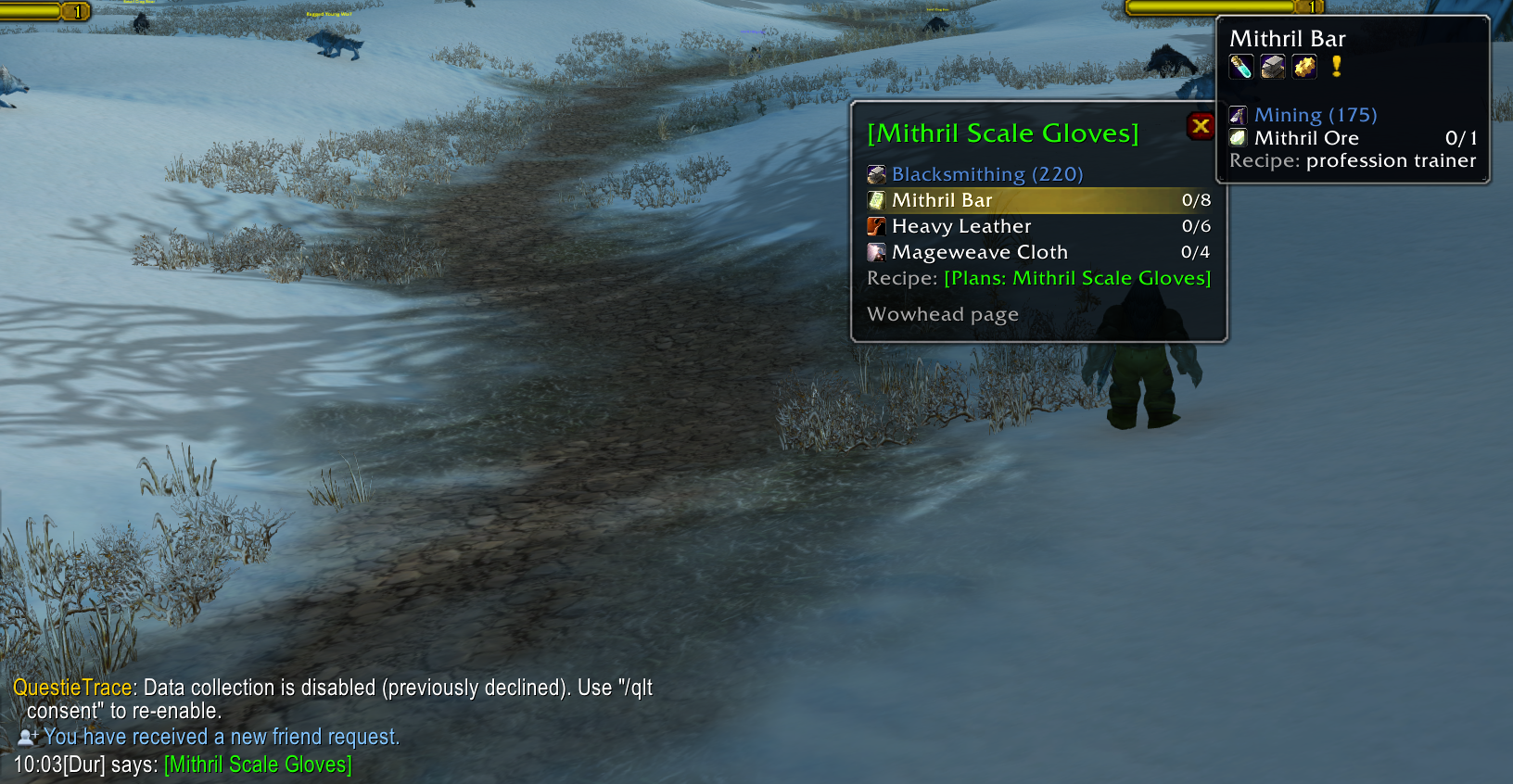
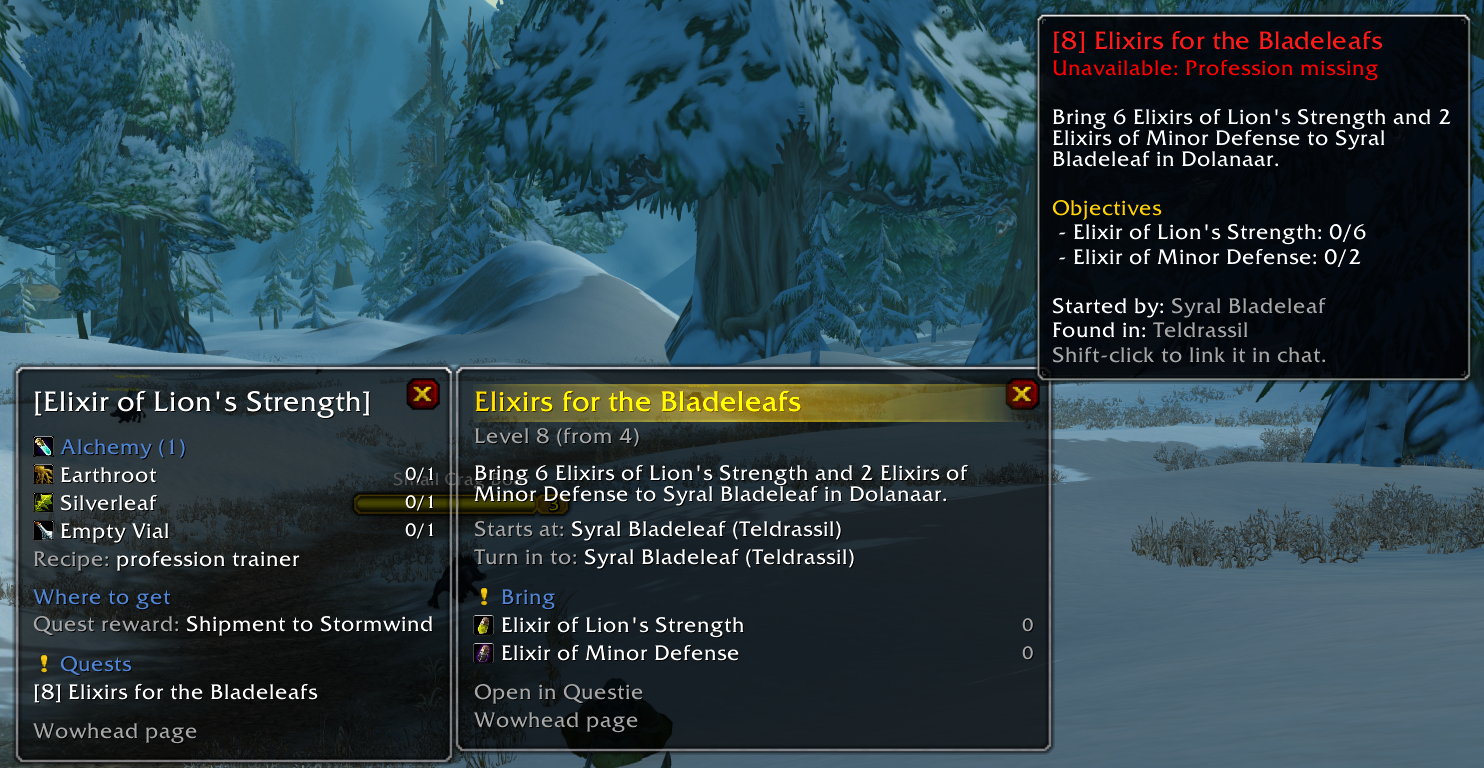
What a craft takes. For any crafted item: the profession and skill, every reagent with have / need (bags and bank), and the recipe — taught by the trainer, or the recipe item with its vendors and quest rewards.
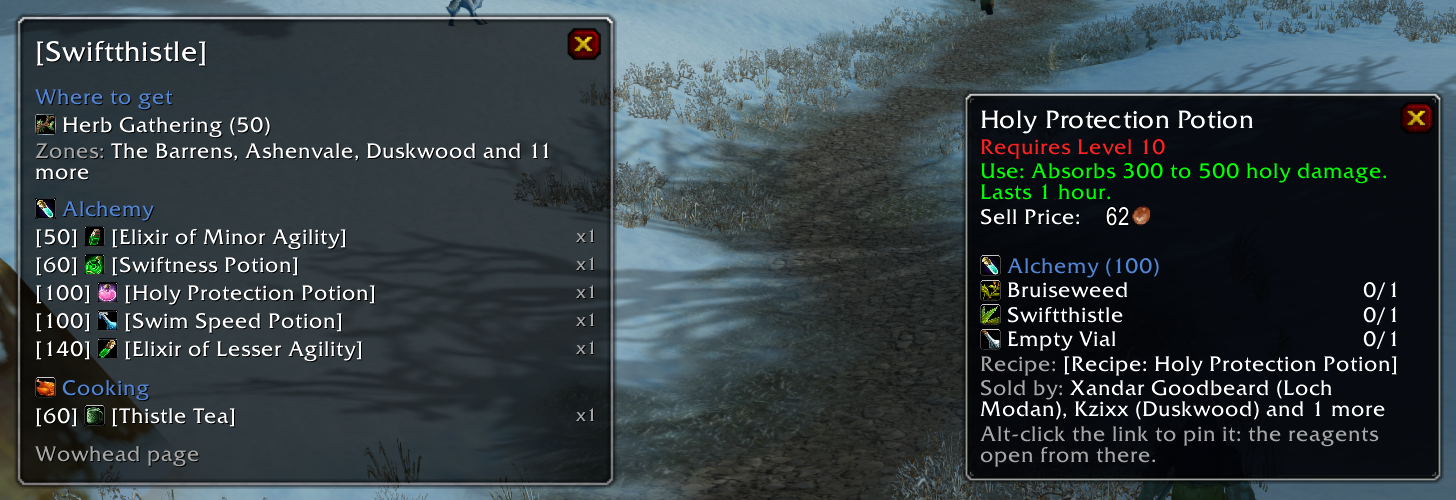
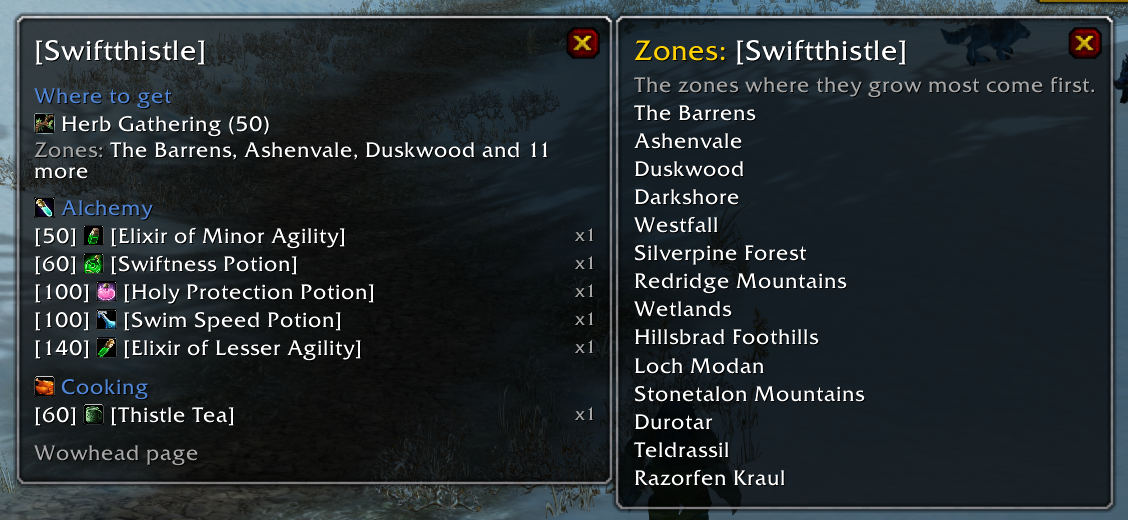
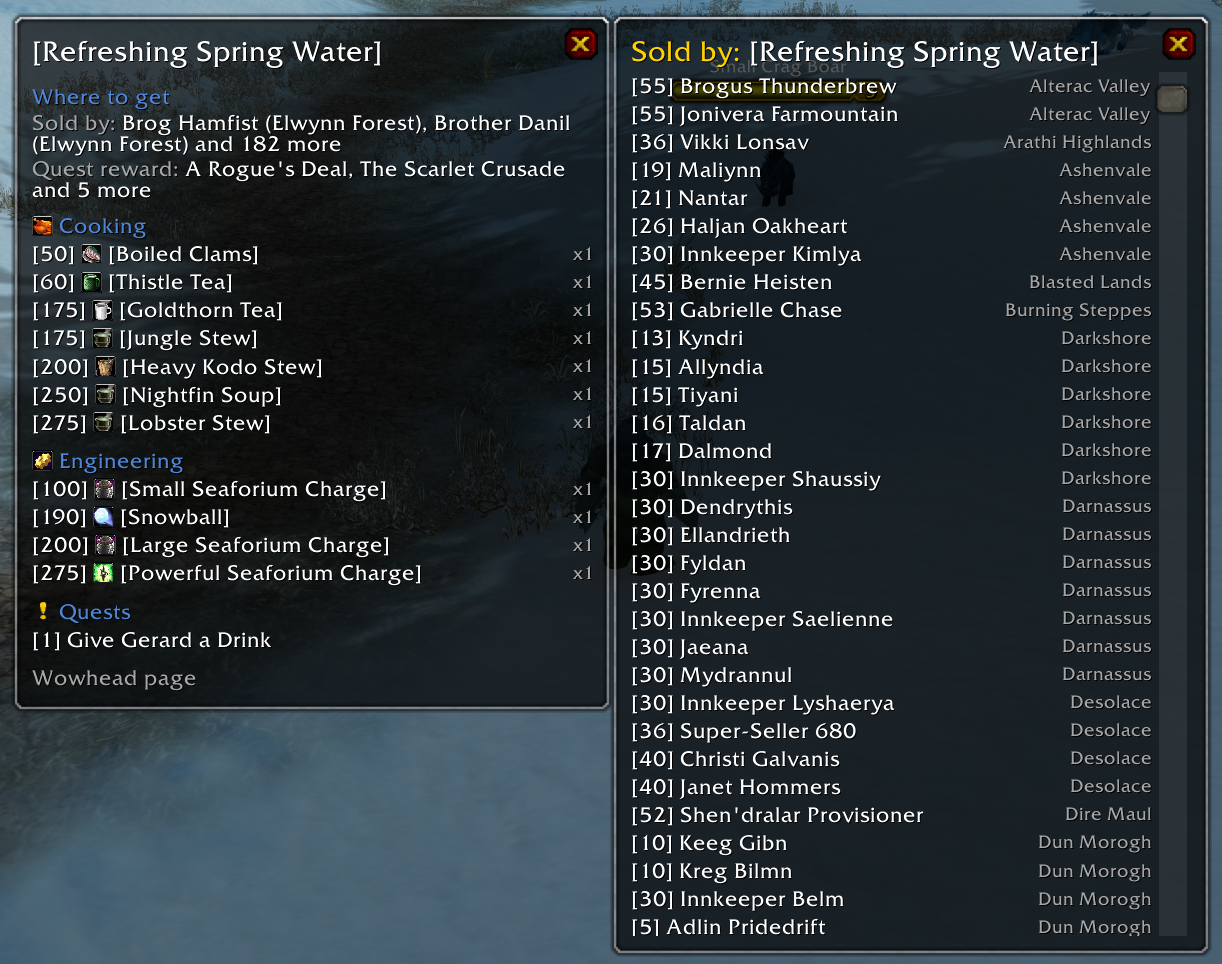
Where to get it. Herbs and ores show the gathering skill and the zones where they grow most; leather shows the skinning skill. Vendors (your faction first) and quest rewards, each opening the whole list in a click.
Enchants open the same way: what they do, what they take, where the formula comes from.
Quest windows. Click a quest for its level, zone and state, what it says to do, who gives it and who takes it back, the items to bring and the quests before and after it. With Questie loaded you also get Questie's quest tooltip and an "Open in Questie" button.
Items from chat. Alt-click an item link in chat to pin it: someone offers to craft something, and you see right away what to bring.
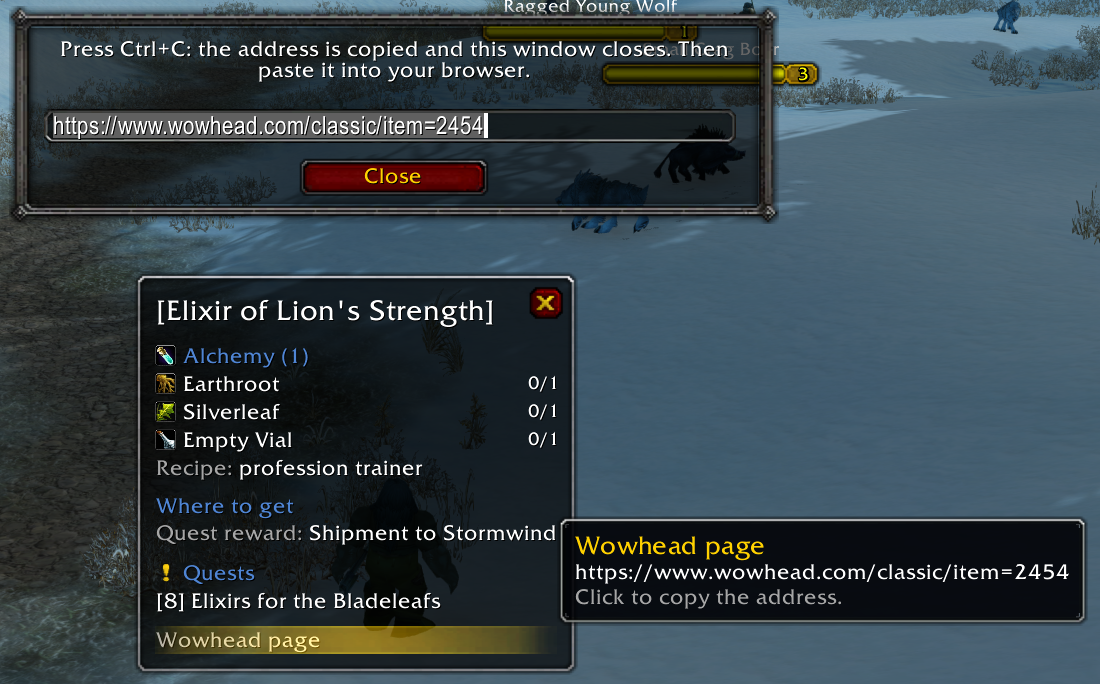
Wowhead in one click. The last row of every window copies the Wowhead page of the item, enchant or quest, in your client's language and for your game version.
Any client language. Everything is looked up by id; names come in your client's language. The addon's own text is in English and Russian.
A compass, not a database
Craft Compass points you the right way. It doesn't claim which creatures drop an item or which chests it is found in: the data addons have on that comes from private-server databases and is too often wrong. For that, there is the Wowhead row.
Requirements
- AtlasLoot Continued — required, the CurseForge app installs it along with Craft Compass: recipes, reagents and recipe items. Already have AtlasLoot Classic? Keep only one of the two enabled: together they break each other, and Craft Compass says so in chat.
- Questie — optional: quests, quest windows and where recipes come from.
Craft Compass carries no item data of its own: it reads these addons while the game runs, so it stays as up to date as they are.
How to use
| Do | Get |
|---|---|
| Shift (or Ctrl) over an item | Recipes and quests that use it; for a crafted item, what it takes |
| Alt over an item | The same in a pinned window |
| Alt-click an item link in chat | A pinned window for that item |
| Alt over a row, Alt-click or right click | A nested window beside it |
| Click a quest | The quest's window |
| Shift-click a row | Link the item or quest in chat |
| Click "Wowhead page" | The address, ready for Ctrl+C |
| Escape or the close button | Close the windows |
Settings: /craftcompass or /ccompass.
Versions
Classic Era, Season of Discovery (with its own recipes) and Burning Crusade Anniversary.
Source and feedback
Free software under GPL-3.0-or-later. Source, issues and the full changelog: github.com/ReSenpai/craft-compass.
Русский
Для чего нужен предмет и что нужно, чтобы его сделать? Наведите на любой предмет — и увидите, для чего он нужен: все рецепты и задания, где он используется, и где его взять. Закрепите это в окне, пройдите от зелья к тому, для чего нужно уже оно, и для любого крафтового предмета узнайте, какая профессия его делает, что для него нужно, сколько реагентов у вас уже есть и где взять рецепт. А если это мировой дроп, который не нужен ни в рецептах, ни в заданиях, в окне всё равно будет его страница на Wowhead.
- Shift над предметом — рецепты и задания, где он нужен; для крафтового — что нужно для крафта.
- Alt — то же в закреплённом окне. Alt над строкой открывает вложенное окно рядом, сколько угодно глубоко; перетащенное вложенное окно живёт само по себе.
- Что нужно для крафта: профессия и навык, реагенты «есть/нужно» (сумки и банк), откуда рецепт.
- Где взять: навык сбора и зоны для трав и руды, продавцы (своей фракции — первыми), награды за задания.
- Чары открываются так же: эффект, реагенты, откуда формула.
- Окно задания: уровень, зона, что сделать, кто даёт и кому сдавать, что принести, цепочка. С Questie — его подсказка и кнопка «Открыть в Questie».
- Alt+щелчок по ссылке в чате — закрепить предмет: вам предлагают скрафтить вещь, и сразу видно, что нести.
- Страница на Wowhead — в конце каждого окна, на языке клиента.
- Работает на любом языке клиента; надписи аддона — на русском и английском.
Нужен AtlasLoot Continued (приложение CurseForge ставит его само); Questie — по желанию (задания и источники рецептов). Настройки: /craftcompass.
Craft Compass Team