ColourMeClassy
- By
Players in their class colours: your health bar, your party's and your target's, plus a shortcut to the game's own class-coloured nameplates and names.
preview.webp
preview.webp
preview.webp
preview.webp
settings.png
Description
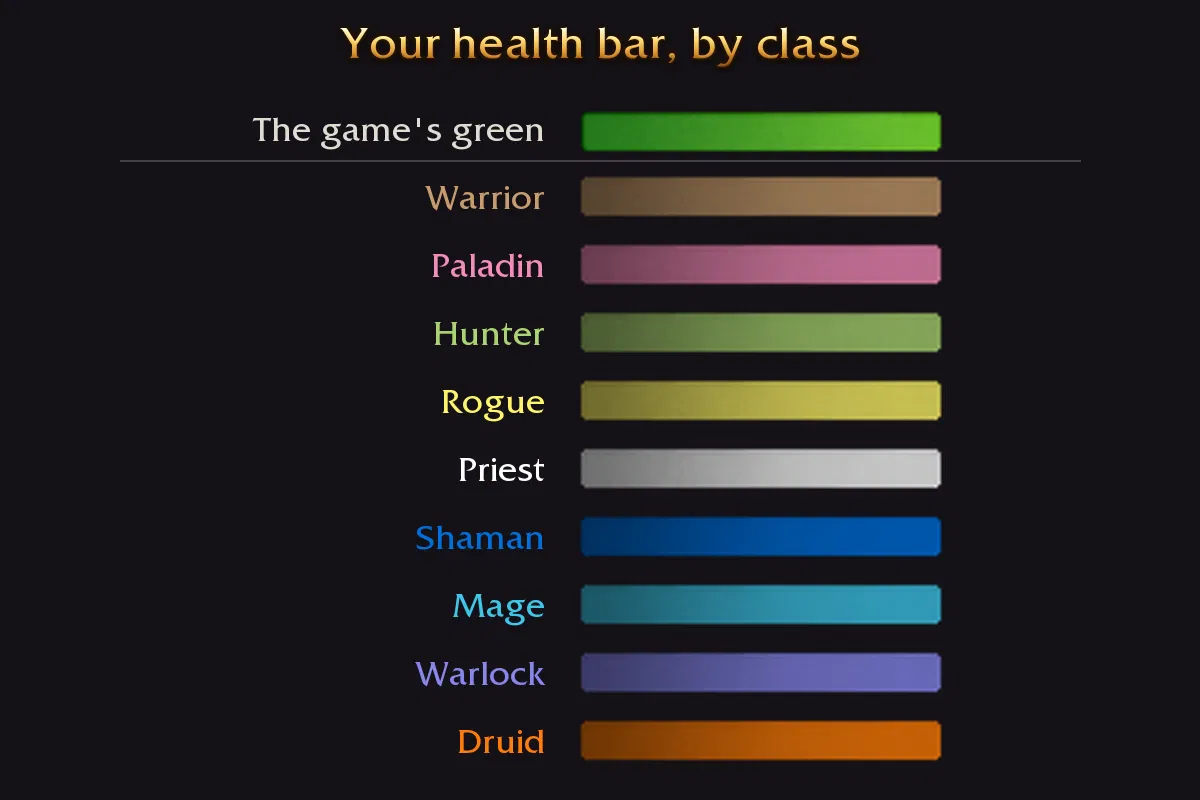
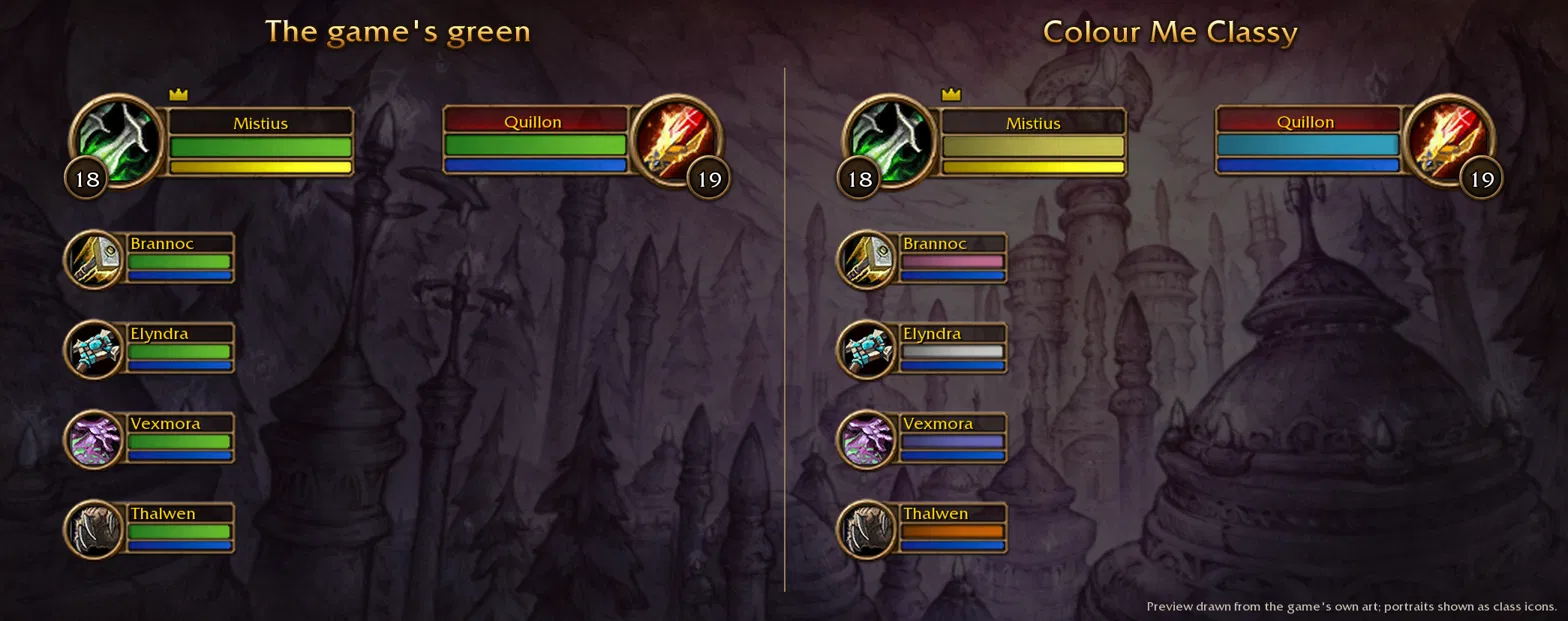
Players in their class colours, on the game's own health bars. Your health bar, your party's, and your target's when it's a player turn from the game's green to their class colour, drawn on the game's own bar art so they keep their shading. For nameplates and the names over friendly players' heads, it shows you which of the game's own class-colour options are on and takes you straight to them.
Made for WoW Forever (1.60.1). Small and standalone: nothing else to install.
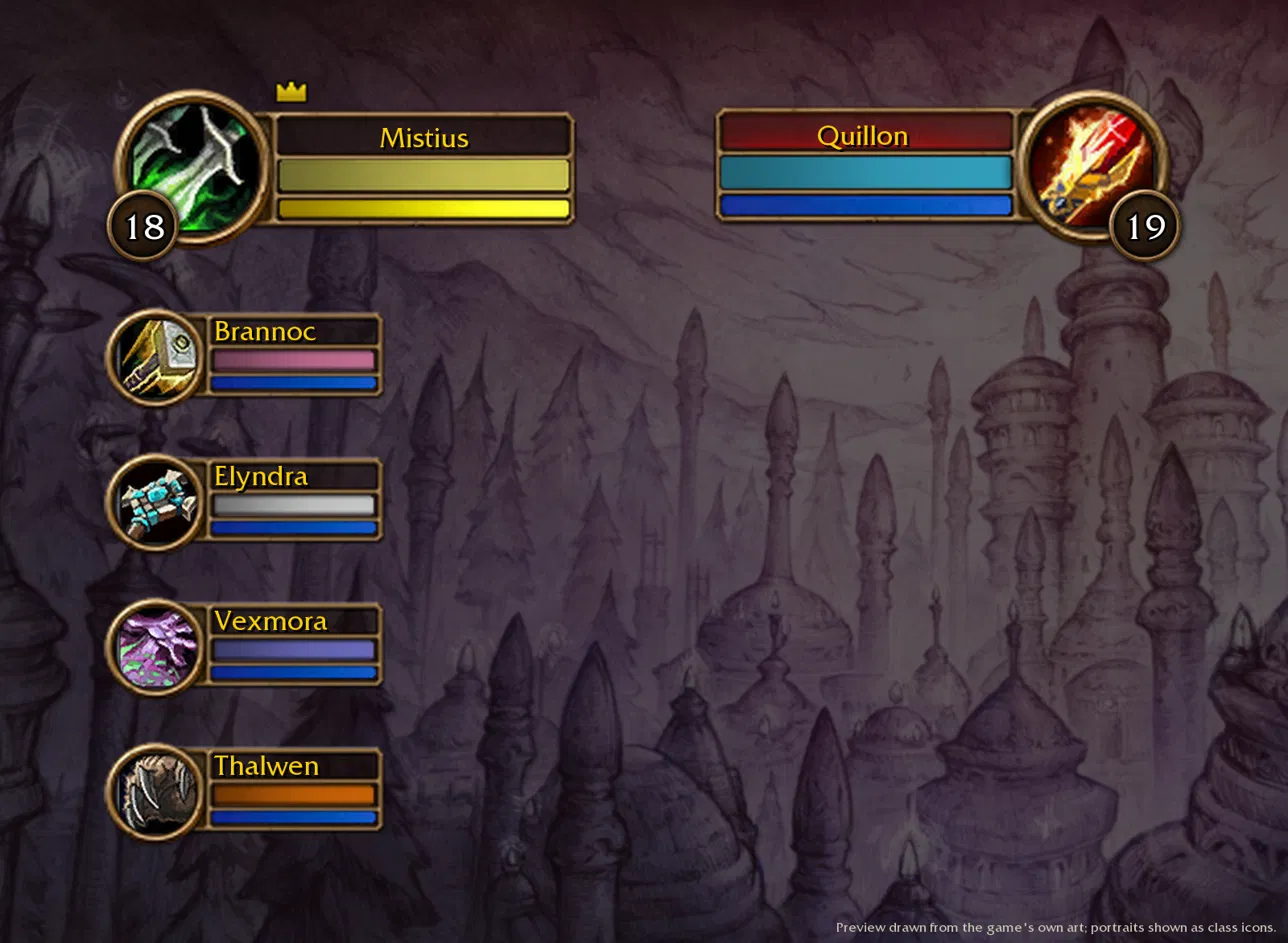
The pictures are drawn from the game's own bar art, with class icons standing in for portraits.
See it
Health bars in class colours
- Yours, from the moment you log in.
- Your party's, each member in their own class colour. Someone who joins later is coloured as their frame appears.
- Your target's and focus's, while it's a player, of either faction. Target an NPC and the bar goes back to the game's own green.
- Drawn on the game's own white version of each bar's art, tinted the way the game tints its bars, so the shading stays. A disconnected party member keeps the game's grey.
- Each of the three on or off in the settings, at once.
Nameplates and the names over players
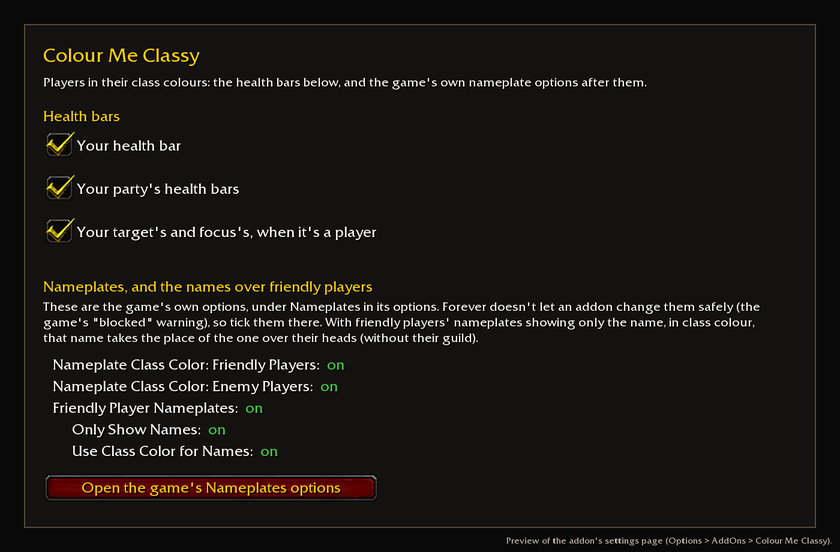
- The game already has the options for these, under Options, Nameplates: Nameplate Class Color (for friendly and for enemy players), and Friendly Player Nameplates with Only Show Names and Use Class Color for Names, which puts friendly players' names over their heads in class colours. With Always Show Nameplates off, the game shows them only in combat.
- Forever doesn't let an addon change those options safely, so Colour Me Classy never touches them. Its settings page lists all five under the game's own names, says which are on, and has a button that opens the game's Nameplates page.
Light and safe
- Nothing of the game's is replaced: the addon only acts after the game has drawn its bars.
- It never changes a game setting, and stays out of the way of anything it can't read.
- No "blocked" popups: it never asks the game for anything during a fight that the game keeps for itself.
Getting started
- Install it, then restart the game fully (a
/reloaddoesn't pick up a new addon). - Your health bar is in your class colour straight away.
- Settings: Options, AddOns, Colour Me Classy, or
/classy. - For class-coloured names over friendly players: on that page, click Open the game's Nameplates options and tick Friendly Player Nameplates, Only Show Names and Use Class Color for Names (and Always Show Nameplates, to see them out of combat too).
Commands
| Command | What it does |
|---|---|
/classy |
Open the settings |
/classy status |
Which of the game's nameplate class-colour options are on |
/classy help |
List the commands |
Questions
Why can't it colour the names over players' heads itself? The game draws those names itself, and no addon can colour them. The game's friendly nameplates can show just the name, in class colour, in their place: the settings page takes you to those options.
Why doesn't it tick the nameplate options for me? Changing them from an addon makes the game rebuild its nameplates in the middle of the addon's call, and Forever blocks that ("blocked from an action only available to the Blizzard UI"). Ticking them yourself takes a few seconds and they stay ticked.
Does it change anything else? No. Only those health bars, and only while they show a player.
Does it send anything anywhere? No.
Known limits
- Raid-style party frames and raid frames aren't changed: the game has its own Display Class Colors option for those, in its raid frame options.
- Names shown on friendly nameplates don't include the player's guild.
- Your pet's, your target's target's and bosses' bars stay as the game draws them.
Bar art, the loading-screen painting and fonts are Blizzard's, drawn from the game's own files. Made by Mistius.
ColourMeClassy Team