ClassicUI Forever: Standalone Windows and Menus
- By
The classic 1.x character sheet, spellbook, talents, quest log, professions and social windows, for WoW Forever and retail.
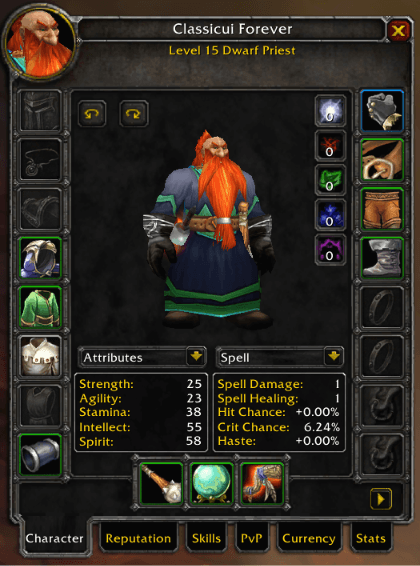
character-sheet.png
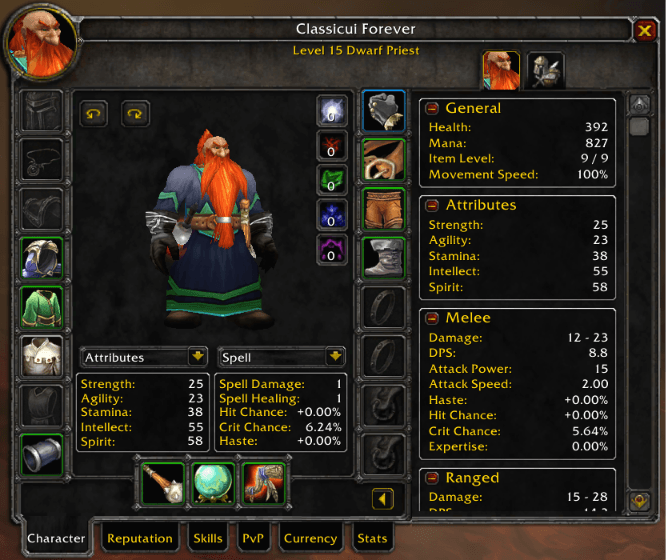
character-sheet-stats-pane.png
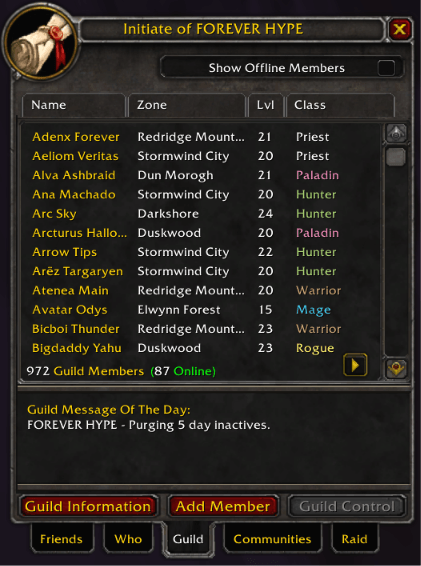
guild-roster.png
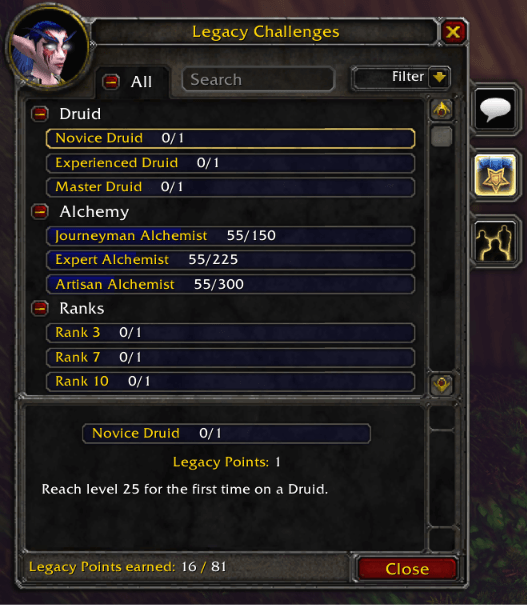
legacy-challenges.png

legacy-progress-track.png
Description
ClassicUI Forever: Standalone Windows and Menus


The windows and menus from ClassicUI Forever, the full classic 1.x addon suite, on their own.
If you want the full addon (or more than one standalone piece) rather than this standalone, please download ClassicUI Forever's full version instead. It lets you toggle anything you want one by one.
- The 1.x character sheet, with TBC stat drop downs and the equipment manager a click away
- The 1.x spellbook, twelve spells a page, with top ranks only, a search box and What's Training
- The old talent window, or all three trees side by side (on retail, the game's talents in the classic frame)
- The 1.x quest log or a wider double pane, quest levels, and the objective tracker in the classic look or as Classic Era's quest watch
- The professions book and the old trade skill and trainer windows
- The 1.x Who list and guild roster, and the group finder at the social window's size
- Mounts, pets, toys, heirlooms and appearances in a classic window, and on Forever the Legacy window in the old talent look
- The game menu, settings, menus, tooltips, loot window and rolls, and the game's other windows (bank, mail, vendor, auction house and more) in 1.x frames
- Era's gold, silver and copper coins
From the author of EasyFind, 4th place in the CurseForge 2026 World of Warcraft addon contest.
How it works
Every piece has its own toggle in the options window (/fcui). Turn one off and the game's own look comes back in place. Works on WoW Forever and retail.
One ClassicUI Forever package runs at a time: with the full addon or another standalone enabled, this one stands down and says so in a popup. For more than one piece, get the full addon, ClassicUI Forever, and turn off what you do not want.
Commands
/fcui: open the options window./fcui help: list every toggle and command.
Feedback
Bug reports and ideas are always welcome.
- GitHub issues: https://github.com/fallenguards/classicuiforever/issues/new/choose?addon=ClassicUI%20Forever%3A%20Standalone%20Windows%20and%20Menus
Links
- GitHub: https://github.com/fallenguards/classicuiforever
- Changelog: https://github.com/fallenguards/classicuiforever/blob/main/CHANGELOG.md
- The full addon, ClassicUI Forever: https://www.curseforge.com/wow/addons/classicui-forever
ClassicUI Forever: Standalone Windows and Menus Team

Owner