ClassicUI Forever: Standalone Action Bars
- By
Standalone action bars from ClassicUI Forever, for those that only want the classic action bars and nothing else.
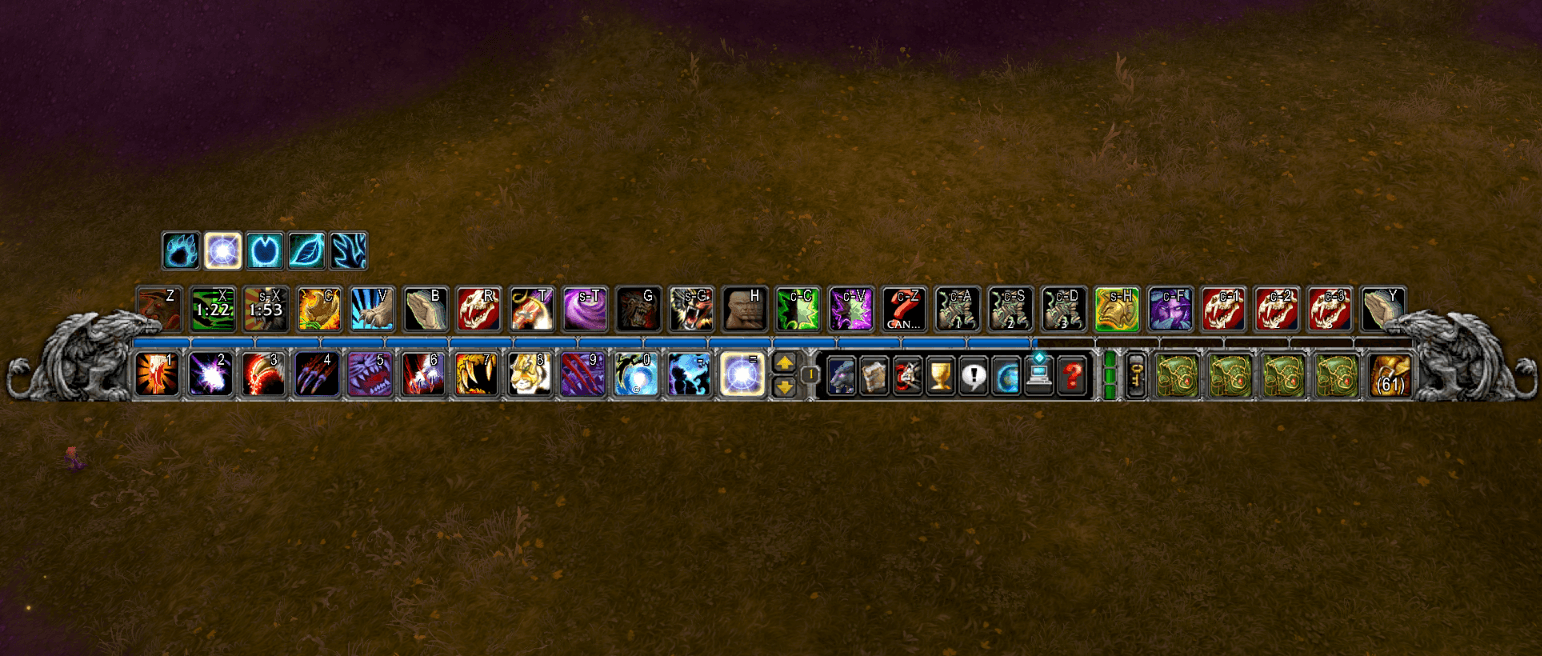
Classic bars.
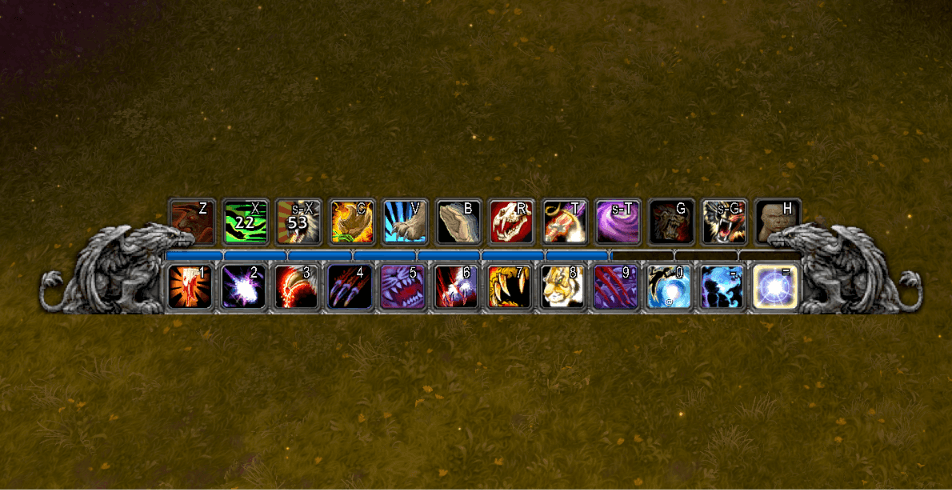
One bar version of the Classic bars.
Description
ClassicUI Forever: Standalone Action Bars


The action bars from ClassicUI Forever, the full classic 1.x addon suite, on their own.
If you want the full addon (or more than one standalone piece) rather than this standalone, please download ClassicUI Forever's full version instead. It lets you toggle anything you want one by one.
- The 1.x main bar with its gryphons and stone band, with the classic-sized bars if you like
- The old square buttons, the classic cast animation, and the key text shown or hidden
- The micro menu and bag buttons in their old sockets, the key ring and the latency bar
- Shaded XP and reputation bars, with rested XP in the tooltip
- Hide any micro button, and keep the menu's width or spread the rest evenly
- The bag bar shown, hidden, on hover or backpack only, its art hidden and the bags closer together
- Era's fonts for key labels and stack counts
From the author of EasyFind, 4th place in the CurseForge 2026 World of Warcraft addon contest.
How it works
Every piece has its own toggle in the options window (/fcui). Turn one off and the game's own look comes back in place. Works on WoW Forever and retail.
One ClassicUI Forever package runs at a time: with the full addon or another standalone enabled, this one stands down and says so in chat. For more than one piece, get the full addon, ClassicUI Forever, and turn off what you do not want.
Commands
/fcui: open the options window./fcui help: list every toggle and command.
Feedback
If something looks wrong, say so; every report helps.
- GitHub issues: https://github.com/fallenguards/classicuiforever/issues/new/choose?addon=ClassicUI%20Forever%3A%20Standalone%20Action%20Bars
Links
- GitHub: https://github.com/fallenguards/classicuiforever
- Changelog: https://github.com/fallenguards/classicuiforever/blob/main/CHANGELOG.md
- The full addon, ClassicUI Forever: https://www.curseforge.com/wow/addons/classicui-forever
ClassicUI Forever: Standalone Action Bars Team
Owner