CG Forever (Clemmergear)
- By
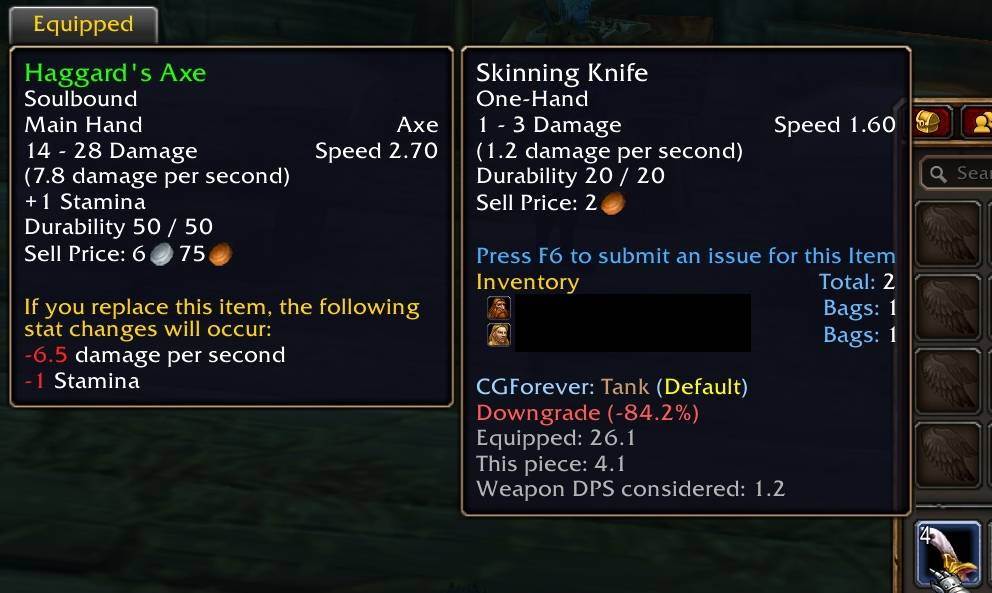
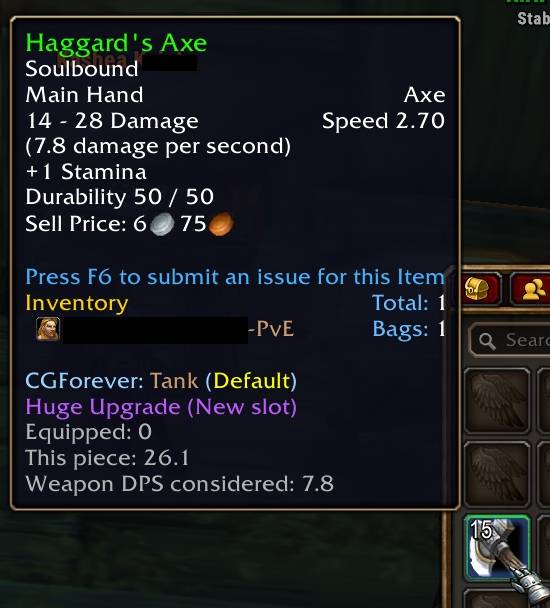
Stop looking through your bags for an upgrade. This is a role-aware gear upgrade addon for Forever: tooltips, character pane arrows, an Upgrade Panel, quest reward markers, and an AH scanner, built for Forever's vanilla-style classes and stats.
1.jpg
new1.jpg
minimap-button1.jpg
options1.jpg
options2.jpg
Description
*** Playing Retail? Grab Clemmergear - The Retail WoW version! ***
CGForever
Stop looking through your bags for an upgrade. Just open your character panel, and the upgrades stare at you right in the face.
**Gear upgrade hints for WoW Forever.** CGForever tells you what's an upgrade while you level: in your tooltips, on your character pane, on quest rewards, and at the Auction House.
It's the WoW Forever sibling of ClemmerGear https://www.curseforge.com/wow/addons/clemmergear, rebuilt from the ground up for Forever's vanilla-style classes, stats, and talent trees. It's a completely separate addon and shares nothing with the retail version, so you can have both installed on the same account without any conflicts.
**Work in progress.** CGForever is being built and tested alongside WoW Forever's beta. Expect the odd bug, and please report anything weird!
---
## Roles, not specs
Forever's talent trees let you put points wherever you want, so there's no spec for an addon to read. Instead, you pick the role you're actually playing, and CGForever scores gear for that:
| Class | Roles |
|---|---|
| Warrior | Melee, Tank |
| Paladin | Melee, Tank, Healer |
| Hunter | Ranged |
| Rogue | Melee |
| Priest | Caster, Healer |
| Shaman | Melee, Caster, Healer |
| Mage | Caster |
| Warlock | Caster |
| Druid | Melee, Tank, Caster, Healer |
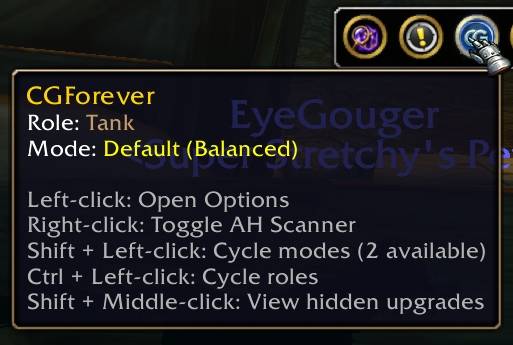
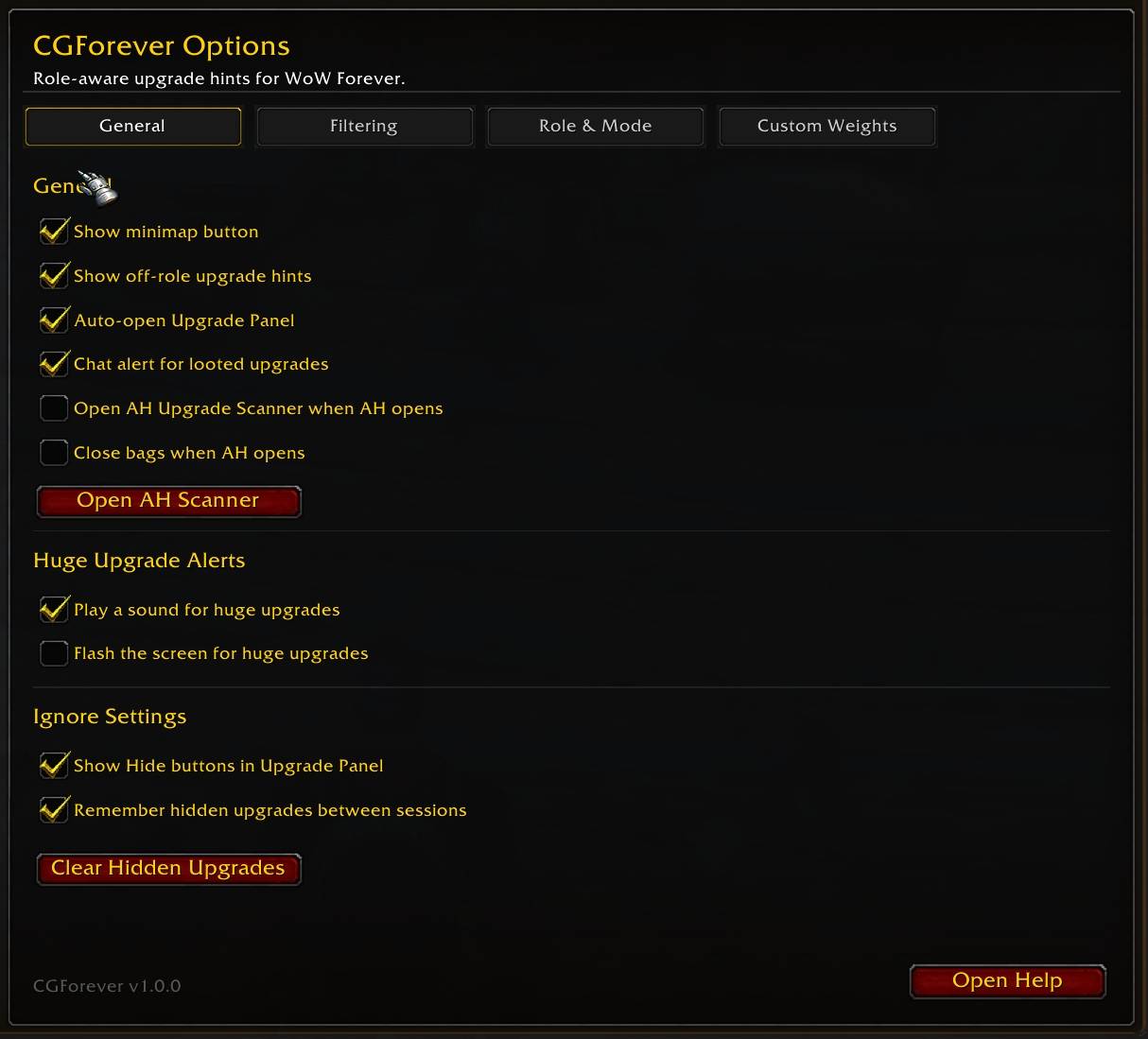
Every class starts on a sensible default. Change it anytime with **Ctrl + Left-click** on the minimap button, `/cgf role tank` (or healer, melee, ranged, caster), or in Options.
Your role is remembered **per talent loadout**, so Primary can be Melee and Secondary can be Tank. Swap loadouts and CGForever swaps with you.
---
## Features
**Tooltip comparisons**
- Hover any gear to see if it's an upgrade or downgrade for your role, with a percentage.
- Hold **Shift** to see every role your class can play, side by side.
- "Good for Tank" style hints when an item isn't for you right now but would be for another role.
**Character pane arrows**
- Slots light up when you've got something better sitting in your bags.
- Hold **Ctrl** over a slot to compare the equipped item with your best bag upgrade.
**Upgrade Panel**
- Pops up next to your character window with every bag upgrade in one list.
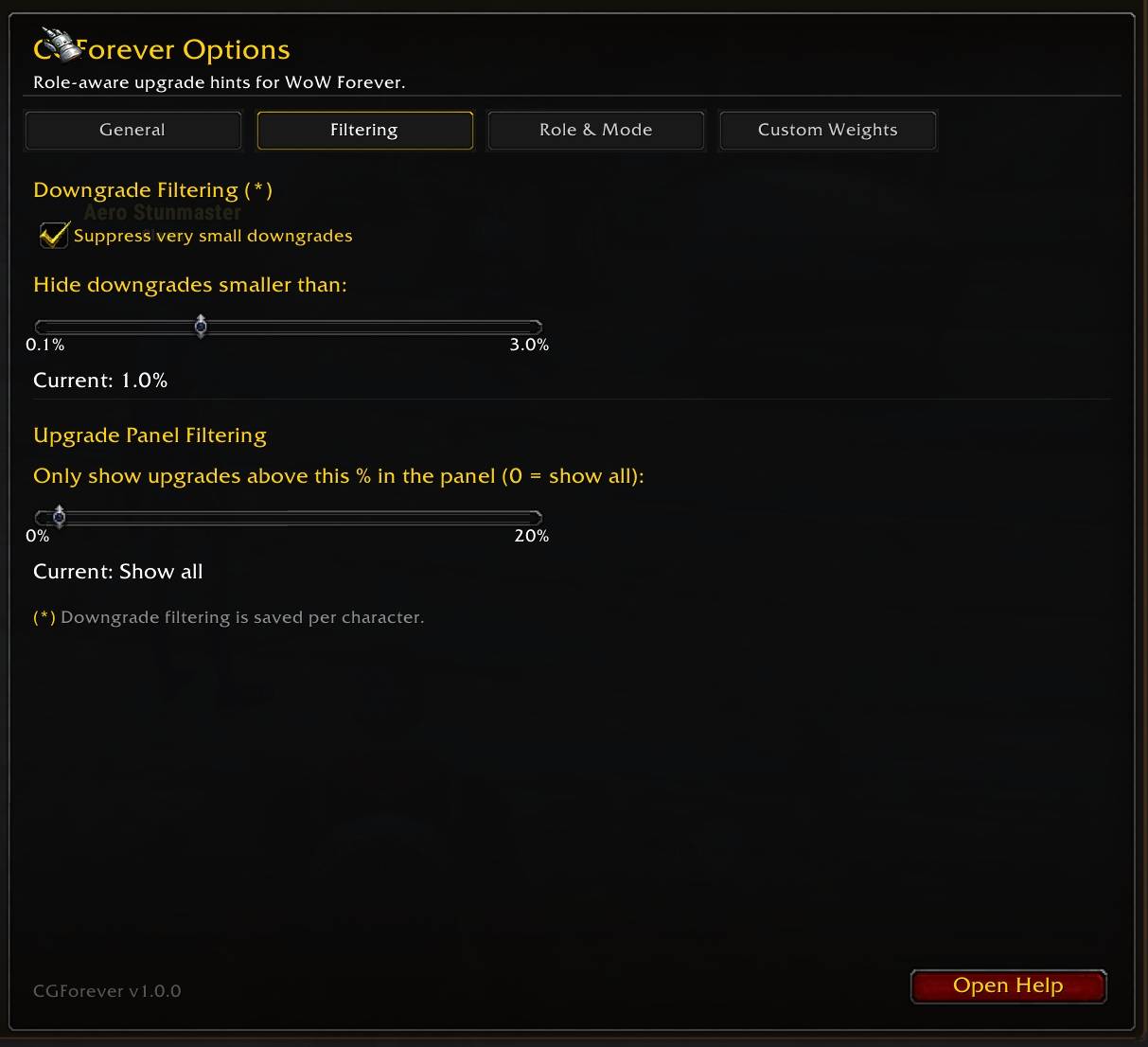
- One-click **Equip**, **Hide** items you don't want suggested, sort by strength or slot.
- Hidden upgrades viewer so you can bring back anything you hid.
**Quest rewards**
- Upgrade arrows right on the quest reward icons, on both the accept and turn-in screens.
- **OR** marker for rewards that are better for another role.
- Coin marker for the best vendor value when nothing's an upgrade.
**AH Upgrade Scanner**
- Right-click the minimap button (or `/cgf ah`) at the Auction House.
- Pick your slots, hit Scan, and it finds higher item level gear you can actually use, filtered to your armor type and weapon skills.
- **Search AH** jumps straight to any result.
**Loot alerts**
- Chat message when you loot an upgrade, with how much better it is.
---
## Built for Forever
- **Classic stats.** Strength, Agility, Stamina, Intellect, Spirit, armor, attack power, spell power and healing, hit, crit, defense, dodge/parry/block, MP5, and weapon DPS.
- **Level 40 armor.** Hunters and Shamans move to Mail at 40, Warriors and Paladins to Plate. From level 35 you'll see those pieces with an orange "not yet" arrow, so you know what's coming.
- **Weapon training aware.** Haven't trained Daggers yet? Daggers still get scored so you can see if they're worth learning, but they get an orange arrow and a "Train Dagger to use this" note instead of cluttering up your upgrades.
- **Ranged slot.** Bows, guns, crossbows, thrown weapons, wands, and librams/idols/totems all handled. Wands count for a lot while casters are leveling.
- **Weapon DPS matters.** Especially early on, when gear stats are tiny. (Feral Druids are the exception, since cat and bear forms don't use weapon damage.)
---
## Scoring modes
- **Default:** standard weights for your role.
- **Solo / Open-World:** extra Stamina and Spirit for less downtime. Tanks and healers lean toward damage, since you're questing, not grouping.
- **Custom:** build your own weights with simple 1–10 sliders (5 is normal). Export and share builds with a `CGF:` string.
**Shift + Left-click** the minimap button to cycle modes.
---
## Slash commands
| Command | What it does |
|---|---|
| `/cgf` | Help window |
| `/cgf up` | Toggle the Upgrade Panel |
| `/cgf role [role]` | Cycle or set your role |
| `/cgf mode [default\|solo]` | Change scoring mode |
| `/cgf stats` | Show exactly how the item under your mouse is scored |
| `/cgf ah` | AH Upgrade Scanner |
| `/cgf hidden` | View hidden upgrades |
| `/cgf reset panel` | Reset the Upgrade Panel position |
| `/cgf options` | Options |
---
## Good to know
- **Weights are a starting point, not a sim.** CGForever is built for quick, practical calls while you level, not for min/maxing. If something looks off, `/cgf stats` shows exactly what got counted.
- **No bag arrows.** They kept ghosting onto the wrong slots, so they're out. Tooltips, the character pane, and the Upgrade Panel have you covered.
- **AH scanner and random suffixes.** The AH groups "of the Bear," "of the Tiger," etc. under one item, so the scanner ranks them by item level. Click **Search AH** and hover the individual auctions to see which suffix is actually best for you.
- **Effect trinkets** (On Use and chance-on-hit) are labeled "Special Trinket" rather than guessed at. Compare those yourself.
---
## Bugs and feedback
Found something weird? Please leave a comment or open an issue with:
- Your class, level, and role
- What you expected vs. what happened
- The output of `/cgf stats` on the item, if it's a scoring issue
Thanks for trying it out!
The CG Forever (Clemmergear) Team