Bonus Roll Auto Pass
- By
Automatically passes the Bonus Roll prompt for the dungeons, delves, raid bosses and open-world content you pick.
Screenshot 2026-10-09 121352.png
Screenshot 2026-10-09 121357.png
Screenshot 2026-10-09 121402.png
Screenshot 2026-10-09 121407.png
Screenshot 2026-10-09 121412.png
Description
Bonus Roll Auto Pass
Automatically passes the Bonus Roll prompt for the content you pick. Nothing else.
This is a stripped-down version of RollAway by Nightwalker559. It keeps the Bonus Roll auto-pass and its reminder.
All credit for the original design and code goes to Nightwalker559.
Features
Bonus Roll Auto-Pass
Automatically passes on the Bonus Roll prompt for the content you've checked off:
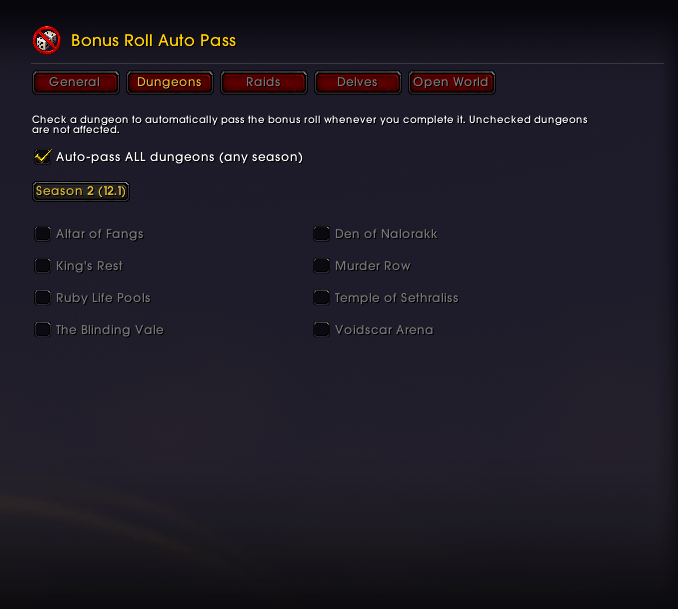
- Dungeons: per dungeon (current season), or one switch for all dungeons
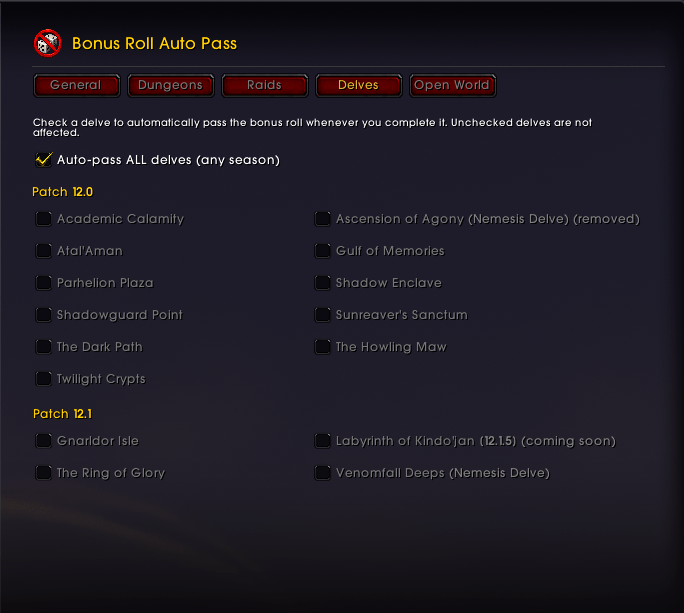
- Delves: per delve (Patch 12.0 and 12.1), or one switch for all delves
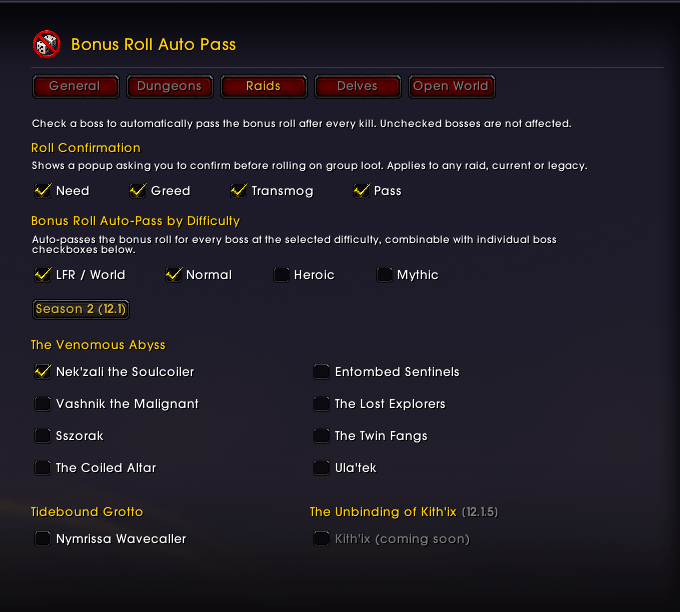
- Raid bosses: per boss, or a whole raid difficulty (LFR / Normal / Heroic / Mythic); you can combine both
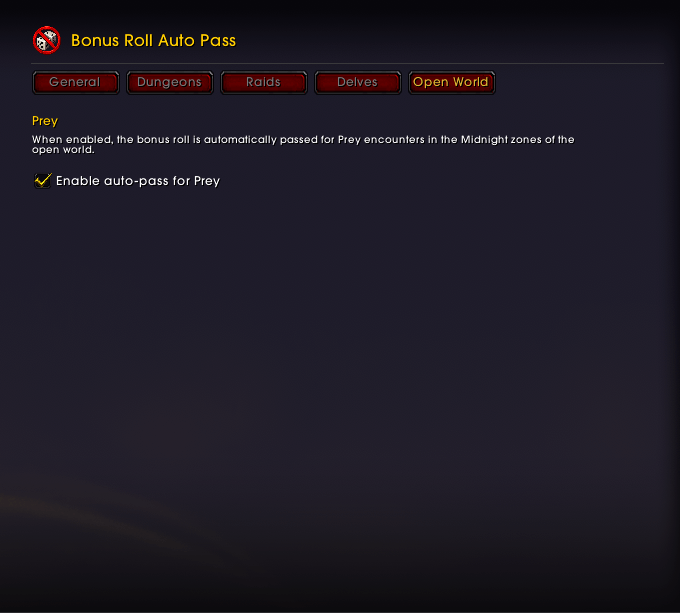
- Open World: Prey encounters in Midnight zones, including the Coiled Isle
- World Bosses / Lairs fought as raid instances (e.g. Tidebound Grotto) count as regular raid bosses
Bonus Roll Reminder
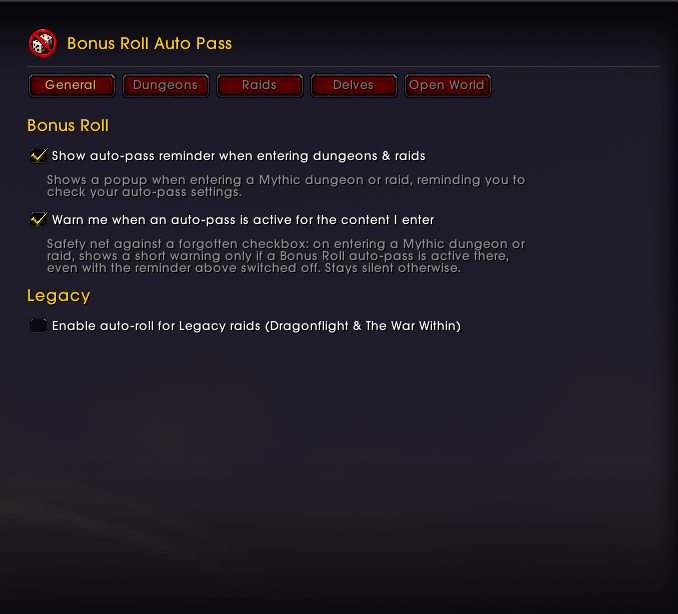
- Reminder when you enter a Mythic dungeon or raid. It shows your Nebulous Voidcores, how many rolls they buy, and whether an auto-pass is active there.
- Safety-net warning (on by default). It appears only when an auto-pass is active for the content you enter, so a forgotten checkbox doesn't cost you a roll.
Legacy Auto-Roll (optional)
Auto-rolls Need / Greed / Transmog on loot from legacy Dragonflight and The War Within raids. Priority is Need → Greed → Transmog, and you can enable any combination. Raid selections can optionally be shared across all characters.
Roll Confirmation (optional)
Asks for confirmation before you roll Need, Greed, Transmog or Pass on group loot.
Slash Commands
| Command | Description |
|---|---|
/brap or /bonusrollautopass |
Open options |
Options
Open with /brap or Options > AddOns > Bonus Roll Auto Pass. There is one settings page with the tabs General, Dungeons, Raids, Delves and Open World, plus Legacy when legacy auto-roll is enabled.
The Bonus Roll tabs only appear on max-level characters.
- Per character: dungeon / delve / boss / difficulty / Prey selections
- Account-wide: reminder, warning, legacy and roll-confirmation settings
Installation
- Download and extract to
Interface/AddOns/BonusRollAutoPass. - Make sure the folder is named exactly
BonusRollAutoPass. - Restart or reload WoW (
/reload).
Bonus Roll Auto Pass uses its own saved variables and slash commands, so it doesn't conflict with RollAway. Running both at once is pointless, though, because both would auto-pass.
License & Credits
Released under the MIT License, the same license as the original.
- Original addon: RollAway © 2026 Nightwalker559 (MIT)
The full license text, including both copyright notices, is in LICENSE.txt in the addon package.
Support
Report bugs via CurseForge comments.
Bonus Roll Auto Pass Team

Owner


![Better Personal Resource Display - [BPRD] Better Class Bars project image](https://media.forgecdn.net/avatars/thumbnails/1898/932/256/256/639186817422521634.png)