BiS> Power Word: Shell
- By
A computer terminal for WoW Forever: your addons, CPU, stutters, and floppy disks hidden in the world.
Screenshot 2026-10-14 182656.png
Screenshot 2026-10-14 182712.png
Screenshot 2026-10-14 182739.png
Screenshot 2026-10-14 182811.png
Screenshot 2026-10-14 182824.png
Description
BiS> Power Word: Shell
An old computer inside WoW, with a text adventure on it. Play it in the quiet between raids. Find its disks out in the world. And when your game stutters, ask the computer which addon did it.
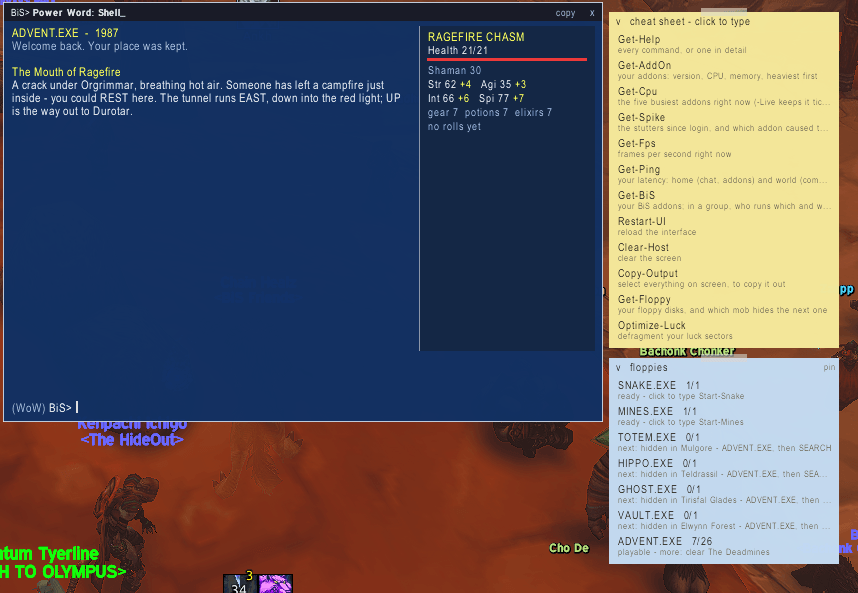
The raid's over, the next one is tomorrow, and you're standing in Ironforge with nothing to do. Type /pws. A blue terminal window opens with a blinking BiS> prompt. Type advent, and you're at the gates of the Molten Core, 1987 style:
ADVENT.EXE  -  Molten Core, 1987

The Gate
You stand where Blackrock Depths gives way to the Molten Core. The air shimmers.
A narrow tunnel runs EAST; a lava bridge leads NORTH.

> go east
A Cooling Tunnel
Water drips from somewhere impossible. Someone has scratched words into the wall.
You see an aqual quintessence, cold as the bottom of a lake.

> read
Scratched into the rock: "What does every raider want from every boss? Three letters."
No graphics and no timer. You read, you think, and you type what you do.
The adventure
ADVENT.EXE is a text adventure, the kind people played on home computers in the 1980s. You explore by typing, and the game answers in words.
- Type what you do:
look,go north(or justn),take quintessence,use,read,say <word>,inventory,hit <who>. Typehelpin the game for the list. - Find your way: walk the rooms, pick things up, and work out what to use where. A rune too hot to cross, a guard who wants a password, and a fire lord who can't be hurt by any weapon you brought.
- Your best run is kept. Win, and it counts your moves. Play again and try for fewer.
- It waits for you. There's no clock. Walk away mid-room, and it'll be right there when you come back. If a fight starts, the game steps aside and gives you your keyboard.
- You earn the disks in the real Molten Core. Each raid boss you kill can hand you a piece: Lucifron (or Onyxia), Magmadar, Garr or Gehennas, then one of the four after them, and finally Majordomo Executus or Ragnaros. A little note pops up when you find one. Your raid nights fill the disk set. Your quiet evenings are for playing it.
Two more games, and where their disks hide
Nothing drops, and nothing fills your bags. Kill the right mobs, and a little note pops up: you found a floppy. Each disk tells you which mob hides the next one, so finding disks becomes a small hunt across the world. There are roads for both Alliance and Horde.
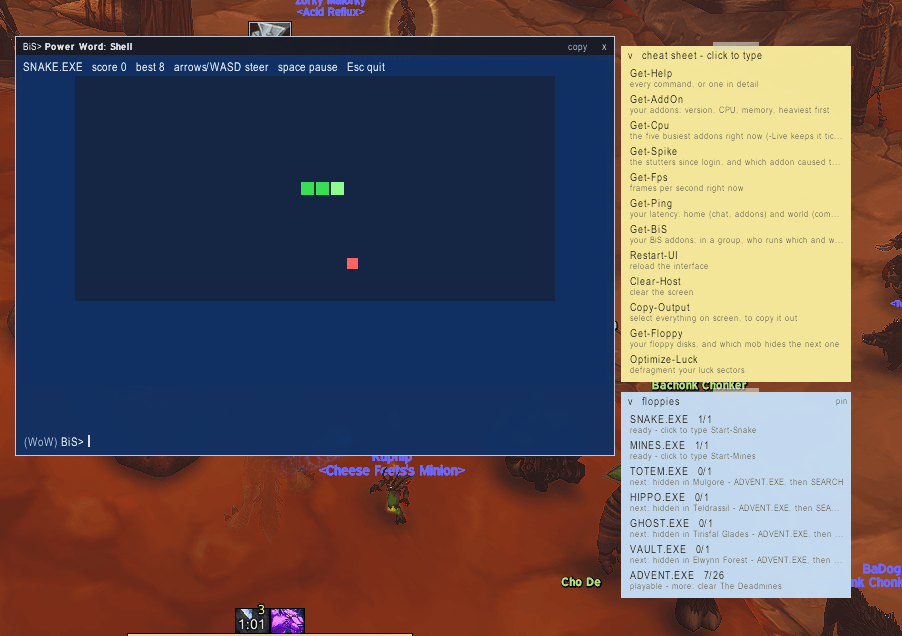
- SNAKE.EXE: the classic snake game. Its disks hide in the starter zones, a good excuse to wander back to where you began. The first one is already in the box when you open the terminal.
- MINES.EXE: minesweeper. Its disks are carried by dungeon bosses, from Ragefire Chasm and the Deadmines down to Gnomeregan.
Once you have a game's disks, type its name to play: snake, mines or advent. Arrow keys steer the snake. You click the mines.
A second sticky note lists every game, how many disks you have, and the next mob to kill. You can pin it on screen while you quest. Get-Floppy tells you the same thing in the terminal.
The useful side
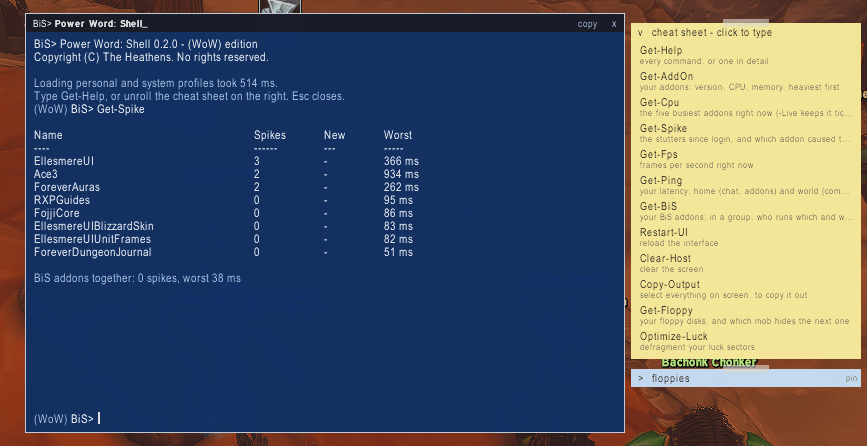
Your game stutters every few seconds, and you have forty addons. Which one is it? Type Get-Spike, and it tells you: every stutter since you logged in, how long it lasted, and which addon was running when it happened. Disable-AddOn it, then Restart-UI, and you're done. You never left the game.
How it works
- Open it:
/pwsor/bisp. Move it anywhere. Escape closes it. - Type a command and press Enter. Up arrow brings back what you typed before. Tab finishes a command or an addon name for you.
- Get a command wrong, and you get a red "not recognized" error, along with the closest real command.
- Not sure what to type?
Get-Helplists every command.Get-Help Get-Cpuexplains one, with an example. - The cheat sheet: a sticky note on the window's edge. Click it and it unrolls. Click a command, and it types itself into the prompt, letter by letter. You press Enter.
- Combat comes first. The moment a fight starts, the terminal lets go of your keyboard and any game pauses. You never type into a terminal when you meant to cast.
What it can tell you
| Command | What you see |
|---|---|
Get-AddOn |
Every addon you run: version, CPU and memory, the heaviest first. |
Get-Cpu -Live |
The five busiest addons right now, updating every second, like a task manager. |
Get-Mem |
Memory per addon, and the total. |
Get-Spike |
The stutters since login: when, how long, and which addon caused each one. |
Get-Fps / Get-Ping |
Your frame rate, and your home and world latency. |
Get-BiS -Raid |
Who in your group runs which BiS addon, and which version. Old versions show in red, so you know who to nudge before the pull. |
Disable-AddOn / Enable-AddOn |
Turn an addon off or on for your next reload, without the addon list screen. |
Restart-UI |
Reload the interface. |
Get-Target / Get-Location / Get-Date |
Your target's name, ID and zone; where you are, written as a folder path (WoW:\Elwynn Forest\Goldshire); and the date and time. |
Clear-Host / exit |
Wipe the screen / close the window. |
Here's an example. Your raid's frames drop to 20 the moment the boss is pulled. Get-Cpu -Live during the pull shows one addon at the top, using five times more than the others. Now you know which one to look at, instead of turning them all off one at a time.
Flight times that learn
Take a flight path and the terminal knows how long it will take. Every route remembers how long it really took you. Every landing also corrects the guess for routes you haven't flown yet, so the times get better the more you fly. If you have EllesmereUI installed, its route lengths are used as well. Get-FlightLog shows how your last flight was timed.
Just for fun: the luck commands
These are a joke, and they say so: they don't change your loot. They're there for the downtime between pulls.
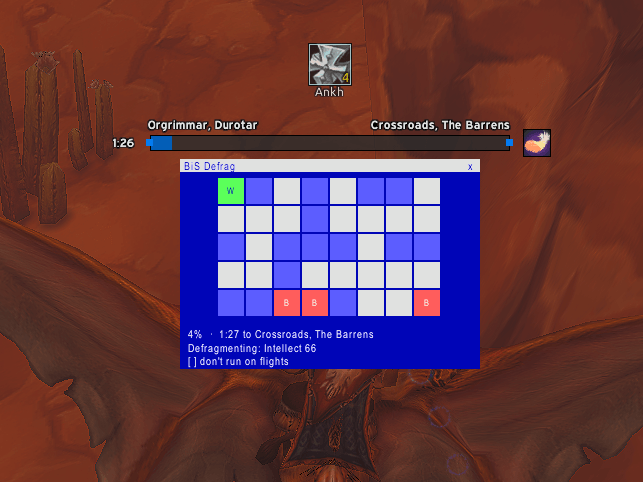
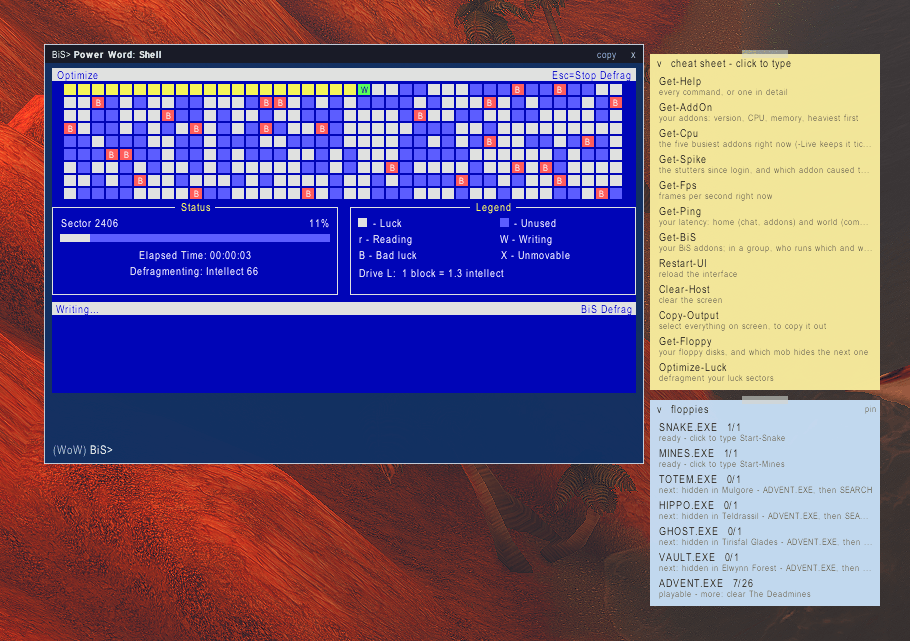
Optimize-Luck(ordefrag): an old-school disk defrag of your "luck sectors". The blocks come from your real character sheet: a priest's Intellect, Spirit, spell crit and healing, a warrior's Strength, crit, hit, dodge and armor. It packs them together and repairs the "bad luck" on the way. Sometimes it finds a legendary block it can't move.- The flight defrag: take a flight path, and a small defrag window runs for the whole flight, one row per minute, showing the time left and where you're going. It usually finishes just as you land. Click the x to skip it for one flight, or turn it off for good in the window or with
Set-FlightDefrag -Off. Measure-LootAlignment: checks the "loot table alignment" before a boss and tells you whether to pull now.Enable-Luck: does exactly what it says. Probably.
Good to know
- Light: the terminal does nothing until you open it. The games only run while you play them.
- Part of the BiS addon family. It talks to other BiS addons over a shared channel. That's how
Get-BiS -Raidknows who runs what./biscommshows the channel, and/biscomm offturns it off. - Made for WoW Forever and Burning Crusade Classic.
BiS> Power Word: Shell Team