BiS>Memories
- By
Takes a screenshot when something worth remembering happens, and keeps a note of what it was.
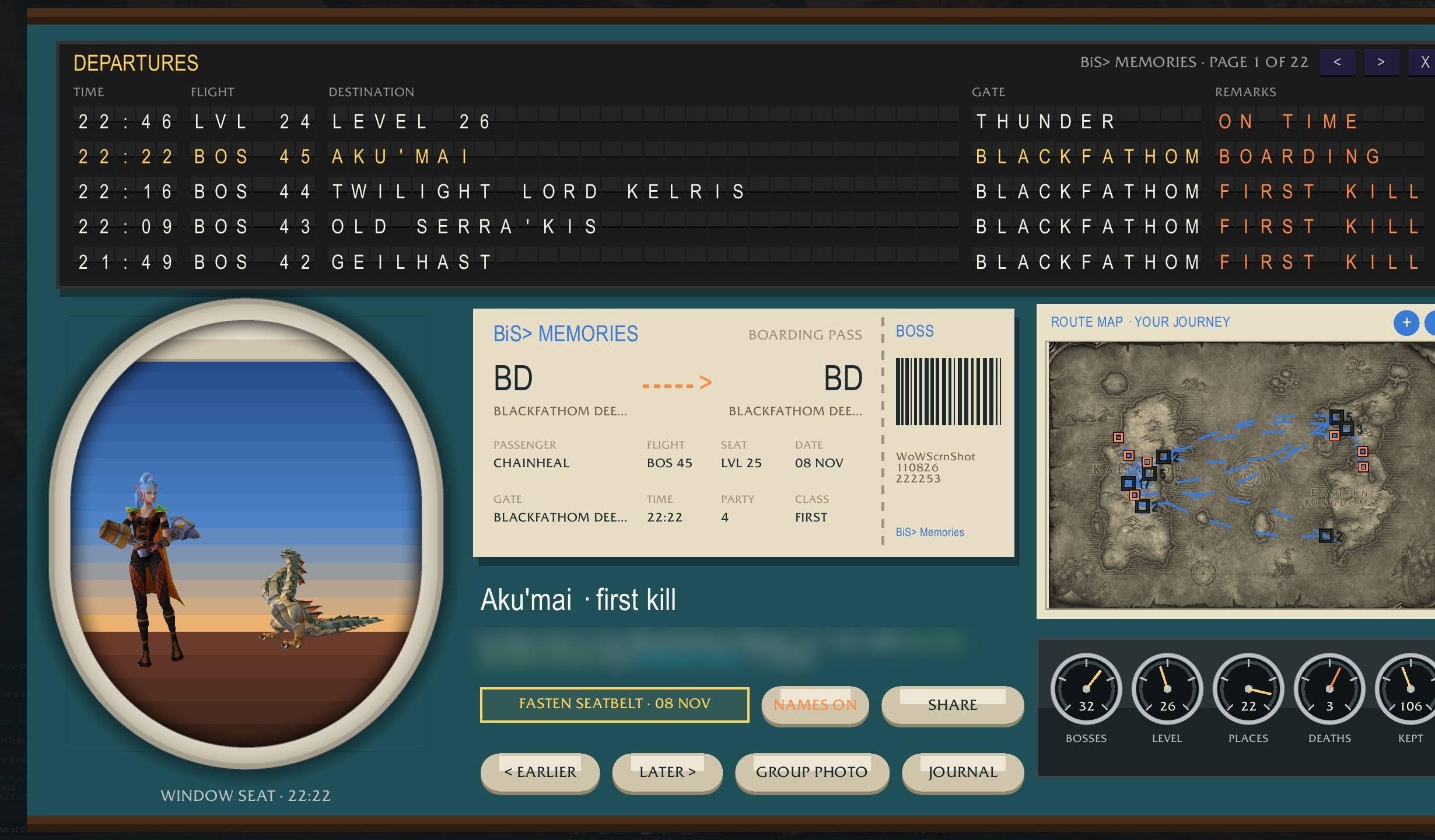
Your memories full screen: the departure board, the window seat, your boarding pass, the route map and five gauges.
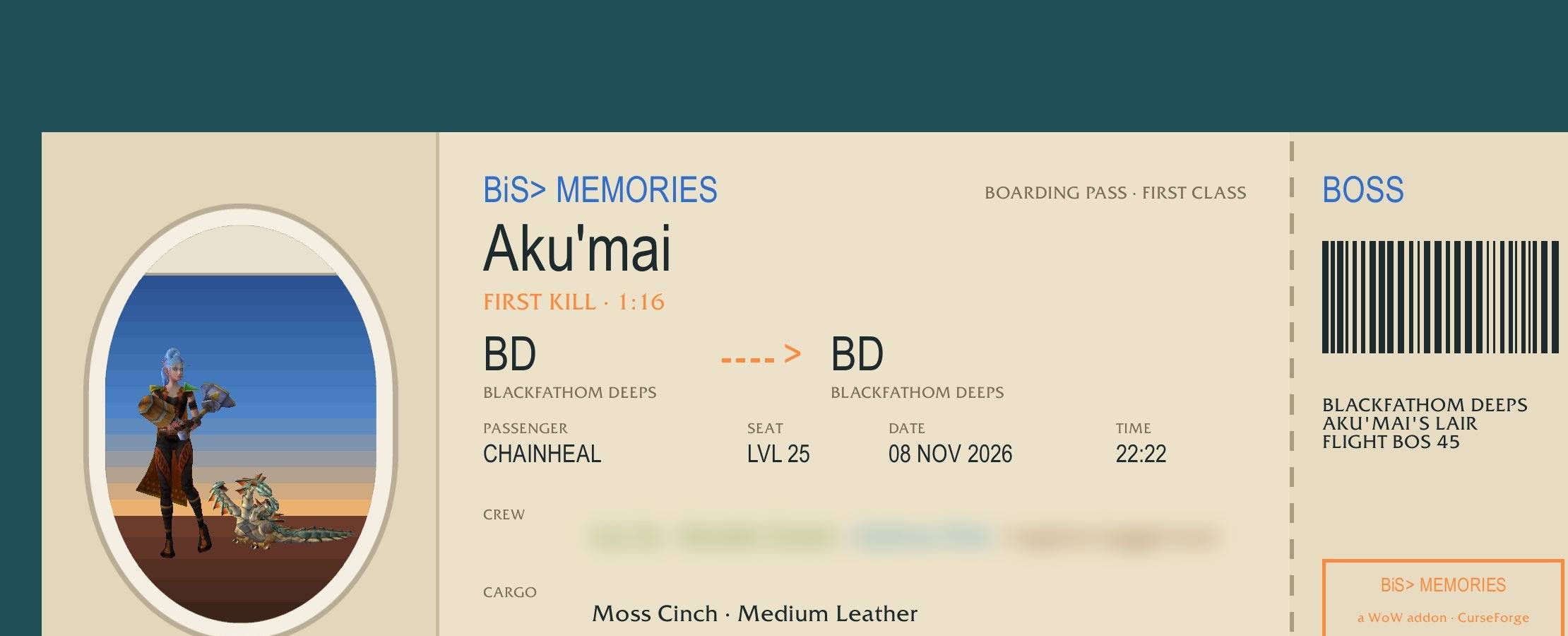
A memory as one picture to post anywhere: the boss, where and when, how long it took, and the loot. Names stay hidden unless you turn them on.
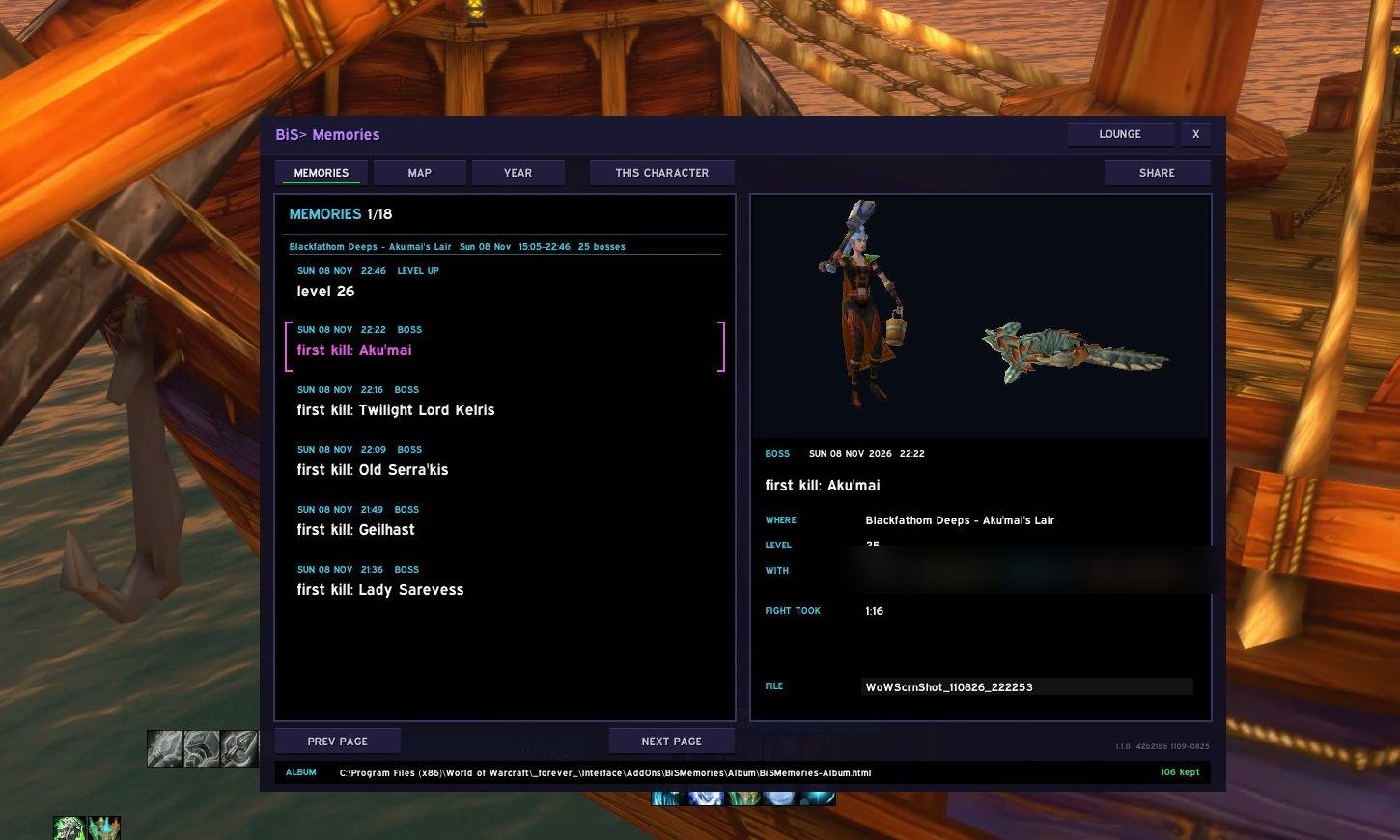
The glass cockpit: six memories a page on the left, the one you picked on the right, with the boss you killed lying at your feet.
Description
BiS> Memories
Takes a screenshot when something worth remembering happens, and writes down what it was. A year from now the picture still says why.
You killed Ragnaros for the first time. Somewhere in a folder of eleven hundred screenshots is the moment. Which one? BiS Memories wrote it down, with who was standing there.
What sets it off
- Levelling up
- A boss: your first kill, and every kill that's your fastest yet
- Loot of epic quality or better, an achievement, going exalted
- A death worth keeping: killed by a player or one of your BiS Tools rivals, dying in a boss fight, your first death. In a battleground only a rival's kill counts.
- A duel won, a place you've never been, your first mount, learning to ride
- Your biggest win at a BiS Gamba table
- One candid shot a week, at a random moment
Every one is a switch in the options. A new install starts with the big moments only - level ups, first kills, achievements, firsts - and no sound; switch the rest on whenever you like. Already using BiS Memories? Every switch you had stays exactly as it was. The interface hides for the instant of the shot, so the picture is the game, not your bars.
Options
- Esc > Options > AddOns > BiS> > Memories is a full-page dashboard: every section down the left - the camera, milestones, bosses, loot, deaths, out in the world, group photos, the journal, world-map pins, the album page - and its settings big and readable on the right. Every BiS addon you have is listed under BiS>.
- The minimap button, the same as every BiS addon: left-click opens the journal, right-click opens the options window (right-click again closes it).
Your album
A page comes with the addon that turns your Screenshots folder into an album, each picture with its story. It's a night flight: a cockpit windscreen on a neon sunset over the grid, every picture in its own glass screen, the search a flight computer's green scratchpad.
- In game,
/bism journal. The box at the bottom holds the album's address: click it, press Ctrl+C, then Windows key + R, Ctrl+V and Enter. - Press Choose your WoW folder once. Your browser asks to "upload" thousands of files. Say yes: it means handing them to the page, and nothing leaves your computer.
- That's it. From then on the album opens straight to your pictures. Make a desktop icon puts it a double-click away.
Search for a zone, a boss, an item or a friend's name, or click a count to see only the boss kills. It works with the internet unplugged.
The journal, in game
/bism journal opens a jetliner cockpit: two black glass screens, each doing one job in big, easy type. Keys along the top (MEMORIES, MAP, YEAR, and CHARACTER for this one or all of them), six memories a page on the left like a flight computer, and the one you pick on the right: a postcard of you in 3D, in what you wore that moment, with the boss you killed lying at your feet, then where, level, who was with you and how long the fight took.
- Who was there. Every picture keeps your group. Click a name to whisper them, invite them again, or add them as a friend or a BiS Tools pal (outside instances).
- The map. Every picture as a pin where it was taken. Zoom with the mouse wheel (1x to 16x) and drag to move; pins close together become one box with a count until you zoom in. On the game's world map, each memory can be a pin: a camera viewfinder, four corners in the memory's colour with nothing in the middle, so the quest marker or road under it stays in plain sight. Pins start off -
/bism pins mineturns them on. - On this day. Once a day: what happened a year ago today.
- The year. Levels, first kills, new places.
/bism year. - Group photo.
/bism groupcounts down on everyone's screen, and the whole group takes its picture at the same second. Someone else's call only reaches you when "others can call one" is on.
The Clipper Lounge
Press LOUNGE on the journal (or /bism lounge) and the whole screen becomes a 1960s jetliner lounge. It fits any monitor, laptop to ultrawide.
- A departure board of split-flap letters: every memory a flight (BOS for a boss, LVL for a level, PLC for a new place), the zone as its gate, and a remark like FIRST KILL. Turn the page and the letters clatter over.
- The window seat: the memory you picked through an oval cabin window at dusk, you and the boss beside you.
- Your boarding pass, a paper route map with dashed lines joining your memories in the order they happened, and five round gauges for bosses, level, places, deaths and memories kept.
- A fight closes it at once, and it won't open during one. Escape takes you back.
Share cards
Press SHARE (or /bism share) and for a moment the whole screen becomes that memory's boarding pass, big and alone: the boss, where and when, how long it took, who was with you and the loot that dropped. One screenshot, then everything comes back. The album page cuts it down to just the ticket, with SAVE IMAGE, ready to post anywhere.
Names are hidden from the start: you show as your class, your party as "4 friends: rogue, hunter, druid, mage". The NAMES key in the lounge flips them on.
Commands
/bism journal |
the journal |
/bism lounge |
the Clipper Lounge, full screen |
/bism share · /bism share 3 |
a share card of your newest memory · of an older one |
/bism map |
the map of where |
/bism year |
the year so far |
/bism group |
a group photo |
/bism now |
a picture right now |
/bism pins mine / all / off |
pins on the world map |
/bism options |
the options window |
Good to know
- Every character keeps their own memories and their own first times.
- Notes are written when you log out or
/reload, so a picture from the last few minutes gets its caption after that. - Part of the BiS family. It talks to the other BiS addons over one shared channel;
/biscomm offsilences it. - Made for WoW Forever.
BiS>Memories Team