BetterMacroDesigner
- By
Build macros in a few clicks with spell ranks, friendly/enemy conditions, class defaults, batch setup, and easy action-bar placement.
Screenshot 2026-10-14 094445.png
Screenshot 2026-10-14 094457.png
Screenshot 2026-10-14 094612.png
Screenshot 2026-10-14 094524.png
Screenshot 2026-10-14 094546.png
Description
BetterMacroDesigner
Choose a spell. Add your options. Put it on your bar.
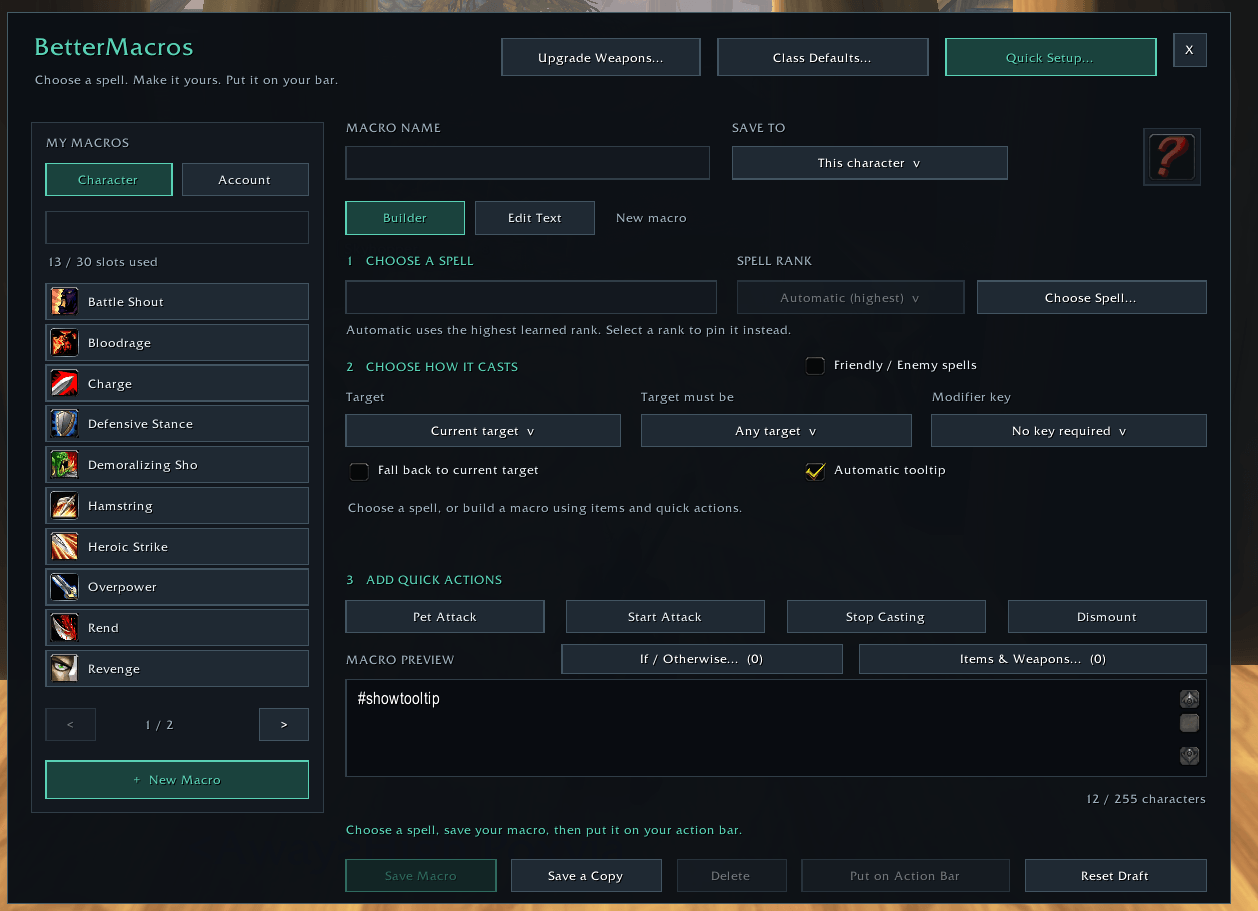
BetterMacros makes it easy to create, customize, and manage macros in World of Warcraft: Forever. Build a single spell macro, pair friendly and enemy spells on one button, or set up a selection of abilities at once.
Pick from your learned spells and see the macro text update as you make changes. Save macros for your current character or share them account-wide.
Build macros without memorizing the syntax
- Choose your spell and rank. Automatic uses the highest learned rank without a rank suffix. Select a specific learned rank when you want to downrank.
- Add quick actions. Toggle Start Attack, Pet Attack, Stop Casting, and Dismount.
- Set up targeting. Choose your current target, mouseover, focus, yourself, or ground at cursor for applicable spells. Add friendly/enemy filters and current-target fallback for mouseover or focus.
- Use modifier keys. Require Shift, Ctrl, or Alt, or use conditional rules to select different spells or ranks.
- Include items and trinkets. Add item uses and equipment slots 13 and 14, then place them before or after your spell.
- Keep control of the text. Preview every command, or switch to Edit Text for custom macros.
A simple Wrath macro with Start Attack looks like this:
#showtooltip
/cast Wrath
/startattack
With Automatic rank selected, learning a higher rank does not require updating the spell name in your macro.
Friendly or enemy? One button can do both
Tick Friendly / Enemy spells, choose a spell for each side, and BetterMacros adds the conditions for you. Each spell can have its own rank.
For example, heal a friendly target with Healing Touch or attack an enemy with Wrath:
#showtooltip [harm,nodead] Wrath; Healing Touch
/cast [help,nodead] Healing Touch; [harm,nodead] Wrath
With Automatic tooltip enabled, the icon defaults to the friendly spell when no cast condition matches. Mouseover and focus options work here too; when fallback is enabled, both spells are checked on that unit before your current target.
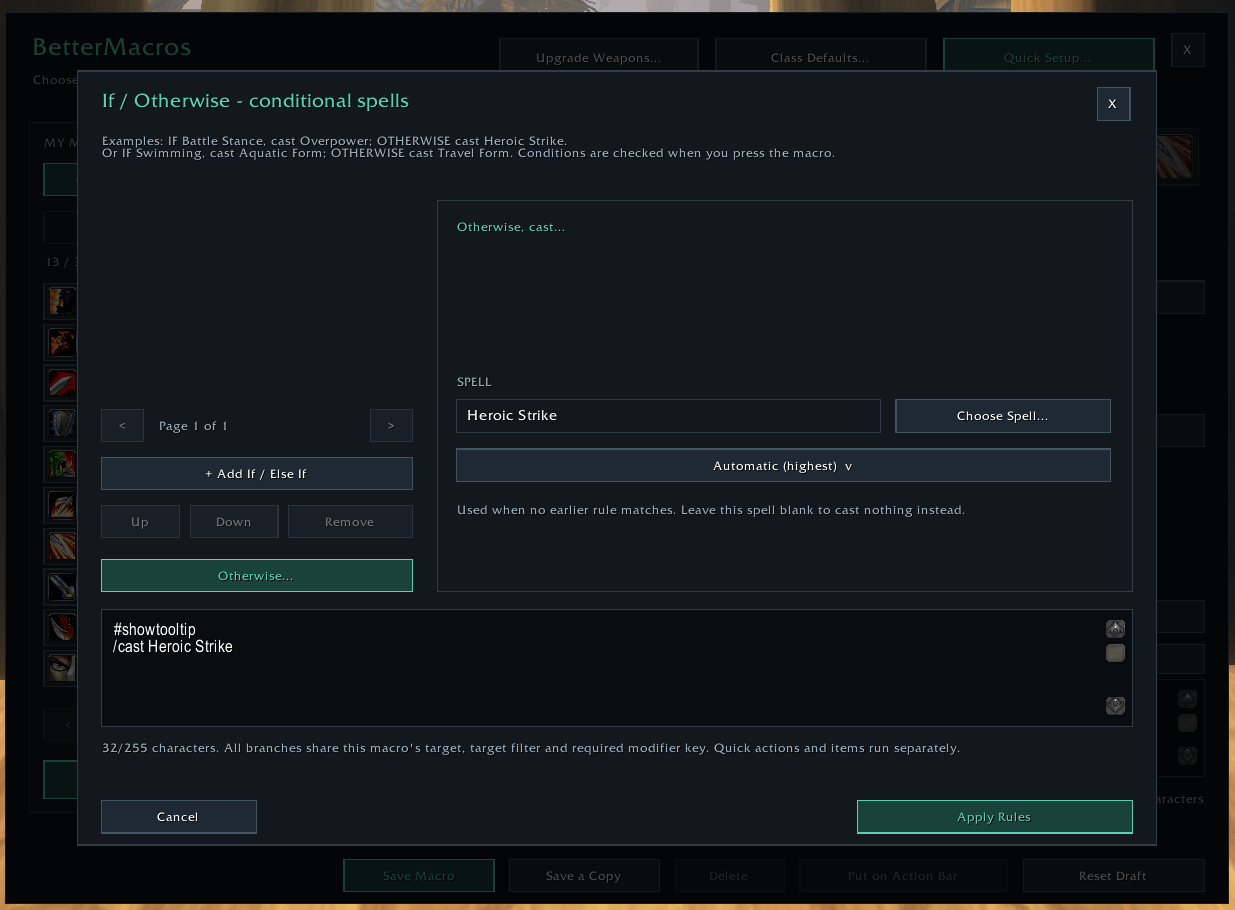
Create conditional spells with If / Otherwise
Use the rule editor for choices such as:
- Swimming: Aquatic Form. Otherwise: Travel Form.
- Holding Shift: a lower spell rank. Otherwise: the highest learned rank.
- Different spells while indoors, outdoors, stealthed, mounted, or in combat.
Arrange rules in priority order and combine up to two conditions per rule. WoW uses the first matching branch when you press the macro. Cooldown, range, and line-of-sight failures do not advance to another branch.
Set up several macros at once
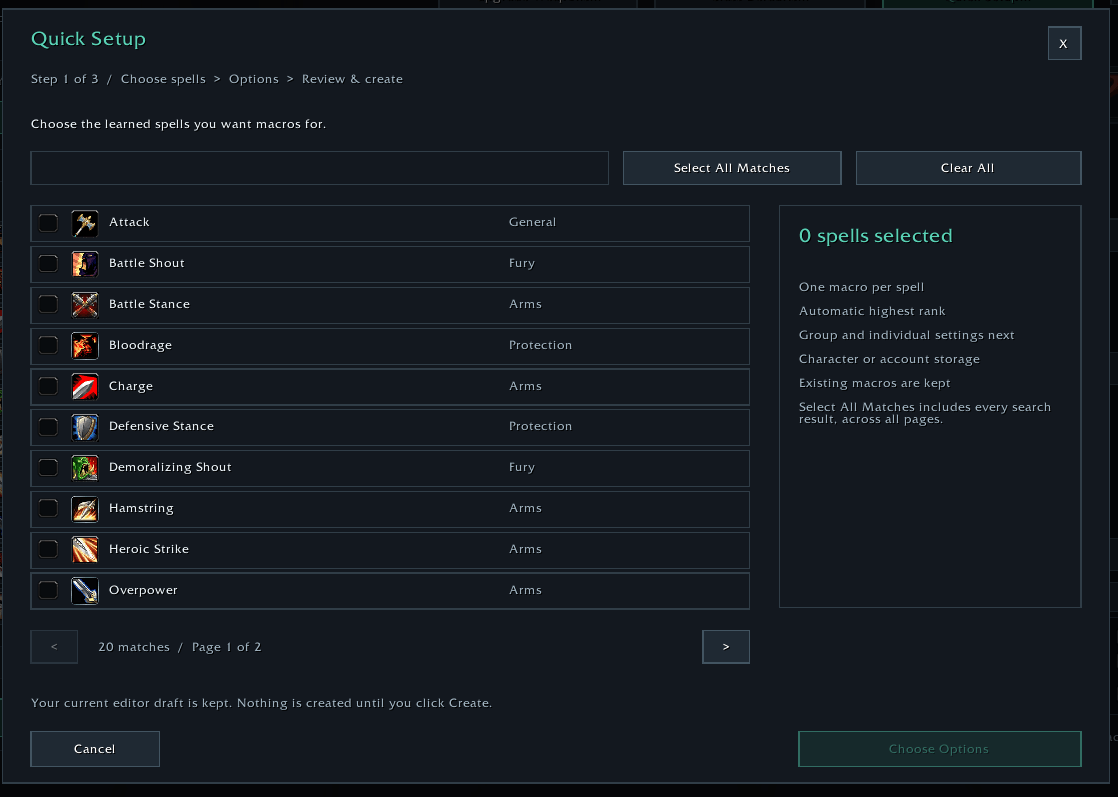
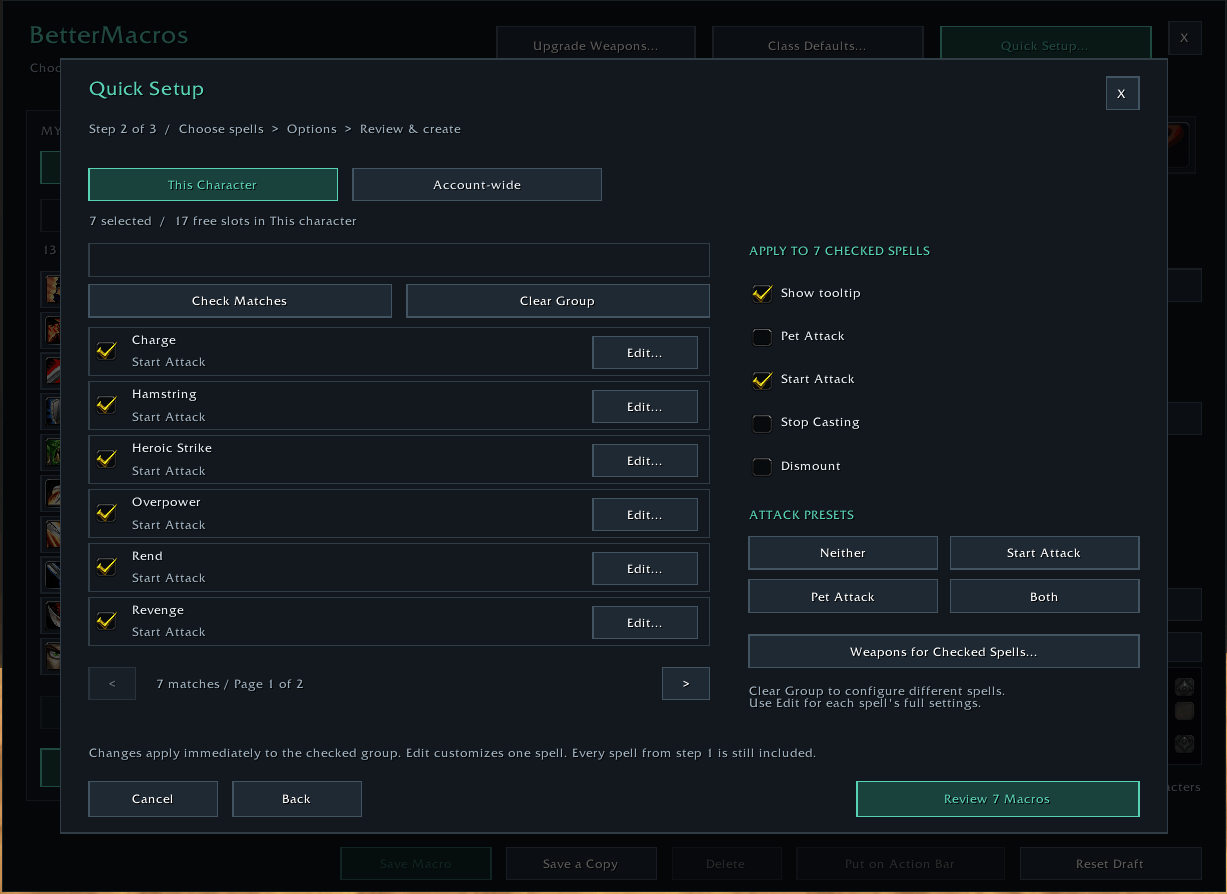
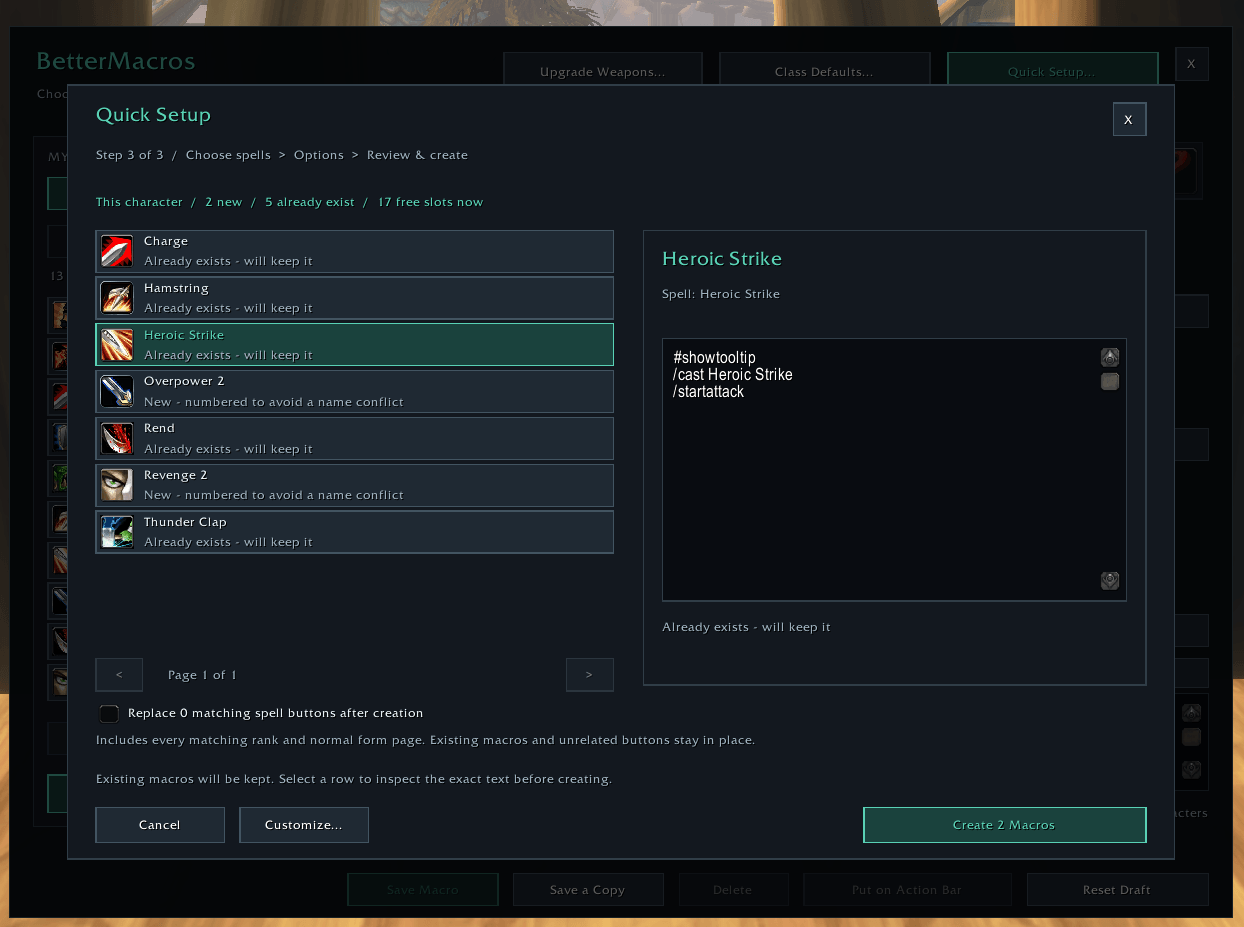
Quick Setup lets you select the spells you want, configure their options, review the results, and create the macros together.
Different spells can have different settings. Give one group Start Attack, give another Pet Attack, and leave your healing or utility spells without either. Edit individual spells for ranks, targeting, conditions, and items.
Class Defaults provides a faster starting point with editable recommendations for all nine Forever classes: Druid, Hunter, Mage, Paladin, Priest, Rogue, Shaman, Warlock, and Warrior. It uses learned abilities and available macro slots, then shows a review before creating anything.
Get your macros onto your bars
After batch creation, a small window displays your saved macros so you can drag them directly onto matching action-bar buttons.
You can also choose Replace matching spell buttons to replace matching native spell slots automatically outside combat, while keeping their keybindings. Undo Replacements can restore the original spell ranks where the replacement macro remains unchanged. Matching includes deliberately downranked spell buttons, so review the selection first.
Bars that do not expose native action slots can use manual placement.
Getting started
- Install BetterMacros in your Forever client's
Interface/AddOnsfolder and enable it. - Type
/bmto open the builder. - Create a macro, use Quick Setup, or review Class Defaults.
- Save, place it on your bar, and use your normal action-bar key or click.
| Command | Opens |
|---|---|
/bm or /bettermacros |
Main macro builder |
/bm setup |
Quick Setup wizard |
/bm defaults |
Class Defaults review |
/bm bars |
Batch placement window and Undo Replacements |
/bm help |
Command reminders |
Built for World of Warcraft: Forever, Interface 16001. No external addon libraries are required. WoW's normal macro length, storage, and combat restrictions apply. Generated macros use native WoW macro storage and remain usable with BetterMacros disabled.
BetterMacroDesigner Team