BetterTimers
- By
Customizable weapon timers, mana recovery estimates, resource tracking, and target combo points for WoW Forever, with movable bars and themes for every class.
Screenshot 2026-09-23 124233.png
Screenshot 2026-09-23 122206.png
Screenshot 2026-09-23 120517.png
Description
BetterTimers
Find your rhythm. Make every action count.
BetterTimers brings weapon timing, resources, mana recovery, and target combo points into a customizable display that adapts to your class. Whether you're timing a Hunter's next shot, watching a Rogue's energy, or finding room to recover mana between casts, the information you need stays close at hand.
Built for WoW Forever Beta 1.60.1.69977.
Your class. Your timers.
Start playing with sensible defaults and a matching class theme. BetterTimers automatically selects the relevant displays, including resource changes when a Druid shifts forms.
| Class | What you can track |
|---|---|
| Hunter | Auto Shot, melee and off-hand swings, mana, and mana recovery |
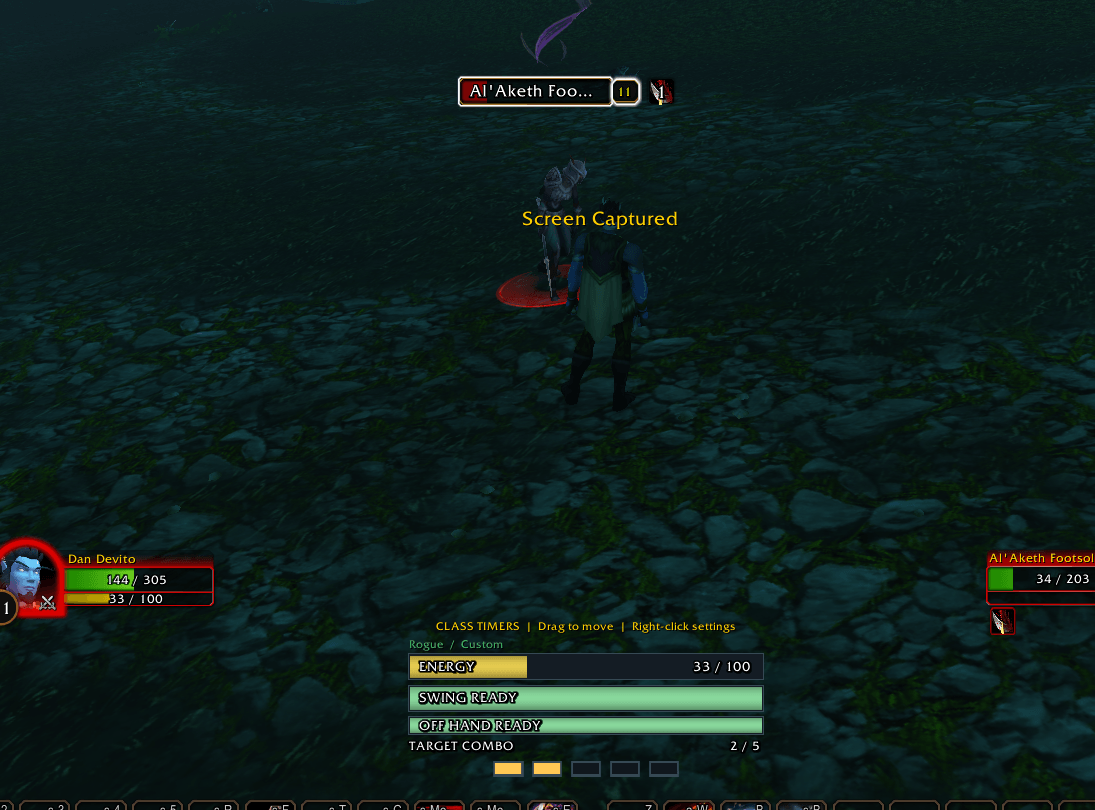
| Rogue | Energy, target combo points, and melee and off-hand swings |
| Warrior | Rage and melee and off-hand swings |
| Paladin | Melee swings, mana, and mana recovery |
| Shaman | Melee swings, mana, and mana recovery |
| Mage | Mana, mana recovery, and wand timing |
| Priest | Mana, mana recovery, and wand timing |
| Warlock | Mana, mana recovery, and wand timing |
| Druid | Mana in caster form, energy and combo points in Cat Form, and rage in Bear Form, alongside weapon timing |
Feel the rhythm of your attacks
Weapon bars fill smoothly toward your next shot or swing, giving you a visual sense of timing without requiring a numerical countdown.
- Track shots, melee swings, and wand attacks.
- See independent main-hand and off-hand timing when dual wielding.
- Practice Hunter movement and shot timing with a ranged get-ready cue.
- Keep melee and wand displays focused on their attack cycle, without the Hunter warning.
- Enable numerical countdowns if you prefer extra detail.
Bars follow attack events reported by the client and hold at ready until another event starts the next cycle. A ready bar means the tracked interval has elapsed; your attack still depends on normal game conditions such as range and movement.
Mana recovery, right inside your mana bar
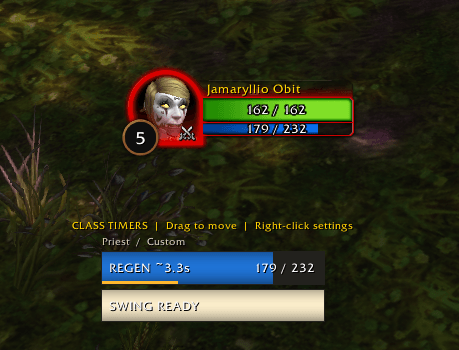
Keep your actual mana amount and fill visible while a thin progress strip tracks the estimated return to full regeneration.
Spend mana → follow the recovery countdown → see when full regeneration is expected to resume.
The display works in and out of combat. Further mana spending restarts the estimate, while known free spells, wand attacks, and canceled casts that spend no mana leave it alone. Channeling spells are handled according to their observed mana costs.
The countdown defaults to the five-second recovery window and can be adjusted in settings. It is an estimate, marked with ~; talents, buffs, and other regeneration sources may still restore mana during that window.
Resource ticks when there is a pattern to show
BetterTimers can learn consistent mana or energy gains and display estimated tick timing. Mana ticks share the strip inside the mana bar. The energy tick row appears only when a usable periodic pattern has been observed, keeping the display clear during continuous regeneration or uncertain timing.
Combo points you can read at a glance
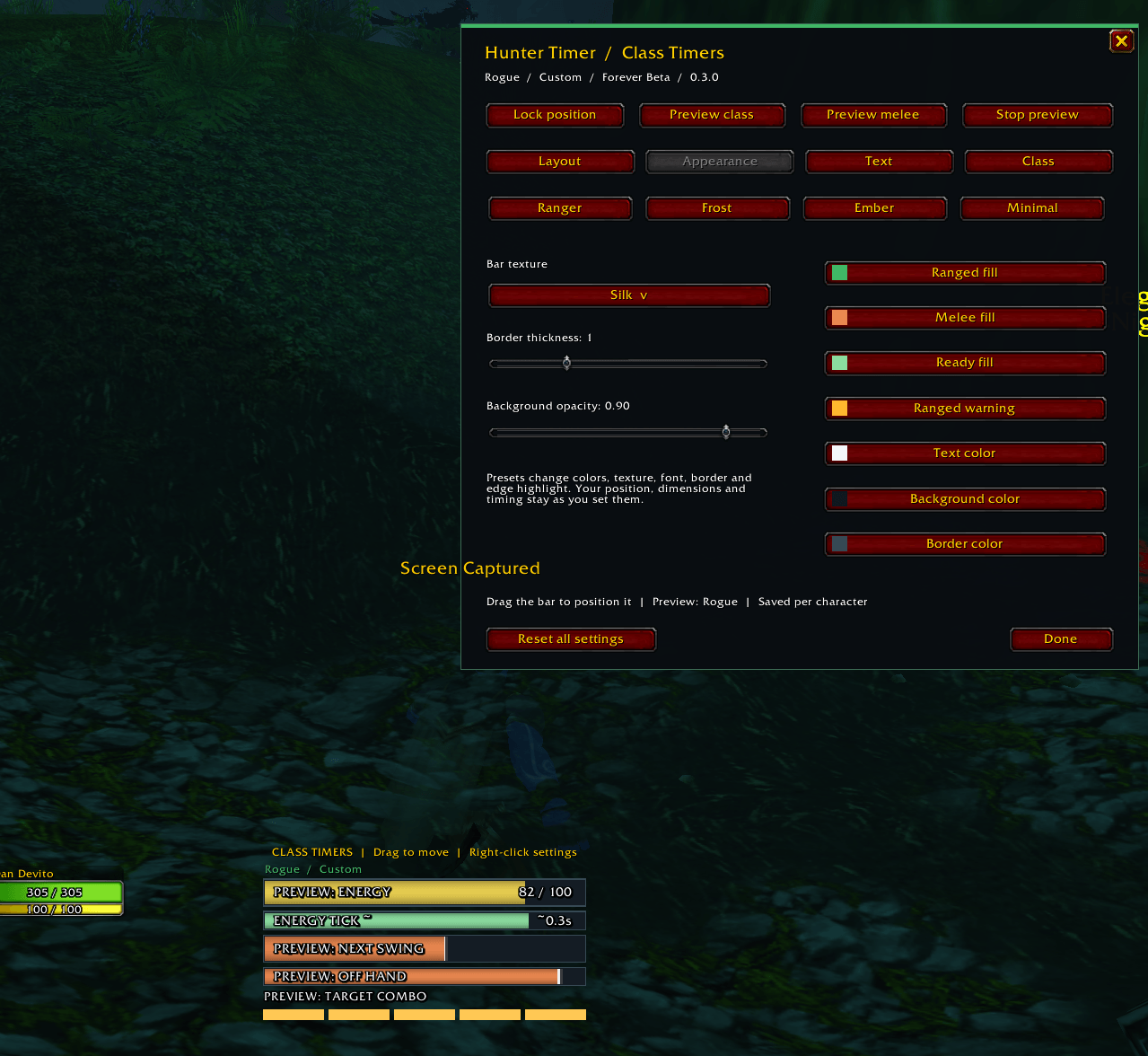
Give each point room to stand out. Choose from dots, diamonds, squares, separated segments, or a large numerical display.
Adjust point size, spacing, color, and optional numbers. Show combo points above the target frame or inside your timer display. Points follow your current target, helping you see exactly where you've built them.
Make it feel like part of your UI
- Move and resize: drag the display into place, adjust its dimensions and scale, then lock it for click-through use.
- Class themes: automatically match your character, select another class theme, or create a custom look.
- Textures and fonts: choose from six bar textures and five font families.
- Fine styling: customize colors, borders, opacity, outlines, shadows, alignment, and fill direction.
- Choose your information: control weapon panels, resources, combo points, labels, numbers, and idle visibility.
- Preview before playing: try every class, Druid resource forms, and weapon modes outside combat.
Your layout and appearance settings are saved per character. No additional media addon or external library is required.
Getting started
- Install the BetterTimers folder in your Forever client's
Interface/AddOnsdirectory. - Restart WoW and enable BetterTimers in the AddOns list.
- Enter
/btto open settings. - Unlock and drag the display into position, choose your style, and lock it again.
- Try
/bt testto preview your current class, then head into combat.
| Command | Action |
|---|---|
/bt or /bettertimers |
Open settings |
/bt unlock |
Unlock the display for dragging |
/bt lock |
Lock the display and make it click-through |
/bt test |
Toggle your current class preview |
/bt test rogue or /bt test mage |
Preview a specific class |
/bt test cat or /bt test bear |
Preview Druid resource forms |
/bt status |
Show diagnostic information |
/bt reset |
Restore default settings and position |
BetterTimers Team