BeautifulAttune
- By
A modern, flat look for the Attune addon on WoW: Forever, plus a search with filters and a zoom bar for the attunement chains. Attune's data and logic stay untouched. Requires Attune; EllesmereUI is optional.
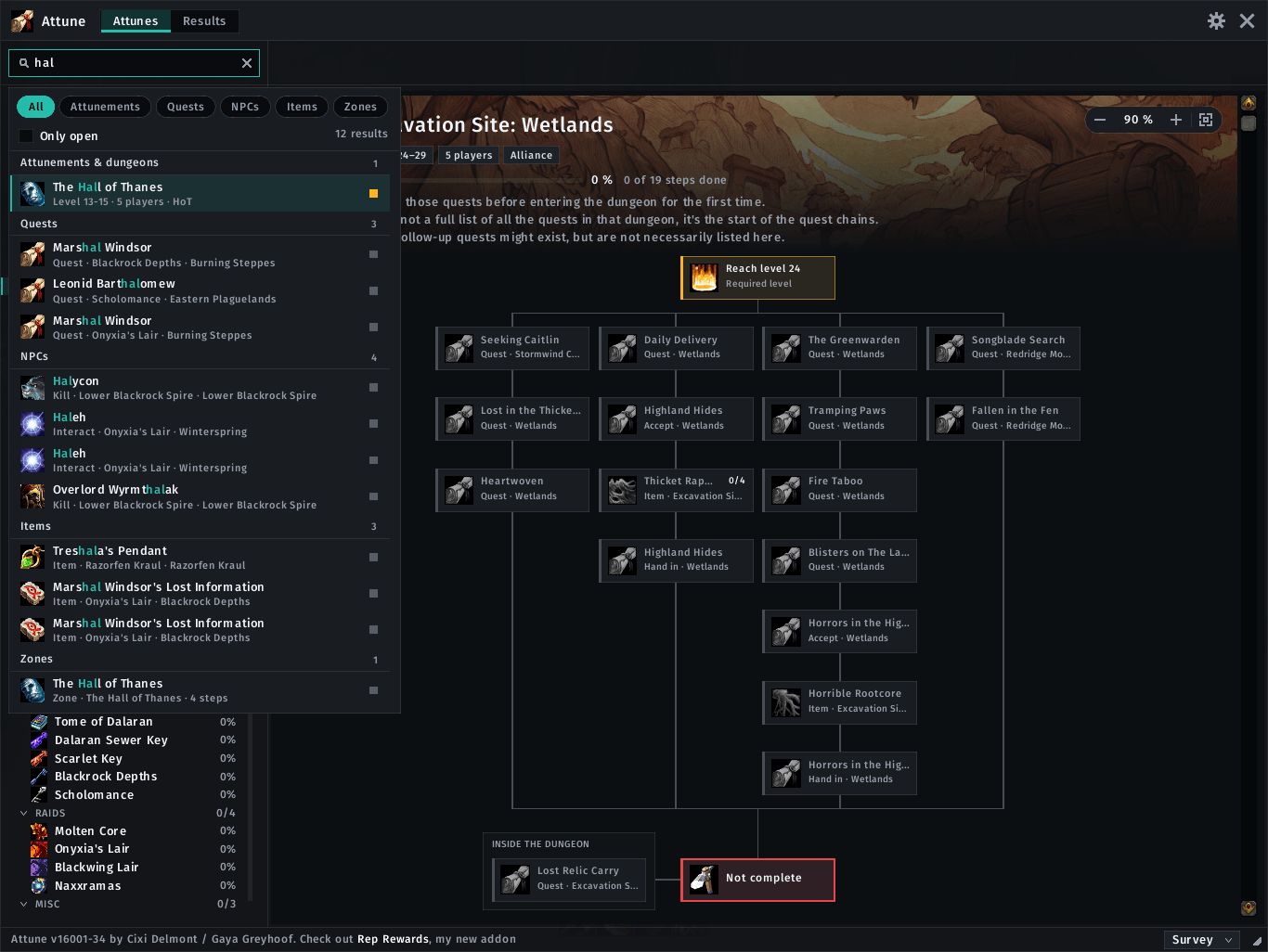
02-search.png
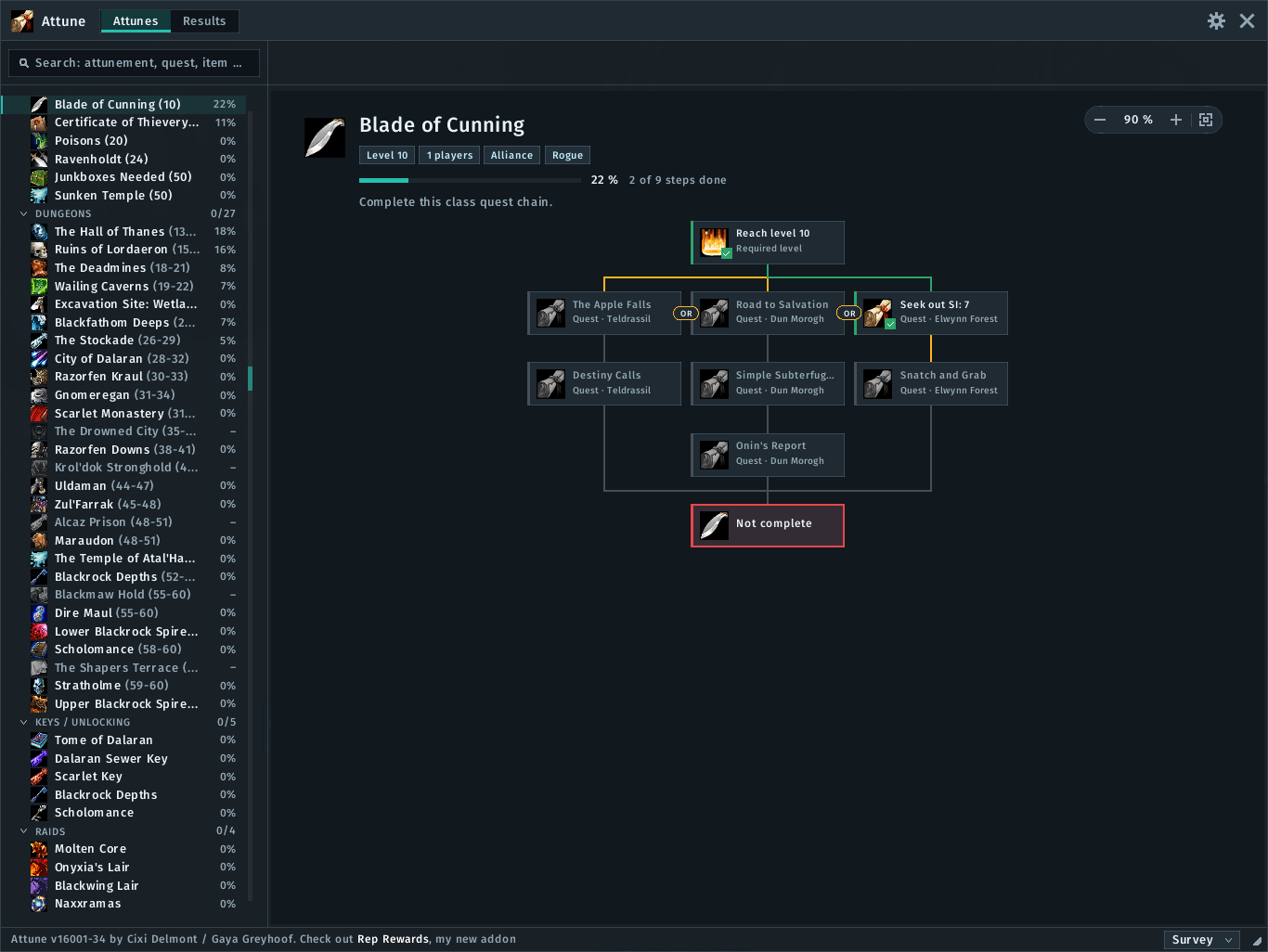
01-overview.png
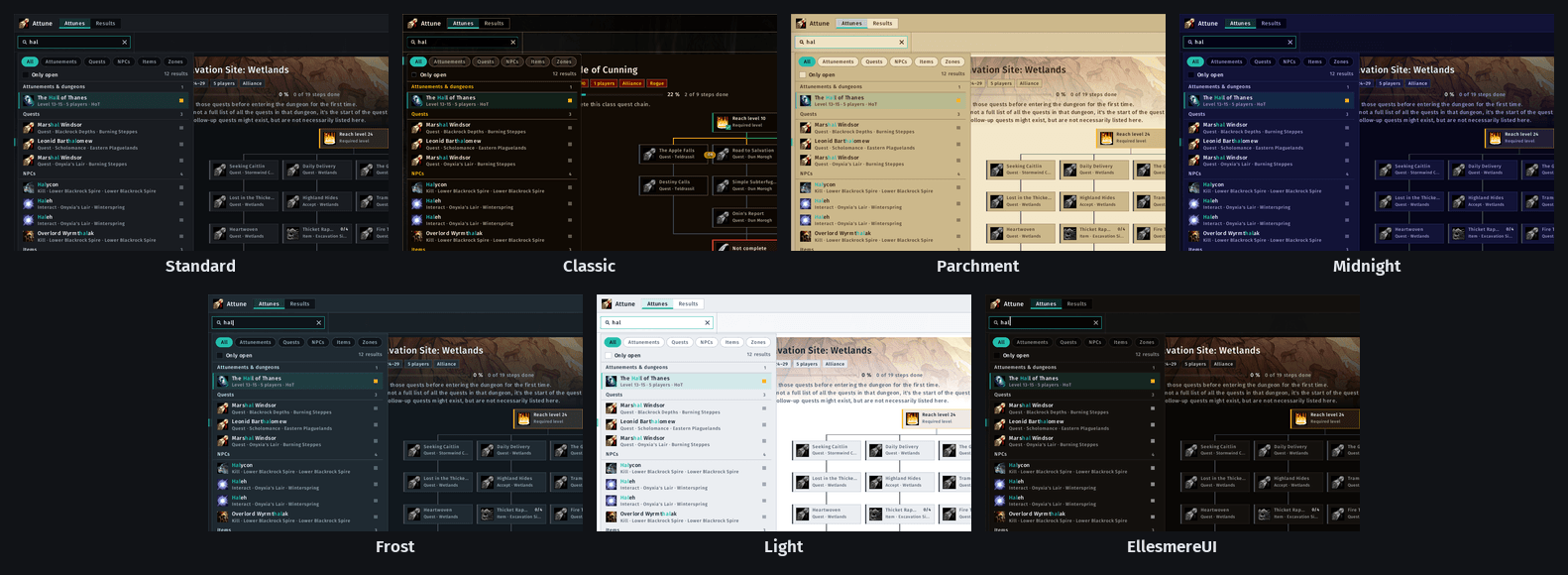
03-themes.png
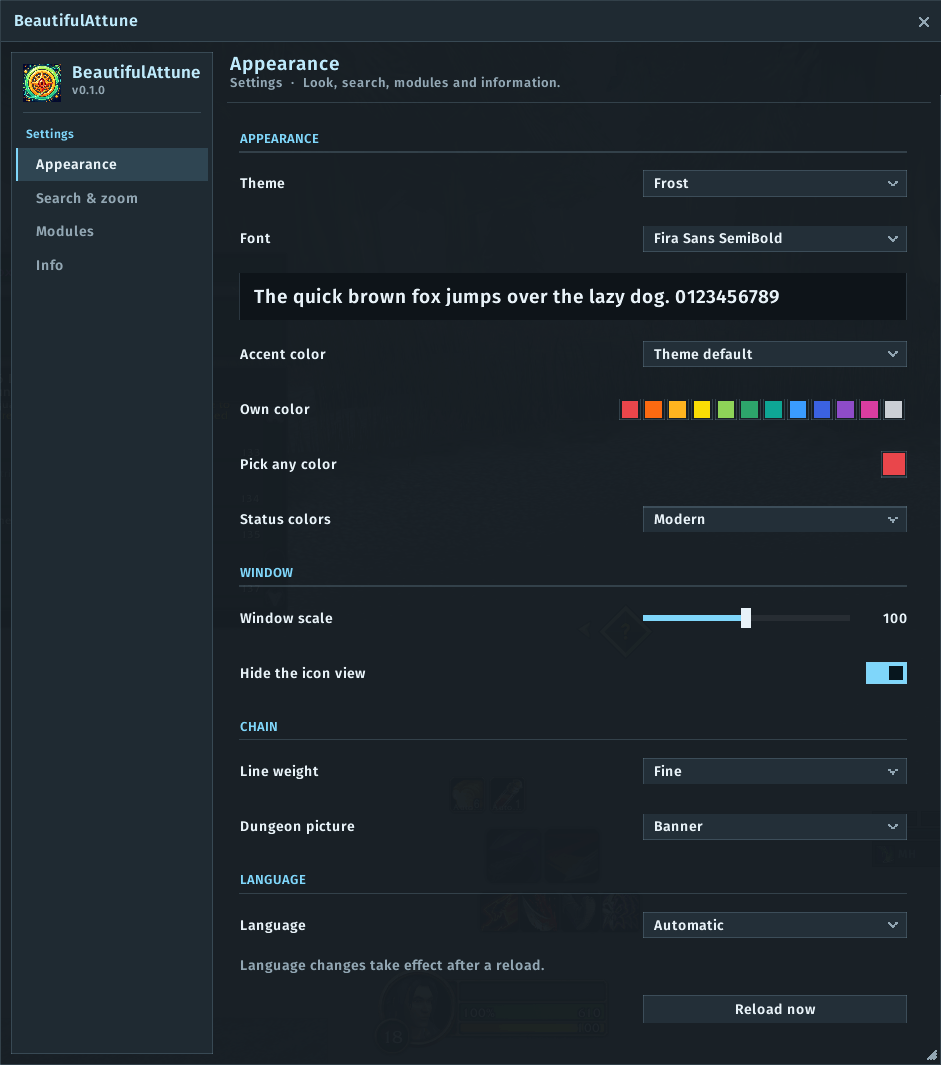
04-appearance.png
05-search-and-zoom.png
Description
BeautifulAttune
A modern look for Attune on World of Warcraft: Forever. BeautifulAttune restyles Attune's window while you play: a flat, clean frame, a tidy list, readable chain cards and crisp connector lines. On top it adds a search with filters and a zoom bar. Attune keeps doing all the work: progress, status, surveys and data stay exactly as they are. BeautifulAttune only changes how things look.
Unofficial. Not affiliated with or endorsed by the authors of Attune or EllesmereUI. Attune is required and installed separately. EllesmereUI is optional. No code, graphics or texts from Attune or EllesmereUI are included.
Features
- Window: flat frame in the active theme with a compact header (switch between attunements and results, settings, close), status bar and survey menu in the same style. Move, resize and close it as before.
- List: expansions and groups as section headings with chevrons, attunements with icon, level range and your progress on the right. The icon grid view is hidden and the list view kept, so the list always looks the same.
- Chains: cards with a status strip, clear colours for done, ready and locked steps, highlighted keys and end card, clean lines without gaps at the corners. Choose between a modern colour scheme and Attune's classic colours.
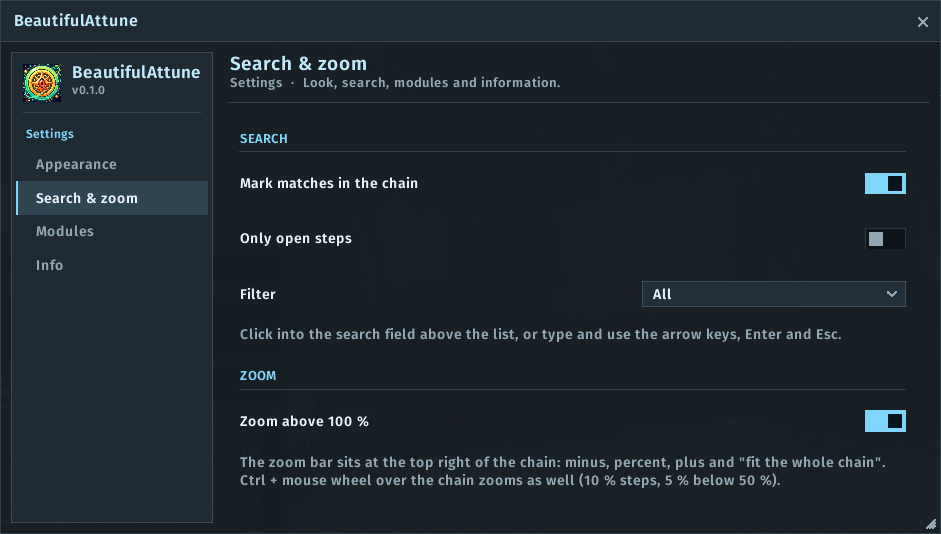
- Zoom: a zoom bar in the chain view (50 to 150 %), fit-to-width, Ctrl + mouse wheel, remembered between sessions.
- Search: find attunements, quests, NPCs, items and zones as you type. Filter chips, "open steps only", ignores case and German umlauts, finds quest, NPC and item IDs. Pick a result and the chain opens with the step highlighted.
- Quest details and results: the quest detail panel, rewards and the results table in the same style.
- Looks: several themes, accent colour and font of your choice (bundled Inter, Fira Sans and Barlow). With EllesmereUI the accent colour, font and language follow EllesmereUI, and the settings also appear in its options window.
- Safe: if a new Attune version changes something, only the affected part of the skin switches off. Attune stays fully usable, and
/battune diagshows what is missing. - Languages: English and German.
Commands
| Command | Effect |
|---|---|
/battune |
settings |
/battune attune |
open or close the Attune window |
/battune diag |
versions, Attune parts and modules (for bug reports) |
/battune reset |
reset the settings |
Notes
- Built for the Forever beta (Interface 16001) and tested with Attune 16001-32. Nothing is read from combat data.
- Each part of the skin (window, list, chain, zoom, search, details, results) can be switched off in the settings.
- Bug reports and ideas: GitHub Issues. Please include the full Lua error text, the output of
/battune diagand your Attune version. - MIT licence. Bundled fonts under the SIL Open Font License 1.1.
BeautifulAttune Team