EverFrame – Compact Combat Frame with Extras
- By
Compact combat frame, macro templates and player notes for WoW: Forever, with a rogue module for poisons, Slice and Dice and weapon macros.
02-sticky-notes.png
03-player-notes.png
04-notes.png
Description
EverFrame
Compact Combat Frame with Extras for World of Warcraft: Forever. One frame for every class, plus macro tools and player notes.
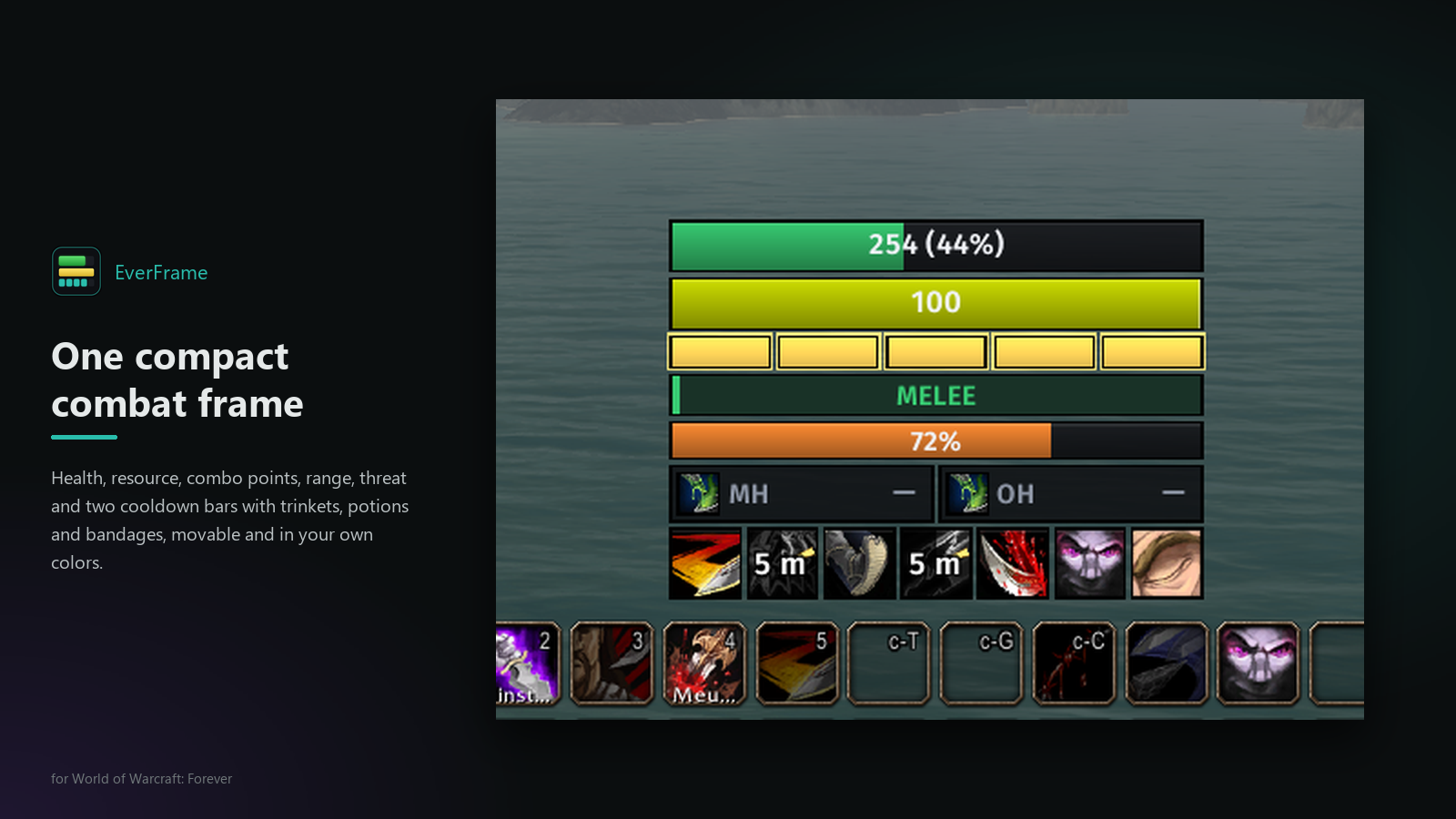 Health, resource, combo points, threat, range and cooldowns in one movable frame, plus a macro manager with templates and player notes, all in one clean settings window. Works for every class; the rogue module adds poisons, Slice and Dice and weapon macros that keep themselves up to date. Small extras are modules, each with its own switch.
Type /ef in game to open the settings.
Combat frame
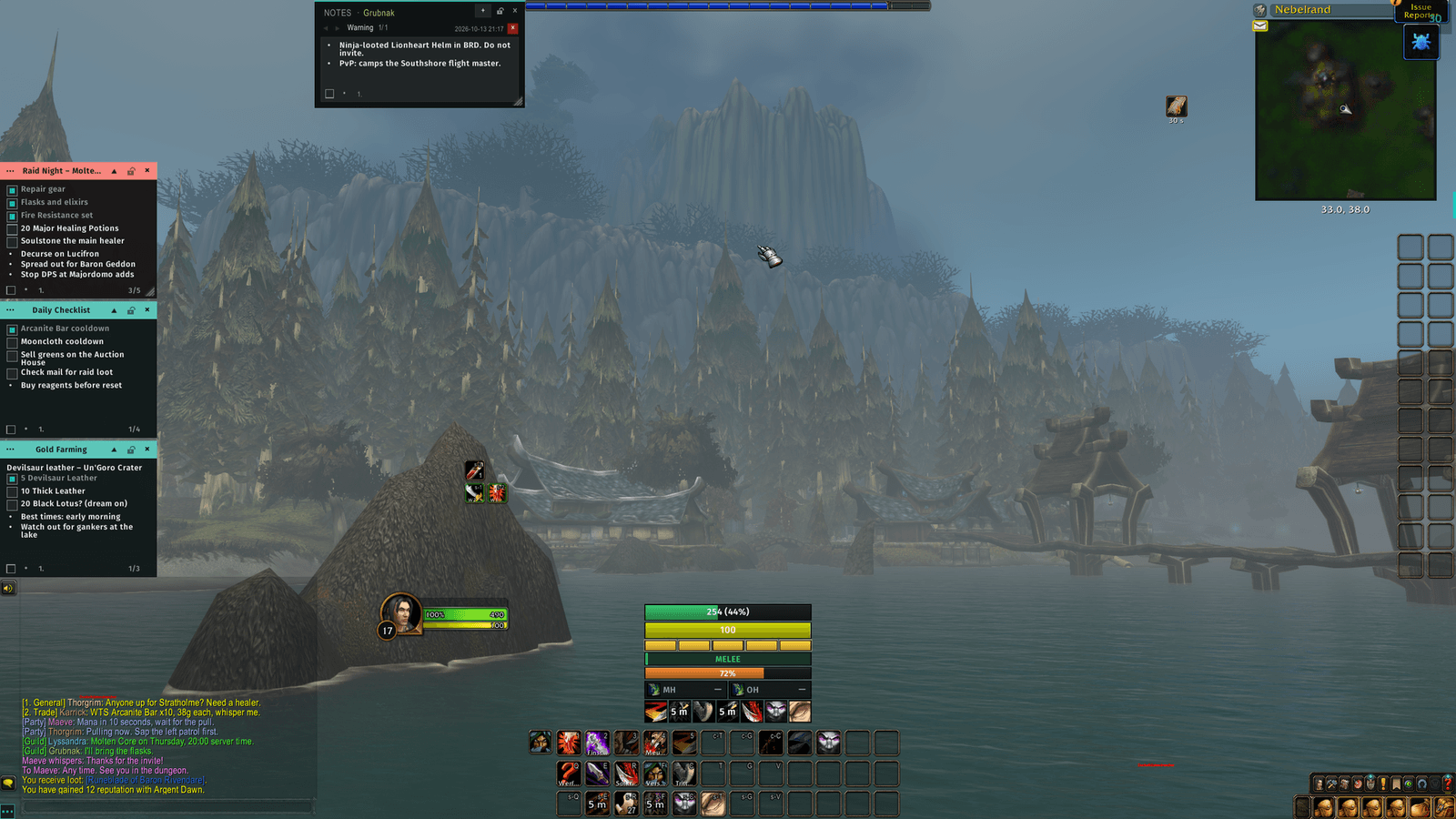
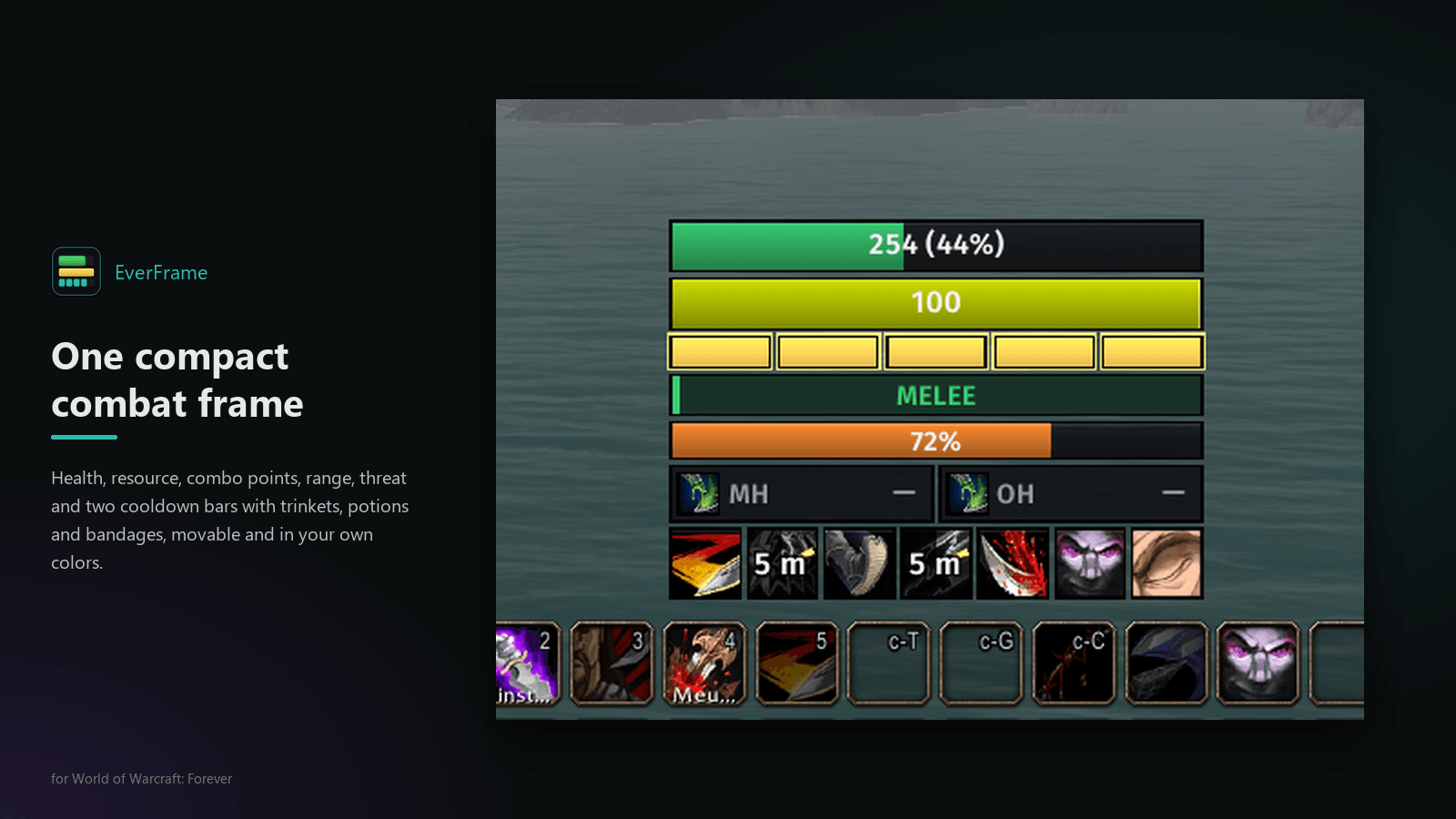
- Health and resource bars (mana, rage, energy) with your own text format, e.g.
{cur} / {max} ({pct}%); a five-second-rule line under the mana bar - A global cooldown bar and a threat bar (with an optional sound at a limit you choose, by default only in a party or raid)
- Combo points for rogues and druids in Cat Form, as bars, circles or diamonds. At full points they glow, pulse or run a light wave, optionally with a sound
- Range to your target at a glance, in colored bands from melee to 30 yards and beyond
- Up to twenty cooldown bars (one by default) with seven icons per row: your class abilities at the highest rank you know, abilities found in your spellbook, your own potions, bandages and trinkets. Icons grey out while on cooldown and can tint by range or missing resource
- Hide it out of combat or without a target; hold ALT, CTRL or SHIFT to bring it back
- A layout editor for order, height, colors (class color included), text, icon size, a background with color and opacity, and a colored edge around every part
Macros
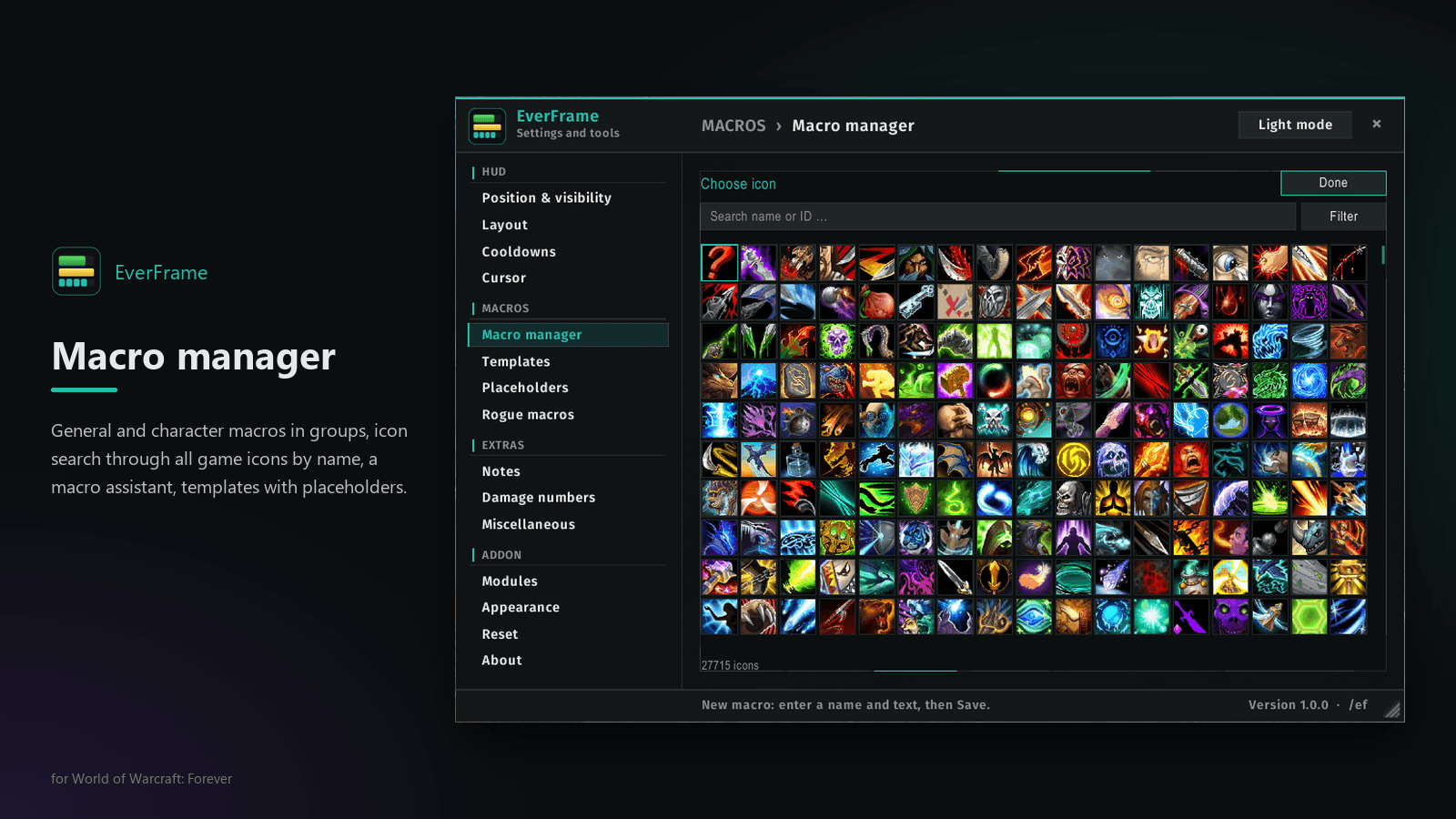
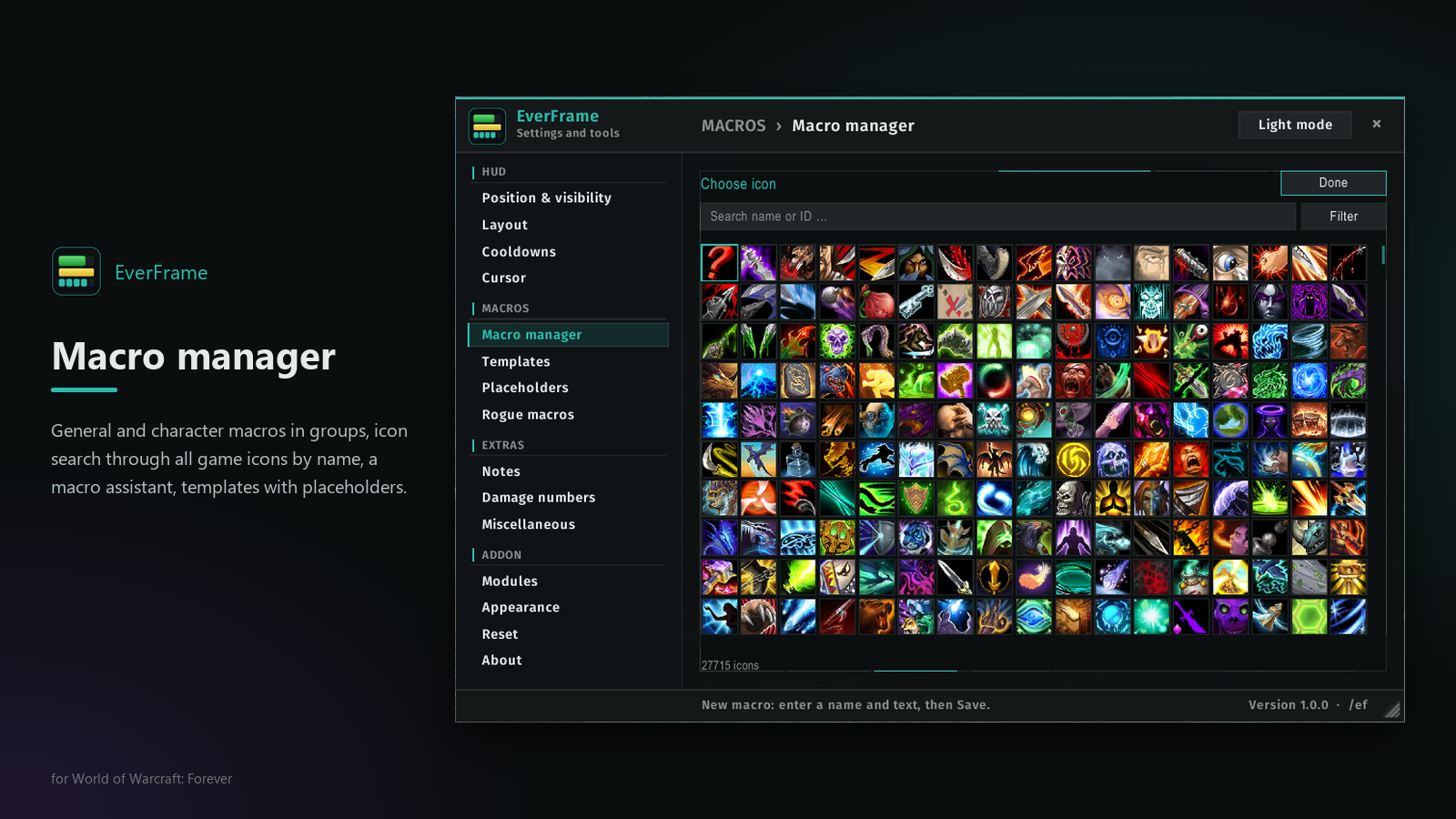
- Macro manager: general and character macros in groups, icon search by name with a category filter, spell search, a macro assistant, export and import as one line of text
- Templates with placeholders: write a macro once and let the addon fill it in
{s:1752}the spell in your game language,{s:1752:r}with its rank{w:W1}/{w:W2}your two weapons, chosen by type{g:t1}/{g:t2}your trinkets{c:name}a value of your own
- Refresh rewrites every macro named exactly like a template. Macros with other names are never touched.
- New weapon or trinket? After combat a short question suggests the roles, and your macros follow.
Extras (each with its own switch; the cursor ring starts off)
- Cursor ring around the mouse pointer (ring pictures after Hello Cursor, MIT)
- Damage numbers: font, size, gravity and duration of the floating combat numbers, and a font for the scrolling combat text (a new font for the numbers shows after logging out and in)
- Fast camera zoom with the mouse wheel
- Hide chat with one button, and copy chat to select and copy the text of any chat window
- Sound picker: every sound of the game with search, preview and volume
Notes
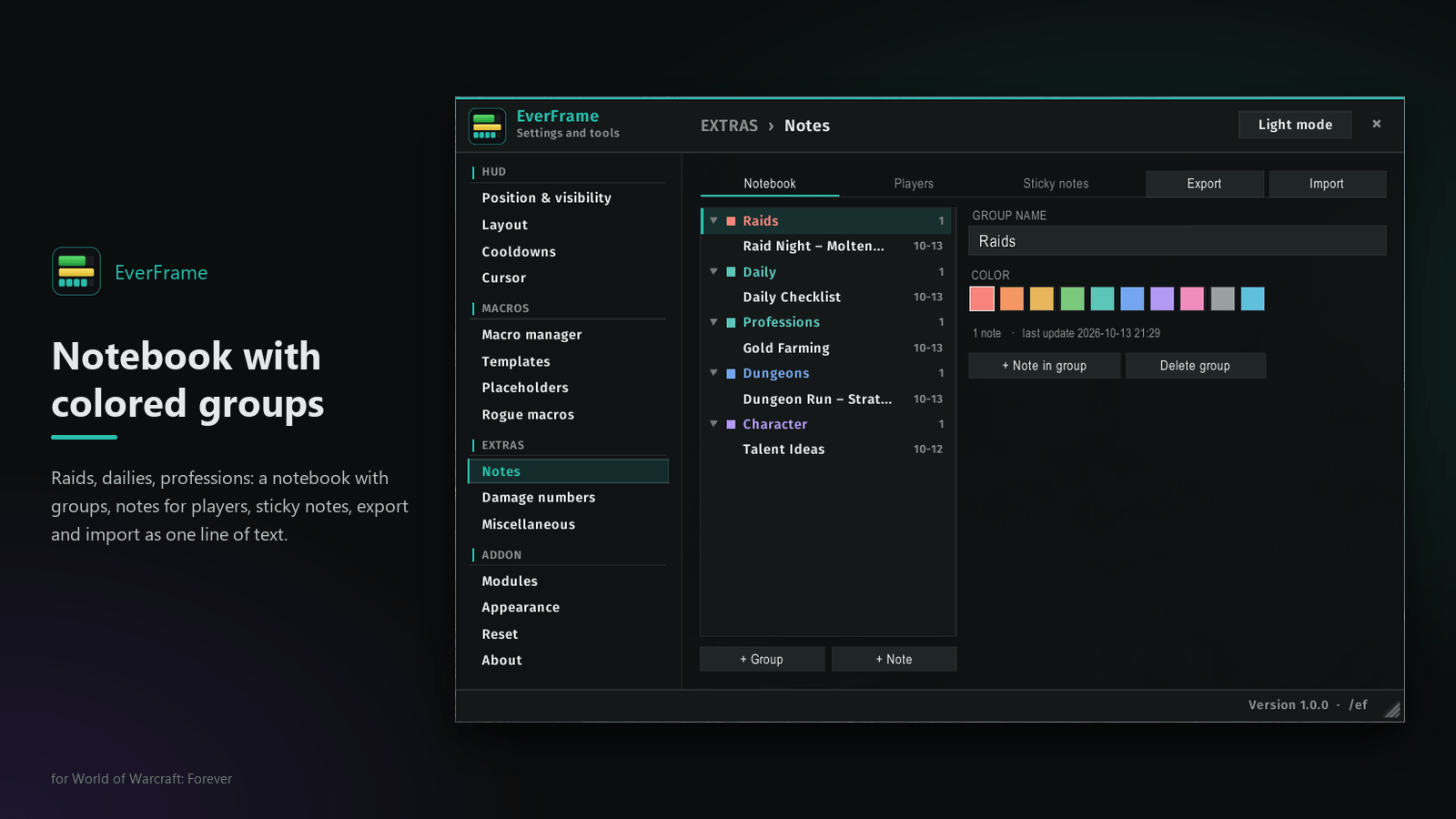
- A notebook with colored groups
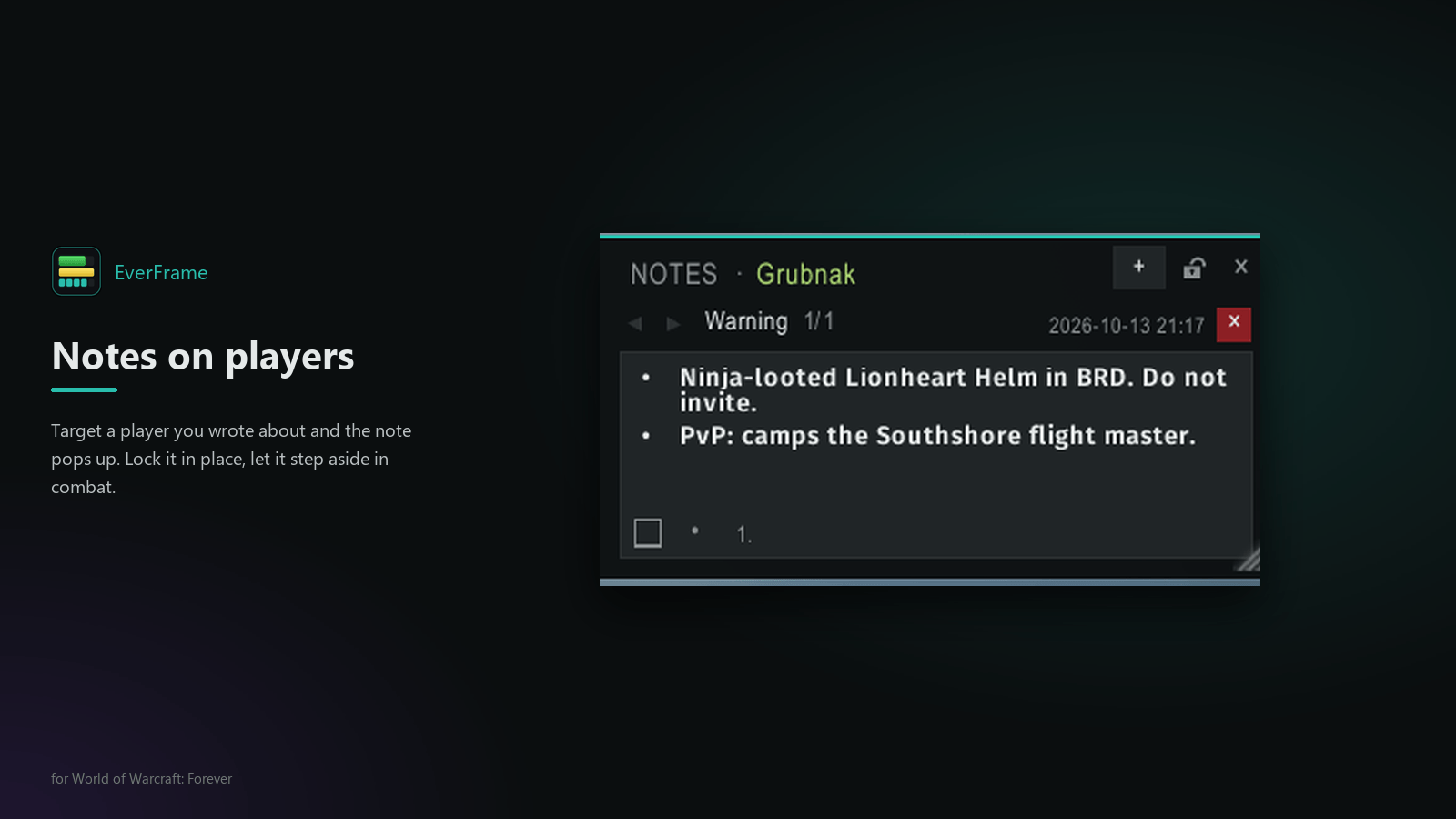
- Notes per player: target someone you wrote about and a small popup shows the note
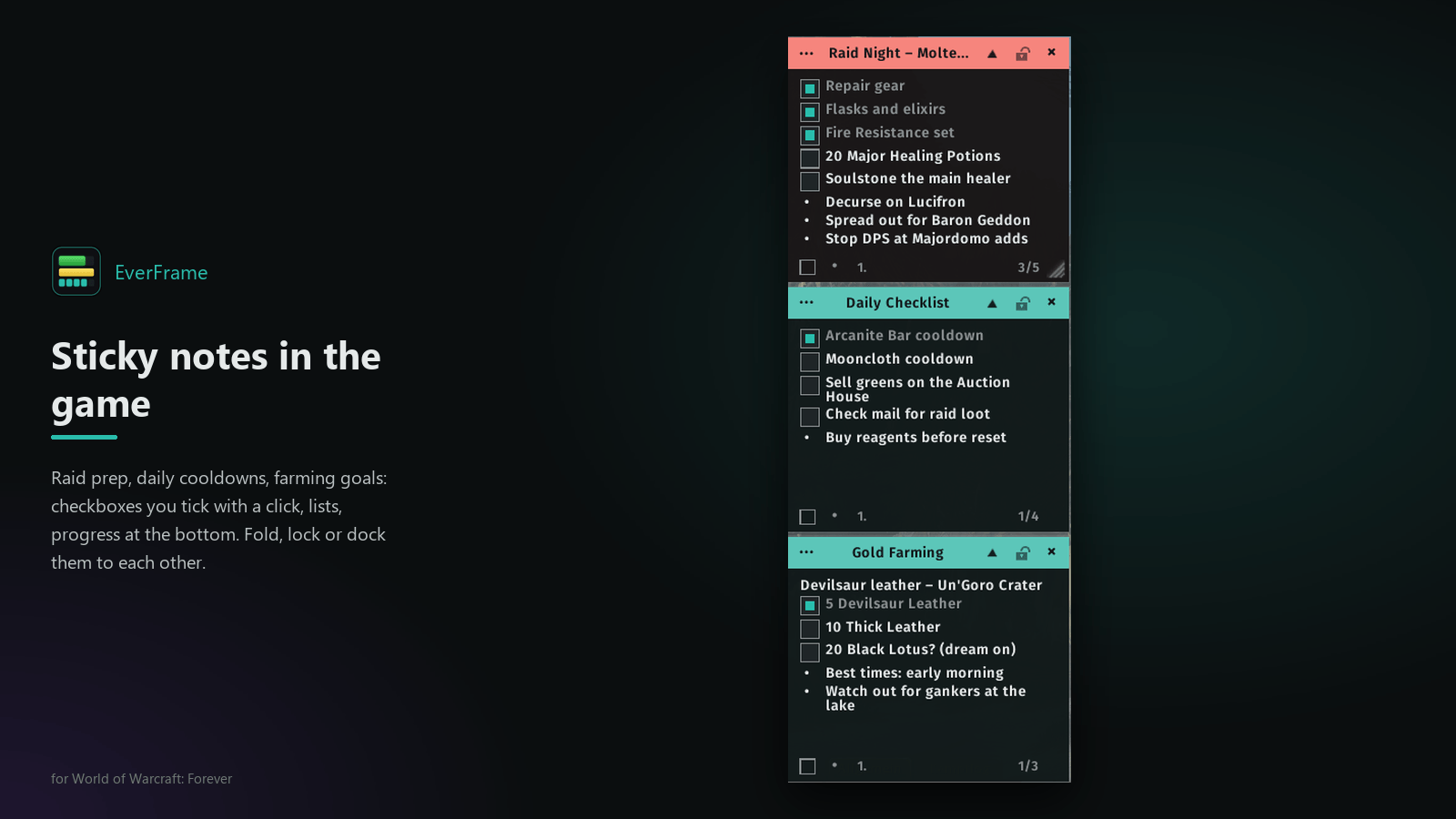
- Sticky notes on your screen with checkboxes and lists; they dock to each other
- Sticky notes and the popup can step aside in combat
Rogue module
- Poison tiles with time and charges: click to apply, right-click to pick the poison, warnings when a poison runs low or is missing
- Slice and Dice timer
- Weapon macros: swap macros for both weapons, Backstab and Ambush with the dagger in the main hand, everything else with the weapon you prefer there, plus Kick, Blind, Gouge and poison macros. They are created and kept up to date for you.
Good to know
- English and German interface; spell and item names always come from the game, so every client language works
- Install both folders,
EverFrameandEverFrame_IconData(icon list of the macro icon picker) - Settings per character; notes, theme and window position account-wide
- Dark and light mode with a teal, amber or blue accent
/ef helplists all chat commands,/ef statusshows what the game currently allows
Please report bugs and ideas on GitHub with your class, client language and the output of /ef status.
Deutsch
EverFrame (früher Ultimate EverRogue): eine kompakte Kampfanzeige für jede Klasse, mit Makro-Werkzeugen und Spielernotizen für WoW: Forever.
- Kampfanzeige: Leben, Ressource, Combo-Punkte, Bedrohung, Reichweite, Global-Cooldown-Leiste und bis zu zwanzig Cooldown-Leisten (standardmäßig eine) in einem Rahmen; ausblendbar außerhalb des Kampfes, mit Layout-Editor für Reihenfolge, Farben, Texte und Hintergrund
- Makros: Makro-Manager mit Gruppen, Symbol- und Zaubersuche, Export und Import; Vorlagen mit Platzhaltern für Zauber, Waffen, Schmuck und eigene Werte, die sich mit deiner Ausrüstung aktualisieren
- Extras (jedes mit eigenem Schalter, der Cursor-Ring startet aus): Cursor-Ring, Schadenszahlen mit eigener Schrift, schneller Kamerazoom, Chat ausblenden und Chat kopieren, Sound-Auswahl mit allen Spielklängen
- Notizen: Notizbuch mit farbigen Gruppen, Notizen zu Spielern mit Popup beim Anvisieren, Haftnotizen mit Checkboxen und Listen
- Schurken-Modul: Gift-Anzeige mit Auftragen per Klick, Zerhäckseln-Timer und Waffen-Makros (Meucheln und Hinterhalt mit dem Dolch vorne), die sich selbst aktuell halten
Die Oberfläche gibt es auf Deutsch und Englisch. Im Spiel öffnet /ef die Einstellungen. Wer von Ultimate EverRogue kommt, löscht den alten Ordner UltimateEverRogue; EverFrame beginnt mit neuen Einstellungen.
EverFrame – Compact Combat Frame with Extras Team