ForeverNotes
- By
Notes for WoW: Forever: a notebook with groups, notes about players with a target popup, drawings, your own ignore list with a warning sound, and sticky notes. Runs on its own; optionally adds its pages to the EllesmereUI options window.
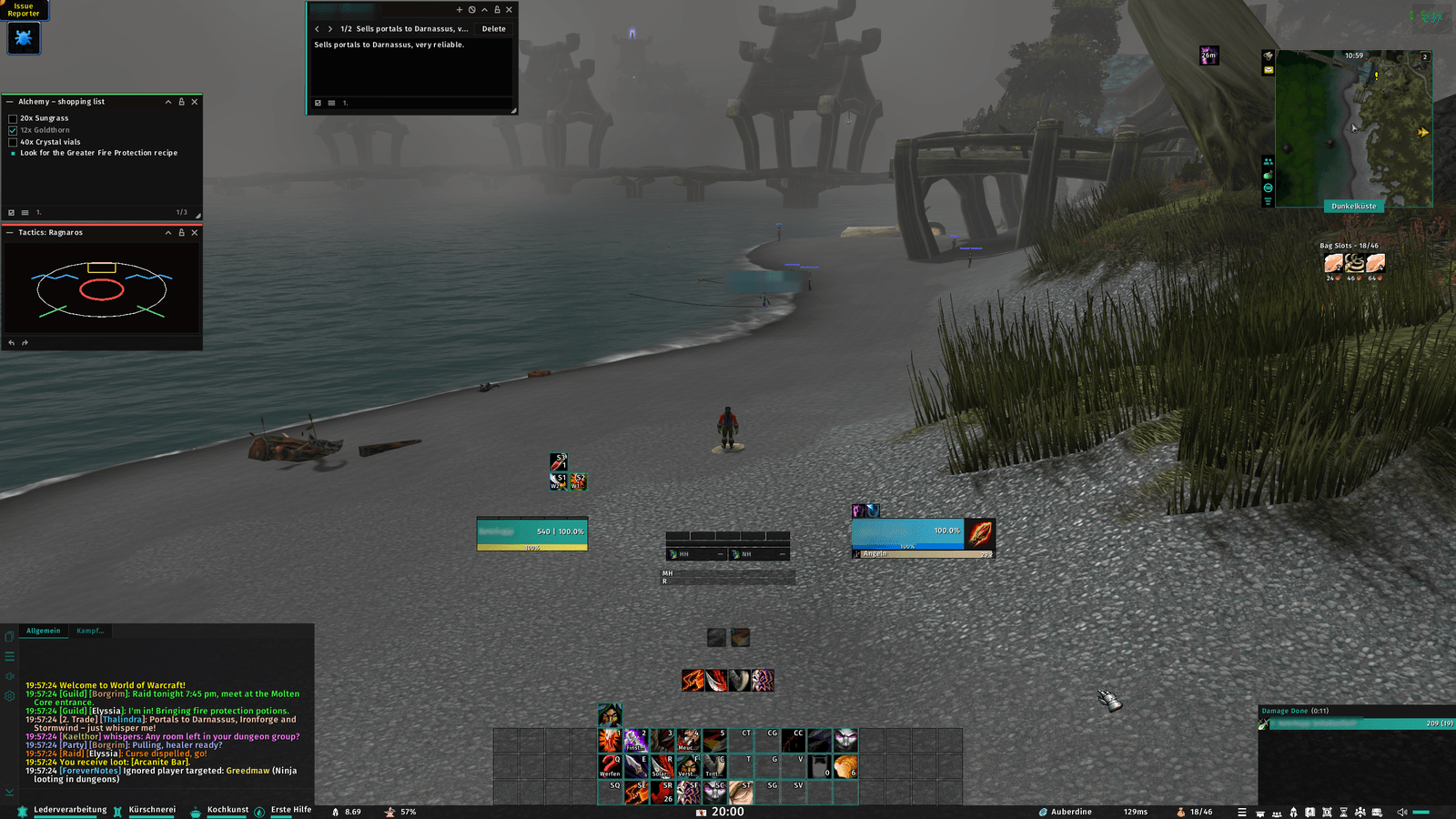
00-In-game.png
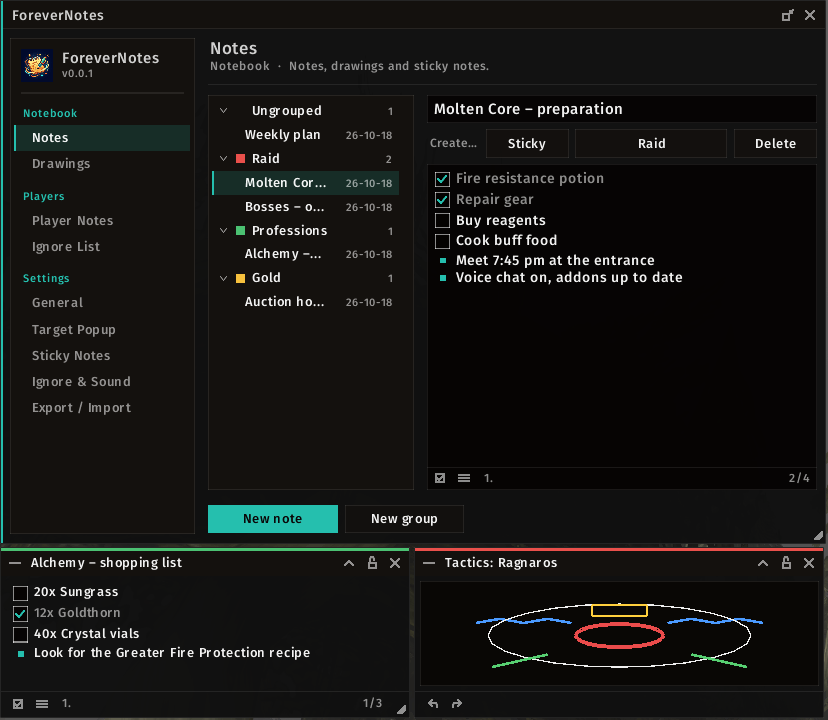
01-Overview.png
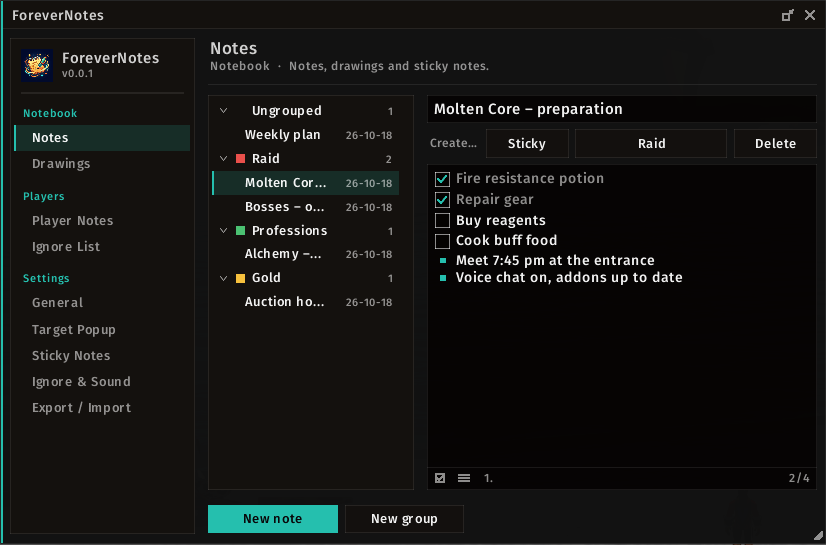
02-Notebook.png
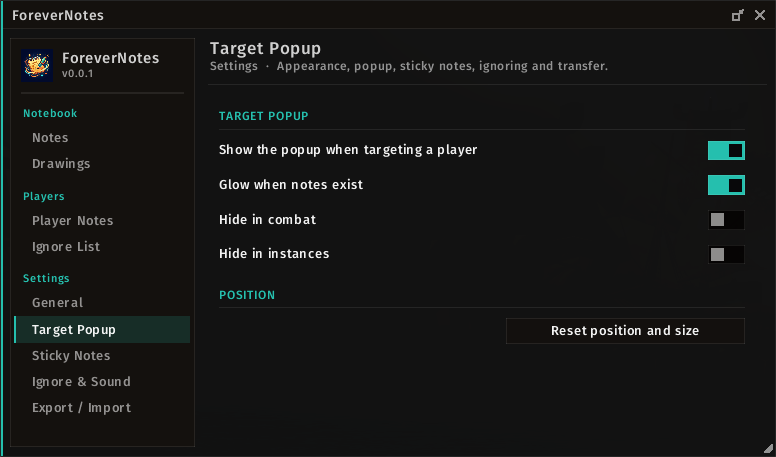
04-Target-popup-settings.png
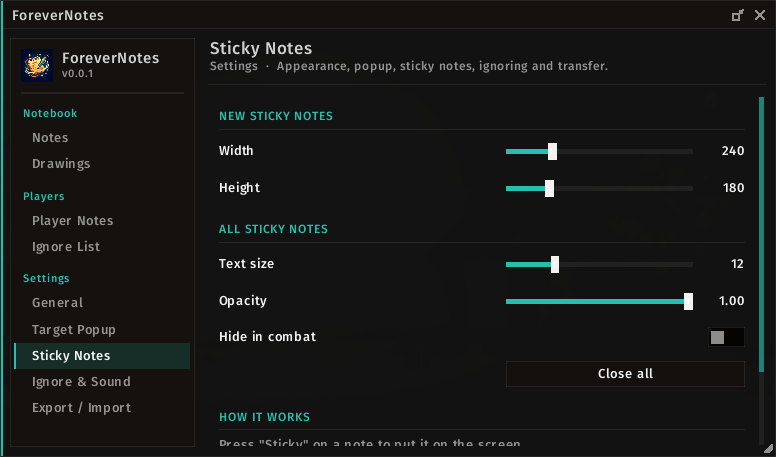
05-Sticky-notes-settings.png
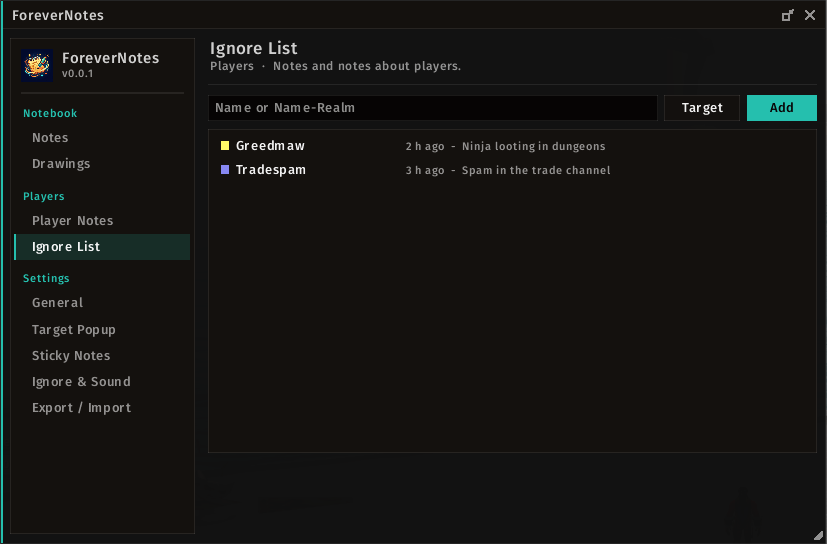
03-Ignore-list.png
Description
ForeverNotes
Notes for World of Warcraft: Forever: keep a notebook, remember players, draw tactics and keep important notes on screen while you play. ForeverNotes runs completely on its own. If EllesmereUI is installed, the same pages can also appear in its options window and ForeverNotes can take over its accent colour, font and language.
Unofficial. Not affiliated with or endorsed by EllesmereUI. EllesmereUI is optional and installed separately. No code, graphics or fonts from EllesmereUI are included.
Features
- Notebook: notes in coloured groups. Checklists with
[ ]/[x](click to tick), bullet lists with-, numbered lists with1.. Select text with the mouse like in any editor. - Player notes: several notes per player. Target a player and a small popup shows their notes. It can be collapsed to its title bar, and a pulsing strip tells you that notes exist. "Last seen" times included.
- Drawings: pen, eraser, line, rectangle, ellipse, 12 colours plus any colour, five line widths, undo and redo.
- Ignore list: your own account-wide list with a reason. Targeting someone on it plays a sound of your choice, prints a chat line and marks the popup in red. Optionally keeps the game's ignore list in step.
- Sticky notes: any note or drawing as a small window on the screen. Fold, lock, resize, dock them to each other.
- Mini window: notes, players, drawings and the ignore list in a compact window that also works in combat.
- Export / import: share everything, or only ticked notes, drawings or player notes (optionally with the ignore list), as a text code.
- Looks: seven themes, a free accent colour (theme default, EllesmereUI accent, class colour or any colour) and a font of your choice with preview (game fonts or the bundled Barlow, Fira Sans, Inter, Source Code Pro).
- Languages: English and German, automatic or chosen in the settings.
- Minimap button (left-click: ForeverNotes, right-click: mini window) and addon list entry.
Commands
| Command | Effect |
|---|---|
/forevernotes or /fnotes |
open or close ForeverNotes |
/forevernotes options |
the ForeverNotes window, also in combat |
/forevernotes mini |
toggle the mini window |
/forevernotes note |
new note for your target (works as a macro) |
/forevernotes minimap |
show or hide the minimap button |
With EllesmereUI
Settings > General > Integrate into EllesmereUI adds the section Notes to the EllesmereUI options window (on by default; takes effect after /reload). The ForeverNotes window stays available with /forevernotes options and opens instead while you are in combat.
Notes
- Built for the Forever beta (Interface 16001). Nothing is read from combat data: player names are only used when the game provides them.
- Bug reports and ideas: GitHub Issues. Please include the full Lua error text and whether EllesmereUI is installed.
- MIT licence. Bundled fonts under the SIL Open Font License 1.1.
ForeverNotes Team