Bank Alone Organizer
- By
One-click bag, bank and guild bank sorting by type, name, quality, item level, value and more. Works alongside any bag addon.



Description
Bank Alone Organizer
Created by Scott's Computer Services · Author: Whersthebeef
For World of Warcraft: Mists of Pandaria Classic
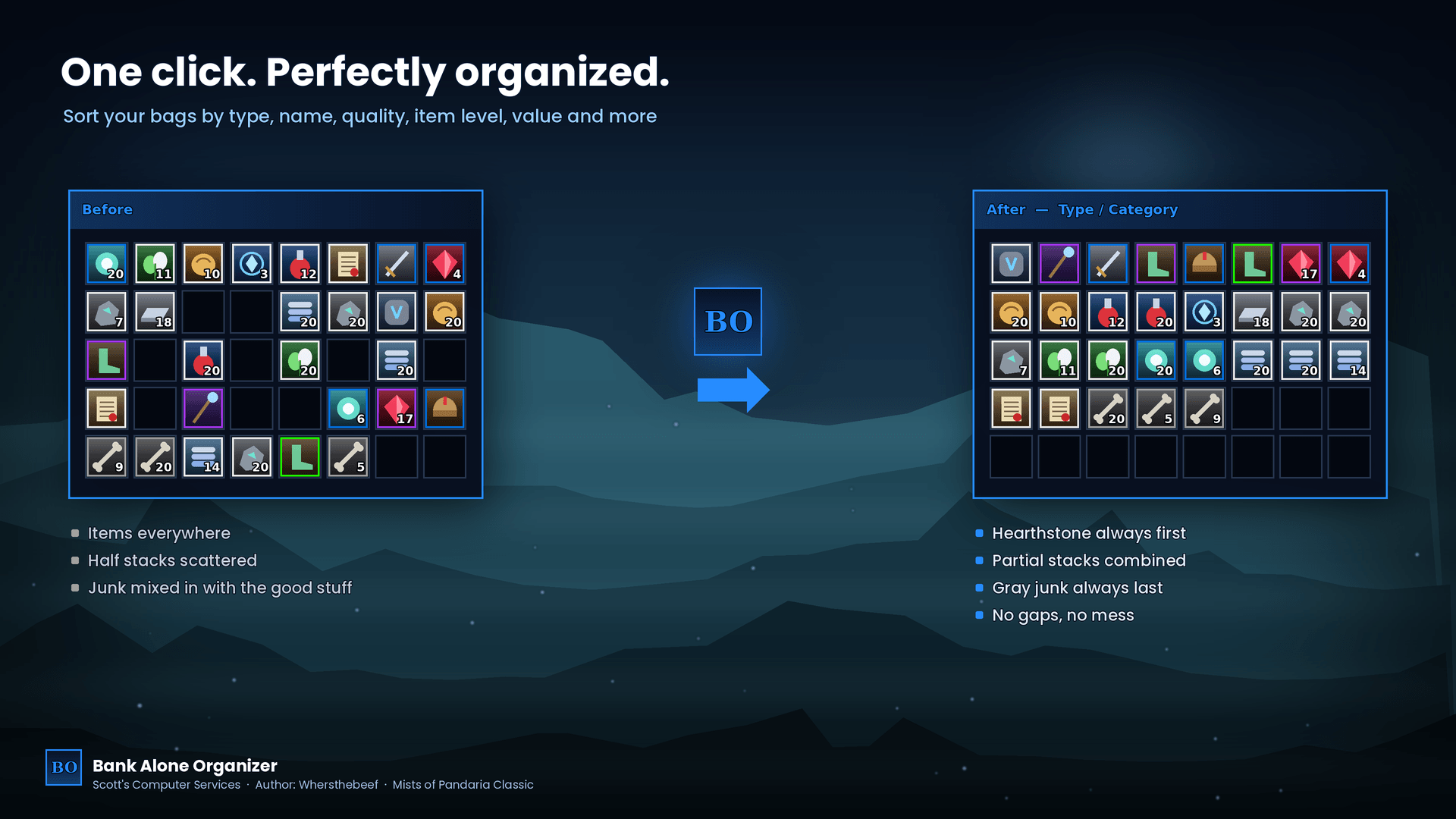
Messy bags? One click and everything falls into place. Bank Alone Organizer sorts your bags, your bank and — if you're a Guild Master or have full access — your guild bank tabs, in whatever order you like.
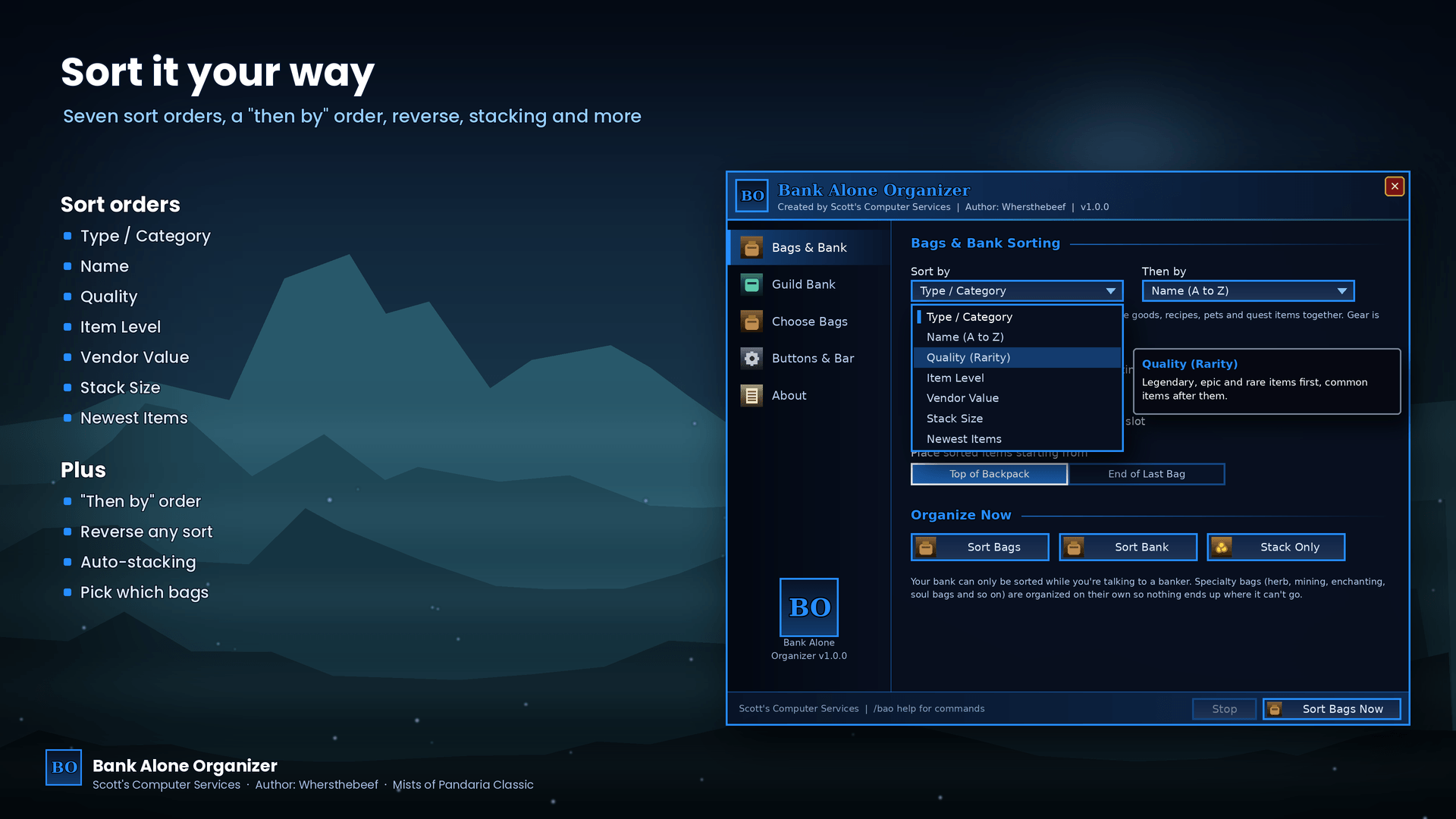
Sort your way
- Type / Category — weapons, armor, gems, consumables, glyphs, trade goods, recipes, pets, quest items… gear ordered by slot and item level
- Name (A to Z)
- Quality (Rarity)
- Item Level
- Vendor Value (whole stack)
- Stack Size
- Newest Items
Pick a "then by" order for ties, and reverse any sort.
Extras
- Combines partial stacks before sorting — or just Stack Only
- Gray junk always goes last, your Hearthstone always goes first
- Fill from the top of your backpack or the end of your last bag
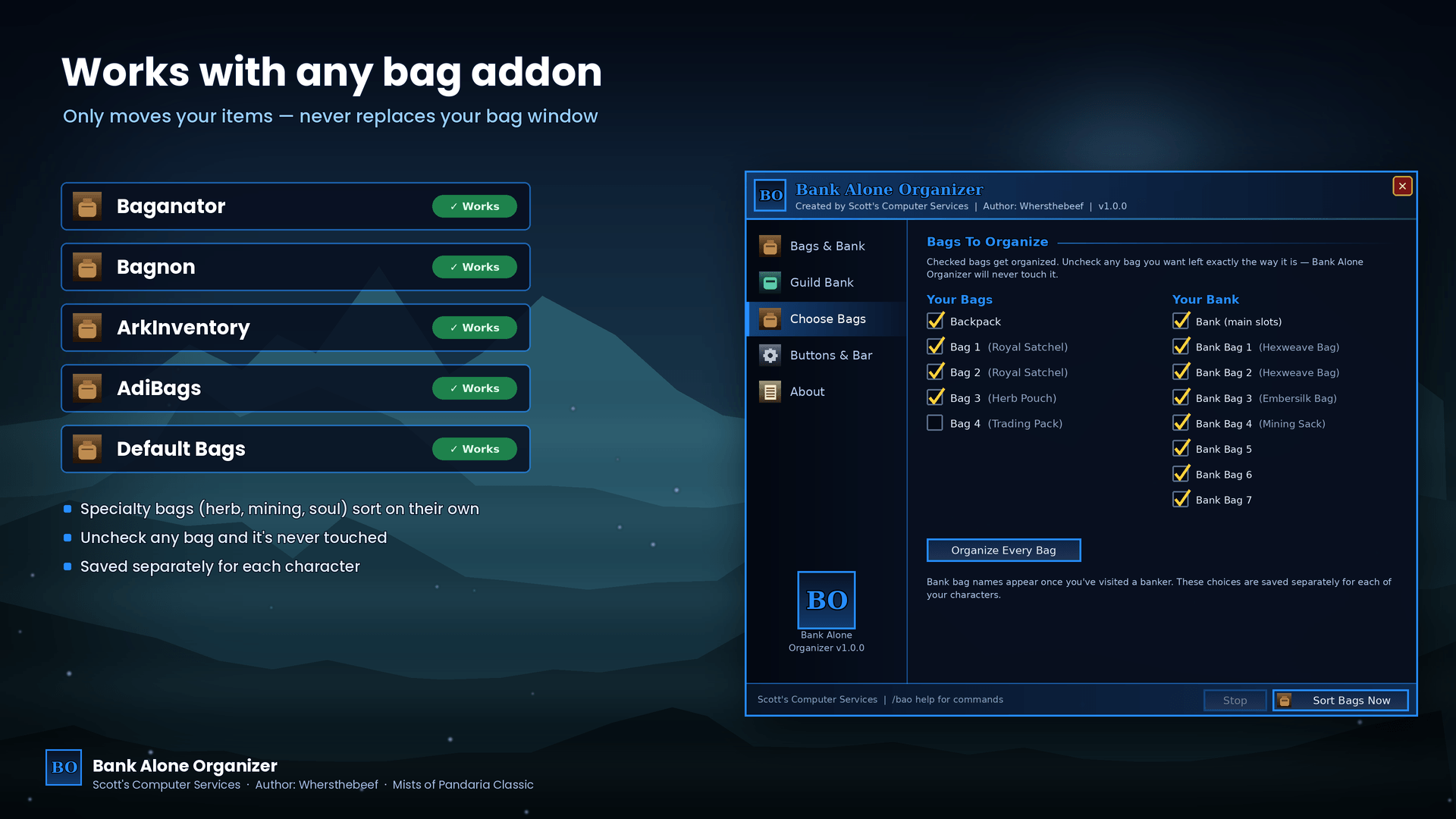
- Turn off any bag or bank bag and it's never touched
- Specialty bags sort on their own
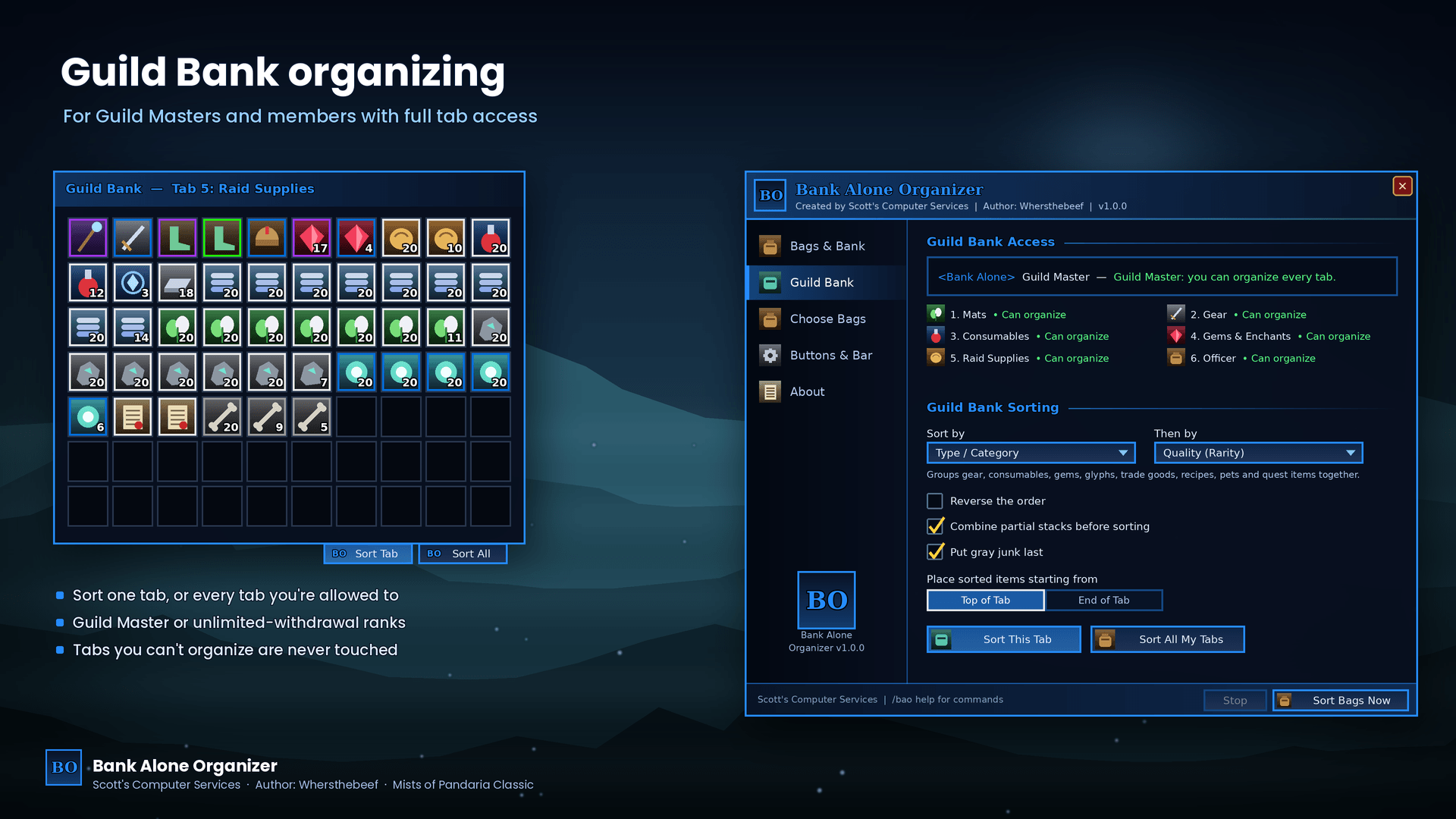
Guild Bank
- Sort This Tab or Sort All My Tabs
- Guild Masters can organize every tab. Other members can organize any tab where their rank can deposit and has unlimited withdrawals — the options page shows exactly which tabs you can organize
- Its own sort settings, separate from your bags
Plays nicely with other addons
Bank Alone Organizer only moves items between slots using the game's own functions, one careful move at a time, checking each one lands before the next. It never replaces your bag window, so it works alongside Baganator, Bagnon, ArkInventory, AdiBags or the default bags.
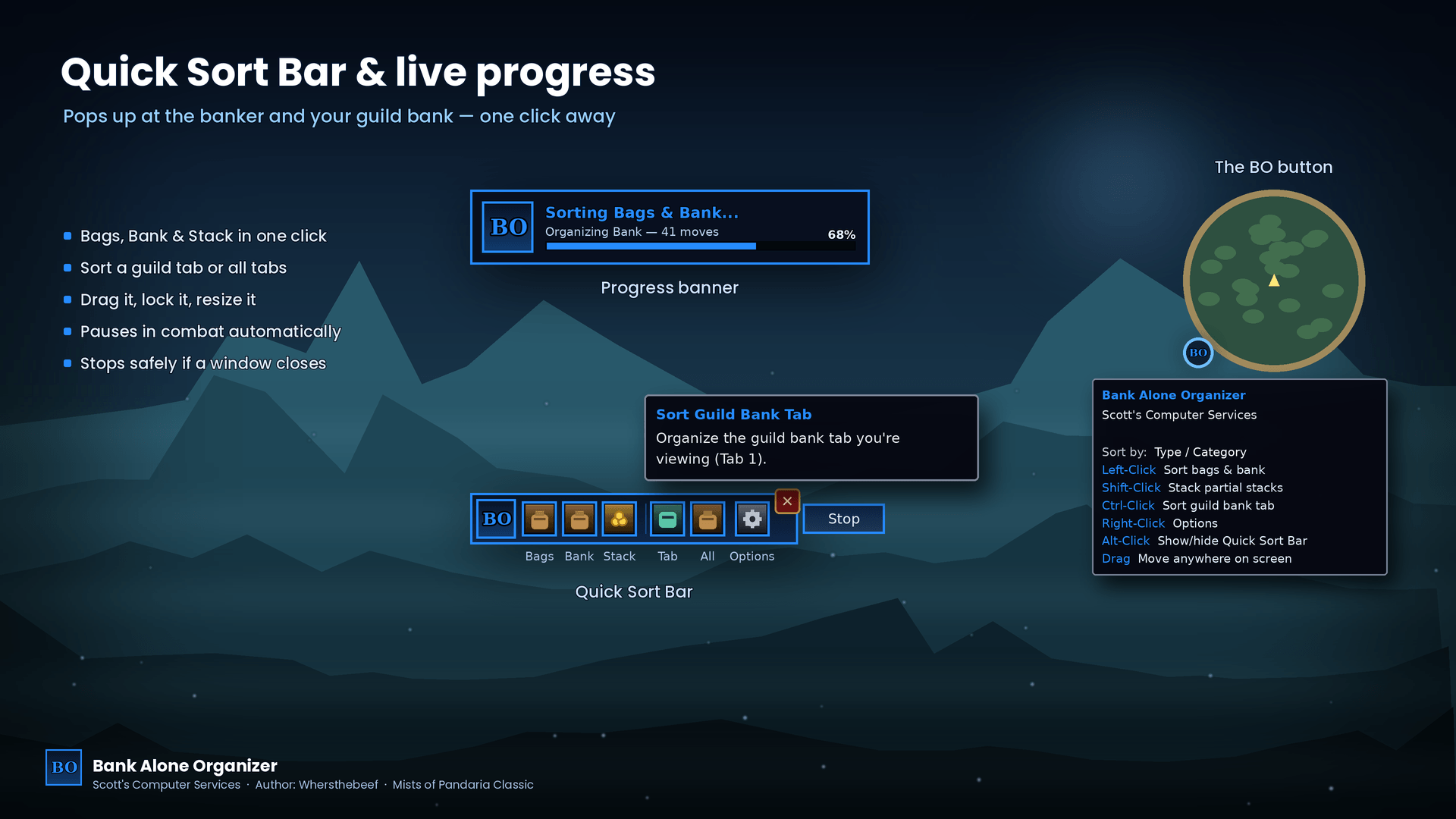
The BO button
- Left-click — sort bags (and bank when it's open)
- Shift-click — stack partial stacks
- Ctrl-click — sort the guild bank tab you're viewing
- Alt-click — show/hide the Quick Sort Bar
- Right-click — options
- Drag it anywhere on your screen — it remembers the spot, even after logging out
Commands
| Command | What it does |
|---|---|
/bao |
Open or close the options |
/bao sort |
Sort bags (and bank if open) |
/bao bags |
Sort bags only |
/bao bank |
Sort bank only |
/bao stack |
Combine partial stacks |
/bao guild |
Sort the guild bank tab you're viewing |
/bao guildall |
Sort every guild bank tab you can |
/bao stop |
Stop sorting |
/bao bar |
Show or hide the Quick Sort Bar |
/bao reset |
Reset the BO button and bar positions |
/bao show |
Show the BO button if hidden |
/bao welcome |
Show the welcome message again |
Key bindings: Game Menu → Key Bindings → AddOns → Bank Alone Organizer.
Installation
- Unzip the download.
- Copy the BankAloneOrganizer folder into
World of Warcraft\_classic_\Interface\AddOns\ - Restart the game (or
/reload) and make sure the addon is checked on the character-select AddOns list.
Bank Alone · Scott's Computer Services
The Bank Alone Organizer Team