Bank Alone Talent & Rotation Helper
- By
The right talents and the next button to press, for every class and role from level 1 to 90. Spinning action-bar ring, Single Target & AoE, bar organizer.


Description
⚔️ Bank Alone Talent & Rotation Helper
The right talents. The right button. Every level, every spec.
By Scott's Computer Services — created by Whersthebeef
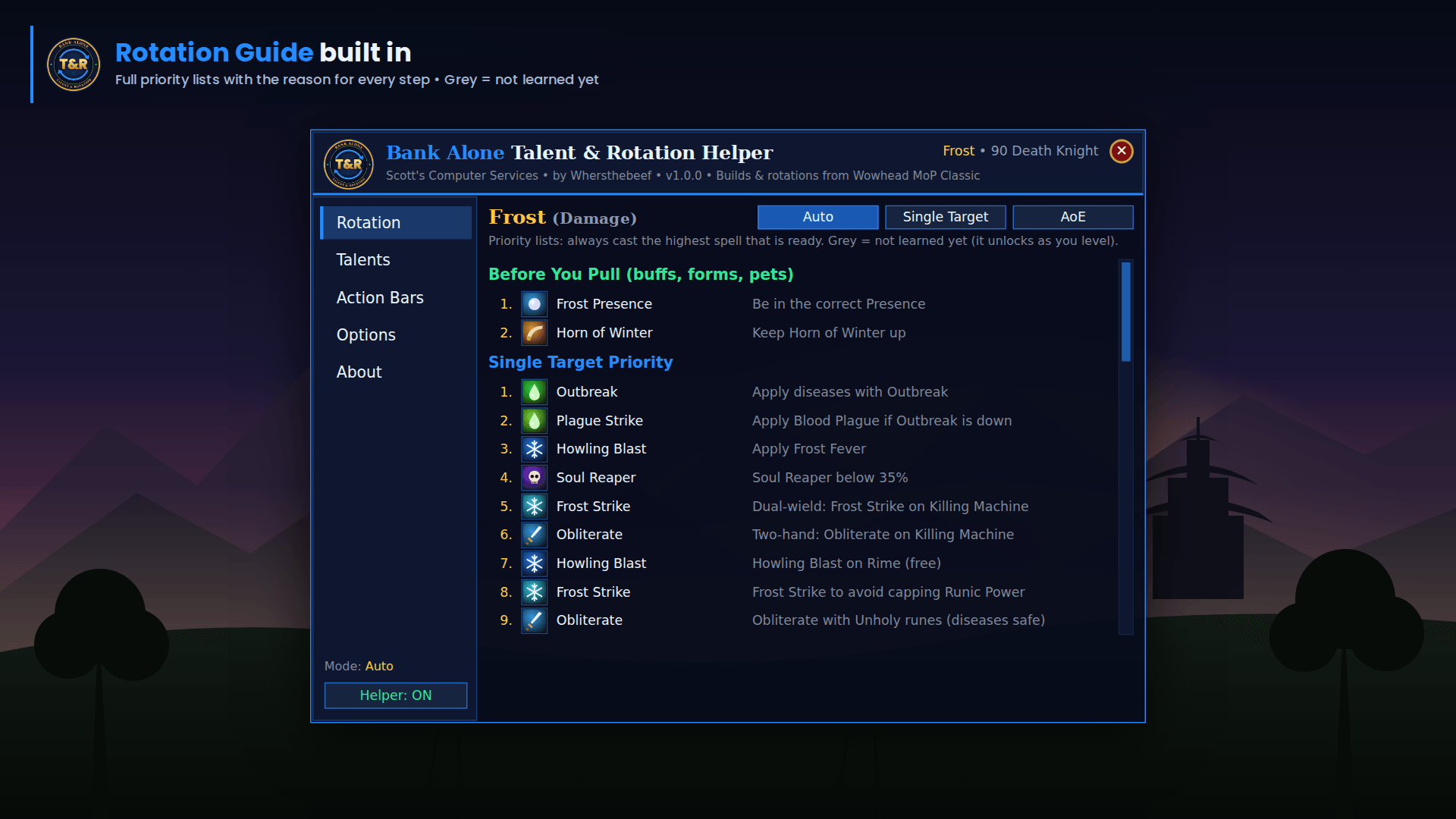
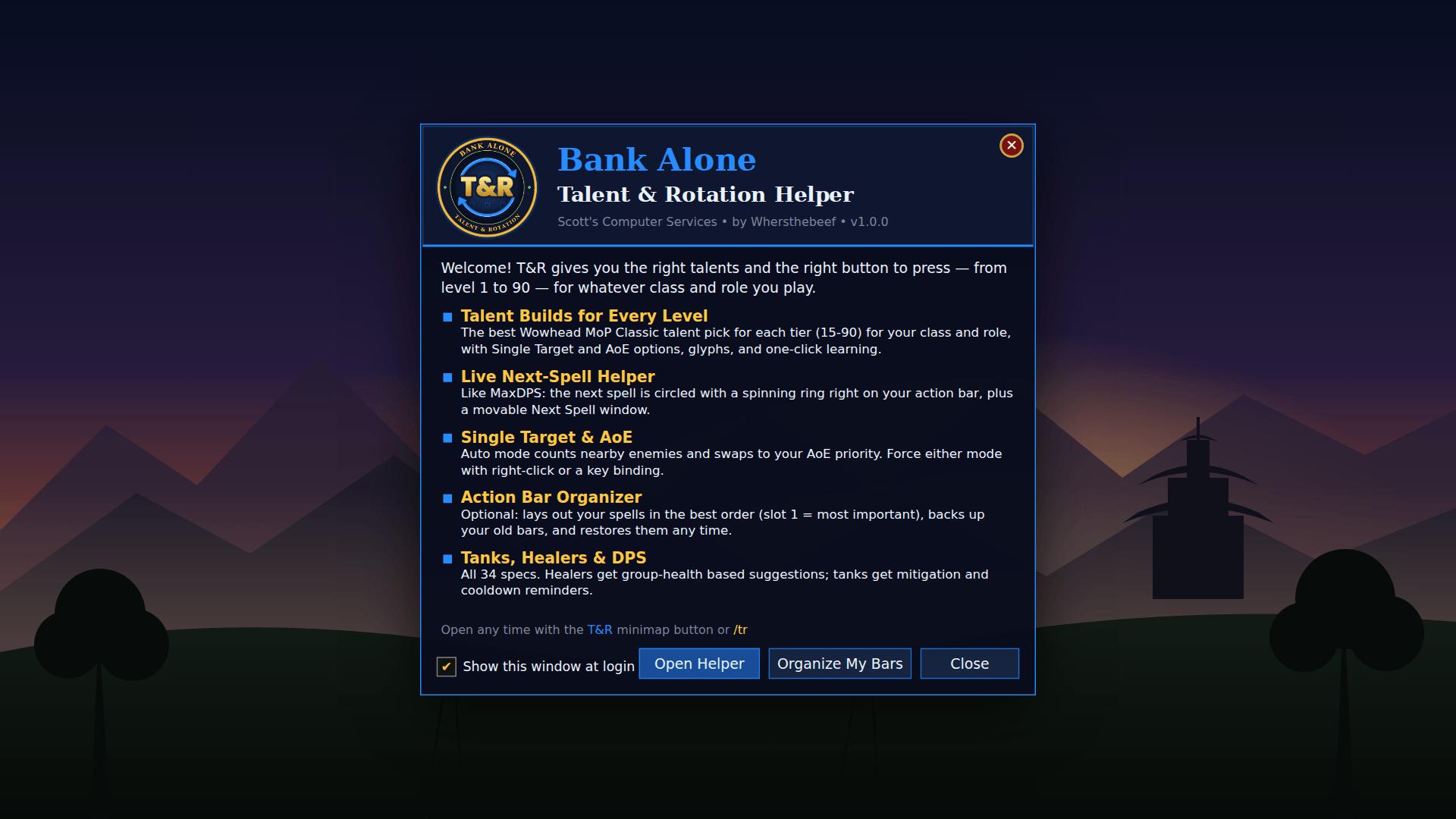
Tired of alt-tabbing to guides? T&R puts the current Wowhead MoP Classic (Phase 5) talent builds and rotation priorities inside your game, and it circles the next spell to cast right on your action bar, like MaxDPS. It works from level 1 to 90, for all 11 classes and all 34 specializations: tanks, healers and DPS.
🌀 Live Next-Spell Helper
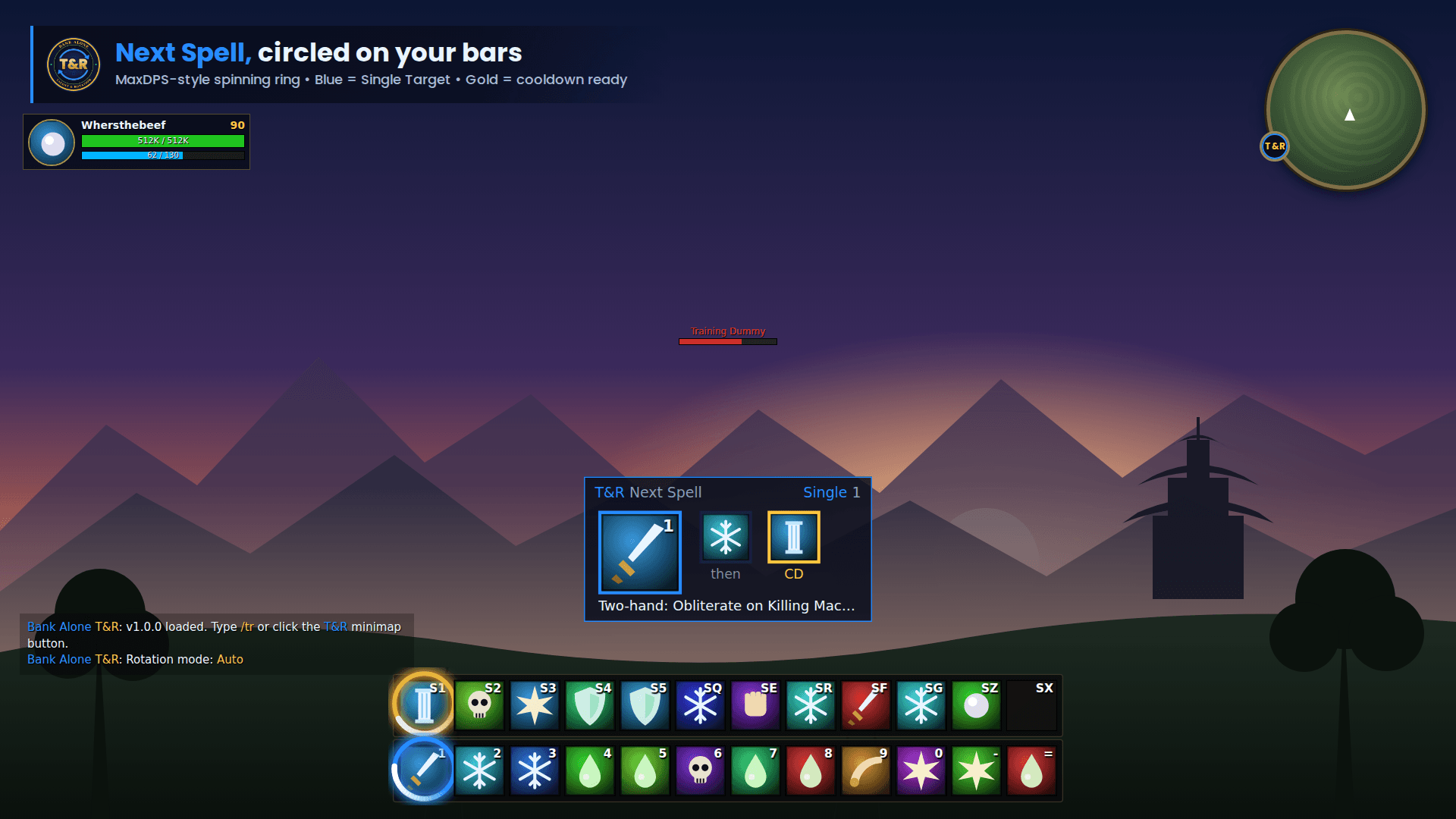
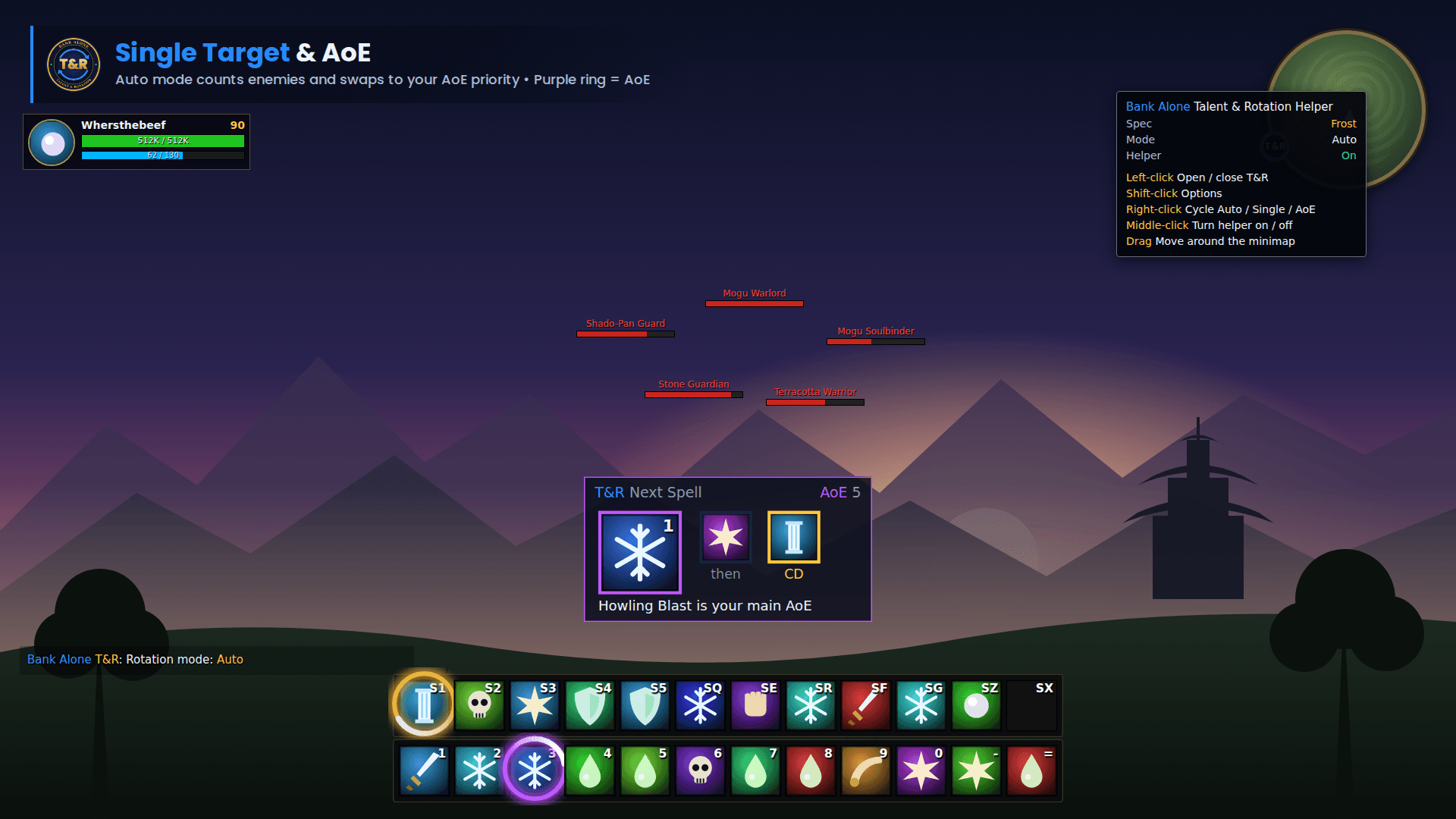
- A spinning T&R ring circles the button you should press next, on the default bars, Bartender4, ElvUI, Dominos and other LibActionButton bars.
- 🔵 Blue ring = Single Target • 🟣 Purple ring = AoE • 🟡 Gold ring = a major cooldown is ready.
- The ring dims while you're on the global cooldown and lights up the moment the spell is ready.
- A sleek, movable Next Spell window shows the next spell, the one after it, any ready cooldown, your keybind, and a one-line tip explaining why.
- Spells you haven't learned yet are skipped automatically, so it helps from your very first level.
🎯 Single Target and AoE
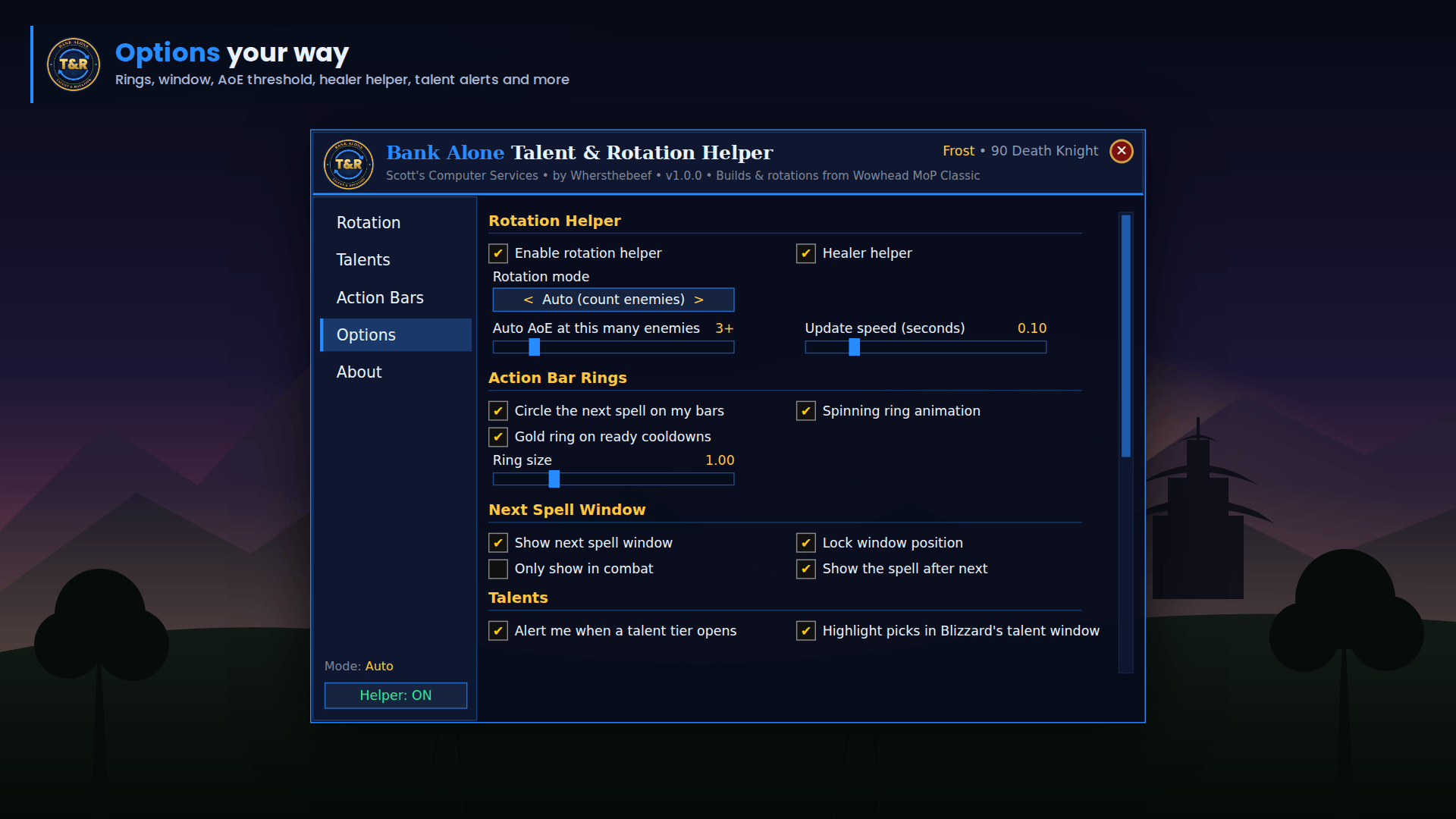
- Auto mode counts nearby enemies (from nameplates) and switches to your AoE priority at 3+ targets. The threshold is adjustable from 2 to 8.
- Force Single Target or AoE any time: right-click the Next Spell window, right-click the minimap button, type
/tr stor/tr aoe, or use a key binding.
🌳 Talent Builds for Every Level
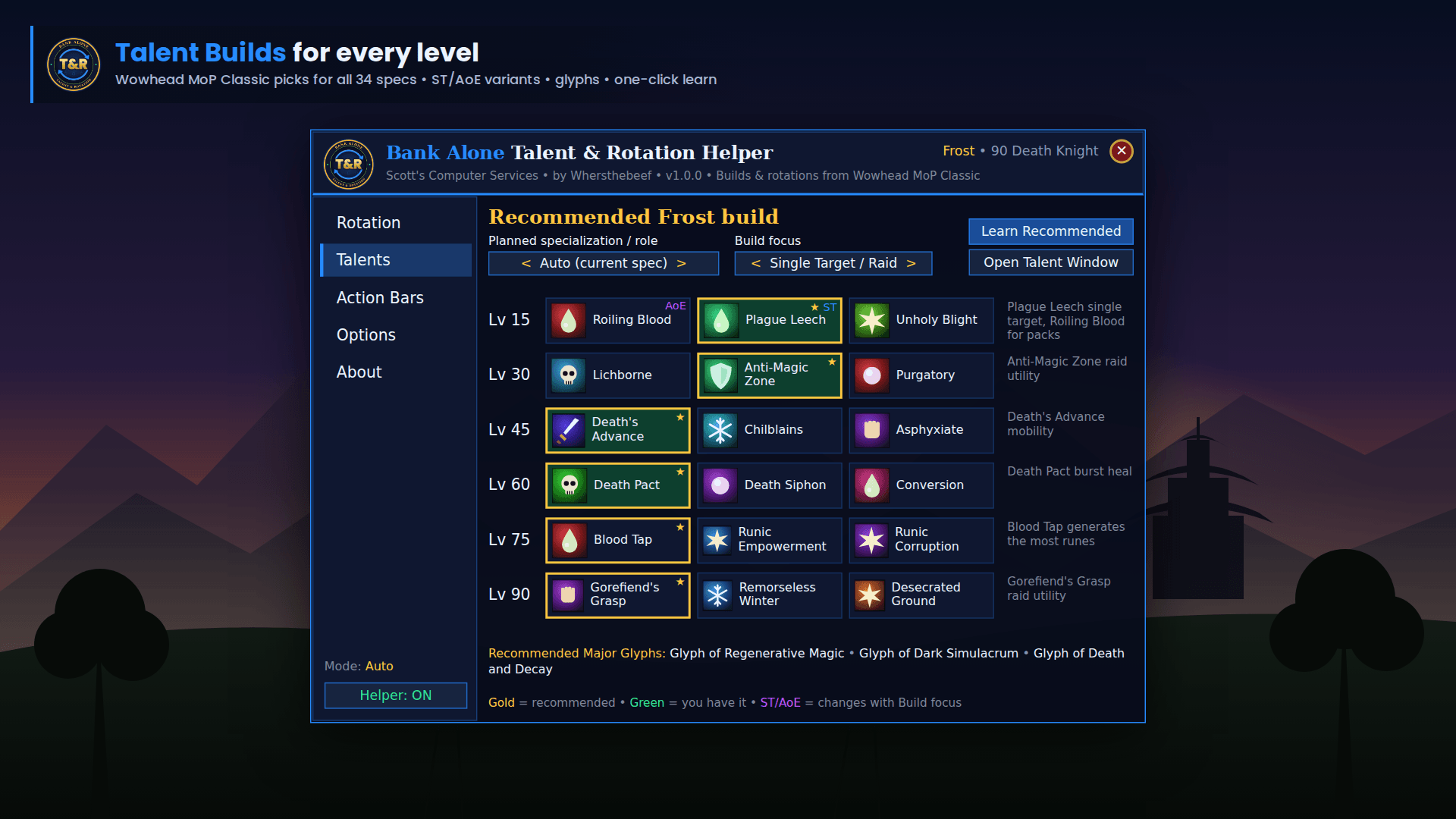
- The recommended pick for every tier (15 / 30 / 45 / 60 / 75 / 90), with a short reason for each.
- Where Wowhead recommends a different pick for Single Target vs. AoE, T&R shows both. Choose your Build Focus: Raid/Single Target or Dungeons/AoE.
- Planned Spec / Role: pick the spec and role you want to play, even before level 10.
- One-click “Learn Recommended” fills any open tier.
- A heads-up alert when a new tier unlocks as you level.
- Highlights the recommended talents inside Blizzard's talent window.
- Recommended major glyphs for every spec.
🧩 Action Bar Organizer (optional)
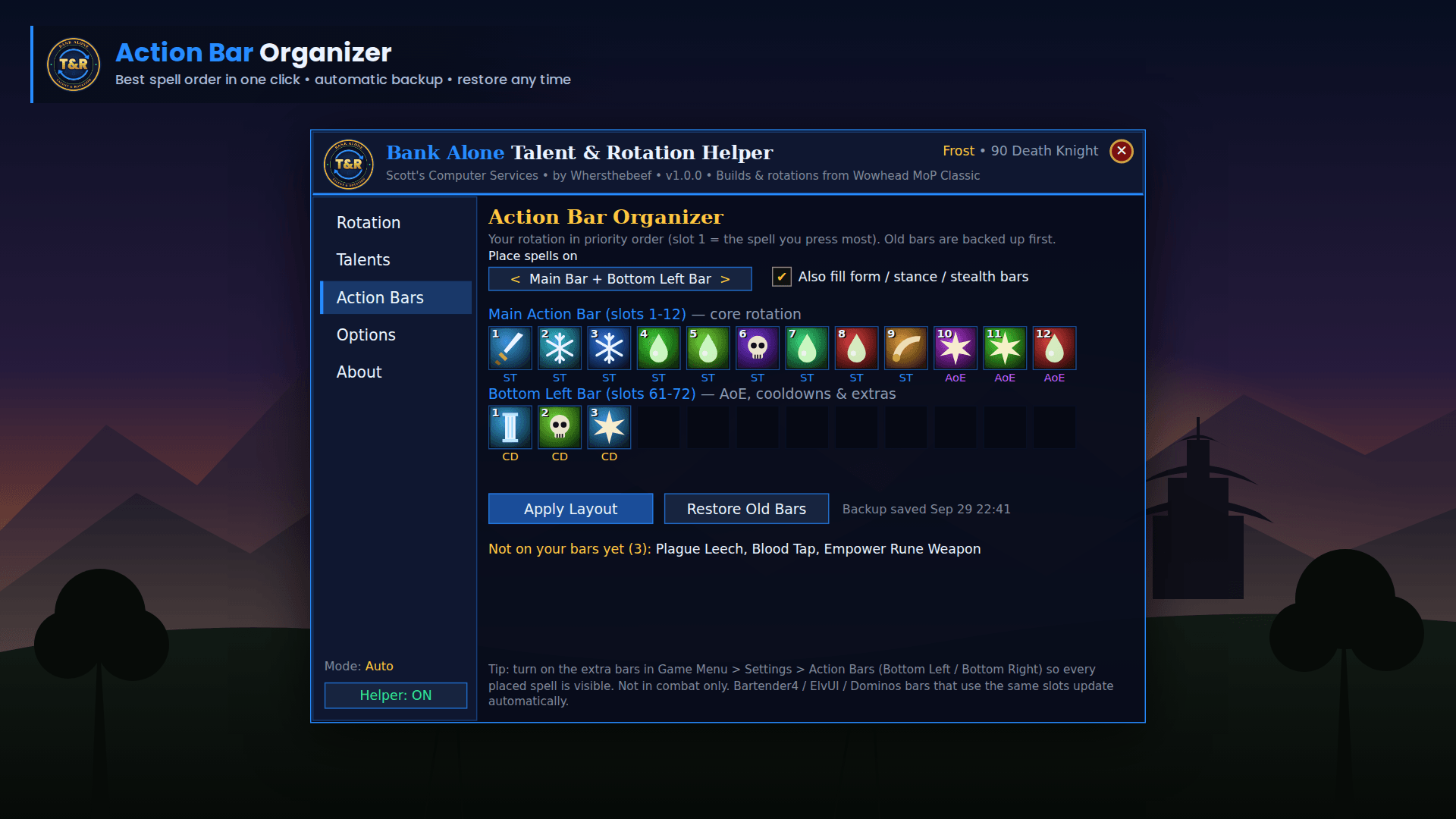
- T&R offers to set up your action bars for your spec. Nothing changes until you say so.
- It places your rotation in priority order (slot 1 = the spell you press most), then AoE spells and cooldowns on your second bar.
- It can also fill Cat / Bear / Moonkin, Stealth and Warrior stance bars.
- It backs up your current bars first, and Restore Old Bars puts everything back.
- It also shows which rotation spells are missing from your bars.
🛡️ Built for Every Role
- DPS: full Wowhead priority lists with procs, DoT refreshes, resources, execute phases and cooldown alignment.
- Tanks: active mitigation and self-heal reminders plus defensive cooldowns at the right health.
- Healers: group-health aware suggestions (tank HoTs, spot heals, group heals, raid cooldowns). With no group, healers get a solo questing damage rotation.
✨ Bank Alone Polish
- Signature SCS dark navy and neon blue interface.
- Welcome window, a full Options menu, and a draggable T&R minimap button that remembers exactly where you left it, even after logging off and back on.
- Lightweight: the update speed is adjustable, and no libraries are required.
⌨️ Commands
| Command | What it does |
|---|---|
/tr |
Open / close the T&R window |
/tr talents • /tr rotation • /tr bars • /tr options |
Jump to a page |
/tr mode |
Cycle Auto → Single Target → AoE |
/tr st • /tr aoe • /tr auto |
Set the mode directly |
/tr lock |
Lock / unlock the Next Spell window |
/tr minimap |
Show / hide the minimap button |
/tr toggle |
Turn the helper on / off |
/tr welcome |
Show the welcome window |
/tr reset |
Reset window + minimap positions |
Minimap button: Left-click = open • Shift-click = options • Right-click = cycle mode • Middle-click = on/off • Drag = move
Key bindings: Game Menu → Key Bindings → AddOns → Bank Alone Talent & Rotation Helper
💡 Tips
- Turn on enemy nameplates (V) so Auto mode can count enemies for AoE.
- Enable the Bottom Left / Bottom Right action bars so every organized spell is visible.
📚 Credits
Talent builds and rotation priorities are based on the Wowhead MoP Classic class guides (Phase 5). T&R is a helper, not a bot: it only suggests and highlights, and you press the buttons.
Part of the Bank Alone addon family by Scott's Computer Services. Questions, bugs or ideas? Leave a comment. Reports from guildies and CurseForge users go straight into the next update.
The Bank Alone Talent & Rotation Helper Team