Bank Alone Music Player
- By
Play your own MP3/OGG music inside WoW with a clean player. Pause and resume, shuffle, loop, search, background play, and a draggable minimap button.


Description
Bank Alone Music Player
**Play your own music inside World of Warcraft: Mists of Pandaria Classic.** Drop MP3 or OGG files into a folder, run one included script, and a clean player lives on your screen. No streaming, no accounts, no external apps.
## Features
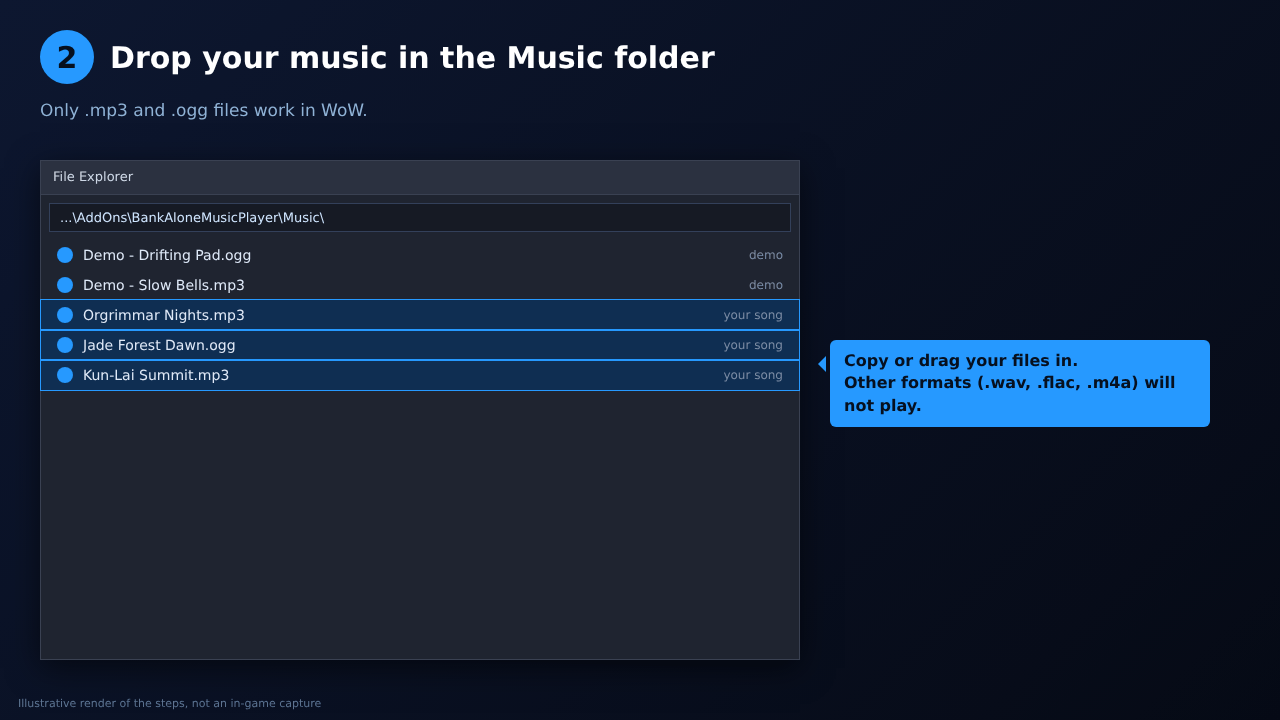
- **Your music, your folder.** Put .mp3 / .ogg files in the addon's `Music` folder.
- **Pause and Resume.** Pause a song and pick it up again where it left off (see "How resume works" below).
- **Keeps playing when WoW is minimized** or you click into another app (optional, on by default).
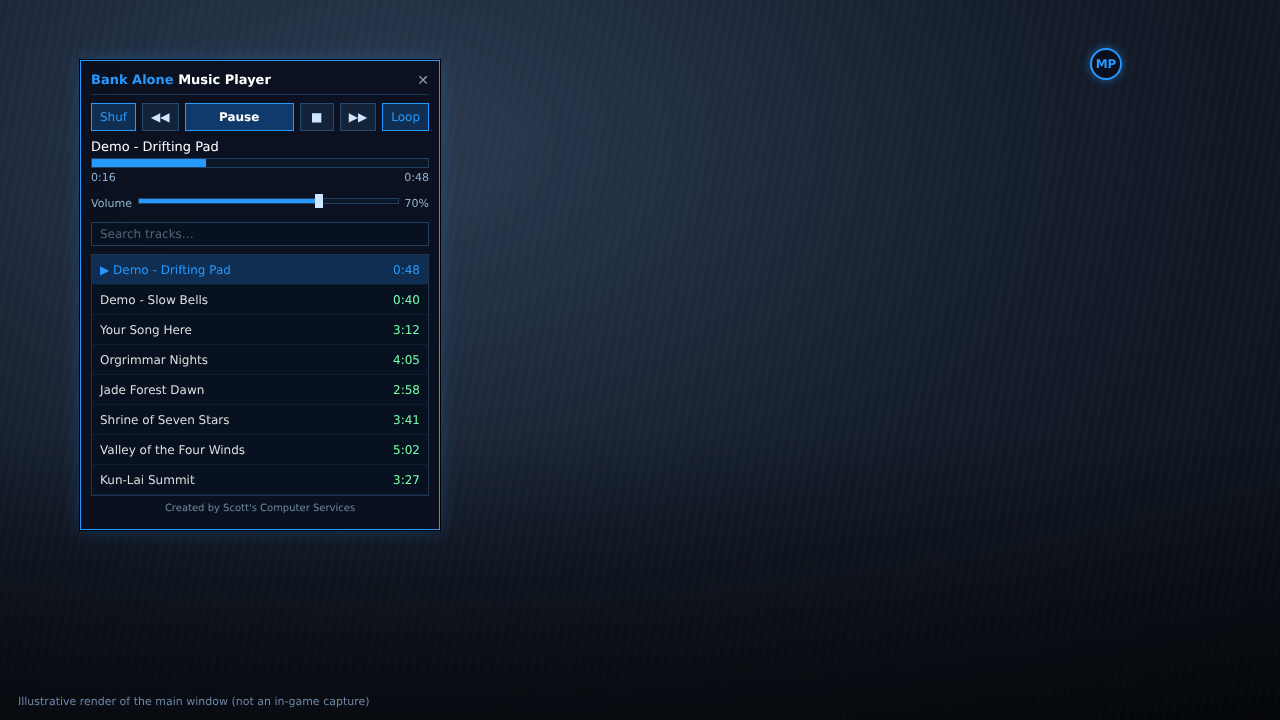
- **Full controls:** Play/Pause, Stop, Next, Previous, Shuffle, Loop (off / all / one), volume slider, progress bar.
- **Searchable track list** with durations.
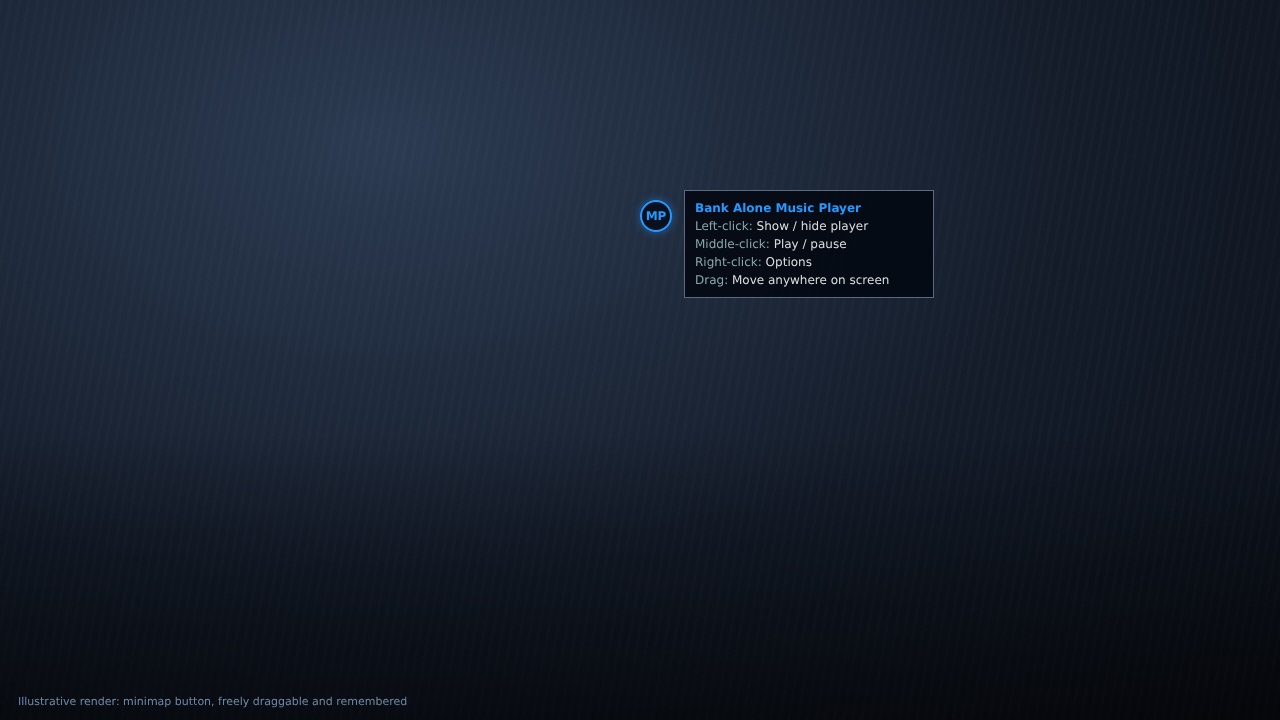
- **Draggable minimap button.** Drag it anywhere on screen; it remembers where you left it. Left-click shows/hides, middle-click plays/pauses, right-click opens options.
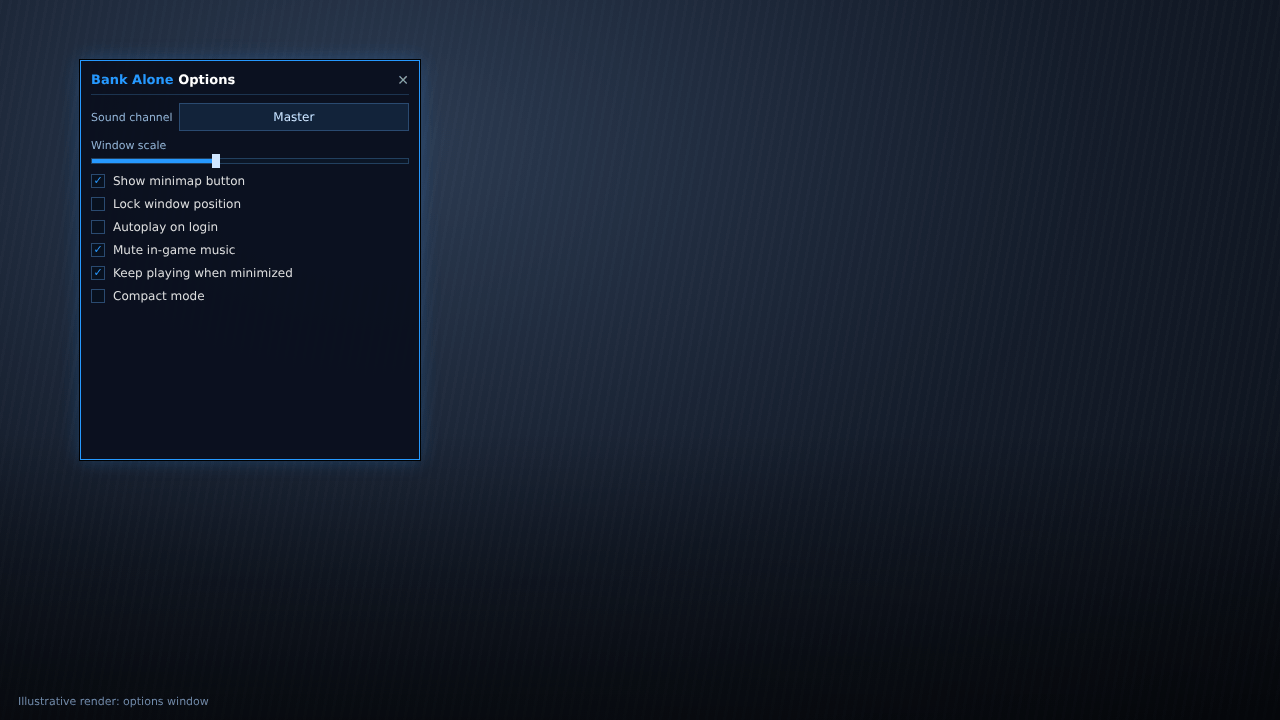
- **Compact mode**, window scaling, lock window, autoplay on login.
- **Mute in-game music** option so only your tracks play.
- **Sound channel choice:** Master, Music, SFX, Ambience, Dialog.
- **Key bindings** for toggle window, play/pause, stop, next, previous.
- Two short demo tracks included so you can test it immediately.
## Installing
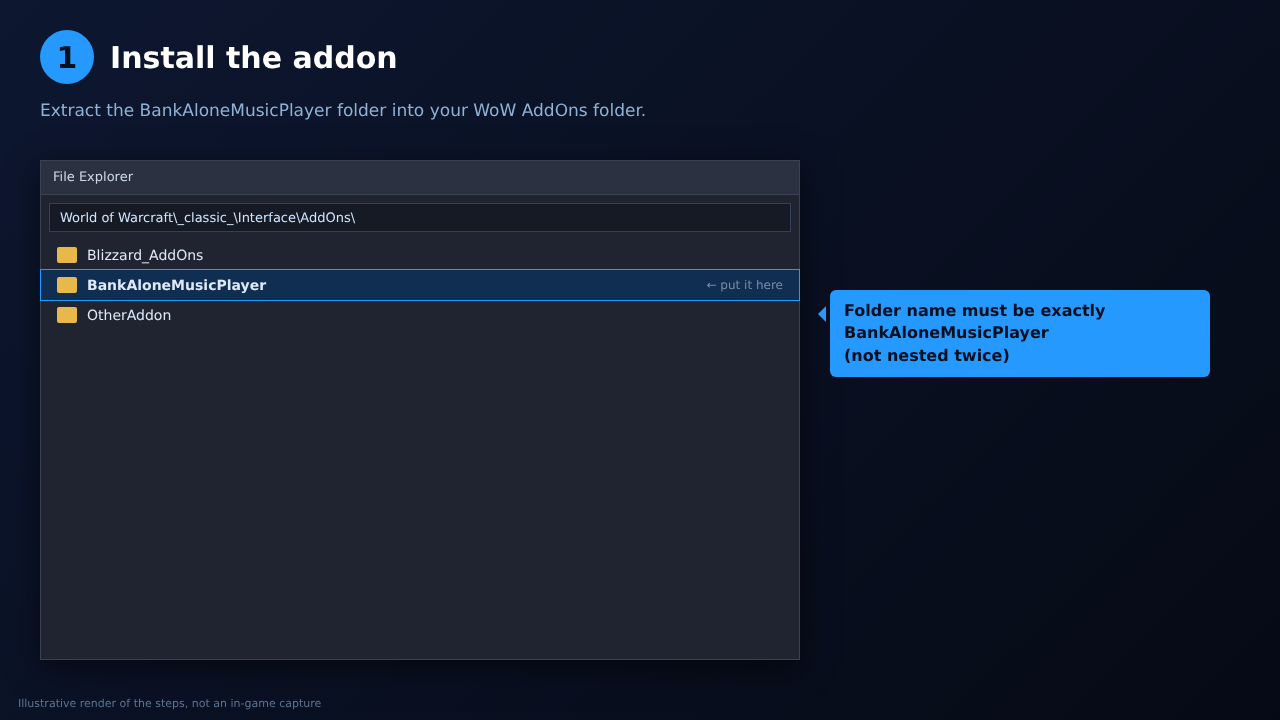
1. Extract `BankAloneMusicPlayer` into `World of Warcraft\_classic_\Interface\AddOns\`.
2. Put your .mp3 / .ogg files in `BankAloneMusicPlayer\Music\`.
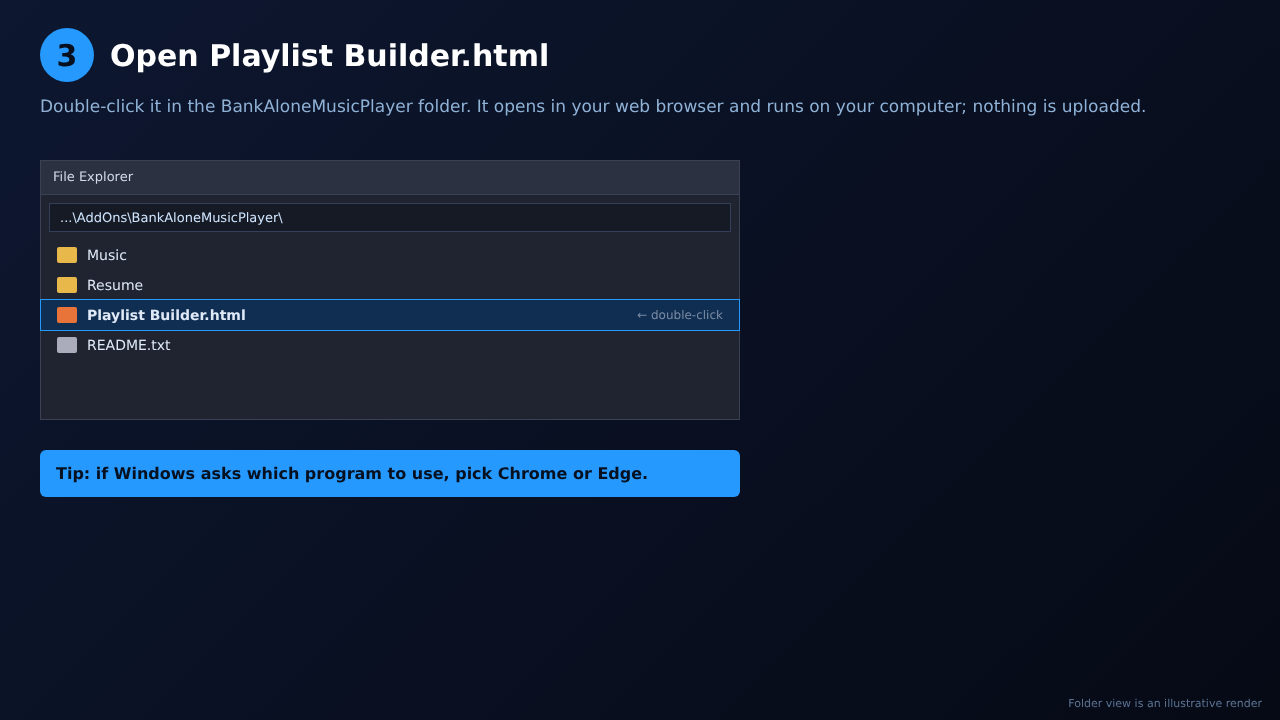
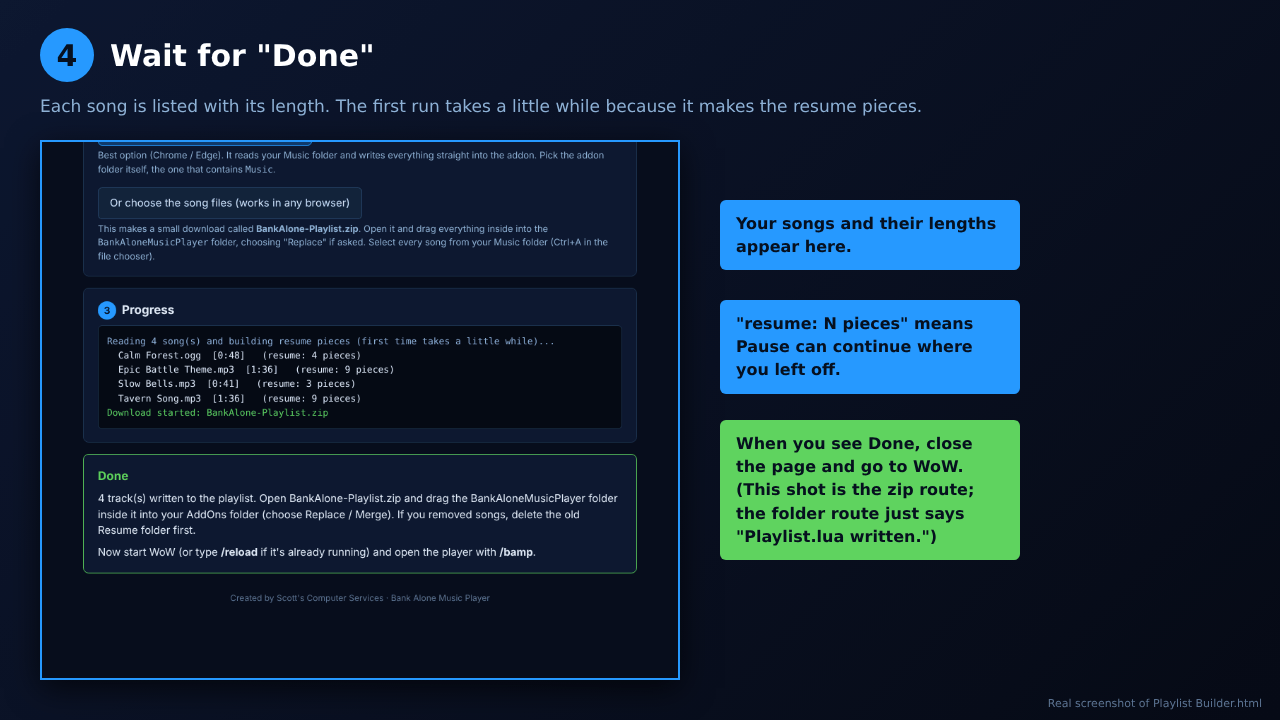
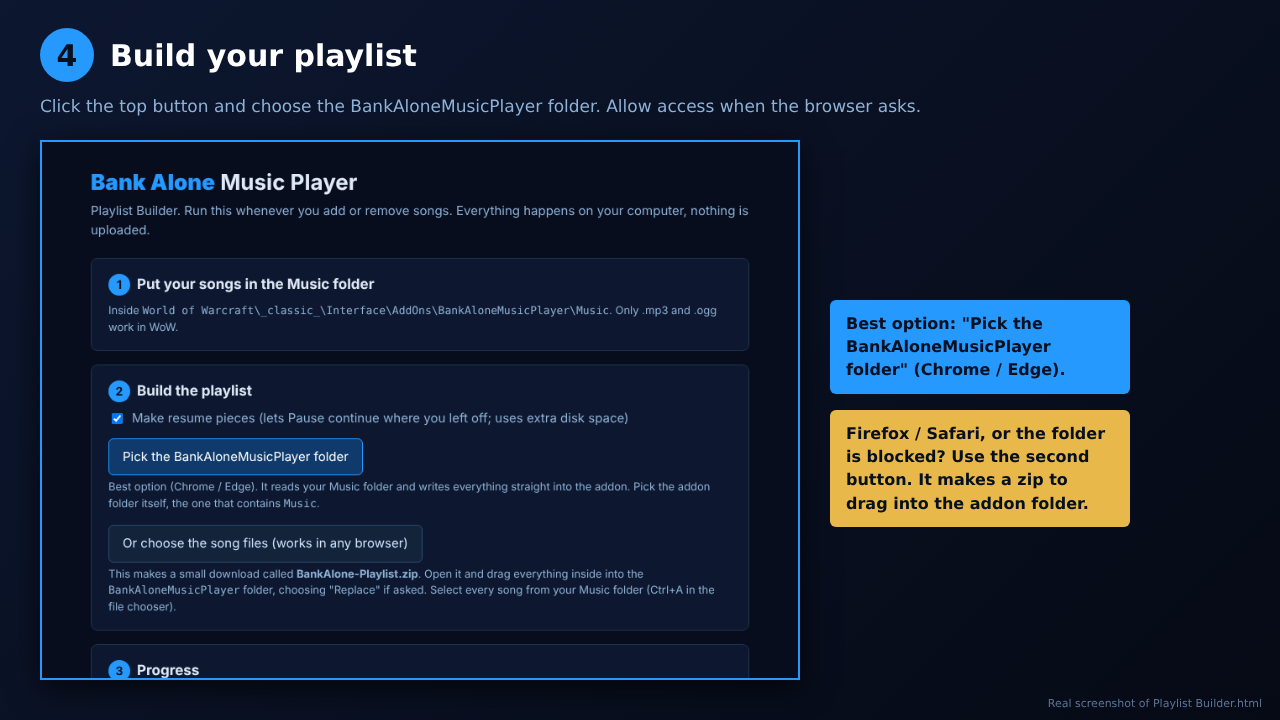
3. Run **Update Playlist.bat** (Windows) or `update_playlist.py` (Mac/Linux).
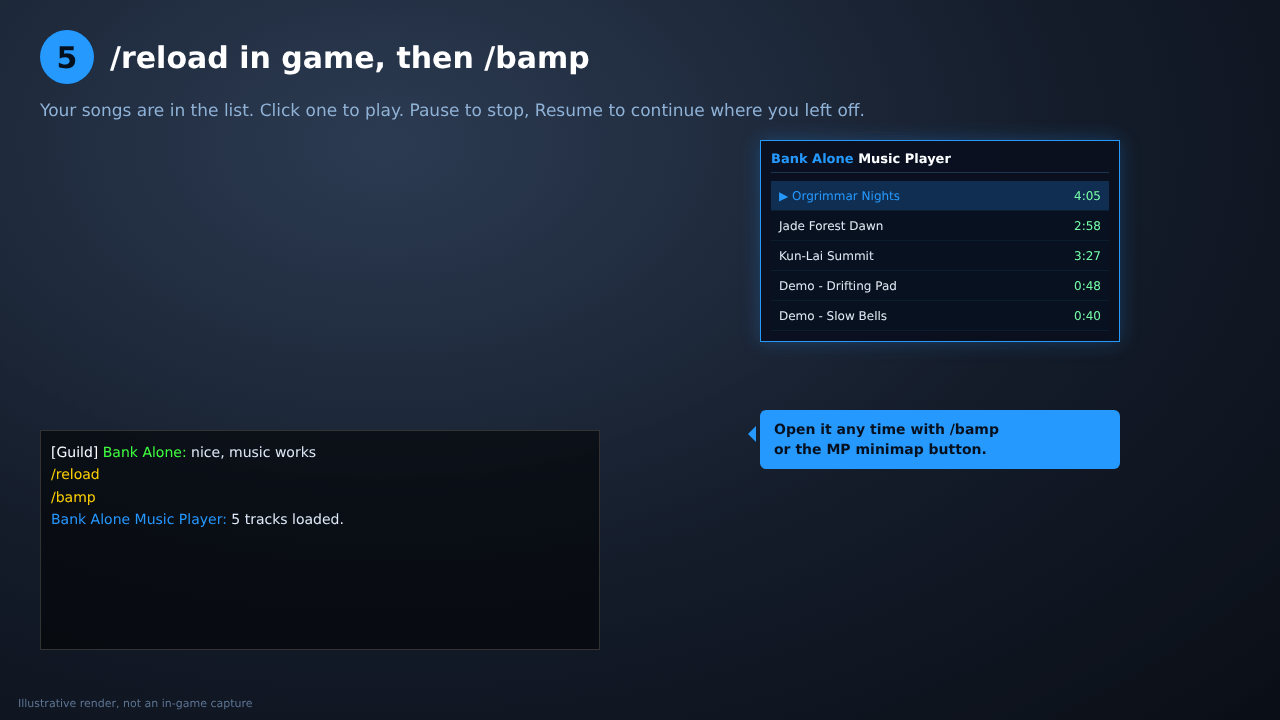
4. In game, type `/reload` (or relog). Open the player with `/bamp` or the minimap button.
WoW can't scan folders, so the script builds the track list. Run it again any time you add or remove music.
## How resume works (read this)
WoW's addon API has no pause or seek. To make Resume work, the Update Playlist script cuts each song into roughly 10-second pieces in a `Resume` folder. Pausing remembers which piece you were in, and Resume restarts from the start of that piece.
- Resume can rewind up to ~10 seconds.
- There can be a tiny gap at piece boundaries after a resume.
- The `Resume` folder roughly doubles disk use. Use **Update Playlist (no resume pieces).bat** to skip it; Pause then restarts the song.
- Tracks added with `/bamp add` have no pieces. They restart on resume.
- No seeking / click-to-skip on the progress bar.
- Only .mp3 and .ogg are supported by WoW.
## Slash commands
`/bamp` toggles the window. Also: `play`, `pause`, `resume`, `stop`, `next`, `prev`, `shuffle`, `loop`, `volume <0-100>`, `channel <name>`, `list`, `add`, `remove`, `options`, `minimap`, `reset`, `help`. (`/musicplayer` and `/bankalonemusic` also work.)
## FAQ
**My new song isn't showing up.** Run Update Playlist, then `/reload`.
**No sound while WoW is in the background.** Make sure "Keep playing when minimized" is on, and that WoW's own "Sound in Background" isn't blocked by your system volume mixer.
**Can I use music I don't own?** Only use files you have the rights to. This addon ships no copyrighted music.
## Credits
Created by **Scott's Computer Services**. Author: Whersthebeef. Part of the Bank Alone addon family.
Bank Alone Music Player Team